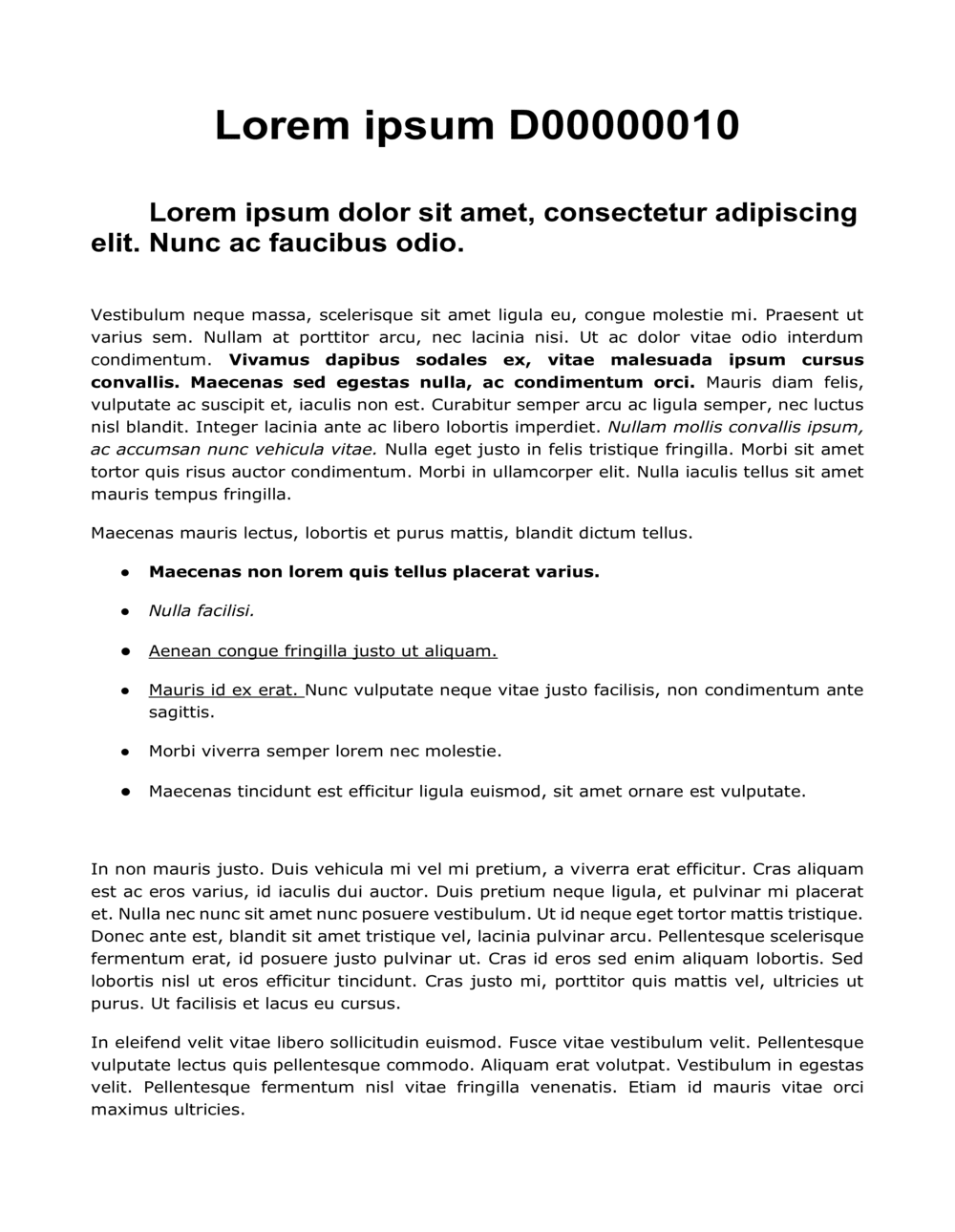
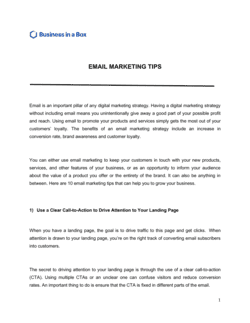
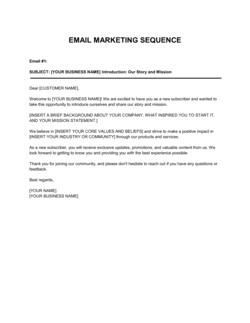
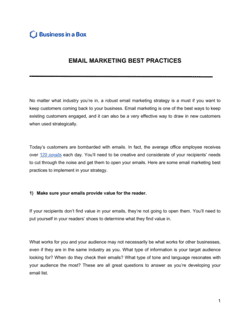
Email Marketing For Beginners Template

Free to read β€’ Save or share with one click

FreeEmail Marketing For Beginners Template

At a glance

What it is
An Email Marketing for Beginners guide is a structured planning and compliance document that walks a small business or solo operator through every stage of launching a professional email marketing program β€” from building a permission-based subscriber list to drafting campaigns, maintaining legal compliance under CAN-SPAM, CASL, GDPR, and other regulations, and measuring performance. This free Word download gives you a fillable framework you can edit online and export as PDF to share with your marketing team or service provider.
When you need it
Use it when launching your first email list, migrating from ad-hoc newsletter sends to a structured program, or onboarding a new marketing hire or agency that will manage your campaigns. It is also the right starting point any time you need to document your email practices to demonstrate regulatory compliance.
What's inside
Subscriber acquisition strategy, consent and opt-in language, list segmentation framework, campaign calendar structure, email content guidelines, deliverability best practices, unsubscribe and suppression procedures, performance metric definitions, and a jurisdiction-specific compliance checklist covering the US, Canada, the UK, and the EU.

What is an Email Marketing for Beginners Guide?

An Email Marketing for Beginners guide is a structured planning and compliance document that walks a business through every operational stage of building a permission-based email program β€” from subscriber acquisition and consent documentation to campaign scheduling, deliverability configuration, unsubscribe handling, and performance measurement. Unlike a single campaign brief or newsletter template, this document governs the entire email channel: it establishes the rules, workflows, and legal practices that keep each individual send compliant and effective. It is particularly valuable for businesses operating in multiple jurisdictions, where CAN-SPAM (US), CASL (Canada), GDPR (EU and UK), and CCPA (California) all impose distinct and sometimes conflicting consent and data-handling requirements.

Why You Need This Document

Running email marketing without a documented program framework creates three distinct categories of risk. The first is regulatory: sending commercial email without documented consent records, a functioning suppression list, or a Data Processing Agreement with your email service provider can generate fines of up to EUR 20 million under GDPR, CAD 10 million under CASL, or USD 53,088 per violation under CAN-SPAM β€” applied per email, not per campaign. The second is operational: without defined frequency caps, segmentation rules, and bounce thresholds, list quality degrades silently until deliverability collapses and campaigns land in spam folders across your entire subscriber base. The third is strategic: without documented KPIs and review triggers, you have no early-warning system for engagement decline and no baseline against which to evaluate whether your campaigns are improving. This template closes all three gaps β€” giving you a documented, audit-ready email program from the first send.

Which variant fits your situation?

If your situation is…Use this template
Planning a single promotional campaign, not an ongoing programEmail Campaign Plan
Documenting subscriber consent practices for GDPR or CASL complianceEmail Marketing Consent Policy
Establishing a full digital marketing strategy beyond emailDigital Marketing Plan
Planning content across all channels including social mediaContent Marketing Plan
Tracking campaign metrics and ROI in a spreadsheetMarketing Report Template
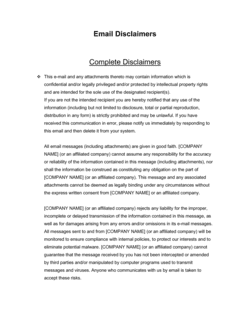
Drafting the actual email newsletter copyNewsletter Template
Onboarding a marketing agency or freelancer to manage emailMarketing Services Agreement

Common mistakes to avoid

❌ Purchasing or renting email lists

Why it matters: Purchased lists contain contacts who never consented to hear from you. Mailing them generates immediate spam complaints, hard bounces, and potential regulatory fines β€” and can blacklist your sending domain within hours of the first campaign.

Fix: Build your list exclusively through opt-in mechanisms on your own channels. A list of 500 engaged opt-ins consistently outperforms 10,000 purchased addresses by every measurable KPI.

❌ Importing contacts without verifying prior consent

Why it matters: Moving a CRM export or business card collection into your ESP without documented consent is a CASL and GDPR violation that can invalidate your entire subscriber base and expose you to fines.

Fix: Before importing any contact, confirm documented consent exists for each address. If consent cannot be verified, send a re-permission campaign before adding them to active sends β€” or exclude them entirely.

❌ Ignoring the Data Processing Agreement with your ESP

Why it matters: Under GDPR Article 28, processing subscriber data through any third party β€” including your email platform β€” without a signed DPA is a compliance violation regardless of whether a breach occurs.

Fix: Execute a DPA with your ESP before sending the first campaign. Most major platforms provide one through their privacy settings or upon request; execution typically takes under 10 minutes.

❌ Applying only the sender's local regulation to international subscriber lists

Why it matters: A US company that mails EU subscribers without GDPR-compliant consent, or Canadian subscribers without CASL consent, is violating those laws regardless of where the company is located β€” and enforcement agencies in both regions actively pursue foreign senders.

Fix: Identify the jurisdiction of every subscriber segment and apply the most stringent applicable regulation to your consent, suppression, and data retention practices for that segment.

❌ Treating open rate as the primary performance metric post-iOS 15

Why it matters: Apple Mail Privacy Protection pre-fetches email pixels for all Apple Mail users, inflating open rates by 20–40 percentage points for lists with significant Apple Mail usage. Decisions based on this metric lead to incorrect send-frequency increases and false confidence in subject-line performance.

Fix: Shift primary KPIs to click-through rate, conversion rate, and revenue per email sent. Use open rate only as a relative trend indicator, not an absolute benchmark.

❌ No suppression list β€” deleting unsubscribers instead of suppressing them

Why it matters: Deleting unsubscribers from your database removes the record that they opted out. If you later re-import any contact list containing those addresses, they can be re-added and mailed, generating spam complaints and CAN-SPAM violations.

Fix: Maintain a permanent suppression list that is applied as a mandatory exclusion step before every single send. Never delete an unsubscribed record β€” suppress it.

The 10 key clauses, explained

Subscriber Acquisition and Consent Framework

In plain language: Documents how you will collect email addresses, the specific consent language displayed at each capture point, and whether you use single or double opt-in.

Sample language
Subscribers are collected via [SIGNUP FORM LOCATION] using the following consent language: 'By submitting your email, you agree to receive [CONTENT TYPE] from [COMPANY NAME]. You may unsubscribe at any time.' Confirmation: [single opt-in / double opt-in].

Common mistake: Using pre-checked consent boxes or combining email consent with terms-of-service acceptance β€” both are non-compliant under GDPR and CASL and can invalidate your entire subscriber list.

List Segmentation and Audience Definition

In plain language: Defines the audience segments you will maintain, the data attributes used to create them, and the campaign types assigned to each segment.

Sample language
Primary segments: [SEGMENT 1 β€” e.g., Prospects, criteria: subscribed but no purchase], [SEGMENT 2 β€” e.g., Active Customers, criteria: purchase within 90 days], [SEGMENT 3 β€” e.g., Lapsed, criteria: no open or click in 180 days].

Common mistake: Mailing the entire unsegmented list for every campaign. Sending irrelevant content to lapsed subscribers accelerates unsubscribes and damages sender reputation with ISPs.

Campaign Calendar and Send Frequency

In plain language: States how often each segment will receive emails, the types of campaigns planned (newsletters, promotions, automated sequences), and the review process before each send.

Sample language
Newsletter: [FREQUENCY β€” e.g., bi-weekly] to [SEGMENT]. Promotional: maximum [X] per month. Automated welcome sequence: [X] emails over [X] days from subscription date. Pre-send review: completed by [ROLE] no later than [X hours] before scheduled send.

Common mistake: Setting no frequency cap. Mailing more than once per week without prior engagement data typically increases spam complaints above the 0.08% threshold that triggers ISP filtering.

Email Content Standards

In plain language: Establishes your brand voice, required content elements (logo, unsubscribe link, physical address), prohibited content, and the review and approval workflow.

Sample language
Every commercial email sent by [COMPANY NAME] must include: (a) the company logo in the header, (b) a functioning one-click unsubscribe link, (c) the company's physical mailing address ([ADDRESS]), and (d) a plain-text version. Subject lines must not use deceptive or misleading language.

Common mistake: Omitting the physical postal address from transactional or promotional emails. CAN-SPAM requires it in every commercial message; absence exposes the sender to fines of up to $53,088 per violation.

Deliverability and Technical Setup

In plain language: Documents your email authentication configuration (SPF, DKIM, DMARC), the sending domain and IP reputation practices, and your bounce and complaint rate thresholds.

Sample language
Sending domain: [DOMAIN]. SPF record: published and verified [DATE]. DKIM: configured for [ESP NAME]. DMARC policy: [p=none / quarantine / reject]. Bounce rate threshold: remove hard bounces immediately; investigate soft bounces exceeding [2]% of a single send.

Common mistake: Sending campaigns from a shared IP without monitoring sender reputation. A single large send to a stale list can blacklist the IP, affecting all future deliverability until remediation.

Unsubscribe and Suppression Procedures

In plain language: Defines how unsubscribe requests are processed, the maximum time to honor them, and how the suppression list is maintained and applied before each send.

Sample language
Unsubscribe requests must be honored within [10] business days of receipt (CAN-SPAM maximum). All unsubscribed addresses are added to the master suppression list within [24 hours]. The suppression list is applied to every send as a mandatory exclusion step. Suppression records are retained indefinitely.

Common mistake: Deleting unsubscribed contacts from the database entirely instead of suppressing them. If you later re-import a contact list, deleted unsubscribers can be re-added and mailed β€” generating complaints and regulatory exposure.

Performance Metrics and Reporting

In plain language: Identifies the KPIs you will track for each campaign type, the reporting cadence, and the benchmarks that trigger a strategic review.

Sample language
Metrics tracked per campaign: open rate, click-through rate, conversion rate, unsubscribe rate, bounce rate, and revenue attributed. Reporting cadence: [weekly / monthly]. Review triggered by: open rate below [15]%, unsubscribe rate above [0.5]%, or spam complaint rate above [0.08]%.

Common mistake: Optimizing for open rate alone after Apple Mail Privacy Protection (MPP) inflated open-rate readings for iOS 15+ users. Click-through and conversion rates are now more reliable primary KPIs.

Data Retention and Privacy Compliance

In plain language: States how long subscriber data is retained, when and how data deletion requests are fulfilled, and which privacy regulations apply to the program.

Sample language
Subscriber data is retained for [X] years from the date of last engagement or until an unsubscribe or deletion request is received. Deletion requests are fulfilled within [30] days. Applicable regulations: [CAN-SPAM / CASL / GDPR / CCPA β€” select all that apply based on subscriber geography].

Common mistake: Applying only the regulation of the sender's home jurisdiction. If any subscriber is located in the EU, GDPR applies regardless of where the sending company is based.

Third-Party ESP and Vendor Management

In plain language: Identifies the email service provider (ESP) used, the data processing relationship, and the contractual obligations that govern how the ESP handles subscriber data.

Sample language
Email Service Provider: [ESP NAME β€” e.g., Mailchimp, Klaviyo, HubSpot]. Data Processing Agreement (DPA): executed [DATE]. Subscriber data is processed by the ESP in accordance with their privacy policy dated [DATE]. The ESP is not authorized to use subscriber data for any purpose other than sending emails on [COMPANY NAME]'s behalf.

Common mistake: Using an ESP without executing a Data Processing Agreement. Under GDPR, the absence of a DPA means the company is in breach of Article 28 regardless of whether any data incident occurs.

Governing Compliance Review and Update Schedule

In plain language: Establishes who owns compliance review, how often the entire email program is audited against current regulations, and the process for updating consent language or practices when laws change.

Sample language
The email program compliance review is conducted by [ROLE / NAME] on a [annual / semi-annual] basis, or within [30] days of any material change to applicable email marketing regulations. Findings are documented in [DOCUMENT LOCATION] and any required updates to consent language or suppression procedures are implemented within [X] days of the review.

Common mistake: Treating the compliance setup as a one-time task. Email regulations β€” particularly GDPR enforcement guidance and CASL implied-consent windows β€” evolve continuously, and programs that are not periodically reviewed accumulate violations silently.

How to fill it out

  1. 1

    Identify your applicable regulations

    Determine which email marketing laws apply based on your location and the geography of your subscribers. At minimum, review CAN-SPAM (US), CASL (Canada), GDPR (EU/UK), and CCPA (California). Document each applicable regulation in the compliance section.

    πŸ’‘ If you have even a single confirmed EU subscriber, GDPR applies to your entire program β€” not just EU-specific campaigns.

  2. 2

    Define your subscriber acquisition sources and consent language

    List every place you collect email addresses β€” website signup forms, checkout pages, lead magnets, event registrations β€” and write the exact consent language displayed at each point. Confirm whether each uses single or double opt-in.

    πŸ’‘ Double opt-in reduces list size by 15–25% but produces higher-quality subscribers who are 40–50% less likely to mark your emails as spam.

  3. 3

    Build your audience segments

    Define at least three subscriber segments based on engagement or purchase behavior. Document the data criteria for each segment and the campaign type associated with it.

    πŸ’‘ Start with three segments β€” prospects, active customers, and lapsed subscribers β€” before building more granular ones. Complexity without data to support it creates maintenance overhead without performance benefit.

  4. 4

    Set your campaign calendar and frequency caps

    Plan your newsletter cadence, promotional send limits per month, and automated sequence timing. Enter these in the campaign calendar section of the template.

    πŸ’‘ For a new list with no engagement history, start at one send per two weeks and increase only when open rates exceed 25%.

  5. 5

    Configure technical deliverability settings

    Work with your IT team or ESP to publish SPF and DKIM records for your sending domain and configure a DMARC policy. Document each authentication record in the technical setup section.

    πŸ’‘ Gmail and Yahoo now require DMARC for bulk senders (5,000+ daily messages) β€” configure it before your first major campaign, not after deliverability problems appear.

  6. 6

    Document your unsubscribe and suppression workflow

    Write out the step-by-step process for handling unsubscribe requests from receipt to suppression list application. Assign a named role responsible for each step and set the maximum processing time.

    πŸ’‘ Automate suppression through your ESP wherever possible. Manual suppression processes fail during high-volume sends or staff absences.

  7. 7

    Set performance benchmarks and review triggers

    Enter your KPI targets and the thresholds that will trigger a strategic review β€” open rate floor, unsubscribe ceiling, spam complaint ceiling. These become your program's operational health checks.

    πŸ’‘ Use industry benchmarks from your ESP's annual report as a starting point, then replace them with your own 90-day actuals once you have enough data.

  8. 8

    Execute a DPA with your ESP and schedule a compliance review date

    Confirm a Data Processing Agreement is in place with your email service provider and set a calendar reminder for your next annual compliance review. Enter both in the vendor management and review sections.

    πŸ’‘ Most major ESPs (Mailchimp, Klaviyo, HubSpot) provide a standard DPA on request or through their privacy settings β€” it takes under 10 minutes to execute and eliminates a material GDPR gap.

Frequently asked questions

What is email marketing and why does it matter for small businesses?

Email marketing is the practice of sending targeted, permission-based messages to a list of subscribers to build relationships, drive sales, and retain customers. For small businesses, it consistently delivers one of the highest ROIs of any marketing channel β€” commonly cited at $36–$42 returned per $1 spent β€” because it reaches people who have already expressed interest in your business. Unlike social media, you own the channel and the list.

What laws govern email marketing?

The primary laws are CAN-SPAM (United States), CASL (Canada), GDPR (European Union and UK), and CCPA (California). CAN-SPAM applies to any commercial email sent by a US-based business and requires a working unsubscribe link, a physical address, and honest subject lines. CASL and GDPR require explicit opt-in consent before sending. The law of the recipient's jurisdiction typically applies, not just the sender's β€” meaning a US company emailing EU subscribers must comply with GDPR.

What is the difference between single opt-in and double opt-in?

Single opt-in adds a subscriber to your list immediately when they submit a form. Double opt-in sends a confirmation email first; the subscriber is only added after clicking the confirmation link. Double opt-in produces smaller but more engaged lists with lower spam complaint rates. It is required in some interpretations of GDPR and strongly recommended under CASL to document consent clearly.

How often should I email my subscribers?

For a new list, one email every two weeks is a safe starting frequency. The right cadence depends on your industry, content quality, and audience expectations β€” e-commerce audiences tolerate higher frequency than B2B professional audiences. Watch your unsubscribe rate (flag anything above 0.5%) and spam complaint rate (flag anything above 0.08%) as the primary indicators that you are sending too often for your current list quality.

What should every marketing email include?

Every commercial email must include: a clear sender name and email address, a subject line that accurately reflects the content, your company's physical mailing address, a one-click unsubscribe link that works for at least 30 days after the send, and a plain-text version. These are CAN-SPAM minimums. GDPR additionally requires that the basis for contact (consent) is clear and that subscribers can easily access and delete their data.

What is email deliverability and how do I improve it?

Deliverability is the ability of your emails to reach the inbox rather than the spam folder. It is determined by your sender reputation (built over time through low complaint and bounce rates), technical authentication (SPF, DKIM, and DMARC DNS records), and list hygiene (removing hard bounces and inactive addresses). To improve deliverability, configure authentication before your first send, remove hard bounces immediately, and suppress addresses that have not opened or clicked in more than 180 days.

Can I buy an email list to grow my subscribers quickly?

No β€” purchasing or renting email lists is the single most damaging action you can take for your email program. Purchased contacts never consented to hear from you, so spam complaint rates from these lists are typically 10–50Γ— higher than organic lists. A single campaign to a purchased list can blacklist your sending domain, invalidate your ESP account, and generate regulatory fines under CAN-SPAM, CASL, or GDPR. Organic list building through opt-in mechanisms is the only compliant and sustainable approach.

What is a suppression list and why do I need one?

A suppression list is a maintained record of email addresses that must never receive future emails β€” including unsubscribers, hard bounces, and spam complainants. It is applied as an exclusion filter before every campaign send. Under CAN-SPAM, you must honor unsubscribe requests within 10 business days and maintain the ability to suppress that address for 30 days after the request. Under GDPR, you must maintain suppression records indefinitely as evidence of consent withdrawal.

How do I measure whether my email marketing is working?

Track five core metrics per campaign: open rate (with the caveat that Apple MPP inflates this for iOS users), click-through rate, conversion rate (recipients who completed the target action), unsubscribe rate, and revenue or pipeline attributed to the campaign. For ongoing programs, list growth rate and 90-day engagement rate (percentage of subscribers who have clicked at least once) are the best health indicators. Review all five metrics monthly and compare against your 90-day rolling average.

How this compares to alternatives

vs Digital Marketing Plan

A Digital Marketing Plan covers all online channels β€” SEO, paid ads, social media, and email β€” at a strategic level. An Email Marketing for Beginners guide focuses exclusively on email, providing the operational depth (consent framework, suppression procedures, compliance checklists) that a broader marketing plan cannot include. Use the digital plan for channel strategy and this guide for email-specific execution.

vs Content Marketing Plan

A Content Marketing Plan governs the creation and distribution of content across all formats β€” blog, video, social, and email. This template focuses on the mechanics of the email channel itself: list building, deliverability, compliance, and measurement. The two documents complement each other; the content plan answers what to create, while this guide answers how to deliver it compliantly via email.

vs Marketing Report Template

A Marketing Report captures performance data after campaigns run. This template is a planning and compliance document used before and during program setup. The report measures results; this guide establishes the strategy, standards, and legal practices that make those results meaningful and defensible.

vs Newsletter Template

A Newsletter Template provides the layout and copy structure for a single email. This template governs the entire program surrounding that newsletter β€” audience segmentation, send frequency, compliance, unsubscribe handling, and performance review. You need both: this guide to run the program legally and strategically, and the newsletter template to produce each individual send.

Industry-specific considerations

E-commerce and Retail

Automated welcome, cart-abandonment, post-purchase, and win-back sequences are standard; segmentation by purchase history and product category is critical to avoiding list fatigue.

Professional Services

Monthly newsletters with educational content and case study references build trust over long sales cycles; list sizes are smaller but conversion values are higher, so engagement metrics matter more than open volume.

SaaS / Technology

Onboarding sequences, feature-adoption nudges, and trial-to-paid conversion campaigns are the highest-value email types; GDPR compliance is non-negotiable given international user bases.

Nonprofit and Associations

Donor cultivation, event invitations, and membership renewal sequences require careful consent documentation; subscribers expect mission-aligned content and are highly sensitive to perceived over-mailing.

Healthcare and Wellness

HIPAA considerations restrict use of patient health information in email marketing; consent must be documented separately from clinical consent, and suppression records must align with medical records retention policies.

Food and Beverage

Promotional frequency is higher than most industries (weekly to bi-weekly is common for restaurants and CPG brands), but list hygiene is critical because food and beverage audiences churn quickly when content becomes repetitive.

Jurisdictional notes

United States

The CAN-SPAM Act sets minimum standards for all commercial email sent by or to US parties: accurate header information, a non-deceptive subject line, identification as an advertisement where required, a physical postal address, and a working opt-out mechanism honored within 10 business days. The FTC enforces CAN-SPAM with fines up to $53,088 per violation. California's CCPA adds data access and deletion rights for California residents; businesses earning over $25M annually or processing data of 100,000+ consumers must comply.

Canada

CASL requires express or implied consent before sending any Commercial Electronic Message (CEM) to a Canadian address. Express consent requires a clear opt-in; implied consent arises from a business relationship and expires 2 years from the last transaction. Every CEM must identify the sender, include contact information, and provide an unsubscribe mechanism honored within 10 business days. CASL carries administrative monetary penalties up to CAD $10M per violation for organizations. CASL consent requirements are stricter than CAN-SPAM and apply to senders outside Canada who mail Canadian recipients.

United Kingdom

Post-Brexit, the UK operates under the UK GDPR and the Privacy and Electronic Communications Regulations (PECR). PECR requires opt-in consent for marketing emails to individuals, with a soft opt-in exception for existing customers marketed on similar products. The ICO enforces both regimes and has issued fines exceeding GBP 500,000 for serious breaches. UK GDPR mirrors EU GDPR in consent and data subject rights requirements, with the ICO serving as the supervisory authority.

European Union

GDPR requires freely given, specific, informed, and unambiguous consent before processing personal data for email marketing. Pre-checked boxes, bundled consent, and consent tied to service access are all invalid. Data subjects have the right to withdraw consent, access their data, and request erasure at any time. Fines for serious infringements reach EUR 20M or 4% of global annual turnover, whichever is higher. The ePrivacy Directive (implemented nationally as the Cookie Law in most member states) additionally requires opt-in consent for electronic marketing communications.

Template vs lawyer β€” what fits your deal?

PathBest forCostTime
Use the templateSmall businesses and solo operators launching a first email program in a single jurisdictionFree2–4 hours to complete and configure
Template + legal reviewBusinesses with subscribers in the EU, Canada, or California, or any company collecting sensitive personal data alongside email addresses$300–$800 for a privacy lawyer or compliance consultant review3–5 business days
Custom draftedEnterprise email programs, regulated industries (healthcare, financial services), or businesses facing active regulatory scrutiny of their data practices$1,500–$5,000+ for a full email compliance program review and documentation2–4 weeks

Glossary

Permission-Based Marketing
An approach where promotional emails are sent only to recipients who have explicitly opted in to receive them β€” the foundation of every legally compliant email program.
Double Opt-In
A subscription process in which a new subscriber confirms their address by clicking a link in a confirmation email before being added to the active list.
CAN-SPAM Act
The US federal law governing commercial email, requiring a physical postal address, a working unsubscribe mechanism, and accurate header information in every message.
CASL (Canada's Anti-Spam Legislation)
Canadian federal law requiring express or implied consent before sending commercial electronic messages, with a 2-year implied-consent window from the last business transaction.
GDPR (General Data Protection Regulation)
EU regulation requiring freely given, specific, informed, and unambiguous consent before processing personal data for marketing β€” including email addresses.
Open Rate
The percentage of delivered emails that recipients opened, calculated as unique opens divided by delivered messages β€” a primary indicator of subject-line and sender-name effectiveness.
Click-Through Rate (CTR)
The percentage of delivered emails in which at least one link was clicked, measuring how effectively the email body drives action.
List Segmentation
Dividing a subscriber list into smaller groups based on shared attributes β€” purchase history, geography, engagement level β€” to send more relevant messages to each group.
Suppression List
A maintained record of email addresses that have unsubscribed, bounced, or complained β€” used to ensure those addresses are never mailed again.
Deliverability
The ability of an email to reach the recipient's inbox rather than a spam folder, determined by sender reputation, authentication records (SPF, DKIM, DMARC), and list hygiene.
Soft Bounce vs. Hard Bounce
A soft bounce is a temporary delivery failure (full mailbox, server timeout); a hard bounce is a permanent failure (invalid address) that should be removed from the list immediately.
Conversion Rate
The percentage of email recipients who completed a desired action β€” purchase, sign-up, download β€” divided by the total number of emails delivered.

Part of your Business Operating System

This document is one of 3,000+ business & legal templates included in Business in a Box.

  • Fill-in-the-blanks β€” ready in minutes
  • Compatible with all office suites
  • Export to PDF and share electronically

Create your document in 3 simple steps.

From template to signed document β€” all inside one Business Operating System.
1
Download or open template

Access over 3,000+ business and legal templates for any business task, project or initiative.

2
Edit and fill in the blanks with AI

Customize your ready-made business document template and save it in the cloud.

3
Save, Share, Send, Sign

Share your files and folders with your team. Create a space of seamless collaboration.

Save time, save money, and create top-quality documents.

β˜…β˜…β˜…β˜…β˜…

"Fantastic value! I'm not sure how I'd do without it. It's worth its weight in gold and paid back for itself many times."

Managing Director Β· Mall Farm
Robert Whalley
Managing Director, Mall Farm Proprietary Limited
β˜…β˜…β˜…β˜…β˜…

"I have been using Business in a Box for years. It has been the most useful source of templates I have encountered. I recommend it to anyone."

Business Owner Β· 4+ years
Dr Michael John Freestone
Business Owner
β˜…β˜…β˜…β˜…β˜…

"It has been a life saver so many times I have lost count. Business in a Box has saved me so much time and as you know, time is money."

Owner Β· Upstate Web
David G. Moore Jr.
Owner, Upstate Web

Run your business with a system β€” not scattered tools

Stop downloading documents. Start operating with clarity. Business in a Box gives you the Business Operating System used by over 250,000 companies worldwide to structure, run, and grow their business.

Start freeΒ Β·Β No credit card required