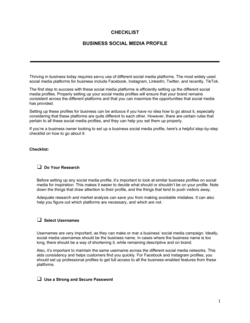
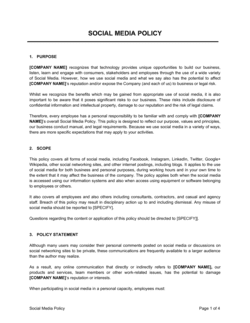
Checklist Daily Social Media Engagement Checklist For Max Client Reach

Free download β€’ Use as a template β€’ Print or share

1 pageβ€’20–25 min to useβ€’Difficulty: Standard
Learn more ↓
FreeChecklist Daily Social Media Engagement Checklist For Max Client Reach Template

At a glance

What it is
A Daily Social Media Engagement Checklist is a structured form that guides social media managers and business owners through every engagement task required each day β€” from publishing scheduled posts to responding to comments, monitoring hashtags, and logging performance metrics. This free Word download gives you a repeatable daily routine you can edit online and export as PDF or print for your team.
When you need it
Use it any time you manage social media accounts professionally β€” whether you are running daily activity for a single brand, juggling multiple client accounts at an agency, or building a consistent presence for your own business. It is especially useful when onboarding new team members who need a standardized daily workflow.
What's inside
Platform-by-platform task sections, post publishing confirmations, comment and DM response logs, hashtag and keyword monitoring fields, engagement metric snapshots, competitor activity notes, and a daily summary block for wins and follow-up actions.

What is a Daily Social Media Engagement Checklist?

A Daily Social Media Engagement Checklist is a structured form that guides social media managers, agency teams, and business owners through every task required to maintain an active, responsive social presence each day. It covers publishing verification, comment and direct message responses, hashtag monitoring, brand mention tracking, competitor observation, and end-of-day metric logging β€” organized by platform so nothing falls through the cracks. The checklist transforms an ad hoc routine into a documented, repeatable workflow that produces the activity records needed for client reporting and performance analysis.

Why You Need This Document

Without a daily checklist, social media management defaults to reactive firefighting β€” responding to what appears in a notifications feed and missing everything that doesn't trigger an alert. Comments go unanswered for days, DMs from potential clients sit unread, and valuable user-generated content passes by without a reshare. Algorithmically, inconsistent engagement behavior suppresses organic reach even when post quality is high. For agencies, the absence of a daily log creates a recurring problem: clients ask what was done on their account last Tuesday, and there is no documented answer. This checklist solves all three problems β€” it enforces a consistent daily routine, creates an audit trail for client transparency, and accumulates the raw daily metrics that monthly reports are built from.

Which variant fits your situation?

If your situation is…Use this template
Planning and scheduling content weeks in advanceSocial Media Content Calendar
Tracking monthly social media KPIs and growth metricsSocial Media Report Template
Auditing an existing social media presence before a rebrandSocial Media Audit Template
Managing influencer partnerships and posting deliverablesInfluencer Agreement
Onboarding a new social media client at an agencySocial Media Management Proposal
Documenting platform-specific brand guidelines for a new team memberSocial Media Style Guide
Reviewing weekly engagement results with a clientWeekly Marketing Activity Report

Common mistakes to avoid

❌ Using one checklist for all clients

Why it matters: Tasks, metrics, and platform priorities bleed across accounts, creating reporting errors and missed engagement on individual client profiles.

Fix: Create a separate, pre-labeled checklist for each client or brand, with their platforms and handles already entered in the header.

❌ Skipping the post verification step

Why it matters: Scheduling tools fail to publish without error notifications, leaving a client's feed dark on a critical day with no one aware until the client complains.

Fix: Add a 10-minute manual verification task at the start of every workday β€” check each platform directly and log the live post URL as confirmation.

❌ Leaving the metrics snapshot blank at end of day

Why it matters: Without daily figures, monthly client reports require retroactive platform research that takes hours and often produces incomplete data due to rolling analytics windows.

Fix: Complete the metrics section as the last task each day before closing the checklist β€” it takes under five minutes and eliminates report-prep scrambles.

❌ Treating comment and DM response as optional on slow days

Why it matters: Algorithms on Instagram, Facebook, and LinkedIn track response consistency, not volume β€” irregular engagement behavior reduces a profile's reach even when post quality is high.

Fix: Complete the comment and DM sections every day regardless of volume, even if the only entry is zero new messages β€” the consistency of the habit matters as much as the activity.

The 9 key fields, explained

Date and Account Details

Scheduled Post Publishing Confirmation

Comment Response Log

Direct Message Inbox Review

Hashtag and Keyword Monitoring

Brand Mention and Tag Review

Competitor Activity Notes

Daily Engagement Metrics Snapshot

Daily Summary and Follow-Up Actions

How to fill it out

  1. 1

    Set up one checklist per client or brand account

    Fill in the date and account details section before starting any other task. If you manage multiple clients, use a separate checklist for each β€” never combine accounts on one form.

    πŸ’‘ Save a blank master file for each client with their account handles and platforms pre-filled, so the only daily variable is the date.

  2. 2

    Verify all scheduled posts published correctly

    Check each platform manually β€” do not rely solely on your scheduling tool's confirmation. Paste the live post URL into the publishing confirmation row as proof.

    πŸ’‘ Build this verification into the first 10 minutes of your workday before any other engagement tasks begin.

  3. 3

    Work through comments on all active posts

    Open each post published in the last 48 hours and respond to every comment that warrants a reply. Log the response in the comment response section with a timestamp.

    πŸ’‘ Prioritize posts published within the last 6 hours β€” early engagement signals boost algorithmic distribution significantly on most platforms.

  4. 4

    Clear the DM inbox across all platforms

    Read and respond to every new direct message. Log the count of new, responded, and pending messages. Escalate any sales inquiries or complaints to the appropriate team member immediately.

    πŸ’‘ Set a firm 24-hour DM response target β€” response time is visible on Facebook and Instagram business profiles and directly affects credibility.

  5. 5

    Run hashtag and brand mention monitoring

    Search each tracked hashtag and the brand handle on every active platform. Log new mentions, engage with relevant ones, and note any trending conversations worth joining.

    πŸ’‘ Use a social listening tool for accounts with high mention volume β€” manual hashtag searches work for fewer than 50 daily mentions but break down beyond that.

  6. 6

    Log competitor activity in under 10 minutes

    Scan the top two to three competitors' most recent posts. Note any high-performing content formats, campaigns, or audience responses worth benchmarking.

    πŸ’‘ Flag any competitor campaign that generated significantly higher engagement than their average β€” it signals a format or topic worth testing on your own account.

  7. 7

    Record end-of-day metrics and write the daily summary

    Pull the day's key metrics from each platform's native analytics and enter them in the metrics snapshot section. Then write two to three sentences in the daily summary covering the biggest win, any outstanding items, and tasks to carry forward.

    πŸ’‘ Consistent daily metric logging produces the raw data for monthly client reports without any additional research β€” fill it in every day, no exceptions.

Frequently asked questions

What is a daily social media engagement checklist?

A daily social media engagement checklist is a structured form that walks a social media manager or business owner through every engagement task that should happen each day β€” publishing posts, responding to comments and DMs, monitoring hashtags and brand mentions, logging metrics, and noting follow-up actions. It turns an ad hoc routine into a repeatable, documented process that ensures nothing is skipped.

How long does it take to complete this checklist each day?

For a single brand account with moderate activity, most users complete the full checklist in 30 to 60 minutes per day. Agencies managing multiple client accounts typically allocate 20 to 45 minutes per client. The daily metrics snapshot and summary add less than five minutes at the end of the day and are the most commonly skipped β€” and most valuable β€” sections.

Which social media platforms should be included in the checklist?

Include every platform where the brand maintains an active presence and expects audience engagement β€” typically Instagram, LinkedIn, Facebook, TikTok, X (formerly Twitter), and Pinterest depending on the industry. Do not add platforms to the checklist that are not actively managed; monitoring inactive accounts wastes time and creates false expectations for response.

Can I use this checklist to manage multiple client accounts?

Yes, but use a separate checklist instance for each client. Combining multiple clients on a single form creates confusion between accounts, makes client-specific reporting difficult, and increases the risk of mixing up metrics or publishing to the wrong profile. Pre-fill each client's checklist with their account handles and primary platforms to save setup time each day.

How does this checklist help with client reporting?

The daily metrics snapshot section accumulates the raw data your monthly client reports are built from. When you log reach, impressions, follower changes, and engagement counts daily, compiling a monthly summary requires minutes rather than hours of retroactive platform research. It also creates a documented audit trail showing clients exactly what was done each day on their behalf.

What is the difference between this checklist and a social media content calendar?

A content calendar plans what to publish and when β€” it is a forward-looking scheduling tool. This engagement checklist is a backward-looking daily execution record that confirms tasks were completed and logs the results. Both tools are complementary: the content calendar drives the publishing queue; the engagement checklist ensures the surrounding community management actually happens.

Should I share this checklist with clients?

Sharing a completed daily checklist with clients is an effective transparency and retention tool, particularly for retainer relationships where the client cannot directly observe the work. It demonstrates consistent effort, surfaces engagement data early, and reduces the common client concern of not knowing what their social media manager does each day. Many agencies share a weekly digest compiled from the daily checklists rather than the raw form itself.

How often should the hashtag monitoring list be updated?

Review and refresh the tracked hashtag list at least once a month. Hashtag performance shifts with platform algorithm updates, seasonal trends, and industry events. A hashtag that drove strong discovery three months ago may now be oversaturated or shadow-restricted on certain platforms. Refreshing the list monthly keeps monitoring focused on hashtags that actually generate reach.

How this compares to alternatives

vs Social Media Content Calendar

A content calendar is a forward-planning tool that schedules what to post and when across platforms. This engagement checklist is a daily execution log that confirms posts published and documents all community management activity. Content calendars drive the queue; engagement checklists close the loop on what actually happened each day.

vs Social Media Report Template

A social media report summarizes performance data weekly or monthly for client or management review. The daily engagement checklist is the source document that feeds those reports β€” filling it in consistently means reports compile themselves from accumulated daily snapshots rather than requiring retroactive platform research.

vs Marketing Activity Log

A marketing activity log tracks all marketing tasks across channels β€” email, paid ads, SEO, events, and social β€” at a high level. This checklist goes deeper on social media specifically, covering platform-by-platform engagement tasks, metrics, and response logs that a broad activity log does not have space to capture.

vs Social Media Audit Template

A social media audit is a periodic, comprehensive review of an account's performance, content quality, and strategic alignment β€” typically done quarterly or before a rebrand. The daily engagement checklist is an operational tool used every day. The audit evaluates the strategy; the checklist executes it.

Industry-specific considerations

Marketing and Advertising

Agency teams use the checklist to standardize daily deliverables across multiple client accounts, making performance audits and staff onboarding significantly faster.

Retail and E-commerce

E-commerce brands track daily engagement on product posts, monitor shopping-tag performance, and log DMs from prospects to convert social interest into purchases.

Professional Services

Law firms, consultancies, and financial advisors use the checklist to maintain a consistent LinkedIn presence and track engagement with thought-leadership content.

Food and Beverage

Restaurants and food brands monitor UGC and customer tags daily to reshare customer content and respond to reviews that appear in social feeds alongside organic posts.

Template vs pro β€” what fits your needs?

PathBest forCostTime
Use the templateSolo business owners, freelancers, and small teams managing one to five social accountsFree30–60 minutes per account per day
Template + professional reviewAgencies onboarding a new client who needs a customized daily workflow with platform-specific sections$50–$200 for a social media consultant to tailor the checklist to the client's specific platforms and KPIs2–4 hours of customization
Custom draftedEnterprise brands or agencies with 10+ accounts needing the checklist integrated into a project management or CRM system$500–$2,000 for a custom workflow build in a tool like Asana, Monday, or Notion1–2 weeks

Glossary

Engagement Rate
The percentage of an audience that interacted with a post β€” calculated as total interactions (likes, comments, shares, saves) divided by reach or follower count.
Reach
The number of unique accounts that saw a piece of content during a given period, distinct from impressions which count repeat views.
Impressions
The total number of times a post was displayed, including multiple views by the same account.
DM (Direct Message)
A private message sent between accounts on a social platform, often used by clients or prospects to ask questions or initiate purchases.
Hashtag Monitoring
The practice of tracking specific hashtags relevant to a brand or industry to identify conversations, trends, and engagement opportunities.
Social Listening
Monitoring social media platforms for mentions of a brand, competitor, product, or keyword to inform strategy and response.
Content Queue
A scheduled lineup of posts awaiting publication, managed through a scheduling tool or manual calendar.
Community Management
The daily practice of responding to comments, mentions, and messages to build relationships with an audience.
UGC (User-Generated Content)
Content created by followers or customers that features or references a brand β€” often reshared by the brand to build social proof.
Platform Algorithm
The automated system a social platform uses to decide which content to show to which users, heavily influenced by early engagement signals within the first hour of posting.

Part of your Business Operating System

This document is one of 3,000+ business & legal templates included in Business in a Box.

  • Fill-in-the-blanks β€” ready in minutes
  • 100% customizable Word document
  • Compatible with all office suites
  • Export to PDF and share electronically

Create your document in 3 simple steps.

From template to signed document β€” all inside one Business Operating System.
1
Download or open template

Access over 3,000+ business and legal templates for any business task, project or initiative.

2
Edit and fill in the blanks with AI

Customize your ready-made business document template and save it in the cloud.

3
Save, Share, Send, Sign

Share your files and folders with your team. Create a space of seamless collaboration.

Save time, save money, and create top-quality documents.

β˜…β˜…β˜…β˜…β˜…

"Fantastic value! I'm not sure how I'd do without it. It's worth its weight in gold and paid back for itself many times."

Managing Director Β· Mall Farm
Robert Whalley
Managing Director, Mall Farm Proprietary Limited
β˜…β˜…β˜…β˜…β˜…

"I have been using Business in a Box for years. It has been the most useful source of templates I have encountered. I recommend it to anyone."

Business Owner Β· 4+ years
Dr Michael John Freestone
Business Owner
β˜…β˜…β˜…β˜…β˜…

"It has been a life saver so many times I have lost count. Business in a Box has saved me so much time and as you know, time is money."

Owner Β· Upstate Web
David G. Moore Jr.
Owner, Upstate Web

Run your business with a system β€” not scattered tools

Stop downloading documents. Start operating with clarity. Business in a Box gives you the Business Operating System used by over 250,000 companies worldwide to structure, run, and grow their business.

Free Forever PlanΒ Β·Β No credit card required