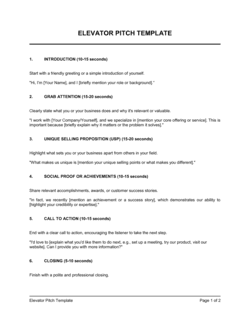
Checklist Business Social Media Profile

Free download β€’ Use as a template β€’ Print or share

3 pagesβ€’20–30 min to useβ€’Difficulty: Standard
Learn more ↓
FreeChecklist Business Social Media Profile Template

At a glance

What it is
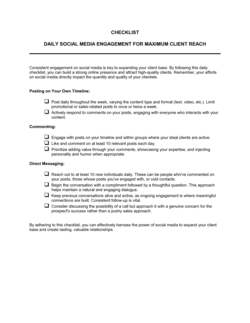
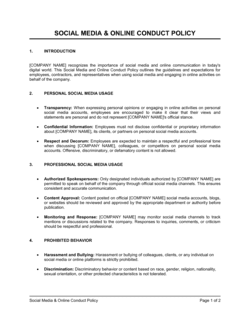
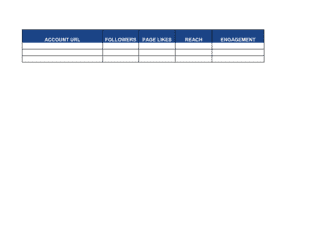
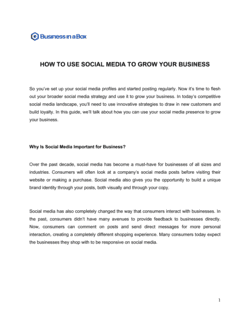
A Business Social Media Profile Checklist is a structured form that guides you through every element needed to set up or audit a professional company profile on any social media platform. This free Word download covers profile details, branding assets, bio copy, contact information, and platform-specific settings β€” giving you a repeatable process to apply across LinkedIn, Facebook, Instagram, X (Twitter), and beyond.
When you need it
Use it when launching a new business account on any platform, rebranding an existing presence, or conducting a periodic audit to confirm all profiles are current, consistent, and fully optimized. It is also useful when onboarding a new social media manager who needs to verify the state of existing accounts.
What's inside
Platform and account details, profile and cover image specifications, bio and description copy, contact and location fields, website and tracking links, branding consistency checks, pinned content, and platform-specific settings such as call-to-action buttons and category tags.

What is a Business Social Media Profile Checklist?

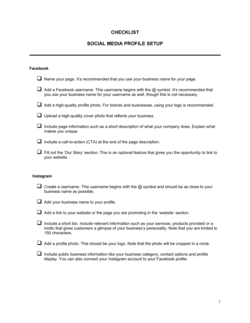
A Business Social Media Profile Checklist is a structured form that walks you through every field, setting, and asset required to create or audit a complete, on-brand company profile on a social media platform. It covers visual elements such as profile and cover images, text fields including the bio and contact details, functional settings like CTA buttons and category tags, and security configurations including admin access and two-factor authentication. Because every major platform has its own field names, character limits, and image specifications, this checklist provides a consistent framework you can apply to LinkedIn, Facebook, Instagram, X, and any other network your business uses.

Why You Need This Document

An incomplete or inconsistent social media profile sends the wrong signal before a potential customer reads a single word of your content β€” a missing cover image, a broken website link, or a default account category tells visitors the account is unmanaged. Beyond first impressions, incomplete profiles perform worse in platform search algorithms, meaning fewer people discover your business organically. Without a documented checklist, profile setup is done from memory, and the same fields get missed repeatedly across every new platform or every new team member who takes over the accounts. This template gives you a repeatable, auditable process that ensures every profile is fully built out, brand-consistent, and technically sound β€” and leaves a record you can hand to the next person who manages your social presence.

Which variant fits your situation?

If your situation is…Use this template
Setting up a brand-new business across all major platforms simultaneouslyChecklist Business Social Media Profile
Planning ongoing content for an established social presenceSocial Media Marketing Plan
Tracking scheduled posts and campaign activity week by weekSocial Media Content Calendar
Developing a full digital marketing strategy beyond social profilesDigital Marketing Plan
Documenting brand voice, colors, and logo usage rulesBrand Style Guide
Auditing a company's full online presence including website and directoriesOnline Presence Audit Checklist
Onboarding a new social media manager with documented account accessSocial Media Policy

Common mistakes to avoid

❌ Inconsistent handles across platforms

Why it matters: Different usernames on different platforms make it harder for customers to find you, and inconsistency undermines brand recognition in search results.

Fix: Check handle availability across all target platforms before committing to one. Claim the same handle everywhere, even on platforms you aren't actively using yet.
❌ Uploading a profile image without checking platform dimensions

Why it matters: An image cropped or stretched by the platform looks unprofessional and can obscure the logo β€” the first visual impression visitors get.

Fix: Export a separate version of your logo sized to each platform's current recommended dimensions. Review how it renders on both desktop and mobile before finalizing.

❌ Leaving the website link field empty or untracked

Why it matters: The profile link is the primary driver of website traffic from social media β€” leaving it blank wastes the most valuable real estate on the page.

Fix: Always populate the link field with a UTM-tagged URL and test it after every update to confirm it resolves correctly.

❌ Not removing admin access after a staff or agency change

Why it matters: A former social media manager with admin rights can post content, delete the page, change the password, or lock the business out of its own account.

Fix: Make admin access review a standard part of offboarding. Run the security section of this checklist whenever a team member or agency relationship ends.

The 10 key fields, explained

Platform and account type

Username and vanity URL

Profile image

Cover photo or banner image

Bio and description copy

Contact information and location

Website link with UTM tracking

CTA button configuration

Platform category and business tags

Security and access settings

How to fill it out

  1. 1

    List every platform where the business has or needs a profile

    Make one copy of the checklist per platform. Work through each separately β€” requirements and field names differ enough between LinkedIn, Instagram, and Facebook that a single merged form creates confusion.

    πŸ’‘ Prioritize platforms where your target audience is most active rather than trying to be everywhere at once. Two complete, optimized profiles outperform six incomplete ones.

  2. 2

    Confirm account type is set to business or creator

    Log in to each account and verify the account type in settings. Switch personal accounts to business or professional accounts to unlock analytics, CTA buttons, and advertising tools.

    πŸ’‘ Switching account type is free on every major platform and does not delete existing content or followers.

  3. 3

    Upload correctly sized images for each platform

    Look up the current recommended image dimensions for profile photo and cover image on each platform β€” these change periodically. Export your logo as a PNG with a transparent background for best results.

    πŸ’‘ Design cover images at 2Γ— the recommended pixel size so they stay sharp on high-density (Retina) displays.

  4. 4

    Write and enter the bio copy

    Draft bio text that identifies who you serve, what you do for them, and a next step β€” then trim it to fit the platform's character limit. Paste it into the checklist before entering it on the platform so you have a saved copy.

    πŸ’‘ Include the city or region in your bio if you serve a local market β€” it improves discoverability in location-based searches.

  5. 5

    Fill in all contact and location fields

    Enter phone, email, address, and business hours in the platform's contact section β€” not just the bio. Many platforms display these fields separately and use them to power 'near me' search results.

    πŸ’‘ Use a role-based email address like info@ or hello@ rather than a personal address so inquiries survive staff changes.

  6. 6

    Set up the website link with UTM tracking

    Build a UTM-tagged URL using Google's Campaign URL Builder or a similar tool. Use utm_source=[platform], utm_medium=social, utm_campaign=profile for every profile link.

    πŸ’‘ Create a short link (via Bitly or your own domain) from the UTM URL so it displays cleanly in the bio on character-limited platforms like Instagram.

  7. 7

    Configure the CTA button and test it

    Select the most relevant action for your business, link it to the correct destination, and click the button on a mobile device to confirm it works as intended.

    πŸ’‘ For service businesses, 'Book Now' or 'Contact Us' linked to a scheduling tool or contact form typically generates more leads than a link to the homepage.

  8. 8

    Review security settings and document admin access

    Enable 2FA on the account, confirm all current admin roles are intentional, and remove any former employees or agencies. Record admin names and roles in the checklist for future reference.

    πŸ’‘ Store the completed checklist in a shared company drive so any team member can audit or update access without needing to ask the original account creator.

Frequently asked questions

What is a business social media profile checklist?

A business social media profile checklist is a structured form that lists every element needed to create or audit a complete, on-brand company profile on a social platform. It covers visual assets, bio copy, contact details, website links, CTA buttons, category settings, and security configurations β€” giving you a consistent, repeatable process to apply across LinkedIn, Facebook, Instagram, X, and other networks.

Why should I use a checklist to set up social media profiles?

Social media platforms have dozens of individual fields, settings, and asset requirements that are easy to overlook when setting up an account manually. A checklist ensures nothing is missed β€” an incomplete profile with a missing cover image or default category looks unfinished to visitors and performs worse in platform search. It also creates a documented record you can hand off to a new team member or agency.

Which social media platforms should a business prioritize?

The right platforms depend on your audience and business type. LinkedIn is essential for B2B companies and professional services. Instagram and Facebook suit visually driven B2C brands and local businesses. X (Twitter) is relevant for media, tech, and real-time engagement. TikTok works well for consumer brands targeting audiences under 35. Start with two or three platforms where your audience is most active and complete those profiles fully before expanding.

How often should I audit my social media profiles?

Run a full profile audit at least once every six months. In practice, specific triggers should prompt an immediate review: a rebrand, a change in phone number or address, a new website URL, a staff departure who had admin access, or a platform announcing new profile fields or image dimension requirements. Outdated profiles with old logos or broken links actively erode trust with new visitors.

What image dimensions should I use for social media profiles?

Dimensions change as platforms update their interfaces, so always verify against the platform's current help documentation before uploading. As of 2025, common profile photo sizes are 400Γ—400 px (LinkedIn, Facebook, X) and 320Γ—320 px (Instagram). Cover image sizes range from 1584Γ—396 px (LinkedIn) to 820Γ—312 px (Facebook) and 1500Γ—500 px (X). Design assets at 2Γ— these sizes for high-resolution displays.

What should a business social media bio include?

An effective bio identifies who you serve, what you do for them, and what the visitor should do next β€” all within the platform's character limit (typically 150–300 characters). Include a primary keyword your target audience searches for, your location if you serve a local market, and a link or CTA. Avoid filler phrases like 'official account' or 'welcome to our page.'

Do I need separate checklist copies for each social platform?

Yes. While the core categories are consistent, each platform has different field names, character limits, image dimensions, and available settings. Running the checklist per platform ensures you address the specifics of each β€” rather than applying Facebook image dimensions to a LinkedIn profile, for example.

How do I track website traffic from social media profiles?

Add UTM parameters to the website URL you place in each profile's link field. Use utm_source=[platform], utm_medium=social, and utm_campaign=profile as a baseline. This lets Google Analytics or any analytics platform attribute visits to the correct source. Without UTM tracking, social profile traffic is lumped into 'referral' or 'direct' traffic and cannot be attributed accurately.

Who should have admin access to business social media accounts?

Limit admin access to the minimum number of people who need it β€” typically the social media manager, a backup administrator (often the business owner or marketing lead), and any active agency partner. Assign the lowest permission level that allows each person to do their job. Review and update the admin list every time a team member leaves or an agency relationship changes.

How this compares to alternatives

vs Social Media Marketing Plan

A social media marketing plan defines content themes, posting cadence, campaign objectives, and KPIs for ongoing channel activity. A profile checklist covers the one-time or periodic setup and audit of the profile itself β€” the foundation the marketing plan builds on. Complete the profile checklist first, then use the marketing plan to drive ongoing activity.

vs Digital Marketing Plan

A digital marketing plan covers the full range of online channels β€” SEO, paid search, email, and social β€” with strategy, budgets, and performance targets. A social media profile checklist is a tactical setup tool for a single channel within that broader strategy. Use the checklist to ensure social profiles are launch-ready before activating campaigns in the digital marketing plan.

vs Brand Style Guide

A brand style guide documents the rules for logo usage, color palette, typography, and tone of voice. A social media profile checklist applies those rules to a specific platform β€” confirming the correct logo version, colors, and voice are in use. The style guide is the source of truth; the checklist is the implementation audit.

vs Social Media Policy

A social media policy sets the rules for how employees represent the company online β€” what they can post, how to handle complaints, and who is authorized to speak on behalf of the brand. A profile checklist governs the setup and maintenance of official company accounts. Both are needed: the policy covers behavior, the checklist covers the accounts themselves.

Industry-specific considerations

Retail and e-commerce

Shop and product catalog links in profile fields, platform shopping features enabled, and seasonal cover image updates aligned to promotions.

Professional services

LinkedIn profile completeness is critical β€” headline, services section, and featured content drive inbound leads from prospective clients.

Food and beverage

Accurate hours, address, and reservation or order links in the CTA button are the highest-impact fields for driving foot traffic and online orders.

Marketing and creative agencies

Portfolio links, case study pins, and category tags signal expertise to prospective clients browsing for service providers on LinkedIn and Instagram.

Template vs pro β€” what fits your needs?

PathBest forCostTime
Use the templateAny business setting up or auditing social profiles without a dedicated marketing teamFree15–30 minutes per platform
Template + professional reviewBusinesses rebranding or launching on five or more platforms simultaneously$100–$500 for a social media consultant review1–2 days
Custom draftedEnterprise brands requiring platform-specific setup documentation integrated into a larger digital governance framework$500–$2,000 for a digital agency audit and setup1–2 weeks

Glossary

Profile Image
The square or circular photo displayed as a company's avatar across a social platform β€” typically the company logo at a specified pixel size.
Cover Photo
The large banner image displayed at the top of a social media profile page, used to reinforce branding or promote a current campaign.
Bio / About Section
A short text field describing the business β€” what it does, who it serves, and what makes it distinctive β€” typically limited to 150–300 characters depending on the platform.
Call-to-Action (CTA) Button
A platform-provided button on a business profile β€” such as 'Contact Us', 'Book Now', or 'Shop' β€” that directs visitors to a specific action.
Username / Handle
The unique @identifier for a business account on a platform, used in search, tagging, and direct links to the profile.
Vanity URL
A customized, human-readable profile link β€” such as facebook.com/yourbusiness β€” that replaces the default numeric URL assigned at account creation.
Platform Category
A classification tag set during account setup that tells the platform and users what type of business or organization the account represents.
Pinned Post
A piece of content manually fixed to the top of a profile's feed so it is the first post a visitor sees, regardless of when it was published.
UTM Parameter
A tracking code appended to a URL in a social profile's website link field to identify traffic originating from that specific platform in analytics tools.
Two-Factor Authentication (2FA)
A security setting requiring a second verification step β€” typically a code sent to a phone or email β€” to log in to a social media account.

Part of your Business Operating System

This document is one of 3,000+ business & legal templates included in Business in a Box.

  • Fill-in-the-blanks β€” ready in minutes
  • 100% customizable Word document
  • Compatible with all office suites
  • Export to PDF and share electronically

Create your document in 3 simple steps.

From template to signed document β€” all inside one Business Operating System.
1
Download or open template

Access over 3,000+ business and legal templates for any business task, project or initiative.

2
Edit and fill in the blanks with AI

Customize your ready-made business document template and save it in the cloud.

3
Save, Share, Send, Sign

Share your files and folders with your team. Create a space of seamless collaboration.

Save time, save money, and create top-quality documents.

β˜…β˜…β˜…β˜…β˜…

"Fantastic value! I'm not sure how I'd do without it. It's worth its weight in gold and paid back for itself many times."

Managing Director Β· Mall Farm
Robert Whalley
Managing Director, Mall Farm Proprietary Limited
β˜…β˜…β˜…β˜…β˜…

"I have been using Business in a Box for years. It has been the most useful source of templates I have encountered. I recommend it to anyone."

Business Owner Β· 4+ years
Dr Michael John Freestone
Business Owner
β˜…β˜…β˜…β˜…β˜…

"It has been a life saver so many times I have lost count. Business in a Box has saved me so much time and as you know, time is money."

Owner Β· Upstate Web
David G. Moore Jr.
Owner, Upstate Web

Run your business with a system β€” not scattered tools

Stop downloading documents. Start operating with clarity. Business in a Box gives you the Business Operating System used by over 250,000 companies worldwide to structure, run, and grow their business.

Free Forever PlanΒ Β·Β No credit card required