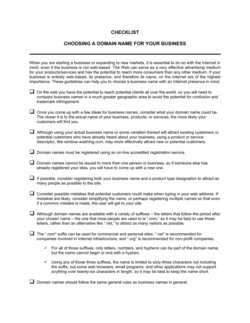
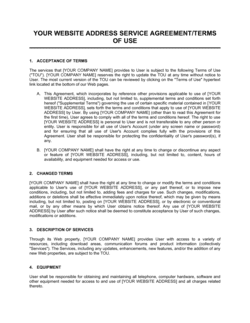
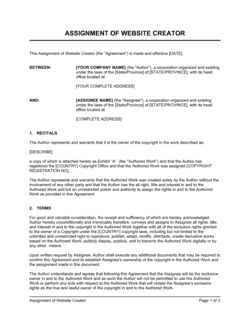
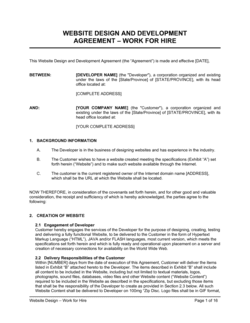
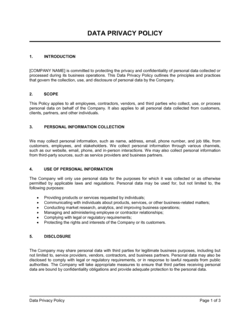
Checklist For Establishing a Website

Free download β€’ Use as a template β€’ Print or share

2 pagesβ€’20–25 min to useβ€’Difficulty: Standard
Learn more ↓
FreeChecklist For Establishing a Website Template

At a glance

What it is
A Checklist for Establishing a Website is a structured form that guides individuals and teams through every step required to plan, build, and launch a business website. This free Word download covers domain registration, hosting setup, design, content, legal pages, SEO basics, and pre-launch testing β€” giving you a single document to track progress and confirm nothing is overlooked before going live.
When you need it
Use it when launching a new business website, rebuilding an existing site, or handing off a web project to a developer or agency. It is equally useful as a self-guided checklist for a solo founder building their first site and as a project-management tool for a team coordinating across design, content, and technical workstreams.
What's inside
Domain and hosting configuration, design and branding requirements, core pages and content, legal and compliance pages (privacy policy, terms of use), contact and conversion elements, SEO fundamentals, analytics setup, security basics, and a pre-launch testing checklist.

What is a Checklist for Establishing a Website?

A Checklist for Establishing a Website is a structured form that walks business owners, founders, and web teams through every task required to plan, build, and launch a professional business website. It organizes the process into logical stages β€” domain and hosting setup, design and branding, core page content, legal compliance, SEO fundamentals, analytics installation, and pre-launch testing β€” so that each item can be confirmed complete before the site goes live. Rather than relying on memory or informal task lists, this template gives you a documented, repeatable process you can use for every new site or major rebuild.

Why You Need This Document

Launching a website without a structured checklist almost always results in at least one costly oversight β€” a contact form that silently drops submissions, a missing privacy policy that creates legal exposure, or analytics installed a week after launch when the initial traffic data is already gone. These are not hypothetical risks; they are the most common complaints from business owners who self-launched without a process. This checklist eliminates those gaps by making every required step explicit before you promote the site or submit it to search engines. For teams working with a developer or agency, it also creates a shared standard for what "done" actually means β€” reducing back-and-forth and giving you a clear acceptance gate before you sign off on the project.

Which variant fits your situation?

If your situation is…Use this template
Launching a new small business website from scratchChecklist for Establishing a Website
Rebuilding or migrating an existing site to a new platformWebsite Redesign Project Plan
Launching an online store with payment processingE-Commerce Website Launch Checklist
Auditing an existing website for SEO and technical issuesWebsite Audit Checklist
Scoping a web design project for a client or agencyWeb Design Proposal
Defining ongoing website maintenance tasks post-launchWebsite Maintenance Checklist

Common mistakes to avoid

❌ Launching without SSL active

Why it matters: Browsers display a 'Not Secure' warning on non-HTTPS sites, which causes visitors to leave immediately and suppresses Google search rankings.

Fix: Install a free SSL certificate through your hosting provider before any pages go live, and verify the HTTP-to-HTTPS redirect is working.

❌ Skipping the privacy policy page

Why it matters: Any site using Google Analytics, contact forms, or cookies is collecting user data and is legally required to disclose this in most jurisdictions, including the EU, UK, and California.

Fix: Publish a privacy policy that specifically names every data collection tool you use β€” form submissions, analytics, email opt-ins, and advertising pixels.

❌ Not testing contact forms before launch

Why it matters: A broken contact form silently discards every lead or inquiry until someone manually notices, which can take days or weeks after launch.

Fix: Submit a test entry from a personal email address before going live and confirm the submission arrives in the intended inbox within two minutes.

❌ Installing analytics after the launch date

Why it matters: Traffic data from the first days and weeks of a new site is your only baseline β€” without it you cannot measure the impact of any future change.

Fix: Install and verify your GA4 tracking code during pre-launch testing, at least 24 hours before the site goes live.

The 10 key fields, explained

Domain registration and DNS setup

Hosting configuration

SSL certificate installation

Core pages and content

Legal and compliance pages

Branding and design consistency

Contact and conversion elements

SEO fundamentals

Analytics and tracking setup

Pre-launch testing

How to fill it out

  1. 1

    Enter the project name, owner, and target launch date

    Fill in the site or business name, the person responsible for each workstream, and the intended go-live date at the top of the checklist.

    πŸ’‘ Setting a hard launch date creates accountability β€” without one, web projects routinely drift for weeks past the original target.

  2. 2

    Work through the domain and hosting section first

    Confirm the domain is registered, DNS is pointing to the correct host, and the hosting environment is provisioned before touching design or content.

    πŸ’‘ DNS propagation can take up to 48 hours β€” complete this step at least two days before your planned launch date.

  3. 3

    Install and configure SSL

    Enable HTTPS through your hosting provider or a certificate authority like Let's Encrypt, then set up a site-wide redirect from HTTP to HTTPS.

    πŸ’‘ Verify SSL is active by checking the padlock in your browser and using a free tool like SSL Labs to confirm there are no mixed-content warnings.

  4. 4

    Build and publish core pages

    Create Home, About, Services or Products, and Contact pages. Draft real content for each β€” no placeholder text should remain when the checklist item is marked complete.

    πŸ’‘ Write the About page in a conversational tone that answers three questions: who you are, who you help, and why you are different.

  5. 5

    Add legal pages and cookie compliance

    Publish a Privacy Policy and Terms of Use that accurately reflect your data collection practices. Add a cookie consent banner if your site uses tracking cookies and serves EU visitors.

    πŸ’‘ Use a privacy policy generator as a starting point, then customize it to match your specific forms, analytics tools, and email platform.

  6. 6

    Verify all contact forms and CTAs

    Submit a test entry through every form on the site and confirm the submission appears in your inbox or CRM. Click every CTA button to verify it leads to the intended destination.

    πŸ’‘ Test forms from a non-admin email address β€” some form plugins silently skip delivery to the same address that owns the site account.

  7. 7

    Complete SEO and analytics setup

    Set unique title tags and meta descriptions on every page, add alt text to all images, submit an XML sitemap to Google Search Console, and verify your GA4 tracking code is firing on all pages.

    πŸ’‘ Install the GA4 DebugView extension in Chrome to confirm events are being received in real time before you go live.

  8. 8

    Run pre-launch cross-browser and mobile testing

    Load every page in Chrome, Safari, Firefox, and Edge, and on at least one iOS and one Android device. Use a free tool like PageSpeed Insights to check load times and fix issues above a 3-second load.

    πŸ’‘ A Google PageSpeed score below 70 on mobile will suppress your search rankings β€” fix large image files and render-blocking scripts before launch.

Frequently asked questions

What is a website launch checklist?

A website launch checklist is a structured document that lists every task required to plan, build, and publish a business website. It covers technical setup (domain, hosting, SSL), content and design, legal pages, SEO basics, analytics, and pre-launch testing β€” giving teams and solo founders a single reference to track progress and confirm nothing is overlooked before going live.

What pages does every business website need?

At minimum, a business website needs a Home page, an About page, a Services or Products page, and a Contact page. A Privacy Policy and Terms of Use are legally required for most sites that collect any visitor data. A blog or news section is optional but improves SEO over time. E-commerce sites additionally need product listings, a cart, and a checkout page.

Do I need a privacy policy on my website?

Yes, in most cases. Any website that uses Google Analytics, contact forms, email sign-ups, or advertising pixels collects personal data and is required by law to disclose this β€” under GDPR in the EU, PECR in the UK, and the CCPA in California. Even if you operate only in the US outside California, a privacy policy is considered standard practice and builds visitor trust.

How long does it take to set up a business website?

A basic five-page business site using a CMS like WordPress or Squarespace typically takes 20–40 hours for a non-technical founder or 5–10 business days for a freelance designer. More complex sites with custom design, e-commerce, or integrations take 4–12 weeks. Working from a structured checklist reduces the risk of rework by catching missing elements before launch rather than after.

What is an SSL certificate and do I need one?

An SSL certificate encrypts data between your server and a visitor's browser and activates the 'https' prefix and padlock icon in the address bar. Every business website needs one β€” Google penalizes non-HTTPS sites in search rankings, and modern browsers display a 'Not Secure' warning that causes most visitors to leave immediately. Free certificates are available through Let's Encrypt and are offered by most hosting providers.

What SEO tasks should I complete before launching a website?

Before launch, set a unique title tag (under 60 characters) and meta description (under 155 characters) on every page, add descriptive alt text to all images, create and submit an XML sitemap to Google Search Console, and add your site to Google Search Console so you can monitor indexing. These steps take less than two hours and have an outsized impact on early search visibility.

Should I use a website builder or hire a developer?

Website builders like Squarespace, Wix, or Shopify are sufficient for most small business sites β€” they handle hosting, SSL, and basic SEO out of the box and cost $15–$50 per month. Hire a developer when you need custom functionality, complex integrations, or a high-traffic site that requires performance optimization. This checklist works for both approaches β€” the technical tasks simply fall to the developer rather than you.

What should I check after my website goes live?

After launch, verify that Google Search Console has indexed your pages, confirm analytics data is flowing correctly, test all forms one more time from a live environment, check that your site appears correctly in Google Search results for your business name, and set a calendar reminder to renew your domain and SSL certificate before they expire.

How this compares to alternatives

vs Website Proposal Template

A website proposal is written before a project begins β€” it scopes deliverables, timelines, and costs for a client. A website launch checklist is used during and after the build to track completion of every task. The proposal defines what will be done; the checklist confirms it has been done correctly.

vs Project Plan Template

A project plan assigns tasks, owners, and deadlines across a timeline for a complex initiative. A website launch checklist is a simpler, linear pass/fail verification tool that confirms completion of specific technical and content requirements. Use a project plan to manage a large rebuild; use this checklist to gate the go-live decision.

vs Marketing Plan Template

A marketing plan defines the strategy, channels, and budget for promoting a business over a period. A website launch checklist is an operational document confirming the site itself is ready to support that marketing. The marketing plan drives traffic; the checklist ensures the site is ready to receive it.

vs Content Strategy Template

A content strategy defines what content to create, for which audiences, and through which channels over time. A website launch checklist verifies that the initial content β€” core pages, legal pages, and metadata β€” is complete and correct at launch. The content strategy is ongoing; the checklist is a one-time gate.

Industry-specific considerations

Professional Services

Credentialing pages, case studies, and clear service descriptions are critical β€” professional services sites convert on trust signals more than design.

Retail and E-commerce

Payment gateway testing, product page completeness, and checkout flow verification add several extra checklist sections specific to online stores.

Food and Beverage

Menu accuracy, location and hours visibility, and online reservation or ordering integrations are launch-critical and easily overlooked without a checklist.

Healthcare

HIPAA-compliant contact forms, clear disclaimers on medical content, and accessible design (WCAG 2.1 AA) are required for patient-facing healthcare sites.

Template vs pro β€” what fits your needs?

PathBest forCostTime
Use the templateSolo founders, freelancers, and small businesses launching a standard site without a developerFree30 minutes to complete the checklist; 1–4 weeks to execute
Template + professional reviewTeams building with a developer or agency who need a shared tracking document$0–$200 for a light project management or QA pass1–2 days for a final review pass before go-live
Custom draftedEnterprise or regulated-industry sites (healthcare, fintech) with compliance, accessibility, and security requirements beyond a standard checklist$500–$2,000 for a tailored audit or QA process1–2 weeks

Glossary

Domain Name
The web address (e.g., yourbusiness.com) registered through a domain registrar that visitors type to reach your site.
Web Hosting
A service that stores your website's files on a server and makes them accessible to visitors over the internet.
SSL Certificate
A security credential that encrypts data between a visitor's browser and your server, indicated by the padlock icon and 'https' in the address bar.
CMS (Content Management System)
Software β€” such as WordPress, Squarespace, or Shopify β€” that lets you build and update website content without writing code.
Privacy Policy
A legally required page disclosing how your website collects, stores, and uses visitor data, including cookies and contact form submissions.
DNS (Domain Name System)
The system that translates a domain name into the IP address of the server hosting your website, directing traffic to the right destination.
Robots.txt
A file in your site's root directory that instructs search engine crawlers which pages to index and which to ignore.
Sitemap
An XML file listing all pages on your website that helps search engines discover and index your content faster.
Google Analytics (GA4)
A free web analytics platform that tracks visitor behavior, traffic sources, page views, and conversion events on your website.
Call to Action (CTA)
A button, link, or prompt β€” such as 'Get a Quote' or 'Sign Up' β€” that directs visitors toward a specific conversion goal.

Part of your Business Operating System

This document is one of 3,000+ business & legal templates included in Business in a Box.

  • Fill-in-the-blanks β€” ready in minutes
  • 100% customizable Word document
  • Compatible with all office suites
  • Export to PDF and share electronically

Create your document in 3 simple steps.

From template to signed document β€” all inside one Business Operating System.
1
Download or open template

Access over 3,000+ business and legal templates for any business task, project or initiative.

2
Edit and fill in the blanks with AI

Customize your ready-made business document template and save it in the cloud.

3
Save, Share, Send, Sign

Share your files and folders with your team. Create a space of seamless collaboration.

Save time, save money, and create top-quality documents.

β˜…β˜…β˜…β˜…β˜…

"Fantastic value! I'm not sure how I'd do without it. It's worth its weight in gold and paid back for itself many times."

Managing Director Β· Mall Farm
Robert Whalley
Managing Director, Mall Farm Proprietary Limited
β˜…β˜…β˜…β˜…β˜…

"I have been using Business in a Box for years. It has been the most useful source of templates I have encountered. I recommend it to anyone."

Business Owner Β· 4+ years
Dr Michael John Freestone
Business Owner
β˜…β˜…β˜…β˜…β˜…

"It has been a life saver so many times I have lost count. Business in a Box has saved me so much time and as you know, time is money."

Owner Β· Upstate Web
David G. Moore Jr.
Owner, Upstate Web

Run your business with a system β€” not scattered tools

Stop downloading documents. Start operating with clarity. Business in a Box gives you the Business Operating System used by over 250,000 companies worldwide to structure, run, and grow their business.

Free Forever PlanΒ Β·Β No credit card required