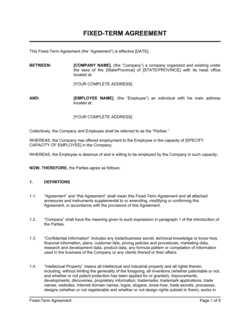
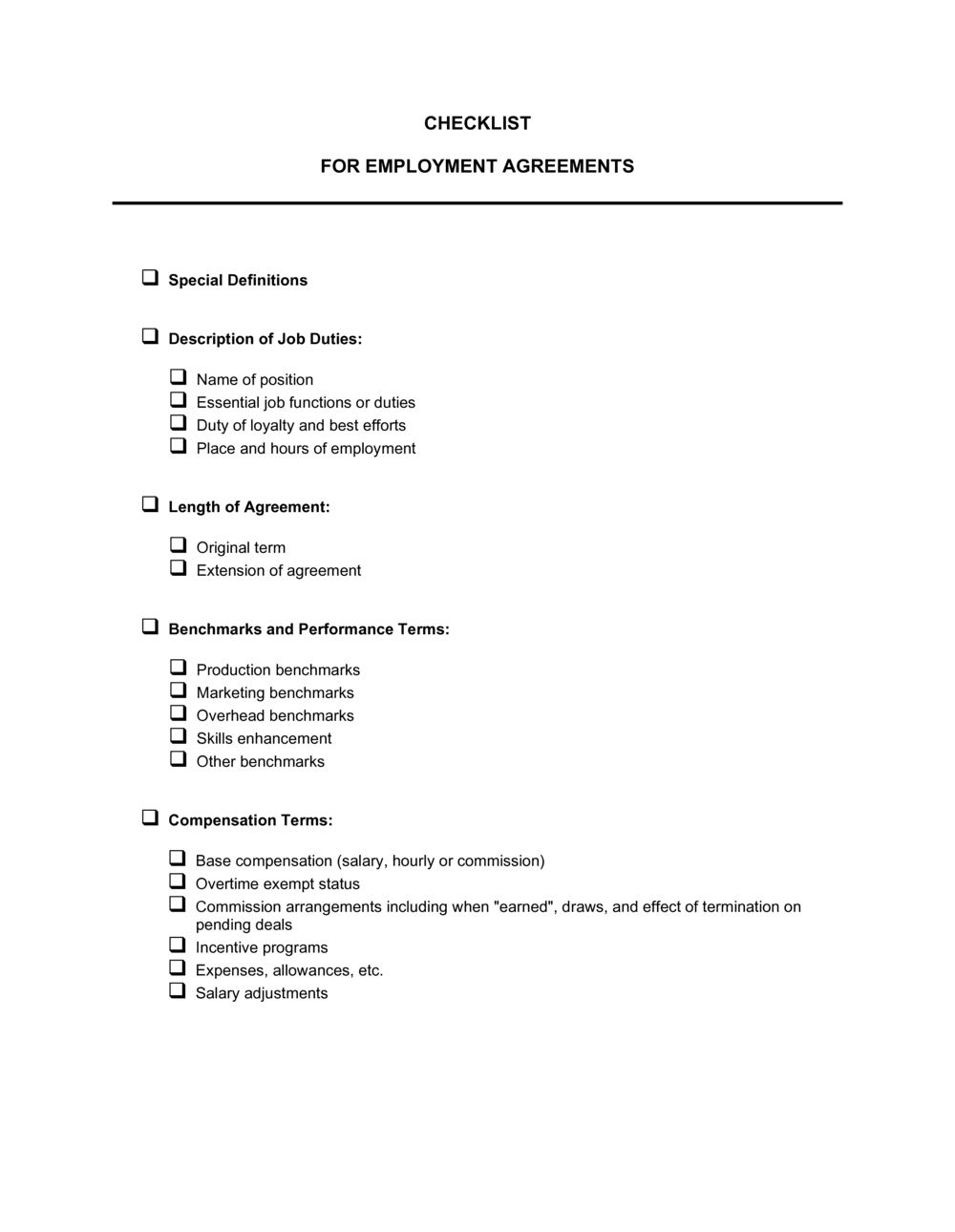
Checklist Employment Agreements

Free download β€’ Use as a template β€’ Print or share

3 pagesβ€’20–25 min to useβ€’Difficulty: Standard
Learn more ↓
FreeChecklist Employment Agreements Template

At a glance

What it is
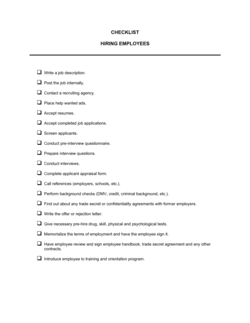
A Checklist Employment Agreements template is a structured form used to verify that every required clause, disclosure, and signature has been included and completed before an employment agreement is finalized and filed. This free Word download gives HR managers and business owners a consistent review process they can apply to every new hire, export as PDF, and store in the employee record.
When you need it
Use it before countersigning any new employment agreement β€” for full-time, part-time, fixed-term, or contractor hires β€” to confirm no critical provisions have been missed or left blank.
What's inside
Party identification fields, employment type and start date confirmations, compensation and benefits verification, key clause checkboxes (IP assignment, confidentiality, non-compete), signature and dating fields, and a notes column for flagging items that need correction before execution.

What is a Checklist Employment Agreements Template?

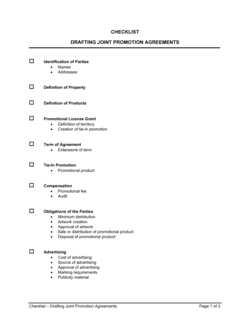
A Checklist Employment Agreements template is a structured verification form that HR managers, business owners, and legal staff use to confirm every required clause, disclosure, and signature is present and properly completed before an employment agreement is executed or filed. It works as a quality-control gate applied to the contract document itself β€” not a replacement for the contract β€” ensuring that items such as IP assignment scope, non-compete enforceability, execution timing, and governing law designation have each been reviewed and confirmed. The template is available as a free Word download you can fill in for each new hire and store alongside the signed agreement in your HR records.

Why You Need This Document

Missing a single clause in an employment agreement β€” an IP assignment that doesn't cover remote work, a non-compete applied in a jurisdiction that bans it, or a contract signed a week after the employee's start date β€” can void the protection you thought you had, often at the worst possible moment: when a key employee leaves to join a competitor or disputes who owns code they wrote at home. Without a consistent review process, these gaps accumulate across your employee file library undetected until litigation or due diligence surfaces them. This checklist gives you a repeatable, ten-minute review that catches the most common execution failures before they become expensive problems, and creates a documented audit trail showing your organization applied the same standard to every hire.

Which variant fits your situation?

If your situation is…Use this template
Reviewing a standard full-time at-will employment agreementChecklist Employment Agreements
Checking an executive employment agreement with equity and severanceExecutive Employment Agreement
Verifying an independent contractor agreement before executionIndependent Contractor Agreement
Auditing a fixed-term or seasonal hire contractFixed-Term Employment Contract
Onboarding a remote worker across state or country linesRemote Work Agreement
Reviewing a part-time or hourly worker agreementPart-Time Employment Contract
Running a new-hire onboarding checklist beyond the contract itselfNew Employee Onboarding Checklist

Common mistakes to avoid

❌ Running the checklist after execution instead of before

Why it matters: A post-signature review can identify missing clauses but cannot fix them without a contract amendment β€” which requires negotiation and fresh signatures.

Fix: Treat the checklist as a pre-execution gate: no countersignature until every required field is checked and any flagged items are resolved.

❌ Skipping the jurisdiction ban check on non-compete fields

Why it matters: Sending an employee a contract with an unenforceable non-compete in their jurisdiction creates a false sense of protection and can expose the employer to bad-faith claims.

Fix: Add a jurisdiction ban verification step to the non-compete row and confirm it for every hire, not just those in states you already know restrict them.

❌ Marking IP assignment 'present' without checking scope

Why it matters: A narrowly scoped IP clause that only covers work performed on company premises leaves remote workers' output legally ambiguous β€” a critical gap for distributed teams.

Fix: Confirm the IP assignment clause explicitly covers work performed on personal devices and outside business hours before marking it complete.

❌ Filing the checklist without confirming the employee received a copy of the agreement

Why it matters: An employee who was never given their own copy has limited ability to comply with its terms β€” and in some jurisdictions, failure to provide a copy is a statutory violation.

Fix: Add a 'copy sent to employee' confirmation as the final checklist step and do not mark the record complete until it is done.

The 10 key fields, explained

Employee and employer identification

Employment type and start date

Compensation and payment frequency

IP assignment clause β€” present and signed

Confidentiality clause β€” present and scope confirmed

Non-compete and non-solicitation terms

Termination, notice, and severance

Signature, dating, and execution timing

Entire agreement and governing law clauses

Filing and record retention

How to fill it out

  1. 1

    Pull the draft or fully executed employment agreement

    Before opening the checklist, have the employment agreement document in front of you β€” either the draft for pre-signature review or the fully executed version for a records audit.

    πŸ’‘ Run this checklist on the draft before signing, not after β€” catching a missing clause takes minutes to fix in draft and hours to remedy post-execution.

  2. 2

    Confirm party names and employment type

    Verify the employer's registered legal name against your corporate registry filing and the employee's name against government-issued ID. Record the exact employment type and start date.

    πŸ’‘ Cross-check the entity name against your payroll provider's records to ensure consistency β€” a mismatch causes problems at the first payroll run.

  3. 3

    Verify compensation details against the offer letter

    Enter the salary or rate and pay frequency from the contract, then compare them against the offer letter the employee received. Flag any discrepancy before signing.

    πŸ’‘ Note explicitly whether bonuses are labeled 'discretionary' in the contract β€” if they are not, flag for review before execution.

  4. 4

    Check each restrictive covenant for presence and scope

    Work through IP assignment, confidentiality, non-compete, and non-solicitation fields one at a time. For each, confirm the clause is present, that key definitions are included, and that duration and scope are proportionate to the role.

    πŸ’‘ For employees in California, Minnesota, or Oklahoma, mark non-compete fields N/A rather than leaving them blank β€” a blank field could be misread as an oversight.

  5. 5

    Confirm termination and severance terms meet statutory minimums

    Record the notice period and severance formula, then verify both against the employment standards legislation in the employee's work location.

    πŸ’‘ Keep a jurisdiction reference card clipped to the checklist template for your most common hiring locations β€” it saves a lookup on every new hire.

  6. 6

    Verify execution timing and both signatures

    Confirm that both parties have signed, that signatures are dated, and that the employee's signature predates or matches the start date.

    πŸ’‘ If a signature is missing, do not file the checklist as complete β€” an incomplete execution record is as problematic as no record at all.

  7. 7

    File the signed checklist alongside the agreement

    Save the completed checklist and the signed employment agreement together in the employee's HR file. Record the file location and filing date in the final row.

    πŸ’‘ Store both documents in your HR information system rather than a local folder so they are accessible during audits, disputes, or due diligence reviews.

Frequently asked questions

What is a checklist employment agreements template?

A checklist employment agreements template is a structured form used to verify that every required element of an employment agreement β€” parties, compensation, key clauses, signatures, and filing β€” is present and complete before the contract is executed or filed. It gives HR teams and business owners a consistent review process that reduces the risk of missing critical provisions like IP assignment, non-compete terms, or proper execution timing.

When should I use an employment agreement checklist?

Use it immediately before countersigning any new employment agreement to catch missing clauses, blank fields, or jurisdictional issues while they are still easy to fix. It is also useful for periodic HR file audits to confirm that all existing employee agreements are complete and properly filed.

What clauses should every employment agreement include?

At minimum: identification of both parties and job title, employment type and start date, compensation and payment terms, IP assignment, confidentiality, non-compete and non-solicitation (where enforceable), termination and notice provisions, severance formula, entire agreement clause, and governing law. The checklist template covers all of these as discrete verification rows.

Why does it matter whether the contract was signed before the start date?

In common-law jurisdictions β€” including the US, Canada, the UK, and Australia β€” a contract requires consideration from both sides to be enforceable. An employee who has already begun work gave nothing new in exchange for signing a post-start-date agreement. Courts have voided IP assignment, non-compete, and confidentiality clauses on this basis. The checklist's execution-timing field flags this risk before it becomes a problem.

Can I use this checklist for contractor agreements as well as employee agreements?

The checklist is designed for employment agreements but can be adapted for independent contractor agreements with minor modifications β€” removing the at-will or notice-period fields and substituting contractor-specific items such as project scope, deliverable acceptance, and tax withholding responsibility. A dedicated contractor agreement checklist is more appropriate for high-volume contractor onboarding.

How should I store the completed checklist?

File the completed checklist alongside the signed employment agreement in the employee's HR record β€” either in your HRIS or a secure document management system. During audits, litigation, or M&A due diligence, the checklist serves as evidence that your organization applied a consistent review process to every hire.

How often should I update the checklist template?

Review the checklist at least annually or whenever a change in employment law affects your hiring jurisdictions. The non-compete jurisdiction ban check row, in particular, should reflect the current legal landscape β€” several US states have expanded non-compete restrictions in recent years.

How this compares to alternatives

vs Employment Contract template

The employment contract is the binding legal document that governs the working relationship. The checklist is a review tool used to verify the contract is complete and properly executed before filing. You need both: the contract creates the obligations; the checklist confirms nothing was missed.

vs New Employee Onboarding Checklist

An onboarding checklist covers the full first-week administrative process β€” equipment setup, benefits enrollment, system access, and orientation. This checklist focuses specifically on the employment agreement document itself β€” clause presence, execution timing, and filing. Both are used at hire but serve distinct purposes.

vs HR Audit Checklist

An HR audit checklist reviews the entire employment file and compliance posture across all HR functions. The employment agreements checklist is narrower β€” it is a single-document review tool applied contract by contract at the point of hire or during targeted file reviews.

vs Independent Contractor Agreement

An independent contractor agreement governs a non-employee engagement with different tax, IP, and benefits treatment. The employment agreements checklist is not designed for contractor reviews β€” it includes at-will, benefits, and statutory notice fields that do not apply to contractor arrangements. A separate contractor review form is more appropriate.

Industry-specific considerations

Technology / SaaS

IP assignment and confidentiality scope are the highest-priority rows given that product code and customer data are the primary business assets.

Professional Services

Non-solicitation verification is critical because client relationships are the firm's primary asset and departing employees represent direct revenue risk.

Healthcare

Checklist must include confirmation that HIPAA confidentiality obligations are incorporated by reference and that professional licensing conditions are stated as employment prerequisites.

Retail / Hospitality

High turnover volume makes a fast, consistent checklist process essential β€” at-will designation and correct pay-frequency fields are the most commonly incomplete rows.

Template vs pro β€” what fits your needs?

PathBest forCostTime
Use the templateHR managers, small business owners, and founders self-reviewing standard domestic employment agreementsFree5–10 minutes per agreement
Template + professional reviewBusinesses auditing a backlog of employee files or onboarding in multiple jurisdictions$100–$300 for an HR consultant spot-check1–2 hours for a file batch review
Custom draftedEnterprises needing a jurisdiction-specific checklist integrated into an HRIS workflow or SOC 2 compliance program$500–$2,000 for custom HR process design1–2 weeks

Glossary

At-Will Employment
Employment that either party may end at any time for any lawful reason, without requiring advance notice or stated cause β€” applicable in most US states.
IP Assignment
A contract clause transferring ownership of work product, inventions, or code created by the employee to the employer during the employment relationship.
Non-Compete Clause
A post-employment restriction preventing the employee from working for competitors or starting a competing business within a defined time period and geographic area.
Non-Solicitation Clause
A restriction preventing a departing employee from recruiting the employer's staff or soliciting its customers for a defined period after separation.
Confidentiality Clause
A provision prohibiting the employee from disclosing or using the employer's proprietary information, trade secrets, or financial data during or after employment.
Probationary Period
A defined initial employment phase β€” typically 30 to 90 days β€” during which performance is evaluated and termination formalities are reduced.
Entire Agreement Clause
A clause stating the written contract supersedes all prior verbal and written representations, preventing outside communications from being introduced as contractual terms.
Fresh Consideration
A new benefit β€” such as a bonus, raise, or additional PTO β€” provided to an employee when asking them to sign a contract after they have already started work, making the agreement legally binding.
Governing Law
The jurisdiction whose laws apply in interpreting and enforcing the employment agreement β€” typically the state or province where the employee performs their work.
Severance Formula
The contractual calculation for termination pay, commonly expressed as a number of weeks' compensation per year of service.

Part of your Business Operating System

This document is one of 3,000+ business & legal templates included in Business in a Box.

  • Fill-in-the-blanks β€” ready in minutes
  • 100% customizable Word document
  • Compatible with all office suites
  • Export to PDF and share electronically

Create your document in 3 simple steps.

From template to signed document β€” all inside one Business Operating System.
1
Download or open template

Access over 3,000+ business and legal templates for any business task, project or initiative.

2
Edit and fill in the blanks with AI

Customize your ready-made business document template and save it in the cloud.

3
Save, Share, Send, Sign

Share your files and folders with your team. Create a space of seamless collaboration.

Save time, save money, and create top-quality documents.

β˜…β˜…β˜…β˜…β˜…

"Fantastic value! I'm not sure how I'd do without it. It's worth its weight in gold and paid back for itself many times."

Managing Director Β· Mall Farm
Robert Whalley
Managing Director, Mall Farm Proprietary Limited
β˜…β˜…β˜…β˜…β˜…

"I have been using Business in a Box for years. It has been the most useful source of templates I have encountered. I recommend it to anyone."

Business Owner Β· 4+ years
Dr Michael John Freestone
Business Owner
β˜…β˜…β˜…β˜…β˜…

"It has been a life saver so many times I have lost count. Business in a Box has saved me so much time and as you know, time is money."

Owner Β· Upstate Web
David G. Moore Jr.
Owner, Upstate Web

Run your business with a system β€” not scattered tools

Stop downloading documents. Start operating with clarity. Business in a Box gives you the Business Operating System used by over 250,000 companies worldwide to structure, run, and grow their business.

Start freeΒ Β·Β No credit card required