Checklist Pre-Employment

Free download β€’ Use as a template β€’ Print or share

1 pageβ€’20–25 min to useβ€’Difficulty: Standard
Learn more ↓
FreeChecklist Pre-Employment Template

At a glance

What it is
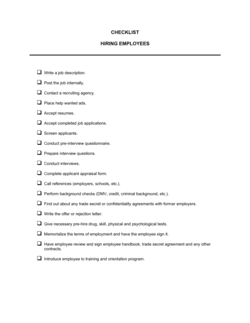
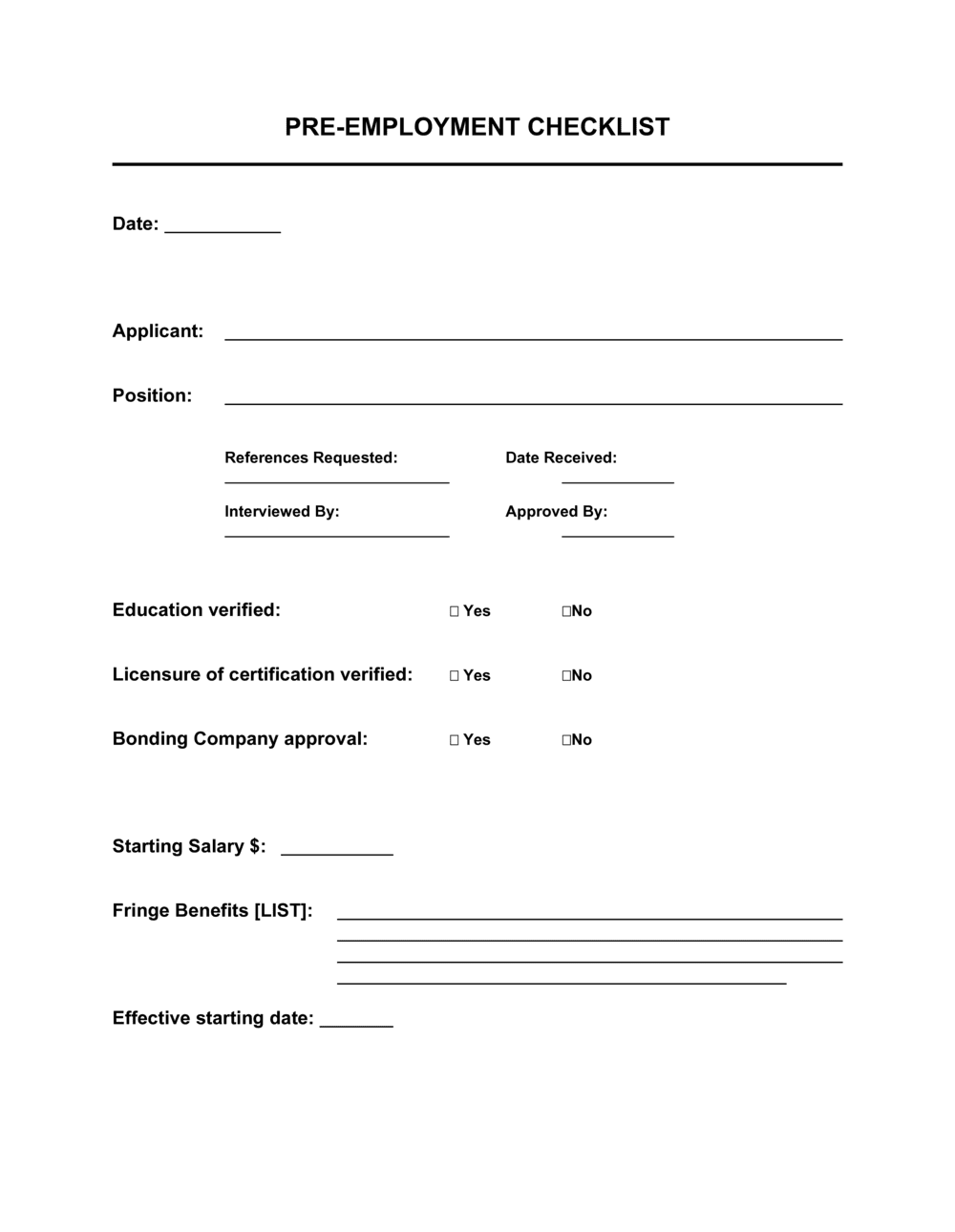
A Pre-Employment Checklist is a structured form HR teams and hiring managers use to track every required step before a new employee's first day β€” from background checks and reference calls to equipment provisioning and payroll setup. This free Word download gives you an editable checklist you can customize for each role, export as PDF, and assign to the responsible team member for each task.
When you need it
Use it as soon as a candidate accepts an offer. Running this checklist in parallel with the notice period ensures everything is in place before day one and reduces the scramble that delays a new hire's productivity.
What's inside
Candidate identification details, document collection checkboxes, background and reference verification status, IT and equipment setup tasks, payroll and benefits enrollment steps, workspace assignment, and a signature line for the responsible HR contact confirming all items are complete.

What is a Pre-Employment Checklist?

A Pre-Employment Checklist is a structured form HR teams and hiring managers use to track every required task between a candidate's offer acceptance and their first day of work. It consolidates document collection, background screening, payroll enrollment, IT provisioning, benefits setup, and policy acknowledgments into a single accountable record β€” with checkboxes, assigned owners, and a final sign-off confirming the new hire is cleared to start. Rather than relying on memory or scattered email threads, it gives every person involved in the hiring process a shared, auditable list of exactly what needs to happen and when.

Why You Need This Document

Without a structured pre-employment checklist, steps get missed β€” and the consequences range from an embarrassing first day to a serious compliance failure. A new hire who arrives without a working laptop, system credentials, or a completed I-9 reflects poorly on the organization and delays productivity from the start. More seriously, failing to verify work authorization before an employee begins work exposes the employer to regulatory fines; skipping a background check before granting facility access creates security and liability risks. A signed, filed checklist also serves as evidence of due diligence if a hiring decision is ever audited or challenged. This template gives you a ready-to-use form you can customize in minutes, assign by section to the right team member, and store as a permanent record in every employee's HR file.

Which variant fits your situation?

If your situation is…Use this template
Onboarding a full-time salaried employee from day oneEmployee Onboarding Checklist
Screening a candidate before extending a formal offerCandidate Evaluation Form
Verifying documents for a temporary or contract workerIndependent Contractor Checklist
Tracking compliance for a regulated industry hire (healthcare, finance)Compliance Onboarding Checklist
Offboarding a departing employee and retrieving company assetsEmployee Offboarding Checklist
Capturing a new hire's personal and tax details for payroll setupNew Employee Information Form

Common mistakes to avoid

❌ Marking background checks complete before the report is returned

Why it matters: A candidate may start work before a disqualifying result is reviewed, creating legal exposure and a difficult termination situation.

Fix: Lock the background check field so it can only be checked after the screening provider's final report has been received and reviewed by an authorized HR team member.

❌ No named owner for IT provisioning tasks

Why it matters: When device setup and system access are a shared team responsibility, items like VPN credentials or role-based permissions are routinely missed until the new hire's first morning.

Fix: Assign every IT task to a specific individual with a completion deadline at least two business days before the start date.

❌ Sending policy documents without a tracked acknowledgment

Why it matters: Without a dated signature or digital acknowledgment record, you cannot demonstrate the employee received the NDA or code of conduct β€” critical if a dispute arises.

Fix: Use an e-signature platform or require a signed return confirmation for every policy document. Store the acknowledgment in the employee's HR file alongside the checklist.

❌ Leaving the final sign-off blank

Why it matters: An unsigned checklist is a tracking note, not an accountable record. It cannot serve as evidence of due diligence in an audit or employment claim.

Fix: Require the HR representative or hiring manager to sign and date the sign-off field before the new hire's start date and file the completed form immediately.

The 10 key fields, explained

Candidate and role information

Offer letter and employment contract

Identity and work authorization documents

Background and reference check status

IT and systems access setup

Payroll and tax enrollment

Benefits enrollment

Workspace and equipment assignment

NDA and company policy acknowledgments

Checklist sign-off

How to fill it out

  1. 1

    Enter the candidate and role details

    Fill in the new hire's full legal name, job title, department, reporting manager, confirmed start date, and employment type as soon as the offer is accepted.

    πŸ’‘ Use the same name format as the employment contract to avoid mismatches in the HR system and payroll records.

  2. 2

    Confirm signed offer letter and employment contract

    Check this section only after you have received both the countersigned offer letter and the fully executed employment contract. File both in the employee's HR record immediately.

    πŸ’‘ Set a deadline for document return β€” typically 5 business days after the offer β€” so delays are flagged before the start date approaches.

  3. 3

    Collect and verify identity and work authorization documents

    Request the required identity documents per your jurisdiction's employment eligibility rules. In the US, complete Form I-9 and inspect original documents in person or via an authorized remote agent.

    πŸ’‘ Log the document type, number, and expiry date in the checklist β€” this creates an audit trail if work authorization is ever questioned.

  4. 4

    Order background and reference checks

    Submit the background check order to your screening provider and assign a team member to follow up on completion. Make reference calls to at least two professional contacts provided by the candidate.

    πŸ’‘ Do not mark these items complete until the final report is returned and reviewed β€” not merely ordered.

  5. 5

    Assign IT provisioning tasks with named owners and deadlines

    List every system and device the new hire needs and assign each provisioning task to a specific IT team member with a completion deadline at least 2 business days before the start date.

    πŸ’‘ A named owner for each task is more reliable than a group IT ticket β€” accountability reduces the chance that access is missing on day one.

  6. 6

    Set up payroll and complete tax forms

    Create the employee's payroll record, confirm the correct department and pay schedule, and collect signed tax withholding forms and a direct deposit authorization before the first pay date.

    πŸ’‘ Confirm the first pay cycle date with the employee at offer stage β€” it's one of the most common first-day questions.

  7. 7

    Collect NDA and policy acknowledgments

    Send the NDA, employee handbook, and any role-specific policies for signature. Use a tracked delivery method β€” e-signature platform or a signed return email β€” so you have a dated record of receipt.

    πŸ’‘ Bundle all policy documents into a single signature packet to reduce back-and-forth and ensure nothing is missed.

  8. 8

    Complete the sign-off before the start date

    Once all fields are checked, the responsible HR representative should sign and date the final sign-off line and store the completed checklist in the employee's permanent HR file.

    πŸ’‘ Complete the sign-off at least 24 hours before the start date β€” not on the morning of β€” so any last-minute gaps can be resolved without disrupting the new hire's first day.

Frequently asked questions

What is a pre-employment checklist?

A pre-employment checklist is a structured form HR teams and hiring managers use to track every required step between offer acceptance and a new employee's first day. It covers document collection, background checks, payroll setup, IT provisioning, benefits enrollment, and policy acknowledgments in a single trackable record. Using a checklist ensures nothing is missed regardless of how many people are involved in the onboarding process.

What should a pre-employment checklist include?

At minimum: candidate and role details, confirmation of a signed offer letter and employment contract, identity and work authorization document verification, background and reference check status, IT and systems access setup, payroll and tax form enrollment, benefits enrollment, workspace assignment, NDA and policy acknowledgments, and a final HR sign-off. The exact items vary by role, employment type, and jurisdiction.

When should the pre-employment checklist be started?

Start the checklist as soon as the candidate verbally accepts the offer β€” before the written contract is signed. Many tasks, particularly background checks and IT provisioning, take several business days to complete. Starting immediately gives you a full runway to resolve any gaps before the first day without delaying the start date.

How is a pre-employment checklist different from an onboarding checklist?

A pre-employment checklist covers everything that must happen before the new hire arrives β€” document collection, screening, IT setup, and payroll enrollment. An onboarding checklist covers what happens from day one onward β€” role orientation, introductions, training schedules, and 90-day goal setting. Both are needed for a complete new hire process; the pre-employment checklist hands off to the onboarding checklist on the first day.

Can a pre-employment checklist be used for contractors and temp workers?

Yes, but the content differs. Contractor and temp checklists typically skip benefits enrollment and may not require a W-4 or equivalent tax form. However, work authorization verification, NDA signing, and IT access provisioning still apply. Maintain separate checklist versions for employees and contractors to avoid checking off inapplicable items.

Who is responsible for completing the pre-employment checklist?

Responsibility is typically shared: HR owns document collection, payroll setup, and policy acknowledgments; IT owns provisioning; the hiring manager owns workspace assignment and role-specific access requests. The checklist should name a primary owner for each section and a final sign-off authority β€” usually the HR manager or recruiter β€” who confirms all items are done before the start date.

How should completed pre-employment checklists be stored?

Store the completed, signed checklist in the employee's permanent HR file β€” either a physical file or a secure HRIS document vault. Retention periods vary by jurisdiction: in the US, the EEOC recommends keeping hiring records for at least one year from the date of hire. In the UK, six years is a common standard aligned to the Limitation Act. Check applicable local requirements and document your retention policy.

How this compares to alternatives

vs Employee Onboarding Checklist

A pre-employment checklist covers every step before the new hire's first day β€” screening, documents, IT setup, and payroll. An onboarding checklist picks up on day one with orientation, training, and 30-60-90 day goals. The two documents are sequential, not interchangeable. Use both for a complete new hire process.

vs New Employee Information Form

A new employee information form is a single data-capture document collecting personal details, emergency contacts, and payroll banking information from the employee. A pre-employment checklist is an HR-managed task tracker confirming that every compliance, IT, and document step has been completed. The information form feeds data into the checklist's payroll enrollment step.

vs Job Application Form

A job application form is used during the hiring process β€” before an offer β€” to collect candidate credentials, work history, and consent for screening. A pre-employment checklist is used after offer acceptance to verify and document readiness to start. They cover different phases of the hiring lifecycle.

vs Employee Offboarding Checklist

An offboarding checklist mirrors the pre-employment checklist in reverse β€” revoking access, collecting equipment, processing final pay, and completing exit documentation when an employee leaves. Together, the two checklists bracket the full employment lifecycle and create a consistent, auditable record at both ends.

Industry-specific considerations

Healthcare

Adds license and credential verification steps, mandatory immunization records, and HIPAA confidentiality acknowledgment to the standard checklist.

Financial Services

Requires FINRA or FCA registration checks, enhanced background screening for financial crime, and signed client data handling policies before system access is granted.

Retail and Hospitality

High-volume, high-turnover hiring means streamlined checklists with tight turnaround windows β€” often 3–5 business days from offer to start date.

Technology / SaaS

IT provisioning is the most complex section β€” covering code repository access, SaaS licenses, VPN, and role-based permission groups across multiple systems.

Template vs pro β€” what fits your needs?

PathBest forCostTime
Use the templateSmall businesses, startups, and HR teams standardizing a repeatable pre-hire processFree15 minutes to customize per hire
Template + professional reviewCompanies in regulated industries (healthcare, finance) or hiring across multiple jurisdictions$100–$300 for an HR consultant review1–2 days
Custom draftedEnterprises integrating the checklist into an HRIS or ATS with automated task assignments and audit logging$500–$2,000+ for HRIS configuration or custom workflow development1–3 weeks

Glossary

Background Check
A formal investigation of a candidate's criminal history, employment record, credit, or education credentials β€” conducted by a third-party screening provider.
Reference Check
Verbal or written confirmation from a candidate's former employer or professional contact validating their employment history and performance.
I-9 Verification
A US federal form employers must complete to verify every new employee's identity and authorization to work in the United States.
Onboarding
The structured process of integrating a new employee into the organization β€” covering compliance, systems access, role orientation, and culture.
Offer Letter
A written document from the employer confirming the role, start date, compensation, and key conditions of employment sent before the contract is signed.
Provisioning
The IT process of setting up a new employee's hardware, software licenses, email account, and system access before their start date.
Direct Deposit Authorization
A signed form from the employee authorizing the employer to transfer payroll funds electronically to their designated bank account.
Non-Disclosure Agreement (NDA)
A legal agreement obligating the employee to keep company information confidential, typically signed before or on the first day of work.
Benefits Enrollment
The process by which a new employee selects health, dental, vision, retirement, and other benefit plans offered by the employer.
Work Authorization
Legal permission for an individual to be employed in a given country, evidenced by citizenship, permanent residency, or a valid work visa.

Part of your Business Operating System

This document is one of 3,000+ business & legal templates included in Business in a Box.

  • Fill-in-the-blanks β€” ready in minutes
  • 100% customizable Word document
  • Compatible with all office suites
  • Export to PDF and share electronically

Create your document in 3 simple steps.

From template to signed document β€” all inside one Business Operating System.
1
Download or open template

Access over 3,000+ business and legal templates for any business task, project or initiative.

2
Edit and fill in the blanks with AI

Customize your ready-made business document template and save it in the cloud.

3
Save, Share, Send, Sign

Share your files and folders with your team. Create a space of seamless collaboration.

Save time, save money, and create top-quality documents.

β˜…β˜…β˜…β˜…β˜…

"Fantastic value! I'm not sure how I'd do without it. It's worth its weight in gold and paid back for itself many times."

Managing Director Β· Mall Farm
Robert Whalley
Managing Director, Mall Farm Proprietary Limited
β˜…β˜…β˜…β˜…β˜…

"I have been using Business in a Box for years. It has been the most useful source of templates I have encountered. I recommend it to anyone."

Business Owner Β· 4+ years
Dr Michael John Freestone
Business Owner
β˜…β˜…β˜…β˜…β˜…

"It has been a life saver so many times I have lost count. Business in a Box has saved me so much time and as you know, time is money."

Owner Β· Upstate Web
David G. Moore Jr.
Owner, Upstate Web

Run your business with a system β€” not scattered tools

Stop downloading documents. Start operating with clarity. Business in a Box gives you the Business Operating System used by over 250,000 companies worldwide to structure, run, and grow their business.

Start freeΒ Β·Β No credit card required