Media Release Form For Social Media Template

Free Word download β€’ Edit online β€’ Save & share with Drive β€’ Export to PDF

1 pageβ€’15–25 min to fillβ€’Difficulty: Standard
Learn more ↓
FreeMedia Release Form For Social Media Template

At a glance

What it is
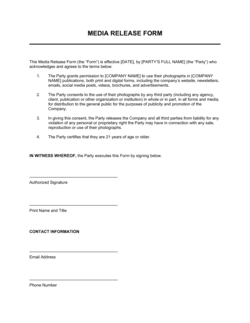
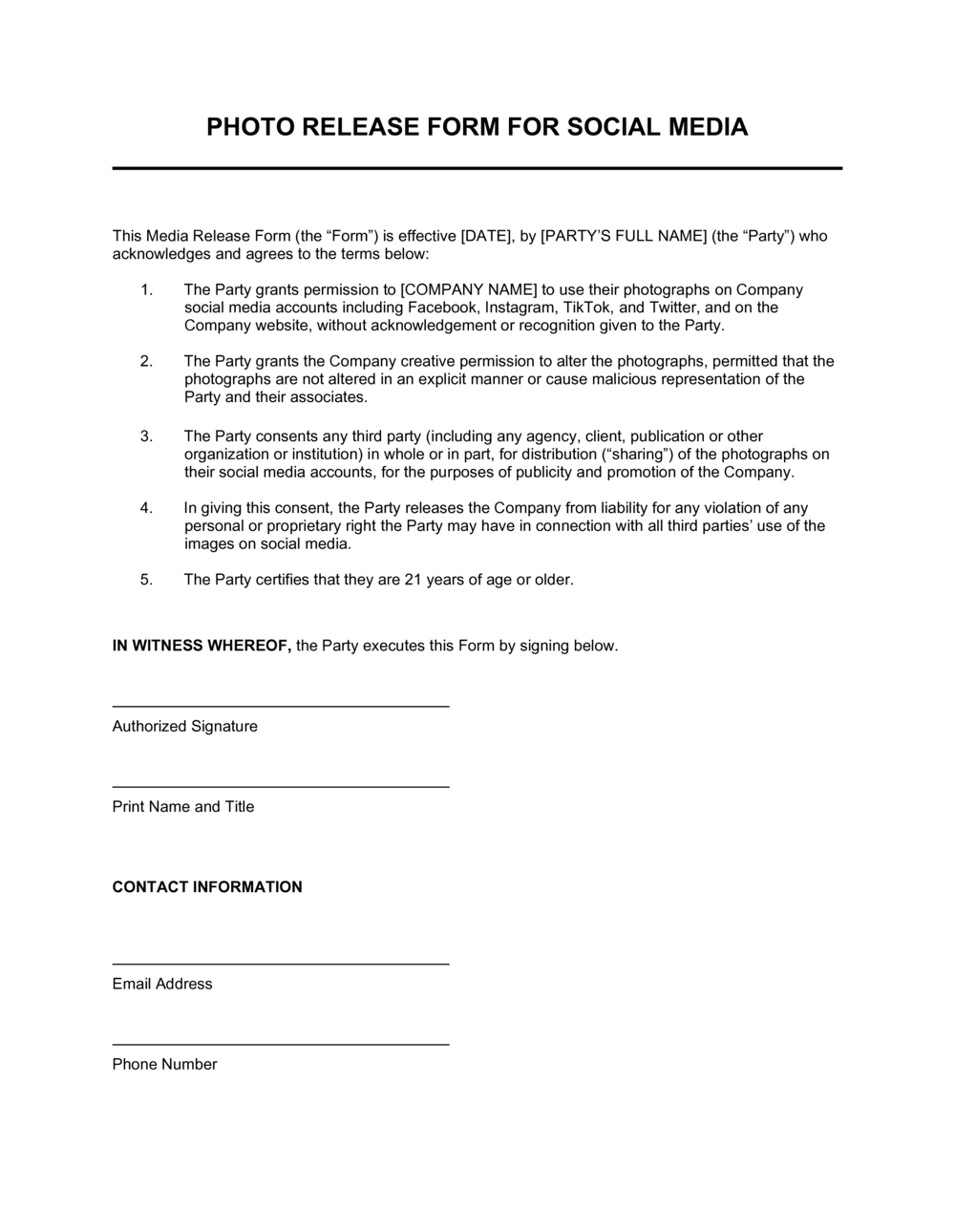
A Media Release Form for Social Media is a written consent document that authorizes a business, organization, or individual to post, share, or repurpose photos, videos, audio clips, or testimonials featuring an identified person on social media channels. This free Word download is editable online and exportable as PDF β€” ready to collect signatures in person, by email, or via electronic form in minutes.
When you need it
Use it before posting any image, video, or quote featuring an identifiable person on a public or branded social media account β€” including event coverage, customer testimonials, employee spotlights, and influencer collaborations.
What's inside
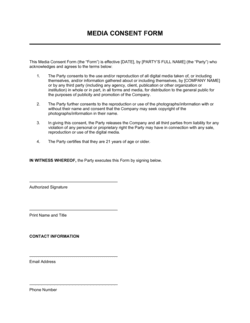
Releasor and organization details, a description of the specific media covered, the social media platforms authorized, the scope and duration of use, compensation terms, and a signature block for acknowledgment.

What is a Media Release Form for Social Media?

A Media Release Form for Social Media is a written consent document that authorizes a business, organization, or content creator to post, share, or repurpose photos, videos, audio clips, or testimonials featuring an identifiable person on social media platforms. It records who is granting permission, exactly which content is covered, which platforms are authorized, and how long that authorization lasts β€” creating a documented record that protects both the publisher and the subject. Unlike a general photo release, this form is purpose-built for the specific formats, platforms, and paid-versus-organic distinctions that define social media publishing.

Why You Need This Document

Posting an identifiable person's image or video on a branded social account without written consent β€” even when they verbally agreed β€” exposes your organization to right-of-publicity claims, demands for immediate content removal, platform takedown notices, and potential monetary damages. Verbal agreements leave no paper trail; a signed form takes five minutes to collect and eliminates that exposure entirely. For paid advertising campaigns featuring real people, the stakes are higher still: boosted posts and sponsored content require explicit authorization that general photo consent does not cover. This template gives you a complete, field-by-field form that covers every element needed to make the consent record reliable β€” so you can publish confidently and retrieve proof of consent instantly if a platform, client, or legal team ever asks for it.

Which variant fits your situation?

If your situation is…Use this template
Photographing or filming attendees at a ticketed public eventEvent Photo Release Form
Featuring a customer review or testimonial in a social media postTestimonial Release Form
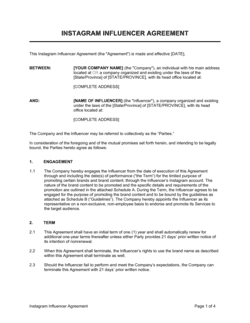
Compensating an influencer with payment or gifted product for contentInfluencer Agreement
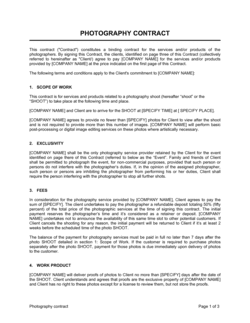
Hiring a photographer to shoot branded content for commercial usePhotography Services Agreement
Posting footage of a minor in school or program activitiesMinor Media Release Form
Using an employee's image in corporate marketing materials and adsEmployee Photo Release Form
Licensing stock images or third-party visual content for online useImage License Agreement

Common mistakes to avoid

❌ Posting before collecting the signed form

Why it matters: Publishing identifiable images without written consent exposes the organization to right-of-publicity claims, platform takedown requests, and reputational damage β€” even if the subject verbally agreed.

Fix: Make signing the release form a prerequisite to any content going live. Build a checklist step into your publishing workflow that requires a release on file.

❌ Using a generic release for paid advertising

Why it matters: Most standard photo consent forms cover organic social posts only. Running paid ads featuring a person's likeness without explicit paid-use authorization is a distinct legal risk in many jurisdictions.

Fix: Add a dedicated paid advertising checkbox or clause to the form and obtain separate confirmation before boosting or sponsoring any post featuring the person.

❌ Skipping the minor consent requirement

Why it matters: A minor cannot legally consent on their own behalf. Any release signed by a person under 18 without a parent or guardian's countersignature is legally void.

Fix: Add a parent or guardian signature block to the form and verify the subject's age at the time of signing. Use a dedicated minor media release form for events or programs involving children.

❌ Omitting the duration and revocation terms

Why it matters: Without a stated duration, a releasor can argue that consent was limited to a single post or a specific timeframe, requiring you to remove evergreen content on demand.

Fix: Always specify whether the release is time-limited or perpetual and whether it is revocable. For brand testimonials and campaign assets, use perpetual irrevocable language.

The 9 key fields, explained

Releasor information

Organization / releasee information

Description of media covered

Authorized social media platforms

Scope and purpose of use

Duration of authorization

Compensation or consideration

Warranties and representations

Signature and date

How to fill it out

  1. 1

    Enter your organization's details

    Fill in your company name, the name of the authorized representative, and your website or contact information in the releasee block at the top of the form.

    πŸ’‘ Pre-fill these fields in your master template so every new release is ready to go without repeated manual entry.

  2. 2

    Identify the releasor clearly

    Collect the subject's full legal name, email address, and phone number. For minors, collect the parent or guardian's information instead.

    πŸ’‘ Ask for a government-issued ID or email confirmation to verify identity for releases involving paid advertising campaigns.

  3. 3

    Describe the specific media being released

    Write a brief but precise description of the content β€” type (photo, video, testimonial), date captured, and the event or location where it was taken.

    πŸ’‘ Attach a thumbnail or file name reference when releasing digital assets so both parties know exactly which content is covered.

  4. 4

    List the authorized platforms and use cases

    Check or list each social media platform where the content will appear. Specify whether use includes paid advertising, organic posts, or both.

    πŸ’‘ If you plan to run paid ads featuring the person's likeness, list that explicitly β€” implied consent for organic posts does not extend to paid promotion.

  5. 5

    Set the duration and revocation terms

    Choose a fixed term or perpetual authorization and state clearly whether the releasor can revoke consent, and if so, under what conditions and with how much notice.

    πŸ’‘ For evergreen brand content like testimonials, a perpetual irrevocable release protects your investment in the content.

  6. 6

    Record compensation or note voluntary consent

    Enter any payment amount, gifted product value, or state explicitly that consent is granted voluntarily without compensation.

    πŸ’‘ Even a nominal $1 consideration creates a cleaner contractual record than leaving the field blank.

  7. 7

    Obtain signature and date

    Have the releasor sign and date the form before any content is published. For digital collection, use an e-signature tool to timestamp the consent automatically.

    πŸ’‘ Store signed releases in a named folder organized by campaign or event so you can retrieve them quickly if a platform or legal team requests proof of consent.

Frequently asked questions

What is a media release form for social media?

A media release form for social media is a written consent document authorizing a business or individual to post, share, or repurpose photos, videos, or other media featuring an identifiable person on social media platforms. It records who is granting consent, which content is covered, which platforms are authorized, and how long the permission lasts β€” protecting both the publisher and the subject.

Do I need a release form to post someone's photo on social media?

For public figures photographed in public settings, a release is not always legally required β€” but for any commercial or promotional use, including branded posts, paid ads, and testimonials, a signed release is strongly recommended. The right of publicity protects individuals from unauthorized commercial use of their likeness in most US states and many international jurisdictions, regardless of where the photo was taken.

Is a social media release form legally binding?

A properly completed media release form β€” with identified parties, a description of the media, stated consideration, and a dated signature β€” is generally enforceable as a contract in most jurisdictions. Forms missing key elements (no consideration, unsigned, undated, or signed by a minor without guardian countersignature) are vulnerable to challenge. For high-value campaigns, have a lawyer review the form.

Do I need a separate release for paid social media ads?

Yes, in most cases. A general photo or video consent form typically covers organic social media posting. Using someone's likeness in paid advertising β€” boosted posts, sponsored content, or social ads β€” carries distinct legal exposure and typically requires explicit written authorization for commercial advertising use. Add a paid-use clause or checkbox to your release form for any content that may be promoted.

What happens if I post without a signed release form?

Publishing identifiable images or videos without written consent can result in right-of-publicity claims, demands to remove the content, platform takedown notices, and in commercial contexts, monetary damages. Even when the subject initially agreed verbally, the absence of a written record makes defending against a later complaint significantly harder. Collecting the form before publishing is the simplest risk mitigation available.

Can I use a media release form for user-generated content?

Yes. When a customer tags your brand or you want to repost UGC to your branded account, a media release form (or a DM-based consent record) documents that you have permission. Simply reposting without asking does not constitute consent, even when the original post was public. A short written form or documented message exchange is sufficient for most UGC use cases.

What should a social media release form include for minors?

For any person under 18, the form must include a parent or legal guardian name, their relationship to the minor, and their signature in place of (or in addition to) the minor's. The minor's age should be recorded. Schools, camps, nonprofits, and sports organizations should use a dedicated minor media release form and collect it at enrollment rather than at each event.

How this compares to alternatives

vs General Photo Release Form

A general photo release covers the use of images across any medium β€” print, web, broadcast, or advertising. A social media release form specifically addresses digital platforms, platform-specific formats like Stories and Reels, and the distinctions between organic and paid social use. Use a general release for broad multi-channel campaigns and a social media release when the content is exclusively destined for social channels.

vs Model Release Form

A model release is a comprehensive commercial consent document used in professional photography and advertising shoots, covering all media and commercial uses. A social media release form is narrower β€” it is purpose-built for digital platform publishing and is appropriate for customer testimonials, event photography, and UGC repurposing without the complexity of a full commercial model release.

vs Influencer Agreement

An influencer agreement governs a paid content partnership β€” deliverables, exclusivity, FTC disclosure obligations, payment, and content approval. A media release form collects consent to use existing media featuring a person. If you are commissioning new content from an influencer, use an influencer agreement; if you are reposting or repurposing content featuring someone else, use a media release form.

vs Video Release Form

A video release form focuses specifically on video footage and may address usage rights for broadcast, streaming, or commercial distribution. A social media release form covers all media types β€” photo, video, audio, and testimonials β€” but scopes permission specifically to social media channels. For content intended only for social platforms, the social media release form is the more targeted and appropriate choice.

Industry-specific considerations

Marketing and Advertising

Agencies collect releases for every model, customer, and influencer featured in client social campaigns to protect brands from right-of-publicity claims.

Events and Entertainment

Event organizers use venue-wide or per-attendee releases to cover photo and video content shared across Instagram, TikTok, and YouTube post-event.

Education and Nonprofits

Schools and nonprofits require guardian-signed minor releases before featuring students, program participants, or beneficiaries in any social media content.

Retail and E-commerce

Brands running UGC repurposing programs or customer spotlight campaigns collect releases at the point of contest entry or DM outreach to document consent.

Template vs pro β€” what fits your needs?

PathBest forCostTime
Use the templateSmall businesses, nonprofits, and marketing teams collecting standard social media consent for organic posts and UGCFree5 minutes per form
Template + professional reviewOrganizations running paid advertising campaigns featuring real people, or collecting releases at scale for branded events$100–$300 for a one-time legal review of the form1–2 days
Custom draftedAgencies or brands with high-volume campaigns, international audiences, or content featuring minors across regulated industries$300–$1,000+ for a lawyer-drafted custom release3–7 days

Glossary

Releasor
The individual granting permission for their likeness, image, or voice to be used β€” the person signing the form.
Releasee
The business, organization, or individual receiving permission to use the media β€” typically the brand or content publisher.
Right of Publicity
A person's legal right to control the commercial use of their name, image, likeness, or other identifiable aspects of their identity.
User-Generated Content (UGC)
Photos, videos, or other media created by customers or fans that a brand wants to repost or repurpose on its own channels.
Perpetual License
An authorization to use media without a defined end date β€” the permission does not expire unless revoked under the terms of the release.
Scope of Use
The specific platforms, formats, and purposes for which the released media may be used, as defined in the consent form.
Moral Rights
An author's or subject's right to be credited and to object to uses of their likeness that damage their reputation β€” recognized in many jurisdictions outside the US.
Revocation
A formal withdrawal of previously granted consent, which may be permitted or restricted depending on the terms of the signed release.
Consideration
Something of value exchanged to make a consent agreement binding β€” can be monetary payment, a product, an experience, or even nominal value.
Likeness
Any identifiable representation of a person, including their face, silhouette, voice, or other distinctive features captured in media.

Part of your Business Operating System

This document is one of 3,000+ business & legal templates included in Business in a Box.

  • Fill-in-the-blanks β€” ready in minutes
  • 100% customizable Word document
  • Compatible with all office suites
  • Export to PDF and share electronically

Create your document in 3 simple steps.

From template to signed document β€” all inside one Business Operating System.
1
Download or open template

Access over 3,000+ business and legal templates for any business task, project or initiative.

2
Edit and fill in the blanks with AI

Customize your ready-made business document template and save it in the cloud.

3
Save, Share, Send, Sign

Share your files and folders with your team. Create a space of seamless collaboration.

Save time, save money, and create top-quality documents.

β˜…β˜…β˜…β˜…β˜…

"Fantastic value! I'm not sure how I'd do without it. It's worth its weight in gold and paid back for itself many times."

Managing Director Β· Mall Farm
Robert Whalley
Managing Director, Mall Farm Proprietary Limited
β˜…β˜…β˜…β˜…β˜…

"I have been using Business in a Box for years. It has been the most useful source of templates I have encountered. I recommend it to anyone."

Business Owner Β· 4+ years
Dr Michael John Freestone
Business Owner
β˜…β˜…β˜…β˜…β˜…

"It has been a life saver so many times I have lost count. Business in a Box has saved me so much time and as you know, time is money."

Owner Β· Upstate Web
David G. Moore Jr.
Owner, Upstate Web

Run your business with a system β€” not scattered tools

Stop downloading documents. Start operating with clarity. Business in a Box gives you the Business Operating System used by over 250,000 companies worldwide to structure, run, and grow their business.

Start freeΒ Β·Β No credit card required