AI Policy Template

Free Word download β€’ Edit online β€’ Save & share with Drive β€’ Export to PDF

3 pagesβ€’20–30 min to fillβ€’Difficulty: Standard
Learn more ↓
FreeAI Policy Template

At a glance

What it is
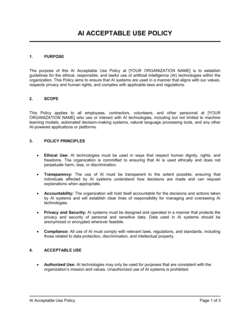
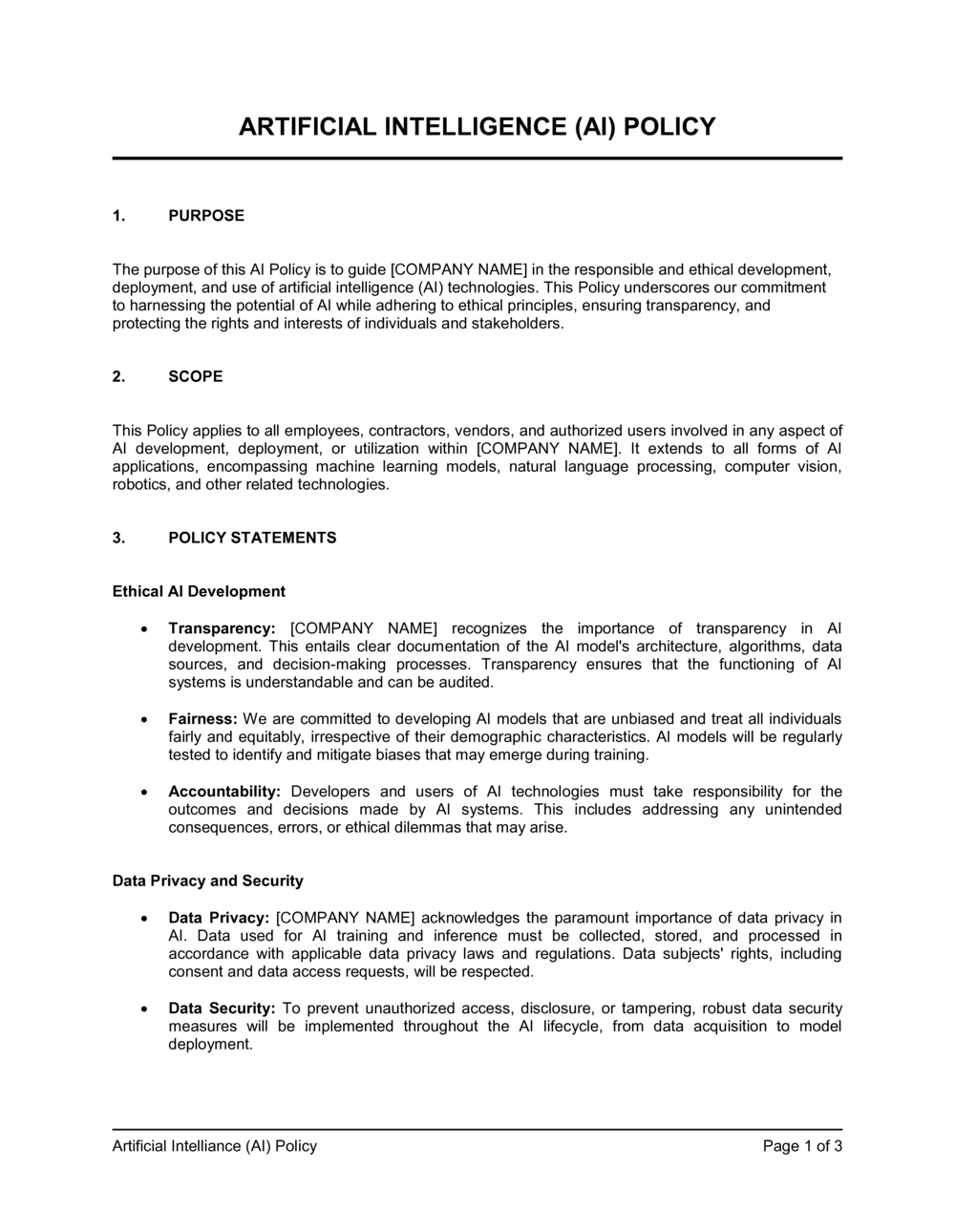
An AI Policy is an internal governance document that sets out the rules, boundaries, and responsibilities governing how employees and contractors may use artificial intelligence tools β€” including generative AI, AI-assisted software, and machine learning platforms β€” in their day-to-day work. This free Word download gives you a structured, ready-to-edit template you can adapt to your organization's risk tolerance and export as PDF for distribution to staff.
When you need it
Use it when employees have already started using AI tools without formal guidance, when a client or partner requests evidence of AI governance, or when preparing for a compliance audit that includes technology risk. It is also the right starting point any time you are onboarding new AI software at the organizational level.
What's inside
Purpose and scope, definitions of covered AI tools, acceptable and prohibited use cases, data classification and privacy rules, human oversight and accountability requirements, vendor and third-party AI assessment criteria, and a compliance and review schedule.

What is an AI Policy?

An AI Policy is an internal governance document that defines the rules, responsibilities, and boundaries governing how employees and contractors use artificial intelligence tools in the course of their work. It covers which AI systems are approved for use, what categories of data may be entered into them, when human review of AI-generated outputs is required, and what consequences apply to violations. As generative AI tools become embedded in everyday business workflows β€” writing, coding, analysis, customer communications β€” an AI policy gives organizations the consistent behavioral framework needed to capture the productivity benefits while managing data privacy, accuracy, and accountability risks.

Why You Need This Document

Without a written AI policy, employees make individual judgment calls about AI use β€” and those calls routinely result in confidential customer data entering public AI platforms, AI-generated content reaching clients without any review for accuracy, and new tools being adopted without security assessment. The risks are concrete: a single employee pasting financial records into a public AI chatbot can trigger a data breach notification obligation; AI-generated legal or medical content published without review can expose the business to professional liability; and undocumented AI use in hiring or credit decisions can create regulatory exposure under fair lending or employment discrimination rules. This template gives you a structured, immediately usable policy that closes these gaps in a few hours β€” without requiring a legal team or a compliance department to build it from scratch.

Which variant fits your situation?

If your situation is…Use this template
General employee guidance on AI tools across the whole organizationAI Policy
Governing the use of generative AI specifically for content creationGenerative AI Acceptable Use Policy
Setting rules for AI-assisted decision-making in HR or hiringAI in Hiring Policy
Defining data handling requirements when using AI vendor APIsData Classification Policy
Managing risk from third-party AI tools and vendorsThird-Party Vendor Risk Assessment
Communicating AI ethics principles to customers and the publicAI Ethics Statement
Governing AI model development and deployment by an internal tech teamAI Model Governance Policy

Common mistakes to avoid

❌ Scoping the policy to named tools instead of capabilities

Why it matters: New AI tools launch every week. A policy listing ChatGPT, Copilot, and Gemini by name becomes incomplete the moment an employee installs a new browser extension with AI features.

Fix: Define scope by capability β€” 'any software that uses machine learning, generative models, or automated decision-making' β€” so the policy applies to tools that don't exist yet.

❌ No data classification rules for AI inputs

Why it matters: Without explicit rules on what data may be entered into AI tools, employees will default to convenience β€” which often means pasting confidential customer or financial data into public AI platforms that use prompts for model training.

Fix: Map each data classification tier to a clear AI permission: public data is freely usable, internal data requires an approved tool, confidential and restricted data may not be entered into any external AI system.

❌ Accountability statement with no review standard

Why it matters: Saying 'employees are responsible for all AI outputs' without defining what responsible review looks like means accountability is unenforceable when an error reaches a client.

Fix: Specify the review actions required by output type β€” fact-checking for research summaries, legal review for contract language, manager sign-off for external communications β€” so employees know exactly what is expected.

❌ Publishing the policy without a training plan

Why it matters: Employees who were never trained on the policy cannot fairly be disciplined for violating it, and your compliance posture is undermined in any audit or litigation.

Fix: Attach a training completion deadline to the policy launch and require a signed acknowledgment. Integrate AI policy training into new-hire onboarding within the first 30 days.

❌ Setting an annual review cadence

Why it matters: AI regulation, vendor data practices, and tool capabilities are changing on a monthly basis. A policy reviewed annually will be materially out of date within six months in most organizations.

Fix: Commit to a six-month review cycle and trigger an immediate review whenever a significant AI incident occurs, a major new tool is adopted, or new regulatory guidance is published.

❌ No vendor assessment process for new tools

Why it matters: Without a defined approval workflow, employees self-approve AI tools based on convenience and cost β€” not on data security, sub-processor agreements, or regulatory compliance.

Fix: Create a simple one-page Tool Assessment Request form covering data residency, training opt-out, and security certification. Set a maximum 10-business-day SLA for IT review so the process is fast enough that employees use it.

The 9 key sections, explained

Purpose and scope

Definitions

Acceptable use cases

Prohibited use cases

Data privacy and security requirements

Human oversight and accountability

Approved vendor and tool assessment process

Compliance, training, and enforcement

Policy review and update schedule

How to fill it out

  1. 1

    Define the scope and name the policy owner

    Decide whether the policy covers all AI tools or only specific categories (generative AI, automated decision-making, etc.). Assign a named owner β€” typically the Head of IT, CISO, or Chief Operating Officer β€” who is accountable for maintaining and enforcing it.

    πŸ’‘ Scope by capability, not by tool name. 'Any software using machine learning or large language models' ages far better than a list of named products.

  2. 2

    Audit which AI tools employees are already using

    Survey your teams before drafting the acceptable-use section. A shadow IT audit often reveals 5–10 AI tools in active use that IT was unaware of β€” these inform both the approved list and the prohibited-use rules.

    πŸ’‘ Check browser extensions and app integrations, not just standalone tools β€” AI is increasingly embedded in productivity software employees already use daily.

  3. 3

    Set your data classification rules

    Map your existing data classification tiers (public, internal, confidential, restricted) to specific AI permissions. For each tier, state explicitly whether data in that category may be entered into external AI tools and under what conditions.

    πŸ’‘ If you do not have a formal data classification policy, create a simple two-tier version (shareable vs. non-shareable) as an appendix to the AI policy to unblock this step.

  4. 4

    Draft the acceptable and prohibited use lists

    Write at least four concrete approved use cases and at least four explicit prohibitions. Use specific examples β€” 'drafting a first-pass sales email for human review' and 'entering a customer's financial records into a public AI tool' β€” rather than abstract principles.

    πŸ’‘ Organize acceptable uses by department (marketing, engineering, finance) so employees can quickly find the rules relevant to their own work.

  5. 5

    Build the approved vendor list

    List every AI tool currently approved for use and the data tiers each may process. Include the vendor's data retention period and whether they use prompt data to retrain models. This list lives in Appendix A and is updated as tools are approved or deprecated.

    πŸ’‘ Check each vendor's DPA (Data Processing Agreement) and sub-processor list before adding them. Many consumer AI tools have no DPA available β€” that alone is grounds for restriction to public-data-only use.

  6. 6

    Define the human review requirement

    State which output types require human review before use (client deliverables, external communications, hiring decisions) and what 'review' means β€” not just reading, but verifying facts, checking for bias, and confirming the content meets quality standards.

    πŸ’‘ For high-stakes outputs like legal documents or financial analysis, require sign-off by someone with domain expertise in the subject matter, not just the employee who generated the output.

  7. 7

    Set the training and enforcement terms

    Specify the training format (live session, e-learning module, or written acknowledgment), the completion deadline for existing employees, and the consequences for violations. Tie the policy acknowledgment to your existing onboarding workflow.

    πŸ’‘ A signed acknowledgment form β€” even a simple email confirmation β€” creates a record that the employee received and read the policy, which matters in any enforcement action.

  8. 8

    Schedule the first review date before publishing

    Set a calendar reminder for the first policy review β€” six months from publication β€” before you distribute the document. Include the review date in the policy header so employees know it is current.

    πŸ’‘ Assign the review to the policy owner in your HR or project management system at the time of publishing, not as an afterthought six months later.

Frequently asked questions

What is an AI policy?

An AI policy is an internal governance document that defines the rules employees must follow when using artificial intelligence tools at work. It covers which tools are approved, what data may be entered into them, when human review is required, and what happens if the rules are violated. It serves as the organization's primary control for managing the risks that come with widespread AI adoption.

Why do businesses need an AI policy?

Without a policy, employees make individual judgments about AI use β€” often entering confidential or customer data into public tools that use prompts for model training, generating client-facing content without review, or relying on AI outputs that contain factual errors. A policy creates consistent behavior across the organization, reduces data exposure risk, and documents your governance posture for clients, auditors, and regulators who increasingly ask about AI controls.

What should an AI policy include?

At minimum: purpose and scope, definitions of covered tools, acceptable and prohibited use cases, data classification rules governing what information may enter AI systems, human oversight requirements for AI-generated outputs, an approved vendor list with an assessment process for new tools, a training and enforcement section, and a scheduled review cycle. Policies that omit any of these sections leave material gaps in employee guidance and organizational accountability.

Who should own the AI policy?

Ownership typically sits with the CISO, Head of IT, Chief Operating Officer, or General Counsel depending on the organization's size and risk profile. The owner is accountable for keeping the policy current, managing the approved tool list, handling assessment requests, and coordinating enforcement. In small businesses, the owner is often the founder or operations lead until the company grows a dedicated function.

How often should an AI policy be reviewed?

Every six months at minimum, given the pace of change in AI tool capabilities, vendor data practices, and regulatory guidance. An immediate out-of-cycle review is warranted when a significant AI-related incident occurs, when a major new tool is adopted organization-wide, or when new legislation or regulatory guidance applies to the company's industry or jurisdiction. Annual reviews are not sufficient for most organizations in the current environment.

Does an AI policy need to cover generative AI specifically?

Yes β€” generative AI tools like large language model chatbots and AI-assisted coding platforms introduce specific risks (hallucination, data ingestion into training sets, IP uncertainty in outputs) that are distinct from earlier rule-based automation. Your policy should address generative AI outputs by name, set specific review requirements for AI-generated text and code, and clarify whether employees may use generated content in external communications or client deliverables.

Can a small business use the same AI policy as a large enterprise?

The core structure is the same β€” scope, acceptable use, data rules, accountability, and review β€” but the depth of each section should match your actual risk exposure and operational complexity. A 10-person consultancy needs clear rules about client data and external tools but does not need a full AI governance committee or formal model risk management framework. This template is calibrated for small to mid-sized businesses and can be expanded as the organization grows.

Is an AI policy legally required?

No single law in most jurisdictions currently mandates a standalone AI policy for all businesses, but several converging regulations create practical requirements that a policy helps satisfy. The EU AI Act imposes obligations on organizations using high-risk AI systems. GDPR and CCPA impose data protection requirements that apply whenever personal data enters an AI tool. Many enterprise contracts now include vendor AI governance clauses. Having a documented policy is evidence of due diligence across all of these frameworks.

What is the difference between an AI policy and an AI ethics statement?

An AI policy is an internal operational document that sets enforceable rules for employee behavior β€” it governs day-to-day AI use and has compliance consequences. An AI ethics statement is an external-facing declaration of the organization's principles and values around AI β€” it communicates intent to customers, partners, and the public but is not directly enforceable. Most organizations that need one also need the other, but they serve different audiences and purposes.

How this compares to alternatives

vs Acceptable Use Policy

An acceptable use policy governs how employees may use company IT systems and networks broadly β€” covering email, internet access, device use, and software. An AI policy is a focused overlay that addresses the specific risks of AI tools: data ingestion, output accuracy, vendor training practices, and human oversight. Many organizations need both, with the AI policy referencing the broader acceptable use framework.

vs Data Privacy Policy

A data privacy policy defines how the organization collects, stores, and processes personal data β€” primarily an external-facing document for customers and regulators. An AI policy is an internal operational document governing employee behavior. The two are complementary: the AI policy should reference the data privacy policy's classification rules and restrict AI use to what the privacy policy permits.

vs Information Security Policy

An information security policy sets the organization's overall framework for protecting data and systems β€” covering access controls, incident response, and vendor management. An AI policy is narrower, addressing the specific behaviors and risks that arise when employees use AI tools. The AI policy should sit within the information security framework and reference its data classification and vendor assessment standards.

vs AI Ethics Statement

An AI ethics statement is an external-facing declaration of the organization's principles β€” fairness, transparency, accountability β€” intended for customers, partners, and the public. An AI policy is an internal operational document with enforceable rules and consequences. Both can coexist and should be consistent with each other, but they serve different audiences and carry different levels of enforceability.

Industry-specific considerations

Professional services

Client confidentiality rules must explicitly prohibit entering client data into external AI tools; AI-drafted deliverables require partner or manager sign-off before distribution.

Healthcare

HIPAA-covered entities must restrict AI tool use to systems with a signed Business Associate Agreement and prohibit any PHI from entering general-purpose AI platforms.

Financial services

AI use in credit, underwriting, or fraud decisions triggers fair lending and model risk management obligations; human review and audit trail requirements are especially critical.

SaaS / Technology

Engineering teams need specific rules on AI-generated code β€” including IP ownership uncertainty, security review requirements, and restrictions on entering proprietary source code into external tools.

Retail and e-commerce

AI-generated product descriptions and customer communications require brand and accuracy review; customer data used in AI-driven personalization must align with privacy notice disclosures.

Education

Policies must address student data privacy (FERPA in the US), AI-generated content in assessments, and transparency obligations to students and parents about AI use in educational tools.

Template vs pro β€” what fits your needs?

PathBest forCostTime
Use the templateSmall to mid-sized businesses establishing AI governance for the first time with a straightforward tool stackFree2–4 hours to customize and distribute
Template + professional reviewCompanies in regulated industries, those processing significant customer data, or those with enterprise clients requiring AI governance evidence$300–$800 for a legal or compliance advisor review3–5 business days
Custom draftedOrganizations deploying AI in high-risk decision-making (hiring, credit, healthcare) or subject to the EU AI Act's high-risk system requirements$2,000–$8,000 for specialist legal counsel2–4 weeks

Glossary

Generative AI
Software that produces new text, images, code, or other content in response to user prompts, using large language models or similar architectures.
Acceptable Use
The defined set of purposes and behaviors for which an organization permits employees to use a specific tool or system.
Data Classification
A system that categorizes organizational data by sensitivity level β€” such as public, internal, confidential, and restricted β€” to determine how each category may be handled.
Human Oversight
The requirement that a qualified person reviews, verifies, or approves AI-generated outputs before they are acted upon or distributed externally.
Hallucination
An AI output that is factually incorrect or fabricated but presented with apparent confidence β€” a known failure mode of large language models.
Prompt Injection
A technique in which malicious instructions are embedded in input data to manipulate an AI model into producing unintended or harmful outputs.
Third-Party AI Vendor
An external provider whose product or API incorporates AI capabilities that employees may use to process company or customer data.
AI Risk Assessment
A structured evaluation of the potential harms, failure modes, and compliance implications of deploying a specific AI tool or system.
Sensitive Personal Data
Any information that identifies or could identify an individual and that carries heightened legal or reputational risk if exposed β€” including health data, financial records, and government ID numbers.
Model Bias
Systematic error in AI outputs that disadvantages certain groups or produces skewed results, typically arising from imbalanced training data or flawed design choices.

Part of your Business Operating System

This document is one of 3,000+ business & legal templates included in Business in a Box.

  • Fill-in-the-blanks β€” ready in minutes
  • 100% customizable Word document
  • Compatible with all office suites
  • Export to PDF and share electronically

Create your document in 3 simple steps.

From template to signed document β€” all inside one Business Operating System.
1
Download or open template

Access over 3,000+ business and legal templates for any business task, project or initiative.

2
Edit and fill in the blanks with AI

Customize your ready-made business document template and save it in the cloud.

3
Save, Share, Send, Sign

Share your files and folders with your team. Create a space of seamless collaboration.

Save time, save money, and create top-quality documents.

β˜…β˜…β˜…β˜…β˜…

"Fantastic value! I'm not sure how I'd do without it. It's worth its weight in gold and paid back for itself many times."

Managing Director Β· Mall Farm
Robert Whalley
Managing Director, Mall Farm Proprietary Limited
β˜…β˜…β˜…β˜…β˜…

"I have been using Business in a Box for years. It has been the most useful source of templates I have encountered. I recommend it to anyone."

Business Owner Β· 4+ years
Dr Michael John Freestone
Business Owner
β˜…β˜…β˜…β˜…β˜…

"It has been a life saver so many times I have lost count. Business in a Box has saved me so much time and as you know, time is money."

Owner Β· Upstate Web
David G. Moore Jr.
Owner, Upstate Web

Run your business with a system β€” not scattered tools

Stop downloading documents. Start operating with clarity. Business in a Box gives you the Business Operating System used by over 250,000 companies worldwide to structure, run, and grow their business.

Free Forever PlanΒ Β·Β No credit card required