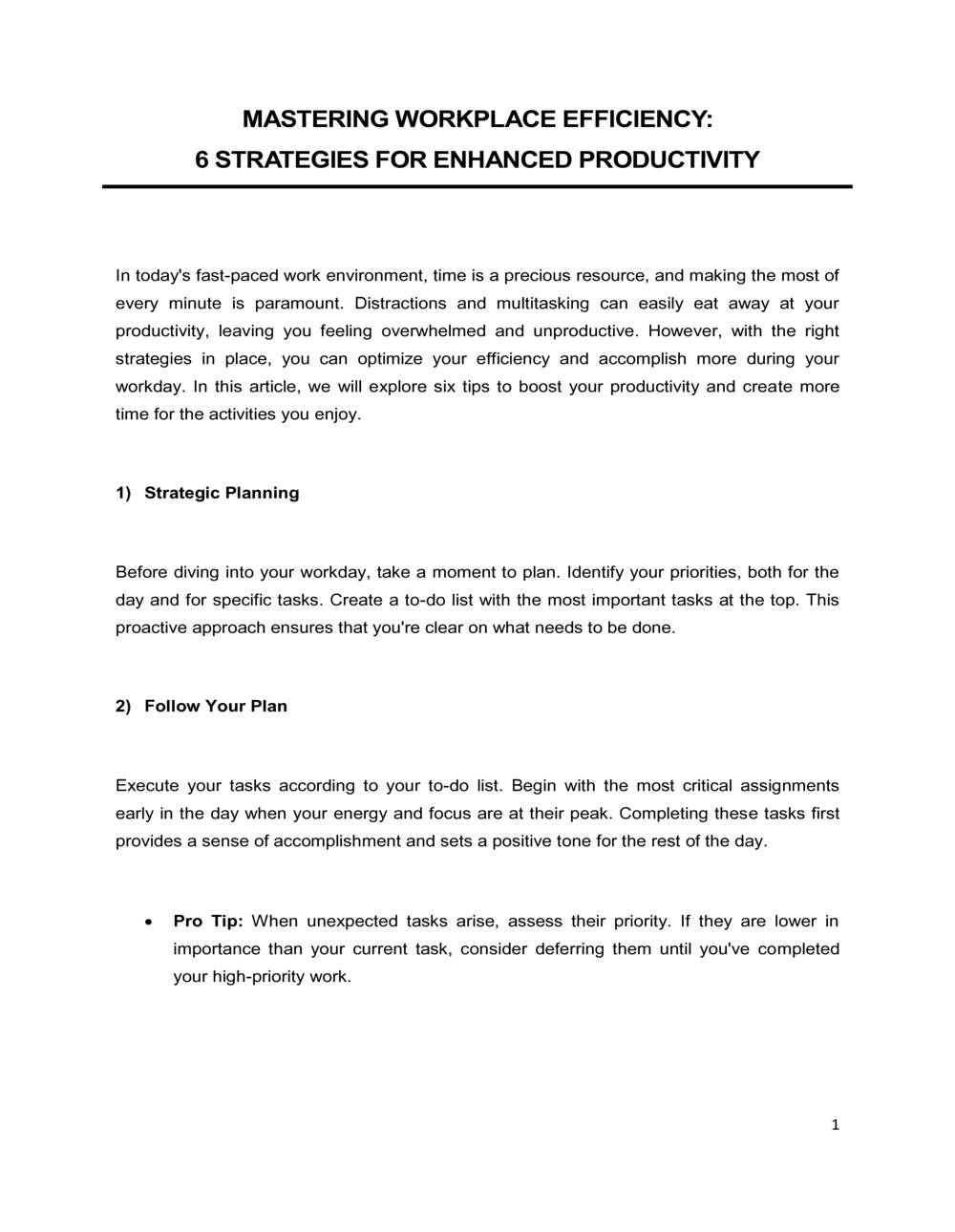
6 Strategies For Enhanced Productivity

Free to read β€’ Save or share with one click

Free6 Strategies For Enhanced Productivity Template

At a glance

What it is
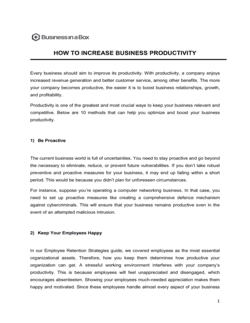
The 6 Strategies For Enhanced Productivity is a structured operational document that outlines six evidence-based approaches to improving individual and team output across a business. This free Word download gives managers and business owners a ready-to-customize framework they can edit online and share as PDF with their teams, department heads, or leadership boards.
When you need it
Use it when output is falling short of targets, when a team is scaling and informal habits are no longer sufficient, or when you need a documented productivity framework to anchor performance conversations and planning cycles.
What's inside
A structured overview of six productivity strategies β€” including goal-setting, time management, workflow optimization, communication standards, tool adoption, and performance feedback β€” each presented with rationale, implementation steps, and measurable success indicators.

What is a 6 Strategies For Enhanced Productivity Document?

A 6 Strategies For Enhanced Productivity document is a structured operational plan that presents six evidence-based methods for improving individual and team output β€” covering goal clarity, time management, workflow optimization, communication standards, tool adoption, and performance feedback. Each strategy is explained with rationale, implementation guidance, and measurable success indicators, giving managers a concrete framework rather than a list of generic advice. This free Word download is designed for managers and business owners who need to formalize a productivity initiative, share it with a team, and track results against a documented baseline.

Why You Need This Document

Without a documented productivity framework, improvement initiatives tend to start as informal conversations and fade within two weeks when competing priorities take over. The absence of a written plan means no assigned owners, no baseline metrics, and no follow-up cadence β€” which makes it impossible to determine whether anything actually improved. Teams operating without structured communication norms lose 20–30% of focused working time to unmanaged interruptions; teams without clear prioritization systems spend effort on low-impact tasks while high-value work stalls. This template gives you a complete, customizable framework you can deploy in a single planning session, with every section built to drive real behavioral change rather than generate paperwork.

Which variant fits your situation?

If your situation is…Use this template
Addressing declining output from a specific employeePerformance Improvement Plan
Establishing company-wide work standards from scratchEmployee Handbook
Running a focused time-management workshop for a teamTraining Plan Template
Setting measurable output targets tied to business goalsSMART Goals Action Plan
Tracking productivity metrics over a quarterKPI Report
Aligning team productivity with a broader annual strategyStrategic Planning Template
Optimizing a specific recurring process or workflowStandard Operating Procedure

Common mistakes to avoid

❌ Implementing all six strategies simultaneously

Why it matters: Stacking six behavioral changes at once overwhelms teams and produces shallow adoption of each. Within three weeks, most teams revert to prior habits across the board.

Fix: Phase the rollout over 6–8 weeks, starting with goal clarity and scheduling before introducing tool changes or feedback systems.

❌ Setting productivity targets without a measured baseline

Why it matters: Without a before-measurement, improvement is unmeasurable β€” and the initiative loses credibility when leadership asks for evidence of impact.

Fix: Capture at least two baseline KPIs β€” throughput and meeting hours β€” before launching any strategy. Enter them directly into the metrics section.

❌ Assigning no named owner to each strategy

Why it matters: Plans with shared or unassigned ownership stall at the first obstacle. No one escalates, no one follows up, and implementation quietly dies.

Fix: Enter a specific person's name β€” not a role or team β€” as accountable owner for each strategy and each implementation phase.

❌ Skipping the communication norms section

Why it matters: Productivity gains from time-blocking and workflow optimization are erased when unstructured messaging interrupts focused work 20–30 times per day.

Fix: Define at minimum three communication tiers β€” urgent, standard, and informational β€” with a named channel and response-time target for each.

❌ Rolling out new tools without deprecating old ones

Why it matters: Teams forced to maintain two overlapping systems β€” old and new β€” double their administrative overhead and split attention across platforms, reducing adoption of both.

Fix: For each new tool introduced, specify which existing tool or process it replaces and set a firm sunset date for the old method.

❌ Publishing the document without a scheduled follow-up review

Why it matters: A productivity plan with no review date is treated as a one-time announcement rather than an ongoing operating standard. Behavior change requires reinforcement.

Fix: Schedule the first progress review before distributing the document. Embed the review cadence directly in the implementation timeline section.

The 9 key sections, explained

Introduction and context

Strategy 1 β€” Goal clarity and prioritization

Strategy 2 β€” Time management and scheduling

Strategy 3 β€” Workflow and process optimization

Strategy 4 β€” Communication standards

Strategy 5 β€” Tool adoption and automation

Strategy 6 β€” Feedback and continuous improvement

Implementation timeline

Metrics and success indicators

How to fill it out

  1. 1

    Set the context and business case

    Fill in the introduction section with the specific challenge prompting this initiative, the team or department it applies to, and the timeframe for implementation.

    πŸ’‘ Quantify the current problem if you can β€” 'output per employee is 15% below Q1 target' is more compelling than 'we need to be more productive.'

  2. 2

    Customize the goal-setting strategy for your team

    Replace placeholder task limits and review cadences with your team's actual sprint or planning cycle. Specify which manager or tool owns priority tracking.

    πŸ’‘ Limit daily high-priority tasks to three per person. Teams that commit to fewer priorities complete more of them.

  3. 3

    Audit current calendars before writing time-blocking norms

    Count the average number of recurring meetings per person per week before setting deep-work blocks. Adjust the time-blocking recommendation to what is genuinely achievable.

    πŸ’‘ If average meeting load exceeds 15 hours per week, address that first β€” time-blocking recommendations are useless without available time.

  4. 4

    Map at least one key workflow before implementing strategy 3

    Choose one high-frequency process and document it step-by-step before recommending optimization. Use the map to identify where time is actually lost.

    πŸ’‘ Ask the people doing the work, not their managers, to map the process β€” frontline steps that managers are unaware of are exactly the ones most likely to contain bottlenecks.

  5. 5

    Define communication tiers and response expectations

    Classify message types as urgent, standard, or informational and assign each a channel and response-time target. Enter these into the communication standards section.

    πŸ’‘ Get team agreement on the definitions before publishing. A norm that team members didn't participate in setting will be ignored within a week.

  6. 6

    Select and phase the tool rollout

    Choose no more than two new tools per implementation phase. Enter rollout dates, training milestones, and the specific tasks each tool replaces or automates.

    πŸ’‘ Pilot each tool with two or three users for one week before rolling out to the full team β€” this surfaces adoption blockers before they become team-wide friction.

  7. 7

    Build the metrics baseline before launch

    Measure current throughput, meeting hours, and any other KPIs you've included in the success indicators section. Enter these as baselines before distributing the document.

    πŸ’‘ Take a screenshot or export of baseline data on day one. Baseline figures are frequently revised upward retroactively once people know they're being measured.

  8. 8

    Assign owners and publish the implementation timeline

    Enter a named owner and a deadline for every phase. Distribute the final document to all stakeholders before the first implementation week begins.

    πŸ’‘ Schedule the first review meeting before you publish the plan β€” a plan without a follow-up date rarely survives its first week.

Frequently asked questions

What is a productivity strategies document?

A productivity strategies document is a structured operational plan that outlines specific methods for improving individual and team output within a business. It defines the approaches to be implemented β€” such as goal prioritization, time management, and workflow optimization β€” along with implementation steps, assigned owners, timelines, and success metrics. It is used by managers and business owners to drive measurable performance improvements rather than relying on informal encouragement.

Who should use a productivity strategies template?

Operations managers, team leaders, HR managers, and small business owners use productivity strategy documents when team output is below targets, when a team is scaling past informal norms, or when performance conversations require a documented framework. Startup founders also use them to establish structured work habits before headcount growth makes ad hoc practices unsustainable.

What are the most effective strategies for improving team productivity?

The six strategies most consistently supported by organizational research are goal clarity and prioritization, structured time management (including deep-work blocks), workflow and process optimization, defined communication standards, targeted tool adoption and automation, and a regular feedback and review cadence. Each strategy produces limited impact in isolation β€” the compounding effect comes from implementing all six over a phased timeline.

How long does it take to implement a productivity improvement plan?

A phased rollout covering all six strategies typically takes 6–8 weeks for initial implementation, with measurable results visible at the 30-day and 60-day marks. Behavioral changes β€” like consistent time-blocking or asynchronous-first communication β€” take 3–4 weeks to stabilize as habits. Full adoption with measurable throughput improvement is typically confirmed at the 90-day review.

How do you measure the success of a productivity strategy?

Success metrics should be established before the plan launches. Useful indicators include throughput per person per week, percentage of planned tasks completed on time, total meeting hours per employee per week, and response time compliance against communication norms. Comparing post-implementation figures to a documented baseline is the only credible way to demonstrate improvement.

What is the difference between a productivity plan and a performance improvement plan?

A productivity plan is a proactive team-level or company-wide document that improves output systems and habits for everyone. A performance improvement plan (PIP) is a reactive individual-level document addressing a specific employee whose output falls below acceptable standards. The productivity strategies template is not a disciplinary document and is not appropriate as a substitute for a PIP in formal HR processes.

How do communication standards improve productivity?

Unstructured communication β€” open Slack channels, no response-time norms, and default-to-meeting culture β€” is one of the largest hidden productivity drains in modern workplaces. Research consistently shows that knowledge workers lose 20–30% of focused working time to context-switching triggered by unmanaged messaging. Defining which channel to use for which urgency level, and setting response-time expectations, reduces interruptions and protects deep-work time without sacrificing alignment.

Can this template be used for remote or hybrid teams?

Yes β€” the six strategies apply directly to remote and hybrid environments, and several are especially high-impact for distributed teams. The communication standards strategy addresses the asynchronous-first norms that reduce meeting overhead for teams across time zones. The tool adoption strategy covers shared visibility into work status. Adjust the time-blocking recommendations to account for overlapping-hours constraints when team members work in different time zones.

How often should a productivity strategy document be reviewed?

A full review at 30, 60, and 90 days after launch is the recommended cadence for the first implementation cycle. After the initial period, quarterly reviews aligned to business planning cycles are sufficient for most teams. Update the metrics section with actuals at each review and adjust any strategy that has not produced measurable improvement within 60 days.

How this compares to alternatives

vs Performance Improvement Plan

A performance improvement plan is a formal HR document targeting one employee whose output has fallen below an acceptable standard. It sets specific improvement thresholds with consequences for non-compliance. A productivity strategies document is proactive and team-wide β€” it improves systems and habits for everyone, not a named individual. Using this template in place of a PIP creates legal and HR exposure.

vs SMART Goals Action Plan

A SMART goals action plan focuses on setting and tracking specific individual or team objectives. A productivity strategies document addresses the underlying systems, habits, and tools that determine whether goals get achieved. The two are complementary β€” use the SMART goals template to define what to accomplish and this template to improve how the work gets done.

vs Standard Operating Procedure

A standard operating procedure documents the exact steps for one specific recurring task. A productivity strategies document operates at a higher level β€” it sets the habits, tools, and communication norms that govern how all work gets done. SOPs are the output of applying workflow optimization strategy; they are not a substitute for the broader productivity framework.

vs Employee Handbook

An employee handbook is a comprehensive policy reference covering company rules, benefits, and conduct expectations for all staff. A productivity strategies document is a focused operational plan for improving team output β€” not a policy document. The productivity norms defined here may eventually be incorporated into an employee handbook, but they serve different purposes at different stages of organizational maturity.

Industry-specific considerations

Professional Services

Billable utilization rate and client-deliverable turnaround time are the primary productivity metrics; communication norms must account for client-facing responsiveness alongside internal focus time.

SaaS / Technology

Sprint throughput, pull-request cycle time, and bug-resolution time replace generic task metrics; tool adoption strategy covers developer tooling and reduces context-switching across platforms.

Retail / E-commerce

Productivity strategies focus on order processing time, shift handover efficiency, and task-batching for inventory and fulfillment operations during peak demand periods.

Healthcare

Documentation burden and handoff protocols are the dominant productivity drains; workflow optimization targets EHR data entry, shift-change briefings, and cross-department communication standards.

Template vs pro β€” what fits your needs?

PathBest forCostTime
Use the templateManagers and small business owners implementing productivity improvements for teams of up to 20 peopleFree2–4 hours to customize and launch
Template + professional reviewOperations leaders rolling out company-wide initiatives or integrating the plan with formal HR performance systems$300–$800 for an HR consultant or operations advisor review3–5 days
Custom draftedEnterprise teams requiring change management support, custom metrics frameworks, or integration with existing OKR or performance management platforms$2,000–$8,000 for an organizational development consultant2–6 weeks

Glossary

Deep Work
Focused, uninterrupted effort on cognitively demanding tasks β€” the type of work that produces the highest-value output in the least time.
Time Blocking
Scheduling specific blocks of calendar time for defined tasks or task categories, preventing reactive work from crowding out high-priority activities.
Throughput
The volume of completed work produced by a person or team within a given period β€” a key operational measure of productivity.
Workflow Optimization
Identifying and removing bottlenecks, redundant steps, or low-value activities from a recurring process to increase speed and reduce error.
KPI (Key Performance Indicator)
A measurable value that tracks progress toward a specific business or operational objective over a defined timeframe.
Asynchronous Communication
Information exchange that does not require all parties to be present at the same time β€” email, recorded video, and shared documents are common examples.
Meeting Cadence
The scheduled frequency and format of team meetings β€” standup, weekly sync, monthly review β€” designed to maintain alignment without consuming productive working time.
Task Batching
Grouping similar tasks and completing them in a single focused session to reduce context-switching overhead.
Accountability System
A structured mechanism β€” peer check-ins, shared dashboards, or regular manager reviews β€” that tracks commitments and surfaces progress or blockers.
Cognitive Load
The total mental effort required to process information and make decisions; high cognitive load reduces the quality and speed of complex work.

Part of your Business Operating System

This document is one of 3,000+ business & legal templates included in Business in a Box.

  • Fill-in-the-blanks β€” ready in minutes
  • Compatible with all office suites
  • Export to PDF and share electronically

Create your document in 3 simple steps.

From template to signed document β€” all inside one Business Operating System.
1
Download or open template

Access over 3,000+ business and legal templates for any business task, project or initiative.

2
Edit and fill in the blanks with AI

Customize your ready-made business document template and save it in the cloud.

3
Save, Share, Send, Sign

Share your files and folders with your team. Create a space of seamless collaboration.

Save time, save money, and create top-quality documents.

β˜…β˜…β˜…β˜…β˜…

"Fantastic value! I'm not sure how I'd do without it. It's worth its weight in gold and paid back for itself many times."

Managing Director Β· Mall Farm
Robert Whalley
Managing Director, Mall Farm Proprietary Limited
β˜…β˜…β˜…β˜…β˜…

"I have been using Business in a Box for years. It has been the most useful source of templates I have encountered. I recommend it to anyone."

Business Owner Β· 4+ years
Dr Michael John Freestone
Business Owner
β˜…β˜…β˜…β˜…β˜…

"It has been a life saver so many times I have lost count. Business in a Box has saved me so much time and as you know, time is money."

Owner Β· Upstate Web
David G. Moore Jr.
Owner, Upstate Web

Run your business with a system β€” not scattered tools

Stop downloading documents. Start operating with clarity. Business in a Box gives you the Business Operating System used by over 250,000 companies worldwide to structure, run, and grow their business.

Start freeΒ Β·Β No credit card required