Staffing Plan Template

Free Word download β€’ Edit online β€’ Save & share with Drive β€’ Export to PDF

9 pagesβ€’20–30 min to fillβ€’Difficulty: Standard
Learn more ↓
FreeStaffing Plan Template

At a glance

What it is
A Staffing Plan is a structured operational document that maps your organization's current headcount against projected business needs, identifying gaps to fill through hiring, redeployment, or outsourcing. This free Word download gives you a ready-to-edit framework covering role definitions, headcount forecasts, budget estimates, and recruitment timelines β€” export as PDF to share with leadership, HR, or finance.
When you need it
Use it during annual budget cycles, before a product launch or expansion, when responding to rapid growth or contraction, or any time leadership needs a clear picture of how the workforce maps to strategic objectives.
What's inside
Executive summary, current workforce snapshot, business objectives and staffing drivers, headcount gap analysis, role and department breakdown, recruitment timeline, budget summary, and a risk and contingency section.

What is a Staffing Plan?

A Staffing Plan is an operational document that maps an organization's current workforce against the headcount required to meet its business objectives over a defined planning period β€” typically 12 months. It identifies gaps by role, level, and department; determines whether each gap should be closed through a new hire, a backfill, an internal redeployment, or a contingent worker; and translates those decisions into a phased recruitment timeline and a fully-loaded budget estimate. Unlike a simple headcount request, a staffing plan connects every position to a specific strategic driver, giving finance and leadership the justification they need to approve resources with confidence.

Why You Need This Document

Operating without a staffing plan means headcount decisions get made reactively β€” one hire at a time, often too late to meet the project or revenue milestone that triggered the need. The consequences compound quickly: a sales team that is two quota-carrying reps short in Q1 rarely recovers its annual number; an engineering team that starts recruiting in the quarter a product is scheduled to launch ships late. Beyond timing, unplanned hiring costs more β€” agency fees replace proactive sourcing, onboarding quality drops under pressure, and budget surprises in Q3 force uncomfortable trade-offs. A completed staffing plan submitted at the start of the budget cycle gives HR a sequenced requisition queue, gives finance a defensible cost model, and gives leadership a clear line of sight from headcount investment to business outcome. This template gives you the structure to build that case in a single, shareable document.

Which variant fits your situation?

If your situation is…Use this template
Planning headcount across the full organization for the next fiscal yearAnnual Staffing Plan
Resourcing a specific project with a defined start and end dateProject Staffing Plan
Responding to a sudden surge in demand with temporary workersContingency Staffing Plan
Documenting which roles are redundant during a restructuringWorkforce Reduction Plan
Mapping internal talent to future leadership rolesSuccession Planning Template
Tracking open requisitions and recruiter workload in real timeRecruitment Tracker
Defining the skills and competencies needed for each roleJob Description Template

Common mistakes to avoid

❌ Budgeting salary only, ignoring total employment cost

Why it matters: Benefits, payroll taxes, recruiting fees, and onboarding hardware typically add 35–50% on top of base salary. Approvals built on salary-only numbers fall short of actual spend, requiring mid-year budget amendments.

Fix: Apply a fully-loaded cost multiplier β€” typically 1.25–1.40Γ— base for salaried employees β€” and itemize each cost component so finance can validate the assumption.

❌ Setting hiring timelines without historical time-to-fill data

Why it matters: Planning 30-day fills for senior engineering, data science, or specialized clinical roles consistently produces quarter-end headcount misses and cascading project delays.

Fix: Pull your last 12 months of time-to-fill by role level from your ATS and use those actuals β€” not aspirational targets β€” to build the recruitment timeline.

❌ Treating all gaps as new hires without exploring redeployment

Why it matters: External hires cost more, take longer, and have higher first-year attrition than internal transfers. Overlooking redeployment options inflates budget requests and misses retention opportunities.

Fix: Before opening any requisition, document whether a qualified internal candidate exists and the estimated cost difference between redeployment and external hire.

❌ Submitting the plan without a risk and contingency section

Why it matters: When a critical hire slips β€” and it will β€” there is no documented fallback plan. The delay cascades into project timelines with no pre-agreed response, and leadership scrambles reactively.

Fix: Add a one-paragraph risk register with a named mitigation action for each of the three to five highest-priority roles before submitting for approval.

The 8 key sections, explained

Executive Summary

Current Workforce Snapshot

Business Objectives and Staffing Drivers

Headcount Gap Analysis

Role and Competency Breakdown

Recruitment Timeline and Milestones

Budget Summary

Risk and Contingency

How to fill it out

  1. 1

    Establish the baseline headcount snapshot

    Export current headcount data from your HRIS or payroll system, reconcile it with HR records, and organize by department, role level, and employment type. Confirm your current annualized attrition rate.

    πŸ’‘ Lock the snapshot to a single as-of date β€” mid-month changes create reconciliation headaches when finance reviews the plan.

  2. 2

    Map each strategic objective to a staffing driver

    Review the business plan or operating plan for the upcoming period. For each major objective, write one sentence explaining what it requires in terms of headcount, skills, or capacity.

    πŸ’‘ Ask department heads to submit a one-paragraph staffing narrative before you build this section β€” it catches hidden needs early and builds buy-in for the final request.

  3. 3

    Run the gap analysis by department

    For each department, subtract current FTEs from the FTEs needed to hit objectives. Note whether each gap represents a new role or a backfill, and assign a priority level.

    πŸ’‘ Run the gap analysis in a spreadsheet first, then paste the summary table into the Word template β€” it is far easier to recalculate if assumptions change.

  4. 4

    Write role descriptions for each requested position

    Complete the role and competency breakdown for every net-new or backfill position. Include job title, level, department, core responsibilities, required skills, and a target start date.

    πŸ’‘ Align job titles to your existing title ladder before the plan is approved β€” retroactive title changes after requisitions open create offer-letter delays.

  5. 5

    Build the recruitment timeline

    Sequence requisition openings by priority and business need. Use your historical time-to-fill data by role level to set realistic target start dates, and assign a hiring manager to each role.

    πŸ’‘ Stagger requisition openings so your recruiting team is not managing more than [N] active searches simultaneously β€” queue them by quarter to maintain quality.

  6. 6

    Calculate the fully-loaded budget

    For each position, calculate base salary at the midpoint of the band, apply the benefits load percentage, and add recruiting and onboarding costs. Sum by department and by quarter.

    πŸ’‘ Use the prior year's actual benefits load percentage rather than the budgeted one β€” actuals are typically 2–5 percentage points higher.

  7. 7

    Document risks and contingency actions

    Identify the three to five most likely staffing risks β€” hard-to-fill roles, competitive markets, budget freeze scenarios β€” and write a one-sentence mitigation for each.

    πŸ’‘ Pre-identify at least one internal redeployment candidate for your two highest-priority roles so you have a fallback if external recruiting stalls.

  8. 8

    Write the executive summary last

    Pull the headline numbers β€” total FTEs requested, total budget, and top-priority hires β€” from the completed sections and compress them into a single-page summary for leadership review.

    πŸ’‘ State the business outcome enabled by each major hiring cluster, not just the headcount number β€” 'six engineers to ship [PRODUCT] by [DATE]' lands better than 'six new FTEs in engineering.'

Frequently asked questions

What is a staffing plan?

A staffing plan is an operational document that compares your current workforce to the headcount needed to achieve your business objectives over a defined period β€” typically 12 months. It identifies gaps by role and department, estimates the cost of closing those gaps, and sequences hiring into a realistic recruitment timeline. It serves as the primary tool HR and operations leaders use to request and justify headcount budget.

What should a staffing plan include?

A complete staffing plan covers the current workforce snapshot, the business objectives driving headcount needs, a gap analysis by department, role-level descriptions for each requested position, a phased recruitment timeline with target start dates, a fully-loaded budget summary, and a risk and contingency section. Missing the budget or risk sections are the two most common reasons plans are sent back for revision before approval.

How is a staffing plan different from a workforce plan?

A staffing plan typically covers a 12-month operational horizon and focuses on specific roles, headcount numbers, and recruitment timelines. A workforce plan takes a longer 3–5 year view and addresses broader talent strategy questions β€” skills gaps, succession, organizational design, and the impact of automation or market shifts. The staffing plan is the near-term execution document; the workforce plan is the strategic framework it operates within.

Who is responsible for creating a staffing plan?

In most organizations, HR business partners or the head of HR lead the process, but the content is a collaboration. Department heads contribute role requirements and business objectives; finance validates the budget; and senior leadership approves the final request. In smaller companies, the founder or COO often owns the document directly.

When should a staffing plan be updated?

The core plan should be updated annually as part of the budget cycle. However, it should also be revised whenever a major business event occurs β€” a product launch, a market expansion, a significant contract win, or a restructuring. Treating the staffing plan as a living document rather than an annual artifact prevents the disconnect between approved headcount and actual business needs that typically emerges by Q3.

How do I calculate the fully-loaded cost of a new hire?

Start with the base salary at the midpoint of the role's pay band. Add the benefits load β€” typically 20–30% of base for health, dental, vision, and retirement contributions. Add payroll taxes (roughly 7–10% of base in the US). Then add one-time costs: external recruiting fees (15–25% of base for agency placements) and onboarding costs including equipment, software licenses, and training. The total typically runs 1.35–1.55Γ— annual base salary for a salaried employee.

What is the difference between a backfill and a new headcount addition?

A backfill replaces an employee who has left an existing, approved role β€” the budget line already exists and the approval process is typically faster. A new headcount addition creates a role that did not previously exist, requiring a full business justification and budget approval. Finance and leadership treat these differently, so your staffing plan should clearly label each open position as one or the other.

Can a staffing plan be used for contract or temporary workers?

Yes. Contingent workers β€” contractors, temps, and freelancers β€” should be included in the staffing plan alongside permanent hires, especially when they fill roles critical to business objectives. Model them separately from FTEs, using daily or hourly rates and contract duration rather than annualized salary. This gives finance a complete picture of total workforce cost and prevents contingent headcount from flying under the budget radar.

How detailed should role descriptions be in a staffing plan?

Role descriptions in a staffing plan should be specific enough for HR to open a requisition immediately after approval β€” job title aligned to your existing title ladder, reporting level, department, three to five key responsibilities, and two to three required skills or qualifications. Full job postings are written separately; the staffing plan entry is a structured summary that confirms the role is defined and ready to recruit.

How this compares to alternatives

vs Organizational Chart

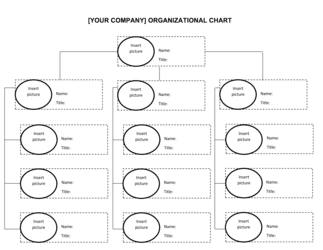
An org chart is a static visual showing current reporting relationships and role titles. A staffing plan is a forward-looking document that identifies gaps, forecasts hires, and budgets the cost of building toward a future org structure. You need both β€” the org chart shows where you are; the staffing plan maps how you get where you need to be.

vs Recruitment Plan

A recruitment plan focuses narrowly on how to fill open roles β€” sourcing channels, interview processes, and timelines. A staffing plan is broader: it justifies which roles to open in the first place, ties them to business objectives, and quantifies the budget impact. The staffing plan authorizes the headcount; the recruitment plan executes the hires.

vs Succession Plan

A succession plan maps internal talent to future leadership roles to ensure continuity when key people leave. A staffing plan addresses total headcount needs across all levels and departments, including external hiring. Both documents should reference each other β€” the succession plan informs which gaps can be filled internally before recruiting externally.

vs HR Strategic Plan

An HR strategic plan covers the full people agenda β€” culture, compensation philosophy, learning and development, and talent acquisition strategy β€” over a 3–5 year horizon. A staffing plan is a narrower, near-term execution tool focused on headcount, roles, and budget for the next 12 months. The staffing plan should be one output of the broader HR strategic plan.

Industry-specific considerations

Technology / SaaS

Engineering and product roles dominate headcount requests; plans must account for 60–120-day time-to-fill for senior technical roles and include contractor buffers for launch sprints.

Healthcare

Licensure and credentialing requirements extend time-to-fill significantly; staffing plans must model lead times of 90–180 days for clinical roles and include compliance-driven minimum staffing ratios.

Retail / Hospitality

Seasonal demand swings require a contingent workforce layer; plans are built quarterly rather than annually and must distinguish permanent staff from flexible seasonal headcount.

Professional Services

Billable utilization targets drive headcount math directly; plans model the number of fee earners needed to hit revenue targets at a given utilization rate and bill rate.

Template vs pro β€” what fits your needs?

PathBest forCostTime
Use the templateHR managers, operations leads, and founders building annual headcount plans for teams up to 150 peopleFree4–8 hours
Template + professional reviewCompanies undergoing restructuring, rapid growth above 50 new hires, or preparing plans for board or investor review$500–$2,000 for an HR consultant review session1–2 weeks
Custom draftedEnterprise workforce planning projects, M&A integration headcount modeling, or multi-site international expansion$3,000–$10,000+ for a workforce planning specialist or consulting firm3–6 weeks

Glossary

Headcount
The total number of individual employees β€” full-time, part-time, and contractors β€” working for an organization at a given point in time.
FTE (Full-Time Equivalent)
A unit that converts part-time and variable hours into a standard full-time baseline; two employees each working 20 hours per week equal 1.0 FTE.
Gap Analysis
A comparison of the current workforce capacity against the staffing required to meet future business objectives, identifying shortfalls by role or skill.
Attrition Rate
The percentage of employees who leave an organization in a given period, voluntarily or involuntarily, used to forecast replacement hiring needs.
Time-to-Fill
The number of calendar days between opening a job requisition and a candidate accepting an offer, used to set realistic hiring timelines.
Requisition
A formal internal request to hire for a specific open role, typically requiring budget approval before recruitment begins.
Span of Control
The number of direct reports a single manager oversees; a key input when designing team structures and identifying management-layer hiring needs.
Backfill
A hire made to replace an employee who has left an existing role, as distinct from a new headcount addition.
Contingent Worker
A non-permanent worker engaged on a contract, freelance, or temporary basis to meet short-term or variable demand without adding to permanent headcount.
Workforce Planning Horizon
The timeframe a staffing plan covers β€” typically 12 months for operational plans and 3–5 years for strategic workforce plans.

Part of your Business Operating System

This document is one of 3,000+ business & legal templates included in Business in a Box.

  • Fill-in-the-blanks β€” ready in minutes
  • 100% customizable Word document
  • Compatible with all office suites
  • Export to PDF and share electronically

Create your document in 3 simple steps.

From template to signed document β€” all inside one Business Operating System.
1
Download or open template

Access over 3,000+ business and legal templates for any business task, project or initiative.

2
Edit and fill in the blanks with AI

Customize your ready-made business document template and save it in the cloud.

3
Save, Share, Send, Sign

Share your files and folders with your team. Create a space of seamless collaboration.

Save time, save money, and create top-quality documents.

β˜…β˜…β˜…β˜…β˜…

"Fantastic value! I'm not sure how I'd do without it. It's worth its weight in gold and paid back for itself many times."

Managing Director Β· Mall Farm
Robert Whalley
Managing Director, Mall Farm Proprietary Limited
β˜…β˜…β˜…β˜…β˜…

"I have been using Business in a Box for years. It has been the most useful source of templates I have encountered. I recommend it to anyone."

Business Owner Β· 4+ years
Dr Michael John Freestone
Business Owner
β˜…β˜…β˜…β˜…β˜…

"It has been a life saver so many times I have lost count. Business in a Box has saved me so much time and as you know, time is money."

Owner Β· Upstate Web
David G. Moore Jr.
Owner, Upstate Web

Run your business with a system β€” not scattered tools

Stop downloading documents. Start operating with clarity. Business in a Box gives you the Business Operating System used by over 250,000 companies worldwide to structure, run, and grow their business.

Start freeΒ Β·Β No credit card required