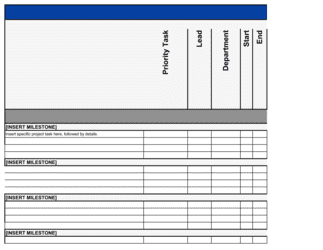
Software Project Plan Template

Free Excel download β€’ Edit online β€’ Save & share with Drive β€’ Export to PDF

1 pageβ€’20–25 min to fillβ€’Difficulty: Standard
Learn more ↓
FreeXLSSoftware Project Plan Template

At a glance

What it is
A Software Project Plan is a structured document that defines the full scope, schedule, resource allocation, risk mitigation strategy, and communication cadence for a software development project. This free Word download gives you a ready-to-edit framework you can tailor to any project size β€” from a single-feature sprint cycle to a multi-phase product build β€” and export as PDF to share with stakeholders, clients, or your engineering team.
When you need it
Use it at the start of any new software development initiative β€” whether you are building an internal tool, launching a customer-facing product, or managing a vendor-delivered system β€” before coding begins and resources are committed. It is also used when a project scope changes significantly enough to require a formal re-baseline.
What's inside
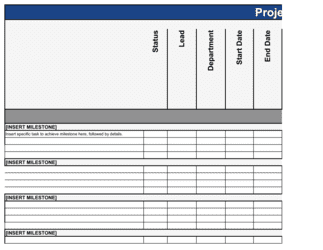
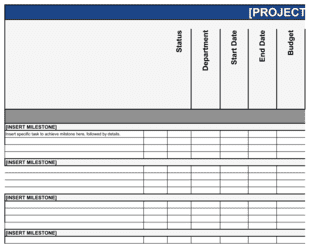
Project overview and objectives, scope definition and out-of-scope boundaries, milestone and delivery schedule, resource and team assignments, risk register with mitigation plans, communication plan, quality assurance approach, and change management process.

What is a Software Project Plan?

A Software Project Plan is a structured operational document that defines every material dimension of a software development initiative before a single line of code is written: objectives, scope boundaries, milestone schedule, team assignments, risk register, testing strategy, communication cadence, and change control process. It converts a product requirement or business need into a governed, trackable delivery framework that project managers, engineers, and executive sponsors can all work from. Unlike a backlog or a sprint board, a software project plan provides the strategic-level view that allows stakeholders to monitor overall health, make resourcing decisions, and evaluate whether the project is delivering the business value it was funded to create.

Why You Need This Document

Software projects fail in predictable ways β€” unclear scope, underestimated resources, undocumented risks, and informal change requests that accumulate until the schedule collapses. Without a written project plan, teams build to assumptions that differ between the developer, the product owner, and the business sponsor, and no one discovers the gaps until testing week. A formal plan establishes a shared baseline that every change, delay, or decision gets measured against, giving the project manager a documented basis to negotiate scope and timeline rather than absorb additions silently. For client-facing work, it defines the agreement between the agency and the client before development begins β€” protecting both sides when priorities shift. This template gives you a complete, ready-to-fill framework so you can spend your planning time on the substance of the project, not on designing the document structure from scratch.

Which variant fits your situation?

If your situation is…Use this template
Managing a large enterprise system with multiple workstreams and dependenciesIT Project Plan
Running a short, sprint-based feature development cycleAgile Sprint Plan
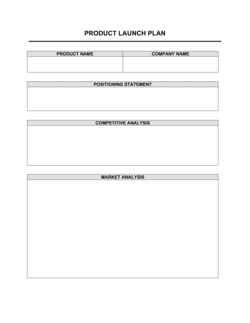
Planning and tracking a software product release to marketProduct Launch Plan
Scoping and pricing a development engagement for a clientSoftware Development Proposal
Documenting technical architecture alongside the project planSoftware Design Document
Tracking post-launch issues and maintenance tasksSoftware Maintenance Plan
Managing a website redesign project with design and development phasesWebsite Project Plan

Common mistakes to avoid

❌ Objectives written as activities, not outcomes

Why it matters: Activity-based objectives ('build the API') have no success criteria β€” the team can build the API and still fail to deliver the business value the project was funded to create.

Fix: Rewrite every objective to name a measurable result: 'reduce manual data entry time by 60% within 90 days of go-live.' This gives the team a target and gives stakeholders a way to evaluate success.

❌ No out-of-scope section

Why it matters: Without documented exclusions, every adjacent feature request arrives as a reasonable addition. Scope creep is the leading cause of software project schedule overruns.

Fix: List at least five items that are explicitly out of scope in the plan. Circulate the out-of-scope list to stakeholders for sign-off at the same time as the in-scope list.

❌ Resource assignments without allocation percentages

Why it matters: A team member listed without an allocation percentage may be committed to three other projects simultaneously. The schedule assumes full availability and becomes unrealistic from day one.

Fix: Confirm each person's total project load before finalizing the schedule. Flag anyone over 80% combined allocation and adjust timeline or headcount accordingly.

❌ Generic risk register entries with no owners

Why it matters: A risk listed as 'schedule delay β€” high impact' with no owner and no mitigation action is useless. No one monitors it, and when the risk materializes, the team is unprepared.

Fix: Every risk entry must have a named owner, a probability/impact rating, and a specific action β€” either to reduce the probability before it occurs or to respond if it does.

❌ UAT treated as a one-week checkbox at project end

Why it matters: Business users who encounter the system for the first time in UAT week generate change requests that compress testing time and routinely push go-live dates by 2–6 weeks.

Fix: Involve key UAT participants in requirements review and demo sessions throughout the project. Send test scripts two weeks before UAT begins so participants arrive prepared.

❌ No formal change control process

Why it matters: Informal scope additions β€” added via chat message or verbal request β€” are implemented without schedule or budget adjustments, and the project arrives late with no documented cause.

Fix: Establish a written change request process before the project baselines. Set clear thresholds for what requires sponsor approval and communicate the process to all stakeholders at kickoff.

The 9 key sections, explained

Project overview and objectives

Scope definition and boundaries

Milestone and delivery schedule

Resource and team assignments

Risk register and mitigation plan

Communication plan

Quality assurance and testing approach

Change management process

Budget and cost tracking

How to fill it out

  1. 1

    Define the project objective in outcome terms

    Write a one- to two-sentence objective that names the system or feature being built, the user group it serves, and the measurable business outcome it will achieve. Avoid phrasing objectives as tasks.

    πŸ’‘ Run the objective through this test: can you measure whether you achieved it six months after go-live? If not, rewrite it.

  2. 2

    Establish scope with explicit in-scope and out-of-scope lists

    List every feature, integration, and deliverable that is in scope. Then write an equally explicit out-of-scope section covering adjacent items that stakeholders might assume are included.

    πŸ’‘ The out-of-scope list is often more valuable than the in-scope list β€” it prevents the most common source of unplanned work.

  3. 3

    Break work into phases and set milestone dates

    Divide the project into logical phases β€” discovery, design, development, testing, deployment β€” and assign a target completion date to each key milestone. Account for review and approval cycles in your timeline.

    πŸ’‘ Add 5–10 business days to every stakeholder review milestone as a default. Most schedule overruns originate in approval delays, not development time.

  4. 4

    Assign resources with allocation percentages

    List every role required, assign a named person or team, and state the percentage of their working time committed to this project. Flag anyone allocated across multiple concurrent projects.

    πŸ’‘ If any team member is allocated above 80% across all projects, flag it now β€” effective capacity rarely exceeds 70–75% of nominal hours once meetings and overhead are counted.

  5. 5

    Build the risk register with owners and actions

    Identify at least five project-specific risks rated by probability (low/medium/high) and impact (low/medium/high). Assign each risk to a named owner and write a concrete mitigation or contingency action.

    πŸ’‘ Start with integration dependencies, key-person concentration, and third-party vendor reliability β€” these cause the majority of software project delays.

  6. 6

    Define the communication and escalation plan

    Specify the status report format and cadence, the steering committee meeting schedule, and the escalation chain for issues that remain unresolved after 48 hours.

    πŸ’‘ Name the escalation path explicitly β€” 'escalate to the sponsor' without a named person and contact means the path won't be used when it matters most.

  7. 7

    Document the testing strategy and acceptance criteria

    Write the testing approach for each phase β€” unit, integration, UAT, and performance β€” including entry criteria, exit criteria, and who signs off on acceptance for each.

    πŸ’‘ Send UAT test scripts to business-side participants at least two weeks before UAT begins. Participants who review scripts in advance find issues earlier and raise far fewer late-stage change requests.

  8. 8

    Set the change control threshold and baseline the plan

    Define the dollar and schedule thresholds that trigger formal sponsor approval, confirm the tool or process for submitting change requests, and mark the plan as baselined with a version number and date.

    πŸ’‘ Store the baselined plan in a shared location that all stakeholders can access β€” version disputes consume meeting time that should go to delivery.

Frequently asked questions

What is a software project plan?

A software project plan is a structured document that defines the full scope, schedule, resources, risks, and communication approach for a software development initiative. It serves as the authoritative reference for the project team and stakeholders, establishing what will be built, who will build it, when it will be delivered, and how issues will be managed. Unlike a backlog or sprint board, a project plan provides the strategic-level view that sponsors and executives need to monitor progress and make resourcing decisions.

What sections should a software project plan include?

A complete software project plan covers project objectives, scope definition (including explicit out-of-scope items), milestone and delivery schedule, resource and team assignments, risk register with mitigation actions, communication and escalation plan, quality assurance and testing approach, change management process, and budget tracking. Plans for larger projects often add a dependency map, a RACI matrix, and a technical architecture summary as appendices.

What is the difference between a software project plan and a product roadmap?

A product roadmap is a high-level strategic view of what a product will become over a 6–18 month horizon β€” it communicates direction and priorities but typically lacks schedule precision, resource assignments, or risk documentation. A software project plan is a tactical execution document for a specific initiative with named owners, target dates, a budget, and a formal change control process. Roadmaps inform which projects get planned; project plans define how each project gets executed.

Should a software project plan use waterfall or agile methodology?

The template works for both. Waterfall projects typically have distinct, sequenced phases (discovery, design, development, testing, deployment) with milestone sign-offs between phases. Agile projects replace the single delivery schedule with a sprint cadence and use velocity to forecast completion, but still need a documented scope, resource plan, risk register, and communication cadence. The template's milestone section can be adapted to sprint goals without changing the rest of the structure.

How detailed should the project schedule be?

For planning purposes, milestone-level granularity β€” one date per major deliverable or phase β€” is sufficient in the project plan document itself. Detailed task-level scheduling belongs in a project management tool such as Jira, Asana, or MS Project. The project plan sets the milestones and constraints; the PM tool tracks the daily work. Trying to maintain task-level detail in a Word document creates maintenance burden without adding value.

Who approves and owns a software project plan?

The project manager drafts and maintains the plan. The project sponsor approves the baselined plan and any changes that exceed the defined cost or schedule thresholds. Technical leads contribute the resource estimates and technical risk sections. For client-facing projects, the client or their representative typically signs off on the scope and milestone sections before development begins.

How often should a software project plan be updated?

The baselined plan should remain stable β€” changes go through the formal change control process and are documented as new versions. A status update (tracking actuals vs. plan) should happen weekly. A full plan re-baseline is warranted when scope, schedule, or budget changes are significant enough that the original baseline is no longer a meaningful reference point β€” typically when scope grows by more than 20% or the schedule shifts by more than one phase.

How is a software project plan different from a software requirements document?

A software requirements document (SRD or SRS) specifies what the system must do β€” functional and non-functional requirements, user stories, and acceptance criteria. A software project plan specifies how the work will be organized and executed β€” schedule, resources, risks, and governance. Both are needed on any formal project: the SRD defines the target; the project plan defines the path to reach it.

What is scope creep and how does a project plan prevent it?

Scope creep is the gradual, often undocumented addition of features, integrations, or requirements after the project baseline is set. It is the leading cause of budget overruns and delayed launches in software projects. A project plan prevents it by establishing an explicit scope statement with an out-of-scope section, and a formal change control process that requires documented approval before any addition is incorporated β€” giving the PM a documented basis to say no or to negotiate a schedule and budget adjustment.

How this compares to alternatives

vs Software Development Proposal

A software development proposal is a pre-sale document used to scope, price, and win a development engagement. A software project plan is the post-sale execution document created once the engagement is approved. The proposal defines what you will do and what it will cost; the project plan defines how you will do it, who is responsible, and how risks and changes will be managed.

vs Product Launch Plan

A product launch plan covers the go-to-market activities surrounding a release β€” marketing, sales enablement, customer communications, and success metrics. A software project plan covers the development and delivery activities that produce the product being launched. Both are needed for a full release; the project plan ends at go-live where the launch plan begins.

vs IT Project Plan

An IT project plan is a broader document used for infrastructure, system migrations, and enterprise technology initiatives that may not involve custom software development. A software project plan is optimized for development work β€” it includes testing strategy, definition of done, and code-specific milestones. For projects that combine infrastructure and development, an IT project plan is the more appropriate starting point.

vs Project Status Report

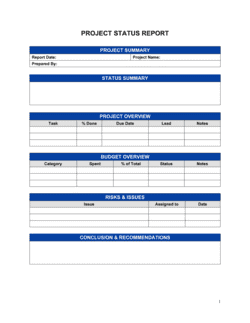
A project status report is a periodic update β€” weekly or bi-weekly β€” that communicates actual progress against the baselined plan: milestones completed, risks updated, budget consumed, and issues open. The software project plan is the baseline document the status report measures against. One is the plan; the other is the ongoing record of how reality compares to it.

Industry-specific considerations

SaaS / Technology

Sprint-cadence milestone structure, CI/CD pipeline dependencies, and multi-environment deployment (dev, staging, production) reflected in the testing and release sections.

Financial Services

Regulatory compliance checkpoints (SOC 2, PCI-DSS) embedded as formal milestones, and change control processes aligned with IT audit requirements.

Healthcare / MedTech

HIPAA security review and clinical workflow validation added as mandatory UAT gate criteria, with named compliance sign-off required before go-live.

Professional Services / Agencies

Client-facing milestone sign-off structure, clear delineation of client versus agency deliverables, and a formal change request process for billing additional scope.

Template vs pro β€” what fits your needs?

PathBest forCostTime
Use the templateProject managers and tech leads planning single-team software projects with defined scope and a clear sponsorFree4–8 hours to complete
Template + professional reviewMulti-team or client-facing projects where a PM or delivery manager refines estimates and risk assumptions with the core team$500–$2,000 for a PM consultant review session1–3 days
Custom draftedEnterprise programs with multiple workstreams, third-party vendors, and formal governance requirements$3,000–$10,000+ for a dedicated project management engagement1–3 weeks

Glossary

Scope Statement
A written definition of what the project will deliver and, equally important, what it will not deliver β€” used to prevent scope creep.
Milestone
A defined point in the project schedule that marks the completion of a major deliverable or phase, used to measure progress.
Work Breakdown Structure (WBS)
A hierarchical decomposition of the total project scope into discrete tasks, making it easier to assign owners and estimate effort.
Critical Path
The sequence of dependent tasks that determines the minimum time needed to complete the project β€” any delay on the critical path delays the end date.
Risk Register
A log of identified project risks, each rated by probability and impact, with a designated owner and mitigation or contingency action.
RACI Matrix
A responsibility chart that maps each task to the person who is Responsible, Accountable, Consulted, and Informed.
Change Control
A formal process for reviewing, approving, and documenting any change to the project scope, schedule, or budget after the plan is baselined.
Baseline
The approved version of the project plan β€” scope, schedule, and budget β€” against which actual performance is measured.
Definition of Done (DoD)
A shared checklist that specifies the conditions a feature or deliverable must meet before it is considered complete and accepted.
Dependency
A relationship between two tasks where one cannot start or finish until the other has reached a specific state.
Velocity
In agile projects, the average amount of work a team completes per sprint, used to forecast how long the remaining backlog will take.


Part of your Business Operating System

This document is one of 3,000+ business & legal templates included in Business in a Box.

  • Fill-in-the-blanks β€” ready in minutes
  • 100% customizable Word document
  • Compatible with all office suites
  • Export to PDF and share electronically

Create your document in 3 simple steps.

From template to signed document β€” all inside one Business Operating System.
1
Download or open template

Access over 3,000+ business and legal templates for any business task, project or initiative.

2
Edit and fill in the blanks with AI

Customize your ready-made business document template and save it in the cloud.

3
Save, Share, Send, Sign

Share your files and folders with your team. Create a space of seamless collaboration.

Save time, save money, and create top-quality documents.

β˜…β˜…β˜…β˜…β˜…

"Fantastic value! I'm not sure how I'd do without it. It's worth its weight in gold and paid back for itself many times."

Managing Director Β· Mall Farm
Robert Whalley
Managing Director, Mall Farm Proprietary Limited
β˜…β˜…β˜…β˜…β˜…

"I have been using Business in a Box for years. It has been the most useful source of templates I have encountered. I recommend it to anyone."

Business Owner Β· 4+ years
Dr Michael John Freestone
Business Owner
β˜…β˜…β˜…β˜…β˜…

"It has been a life saver so many times I have lost count. Business in a Box has saved me so much time and as you know, time is money."

Owner Β· Upstate Web
David G. Moore Jr.
Owner, Upstate Web

Run your business with a system β€” not scattered tools

Stop downloading documents. Start operating with clarity. Business in a Box gives you the Business Operating System used by over 250,000 companies worldwide to structure, run, and grow their business.

Start freeΒ Β·Β No credit card required