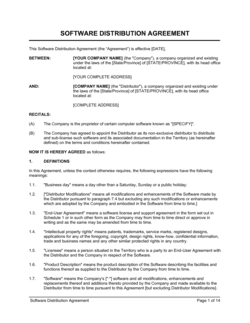
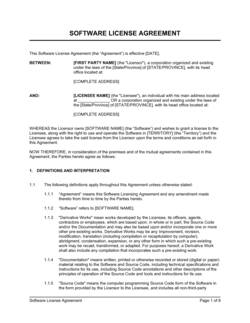
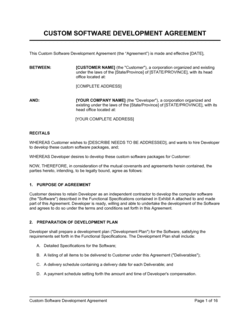
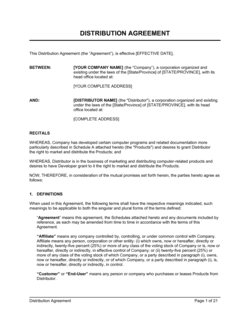
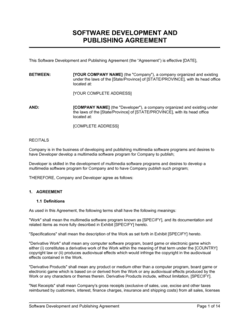
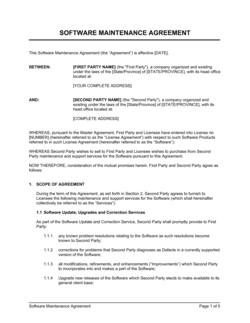
Software Maintenance Agreement Template

Free Word download • Edit online • Save & share with Drive • Export to PDF

8 pages30–40 min to fillDifficulty: ComplexSignature requiredLegal review recommended
Learn more ↓
FreeSoftware Maintenance Agreement Template

At a glance

What it is
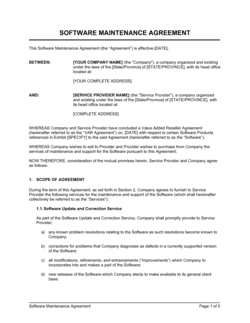
A Software Maintenance Agreement is a legally binding contract between a software vendor or developer and a client that defines the ongoing support, updates, bug fixes, and maintenance services the vendor will provide after deployment. This free Word download gives you a structured, attorney-informed starting point you can edit online and export as PDF to govern any software support relationship.
When you need it
Use it after delivering or licensing software when the client requires ongoing technical support, patches, or version updates — or whenever a vendor charges a recurring maintenance fee for keeping software operational and current.
What's inside
Scope of maintenance services, service level agreements with response and resolution times, fees and payment schedule, software update and versioning obligations, exclusions and out-of-scope work, liability limitations, confidentiality, term and termination, and governing law.

What is a Software Maintenance Agreement?

A Software Maintenance Agreement is a legally binding contract between a software vendor and a client that defines the terms under which the vendor will provide ongoing technical support, bug fixes, security patches, and software updates after the software has been deployed. It specifies exactly what maintenance services are included, the service levels the vendor must meet, how fees are structured, which versions of the software are covered, and what remedies the client has when commitments are not met. Unlike a software license agreement — which grants rights to use the software — a maintenance agreement governs everything that happens after go-live to keep that software secure, functional, and current.

Why You Need This Document

Without a signed software maintenance agreement, neither party has enforceable commitments on the terms that matter most after deployment. A vendor who misses a critical security patch or takes five days to respond to a production outage faces no contractual consequence if there is no SLA with a remedy clause. A client who runs a three-year-old unsupported version has no right to demand patches if scope was never defined in writing. Fee disputes, arguments about what falls inside or outside support scope, and disagreements about who owns maintenance deliverables are among the most common — and most expensive — vendor relationship breakdowns. This template gives both parties a clear, signed baseline covering every material dimension of the maintenance relationship, from SLA credits to transition assistance, so that operational disagreements are resolved by reference to the contract rather than escalating into litigation.

Which variant fits your situation?

If your situation is…Use this template
Providing full software support plus new feature developmentSoftware Development and Maintenance Agreement
Licensing software without ongoing maintenance obligationsSoftware License Agreement
Engaging an independent contractor for maintenance workIndependent Contractor Agreement
Delivering a fixed-scope software project with no post-launch supportSoftware Development Agreement
Providing cloud-hosted SaaS with uptime and support commitmentsSaaS Subscription Agreement
Covering hardware and software maintenance together under one agreementIT Services Agreement
Outsourcing all IT operations including maintenance to a third partyManaged Services Agreement

Common mistakes to avoid

❌ SLA commitments with no remedy clause

Why it matters: An SLA that lists response and resolution times without specifying what happens when targets are missed is unenforceable in practice. Vendors face no financial consequence for chronic underperformance.

Fix: Attach a service-credit schedule to every SLA table. Define the credit amount, the measurement period, and a monthly cap. Include a 'sole and exclusive remedy' statement to bound vendor exposure.

❌ No version support or sunset policy

Why it matters: Without a defined support window for older versions, vendors accumulate legacy maintenance obligations indefinitely. Clients running outdated versions assume they are still covered when they are not.

Fix: Include a versioning clause stating the number of concurrent major versions supported and the months of overlap after a new major release. Notify clients in writing when a version enters end-of-life.

❌ Scope defined only in a detachable SOW

Why it matters: When the SOW is amended, replaced, or lost, the main agreement contains no fallback description of what the vendor is obligated to deliver. Disputes about what is and is not included become difficult to resolve.

Fix: Include a minimum scope definition in the main agreement body and reference the SOW only for additional detail. This ensures a baseline obligation survives any SOW revision.

❌ Uncapped fee escalation on renewal

Why it matters: A vendor's right to increase fees by any amount on renewal creates budget uncertainty for the client and is consistently flagged by procurement and finance teams as a deal blocker.

Fix: Cap annual fee increases at 3–5% or tie them to a published index such as CPI. Include a mutual termination right if the parties cannot agree on fees for the renewal term.

❌ No transition assistance obligation

Why it matters: If the vendor terminates the agreement or goes out of business, a client with no contractual right to documentation, data exports, or knowledge transfer may face operational disruption lasting months.

Fix: Add a transition assistance clause requiring the vendor to provide up to 60–90 days of reasonable support at its standard rates after termination, and specify deliverables such as configuration documentation and data in portable formats.

❌ Confidentiality clause with no post-termination survival period

Why it matters: Without a survival clause, confidentiality obligations technically expire on the date the agreement ends — precisely when a departing vendor has access to system knowledge and client data they could misuse.

Fix: Include an explicit survival clause stating that confidentiality obligations continue for 2–3 years after termination, and that source code and client data obligations survive indefinitely.

The 10 key clauses, explained

Parties and recitals

In plain language: Identifies the vendor and client as legal entities, references the underlying software being maintained, and sets the context for the agreement.

Sample language
This Software Maintenance Agreement ('Agreement') is entered into as of [EFFECTIVE DATE] between [VENDOR LEGAL NAME], a [STATE/COUNTRY] [ENTITY TYPE] ('Vendor'), and [CLIENT LEGAL NAME], a [STATE/COUNTRY] [ENTITY TYPE] ('Client'), with respect to the software described in Schedule A ('Software').

Common mistake: Referencing a product name instead of the vendor's registered legal entity. If the vendor operates under a trade name, enforcement actions against the correct legal party become complicated.

Scope of maintenance services

In plain language: Lists exactly what the vendor is obligated to provide — bug fixes, security patches, minor version updates, telephone or email support — and explicitly excludes everything else.

Sample language
Vendor shall provide: (a) error corrections for Severity 1 and Severity 2 defects; (b) security patches within [X] business days of public disclosure; (c) maintenance releases as generally made available; and (d) technical support via [EMAIL/PHONE/PORTAL] during Business Hours. Services expressly exclude enhancements, hardware support, and third-party integrations.

Common mistake: Defining scope only in a SOW attachment without cross-referencing it in the main body. If the SOW is lost or disputed, the client has no enforceable service standard in the signed agreement.

Service level agreement (SLA)

In plain language: Sets binding response and resolution time commitments by priority level, defines Business Hours, and specifies any uptime or availability targets.

Sample language
Priority 1 (system inoperable): response within [2] hours, target resolution within [8] business hours. Priority 2 (material impairment): response within [4] hours, target resolution within [3] business days. Business Hours: [8 AM–6 PM] [TIMEZONE], Monday–Friday, excluding [PUBLIC HOLIDAYS].

Common mistake: Treating SLA targets as aspirational rather than contractual. Without a remedy clause tied to missed SLAs — credits, refunds, or termination rights — the SLA has no teeth.

SLA remedies and service credits

In plain language: States the compensation the client receives when the vendor fails to meet SLA targets — typically a percentage credit against the next maintenance fee invoice.

Sample language
For each calendar month in which Vendor fails to meet the Priority 1 resolution SLA, Client shall receive a service credit equal to [10]% of the monthly maintenance fee for that month, up to a maximum of [30]% per month. Credits are the Client's sole remedy for SLA failures.

Common mistake: Omitting the 'sole remedy' language. Without it, clients may argue that SLA failures entitle them to consequential damages beyond the credit, exposing the vendor to unlimited liability.

Fees, payment, and fee adjustments

In plain language: States the annual or monthly maintenance fee, invoicing schedule, payment terms, late payment consequences, and the vendor's right to adjust fees on renewal.

Sample language
Client shall pay Vendor an annual maintenance fee of $[AMOUNT], invoiced [annually in advance / quarterly]. Payment is due within [30] days of invoice. Vendor may increase fees on renewal with [60] days' written notice, not to exceed [5]% per year unless otherwise agreed.

Common mistake: No fee escalation cap. An uncapped right to increase fees on renewal creates budget uncertainty for the client and frequently triggers disputes or non-renewals.

Software updates, versioning, and compatibility

In plain language: Defines which software versions the vendor is obligated to support, the client's obligation to remain on a supported version, and the sunset timeline for older releases.

Sample language
Vendor shall maintain the current release and the immediately preceding major version of the Software. Support for a superseded major version terminates [12] months after the release of the successor version. Client is responsible for upgrading to a supported version within that period.

Common mistake: No version support policy at all. Vendors who maintain multiple legacy versions without a sunset clause face escalating support costs; clients running unsupported versions face security and compliance risks.

Exclusions and client responsibilities

In plain language: Lists circumstances under which the vendor has no maintenance obligation — unauthorized modifications, use outside the documented environment, or failure to apply required updates.

Sample language
Vendor's maintenance obligations do not apply to defects caused by: (a) modifications to the Software made by anyone other than Vendor; (b) use of the Software with hardware or operating environments not approved by Vendor; (c) Client's failure to install a maintenance release within [90] days of availability.

Common mistake: Framing exclusions as absolute rather than conditional. Courts in several jurisdictions have read overbroad exclusions to cover vendor-caused defects — include a carve-out for defects attributable to the vendor's own work.

Intellectual property and ownership

In plain language: Confirms that all maintenance deliverables — patches, fixes, and updates — remain the vendor's property, and that the client receives only a license to use them consistent with the underlying software license.

Sample language
All maintenance releases, patches, and error corrections delivered by Vendor remain the sole property of Vendor. Client receives a non-exclusive, non-transferable license to use such deliverables solely in connection with Client's licensed use of the Software.

Common mistake: Assuming the underlying software license automatically covers maintenance deliverables. If the software license and maintenance agreement are separate documents, there can be a gap — the client has maintenance updates but no license right to deploy them.

Confidentiality

In plain language: Requires both parties to protect non-public information exchanged during the maintenance relationship — source code, system architecture, error logs, and client data.

Sample language
Each party shall hold in confidence and not disclose the other party's Confidential Information to any third party, using at least the same degree of care as it uses to protect its own confidential information, but no less than reasonable care. Obligations survive termination for [3] years.

Common mistake: No survival clause on confidentiality. Without it, obligations technically expire on contract termination — the moment when departing vendors have the most motivation to misuse client data.

Term, termination, and transition assistance

In plain language: Sets the initial contract term, auto-renewal conditions, notice periods for termination, grounds for immediate termination for cause, and post-termination obligations including transition support.

Sample language
This Agreement commences on [EFFECTIVE DATE] and continues for [1] year, renewing automatically for successive [1]-year terms unless either party provides [60] days' written notice. Either party may terminate for material breach upon [30] days' written notice if the breach remains uncured. Upon termination, Vendor shall provide up to [60] days of transition assistance at its then-current rates.

Common mistake: No transition assistance clause. A client whose vendor terminates abruptly — or whose vendor goes out of business — needs a contractual right to documentation, data exports, and knowledge transfer to avoid operational catastrophe.

How to fill it out

  1. 1

    Identify both parties using full legal entity names

    Enter the vendor's and client's registered legal names, entity types, states or countries of incorporation, and principal business addresses in the recitals block.

    💡 Cross-reference the vendor's corporate registry filing — using a trade name instead of the registered entity can complicate enforcement of IP and confidentiality clauses.

  2. 2

    Define the software in Schedule A

    List the specific software product name, version number, deployment environment (on-premise, hosted, or hybrid), and any licensed modules covered by the agreement. Attach this as Schedule A and cross-reference it in the body.

    💡 Include the version as of the effective date — this prevents disputes about whether the agreement covers a future major release the vendor has not yet developed.

  3. 3

    Complete the SLA table with specific time commitments

    Assign response and resolution targets to each priority level (P1–P4), define Business Hours and timezone, and list public holidays that are excluded from SLA calculations.

    💡 Set P1 response times in hours, not business days. A P1 outage that the vendor can ignore for 24 business hours is not a meaningful SLA.

  4. 4

    Set the maintenance fee, payment terms, and escalation cap

    Enter the annual or monthly fee, invoicing frequency, Net 30 or other payment terms, late-payment interest rate, and the maximum percentage by which the vendor can increase fees on renewal.

    💡 A 3–5% annual escalation cap is standard and acceptable to most clients. An uncapped escalation right will be flagged by every client procurement team.

  5. 5

    Define the version support policy

    Specify how many major versions the vendor will support simultaneously and how many months after a new release the prior version remains supported. State the client's obligation to upgrade within that window.

    💡 12 months of overlap support after a major release is the industry norm for enterprise software. Shorter windows create upgrade pressure that clients resent.

  6. 6

    List exclusions with precision

    Enumerate each category of work that falls outside the maintenance scope — enhancements, third-party integrations, hardware, data migration — and state how out-of-scope requests will be handled (separate SOW, change order, or time-and-materials billing).

    💡 Add a carve-out confirming that exclusions do not apply to defects caused by the vendor's own maintenance work — this protects clients from overbroad denial of service.

  7. 7

    Set the term, auto-renewal, and termination notice periods

    Choose a 1- or 2-year initial term, confirm whether the agreement auto-renews, and set the notice period for non-renewal at 30–90 days before the renewal date.

    💡 60 days is the practical minimum notice for non-renewal — clients need time to evaluate alternatives and migrate; vendors need time to plan capacity.

  8. 8

    Execute before the maintenance period begins

    Both parties must sign the agreement before the first maintenance fee is invoiced or the first support ticket is submitted. Post-service-commencement signatures weaken enforceability of liability limits and exclusions.

    💡 Use a timestamped e-signature platform to record execution date — this matters if an SLA dispute arises close to the contract anniversary.

Frequently asked questions

What is a software maintenance agreement?

A software maintenance agreement is a legally binding contract between a software vendor and a client that defines the ongoing support, bug fixes, security patches, and updates the vendor will provide after the software has been deployed. It typically includes service level commitments, fee terms, version support policies, and liability limits. It governs the support relationship for the life of the contract and is distinct from the original software development or license agreement.

What is the difference between a software maintenance agreement and a software license agreement?

A software license agreement grants the client the right to use the software under defined conditions. A maintenance agreement governs what the vendor does after delivery — fixing bugs, releasing patches, and providing technical support. Many vendors combine both in a single document; others keep them separate so maintenance can be renewed independently of the license. If yours are separate, ensure the maintenance agreement explicitly cross-references the license so there is no gap in coverage for maintenance deliverables.

What should a software maintenance agreement include?

At minimum: full legal names of both parties, a description of the software covered, the scope of maintenance services, SLA commitments with response and resolution times by priority level, service credit remedies for SLA failures, fee amounts and payment terms, a fee escalation cap, a version support and sunset policy, exclusions, IP ownership of maintenance deliverables, confidentiality obligations, a limitation of liability, and term and termination provisions including transition assistance.

Is a software maintenance agreement legally required?

No law mandates a written maintenance agreement, but operating without one exposes both parties to significant risk. Without one, there are no enforceable response-time commitments, no agreed fee structure, and no clear definition of what is in or out of scope. Courts will apply general contract principles to fill gaps — typically in ways neither party anticipated. A signed agreement is the only reliable way to set expectations and bound liability.

How is an SLA enforced in a software maintenance agreement?

SLA enforcement depends entirely on the remedies clause attached to the SLA. The most common remedy is a service credit — a percentage of the monthly maintenance fee applied against the next invoice when targets are missed. Some agreements allow termination for cause after repeated SLA failures. Without a defined remedy, an SLA is effectively aspirational. Courts are generally unwilling to award consequential damages for SLA breaches unless the agreement explicitly allows them.

Can a software maintenance agreement limit the vendor's liability?

Yes — limitation of liability clauses are standard and generally enforceable in commercial software contracts in most jurisdictions. The most common structure caps total vendor liability at the fees paid in the preceding 12 months and excludes consequential, indirect, and punitive damages. Some jurisdictions, including the UK and certain EU member states, restrict the exclusion of liability for gross negligence or death and personal injury — a lawyer should review these clauses for cross-border agreements.

What happens when the agreement expires or is terminated?

Unless the agreement auto-renews, the vendor's maintenance obligations end on the termination date. A well-drafted agreement includes a transition assistance clause requiring the vendor to provide limited support — typically 60–90 days at standard rates — to help the client migrate to a new provider or take maintenance in-house. Without this, the client may lose access to documentation, configuration details, and institutional knowledge needed to keep the software running.

Does a software maintenance agreement cover new features?

Typically no. Standard maintenance agreements cover defect corrections, security patches, and minor updates to existing functionality. Adding new features or making material changes to the software's behavior is generally classified as an enhancement and falls outside maintenance scope. Enhancements are usually handled under a separate development agreement or change order. If you want the vendor to deliver both maintenance and new development, use a combined Software Development and Maintenance Agreement.

Do I need a lawyer to draft a software maintenance agreement?

For routine engagements between domestic parties with fees under $50,000 per year, a well-structured template is usually sufficient. Engage a lawyer when the software is business-critical and downtime carries material financial or compliance consequences, when the vendor and client are in different countries, when the agreement involves access to personal data triggering GDPR or CCPA obligations, or when liability exposure is high. A lawyer review of a template typically costs $500–$1,500 and is worthwhile for any enterprise-grade deployment.

How this compares to alternatives

vs Software License Agreement

A software license agreement grants the right to use the software under defined terms — it says nothing about what happens when the software breaks or needs updating. A maintenance agreement governs the ongoing support relationship after the license is granted. Both documents are needed for any commercial software deployment; using only a license agreement leaves the client with no enforceable support commitments.

vs Software Development Agreement

A software development agreement governs the creation of software — scope, milestones, deliverables, and acceptance testing. A maintenance agreement takes over after the software goes live, covering ongoing support and updates. They are complementary: the development agreement delivers the software, and the maintenance agreement keeps it running. Many projects need both.

vs IT Services Agreement

An IT services agreement covers broad technology services — infrastructure, helpdesk, network management, and potentially software support — in a single contract. A software maintenance agreement is narrower, focused exclusively on a specific software product. Use an IT services agreement when a managed service provider handles your entire IT environment; use a maintenance agreement when a single software vendor is responsible for one application.

vs Independent Contractor Agreement

An independent contractor agreement engages an individual or small firm for project-based or ongoing work on general terms — it does not include SLA commitments, version support policies, or service credit remedies. A software maintenance agreement is product-specific and operationally detailed. Using only a contractor agreement to govern software support leaves critical SLA and liability terms undefined and unenforceable.

Industry-specific considerations

Financial services

Regulatory uptime requirements, audit trail obligations, and data residency constraints mean SLA targets and version support policies must align with SOC 2 and PCI-DSS compliance cycles.

Healthcare / MedTech

HIPAA Business Associate Agreement obligations, FDA software validation requirements, and patient-safety implications of downtime demand P1 resolution times measured in hours, not days.

Manufacturing

ERP and MES software outages halt production lines; maintenance agreements in this sector typically require 24/7 P1 coverage and include equipment-downtime cost caps in the liability clause.

SaaS / Technology

On-premise or hybrid deployments separate from the SaaS subscription require a distinct maintenance agreement covering local instances, custom integrations, and data synchronization components.

Retail / E-commerce

Peak-season blackout windows — such as Q4 and promotional events — are frequently carved out of scheduled maintenance windows, requiring explicit scheduling provisions in the agreement.

Professional services

Law firms, accounting practices, and consultancies handling client data require confidentiality provisions that extend beyond standard commercial terms to address professional privilege and regulatory data protection rules.

Jurisdictional notes

United States

Software maintenance agreements are governed by state contract law with no uniform federal framework. California's limitation-of-liability rules and implied warranty provisions under the UCC can affect how exclusions are interpreted. Delaware is common as the governing law for commercial software contracts due to its predictable commercial courts. If the software processes personal data of California residents, CCPA obligations may require a Data Processing Addendum alongside the maintenance agreement.

Canada

Canadian courts apply common law principles similar to the US in most provinces, but Quebec's civil law tradition requires French-language contracts for provincially regulated businesses in that province. PIPEDA and provincial privacy statutes (particularly Quebec Law 25) impose data protection obligations on vendors with access to personal information during maintenance activities. Limitation-of-liability clauses are generally enforceable in commercial contracts between sophisticated parties.

United Kingdom

The Unfair Contract Terms Act 1977 and the Consumer Rights Act 2015 limit the enforceability of exclusion clauses, particularly for negligence and breach of implied terms — though commercial B2B agreements have more latitude than consumer contracts. UK GDPR requires a Data Processing Agreement when the vendor processes personal data during maintenance. Post-Brexit, UK GDPR operates separately from EU GDPR but with substantially equivalent requirements.

European Union

EU GDPR requires a Data Processing Agreement under Article 28 whenever a vendor accesses personal data in the course of providing maintenance services — this is mandatory and cannot be waived by contract. The EU Cyber Resilience Act, which takes effect from 2027, will impose security update obligations on certain software vendors as a matter of law. Limitation-of-liability clauses are enforceable between commercial parties in most member states, but gross negligence and willful misconduct carve-outs are required in Germany, France, and several other jurisdictions.

Template vs lawyer — what fits your deal?

PathBest forCostTime
Use the templateDomestic vendor-client relationships with annual maintenance fees under $50,000 and standard SLA requirementsFree1–2 hours
Template + legal reviewBusiness-critical software, access to personal data, cross-border parties, or fees above $50,000 per year$500–$1,5003–5 business days
Custom draftedEnterprise deployments, regulated industries (healthcare, financial services), multi-jurisdiction engagements, or liability exposure exceeding annual fees$2,500–$8,000+2–4 weeks

Glossary

Service Level Agreement (SLA)
A contractual commitment specifying the minimum performance standards the vendor must meet — including response times, resolution targets, and uptime guarantees.
Maintenance Release
A software update that corrects defects, patches security vulnerabilities, or improves stability without adding new features — typically designated by a minor version number increment.
Enhancement
A change to the software that adds new functionality or significantly alters existing behavior — generally outside the scope of a maintenance agreement unless explicitly included.
Bug Fix
A correction to a defect in the software that causes it to behave in a way that differs from its documented specification.
Response Time
The maximum elapsed time between a client's submission of a support request and the vendor's acknowledgment of that request.
Resolution Time
The maximum elapsed time between acknowledgment of a support issue and the delivery of a working fix or acceptable workaround.
Priority Level
A classification — typically P1 through P4 — assigned to each support ticket based on the severity of the defect and its business impact on the client.
Escrow (Source Code)
An arrangement where the software's source code is held by a neutral third party and released to the client only if the vendor ceases operations or fails to maintain the software as agreed.
Warranty Period
A defined post-delivery window during which the vendor corrects defects at no additional charge — distinct from an ongoing paid maintenance agreement.
Out-of-Scope Work
Tasks that fall outside the defined maintenance services and are billed separately — such as new integrations, hardware support, or user training.
Limitation of Liability
A clause capping the maximum financial exposure of one or both parties — typically expressed as a multiple of fees paid in the preceding 12 months.
Force Majeure
A clause excusing a party from performance obligations caused by events outside its reasonable control — such as natural disasters, cyberattacks, or government orders.

Part of your Business Operating System

This document is one of 3,000+ business & legal templates included in Business in a Box.

  • Fill-in-the-blanks — ready in minutes
  • 100% customizable Word document
  • Compatible with all office suites
  • Export to PDF and share electronically

Create your document in 3 simple steps.

From template to signed document — all inside one Business Operating System.
1
Download or open template

Access over 3,000+ business and legal templates for any business task, project or initiative.

2
Edit and fill in the blanks with AI

Customize your ready-made business document template and save it in the cloud.

3
Save, Share, Send, Sign

Share your files and folders with your team. Create a space of seamless collaboration.

Save time, save money, and create top-quality documents.

★★★★★

"Fantastic value! I'm not sure how I'd do without it. It's worth its weight in gold and paid back for itself many times."

Managing Director · Mall Farm
Robert Whalley
Managing Director, Mall Farm Proprietary Limited
★★★★★

"I have been using Business in a Box for years. It has been the most useful source of templates I have encountered. I recommend it to anyone."

Business Owner · 4+ years
Dr Michael John Freestone
Business Owner
★★★★★

"It has been a life saver so many times I have lost count. Business in a Box has saved me so much time and as you know, time is money."

Owner · Upstate Web
David G. Moore Jr.
Owner, Upstate Web

Run your business with a system — not scattered tools

Stop downloading documents. Start operating with clarity. Business in a Box gives you the Business Operating System used by over 250,000 companies worldwide to structure, run, and grow their business.

Start free · No credit card required