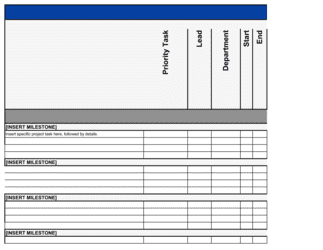
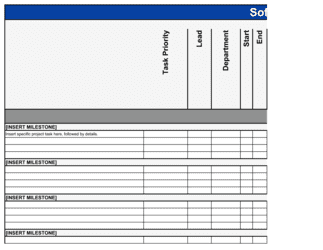
Project Management Plan Template

Free Word download β€’ Edit online β€’ Save & share with Drive β€’ Export to PDF

14 pagesβ€’30–40 min to fillβ€’Difficulty: Complex
Learn more ↓
FreeProject Management Plan Template

At a glance

What it is
A Project Management Plan is a formal document that defines how a project will be executed, monitored, and closed β€” covering scope, schedule, budget, risk, stakeholder communication, and team roles in one structured reference. This free Word download gives you a ready-to-edit framework you can adapt to any project size and export as PDF to share with sponsors, teams, and clients.
When you need it
Use it at the start of any project where multiple stakeholders, workstreams, or budget lines need to be coordinated β€” from a software rollout to a facility renovation. It is also required for most formal project approvals, client deliverables, and PMO sign-offs.
What's inside
Project overview and objectives, scope statement and deliverables, work breakdown structure, schedule and milestones, budget and resource plan, risk register, communication plan, change management process, quality standards, and closure criteria.

What is a Project Management Plan?

A Project Management Plan is the central governing document for a project β€” a structured reference that defines how the project will be scoped, scheduled, budgeted, staffed, monitored, and closed from initiation through delivery. It goes well beyond a task list or Gantt chart: it establishes the decision-making rules, change control process, communication cadence, and risk management approach that keep a project on track when conditions shift. Project managers, sponsors, and stakeholders use it as the single source of truth throughout the project lifecycle, ensuring everyone is working from the same baseline.

Why You Need This Document

Running a project without a formal management plan is the single most reliable predictor of scope creep, budget overruns, and stakeholder disputes. Without a written scope statement, every team member and sponsor fills in the gaps with their own assumptions β€” and those assumptions diverge fast. Without a risk register, foreseeable problems become crises. Without a change control process, verbal additions accumulate until the project budget is exhausted on work nobody approved. A properly completed project management plan eliminates these failure modes before they start: it locks in the baseline, assigns accountability, and gives the project manager a documented reference to manage against rather than a running argument about what was agreed. This template gives you a complete, ready-to-use structure that covers every critical planning element β€” so you can spend your time managing the project, not rebuilding the plan from scratch.

Which variant fits your situation?

If your situation is…Use this template
Managing a software development or product sprint cycleAgile Project Plan
Tracking a construction, fit-out, or facilities projectConstruction Project Plan
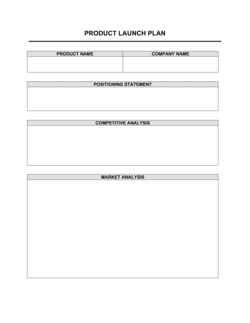
Launching a new product or service to marketProduct Launch Plan
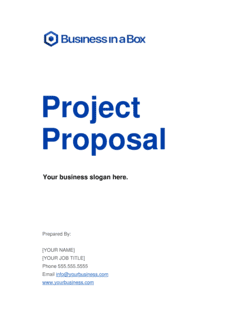
Kicking off a new client engagement at an agency or consultancyProject Proposal
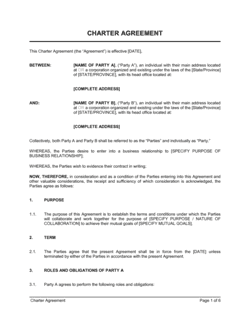
Defining the approved scope and budget before a project beginsProject Charter
Tracking tasks and ownership during active project executionProject Action Plan
Reviewing outcomes and lessons learned after project completionProject Post-Mortem Report

Common mistakes to avoid

❌ Skipping the exclusions list in the scope statement

Why it matters: Every undocumented assumption is a future scope argument. Stakeholders consistently remember verbal agreements to include items the PM never planned for.

Fix: Add an explicit 'Out of Scope' section alongside deliverables and get written acknowledgment from the sponsor before kickoff.

❌ Building the schedule without identifying the critical path

Why it matters: Without knowing which tasks have zero float, teams focus on activity rather than on the tasks that actually control the end date β€” and projects slip without warning.

Fix: Map task dependencies in a tool that calculates the critical path automatically, and review it at every status meeting.

❌ A risk register completed once and never reviewed

Why it matters: Risk probability and impact shift as the project progresses. A static register gives false comfort and leaves mid-project risks invisible until they cause overruns.

Fix: Make risk register review a standing agenda item at every status meeting. Update probability ratings as conditions change.

❌ No formal change control process

Why it matters: Verbal scope additions accumulate invisibly β€” the project expands in effort and cost while the approved budget and deadline stay fixed, guaranteeing an overrun.

Fix: Document a one-page change request process with a dollar and schedule threshold above which sponsor approval is required, and enforce it from day one.

❌ Resource allocation listed by role only, not by person and percentage

Why it matters: A plan that says 'engineer required' without naming who and at what capacity cannot identify resource conflicts until someone is already double-booked.

Fix: Name every team member, state their percentage allocation, and map it against their other commitments before the plan is approved.

❌ No defined project closure criteria

Why it matters: Projects without a formal closure checklist drift β€” teams assume the project is done while outstanding issues, undocumented decisions, and missing sign-offs linger for months.

Fix: Define explicit closure conditions in the plan and schedule a formal closure meeting at which the sponsor signs off on each criterion.

The 10 key sections, explained

Project overview and objectives

Scope statement and exclusions

Work breakdown structure (WBS)

Schedule and milestones

Budget and resource plan

Risk register

Communication plan

Change control process

Quality standards and acceptance criteria

Project closure criteria

How to fill it out

  1. 1

    Define the project objectives and success metrics

    Start by writing 2–4 specific, measurable objectives. Tie each to a business outcome β€” cost reduction, revenue target, compliance date, or customer satisfaction score.

    πŸ’‘ If you cannot state a measurable success criterion, the project scope is not clear enough to plan β€” resolve this before filling in any other section.

  2. 2

    Write the scope statement and exclusions list

    List every deliverable the project will produce, then explicitly list what it will not include. Get written acknowledgment of the exclusions list from the project sponsor before kickoff.

    πŸ’‘ The exclusions list is worth as much as the inclusions list β€” unstated assumptions become scope creep arguments in month three.

  3. 3

    Build the work breakdown structure

    Decompose each deliverable into phases and work packages. Aim for packages that take 8–80 hours to complete β€” granular enough to estimate, not so granular they become overhead.

    πŸ’‘ Use a numbered hierarchy (1.0, 1.1, 1.1.1) from the start β€” it makes it far easier to reference work packages in the schedule and RACI.

  4. 4

    Build the schedule from the WBS

    Assign duration and dependencies to each work package, identify the critical path, and set milestone dates. Build in buffer on critical-path tasks β€” not at the end of the project.

    πŸ’‘ Put buffer where it is earned, not as a single block at the end. End-of-project buffer gets consumed by team members protecting their individual task estimates.

  5. 5

    Develop the budget and resource plan

    Estimate costs for each WBS work package and roll them up by category (labor, vendor, travel, contingency). Name each team member, their role, percentage allocation, and the dates they are needed.

    πŸ’‘ Add a 10% contingency reserve line explicitly β€” do not hide contingency inside individual task estimates, or you lose visibility into where risk budget is being consumed.

  6. 6

    Complete the risk register

    Identify at least six project-specific risks β€” not generic ones. Rate each by probability (High / Medium / Low) and impact, assign an owner, and document a mitigation action and a contingency response.

    πŸ’‘ Schedule a dedicated 60-minute risk-identification session with the full team at kickoff β€” most risks are known to someone on the team and just not documented.

  7. 7

    Define the communication and change control plan

    Set a recurring status report cadence, name the stakeholders for each update, and document the change request process including approval thresholds and turnaround times.

    πŸ’‘ Send the first status report on day one of execution, even if it is brief β€” it sets the expectation that updates will arrive consistently and reduces ad-hoc status requests.

  8. 8

    Get sponsor sign-off before execution begins

    Share the completed plan with the project sponsor and key stakeholders for review. Incorporate feedback, then obtain written approval β€” email is sufficient β€” before committing resources.

    πŸ’‘ A signed-off plan protects the PM from scope disputes: when a stakeholder asks for something not in the plan, you have a documented baseline to reference.

Frequently asked questions

What is a project management plan?

A project management plan is the governing document for a project β€” it defines how the project will be executed, monitored, and closed. It covers scope, schedule, budget, risks, team roles, communication, and change control in a single reference document. Unlike a simple task list or Gantt chart, a project management plan explains not just what will be done but how decisions will be made and how performance will be measured.

What is the difference between a project management plan and a project charter?

A project charter is a short authorization document β€” typically 1–3 pages β€” that formally approves a project, names the sponsor and project manager, and establishes high-level scope, budget, and objectives. A project management plan is the full operational blueprint that follows charter approval, detailing exactly how the project will be executed. The charter authorizes the work; the plan describes how it will be done.

What sections should a project management plan include?

A complete project management plan covers ten core areas: project objectives, scope statement and exclusions, work breakdown structure, schedule and milestones, budget and resource plan, risk register, communication plan, change control process, quality standards and acceptance criteria, and project closure criteria. For smaller projects, some sections can be abbreviated, but none should be omitted entirely.

How long should a project management plan be?

For a mid-size project with a team of 5–15 people and a budget of $50K–$500K, a project management plan typically runs 15–30 pages plus a schedule attachment and budget spreadsheet. Smaller projects can condense to 8–12 pages. Megaprojects may produce subsidiary plans for each knowledge area. Length should match complexity β€” a plan that is too brief signals missing planning; one that is too detailed rarely gets read.

Who approves a project management plan?

The project sponsor is the primary approver β€” they confirm the plan aligns with the business case and authorize the resources committed. Key stakeholders and department heads whose teams are involved should review and acknowledge the sections affecting them. In organizations with a PMO, the PMO typically gates project execution until a complete, approved plan is on file.

What is the difference between a project management plan and a project schedule?

A project schedule β€” typically a Gantt chart or task list β€” shows what will be done and when. A project management plan includes the schedule but also covers scope, budget, risk, communication, change control, and quality. The schedule answers the timeline question; the plan answers how the entire project will be governed and executed. Treating a Gantt chart as a project management plan is one of the most common mistakes in project management.

How often should a project management plan be updated?

The baseline sections β€” scope, budget, and schedule β€” should be updated only through the formal change control process, so that variances from the original plan remain visible. Living sections like the risk register, resource allocation, and communication log should be reviewed and updated at every status cycle β€” typically weekly. A plan that is never updated after kickoff quickly becomes a historical document rather than a management tool.

Can I use a project management plan template for agile projects?

Yes, with adaptation. Agile projects still need a defined scope, budget, stakeholder communication plan, and risk register β€” the template covers all of these. The schedule section shifts from a fixed Gantt chart to a sprint cadence and release plan. Acceptance criteria move to user stories and sprint reviews. The template provides the governance structure; your agile methodology provides the execution cadence.

What happens if a project runs without a formal project management plan?

Without a plan, scope disputes are resolved by whoever argues loudest, budget overruns are discovered late, resource conflicts go unresolved until someone burns out, and stakeholders receive inconsistent information. Post-project, there is no documented baseline to learn from. Most organizations that skip formal planning spend more time recovering from unplanned problems than the planning itself would have taken.

How this compares to alternatives

vs Project Charter

A project charter is a 1–3 page authorization document that formally initiates a project and establishes high-level scope, budget, and sponsor. A project management plan is the full operational blueprint that follows, detailing how every aspect of the project will be executed. The charter comes first; the plan drives execution.

vs Project Action Plan

A project action plan focuses on tasks, owners, and deadlines for active execution β€” it is a tactical list. A project management plan is a governance document that covers scope, budget, risk, communication, and change control in addition to tasks. Use the action plan for day-to-day execution tracking and the management plan as the governing baseline.

vs Project Proposal

A project proposal makes the business case for initiating a project β€” it justifies investment and seeks approval. A project management plan is written after approval and governs execution. The proposal answers 'should we do this?'; the management plan answers 'how will we do this?'.

vs Strategic Plan

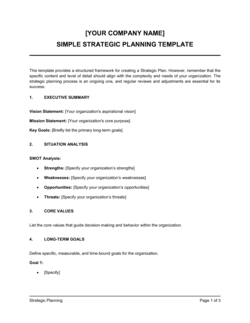
A strategic plan sets organizational direction over a 3–5 year horizon, defining goals, priorities, and resource allocation. A project management plan governs a single, time-bounded initiative within that strategy. Strategic plans identify what needs to happen; project management plans determine how a specific initiative gets executed and delivered.

Industry-specific considerations

Information Technology

System migrations, software implementations, and infrastructure upgrades require detailed dependency mapping and UAT acceptance criteria tied to technical specifications.

Construction and Engineering

Multi-phase build schedules, subcontractor coordination, permit milestones, and safety compliance checkpoints are all governed by the project management plan.

Professional Services

Consultancies and agencies use the plan as a client-facing deliverable that defines scope, roles, change control, and billing milestones to prevent scope creep disputes.

Healthcare and Life Sciences

Regulatory timelines, clinical validation phases, and compliance sign-off requirements make formal project planning mandatory for FDA submissions, EHR rollouts, and facility upgrades.

Manufacturing

New product introduction, facility expansion, and equipment installation projects require tight coordination of procurement lead times, vendor schedules, and production downtime windows.

Financial Services

Regulatory change programs, core banking migrations, and compliance initiatives require audit-ready documentation of scope decisions, budget approvals, and risk treatments.

Template vs pro β€” what fits your needs?

PathBest forCostTime
Use the templateProject managers, ops leads, and team leads running defined projects with clear scope and a team of 2–15Free4–8 hours to complete for a mid-size project
Template + professional reviewComplex projects with significant budget, cross-functional teams, or external stakeholders requiring PMO or senior review$500–$2,000 for a project management consultant review session1–3 days including feedback cycles
Custom draftedEnterprise programs, multi-project portfolios, or regulated industries requiring compliance-grade documentation and audit trails$3,000–$15,000+ for a professional PM or PMO setup engagement2–6 weeks

Glossary

Scope Statement
A written description of what the project will and will not deliver, used as the baseline against which all change requests are evaluated.
Work Breakdown Structure (WBS)
A hierarchical decomposition of the total project scope into smaller, manageable deliverables and work packages.
Milestone
A significant scheduled event or completion point in a project that marks the end of a phase or delivery of a key output.
Critical Path
The longest sequence of dependent tasks in a project schedule β€” any delay on the critical path delays the project end date.
Risk Register
A log of identified project risks, each rated by probability and impact, with assigned owners and mitigation or contingency actions.
RACI Matrix
A responsibility assignment chart that maps each task or deliverable to team members as Responsible, Accountable, Consulted, or Informed.
Change Control
A formal process for evaluating, approving, and documenting any requested modification to project scope, schedule, or budget.
Baseline
The approved, fixed reference point for project scope, schedule, and cost against which actual performance is measured.
Stakeholder
Any individual, team, or organization that has an interest in or is affected by the outcomes of the project.
Contingency Reserve
Budget or time set aside to cover identified risks that materialize during the project, distinct from management reserve held for unknown risks.
Project Sponsor
The senior person who authorizes the project, owns the business case, and resolves escalated issues beyond the project manager's authority.

Part of your Business Operating System

This document is one of 3,000+ business & legal templates included in Business in a Box.

  • Fill-in-the-blanks β€” ready in minutes
  • 100% customizable Word document
  • Compatible with all office suites
  • Export to PDF and share electronically

Create your document in 3 simple steps.

From template to signed document β€” all inside one Business Operating System.
1
Download or open template

Access over 3,000+ business and legal templates for any business task, project or initiative.

2
Edit and fill in the blanks with AI

Customize your ready-made business document template and save it in the cloud.

3
Save, Share, Send, Sign

Share your files and folders with your team. Create a space of seamless collaboration.

Save time, save money, and create top-quality documents.

β˜…β˜…β˜…β˜…β˜…

"Fantastic value! I'm not sure how I'd do without it. It's worth its weight in gold and paid back for itself many times."

Managing Director Β· Mall Farm
Robert Whalley
Managing Director, Mall Farm Proprietary Limited
β˜…β˜…β˜…β˜…β˜…

"I have been using Business in a Box for years. It has been the most useful source of templates I have encountered. I recommend it to anyone."

Business Owner Β· 4+ years
Dr Michael John Freestone
Business Owner
β˜…β˜…β˜…β˜…β˜…

"It has been a life saver so many times I have lost count. Business in a Box has saved me so much time and as you know, time is money."

Owner Β· Upstate Web
David G. Moore Jr.
Owner, Upstate Web

Run your business with a system β€” not scattered tools

Stop downloading documents. Start operating with clarity. Business in a Box gives you the Business Operating System used by over 250,000 companies worldwide to structure, run, and grow their business.

Free Forever PlanΒ Β·Β No credit card required