Social Media Marketing Guide

Free to read β€’ Save or share with one click

FreeSocial Media Marketing Guide Template

At a glance

What it is
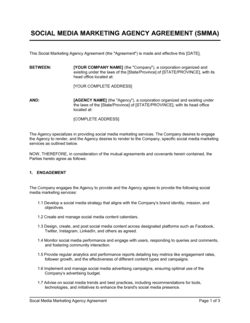
A Social Media Marketing Guide is a structured operational document that defines a business's social media strategy, platform priorities, content approach, posting cadence, and performance metrics in one place. This free Word download gives you a ready-to-edit framework you can tailor to your brand and export as PDF to share with your marketing team, agency, or leadership.
When you need it
Use it when launching a new brand presence, onboarding a social media manager, briefing an agency, or aligning a team around a consistent content and engagement strategy.
What's inside
Brand overview and goals, target audience profiles, platform selection rationale, content pillars and posting schedule, community management guidelines, paid social strategy, and KPI tracking framework.

What is a Social Media Marketing Guide?

A Social Media Marketing Guide is a structured operational document that defines how a business plans, creates, publishes, and measures content across social media platforms. It consolidates brand goals, target audience profiles, platform priorities, content pillars, posting cadence, community management protocols, paid social strategy, and KPI frameworks into a single reference that every member of a marketing team β€” or an external agency β€” can work from. Unlike a content calendar, which schedules individual posts, a social media marketing guide establishes the strategic logic and operational rules that the calendar executes against.

Why You Need This Document

Without a documented social media strategy, posting decisions default to instinct, content quality varies depending on who is working that week, and there is no agreed standard for measuring whether any of it is working. The practical consequences are tangible: new team members take weeks to produce on-brand content because guidelines exist only in someone's head; agencies interpret the brief differently each month; and leadership cannot evaluate marketing spend because social activity is never tied to business outcomes. A completed social media marketing guide eliminates these gaps by putting platform priorities, content rules, community management escalation paths, and KPI definitions in writing β€” turning social media from an improvised activity into a repeatable, accountable function. This template gives you a ready-to-edit structure that can be completed in an afternoon and used immediately to align your team, brief a partner, or baseline your performance before the next planning cycle.

Which variant fits your situation?

If your situation is…Use this template
Planning content one month at a time for a single platformSocial Media Content Calendar
Briefing a new agency or freelancer on brand and tone guidelinesSocial Media Style Guide
Reporting monthly performance to leadership or a clientSocial Media Report
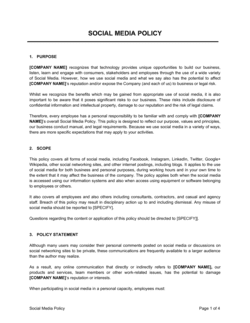
Defining rules for employee personal social media activitySocial Media Policy
Planning a paid advertising campaign across social platformsDigital Marketing Plan
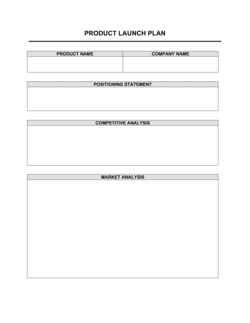
Managing a product launch across multiple social channelsProduct Launch Plan
Building a full multi-channel marketing strategyMarketing Plan

Common mistakes to avoid

❌ Activating too many platforms at once

Why it matters: Spreading a small team across five platforms produces inconsistent posting quality and cadence β€” the factors that most directly hurt algorithmic reach and audience growth.

Fix: Choose one or two platforms where your target audience is most concentrated. Expand only after each active channel reaches and sustains its KPI targets.

❌ Setting goals without baseline metrics

Why it matters: A goal to 'increase engagement rate by 15%' is unmeasurable without knowing the current rate. Reporting against an unknown baseline makes every result look arbitrary.

Fix: Pull the last 90 days of performance data before writing your goals. Record current follower count, average engagement rate, and monthly reach as your starting benchmark.

❌ Using the same content format and copy across all platforms

Why it matters: A LinkedIn article shared verbatim to Instagram with a stock image performs poorly on both platforms β€” the audiences, character limits, and content expectations are fundamentally different.

Fix: Write platform-specific versions of each post in the content pillar. A single idea can be a LinkedIn thought leadership post, an Instagram carousel, and a short-form video β€” each built natively for the platform.

❌ No crisis or escalation protocol in the community management section

Why it matters: Without a predefined escalation path, a viral complaint or sensitive topic will be handled inconsistently β€” different team members responding in conflicting ways, amplifying rather than resolving the issue.

Fix: Define at minimum: who owns the first response, who approves language for sensitive topics, and when to take the conversation off-platform to DM or email.

❌ Reporting only vanity metrics to leadership

Why it matters: Total likes and follower count do not demonstrate business value. Leadership will question the marketing budget if the monthly report cannot connect social activity to website traffic, pipeline, or revenue.

Fix: Add UTM parameters to every link in social posts and include website sessions, leads, and revenue attribution alongside platform-native engagement metrics in every report.

❌ Treating the guide as a finished document after the first draft

Why it matters: Social platforms change algorithms, introduce new ad formats, and shift audience demographics with little notice. A guide written 12–18 months ago is likely directing effort toward outdated tactics.

Fix: Build a formal quarterly review into the guide itself with a named owner and a checklist of what to revisit: platform selection, content mix, cadence, KPIs, and paid strategy.

The 10 key sections, explained

Brand overview and social media goals

Target audience profiles

Platform selection and rationale

Content pillars and mix

Posting schedule and cadence

Brand voice and content guidelines

Community management and response protocol

Paid social strategy

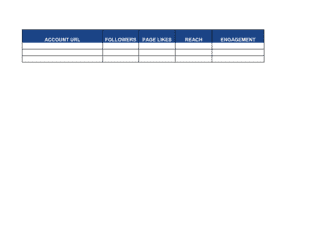
KPIs and reporting cadence

Review and iteration schedule

How to fill it out

  1. 1

    Define your social media goals and tie them to business outcomes

    Open the brand overview section and write three goals with specific, measurable targets β€” follower count, engagement rate, or leads generated per month. Each goal should map to a broader business objective such as revenue, retention, or brand awareness.

    πŸ’‘ Use the SMART format: Specific, Measurable, Achievable, Relevant, Time-bound. 'Grow Instagram followers by 20% by Q4' beats 'increase brand awareness.'

  2. 2

    Build audience profiles using real platform data

    Pull demographic reports from each platform's native analytics tool and create one profile per primary segment. Include age range, location, peak active hours, and the content formats they engage with most.

    πŸ’‘ Cross-reference your website analytics with platform insights β€” audiences that convert often differ from those that simply follow.

  3. 3

    Select and prioritize platforms based on audience fit

    List every platform where your target audience is active, rank them by audience concentration and strategic fit, and designate one as primary. Defer any platform where you cannot commit to at least two posts per week.

    πŸ’‘ Depth beats breadth. One well-maintained channel outperforms four neglected ones in both algorithmic reach and audience trust.

  4. 4

    Define three to five content pillars

    Choose themes that serve your audience's needs while connecting to your brand's positioning. Assign a percentage target to each pillar so promotional content stays below 20–25% of total posts.

    πŸ’‘ Name each pillar with a short label your team can use as a shorthand when briefing content β€” 'How-To,' 'Behind the Scenes,' 'Customer Spotlight.'

  5. 5

    Set a sustainable posting cadence for each platform

    Assign specific days and times based on your audience's peak activity windows from platform analytics. Confirm your team or tool can maintain the schedule without overextending resources.

    πŸ’‘ Start conservatively β€” three posts per week consistently performed beats five posts per week for one month followed by silence.

  6. 6

    Document brand voice and visual standards

    Write three to five adjectives that describe your brand's tone, include example phrases that are on-brand and off-brand, and attach your visual style guide or link to it in the appendix.

    πŸ’‘ Write two versions of the same sample post β€” one on-brand, one off-brand β€” to make the voice guidelines concrete for new team members.

  7. 7

    Set up the KPI tracking and reporting framework

    Select the four to six metrics that directly connect to your goals, name the tool used to pull each metric, and schedule monthly reporting dates in your calendar or project management system.

    πŸ’‘ Build your reporting template at the same time as the guide so the first monthly review requires no setup work.

  8. 8

    Schedule a quarterly review date before distributing the guide

    Add a formal review date to the document header before sharing it. Assign a named owner responsible for initiating the review and updating the guide based on performance data.

    πŸ’‘ A review date in the document itself signals to every reader that the strategy is a living document, not a set-and-forget policy.

Frequently asked questions

What is a social media marketing guide?

A social media marketing guide is a strategic operational document that defines how a business uses social platforms to achieve its marketing goals. It covers platform selection, target audience profiles, content pillars, posting cadence, community management protocols, paid social strategy, and the KPIs used to measure success. It functions as both a planning tool and an onboarding reference for anyone managing the brand's social presence.

What should a social media marketing guide include?

A complete guide covers ten areas: brand goals tied to business outcomes, target audience profiles by platform, platform selection rationale, content pillars and mix, posting schedule, brand voice and visual standards, community management and crisis protocols, paid social budget and targeting, KPI tracking framework, and a scheduled review process. Omitting the community management and review sections are the two most common gaps in first-draft guides.

How is a social media marketing guide different from a content calendar?

A social media marketing guide is the strategy document β€” it defines why, where, and how your brand shows up on social media. A content calendar is the execution tool β€” it schedules specific posts, copy, and assets on specific dates. The guide should be written first; the calendar is built from it. Without a guide, content calendars default to ad hoc posting with no strategic thread connecting the individual pieces.

How often should a social media marketing guide be updated?

A full review every quarter is the standard for most businesses, with a complete annual refresh to reset goals and platform priorities. Off-cycle updates are warranted when a platform makes a significant algorithm change, when engagement rate drops more than 20% for two consecutive months, or when the business launches a new product, audience segment, or market. Treat the guide as a living document with a named owner, not a static policy.

How many social media platforms should a small business focus on?

One or two platforms is the right starting point for most small businesses with limited marketing resources. Choose based on where your specific target audience is most active β€” not where you personally spend time or where competitors appear to be present. A well-maintained presence on one platform consistently outperforms a thin, inconsistent presence across four or five.

What KPIs should be included in a social media marketing guide?

The most useful KPIs connect social activity to business outcomes: website sessions from social (tracked via UTM parameters), lead form completions, and revenue attributed to social channels. Platform-native metrics β€” engagement rate, reach, follower growth rate, and share of voice β€” provide context but should not be reported in isolation. Choose four to six metrics and define the measurement tool and reporting frequency for each in the guide itself.

Do I need a separate social media policy if I have a marketing guide?

Yes. A social media marketing guide covers the brand's external content strategy β€” what the business posts and how. A social media policy covers employee conduct β€” what staff can and cannot post about the company on their personal accounts. Both documents serve different audiences and different risk management purposes; they complement each other but are not substitutes.

Can a social media marketing guide be used to brief an agency?

A completed guide is one of the most effective agency briefing tools available. It gives an incoming agency your goals, audience definitions, platform priorities, brand voice, content pillars, and KPI expectations in one document β€” reducing onboarding time and preventing the brand drift that commonly occurs when agencies operate without documented guardrails. Update the guide before each annual contract renewal.

What content mix works best for social media?

Research consistently shows that promotional content should represent no more than 20% of posts. The remaining 80% should be split across educational, entertaining, community-focused, and behind-the-scenes content β€” the exact ratio depends on your audience and platform. For format, short-form video consistently achieves the highest organic reach across Instagram, TikTok, LinkedIn, and Facebook as of 2025, though platform-native formats should always be prioritized over repurposed cross-posts.

How this compares to alternatives

vs Social Media Content Calendar

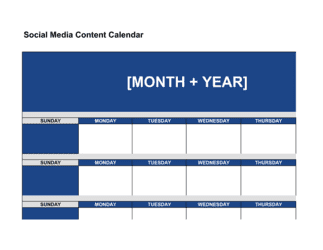
A content calendar schedules individual posts β€” copy, assets, dates, and platforms β€” on a week-by-week or month-by-month basis. A marketing guide sets the strategic framework the calendar executes against. The guide defines what to post and why; the calendar defines when and in what format. Both are needed; the guide comes first.

vs Marketing Plan

A marketing plan covers all channels β€” email, SEO, paid search, events, PR, and social β€” with budgets and projected ROI for each. A social media marketing guide is a dedicated deep-dive into social channels only. Businesses with active multi-channel programs need both: the marketing plan for budget and channel allocation, and the social media guide for operational execution detail.

vs Digital Marketing Plan

A digital marketing plan covers all digital channels including SEO, paid search, display advertising, email, and social media. A social media marketing guide focuses exclusively on social platforms and goes deeper on platform-specific tactics, community management, content pillars, and posting cadence. Use the digital marketing plan for cross-channel strategy and the social media guide for day-to-day social execution.

vs Social Media Policy

A social media policy governs employee behavior on personal social accounts β€” what staff can say about the company, competitors, and clients. A social media marketing guide governs the brand's owned channels β€” what the business publishes and how. One manages internal compliance risk; the other drives external marketing execution. Most businesses need both documents.

Industry-specific considerations

Retail / E-commerce

Product showcase cadence, seasonal campaign planning, influencer collaboration guidelines, and shoppable post integration are the core additions for retail brands.

Professional Services

LinkedIn is typically the primary platform; content pillars lean toward thought leadership, case studies, and regulatory or industry updates rather than visual product content.

SaaS / Technology

Platform mix typically includes LinkedIn for B2B lead generation and X (Twitter) for developer and product communities, with KPIs tied to trial sign-ups and demo requests via UTM attribution.

Food and Beverage

Visual platforms (Instagram, TikTok) dominate; content pillars center on recipe content, sourcing stories, and user-generated content from customers, with engagement rate and UGC volume as primary KPIs.

Template vs pro β€” what fits your needs?

PathBest forCostTime
Use the templateSmall business owners, in-house marketing teams, and startups building their first social strategyFree3–6 hours to complete
Template + professional reviewBrands briefing an agency, scaling to paid social for the first time, or operating across four or more platforms$300–$1,500 for a digital marketing consultant review1–2 weeks
Custom draftedEnterprise brands, regulated industries, or multi-market campaigns requiring platform-specific compliance review$2,000–$8,000 for a full agency strategy engagement3–6 weeks

Glossary

Content Pillar
A recurring thematic category β€” such as education, product showcase, or community spotlight β€” that organizes all content across platforms.
Posting Cadence
The predetermined frequency and schedule for publishing content on each social platform, such as three times per week on Instagram.
Reach
The number of unique accounts that saw a piece of content during a given period, regardless of whether they engaged with it.
Engagement Rate
Total interactions (likes, comments, shares, saves) divided by total reach or followers, expressed as a percentage.
Organic vs. Paid Social
Organic social is unpaid content published to your existing audience; paid social is sponsored content distributed to targeted audiences for a fee.
Community Management
The practice of actively responding to comments, messages, and mentions to build relationships and protect brand reputation.
Social Listening
Monitoring social platforms for mentions of your brand, competitors, and relevant keywords to inform strategy and flag issues early.
Impression
A single instance of content being displayed to a user, counted each time it appears regardless of whether the same user sees it multiple times.
Content Mix
The planned distribution of content types β€” video, static image, carousel, story, text β€” across a channel's publishing schedule.
UTM Parameter
A tag appended to a URL in social posts that allows analytics tools to attribute website traffic and conversions back to a specific campaign or platform.
Evergreen Content
Content that remains relevant and useful over an extended period, as opposed to time-sensitive posts tied to news or promotions.

Part of your Business Operating System

This document is one of 3,000+ business & legal templates included in Business in a Box.

  • Fill-in-the-blanks β€” ready in minutes
  • Compatible with all office suites
  • Export to PDF and share electronically

Create your document in 3 simple steps.

From template to signed document β€” all inside one Business Operating System.
1
Download or open template

Access over 3,000+ business and legal templates for any business task, project or initiative.

2
Edit and fill in the blanks with AI

Customize your ready-made business document template and save it in the cloud.

3
Save, Share, Send, Sign

Share your files and folders with your team. Create a space of seamless collaboration.

Save time, save money, and create top-quality documents.

β˜…β˜…β˜…β˜…β˜…

"Fantastic value! I'm not sure how I'd do without it. It's worth its weight in gold and paid back for itself many times."

Managing Director Β· Mall Farm
Robert Whalley
Managing Director, Mall Farm Proprietary Limited
β˜…β˜…β˜…β˜…β˜…

"I have been using Business in a Box for years. It has been the most useful source of templates I have encountered. I recommend it to anyone."

Business Owner Β· 4+ years
Dr Michael John Freestone
Business Owner
β˜…β˜…β˜…β˜…β˜…

"It has been a life saver so many times I have lost count. Business in a Box has saved me so much time and as you know, time is money."

Owner Β· Upstate Web
David G. Moore Jr.
Owner, Upstate Web

Run your business with a system β€” not scattered tools

Stop downloading documents. Start operating with clarity. Business in a Box gives you the Business Operating System used by over 250,000 companies worldwide to structure, run, and grow their business.

Free Forever PlanΒ Β·Β No credit card required