List Of Business Systems Template

Free download β€’ Use as a template β€’ Print or share

3 pagesβ€’25–30 min to useβ€’Difficulty: Standardβ€’Signature requiredβ€’Legal review recommended
Learn more ↓
FreeList Of Business Systems Template

At a glance

What it is
A List of Business Systems is a formal binding document that inventories, classifies, and assigns ownership to every core operational system within a company β€” from IT infrastructure and financial platforms to HR workflows and customer-facing processes. This free Word download gives you a structured, governance-ready template you can edit online and export as PDF for internal compliance, audit support, or due diligence packages.
When you need it
Use it when preparing for a regulatory audit, undergoing due diligence for a merger or acquisition, establishing formal governance protocols, or onboarding new leadership who need a complete picture of how the business operates.
What's inside
A structured register of all business systems organized by category, including system names, descriptions, responsible owners, access controls, data classifications, integration dependencies, compliance obligations, and review schedules β€” all in a single authoritative reference document.

What is a List of Business Systems?

A List of Business Systems is a formal governance document that inventories every core operational system within an organization β€” including software platforms, IT infrastructure, financial tools, HR workflows, customer-facing processes, and manual procedures β€” assigning ownership, data classifications, compliance obligations, and review schedules to each entry. It functions as the single authoritative reference for how a business operates at the systems level, replacing the scattered spreadsheets, tribal knowledge, and informal lists that most organizations rely on until an audit or incident forces a reckoning. The document is typically signed by an executive sponsor and maintained as a living record with version-controlled updates.

Why You Need This Document

Without a documented list of business systems, four operational risks compound silently. First, when a system fails or is breached, incident response teams spend hours identifying who owns the affected system and what data it holds β€” time that directly extends the impact window. Second, regulatory auditors under GDPR, HIPAA, SOC 2, and PCI-DSS expect to see a systems inventory as evidence of baseline governance; its absence triggers findings that require expensive remediation. Third, in an M&A transaction or investment due diligence, an undocumented systems landscape signals operational immaturity and gives buyers grounds to reduce valuation or walk away. Fourth, when a key employee leaves, critical knowledge about system configurations, vendor contacts, and integration dependencies leaves with them β€” unless it has been formally captured. This template gives you the structure to document every system before any of these situations arises, turning a governance gap into a competitive and compliance asset.

Which variant fits your situation?

If your situation is…Use this template
Documenting IT systems and software platforms for a cybersecurity auditIT Systems Inventory Register
Mapping business processes for an ISO 9001 quality management certificationBusiness Process Documentation Template
Preparing an operational overview for an M&A due diligence data roomDue Diligence Checklist
Establishing formal SOPs for each identified business systemStandard Operating Procedure (SOP) Template
Documenting data flows and personal data systems for GDPR complianceData Processing Register (ROPA)
Creating a franchise operations manual that lists all required systemsFranchise Operations Manual
Onboarding a new executive who needs a full operational systems overviewExecutive Onboarding Plan

Common mistakes to avoid

❌ Assigning system ownership to departments instead of individuals

Why it matters: When ownership is collective, incident response stalls because everyone assumes someone else is acting. Auditors treat departmental ownership as a governance gap.

Fix: Name a specific person and their backup for every system entry. If a named owner leaves, update the register within 30 days as part of offboarding.

❌ Conducting the inventory once and never reviewing it

Why it matters: A register that is 18 months out of date lists systems that no longer exist and omits newly adopted tools, creating false confidence and real audit exposure.

Fix: Schedule recurring reviews at least annually for all systems and quarterly for those handling regulated data. Assign review tasks to named owners in your project management system.

❌ Omitting shadow IT discovered during the discovery process

Why it matters: Undocumented tools that handle customer data, financial records, or employee information carry the same compliance obligations as approved systems β€” and more liability because they lack vendor agreements.

Fix: Include all identified shadow IT in the register with a flagged status of 'unapproved β€” under review,' then resolve each one through formal approval or retirement.

❌ Leaving compliance and regulatory fields blank for 'non-IT' operational systems

Why it matters: Manual processes and spreadsheet-based systems frequently handle personal or financial data. Treating them as outside scope creates blind spots that regulators find quickly.

Fix: Apply the same data classification and regulatory mapping to every system in the register β€” manual or automated, approved or legacy.

❌ Failing to link the register to vendor contracts and renewal dates

Why it matters: A system whose support contract has lapsed may no longer receive security patches, creating unpatched vulnerabilities that are invisible without a linked contract record.

Fix: Add vendor contract expiry dates to every third-party system entry and assign a renewal owner. Set automated reminders 90 days before expiry.

❌ Not obtaining executive sign-off before distributing the register

Why it matters: An unsigned register has no governance authority. In a dispute or audit, a document without accountable sign-off is treated as a draft, not a formal record.

Fix: Route the completed register through the executive sponsor or CIO for signature before distribution. Retain the signed copy as the authoritative version for that period.

The 10 key clauses, explained

Scope and Purpose Statement

In plain language: Defines the boundaries of the document β€” which systems are included, why the register is being maintained, and under what authority it was created.

Sample language
This List of Business Systems ('Register') documents all operational, administrative, and technology systems used by [COMPANY NAME] ('Company') as of [EFFECTIVE DATE]. Its purpose is to support governance, regulatory compliance, and operational continuity across all departments.

Common mistake: Defining scope so broadly that every spreadsheet and email thread qualifies as a 'system,' making the register unmanageable and unusable for audit purposes.

System Identification and Classification

In plain language: Assigns a unique identifier, name, and category to each system β€” such as financial, HR, IT infrastructure, sales, or customer service β€” so entries can be sorted, filtered, and referenced precisely.

Sample language
System ID: [SYS-XXXX] | System Name: [NAME] | Category: [FINANCIAL / HR / IT / OPERATIONS / SALES / OTHER] | Description: [ONE-SENTENCE DESCRIPTION OF FUNCTION].

Common mistake: Failing to assign unique system IDs. Without them, duplicate entries appear under different names, and cross-references in audit reports become unreliable.

System Ownership and Accountability

In plain language: Names the individual or role responsible for each system β€” including a primary owner and a secondary backup β€” creating clear accountability for maintenance, updates, and incident response.

Sample language
Primary Owner: [NAME / TITLE] | Secondary Owner: [NAME / TITLE] | Department: [DEPARTMENT NAME] | Escalation Contact: [NAME / EMAIL].

Common mistake: Assigning system ownership to a department rather than a named individual or specific role. When an incident occurs, accountability disperses and no one acts.

Access and Permission Controls

In plain language: Documents who has access to each system, at what permission level, and the process for requesting and revoking access β€” critical for security audits and data protection compliance.

Sample language
Access Level: [ADMIN / EDITOR / VIEWER / READ-ONLY] | Authorized Users: [ROLES OR NAMES] | Access Request Process: [PROCESS DESCRIPTION] | Access Review Frequency: [QUARTERLY / ANNUALLY].

Common mistake: Documenting access levels at the time of drafting and never updating them. Departed employees retaining system access is one of the most common findings in cybersecurity audits.

Data Classification and Handling

In plain language: Records what categories of data each system stores or processes β€” personal data, financial records, trade secrets, or public information β€” and the handling rules that apply to each classification.

Sample language
Data Type: [PERSONAL / FINANCIAL / OPERATIONAL / PUBLIC] | Classification Level: [RESTRICTED / CONFIDENTIAL / INTERNAL / PUBLIC] | Retention Period: [X YEARS] | Applicable Regulation: [GDPR / HIPAA / PCI-DSS / PIPEDA / N/A].

Common mistake: Omitting the applicable regulation column. Without it, a GDPR or HIPAA audit requires reconstructing which systems touch regulated data β€” a process that takes days and creates audit risk.

Integration and Dependency Mapping

In plain language: Identifies which other systems each entry connects to, what data flows between them, and the criticality of each dependency β€” used for incident impact analysis and change management.

Sample language
Integrated With: [SYSTEM NAME(S)] | Data Flow Direction: [INBOUND / OUTBOUND / BIDIRECTIONAL] | Integration Method: [API / FILE TRANSFER / MANUAL] | Dependency Criticality: [HIGH / MEDIUM / LOW].

Common mistake: Treating integration documentation as optional. When a system change breaks a downstream process, the absence of a dependency map extends the outage and escalates the incident.

Compliance and Regulatory Obligations

In plain language: Records the specific legal, regulatory, or contractual obligations that govern how the system must be operated, secured, backed up, or audited.

Sample language
Applicable Regulations: [GDPR / SOC 2 / ISO 27001 / PCI-DSS / HIPAA / N/A] | Contractual Obligations: [DESCRIBE] | Audit Requirements: [DESCRIBE] | Last Compliance Review: [DATE].

Common mistake: Listing only the primary regulation and omitting contractual obligations from vendor agreements. Many enterprise vendor contracts impose data handling and notification requirements that are just as binding as statute.

Vendor and Licensing Information

In plain language: Captures the vendor name, contract expiry date, license type, and support terms for each third-party system β€” enabling proactive renewal management and vendor risk assessment.

Sample language
Vendor / Provider: [NAME] | Contract Expiry: [DATE] | License Type: [PER-SEAT / SITE / ENTERPRISE / OPEN-SOURCE] | Support Tier: [BASIC / STANDARD / PREMIUM] | Renewal Owner: [NAME / ROLE].

Common mistake: Tracking vendor contracts only in a separate procurement spreadsheet that is not linked to the systems register. When a system goes unsupported due to a lapsed contract, neither team has a complete picture.

Business Continuity and Recovery Details

In plain language: Documents the recovery time objective (RTO), recovery point objective (RPO), backup frequency, and failover procedure for each system β€” essential for disaster recovery planning.

Sample language
RTO: [X HOURS] | RPO: [X HOURS] | Backup Frequency: [DAILY / HOURLY / REAL-TIME] | Backup Location: [ON-SITE / CLOUD / BOTH] | Failover Procedure: [REFERENCE TO DR PLAN SECTION X].

Common mistake: Leaving RTO and RPO fields blank for 'non-critical' systems. Downstream dependencies mean a supposedly low-priority system can cascade into a high-impact outage.

Review Schedule and Change Log

In plain language: Records when each entry was last reviewed, who reviewed it, what changes were made, and when the next scheduled review is due β€” creating an auditable history of the register's maintenance.

Sample language
Last Reviewed: [DATE] | Reviewed By: [NAME / ROLE] | Changes Made: [DESCRIPTION OR 'NO CHANGES'] | Next Review Due: [DATE] | Version: [X.X].

Common mistake: Creating the register once and never scheduling reviews. A systems register that reflects the state of the business 18 months ago is worse than none β€” it gives a false sense of governance coverage.

How to fill it out

  1. 1

    Define the scope and governance authority

    Identify which categories of systems are in scope β€” IT platforms, operational workflows, financial systems, HR tools, and customer-facing processes. Name the executive sponsor or governance body authorizing the register.

    πŸ’‘ Start with systems that touch regulated data (personal, financial, or health information) β€” these are the entries auditors check first.

  2. 2

    Conduct a systems discovery across departments

    Survey each department head for a list of the tools, platforms, and processes they rely on. Include both formally approved systems and any shadow IT identified during the survey.

    πŸ’‘ A 15-minute structured interview with each department head yields a more complete list than a written survey alone β€” people mention systems verbally that they forget to write down.

  3. 3

    Assign unique IDs and classify each system

    Create a consistent ID format (e.g., SYS-FIN-001, SYS-HR-002) and assign each system to a functional category. Write a one-sentence description of what the system does.

    πŸ’‘ Use a prefix that reflects the category β€” SYS-IT, SYS-FIN, SYS-OPS β€” so entries sort naturally and new additions follow an obvious pattern.

  4. 4

    Assign primary and secondary ownership

    Name a specific individual β€” not a department β€” as the primary owner of each system. Add a secondary owner who can act if the primary is unavailable.

    πŸ’‘ If no one is willing to own a system, that is a governance gap that needs resolving before the register is finalized.

  5. 5

    Document data classifications and applicable regulations

    For each system, identify what categories of data it holds and flag any applicable regulations β€” GDPR, HIPAA, PCI-DSS, SOC 2, PIPEDA, or others. Record the data retention period.

    πŸ’‘ Cross-reference your privacy notice and your vendor data processing agreements β€” both sources will surface obligations you might otherwise miss.

  6. 6

    Map integrations and identify single points of failure

    For each system, list every other system it connects to, the data flow direction, and the integration method. Flag any system that, if it failed, would halt a critical business process.

    πŸ’‘ Draw a simple dependency diagram alongside the register β€” a visual map makes cascade risks immediately apparent to non-technical stakeholders.

  7. 7

    Set review schedules and obtain sign-off

    Assign a review cadence to each entry (quarterly for high-criticality systems, annually for stable low-risk ones). Have the responsible executive sign the completed register before distribution.

    πŸ’‘ Add calendar reminders for each review cycle at the time of sign-off β€” waiting until the next audit cycle to schedule reviews means they get skipped.

  8. 8

    Store, version, and communicate the register

    Save the register in a centrally accessible, access-controlled location. Apply a version number and date to each revision. Notify all system owners when a new version is published.

    πŸ’‘ A register stored only on one person's local drive is not a governance document β€” it needs to be accessible to auditors, legal counsel, and successors without that person's involvement.

Frequently asked questions

What is a list of business systems?

A list of business systems is a formal document that inventories every core system β€” software, platform, workflow, or process β€” that an organization relies on to operate. Each entry records the system's name, function, owner, data classification, integrations, and compliance obligations. It serves as the single authoritative reference for governance, audit, and business continuity purposes.

Why do businesses need to document their systems formally?

Formal documentation creates accountability, enables regulatory compliance, and reduces operational risk. When systems are inventoried and owned, auditors have a clear trail to follow, incident response teams know who to call, and leadership can identify gaps β€” such as a critical process with no backup owner or a vendor contract about to lapse. Organizations without a systems register routinely discover these gaps only when something goes wrong.

What types of systems should be included in the register?

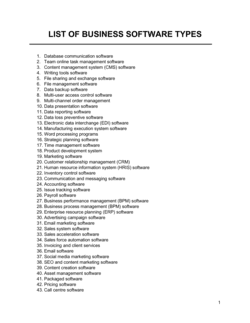
Include all IT platforms (ERP, CRM, HRIS, accounting software), operational workflows with defined triggers and outputs, financial systems, customer- facing tools, data storage and backup systems, and any manual processes that handle regulated data. Shadow IT β€” tools used without formal approval β€” should also be listed and flagged for review. If a system's failure would disrupt operations or trigger a compliance obligation, it belongs in the register.

How often should a list of business systems be reviewed and updated?

High-criticality systems and those handling regulated data should be reviewed at least quarterly. Standard operational systems warrant an annual review. The register should also be updated whenever a new system is adopted, an existing system is retired, an owner changes roles, or a vendor contract is renewed or terminated. An outdated register is a governance liability, not an asset.

Is a list of business systems required for regulatory compliance?

Several regulatory frameworks either require or strongly imply a systems inventory. GDPR requires organizations to maintain a Record of Processing Activities (ROPA), which necessitates knowing every system that processes personal data. SOC 2 and ISO 27001 audits require documented asset inventories. HIPAA-covered entities must track systems that handle protected health information. Even where no specific regulation mandates it, a systems register is considered a baseline governance control by most audit frameworks.

What is the difference between a list of business systems and a standard operating procedure?

A list of business systems is an inventory that identifies and classifies what systems exist and who owns them. A standard operating procedure (SOP) describes how a specific system or process is executed step by step. The systems register tells you what you have and who is accountable; the SOP tells you how to use it. Both documents are needed for mature operational governance, and they should cross-reference each other.

Can a small business benefit from a formal list of business systems?

Yes β€” particularly when planning a sale, seeking investment, applying for cyber liability insurance, or preparing for rapid growth. Buyers and investors assess operational maturity during due diligence, and a documented systems register signals that the business can run without depending entirely on the founder's personal knowledge. For franchise businesses, it is a prerequisite for replicating the model.

Who should have access to the completed list of business systems?

The register should be accessible to system owners, the IT or operations team, legal and compliance staff, and auditors. Access should be controlled β€” not published company-wide β€” because it contains sensitive information about data classifications and security configurations. A read-only copy is typically shared with external auditors under a confidentiality agreement during due diligence or audit engagements.

What happens if the list of business systems is not kept up to date?

An outdated register creates three concrete risks: auditors find discrepancies between the documented systems and actual operations, triggering findings that require expensive remediation; incident response teams contact the wrong owners, extending outages; and compliance gaps go undetected until a regulatory inquiry surfaces them. Courts and regulators treat an out-of-date governance document as evidence of systemic compliance failures, not just administrative oversight.

How this compares to alternatives

vs Standard Operating Procedure (SOP)

A standard operating procedure describes how a specific process or system is executed step by step. A list of business systems is the higher-level inventory that identifies what systems exist, who owns them, and what obligations apply. The SOP lives one level below the register β€” you need the register to know which SOPs are required, and the SOPs provide the operational detail the register references.

vs IT Asset Inventory

An IT asset inventory focuses specifically on hardware and software assets β€” devices, licenses, and infrastructure. A list of business systems takes a broader operational view, covering processes and workflows alongside technology. The IT asset inventory is a subset of the systems register, not a replacement for it.

vs Business Continuity Plan

A business continuity plan defines how the organization responds to and recovers from disruptions. A list of business systems provides the foundational data that feeds the continuity plan β€” specifically, the criticality ratings, recovery time objectives, and dependency maps. You cannot build a credible continuity plan without a current systems register.

vs Data Processing Register (ROPA)

A Record of Processing Activities (ROPA) is a GDPR-specific document that logs every activity involving personal data, as required by Article 30 of the GDPR. A list of business systems is broader, covering all operational systems regardless of data type. The ROPA is effectively a filtered view of the systems register limited to personal-data-processing activities β€” organizations subject to GDPR typically maintain both.

Industry-specific considerations

Technology / SaaS

SaaS companies maintain systems registers as a core SOC 2 Type II control, covering every platform in their production and corporate IT stack with defined access reviews and vendor security assessments.

Financial Services

Banks and fintechs are required by regulators including the FCA, OCC, and FFIEC to maintain documented inventories of all systems handling financial data, with clear ownership and change management protocols.

Healthcare

HIPAA-covered entities must document all systems that create, receive, maintain, or transmit electronic protected health information (ePHI), including access controls and audit log requirements.

Professional Services

Law firms, accounting firms, and consultancies document client-data-handling systems to demonstrate confidentiality obligations are operationally enforced, supporting both client audits and professional indemnity insurance requirements.

Jurisdictional notes

United States

In the US, a systems register is an implied requirement under several sector-specific frameworks: HIPAA requires covered entities to document all ePHI-processing systems, PCI-DSS requires a formal asset inventory for cardholder data environments, and SOC 2 audits assess system documentation as a core Trust Services Criteria control. The FTC's Safeguards Rule also requires financial institutions to maintain an inventory of systems handling customer financial data. No single federal law mandates a universal systems register, but industry-specific obligations collectively cover most organizations.

Canada

PIPEDA and the newer Consumer Privacy Protection Act (CPPA, pending full enforcement) require organizations to be able to account for all systems that collect, use, or disclose personal information. Alberta's PIPA and Quebec's Law 25 (in force since September 2023) impose explicit documentation requirements for systems handling personal data, including mandatory privacy impact assessments before new systems go live. Quebec's Law 25 requires a published privacy policy that accurately reflects documented systems β€” making a current systems register a practical prerequisite.

United Kingdom

Post-Brexit, the UK GDPR (retained in UK law through the Data Protection Act 2018) imposes the same Article 30 ROPA obligation as the EU GDPR for organizations with 250 or more employees, and recommends it as best practice for smaller organizations. The ICO expects organizations to demonstrate awareness of their data processing systems during regulatory inquiries. The UK Cyber Essentials scheme, often required for government contracts, also expects a documented software and system inventory as a baseline security control.

European Union

GDPR Article 30 requires controllers and processors with 250 or more employees to maintain a written Record of Processing Activities covering all systems that process personal data. The NIS2 Directive (effective October 2024) extends mandatory risk management and asset documentation requirements to essential and important entities across critical sectors. Member states vary in enforcement intensity β€” Germany's BSI and France's CNIL are among the most active β€” but a documented systems register is treated as baseline accountability evidence across the EU.

Template vs lawyer β€” what fits your deal?

PathBest forCostTime
Use the templateSmall to mid-sized businesses establishing governance documentation for the first time or preparing for an initial auditFree1–2 weeks (including department discovery interviews)
Template + legal reviewOrganizations preparing for SOC 2, ISO 27001, or GDPR compliance audits where the register will be submitted as formal evidence$500–$2,000 for a compliance consultant or IT auditor review2–4 weeks
Custom draftedEnterprise organizations, regulated industries (financial services, healthcare), or businesses undergoing M&A due diligence requiring a comprehensive auditor-verified register$3,000–$15,000+ depending on scope and regulatory complexity4–8 weeks

Glossary

Business System
A defined combination of people, processes, technology, and data that performs a repeatable function within the organization β€” such as payroll processing, customer support, or inventory management.
System Owner
The designated individual or role accountable for maintaining, updating, and ensuring the correct use of a specific business system.
Systems Register
A formal inventory listing all operational systems within an organization, typically including ownership, classification, dependencies, and compliance status.
Access Control
The rules and mechanisms that determine who can view, edit, or administer a particular business system or its underlying data.
Data Classification
A framework that categorizes data by sensitivity level β€” such as public, internal, confidential, or restricted β€” to guide appropriate handling and protection.
Integration Dependency
A documented connection between two or more business systems where one system relies on data or functionality provided by another.
Compliance Obligation
A legal, regulatory, or contractual requirement that affects how a business system must be operated, secured, or documented.
Review Cadence
The scheduled frequency β€” monthly, quarterly, or annual β€” at which a system entry in the register is reviewed and updated for accuracy.
Single Point of Failure
A system or component with no redundancy whose failure would halt a critical business process β€” identified through systematic documentation so mitigation can be planned.
Shadow IT
Software, platforms, or tools used within an organization without formal IT or management approval β€” a risk that a comprehensive systems register helps identify and remediate.
SOP (Standard Operating Procedure)
A step-by-step written instruction that governs how a business system or process is executed consistently each time it is triggered.

Part of your Business Operating System

This document is one of 3,000+ business & legal templates included in Business in a Box.

  • Fill-in-the-blanks β€” ready in minutes
  • 100% customizable Word document
  • Compatible with all office suites
  • Export to PDF and share electronically

Create your document in 3 simple steps.

From template to signed document β€” all inside one Business Operating System.
1
Download or open template

Access over 3,000+ business and legal templates for any business task, project or initiative.

2
Edit and fill in the blanks with AI

Customize your ready-made business document template and save it in the cloud.

3
Save, Share, Send, Sign

Share your files and folders with your team. Create a space of seamless collaboration.

Save time, save money, and create top-quality documents.

β˜…β˜…β˜…β˜…β˜…

"Fantastic value! I'm not sure how I'd do without it. It's worth its weight in gold and paid back for itself many times."

Managing Director Β· Mall Farm
Robert Whalley
Managing Director, Mall Farm Proprietary Limited
β˜…β˜…β˜…β˜…β˜…

"I have been using Business in a Box for years. It has been the most useful source of templates I have encountered. I recommend it to anyone."

Business Owner Β· 4+ years
Dr Michael John Freestone
Business Owner
β˜…β˜…β˜…β˜…β˜…

"It has been a life saver so many times I have lost count. Business in a Box has saved me so much time and as you know, time is money."

Owner Β· Upstate Web
David G. Moore Jr.
Owner, Upstate Web

Run your business with a system β€” not scattered tools

Stop downloading documents. Start operating with clarity. Business in a Box gives you the Business Operating System used by over 250,000 companies worldwide to structure, run, and grow their business.

Free Forever PlanΒ Β·Β No credit card required