Process Documentation

Free Excel download β€’ Edit online β€’ Save & share with Drive β€’ Export to PDF

1 pageβ€’20–25 min to fillβ€’Difficulty: Standard
Learn more ↓
FreeXLSProcess Documentation Template

At a glance

What it is
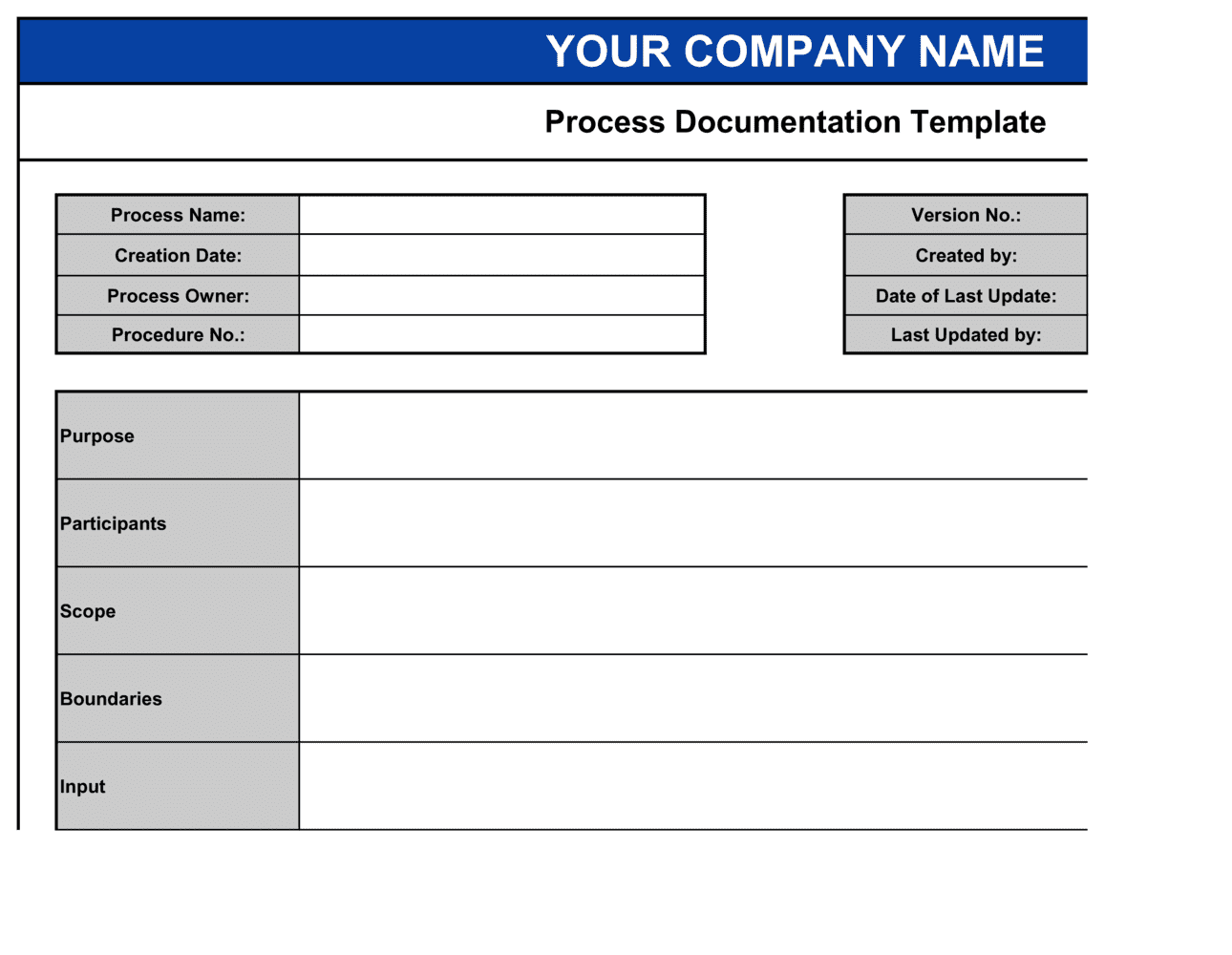
A Process Documentation Template is a structured Word document that captures every element of a repeatable business process β€” purpose, scope, process owner, inputs, step-by-step procedure, outputs, controls, and KPIs β€” in a single reference file. This free Word download gives you a ready-to-edit framework you can complete in one sitting and export as PDF for distribution, training, or audit review.
When you need it
Use it when standardizing a repeatable task across a team, onboarding new employees to an existing workflow, preparing for an ISO or SOC 2 audit, or capturing institutional knowledge before a key team member leaves.
What's inside
A process header block (title, owner, version, effective date), purpose and scope statements, roles and responsibilities, a numbered step-by-step procedure with decision points, input and output definitions, controls and exception handling, and a KPI table for measuring process performance.

What is a Process Documentation Template?

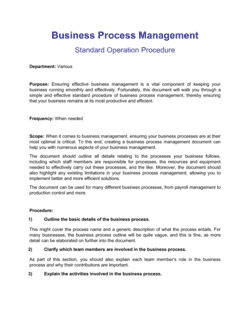
A Process Documentation Template is a structured document that captures every component of a repeatable business process β€” purpose, scope, process owner, roles and responsibilities, inputs and triggers, step-by-step procedure, outputs, controls, and KPIs β€” in a single standardized reference file. Unlike a casual how-to note or a flowchart sketch, a properly completed process document creates a durable, version-controlled record of how work is actually performed, who is accountable for each step, and what good execution looks like. It serves as the source of truth from which SOPs, training materials, and audit evidence are derived.

Why You Need This Document

Without documented processes, your organization runs on tribal knowledge β€” and tribal knowledge walks out the door when an employee leaves, gets promoted, or goes on leave. The immediate cost is inconsistent execution: two people doing the same job differently, with no agreed standard to resolve the gap. The longer-term cost is audit exposure β€” ISO 9001, SOC 2, and most regulated-industry frameworks require documented evidence that processes are defined, controlled, and reviewed. A process document created after an audit finding costs far more in remediation time than one written before. This template gives you the structure to capture a process completely in a single session, assign real accountability through a RACI table, define the KPIs that confirm the process is working, and build a version history that satisfies even rigorous external reviewers.

Which variant fits your situation?

If your situation is…Use this template
Documenting a single task with strict compliance requirementsStandard Operating Procedure (SOP)
Mapping a multi-team workflow with decision branches and handoffsProcess Flowchart Template
Capturing a repeatable IT or DevOps procedureIT Runbook Template
Onboarding a new employee to a role-specific set of tasksEmployee Onboarding Checklist
Documenting policies rather than step-by-step proceduresCompany Policy Template
Recording institutional knowledge before a team member departsKnowledge Transfer Document
Preparing process evidence for an ISO 9001 auditQuality Management Procedure Template

Common mistakes to avoid

❌ Documenting the ideal process instead of the actual process

Why it matters: Staff trained on a document that does not reflect reality will deviate from it immediately. The gap between documented and actual process is invisible to auditors and managers until something goes wrong.

Fix: Observe the process being performed by at least two practitioners before writing the procedure. Reconcile any differences between their approaches and document the agreed standard, not the theoretical one.

❌ Writing steps at wildly inconsistent levels of detail

Why it matters: A step that says 'complete the approval workflow' alongside a step that says 'click the Submit button in [SYSTEM]' signals that the document was assembled piecemeal. Users skip the vague steps and misapply the granular ones.

Fix: Calibrate each step to cover one discrete action taking roughly the same time to complete. If a step feels like a sub-process, break it into numbered sub-steps or reference a separate procedure document.

❌ Assigning multiple Accountable roles to a single step

Why it matters: When two people are both accountable for the same outcome, neither treats it as their primary responsibility. Errors sit unresolved because each accountable party assumes the other is handling it.

Fix: Allow exactly one Accountable role per process step. If a decision genuinely requires consensus, document the decision-making mechanism β€” majority vote, senior role decides, etc. β€” and make one role accountable for facilitating it.

❌ Publishing the document once and never updating it

Why it matters: Processes change when systems are upgraded, teams reorganize, or regulations shift. A process document that is 18 months out of date is more dangerous than no document β€” it gives staff false confidence they are following the right procedure.

Fix: Set a maximum 12-month review cycle and add trigger-based review conditions (system change, incident, regulatory update). Assign the review to the process owner as a named accountability, not a team task.

The 10 key sections, explained

Process header

Purpose statement

Scope and applicability

Roles and responsibilities (RACI)

Inputs and triggers

Step-by-step procedure

Outputs and deliverables

Controls and exception handling

KPIs and performance targets

Version history and review schedule

How to fill it out

  1. 1

    Complete the process header before anything else

    Enter the process title, a unique process ID, version number (start at 1.0), today's date as the effective date, and the name and title of the process owner. This header is the document's identity β€” every field matters for version control and audit trails.

    πŸ’‘ Use a consistent process ID format across your organization (e.g., OPS-001, FIN-002) so documents are searchable and cross-referenceable in your document management system.

  2. 2

    Write the purpose and scope statements

    Draft a 2–4 sentence purpose that explains why this process exists and what outcome it reliably produces. Then define the scope: where the process starts, where it ends, which roles it applies to, and what is explicitly excluded.

    πŸ’‘ Write the out-of-scope statement before you finalize the scope β€” listing what the process does not cover forces clarity about where adjacent processes begin.

  3. 3

    Assign roles using a RACI table

    List every role involved in the process and assign R, A, C, or I for each major step. Confirm there is exactly one Accountable role per step β€” the person who owns the outcome, not just the task.

    πŸ’‘ If you find yourself assigning A to a team rather than a named role, the process lacks a real owner. Name the role title, not the department.

  4. 4

    List inputs, triggers, and required formats

    Document every input the process requires before it can begin β€” name the specific document or data, its required state (e.g., approved, not draft), and the system or person it comes from. Then state the trigger condition that starts the process.

    πŸ’‘ Walk through a recent real execution of the process and note every file or piece of information you actually used β€” this surfaces hidden inputs that never make it into documentation.

  5. 5

    Write the step-by-step procedure

    Number each action sequentially. Each step should be a single discrete action β€” one person, one system, one decision. Include decision branches (if/then logic) and note the role responsible for each step.

    πŸ’‘ Shadow someone performing the process in real time rather than asking them to describe it from memory. Live observation captures the four or five informal steps that practitioners do automatically but never mention.

  6. 6

    Define outputs and controls at each stage

    For each major step or handoff, name the output produced and where it goes. For each control point, name the check, who performs it, and what the escalation path is if the check fails.

    πŸ’‘ If a control has no named owner and no escalation path, it is not a real control β€” either assign it properly or remove it and acknowledge the gap.

  7. 7

    Set KPIs with targets, owners, and measurement cadence

    Add 2–4 metrics that indicate whether the process is working. For each, state the target value, who measures it, and how often they report it. Tie at least one metric to cycle time and one to quality or error rate.

    πŸ’‘ Avoid vanity metrics. 'Number of processes documented' is not a KPI for the process itself β€” 'on-time completion rate' and 'defect rate per 100 executions' are.

  8. 8

    Complete the version history and set the next review date

    Record this as Version 1.0, enter today's date and your name, and note 'Initial release.' Set a review date no more than 12 months out, and add at least one trigger condition β€” such as 'review immediately if the supporting system changes.'

    πŸ’‘ Store the finalized document in a location where all relevant staff can find it and where access is logged β€” shared drives with version history, not email attachments.

Frequently asked questions

What is a process documentation template?

A process documentation template is a structured document used to capture all the components of a repeatable business process β€” purpose, scope, roles, inputs, step-by-step procedure, outputs, controls, and KPIs β€” in a single standardized format. It gives teams a consistent framework for recording how work gets done, making processes trainable, auditable, and improvable.

What is the difference between process documentation and a standard operating procedure (SOP)?

Process documentation is the broader category β€” it captures the full context of a process including scope, roles, KPIs, and version history. A standard operating procedure (SOP) is a specific type of process document focused on the step-by-step instructions for a single task, often written to meet a compliance or regulatory requirement. All SOPs are process documents, but not all process documents are SOPs.

Who should own a process document?

Each process document should have a single named process owner β€” typically the manager or team lead responsible for the operational outcome the process produces. The process owner is accountable for keeping the document current, approving changes, and ensuring staff are trained on the current version. Assigning ownership to a department rather than a named role results in documents that are never updated.

How detailed should a process document be?

Detailed enough that a competent new hire could execute the process correctly without asking for help, and concise enough that an experienced practitioner will actually refer to it. Each step should cover one discrete action. If a step takes more than a paragraph to describe, it is likely a sub-process that belongs in a separate referenced document.

How often should process documents be reviewed and updated?

At a minimum, review every process document on an annual cycle. Beyond the calendar trigger, set review conditions tied to events: a system change that affects the process, a post-incident review that reveals a procedure gap, a regulatory change, or a significant org restructure. Processes reviewed only annually in fast-moving environments are typically out of date well before the review date arrives.

What KPIs should I include in a process document?

Include 2–4 metrics that directly indicate whether the process is working as designed. At minimum, include a cycle time metric (how long does the process take from trigger to output) and a quality metric (error rate, defect rate, or rework rate). Add throughput (volume per period) and on-time completion rate where relevant. Each KPI should have a named owner and a stated measurement frequency.

Can I use this template for ISO 9001 or SOC 2 audit preparation?

Yes. ISO 9001 requires documented procedures for processes that affect product or service quality, and SOC 2 requires evidence of operational controls. This template covers the elements auditors typically request: process owner, version history, scope, step-by-step procedure, controls, and KPIs. You may need to add organization-specific evidence fields β€” such as record retention requirements or system access controls β€” depending on the audit framework.

How is process documentation different from a project plan?

A project plan covers a one-time initiative with a defined start, end, and set of deliverables. Process documentation covers a repeatable, ongoing workflow that runs indefinitely. Project plans are retired when the project closes; process documents are maintained and updated as long as the process is in use. Use a project plan to build or change something; use process documentation to operate it consistently afterward.

What format should I use to deliver process documentation to staff?

PDF is the standard format for distribution β€” it prevents accidental edits and ensures everyone is working from the same version. Store the editable Word source file in a version-controlled location accessible to the process owner. For operational teams, a printed or screen-accessible quick-reference version of the step-by-step procedure (extracted from the full document) improves day-to-day usability.

How this compares to alternatives

vs Standard Operating Procedure (SOP)

An SOP is a narrower document focused on the exact steps to complete a specific task, typically written to a compliance standard. Process documentation is broader β€” it adds context, RACI assignments, KPIs, and version governance around those steps. Use an SOP when compliance requires strict step-level instructions; use process documentation when you need the full operational picture.

vs Employee Onboarding Checklist

An onboarding checklist is a task list for a specific one-time event β€” bringing a new hire up to speed. Process documentation describes an ongoing, repeatable workflow and includes performance metrics and controls. The checklist is a delivery artifact; process documentation is the source of truth the checklist is built from.

vs Project Plan

A project plan governs a one-time initiative with a fixed start, end, and set of deliverables. Process documentation governs an ongoing, repeatable workflow with no defined end date. When a project creates or changes an operational process, the project plan is retired and a process document takes over to ensure consistent execution going forward.

vs Workflow Diagram / Process Flowchart

A process flowchart is a visual representation of steps and decision branches β€” useful for communication and training but insufficient on its own for audit readiness or operational control. Process documentation is the text-based authority document that provides the purpose, scope, inputs, controls, KPIs, and version history that a diagram cannot capture.

Industry-specific considerations

Financial Services

Controls and exception handling sections carry regulatory weight β€” auditors expect documented approval gates, segregation of duties, and escalation paths for every client-facing and transaction process.

Healthcare

Patient-facing and clinical processes require documented version histories and training sign-offs to satisfy HIPAA, Joint Commission, and state licensing requirements.

Manufacturing

Step-level work instructions must reference equipment IDs, safety checks, and quality inspection criteria; ISO 9001 auditors verify that documents match actual shop-floor practice.

SaaS / Technology

SOC 2 Type II audits require evidence that security, availability, and change management processes are documented, followed, and reviewed β€” process documents with version history satisfy the evidence requirement.

Template vs pro β€” what fits your needs?

PathBest forCostTime
Use the templateOperations managers, team leads, and business owners documenting internal workflows without compliance pressureFree2–4 hours per process
Template + professional reviewTeams preparing for ISO 9001, SOC 2, or industry-specific audits where process evidence is formally evaluated$200–$800 for a business analyst or quality consultant review1–3 days
Custom draftedRegulated industries (financial services, healthcare, aerospace) requiring documentation that meets a specific compliance framework$1,000–$5,000+ for a compliance specialist or process engineering engagement1–3 weeks

Glossary

Process Owner
The individual responsible for maintaining, updating, and ensuring compliance with a documented process.
Scope
A statement defining where a process starts and ends, and which teams, systems, or activities it covers.
Input
The information, material, or event that triggers or feeds into the start of a process step.
Output
The result, deliverable, or record produced when a process step or the full process is completed.
Control
A safeguard β€” an approval, check, or system rule β€” built into a process to prevent errors or ensure compliance.
KPI (Key Performance Indicator)
A measurable value used to assess whether a process is performing at the expected level β€” e.g., cycle time, error rate, or throughput.
RACI Matrix
A responsibility assignment chart mapping each process step to who is Responsible, Accountable, Consulted, and Informed.
Exception Handling
Documented instructions for what to do when a process step cannot be completed as designed β€” covering escalation paths and fallback actions.
Version Control
A system for tracking changes to a process document over time, typically using a version number and change log.
Cycle Time
The elapsed time from when a process is triggered to when its final output is delivered β€” a primary KPI for most operational processes.
Swimlane
A visual partition in a process diagram that groups steps by the role or team responsible for executing them.

Part of your Business Operating System

This document is one of 3,000+ business & legal templates included in Business in a Box.

  • Fill-in-the-blanks β€” ready in minutes
  • 100% customizable Word document
  • Compatible with all office suites
  • Export to PDF and share electronically

Create your document in 3 simple steps.

From template to signed document β€” all inside one Business Operating System.
1
Download or open template

Access over 3,000+ business and legal templates for any business task, project or initiative.

2
Edit and fill in the blanks with AI

Customize your ready-made business document template and save it in the cloud.

3
Save, Share, Send, Sign

Share your files and folders with your team. Create a space of seamless collaboration.

Save time, save money, and create top-quality documents.

β˜…β˜…β˜…β˜…β˜…

"Fantastic value! I'm not sure how I'd do without it. It's worth its weight in gold and paid back for itself many times."

Managing Director Β· Mall Farm
Robert Whalley
Managing Director, Mall Farm Proprietary Limited
β˜…β˜…β˜…β˜…β˜…

"I have been using Business in a Box for years. It has been the most useful source of templates I have encountered. I recommend it to anyone."

Business Owner Β· 4+ years
Dr Michael John Freestone
Business Owner
β˜…β˜…β˜…β˜…β˜…

"It has been a life saver so many times I have lost count. Business in a Box has saved me so much time and as you know, time is money."

Owner Β· Upstate Web
David G. Moore Jr.
Owner, Upstate Web

Run your business with a system β€” not scattered tools

Stop downloading documents. Start operating with clarity. Business in a Box gives you the Business Operating System used by over 250,000 companies worldwide to structure, run, and grow their business.

Start freeΒ Β·Β No credit card required