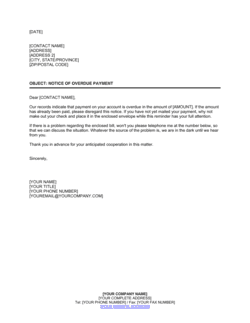
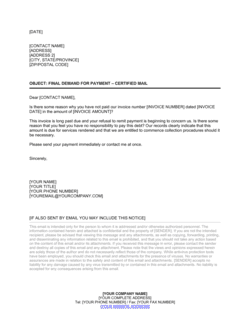
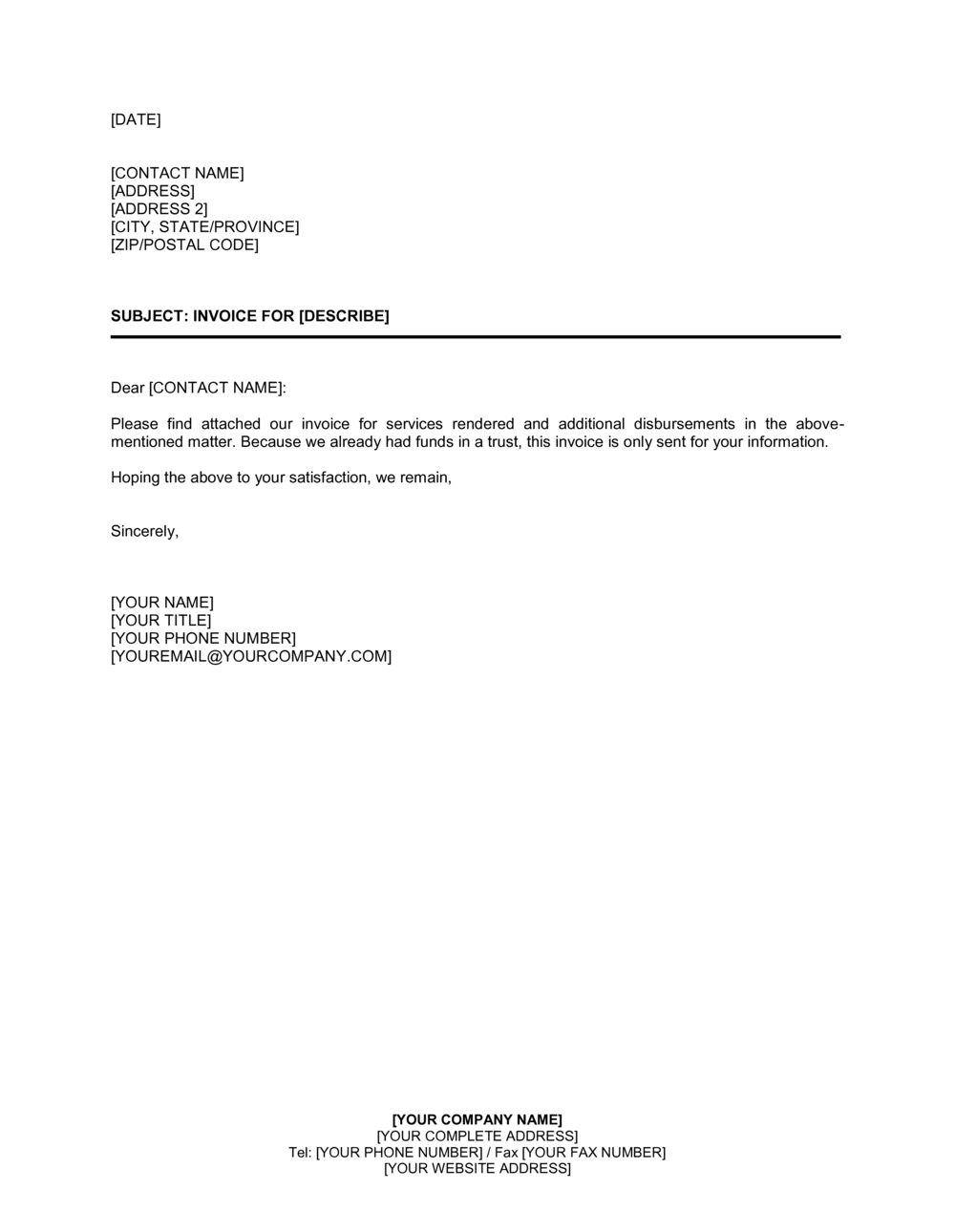
Letter to Customer_Invoice Attached Template

Free Word download β€’ Edit online β€’ Save & share with Drive β€’ Export to PDF

1 pageβ€’20–25 min to fillβ€’Difficulty: Standard
Learn more ↓
FreeLetter to Customer_Invoice Attached Template

At a glance

What it is
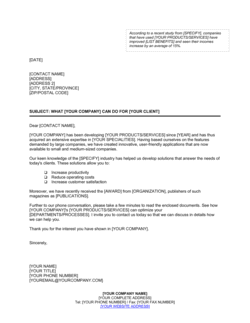
A Letter to Customer Invoice Attached is a short formal business letter sent alongside an invoice to give the recipient context about the billing, confirm what was delivered, and direct them to the correct payment contact. This free Word download gives you a ready-to-edit cover letter you can personalize in minutes and export as PDF to accompany any invoice you send.
When you need it
Use it whenever you send an invoice to a client or customer and want to provide a professional written summary β€” especially for first-time clients, large invoices, or situations where the billing needs a brief explanation of the work completed.
What's inside
Date and recipient details, a brief reference to the enclosed or attached invoice, a summary of the goods or services delivered, the total amount due and payment deadline, accepted payment methods, and a courteous closing with your contact information.

What is a Letter to Customer Invoice Attached?

A Letter to Customer Invoice Attached is a short formal business letter sent alongside an invoice to introduce the billing, confirm what was delivered, state the total amount due and the payment deadline, and direct the recipient to the correct contact for questions. It functions as a transmittal cover letter β€” providing a human-readable summary that helps accounts payable departments route, approve, and process the attached invoice without needing to query the sender. Unlike the invoice itself, which itemizes every charge in detail, the cover letter communicates the essential facts in plain language: what was done, what is owed, when payment is due, and how to pay.

Why You Need This Document

Sending an invoice without a cover letter puts the full burden of interpretation on the AP department β€” and any missing context becomes a reason to delay payment. A professional cover letter eliminates the most common causes of invoice holds: an unidentified billing contact, missing payment instructions, a due date that requires calculation, or an unclear reference to the work performed. For first-time clients and large invoices especially, a signed letter on company letterhead signals that your billing process is organized and that you expect payment on time. This template gives you a complete, ready-to-edit cover letter you can personalize in under five minutes, ensuring every invoice you send arrives with the context it needs to be approved and paid promptly.

Which variant fits your situation?

If your situation is…Use this template
Following up on an invoice that has not been paid by the due dateOverdue Invoice Letter
Sending a formal demand for payment after multiple follow-upsCollection Letter
Transmitting a proforma invoice before delivery to confirm pricingProforma Invoice Cover Letter
Issuing a credit note to reduce or cancel a prior invoiceCredit Note Letter
Sending a statement of all outstanding invoices to a single clientAccount Statement Letter
Thanking a customer after receiving payment on an invoicePayment Received Acknowledgment Letter
Disputing a charge on an invoice received from a supplierInvoice Dispute Letter

Common mistakes to avoid

❌ Addressing the letter to the project contact instead of accounts payable

Why it matters: Project contacts are not responsible for processing payments. An invoice routed through the wrong person can sit unprocessed for weeks past the due date.

Fix: Confirm the correct AP email address and contact name before issuing the letter. For new clients, request this during onboarding.

❌ Omitting the specific due date

Why it matters: Payment terms like 'Net 30' are interpreted differently across organizations. Without a calendar date, AP teams calculate due dates inconsistently, often defaulting to the latest possible interpretation.

Fix: Always calculate and state the exact due date β€” e.g., 'Due: June 15, 2026' β€” derived from the invoice date and your agreed terms.

❌ Leaving payment instructions out of the letter

Why it matters: The letter is frequently forwarded to a payment approver without the invoice attachment. If payment instructions appear only on the invoice, the approver cannot act.

Fix: Include full payment instructions β€” bank account details, check payee name, or payment portal URL β€” in the body of the letter itself.

❌ Using a different invoice date in the letter than on the invoice

Why it matters: A date discrepancy between the cover letter and the invoice raises an immediate query from the AP team and often requires a corrected invoice before payment is released.

Fix: Set the letter date to match the invoice date exactly. Review both documents side by side before sending.

The 10 key clauses, explained

Date and sender's details

In plain language: The letter's date, your business name, address, phone number, and email β€” placed at the top so the recipient immediately knows who sent it and when.

Sample language
[DATE] | [YOUR COMPANY NAME] | [ADDRESS] | [CITY, STATE, ZIP] | [PHONE] | [EMAIL]

Common mistake: Using a date that differs from the invoice date. Mismatched dates confuse AP departments and can delay payment processing.

Recipient's details

In plain language: The customer's name, company, and billing address β€” used to confirm the letter is directed to the correct party or department.

Sample language
[CONTACT NAME] | [CUSTOMER COMPANY NAME] | [BILLING ADDRESS] | [CITY, STATE, ZIP]

Common mistake: Addressing the letter to a project contact rather than the accounts payable department. The invoice then gets routed through approval cycles that weren't aware of it.

Subject line and invoice reference

In plain language: A one-line subject that identifies the invoice by number and date so the reader can immediately locate the attached document.

Sample language
Re: Invoice #[INVOICE NUMBER] β€” [BRIEF DESCRIPTION OF SERVICES/GOODS] β€” Due [DUE DATE]

Common mistake: Omitting the invoice number from the subject line. AP teams process multiple vendor invoices daily and rely on the reference number to match letters to billing records.

Opening paragraph β€” purpose statement

In plain language: A short opening sentence confirming that the invoice is attached and identifying the billing period or project it relates to.

Sample language
Please find attached Invoice #[INVOICE NUMBER] dated [INVOICE DATE] for [DESCRIPTION OF GOODS/SERVICES] provided to [CUSTOMER COMPANY NAME] during the period [DATE RANGE / PROJECT NAME].

Common mistake: Writing a lengthy preamble before stating the invoice reference. Readers scan for the invoice number and amount first β€” lead with those details.

Summary of goods or services delivered

In plain language: A brief, plain-language recap of what was delivered or completed, giving the recipient enough context to approve payment without having to review every line item on the invoice.

Sample language
This invoice covers [DESCRIPTION β€” e.g., 'web design and development services for the Q2 website refresh project, including homepage redesign, mobile optimization, and three rounds of revisions as agreed in the Statement of Work dated [DATE]'].

Common mistake: Repeating every line item from the invoice in the letter body. The letter should summarize β€” the invoice handles the detail. Duplicating creates inconsistencies if one is updated.

Amount due and payment deadline

In plain language: States the total invoice amount, applicable currency, and the exact due date β€” the single most important data point for the AP contact.

Sample language
The total amount due is [CURRENCY SYMBOL][AMOUNT] ([WRITTEN AMOUNT]) payable by [DUE DATE] per the [NET 30 / NET 15 / OTHER] payment terms agreed in our [CONTRACT / ENGAGEMENT LETTER / PURCHASE ORDER].

Common mistake: Stating payment terms ('Net 30') without converting them to a specific calendar date. AP staff work from due dates on their payment runs, not from term labels.

Payment instructions

In plain language: Directs the customer to the accepted payment methods β€” bank transfer, check, credit card portal β€” with enough detail to act without follow-up.

Sample language
Payment may be made by [bank transfer to Account #[ACCOUNT NUMBER], Routing #[ROUTING NUMBER] / check payable to [COMPANY NAME] / online at [PAYMENT PORTAL URL]]. Please reference Invoice #[INVOICE NUMBER] with your payment.

Common mistake: Including payment details only in the invoice and not in the letter. The letter is often forwarded to a payment approver separately β€” without the attachment.

Late payment notice (optional)

In plain language: A brief, professional note that a late fee applies to overdue balances, referencing the rate agreed in the contract or terms of service.

Sample language
Please note that a late payment fee of [X]% per month will be applied to any balance remaining unpaid after [DUE DATE], in accordance with our standard terms.

Common mistake: Citing a late fee rate that differs from what the underlying contract or invoice states. Conflicting figures create disputes and undermine enforceability.

Closing and contact information

In plain language: A courteous closing that thanks the customer, invites questions, and provides a direct point of contact for billing inquiries.

Sample language
Thank you for your business. If you have any questions regarding this invoice, please contact [NAME] at [EMAIL] or [PHONE NUMBER]. We appreciate the opportunity to serve [CUSTOMER COMPANY NAME] and look forward to continuing our work together.

Common mistake: Closing without a named contact for billing queries. Customers with questions about an invoice will not act on it until those questions are resolved β€” an anonymous 'contact us' delays payment.

Enclosure notation

In plain language: A standard business-letter notation at the bottom of the page confirming the invoice is attached or enclosed.

Sample language
Enclosure: Invoice #[INVOICE NUMBER] dated [DATE]

Common mistake: Omitting the enclosure notation entirely. Without it, if the invoice is accidentally separated from the letter, there is no indication a document was meant to accompany it.

How to fill it out

  1. 1

    Enter your business details and the letter date

    Add your company name, address, phone, and email at the top of the letter. Set the letter date to match the invoice date to avoid any discrepancy in your billing records.

    πŸ’‘ Save a pre-filled version of the header as a master file so every letter you send starts with consistent sender details.

  2. 2

    Address the letter to the correct AP contact

    Enter the customer's accounts payable contact name, department, company name, and billing address. If you do not have an AP contact, call the customer before sending to get one.

    πŸ’‘ For corporate clients, add 'Attn: Accounts Payable' below the company name even if you have a contact name β€” this ensures correct routing if your contact is absent.

  3. 3

    Complete the subject line with the invoice reference

    Include the invoice number, a brief description of the work or goods, and the due date in the subject line. This allows the reader to understand the letter's purpose before reading the body.

    πŸ’‘ If the customer issued a purchase order, include the PO number in the subject line as well β€” many AP systems require it to process payment.

  4. 4

    Write the opening paragraph confirming the invoice is attached

    State the invoice number, date, and the project or billing period it covers in one or two sentences. Be direct β€” the first sentence should contain the invoice reference number.

    πŸ’‘ Keep the opening to two sentences maximum. Anything longer delays the reader from reaching the amount due.

  5. 5

    Summarize the goods or services delivered

    Write two to four sentences describing what was delivered, referencing the contract, statement of work, or PO that authorizes the billing. Avoid repeating individual line items from the invoice.

    πŸ’‘ Tie the description back to a milestone or agreed deliverable β€” this preempts the most common reason AP departments hold invoices for approval.

  6. 6

    State the amount due and the specific due date

    Enter the total amount in figures and words, the currency, and the exact calendar due date calculated from your payment terms. Do not rely on 'Net 30' alone β€” convert it to a date.

    πŸ’‘ Bold or underline the total amount and due date in the letter so they stand out for the reader scanning the page.

  7. 7

    Add payment instructions and the enclosure notation

    Include complete payment instructions β€” bank details, check payee name, or portal link β€” and reference the invoice number in the payment memo line. Add the enclosure notation at the bottom of the letter.

    πŸ’‘ If your payment portal generates a unique link per invoice, include that link directly in the letter to reduce friction and speed up payment.

Frequently asked questions

What is a letter to customer invoice attached?

A letter to customer invoice attached is a short formal business letter sent alongside an invoice to give the recipient a written summary of what was delivered, the amount owed, the due date, and how to pay. It functions as a transmittal letter β€” providing context that makes the invoice easier to approve and process quickly, particularly in corporate environments with multi-step AP workflows.

Do I need to send a cover letter with every invoice?

For straightforward, recurring invoices to established clients, a cover letter is optional. It becomes valuable when billing a first-time client, submitting a large or complex invoice, or when the invoice references a specific contract, milestone, or PO that needs to be confirmed in writing. A cover letter also serves as a professional touchpoint that reinforces your brand and reduces payment delays caused by queries.

What should a letter with an invoice attached include?

At minimum: the invoice reference number and date, a brief description of the goods or services delivered, the total amount due in the correct currency, the specific payment due date, complete payment instructions, and a named contact for billing questions. An enclosure notation at the bottom of the letter confirms the invoice is attached.

How do I address the letter if I don't know the AP contact's name?

Address it to 'Accounts Payable Department' at the customer's billing address. Where possible, call the company before sending your first invoice to get a specific contact name β€” named correspondence moves through AP queues faster than generic letters addressed to a department.

Should the letter date match the invoice date?

Yes. The letter date and the invoice date should match. A discrepancy between the two triggers queries from AP teams and can delay payment while the customer requests a corrected document. Set both dates at the same time, immediately after completing the work or delivering the goods.

Can I use this letter for both emailed and posted invoices?

Yes. For emailed invoices, the letter serves as the body or an attached PDF cover page, with the invoice as a separate attachment. For posted invoices, it is printed on letterhead and placed on top of the invoice in the envelope. In either case, include the enclosure or attachment notation at the bottom to indicate the invoice accompanies the letter.

What happens if I forget to include payment instructions in the letter?

The payment approver β€” who often receives the letter without the invoice attachment β€” will have no way to act and will follow up to request payment details. This adds at least 2–5 business days to your payment cycle. Always include bank details, a check payee name, or a payment portal link directly in the letter body.

Is a letter to customer invoice attached legally binding?

The letter itself is not a contract β€” it is a transmittal document. The underlying obligation to pay arises from the contract, purchase order, or agreed terms between the parties. The letter does, however, create a written record that the invoice was sent on a specific date, which is useful evidence if a payment dispute or collections action arises later.

How this compares to alternatives

vs Overdue Invoice Letter

A letter to customer invoice attached is sent at the time of billing, before the due date, to introduce and contextualize a new invoice. An overdue invoice letter is sent after the due date has passed to request payment on an unpaid balance. Use the transmittal letter at the point of invoicing and escalate to the overdue letter if payment is not received within the agreed terms.

vs Collection Letter

A collection letter is a formal demand for payment issued after one or more overdue notices have been ignored, often as a precursor to collections action. A letter to customer invoice attached is a courteous billing communication at the point of invoicing with no adversarial tone. They represent the first and last steps in the accounts-receivable communication sequence.

vs Invoice

An invoice is the primary billing document β€” it itemizes charges, calculates tax and totals, and creates the formal accounts-receivable record. The cover letter accompanies the invoice to provide human-readable context, confirm delivery, and direct the recipient to the correct payment contact. The letter does not replace the invoice; it makes the invoice easier to approve.

vs Payment Reminder Letter

A payment reminder letter is sent a few days before or just after a due date to prompt action on an invoice already in the customer's possession. A letter to customer invoice attached is the initial transmission letter sent with the invoice itself. The reminder assumes the customer has the invoice; the transmittal letter introduces it for the first time.

Industry-specific considerations

Professional Services

Cover letters reference the specific engagement letter or statement of work, confirm billable hours or milestone deliverables, and name the client relationship manager as the billing contact.

Construction and Trades

Letters accompany progress billing invoices tied to project phases, reference the contract and approved change orders, and may include a brief summary of work completed to date.

Creative and Marketing Agencies

Cover letters summarize campaign deliverables or monthly retainer scope, reference the master services agreement, and flag any third-party expense pass-throughs included in the invoice.

Retail and Wholesale

Letters accompany commercial invoices for bulk orders, cite the purchase order number, and confirm shipping terms and delivery dates relevant to the billing.

Template vs pro β€” what fits your needs?

PathBest forCostTime
Use the templateAny business sending invoices to clients or customers who wants a professional, consistent cover letterFree5 minutes per letter
Template + professional reviewBusinesses adding custom late-fee language, contractual references, or multi-currency billing details$0–$100 (bookkeeper or office manager review)30 minutes
Custom draftedHigh-volume billing operations integrating the letter into an automated AR workflow or ERP system$200–$500 (template customization by an operations consultant)1–3 days

Glossary

Invoice Reference Number
A unique identifier assigned to an invoice, cited in the cover letter so the recipient can match the letter to the correct billing document.
Remittance Advice
A brief note or slip the customer sends back with payment to confirm which invoice is being paid and in what amount.
Net 30 / Net 15
Payment terms stating the full invoice amount is due 30 or 15 days from the invoice date.
Transmittal Letter
A short formal letter that accompanies a document β€” such as an invoice or report β€” to introduce its contents and direct the recipient's attention to key details.
Accounts Payable (AP) Contact
The person or department at the customer's organization responsible for processing and approving incoming invoices for payment.
Purchase Order (PO) Number
A reference number issued by the buyer's purchasing system that should be cited in both the cover letter and the invoice to speed up AP processing.
Late Payment Fee
A charge applied to the outstanding invoice balance when payment is not received by the due date, typically expressed as a monthly percentage.
Enclosure / Attachment Notation
A standard element at the bottom of a business letter β€” 'Enc.' or 'Attachment' β€” that signals a document is included with the letter.

Part of your Business Operating System

This document is one of 3,000+ business & legal templates included in Business in a Box.

  • Fill-in-the-blanks β€” ready in minutes
  • 100% customizable Word document
  • Compatible with all office suites
  • Export to PDF and share electronically

Create your document in 3 simple steps.

From template to signed document β€” all inside one Business Operating System.
1
Download or open template

Access over 3,000+ business and legal templates for any business task, project or initiative.

2
Edit and fill in the blanks with AI

Customize your ready-made business document template and save it in the cloud.

3
Save, Share, Send, Sign

Share your files and folders with your team. Create a space of seamless collaboration.

Save time, save money, and create top-quality documents.

β˜…β˜…β˜…β˜…β˜…

"Fantastic value! I'm not sure how I'd do without it. It's worth its weight in gold and paid back for itself many times."

Managing Director Β· Mall Farm
Robert Whalley
Managing Director, Mall Farm Proprietary Limited
β˜…β˜…β˜…β˜…β˜…

"I have been using Business in a Box for years. It has been the most useful source of templates I have encountered. I recommend it to anyone."

Business Owner Β· 4+ years
Dr Michael John Freestone
Business Owner
β˜…β˜…β˜…β˜…β˜…

"It has been a life saver so many times I have lost count. Business in a Box has saved me so much time and as you know, time is money."

Owner Β· Upstate Web
David G. Moore Jr.
Owner, Upstate Web

Run your business with a system β€” not scattered tools

Stop downloading documents. Start operating with clarity. Business in a Box gives you the Business Operating System used by over 250,000 companies worldwide to structure, run, and grow their business.

Start freeΒ Β·Β No credit card required