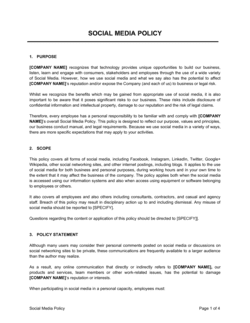
Email Policy Strict Template

Free Word download β€’ Edit online β€’ Save & share with Drive β€’ Export to PDF

1 pageβ€’20–25 min to fillβ€’Difficulty: Standard
Learn more ↓
FreeEmail Policy Strict Template

At a glance

What it is
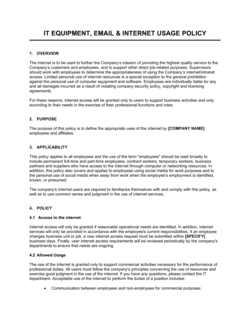
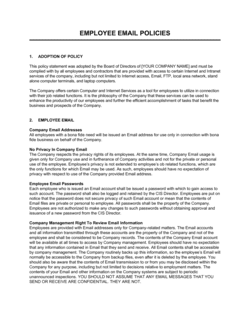
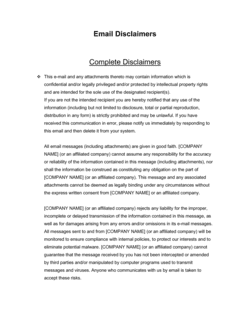
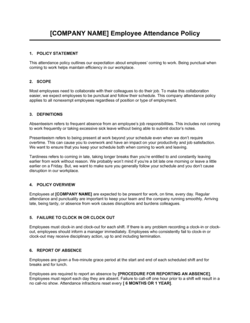
An Email Policy (Strict) is a formal internal document that defines how employees may use company-provided email accounts, what content is prohibited, how long messages must be retained, and what disciplinary consequences apply for violations. This free Word download gives you a ready-to-edit template you can tailor to your organization and distribute to staff as part of onboarding or an annual policy review.
When you need it
Use it when onboarding new employees, responding to a data breach or compliance audit, updating an outdated acceptable-use policy, or operating in a regulated industry where email records are subject to legal hold or discovery requirements.
What's inside
The template covers purpose and scope, acceptable and prohibited uses, confidentiality and data handling, email retention and archiving rules, security requirements, personal use limits, monitoring disclosure, and disciplinary procedures β€” structured so managers and HR can administer it without legal interpretation.

What is an Email Policy (Strict)?

An Email Policy (Strict) is a formal internal governance document that defines how employees may use company-provided email accounts, establishes explicit categories of prohibited content and conduct, sets email retention and archiving requirements, discloses the company's right to monitor communications, and specifies the disciplinary consequences β€” up to and including termination β€” for violations. Unlike a general acceptable-use policy, a strict email policy includes an enumerated prohibited-use list, a defined disciplinary matrix, and specific data-handling requirements, giving HR and IT departments a defensible, consistently applied standard for every incident they investigate.

Why You Need This Document

Without a written email policy, organizations face four compounding risks simultaneously. First, there is no enforceable standard to cite when disciplining an employee for email misconduct β€” verbal understandings do not survive employment tribunals. Second, there is no legal basis for IT to access employee email during an investigation or audit, because employees can assert a reasonable expectation of privacy in the absence of a documented monitoring disclosure. Third, there is no retention schedule to follow, leaving the company exposed to sanctions for failing to produce email records in litigation or to regulatory penalties for premature deletion. Fourth, there is no security protocol to prevent phishing-enabled data breaches, which increasingly begin with a single employee clicking an unverified link. This template closes all four gaps in under two hours of editing, producing a distributable, acknowledgment-ready policy that satisfies common audit requirements and stands up to HR and legal scrutiny.

Which variant fits your situation?

If your situation is…Use this template
General-purpose email guidance for a small or low-risk organizationEmail Policy (Standard)
Strict enforcement with detailed prohibited-use lists and disciplinary matrixEmail Policy Strict
Governing all digital communications including messaging apps and videoElectronic Communications Policy
Securing sensitive data sent via email in a regulated industryData Security Policy
Managing employee use of all company-owned devices and softwareIT Acceptable Use Policy
Setting rules for social media use alongside email communicationsSocial Media Policy
Protecting confidential information shared internally and externally via emailConfidentiality Policy

Common mistakes to avoid

❌ Vague prohibited-use language

Why it matters: Phrases like 'inappropriate content' give employees no clear guidance and make disciplinary decisions harder to defend. Employment tribunals and HR arbitrators look for specific, enumerated prohibitions.

Fix: Replace catch-all language with an explicit list of prohibited content categories, and cross-reference the list with existing HR and data-protection policies.

❌ No monitoring disclosure

Why it matters: Without a written disclosure that company email may be monitored, employees in several jurisdictions can successfully assert a reasonable expectation of privacy, blocking IT access during investigations.

Fix: Include a clear monitoring and no-privacy-expectation clause and require employees to sign an acknowledgment confirming they have read and understood it.

❌ Single blanket retention period for all email

Why it matters: Different email categories β€” HR records, financial correspondence, legal-hold items β€” carry different statutory minimum retention periods. A single period either violates retention minimums for some categories or creates unnecessary storage and e-discovery exposure for others.

Fix: Map your email categories to the applicable retention rules in your industry and jurisdiction, then set a distinct minimum period for each category in the policy.

❌ Failing to update the policy after system or regulatory changes

Why it matters: A policy referencing a deprecated email platform or outdated compliance regulation undermines its own authority and signals to auditors that governance is not actively managed.

Fix: Schedule an annual policy review β€” assign a named owner (typically IT or compliance) and record the review date and any changes in a policy changelog appended to the document.

The 9 key sections, explained

Purpose and scope

Acceptable use

Prohibited content and conduct

Confidentiality and data handling

Email retention and archiving

Security requirements

Monitoring and privacy

Personal use limits

Disciplinary consequences

How to fill it out

  1. 1

    Define scope and covered systems

    Enter your company name and list every email system covered β€” corporate Exchange or Google Workspace accounts, any shared inboxes, and external accounts provisioned for contractors.

    πŸ’‘ Explicitly list service accounts and shared mailboxes (e.g., support@, billing@) β€” these are frequently missed and are high-risk for unauthorized access.

  2. 2

    Set the personal use allowance

    Decide whether personal use is permitted and, if so, specify a daily time limit or a qualitative standard such as 'incidental and non-disruptive.' Insert this limit in the acceptable-use section.

    πŸ’‘ A quantified limit β€” 15 minutes per day β€” is more defensible in a disciplinary hearing than a qualitative standard like 'minimal.'

  3. 3

    Enumerate prohibited content categories

    Review your industry's regulatory requirements and HR policies, then build a specific enumerated list of prohibited content categories. Common additions include financial fraud, insider trading tips, and HIPAA-protected health information.

    πŸ’‘ Cross-reference your existing harassment, anti-discrimination, and data classification policies so the email policy uses identical terminology.

  4. 4

    Insert your data classification and encryption requirements

    Name the specific data classification levels used in your organization and specify which level triggers mandatory encryption, which tools are approved, and which external domains are whitelisted for sensitive data.

    πŸ’‘ If you don't yet have a formal data classification scheme, use three levels β€” internal, confidential, restricted β€” as a practical starting point.

  5. 5

    Set retention periods by email category

    Enter retention periods for standard correspondence, HR matters, financial records, and legal hold categories. Confirm each period meets applicable statutory minimums for your industry and jurisdiction.

    πŸ’‘ Check SEC Rule 17a-4 (financial services), HIPAA (healthcare), or SOX (public companies) requirements before finalizing retention periods.

  6. 6

    Name the security reporting contact

    Replace the placeholder IT security contact with an actual email alias or person's name so employees know exactly where to report phishing attempts and suspected breaches.

    πŸ’‘ A shared alias like security@[company].com routes reports to the full IT security team and prevents a single point of failure if the named contact is unavailable.

  7. 7

    Complete the disciplinary matrix

    Fill in the consequence for each violation tier: minor (first offense), moderate (repeat or deliberate), and serious (data breach, harassment, fraud). Confirm alignment with your employee handbook's progressive discipline framework.

    πŸ’‘ Have HR review the matrix before publication β€” inconsistency between the email policy consequences and the handbook's disciplinary framework creates contradictions that employees and lawyers will exploit.

  8. 8

    Distribute and collect signed acknowledgments

    Publish the policy in your HR system or intranet, send it to all current employees, and require a dated signature or electronic acknowledgment. Add it to your new-hire onboarding checklist.

    πŸ’‘ Store signed acknowledgments alongside the employee's personnel file, not just in your email system β€” you may need to produce them in a dispute months or years after the signing date.

Frequently asked questions

What is a strict email policy?

A strict email policy is a formal company document that defines acceptable and prohibited uses of corporate email accounts, sets requirements for data handling and encryption, specifies email retention periods, discloses that communications may be monitored, and establishes disciplinary consequences for violations. The 'strict' designation signals a more detailed prohibited-use list, a defined disciplinary matrix, and stronger enforcement language than a general acceptable-use policy.

Why does a company need a formal email policy?

Without a written policy, organizations have no enforceable standard for email conduct, no legal basis for monitoring employee communications, and no defense when a disgruntled employee claims their termination for email misuse was arbitrary. A documented policy also satisfies audit requirements under frameworks such as SOC 2, ISO 27001, HIPAA, and SOX, which require evidence of formal information-security controls.

Can an employer legally monitor employee email?

In most jurisdictions, yes β€” provided the employer owns the email system and has disclosed that monitoring may occur. In the US, the Electronic Communications Privacy Act permits employer monitoring of company-owned systems with employee consent, which a signed acknowledgment of the policy typically establishes. In the EU and UK, GDPR and data-protection laws require proportionality β€” monitoring must be justified by a legitimate business purpose. Always confirm requirements with legal counsel for each jurisdiction where employees work.

What should a strict email policy prohibit?

At minimum: harassment, discrimination, and offensive content; transmission of confidential data to unauthorized external parties; distribution of unlicensed or copyrighted material; phishing, fraud, or impersonation; chain letters and mass unsolicited solicitations; auto-forward rules routing email outside the company domain; and use of company email to register personal accounts or subscriptions. Regulated industries should add sector-specific prohibitions covering insider information, HIPAA-protected data, or client financial records.

How long should companies retain business email?

Retention periods depend on email category and applicable regulation. General business correspondence is commonly retained for 3–7 years. Financial records subject to SOX require 7 years. HIPAA-covered communications require 6 years from creation. SEC-regulated firms must retain certain electronic communications for 3–6 years under Rules 17a-3 and 17a-4. Emails under a legal hold must be preserved until the hold is formally lifted, regardless of the standard schedule.

Should employees sign an acknowledgment of the email policy?

Yes. A signed acknowledgment β€” physical or electronic β€” proves the employee received and reviewed the policy. This is the single most important step in making the policy enforceable. Without it, an employee can credibly claim they were never informed of the rules. Collect acknowledgments at onboarding and again each time the policy is materially updated.

What is the difference between an email policy and an acceptable use policy?

An acceptable use policy (AUP) governs all company technology resources β€” internet, devices, software, and email. An email policy focuses specifically on corporate email accounts and typically goes deeper on retention schedules, confidentiality requirements, and email-specific security practices. Many organizations maintain both: a broad AUP and a separate, more detailed email policy for regulated or high-risk communication scenarios.

How often should an email policy be reviewed and updated?

At minimum, annually. Trigger an out-of-cycle review whenever the organization migrates to a new email platform, experiences a data breach or phishing incident involving email, adds employees in a new regulatory jurisdiction, or faces a new compliance requirement that affects electronic communications. Assign a named policy owner and record the review date and any changes in a changelog.

Do contractors and vendors need to comply with the company email policy?

Any individual who accesses or uses company-provided email accounts should be subject to the policy, regardless of employment status. This includes contractors, temps, and vendors with provisioned mailboxes. Include contractors and third parties in the policy's scope statement, and require them to sign the same acknowledgment as employees during onboarding.

How this compares to alternatives

vs IT Acceptable Use Policy

An IT acceptable use policy covers the full range of company technology β€” computers, mobile devices, internet, and software β€” whereas an email policy focuses exclusively on corporate email accounts. Organizations in regulated industries typically need both: an AUP for broad device and network controls, and a separate email policy for the deeper retention, archiving, and confidentiality requirements that apply specifically to email communications.

vs Data Security Policy

A data security policy governs how all sensitive information is stored, transmitted, and protected across every system. An email policy is a channel-specific document that operationalizes the data-handling rules of a security policy for the email environment specifically. The email policy should reference and align with the data security policy rather than replace it.

vs Electronic Communications Policy

An electronic communications policy extends email rules to all digital channels β€” instant messaging, video conferencing, collaboration tools, and social media. An email policy is narrower and more detailed on email-specific requirements such as retention schedules and auto-forward controls. Use the electronic communications policy when you need a single governing document; use the email policy when email is the primary regulated channel and you need granular controls.

vs Confidentiality Policy

A confidentiality policy defines what information is confidential, who may access it, and the general obligations of anyone who handles it. An email policy operationalizes those confidentiality obligations specifically for email transmissions β€” requiring encryption for certain data classifications, prohibiting external forwarding, and defining consequences for breaches. Both documents should use consistent data classification terminology.

Industry-specific considerations

Financial Services

SEC and FINRA rules require broker-dealers to archive and supervise electronic communications; a strict email policy is a mandatory component of the written supervisory procedures regulators audit.

Healthcare

HIPAA prohibits transmission of protected health information via unencrypted email; the policy must define approved encryption tools and require staff training on PHI handling in email.

Legal Services

Attorney-client privilege depends in part on demonstrating confidentiality controls; a documented email policy with encryption requirements and prohibition on unauthorized forwarding supports privilege assertions.

Technology / SaaS

SOC 2 Type II audits require evidence of access controls and monitoring policies covering email; a strict email policy with signed acknowledgments satisfies a key common-criteria control point.

Template vs pro β€” what fits your needs?

PathBest forCostTime
Use the templateSmall to mid-size businesses standardizing email conduct rules without a compliance teamFree1–2 hours to customize and distribute
Template + professional reviewOrganizations in regulated industries or those that have experienced a recent incident or audit finding$300–$800 for an HR or compliance consultant review2–5 business days
Custom draftedEnterprises with complex multi-jurisdiction workforces, active litigation holds, or ISO 27001 / SOC 2 certification requirements$1,500–$5,000 for legal counsel or a certified information security consultant2–4 weeks

Glossary

Acceptable Use Policy (AUP)
A written set of rules specifying how employees may use company technology resources, including email, internet, and devices.
Email Retention Schedule
A documented timetable specifying how long different categories of email must be stored before they may be deleted.
Legal Hold
A directive requiring an organization to preserve all potentially relevant email and electronic records in anticipation of litigation or a regulatory investigation.
E-Discovery
The process of identifying, collecting, and producing electronically stored information β€” including email β€” in response to a legal proceeding or audit.
Monitoring Disclosure
A written notice informing employees that the company may inspect, monitor, or retain email sent and received on its systems.
Phishing
A social-engineering attack delivered via email that attempts to trick recipients into revealing credentials, clicking malicious links, or transferring funds.
Data Classification
A scheme that labels information by sensitivity level β€” such as public, internal, confidential, or restricted β€” to determine how it must be handled and transmitted.
Auto-Forward Rule
An email client or server setting that automatically redirects incoming or outgoing messages to an external address, which can expose confidential data outside company controls.
Archiving
Systematic, tamper-evident storage of email messages in a separate repository to support retrieval for compliance, audit, or legal purposes.
Disciplinary Matrix
A table mapping specific policy violations to defined disciplinary consequences β€” verbal warning, written warning, suspension, or termination β€” applied consistently across employees.

Part of your Business Operating System

This document is one of 3,000+ business & legal templates included in Business in a Box.

  • Fill-in-the-blanks β€” ready in minutes
  • 100% customizable Word document
  • Compatible with all office suites
  • Export to PDF and share electronically

Create your document in 3 simple steps.

From template to signed document β€” all inside one Business Operating System.
1
Download or open template

Access over 3,000+ business and legal templates for any business task, project or initiative.

2
Edit and fill in the blanks with AI

Customize your ready-made business document template and save it in the cloud.

3
Save, Share, Send, Sign

Share your files and folders with your team. Create a space of seamless collaboration.

Save time, save money, and create top-quality documents.

β˜…β˜…β˜…β˜…β˜…

"Fantastic value! I'm not sure how I'd do without it. It's worth its weight in gold and paid back for itself many times."

Managing Director Β· Mall Farm
Robert Whalley
Managing Director, Mall Farm Proprietary Limited
β˜…β˜…β˜…β˜…β˜…

"I have been using Business in a Box for years. It has been the most useful source of templates I have encountered. I recommend it to anyone."

Business Owner Β· 4+ years
Dr Michael John Freestone
Business Owner
β˜…β˜…β˜…β˜…β˜…

"It has been a life saver so many times I have lost count. Business in a Box has saved me so much time and as you know, time is money."

Owner Β· Upstate Web
David G. Moore Jr.
Owner, Upstate Web

Run your business with a system β€” not scattered tools

Stop downloading documents. Start operating with clarity. Business in a Box gives you the Business Operating System used by over 250,000 companies worldwide to structure, run, and grow their business.

Start freeΒ Β·Β No credit card required