- Execution
- The formal act of signing a contract, making it legally binding on all parties — distinct from drafting or negotiating the document.
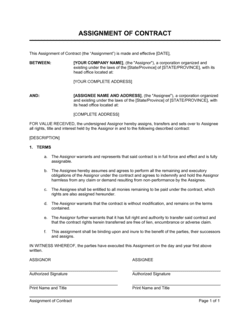
- Signature Block
- The section of a contract reserved for each party's name, title, signature, and date, confirming their agreement to the terms.
- Authorized Signatory
- A person who has legal authority to bind an organization — typically an officer, director, or employee granted signing authority by board resolution or policy.
- Counterpart
- A separately signed copy of the same contract; when all counterparts are assembled, they collectively form one binding agreement.
- Electronic Signature
- A legally recognized digital method of signing a document, such as a typed name, clicked checkbox, or cryptographic signature via platforms like DocuSign or Adobe Sign.
- Wet Signature
- A handwritten ink signature on a physical paper document, as opposed to a digital or electronic signature.
- Notarization
- Verification by a licensed notary public that a signer is who they claim to be and signed voluntarily — required for certain legal documents such as deeds and powers of attorney.
- Witness
- A neutral third party who observes the signing and adds their own signature to confirm the event took place — distinct from a notary and required in some jurisdictions for specific document types.
- Effective Date
- The date on which a contract's obligations begin, which may differ from the date the contract is actually signed.
- Ultra Vires
- A Latin term meaning 'beyond the powers' — used when a person signs on behalf of an organization without the authority to do so, potentially voiding the agreement.