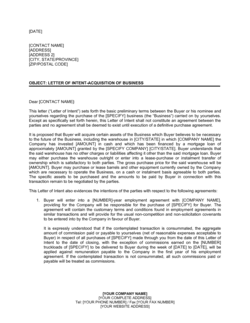
Transmittal of Documents for Signature Template

Free Word download β€’ Edit online β€’ Save & share with Drive β€’ Export to PDF

1 pageβ€’15–25 min to fillβ€’Difficulty: Standard
Learn more ↓
FreeTransmittal of Documents for Signature Template

At a glance

What it is
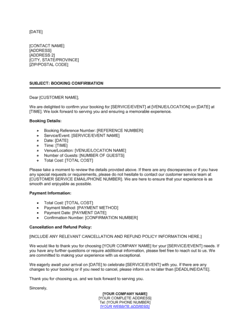
A Transmittal of Documents for Signature is a formal cover letter sent alongside one or more contracts or agreements to instruct the recipient on exactly what to sign, where to sign, and how to return the executed copies. This free Word download gives you a ready-to-edit template you can complete in minutes and export as PDF to accompany any document package.
When you need it
Use it any time you send a contract, agreement, or other formal document to a counterparty and need a clear, professional record of what was transmitted, what action is expected, and by when. It is especially useful when the document package contains multiple exhibits or signature pages.
What's inside
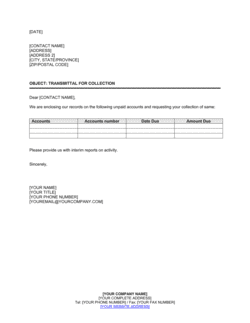
Sender and recipient identification, a numbered list of enclosed documents, specific signature instructions including page or tab references, return method and deadline, and a contact for questions. An optional acknowledgment line lets the recipient confirm receipt by signing and returning the letter itself.

What is a Transmittal of Documents for Signature?

A Transmittal of Documents for Signature is a formal cover letter sent alongside one or more contracts, agreements, or other legal documents to tell the recipient exactly what is enclosed, where to sign, and how and when to return the executed materials. It is not itself a binding agreement β€” its function is procedural: to create an unambiguous instruction set and a dated written record confirming what was sent and what action was requested. A well-drafted transmittal letter eliminates the back-and-forth that occurs when recipients are unsure which pages require signatures, who the authorized signatory must be, or where to send the completed package.

Why You Need This Document

Sending a contract without a transmittal letter is one of the most common causes of delayed execution. Recipients who receive a 30-page agreement with no instructions often sign the wrong pages, skip required initials on exhibits, or return the package to the wrong address β€” triggering a second round of transmission and pushing back closing dates. In regulated industries such as real estate and financial services, a dated transmittal letter also serves as documentary evidence that disclosures and agreements were delivered on time, which matters in disputes and audits. This template gives you a professional, complete transmittal letter in under ten minutes, covering every element β€” enclosures list, signature instructions, return deadline, and contact information β€” so every document package you send moves to execution cleanly and on schedule.

Which variant fits your situation?

If your situation is…Use this template
Transmitting a single contract with one signature pageTransmittal of Documents for Signature
Sending multiple exhibits and attachments with a master agreementDocument Transmittal Form
Requesting acknowledgment of receipt without a signature on the underlying documentLetter of Acknowledgment
Formally confirming what was discussed and agreed in a meetingConfirmation Letter
Covering a proposal sent to a prospective client for review and approvalBusiness Proposal Cover Letter
Sending executed copies back to the originating party after signatureReturn Transmittal Letter
Distributing a finalized agreement to all parties after full executionFully Executed Agreement Distribution Letter

Common mistakes to avoid

❌ No return deadline

Why it matters: Without a specific date, recipients treat signature return as low priority. Closing timelines slip and the sending party has no clear basis to follow up.

Fix: Always include a specific calendar date β€” for example, 'please return by May 9, 2026' β€” and follow up by phone or email the day before if nothing has been received.

❌ Vague signature instructions

Why it matters: Telling someone to 'sign where indicated' on a 40-page agreement with multiple parties results in missed signature lines, incorrect signatories, or unsigned exhibits.

Fix: Reference the exact page number or tab for each required signature and name the specific authorized signatory. Use physical sticky tabs for paper packages.

❌ Enclosures list does not match the actual package

Why it matters: A mismatch between the list and the physical contents causes the recipient to delay execution while querying whether they received the correct or complete set of documents.

Fix: Assemble the complete document package first, then write the enclosures list by counting what is in hand β€” never draft the list from memory.

❌ Generic or no contact information

Why it matters: When a recipient has a question and cannot reach a named person who knows the deal, they wait rather than sign incorrectly β€” adding days to the execution cycle.

Fix: Always provide a named individual's direct phone and email, not a general company number or shared inbox.

The 9 key clauses, explained

Header and date block

In plain language: Identifies the sender, the recipient, and the exact date the letter was prepared and transmitted.

Sample language
[SENDER NAME / COMPANY] | [ADDRESS] | [CITY, STATE, ZIP] | [DATE] | To: [RECIPIENT NAME], [TITLE], [COMPANY], [ADDRESS]

Common mistake: Using a vague date like 'April 2026' instead of a specific day. A precise date is the anchor for any return deadline and creates a clear paper trail.

Re: line (subject)

In plain language: A single line that names the transaction or agreement the enclosed documents relate to, so the recipient can route the package correctly.

Sample language
Re: Transmittal of [AGREEMENT NAME] β€” [PROJECT / TRANSACTION NAME]

Common mistake: Omitting the Re: line entirely. Without it, the letter gets separated from the documents during internal routing and the recipient has no quick reference to match the package to their file.

Opening and purpose statement

In plain language: A one- or two-sentence paragraph confirming that documents are enclosed and stating the purpose of the transmission.

Sample language
Please find enclosed [NUMBER] document(s) relating to the above-referenced matter. We are forwarding these documents for your review and execution as described below.

Common mistake: Writing a lengthy preamble about the transaction before identifying the documents. The recipient needs to know immediately what action is required.

Enclosures list

In plain language: A numbered list of every document included in the package, with the document title and number of copies.

Sample language
Enclosed herewith are the following documents: 1. [AGREEMENT TITLE] β€” [NUMBER] original(s) 2. [EXHIBIT A TITLE] β€” [NUMBER] copy/copies 3. [SIGNATURE PAGE] β€” [NUMBER] original(s)

Common mistake: Listing documents by informal description rather than their exact title. Mismatched names cause the recipient's team to question whether they have the correct version.

Signature instructions

In plain language: Tells the recipient precisely where to sign β€” page number, tab reference, or section label β€” and by whom the signature must be made.

Sample language
Please have [AUTHORIZED SIGNATORY NAME / TITLE] execute the Agreement on Page [X] where indicated by the signature tab, and initial Exhibit A on Page [Y].

Common mistake: Saying 'please sign where indicated' without specifying the page or tab. Recipients in organizations with multiple signatories need exact instructions to avoid incorrect or incomplete execution.

Return instructions and deadline

In plain language: States how the signed documents should be returned β€” courier, email PDF, eSign platform β€” and the specific date by which they must be received.

Sample language
Please return one (1) fully executed original to our office by [DATE] via overnight courier to the address above. You may also transmit a signed PDF to [EMAIL ADDRESS] pending delivery of the original.

Common mistake: Specifying a return method but no deadline. Without a date, the counterparty treats return as low priority and closing timelines slip.

Questions and contact clause

In plain language: Names a specific person the recipient should contact if they have questions about the documents or the signing process.

Sample language
If you have any questions regarding the enclosed documents or the execution process, please contact [NAME] at [PHONE NUMBER] or [EMAIL ADDRESS].

Common mistake: Listing a generic company phone number or info@ email address. If the recipient cannot reach someone who knows the transaction, they delay signing rather than risk a mistake.

Acknowledgment of receipt line

In plain language: An optional signature block on the transmittal letter itself, asking the recipient to sign and return the letter to confirm receipt of the package.

Sample language
Please sign and return one copy of this transmittal letter to confirm receipt of the enclosed documents. Acknowledged: _______________________ Date: ____________

Common mistake: Making the acknowledgment block mandatory in every case regardless of formality level. For routine internal transmittals it adds friction; reserve it for high-stakes or disputed-receipt situations.

Closing and sender signature

In plain language: A professional closing line followed by the sender's name, title, and company, confirming the identity of the transmitting party.

Sample language
Thank you for your prompt attention to this matter. Sincerely, [SENDER NAME] [TITLE] [COMPANY NAME]

Common mistake: Signing with initials or an illegible signature and no printed name beneath it. The recipient needs to know who to call back and whose authority the letter carries.

How to fill it out

  1. 1

    Fill in the header with today's date and both parties' details

    Enter your full name or company name, address, and today's exact date. Add the recipient's full name, title, company, and mailing or email address. Double-check the recipient's name spelling before sending β€” an error here signals carelessness.

    πŸ’‘ If you are sending to multiple signatories at the same organization, name each one individually rather than addressing it generically to the company.

  2. 2

    Write the Re: line using the document's exact title

    Copy the title of the main agreement exactly as it appears on the document itself. Include a short project or transaction name if relevant to help the recipient's team route and file the package correctly.

    πŸ’‘ If the agreement has a version number or date in its title, include that too β€” it eliminates any question about which draft is being executed.

  3. 3

    List every enclosed document by its exact title

    Number each enclosure. Include the document title, the number of originals or copies enclosed, and any exhibit labels. Count the physical pages or attachments before sealing the envelope or attaching files to confirm nothing is missing.

    πŸ’‘ Prepare this list before printing β€” it forces you to confirm every document is ready before you commit to a package.

  4. 4

    Write clear signature instructions with page references

    Identify exactly where each signature is required β€” page number, signature tab color if physical, or section heading. Name the authorized signatory if you know who it must be, such as a CEO, board member, or notarized officer.

    πŸ’‘ Place sticky signature tabs on physical documents to match the written instructions. It eliminates execution errors and speeds up the process on the recipient's end.

  5. 5

    State the return method and a specific deadline date

    Choose one primary return method β€” courier, email PDF, or eSign β€” and give the recipient the full address or email. Set a specific calendar date for return, not a relative term like 'within 5 business days.'

    πŸ’‘ Build in a two-day buffer between your stated deadline and your actual closing or filing deadline, in case a follow-up call is needed.

  6. 6

    Add a named contact with direct phone and email

    Include the name, direct phone number, and email address of the person who can answer execution questions on the spot. This single step reduces signing delays caused by recipient uncertainty.

    πŸ’‘ If the contact is different from the letter's signatory β€” for example, a paralegal versus the attorney β€” note both names clearly.

  7. 7

    Review and send, retaining a file copy

    Proofread the enclosures list against the actual package one final time. Send and immediately save a copy of the transmittal letter to your deal or matter file with the transmission date noted.

    πŸ’‘ If sending by email, BCC yourself or use a read-receipt request so you have a timestamped record of transmission in your inbox.

Frequently asked questions

What is a transmittal of documents for signature?

A transmittal of documents for signature is a formal cover letter sent alongside one or more contracts or agreements to instruct the recipient on what to sign, where to sign, and how to return the executed documents. It creates a written record of exactly what was sent, to whom, and on what date β€” which is useful if execution is later disputed.

When should I use a transmittal letter instead of just emailing a contract?

Use a transmittal letter whenever you need a clear record of what was sent, when, and what action is required. For routine low-stakes documents, a brief email may suffice. For contracts involving multiple exhibits, multi-party signatories, notarization, or a hard closing deadline, a formal transmittal letter eliminates ambiguity and provides a paper trail both parties can reference.

Does the transmittal letter need to be signed?

The transmittal letter itself does not need to be signed by the recipient to be effective β€” it is a cover document, not a binding agreement. However, including an optional acknowledgment-of-receipt line and asking the recipient to sign and return it creates a timestamped confirmation of receipt, which is useful for high-value or time-sensitive transactions.

What should the enclosures list include?

List every document in the package by its exact title, the number of originals or copies enclosed, and any exhibit labels or version identifiers. Number the items sequentially. This list lets the recipient immediately verify they have everything and gives your file a clear record of what was transmitted.

How specific should signature instructions be?

As specific as possible. Name the page number or signature tab for each required signature, identify who must sign if more than one person is authorized, and note whether initials are required on any pages. Vague instructions β€” like 'please sign where indicated' β€” are the most common cause of incomplete or incorrect execution on multi-page agreements.

Can I use this template for electronic document packages?

Yes. The template works for both physical mail packages and electronic transmittals. For email or eSign delivery, adapt the return instructions to specify the email address, eSign platform link, or portal where the recipient should execute and return the documents. The same fields β€” enclosures list, signature instructions, and deadline β€” apply regardless of delivery method.

What is the difference between a transmittal letter and a cover letter?

A cover letter introduces a document β€” a proposal, a report, or a resume β€” and summarizes its contents for the reader. A transmittal letter is an operational instruction document that specifies what needs to be done with the enclosed materials, by whom, and by when. The distinction matters because a transmittal letter creates an action record; a cover letter is primarily contextual.

Should I keep a copy of the transmittal letter in my files?

Always. The transmittal letter is your evidence of what you sent, when you sent it, and what instructions you gave the recipient. In any dispute about whether documents were received or whether the counterparty was properly notified of a deadline, the dated transmittal letter is the first document a lawyer will request.

What happens if the recipient misses the return deadline?

The transmittal letter itself carries no legal penalty for a missed return date β€” it is a letter, not a contract. However, having a specific date in writing gives you a clear, documented basis to follow up formally and, if necessary, to note in later correspondence that the deadline was not met. For time-sensitive closings, include the deadline consequence in the underlying contract, not just the transmittal letter.

How this compares to alternatives

vs Confirmation Letter

A confirmation letter records what was agreed in a conversation or meeting and asks the recipient to verify the accuracy of those terms. A transmittal letter accompanies physical or electronic documents and instructs the recipient to sign and return them. Use a confirmation letter to memorialize an oral agreement; use a transmittal letter when the agreement is already drafted and needs execution.

vs Cover Letter (general)

A general cover letter introduces a document and provides context for the reader. A transmittal letter is an operational instruction: it lists enclosures, specifies signature locations, sets a return deadline, and names a contact. When execution is required, a transmittal letter is always the correct choice over a general cover letter.

vs Letter of Intent

A letter of intent expresses one party's intention to enter into a transaction and outlines proposed terms β€” it is typically a substantive document in its own right. A transmittal letter is procedural and contains no substantive terms; its only function is to deliver and instruct on documents already prepared. The two are often used in sequence: the letter of intent precedes drafting; the transmittal letter accompanies execution.

vs Document Receipt Acknowledgment

A receipt acknowledgment is returned by the recipient to confirm they received specific materials; it travels in the opposite direction from a transmittal letter. Including an acknowledgment block inside a transmittal letter combines both functions into a single document β€” the sender transmits, and the recipient signs and returns the same letter to confirm receipt.

Industry-specific considerations

Legal Services

Law firms use transmittal letters for every document package sent to clients or opposing counsel, creating a docketed record of all transmitted materials in the matter file.

Real Estate

Purchase agreements, addenda, disclosure forms, and title documents are routinely transmitted with formal cover letters specifying signature tabs, notarization requirements, and closing deadlines.

Financial Services

Loan documents, account agreements, and compliance certifications require precise transmittal records to satisfy regulatory audit trails and confirm that counterparties received disclosures on time.

Professional Services

Consultants, accountants, and architects use transmittal letters to send engagement letters, scope-of-work agreements, and deliverable sign-off documents to clients for formal acceptance.

Template vs pro β€” what fits your needs?

PathBest forCostTime
Use the templateAnyone sending contracts, agreements, or multi-page documents for counterparty signatureFree5–10 minutes per letter
Template + professional reviewHigh-value transactions, multi-party closings, or packages requiring notarized originals$50–$150 (paralegal or legal assistant review)30–60 minutes
Custom draftedComplex regulated transactions β€” real estate closings, M&A document packages, or court-filed instrument transmittals β€” where a precise chain-of-custody record is required$200–$500 (attorney-prepared)Half a day to one day

Glossary

Transmittal Letter
A cover letter sent with one or more documents that identifies the contents, states the action required, and records the date of transmission.
Counterpart
A separately signed copy of a contract that, when combined with all other signed copies, constitutes a single binding agreement.
Signature Page
The designated page or tab within a document where each party signs to indicate their agreement to the terms.
Executed Document
A document that has been signed by all required parties and is therefore legally effective.
Enclosure
Any document physically or electronically included with the transmittal letter, listed by name and number.
Return Deadline
The specific date by which the recipient must return the signed document for the transaction to proceed on schedule.
Wet Signature
A handwritten, ink-on-paper signature as opposed to a digital or electronic signature applied through software.
Receipt Acknowledgment
A confirmation β€” by signature on the transmittal letter itself or by reply email β€” that the recipient received the enclosed documents.
Notarization
A process in which a licensed notary public witnesses a signature and affixes a seal, required for certain legal documents such as deeds or affidavits.
Conformed Copy
A copy of a signed document on which the signatures are replaced with typed names to indicate that originals exist, used for record-keeping distribution.

Part of your Business Operating System

This document is one of 3,000+ business & legal templates included in Business in a Box.

  • Fill-in-the-blanks β€” ready in minutes
  • 100% customizable Word document
  • Compatible with all office suites
  • Export to PDF and share electronically

Create your document in 3 simple steps.

From template to signed document β€” all inside one Business Operating System.
1
Download or open template

Access over 3,000+ business and legal templates for any business task, project or initiative.

2
Edit and fill in the blanks with AI

Customize your ready-made business document template and save it in the cloud.

3
Save, Share, Send, Sign

Share your files and folders with your team. Create a space of seamless collaboration.

Save time, save money, and create top-quality documents.

β˜…β˜…β˜…β˜…β˜…

"Fantastic value! I'm not sure how I'd do without it. It's worth its weight in gold and paid back for itself many times."

Managing Director Β· Mall Farm
Robert Whalley
Managing Director, Mall Farm Proprietary Limited
β˜…β˜…β˜…β˜…β˜…

"I have been using Business in a Box for years. It has been the most useful source of templates I have encountered. I recommend it to anyone."

Business Owner Β· 4+ years
Dr Michael John Freestone
Business Owner
β˜…β˜…β˜…β˜…β˜…

"It has been a life saver so many times I have lost count. Business in a Box has saved me so much time and as you know, time is money."

Owner Β· Upstate Web
David G. Moore Jr.
Owner, Upstate Web

Run your business with a system β€” not scattered tools

Stop downloading documents. Start operating with clarity. Business in a Box gives you the Business Operating System used by over 250,000 companies worldwide to structure, run, and grow their business.

Free Forever PlanΒ Β·Β No credit card required