How To Finish What You Start

Free to read β€’ Save or share with one click

FreeHow To Finish What You Start Template

At a glance

What it is
How To Finish What You Start is a structured operational guide that helps individuals and teams identify why tasks and projects stall, create a concrete completion plan, and build the habits and accountability systems needed to follow through consistently. This free Word download gives you a ready-to-edit framework you can customize for your workflow and export as PDF to share with your team or use in coaching sessions.
When you need it
Use it when recurring projects go unfinished, when task backlogs are growing faster than output, or when a team needs a shared framework for driving work to completion rather than simply initiating it.
What's inside
A self-assessment of completion blockers, a project prioritization matrix, milestone and deadline planning, accountability structures, habit-building protocols, and a review cadence β€” all organized in a single actionable document.

What is a How To Finish What You Start Guide?

A How To Finish What You Start guide is a structured operational document that helps individuals and teams identify the specific patterns and obstacles that cause work to stall, then build a concrete system β€” covering project triage, milestone planning, WIP limits, accountability structures, and habit design β€” to drive tasks and initiatives reliably to completion. Unlike a generic to-do list or a single-project plan, this guide operates at the behavioral and systemic level, addressing why completion fails across an entire portfolio of work rather than within one project in isolation. It is built around a weekly review cadence that keeps the system running after the initial setup, turning follow-through from a matter of willpower into a repeatable operational habit.

Why You Need This Document

The cost of unfinished work is rarely visible on any single day, but it accumulates fast. Every incomplete project occupies cognitive space, creating a background drain on focus and energy that slows new work even when it is never consciously thought about. Teams that consistently start more than they finish miss delivery windows, erode client trust, and lose the compounding momentum that comes from shipping completed work. Without a written system β€” an explicit WIP limit, a defined finish line for each project, and a named accountability partner β€” completion remains aspirational rather than operational. This template gives you the diagnostic tools to find your specific blockers, the planning structure to schedule completions rather than just intentions, and the review cadence to catch slippage before it becomes a missed deadline.

Which variant fits your situation?

If your situation is…Use this template
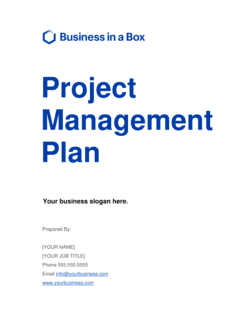
Managing multiple concurrent team projects that keep stallingProject Management Plan
Breaking a large goal into weekly executable tasksAction Plan Template
Tracking daily or weekly individual productivity targetsDaily Task List
Setting and monitoring quarterly business objectivesBusiness Goals Template
Running a formal post-project review to capture lessonsProject Post-Mortem Report
Prioritizing a backlog of competing initiativesPriority Matrix Template
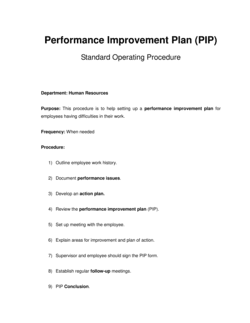
Coaching an individual through a structured productivity improvement planPerformance Improvement Plan

Common mistakes to avoid

❌ Starting new projects before completing active ones

Why it matters: Each new start adds to the WIP load without reducing it, fragmenting attention and slowing every project simultaneously. Research on multitasking suggests context-switching costs up to 40% of productive time.

Fix: Enforce a personal rule β€” and document it in your WIP limit section β€” that no new project begins until at least one active project reaches 100% complete.

❌ No written definition of done

Why it matters: Without a specific finish line, projects expand indefinitely through perfectionism or scope creep, and completion becomes a subjective feeling rather than an objective event.

Fix: Write two to four sentences describing the specific output, quality standard, and sign-off required for each project before work begins.

❌ Setting only a final deadline with no milestones

Why it matters: A single far-off deadline creates no urgency until the last week, by which point the project is typically too late to save without a quality compromise.

Fix: Add two to five intermediate milestones with individual dates to every project, spacing the first milestone within seven days of the start date.

❌ Assigning accountability to a group instead of one person

Why it matters: When everyone is responsible, no one is. Groups do not follow up consistently β€” one named individual does.

Fix: Name a single accountability partner in the accountability section and give them explicit permission to ask uncomfortable questions about missed deadlines.

❌ Treating the weekly review as optional

Why it matters: Without a regular review, scope creep and priority drift go undetected for weeks. By the time a project surfaces as late, the window to recover has often closed.

Fix: Book the weekly review as a recurring, immovable 30-minute calendar event and complete it even if the only output is a confirmed status update.

❌ Relying on motivation instead of environment design

Why it matters: Motivation fluctuates daily; a physical and digital environment designed to reduce friction does not. Plans that require sustained willpower fail during high-stress or low-energy periods.

Fix: Identify and document at least two concrete environmental changes β€” notification settings, workspace setup, or habit triggers β€” in the habit and environment design section.

The 9 key sections, explained

Self-assessment of completion blockers

Project and task inventory

Prioritization and triage

Milestone and deadline planning

Definition of done

WIP limit and focus protocol

Accountability structure

Habit and environment design

Weekly review and adjustment cadence

How to fill it out

  1. 1

    Complete the self-assessment before anything else

    Work through the completion blockers section honestly, rating each one. This diagnostic step determines which sections of the guide need the most customization for your specific situation.

    πŸ’‘ Ask a trusted colleague to rate your blockers independently β€” their perception of your patterns often surfaces blind spots you cannot see yourself.

  2. 2

    Build an exhaustive project and task inventory

    List every in-progress item β€” formal projects, informal commitments, pending responses, and half-finished ideas. Include the start date, current completion percentage, and the original deadline for each.

    πŸ’‘ Check your email drafts folder, your notes app, and your calendar for commitments that never made it onto a formal task list.

  3. 3

    Triage the inventory ruthlessly

    Classify each item as complete now, schedule for completion with a new deadline, delegate to a named person with a due date, or officially abandon. Aim to reduce active projects to no more than three to five at any time.

    πŸ’‘ Write 'abandoned' explicitly next to items you will not finish. The act of formally closing them removes the background cognitive load they carry.

  4. 4

    Write a definition of done for each priority project

    For every item you mark as active, write two to four sentences describing what the finished output looks like, who needs to approve it, and where it gets filed or delivered.

    πŸ’‘ If you cannot write a specific definition of done in two minutes, the project scope is not yet clear enough to execute β€” clarify it before scheduling it.

  5. 5

    Set milestones with specific due dates

    Break each active project into two to five intermediate milestones. Assign a calendar date to each one, not just to the final deadline.

    πŸ’‘ Space milestones so that the first one falls within seven days of starting β€” an early win builds momentum and exposes scope problems early.

  6. 6

    Establish your WIP limit and daily focus block

    Choose your maximum number of active projects and block protected time each day dedicated exclusively to completing in-progress work before starting anything new.

    πŸ’‘ Put the focus block at the start of your working day, not the end β€” energy and decision quality are highest early, and late-day blocks get cancelled first.

  7. 7

    Name your accountability partner and schedule the first check-in

    Identify one specific person, agree on check-in frequency and format, and book the first session before you close the document. A future check-in with no date on the calendar rarely happens.

    πŸ’‘ Reciprocal accountability β€” where you hold each other to milestones β€” works better than one-directional coaching for most people.

  8. 8

    Schedule the weekly review as a recurring calendar event

    Book your weekly review session as a repeating calendar event with a specific time and location. Treat it as a non-negotiable meeting with yourself, not an optional cleanup activity.

    πŸ’‘ Keep the review to 30 minutes maximum by limiting it to three questions: What did I complete? What is behind? What is my single most important completion next week?

Frequently asked questions

What is a 'how to finish what you start' guide?

A how-to-finish-what-you-start guide is a structured operational document that helps individuals and teams diagnose why work stalls, build a concrete completion system, and create accountability structures to follow through consistently. It combines self-assessment, project triage, milestone planning, WIP limits, and habit design into a single actionable framework rather than a motivational checklist.

Who benefits most from using this type of guide?

Anyone who regularly starts more work than they complete benefits from this guide β€” including entrepreneurs juggling multiple initiatives, project managers overseeing concurrent workstreams, and team leads whose direct reports are busy but not delivering. It is equally useful for individuals managing personal productivity and for coaches providing structured follow-through frameworks to clients.

How is this different from a standard project management plan?

A project management plan governs the execution of a single specific project β€” scope, timeline, resources, and risks. A how-to-finish-what- you-start guide addresses the meta-level problem of why projects collectively stall across a person's or team's entire portfolio. It focuses on completion behavior, WIP limits, and habit change rather than the mechanics of one project.

How long does it take to complete this guide?

The initial setup β€” completing the self-assessment, building the project inventory, and setting milestones β€” typically takes 60 to 90 minutes for an individual. Team-level completion sessions run 2 to 3 hours. The weekly review cadence requires 30 minutes per week once the system is running.

What is a WIP limit and why does it matter?

A WIP (work in progress) limit is an explicit cap on the number of tasks or projects a person or team actively works on at any one time. Research in lean and agile methodologies consistently shows that reducing WIP increases throughput β€” finishing fewer things simultaneously means finishing each individual thing faster. Without a WIP limit, attention fragments across too many projects and none of them move meaningfully forward.

How do I choose an accountability partner?

Choose someone who will ask direct questions without softening the feedback, has enough context to evaluate your progress claims, and is available at your chosen check-in frequency. A peer facing similar completion challenges β€” where accountability is reciprocal β€” tends to work better than a manager, who may be too close to the work, or a friend, who may be too reluctant to challenge you.

What should the weekly review cover?

Keep the weekly review to three questions: What did I complete this week? What is currently behind its milestone? What is my single most important completion action next week? Limit the session to 30 minutes and update the project inventory before closing. Anything requiring more than 30 minutes has scope that belongs in a separate working session, not a review.

Can this guide be used for team-level completion planning?

Yes. The template is designed so that the project inventory, WIP limits, milestone plan, and accountability structure can be completed collaboratively in a team session. The accountability section can name a team lead instead of an individual partner, and the weekly review can be converted into a standing team meeting with a shared agenda following the same three-question format.

How this compares to alternatives

vs Action Plan Template

An action plan maps the specific steps needed to achieve one defined goal, with owners and due dates. A how-to-finish-what-you-start guide addresses the broader behavioral and systemic reasons why action plans go unexecuted in the first place. Use the action plan to define what to do; use this guide to build the system that ensures it actually gets done.

vs Project Management Plan

A project management plan governs a single project β€” scope, timeline, resources, risks, and stakeholders. This guide operates at the meta-level, addressing the patterns and habits that determine whether any project reaches completion. They are complementary: the project management plan tells you how to run a project; this guide tells you how to ensure you finish it.

vs Performance Improvement Plan

A performance improvement plan is a formal HR document used to address documented underperformance, typically with consequences if targets are not met. A how-to-finish-what-you-start guide is a self-directed productivity tool with no punitive dimension. Use the PIP for managed performance situations; use this guide for proactive personal or team development.

vs Strategic Planning Template

A strategic plan defines long-term organizational goals, initiatives, and resource allocation over a 3–5 year horizon. This guide focuses on execution at the task and project level β€” the operational follow-through that turns strategic intentions into finished outputs. A strategy without a completion system rarely survives contact with daily competing priorities.

Industry-specific considerations

Professional Services

Consultants and agencies use it to prevent client deliverables from stalling mid-engagement, where a missed deadline directly affects billing and renewal.

Technology / SaaS

Product and engineering teams apply WIP limits and milestone structures to reduce feature backlogs and ship releases on the planned cadence.

Retail / E-commerce

Operators use it to push seasonal merchandising, campaign, and website projects to completion before launch windows close.

Creative and Marketing Agencies

Studios and agencies with multiple concurrent client projects use it to enforce completion-first discipline before onboarding new briefs.

Template vs pro β€” what fits your needs?

PathBest forCostTime
Use the templateIndividuals, solopreneurs, and small teams building a personal or team completion system from scratchFree60–90 minutes to set up; 30 minutes per week to maintain
Template + professional reviewTeams with chronic delivery problems who want a productivity coach or facilitator to run the initial setup session$200–$800 for a facilitated workshop sessionHalf-day workshop plus 1 week of follow-up
Custom draftedOrganizations embedding completion systems into company-wide operations or L&D programs at scale$1,500–$5,000 for a tailored organizational productivity program3–6 weeks

Glossary

Completion Blocker
Any recurring obstacle β€” cognitive, environmental, or structural β€” that prevents a task or project from reaching its defined finish line.
Work in Progress (WIP) Limit
A cap on the number of tasks or projects actively in progress at any one time, used to reduce context-switching and improve throughput.
Milestone
A specific, measurable checkpoint within a project that confirms meaningful progress has been made and the work is on track.
Accountability Partner
A designated individual who checks in regularly on progress, asks clarifying questions, and holds the owner responsible for committed deadlines.
Scope Creep
The gradual expansion of a project's requirements beyond its original boundaries, often causing stalled completion as effort grows without a corresponding finish line.
Prioritization Matrix
A decision tool that ranks tasks or projects by two variables β€” typically urgency and importance β€” to identify which deserve immediate completion effort.
Habit Stack
A behavior-change technique that anchors a new habit to an already-established routine, reducing the friction required to start it each day.
Review Cadence
A scheduled, recurring rhythm β€” daily, weekly, or monthly β€” at which progress is measured against milestones and adjustments are made.
Definition of Done
A pre-agreed, specific description of what a finished task or project looks like, so there is no ambiguity about when work is actually complete.
Decision Fatigue
The deterioration in decision quality that occurs after a person makes too many consecutive choices, often causing avoidance of complex in-progress tasks.

Part of your Business Operating System

This document is one of 3,000+ business & legal templates included in Business in a Box.

  • Fill-in-the-blanks β€” ready in minutes
  • Compatible with all office suites
  • Export to PDF and share electronically

Create your document in 3 simple steps.

From template to signed document β€” all inside one Business Operating System.
1
Download or open template

Access over 3,000+ business and legal templates for any business task, project or initiative.

2
Edit and fill in the blanks with AI

Customize your ready-made business document template and save it in the cloud.

3
Save, Share, Send, Sign

Share your files and folders with your team. Create a space of seamless collaboration.

Save time, save money, and create top-quality documents.

β˜…β˜…β˜…β˜…β˜…

"Fantastic value! I'm not sure how I'd do without it. It's worth its weight in gold and paid back for itself many times."

Managing Director Β· Mall Farm
Robert Whalley
Managing Director, Mall Farm Proprietary Limited
β˜…β˜…β˜…β˜…β˜…

"I have been using Business in a Box for years. It has been the most useful source of templates I have encountered. I recommend it to anyone."

Business Owner Β· 4+ years
Dr Michael John Freestone
Business Owner
β˜…β˜…β˜…β˜…β˜…

"It has been a life saver so many times I have lost count. Business in a Box has saved me so much time and as you know, time is money."

Owner Β· Upstate Web
David G. Moore Jr.
Owner, Upstate Web

Run your business with a system β€” not scattered tools

Stop downloading documents. Start operating with clarity. Business in a Box gives you the Business Operating System used by over 250,000 companies worldwide to structure, run, and grow their business.

Free Forever PlanΒ Β·Β No credit card required