1
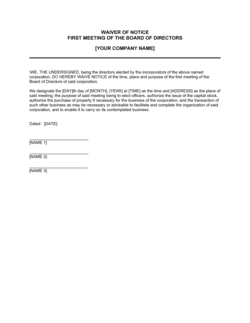
Enter the organization's full legal name and issuing officer
Use the exact registered corporate name — not a trading name or abbreviation. Identify the officer authorized to issue meeting notices under your bylaws or governing statute, typically the Corporate Secretary or Chief Executive Officer.
💡 Cross-check the entity name against your most recent annual return or certificate of incorporation to ensure the name matches exactly.
2
Identify the meeting type and state the purpose with specificity
Select the meeting type (annual general, special, regular board, or committee) and draft a purpose statement that is specific enough for participants to assess whether the matters affect them. Reference any attached resolutions or agenda items by schedule number.
💡 If the meeting involves a contentious resolution — such as a director removal or a major transaction — add a brief explanatory paragraph summarizing the resolution so participants can prepare informed questions.
3
Enter the full civic address of the meeting venue
Include the building name, street address, suite or floor number, city, state or province, and postal code. If the location is difficult to find, attach a map or access instructions as a schedule.
💡 Call the venue the day before the meeting to confirm the room booking is still in place. A last-minute venue change after notice has been issued requires a supplemental notice and may restart the notice period.
4
Set the date, time, and time zone
Enter the exact start date and time, including the applicable time zone. If participants are distributed across multiple time zones, list the meeting time in each relevant zone.
💡 For international meetings, use UTC as the reference time alongside local times — it removes ambiguity regardless of daylight saving time transitions.
5
Confirm the notice period and delivery method
Calculate the number of days between the delivery date and the meeting date. Confirm this meets or exceeds the minimum notice period under your governing statute and bylaws. Select the delivery method — email with read receipts, registered mail, or courier — and document the delivery date.
💡 Build a notice calendar that maps your meeting schedule against statutory notice periods for the full year. Scrambling to count days the week before a meeting is how notice defects happen.
6
Attach the agenda and pre-meeting materials
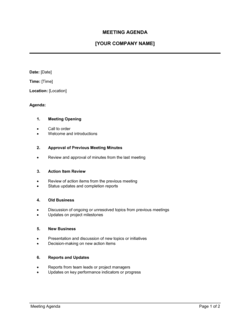
Finalize the meeting agenda and attach it as Schedule A. Include any documents participants need to review — financial statements, proposed resolutions, or reports — as numbered schedules. Confirm the schedules are complete before sending the notice.
💡 If materials are not yet ready, send the notice on time with a placeholder reference and distribute the materials separately no later than two business days before the meeting.
7
Complete the proxy and voting instructions section
Attach the proxy form if proxy voting is permitted. Set the proxy submission deadline at least 48 hours before the meeting unless statute requires more. Specify the voting method — show of hands, secret ballot, or electronic poll.
💡 State explicitly whether remote participants may vote and, if so, how their votes will be verified and counted. Ambiguity here is a leading cause of post-meeting resolution challenges.
8
Obtain authorized signature and distribute
Have the authorized officer sign the notice before distribution. Retain a complete copy of the signed notice, all schedules, and proof of delivery for each recipient in your corporate minute book.
💡 Use Business in a Box eSign to timestamp execution and store the fully distributed notice package alongside the meeting minutes in your corporate records.