Record Retention Policy For Nonprofits Template

Free Word download β€’ Edit online β€’ Save & share with Drive β€’ Export to PDF

4 pagesβ€’20–30 min to fillβ€’Difficulty: Standard
Learn more ↓
FreeRecord Retention Policy For Nonprofits Template

At a glance

What it is
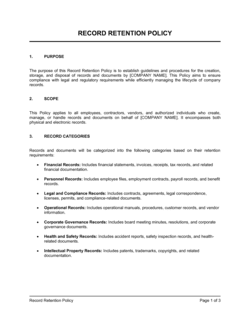
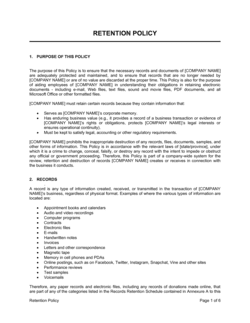
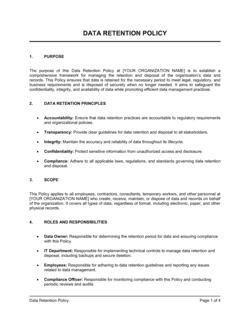
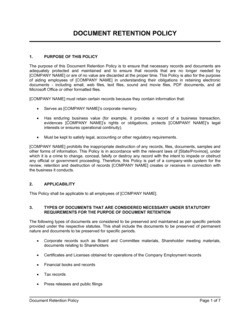
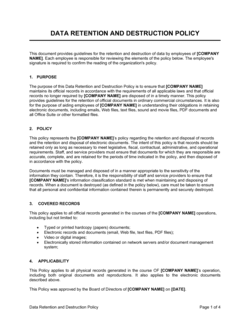
A Record Retention Policy for Nonprofits is a written governance document that specifies which organizational records must be kept, for how long, in what format, and how they should be securely destroyed when the retention period expires. This free Word download gives your organization a board-ready, IRS-aligned starting point you can edit online and export as PDF for adoption at a board meeting.
When you need it
Use it when establishing governance policies for a new nonprofit, when preparing for an IRS Form 990 filing that asks whether a retention policy exists, or when an audit, litigation hold, or grant compliance review requires documented records management procedures.
What's inside
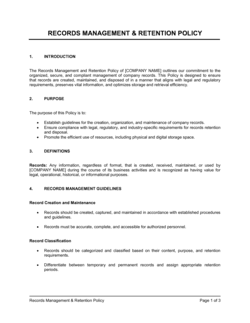
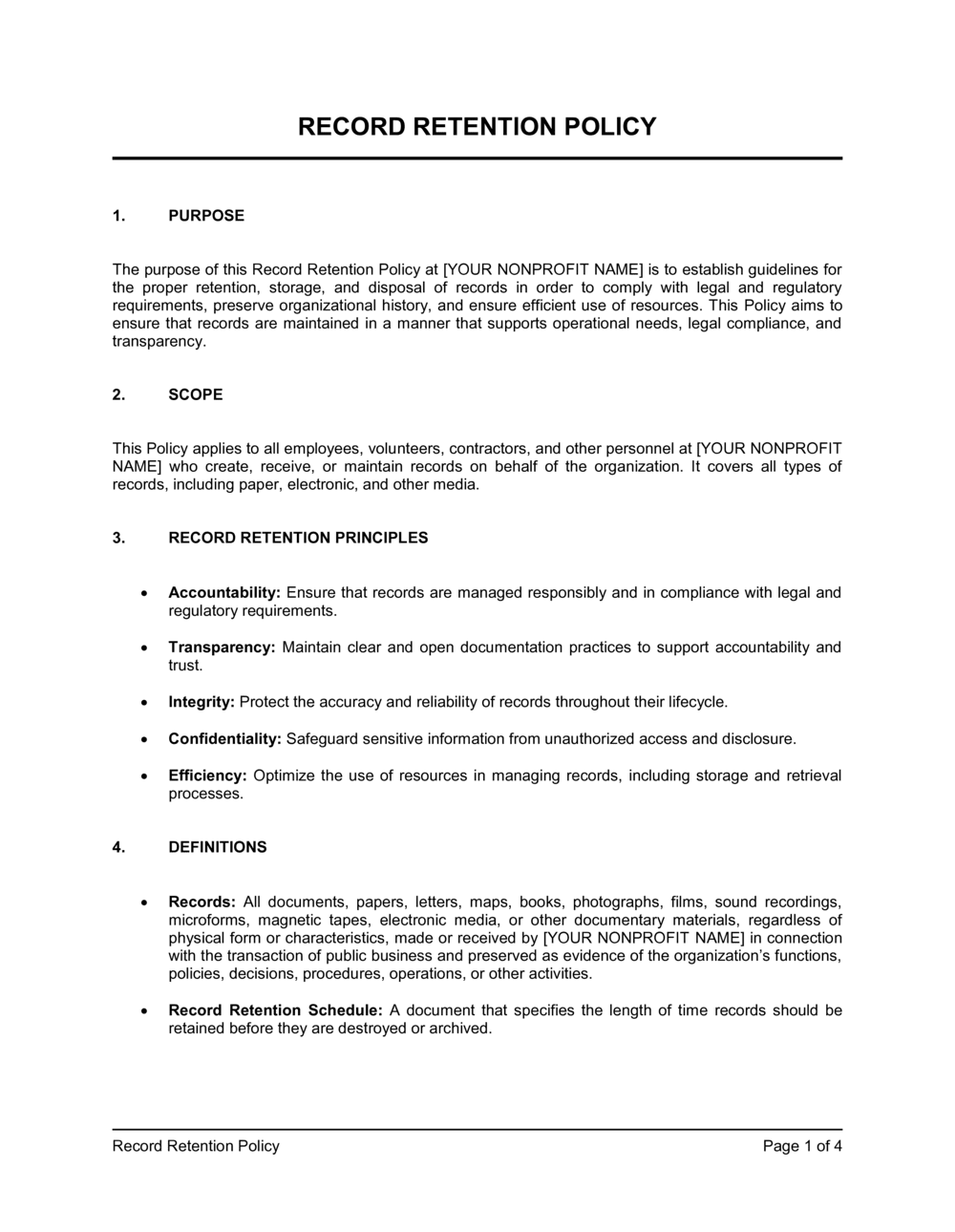
A purpose statement, definitions of record categories, a retention schedule covering financial, legal, personnel, and program records, document destruction procedures, litigation hold protocols, roles and responsibilities, and a policy review cycle.

What is a Record Retention Policy for Nonprofits?

A Record Retention Policy for Nonprofits is a board-adopted governance document that defines which organizational records must be preserved, for how long, in what format, and how they must be securely destroyed when their retention period expires. It covers every record category a nonprofit generates β€” founding and legal documents, financial statements, grant files, personnel records, board minutes, and program files β€” and assigns responsibility for implementation to a named staff role. The policy also includes a litigation hold provision that suspends normal destruction when legal proceedings are reasonably anticipated.

Why You Need This Document

Without a written retention policy, a nonprofit faces three concrete risks simultaneously. First, IRS Form 990 Part VI asks directly whether the organization has adopted a document retention and destruction policy β€” answering "no" signals a governance weakness to the IRS, state charity regulators, and institutional funders who review 990s before making grants. Second, destroying records too early β€” because no schedule exists β€” can eliminate the financial documentation needed to defend an IRS audit, satisfy a funder's expenditure review, or respond to litigation, which courts can treat as spoliation of evidence. Third, retaining records indefinitely creates its own risk: confidential donor, client, and employee data stored without expiration raises privacy liability. A properly adopted record retention policy eliminates all three exposures for the cost of an afternoon's work, and this template gives your organization a complete, board-ready starting point aligned to IRS guidance and standard nonprofit governance practice.

Which variant fits your situation?

If your situation is…Use this template
Small nonprofit with one staff member and a working boardSimplified Nonprofit Record Retention Policy
Organization with active grant funding requiring funder-specific retentionRecord Retention Policy for Nonprofits (Grant-Focused)
Healthcare or social services nonprofit subject to HIPAAHIPAA-Compliant Document Retention Policy
Nonprofit undergoing IRS audit or litigationLitigation Hold Notice
Organization wanting to pair retention policy with destruction logDocument Destruction Log
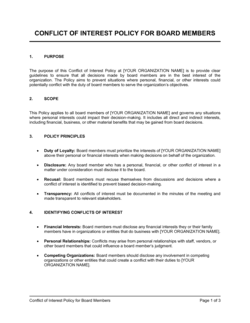
Nonprofit adopting a full governance policy suiteNonprofit Conflict of Interest Policy
Organization needing a broader internal controls frameworkNonprofit Financial Policies and Procedures Manual

Common mistakes to avoid

❌ Using a 3-year retention period for all financial records

Why it matters: The IRS has 6 years to audit if it suspects a substantial understatement of income. A 3-year schedule destroys records that could defend the organization during a late audit.

Fix: Set the default financial record retention period to 7 years to cover the longest realistic IRS audit window with a comfortable buffer.

❌ Excluding electronic records and email from the policy's scope

Why it matters: Auditors and funders routinely request email correspondence and digital files. A policy that only addresses paper records leaves the organization with no documented standard for its largest record volume.

Fix: Add an explicit definition of electronic records and a statement that all retention periods apply regardless of format β€” paper, email, cloud storage, or otherwise.

❌ No litigation hold provision

Why it matters: Destroying records under a routine retention schedule after a legal complaint is filed can constitute spoliation of evidence, resulting in court sanctions and adverse inference instructions.

Fix: Include a litigation hold section naming who issues the hold, how staff are notified, and how the hold is lifted β€” even if the organization has never faced litigation.

❌ Assigning policy responsibility to the organization rather than a named role

Why it matters: When no individual is accountable for implementing the schedule, destruction reviews are skipped, records pile up indefinitely, or records are deleted informally without documentation.

Fix: Designate a specific staff title as document custodian in the policy and include implementation duties in that role's job description.

❌ Filing I-9 forms inside personnel files

Why it matters: USCIS requires I-9 forms to be stored separately and produced within 3 business days of an inspection request. Mixing them with personnel files slows retrieval and risks non-compliance.

Fix: Create a dedicated I-9 binder or folder β€” paper or digital β€” segregated from all other personnel records, with its own audit trail.

❌ Adopting the policy once and never reviewing it

Why it matters: IRS guidance, state law, and grant funder requirements change periodically. An outdated policy may no longer satisfy Form 990 Part VI or current funder audit expectations.

Fix: Set a calendar reminder for a board review every three years and assign the executive director to flag any law changes that require an off-cycle amendment.

The 10 key sections, explained

Purpose and scope

Definitions

Retention schedule β€” founding and legal documents

Retention schedule β€” financial records

Retention schedule β€” personnel and volunteer records

Retention schedule β€” program and operational records

Document destruction procedures

Litigation hold procedures

Roles and responsibilities

Policy review and amendment

How to fill it out

  1. 1

    Insert your organization's legal name and governing state

    Replace all [ORGANIZATION NAME] placeholders with your nonprofit's full legal name as it appears on your IRS determination letter. Note the state of incorporation, as state law may impose retention periods that exceed federal minimums.

    πŸ’‘ Check your state's nonprofit association website for a state-specific retention addendum β€” about 15 states have requirements that go beyond the IRS baseline.

  2. 2

    Review and adjust the retention schedule columns

    Go through each record category and confirm the listed retention period meets or exceeds the applicable statute of limitations for your state, funder requirements, and IRS rules. Edit any period that falls short.

    πŸ’‘ When in doubt between two periods, choose the longer one β€” over-retention is rarely a problem; under-retention can be.

  3. 3

    Add program-specific record categories

    If your organization operates in healthcare, housing, childcare, or another licensed program area, add the relevant client or service record categories and their funder- or license-required retention periods.

    πŸ’‘ Pull the retention requirements directly from your current grant agreements and licensing regulations and paste them into Schedule A so there is no ambiguity.

  4. 4

    Designate the document custodian by name or title

    Replace the [DOCUMENT CUSTODIAN] placeholder with the specific staff title responsible for implementing the schedule. Avoid naming an individual by name so the policy survives staff turnover.

    πŸ’‘ For small organizations, the executive director or office manager typically serves as custodian β€” just make sure the role is in that person's job description.

  5. 5

    Specify your destruction methods and approval chain

    Fill in the approved paper destruction method (cross-cut shredding is the minimum for sensitive records), the electronic deletion method, and the title of the person who must authorize each destruction event.

    πŸ’‘ For electronic records stored in cloud platforms, document the deletion procedure specific to that platform β€” Google Workspace, Dropbox, and Microsoft 365 each have distinct permanent-deletion workflows.

  6. 6

    Set the litigation hold trigger and notification chain

    Confirm that the litigation hold section names the executive director (or general counsel if applicable) as the person responsible for issuing holds, and that the notification chain reaches everyone who manages records.

    πŸ’‘ Add a sample litigation hold notice as an appendix so staff know exactly what one looks like and can act quickly when needed.

  7. 7

    Submit to the board for formal adoption

    Place the policy on a board meeting agenda, present it as a governance policy, and record the adoption vote in the board minutes. The IRS Form 990 Part VI asks whether the board reviewed this type of policy.

    πŸ’‘ Date the policy with the board adoption date, not the draft date β€” the 990 disclosure asks when the policy was adopted or last reviewed.

  8. 8

    Distribute to staff and schedule the first annual destruction review

    Send the adopted policy to all staff, add it to your employee handbook or internal policy library, and calendar the first annual records destruction review for 12 months from the adoption date.

    πŸ’‘ Pair the annual destruction review with your fiscal year-end close so it becomes a routine part of your financial wrap-up calendar.

Frequently asked questions

Does a nonprofit legally need a record retention policy?

No federal law mandates that nonprofits adopt a written record retention policy, but IRS Form 990 Part VI explicitly asks whether the organization has one β€” and answering 'no' signals a governance gap to the IRS, state regulators, and major donors. Many state nonprofit acts and grant funders require documented records management procedures. Adopting a written policy is the recognized best practice and takes less than an hour with a template.

How long should a nonprofit keep financial records?

The IRS generally has 3 years to audit a Form 990, but the window extends to 6 years if it suspects a substantial understatement of income. Most governance advisors recommend retaining financial records β€” bank statements, general ledgers, payroll records, and grant files β€” for 7 years to cover the longest realistic audit window. Audited financial statements and Form 990 filings should be kept permanently.

What records must a nonprofit keep permanently?

Permanent records typically include: Articles of Incorporation, all versions of Bylaws, the IRS Determination Letter (Form 1023 or 1024 approval), all annual Form 990 filings, board and committee meeting minutes, executed real property deeds, and any document that defines the organization's legal existence or tax-exempt status. These records should never be destroyed.

Does the record retention policy need board approval?

Yes β€” IRS Form 990 Part VI asks whether the board reviewed the organization's document retention and destruction policy. For the disclosure to be accurate, the board must formally adopt the policy by vote and record that vote in the board minutes. A policy drafted by staff but never presented to the board does not satisfy the Form 990 question.

What happens if a nonprofit destroys records after a lawsuit is filed?

Destroying records after litigation is filed or reasonably anticipated β€” even under a written retention schedule β€” can constitute spoliation of evidence. Courts may sanction the organization, instruct the jury to draw adverse inferences, or in extreme cases dismiss defenses. Every record retention policy must include a litigation hold provision that suspends all destruction when legal proceedings become foreseeable.

How should a nonprofit store and destroy records securely?

Paper records containing personal information, financial data, or donor details should be cross-cut shredded β€” strip shredding is not sufficient for sensitive records. Electronic records must be permanently deleted using the specific procedure for each platform (not simply moved to the trash). Each destruction event should be documented in a destruction log noting the record category, date, method, and authorizing staff member.

Do grant records have different retention requirements?

Yes β€” federal grant awards under the Uniform Guidance (2 CFR Part 200) require financial records, supporting documentation, and program reports to be retained for 3 years after the final expenditure report submission, but longer if litigation is pending or the awarding agency specifies otherwise. Many private foundation grants specify 5–7 years in the grant agreement. Always check the specific grant agreement and apply the longer of the policy standard or the funder requirement.

Should electronic records like emails be included in the retention schedule?

Yes. The IRS and most courts treat electronic records β€” emails, cloud documents, database records, and instant messages β€” as equivalent to paper records. A retention policy that covers only paper files is incomplete. The policy should explicitly state that all retention periods apply regardless of format and should address the deletion procedures for each platform the organization uses to store records.

How this compares to alternatives

vs Conflict of Interest Policy

A conflict of interest policy governs how board members and staff disclose and manage personal interests that may conflict with the organization's mission. A record retention policy governs how documents are stored and destroyed. Both are governance policies asked about on IRS Form 990 Part VI, and most nonprofits should adopt both β€” but they address entirely different operational risks.

vs Document Destruction Log

A document destruction log is the operational record used to document each destruction event authorized under a retention policy β€” it names the records destroyed, the date, method, and authorizing staff member. The retention policy sets the rules; the destruction log proves they were followed. Nonprofits need both, and the policy should require the log to be maintained.

vs Employee Handbook

An employee handbook covers the full range of HR policies β€” conduct, benefits, leave, and workplace expectations. A record retention policy is a standalone governance document adopted by the board that applies to all organizational records, not just HR files. The handbook may reference the retention policy, but the two documents serve distinct audiences and purposes.

vs Nonprofit Financial Policies and Procedures Manual

A financial policies and procedures manual covers authorization limits, expense approval, cash handling, and internal controls. A record retention policy is narrower in scope β€” it addresses only how long financial and other records are kept and how they are destroyed. Organizations benefit from both, but the retention policy is the one specifically disclosed on Form 990.

Industry-specific considerations

Human services nonprofits

Client case records are subject to state licensing retention requirements that commonly mandate 5–10 years after case closure, superseding the standard 7-year financial records default.

Healthcare and health services

HIPAA requires covered entities and business associates to retain medical records and related documentation for 6 years from creation or last effective date, with state law often extending this further.

Education and youth programs

Student and minor participant records, including consent forms and incident reports, frequently require retention until the participant reaches age of majority plus the applicable statute of limitations β€” often 21 to 25 years in total.

Arts and cultural organizations

Intellectual property agreements, exhibition contracts, and provenance documentation for collection items are permanent records that must be retained alongside standard financial and governance files.

Template vs pro β€” what fits your needs?

PathBest forCostTime
Use the templateSmall and mid-size nonprofits without specialized program licensing or federal grant compliance obligationsFree1–2 hours to customize and prepare for board adoption
Template + professional reviewOrganizations with federal grants, HIPAA obligations, or state-licensed program operations$200–$600 for a nonprofit attorney or CPA review3–5 business days
Custom draftedLarge nonprofits with complex multi-program operations, international activities, or pending litigation$1,000–$3,000+2–4 weeks

Glossary

Record Retention Schedule
A table specifying each record category, the minimum number of years it must be kept, and the method of disposal when that period ends.
Permanent Record
A document that must be kept indefinitely β€” typically founding documents, board minutes, and IRS determination letters.
Litigation Hold
A directive to suspend normal destruction of records that may be relevant to pending or reasonably anticipated legal proceedings.
IRS Form 990
The annual information return filed by tax-exempt organizations; Part VI asks whether the organization has a written document retention policy.
Destruction Certificate
Written documentation confirming that specific records were destroyed on a given date, by whom, and by what method β€” used to demonstrate compliance with the retention schedule.
Electronic Records
Digital files, emails, databases, and scanned documents subject to the same retention rules as paper equivalents under IRS guidance.
Statute of Limitations
The time window within which a legal claim or tax audit may be initiated β€” a key driver of minimum retention periods for financial and legal records.
Fiduciary Duty
The legal obligation of board members to act in the best interests of the organization, which includes adopting written governance policies like this one.
Document Custodian
The staff role responsible for implementing the retention schedule, overseeing secure storage, and executing approved destruction.
Superseded Record
A document replaced by a newer version; the outdated version may be destroyed immediately unless independently subject to a retention requirement.

Part of your Business Operating System

This document is one of 3,000+ business & legal templates included in Business in a Box.

  • Fill-in-the-blanks β€” ready in minutes
  • 100% customizable Word document
  • Compatible with all office suites
  • Export to PDF and share electronically

Create your document in 3 simple steps.

From template to signed document β€” all inside one Business Operating System.
1
Download or open template

Access over 3,000+ business and legal templates for any business task, project or initiative.

2
Edit and fill in the blanks with AI

Customize your ready-made business document template and save it in the cloud.

3
Save, Share, Send, Sign

Share your files and folders with your team. Create a space of seamless collaboration.

Save time, save money, and create top-quality documents.

β˜…β˜…β˜…β˜…β˜…

"Fantastic value! I'm not sure how I'd do without it. It's worth its weight in gold and paid back for itself many times."

Managing Director Β· Mall Farm
Robert Whalley
Managing Director, Mall Farm Proprietary Limited
β˜…β˜…β˜…β˜…β˜…

"I have been using Business in a Box for years. It has been the most useful source of templates I have encountered. I recommend it to anyone."

Business Owner Β· 4+ years
Dr Michael John Freestone
Business Owner
β˜…β˜…β˜…β˜…β˜…

"It has been a life saver so many times I have lost count. Business in a Box has saved me so much time and as you know, time is money."

Owner Β· Upstate Web
David G. Moore Jr.
Owner, Upstate Web

Run your business with a system β€” not scattered tools

Stop downloading documents. Start operating with clarity. Business in a Box gives you the Business Operating System used by over 250,000 companies worldwide to structure, run, and grow their business.

Start freeΒ Β·Β No credit card required