A Short Guide To Understanding Instagram Marketing

Free to read β€’ Save or share with one click

FreeA Short Guide To Understanding Instagram Marketing Template

At a glance

What it is
A Short Guide to Understanding Instagram Marketing is a structured operational document that walks businesses and marketers through the core principles of marketing on Instagram β€” from account setup and content strategy to hashtag use, Stories, analytics, and paid promotion. This free Word download gives you an editable, ready-to-use reference you can customize for your brand and share across your team or with clients.
When you need it
Use it when onboarding a new social media manager, briefing a marketing agency, building an Instagram strategy from scratch, or standardizing your team's approach to platform-specific content and engagement.
What's inside
Platform overview, audience and profile setup, content strategy, post formats and best practices, hashtag strategy, Instagram Stories and Reels guidance, community engagement tactics, and performance analytics.

What is a Short Guide to Understanding Instagram Marketing?

A Short Guide to Understanding Instagram Marketing is a structured operational document that explains how businesses and marketers can use Instagram effectively to build an audience, promote products or services, and drive measurable results. It covers the full scope of platform-specific practice β€” from account configuration and content strategy to hashtag mechanics, Stories and Reels formats, community engagement, and performance analytics. Unlike a broad social media plan, this guide goes deep on Instagram's native tools and algorithm behavior, giving teams a clear, actionable reference they can follow without prior platform expertise.

Why You Need This Document

Without a documented Instagram strategy, teams post inconsistently, use hashtags randomly, produce content that misses the target audience, and have no way to measure whether any of it is working. The business cost is real: accounts that post without a content framework typically see engagement rates below 0.5%, while algorithm signals worsen over time, compounding the reach loss. New social media managers onboarded without a written guide spend weeks learning by trial and error instead of executing a tested approach from day one. This template gives your team a concrete, customizable framework β€” covering every layer from profile setup to monthly analytics review β€” so Instagram marketing becomes a repeatable, improvable process rather than a guessing game.

Which variant fits your situation?

If your situation is…Use this template
Developing a full multi-channel social media strategySocial Media Marketing Plan
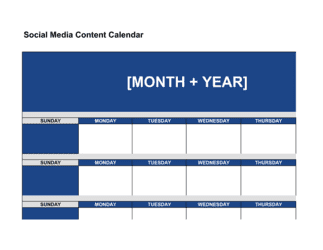
Planning Instagram content themes and posts week by weekSocial Media Content Calendar
Briefing an influencer or brand ambassador on InstagramInfluencer Marketing Agreement
Tracking Instagram performance metrics over timeSocial Media Report
Building a broader digital marketing strategy for a new businessDigital Marketing Plan
Launching a paid Instagram advertising campaignAdvertising Campaign Plan
Educating a client on all social media platforms, not just InstagramSocial Media Marketing Guide

Common mistakes to avoid

❌ Posting without a content calendar

Why it matters: Ad hoc posting produces inconsistent themes, missed publishing windows, and reactive content that rarely aligns with broader marketing goals.

Fix: Build a two-week rolling content calendar tied directly to the content pillars in this guide, reviewed every Monday before the week begins.

❌ Optimizing solely for follower count

Why it matters: Follower count is a vanity metric β€” accounts purchased, inflated by giveaways, or grown with off-target audiences produce near-zero conversion and actively harm engagement rate signals.

Fix: Track engagement rate and link-in-bio clicks as primary KPIs, and audit follower growth sources monthly to ensure new followers match the target audience profile.

❌ Ignoring Reels entirely

Why it matters: Instagram's algorithm disproportionately distributes Reels to non-followers, making them the primary organic reach tool on the platform since 2022. Accounts without Reels lose reach share to competitors who produce them.

Fix: Commit to a minimum of two Reels per week, even at low production value β€” a 15-second tip filmed on a phone with good lighting outperforms a polished static post for reach.

❌ Treating the bio link as an afterthought

Why it matters: Every CTA in every caption and Story that references 'link in bio' fails if the link leads to a homepage with no clear next step β€” traffic lands and bounces with no conversion.

Fix: Use a link-aggregation page (Linktree, Later's link-in-bio, or a custom landing page) that mirrors the CTAs in your current week's content, and update it every time your primary CTA changes.

The 9 key sections, explained

Platform Overview and Why Instagram

Account Setup and Profile Optimization

Target Audience and Positioning

Content Strategy and Pillars

Post Formats and Best Practices

Hashtag Strategy

Instagram Stories and Reels

Community Engagement and Growth Tactics

Analytics, KPIs, and Reporting

How to fill it out

  1. 1

    Fill in your brand and account details

    Replace all [BRAND NAME], [HANDLE], and [LINK] placeholders with your actual business details. Confirm whether you are using a Business or Creator account and note it in the profile section.

    πŸ’‘ Check that your username is consistent with your handles on other platforms β€” brand discoverability drops when handles differ across channels.

  2. 2

    Define your target audience in the positioning section

    Write one to two sentences describing your primary Instagram audience β€” age range, interests, and the specific problem your product or content solves for them.

    πŸ’‘ Pull audience data from Facebook Audience Insights or your existing Instagram Insights demographics tab rather than guessing.

  3. 3

    Set your two to four content pillars

    Choose recurring content themes that cover educational, inspirational, product, and community content in proportions that match your brand's goals. Enter the target percentage mix.

    πŸ’‘ If you're just starting out, begin with two pillars and add a third after 30 days of consistent posting β€” too many pillars at once dilutes execution.

  4. 4

    Build your hashtag sets

    Research and record at least three rotating hashtag sets of 5–10 tags each, segmented by niche, mid-range, and broad tiers. Use a tool like Later or Flick to validate search volume.

    πŸ’‘ Save each set in a notes app so your team can copy-paste them without re-researching β€” consistency in rotation prevents spam flags.

  5. 5

    Set Stories and Reels cadence targets

    Enter your weekly Stories frequency and Reels frequency targets in the relevant section. Assign ownership β€” who creates, who reviews, and who posts.

    πŸ’‘ Batch-record three to five Reels in a single session rather than producing one at a time β€” production quality and consistency both improve.

  6. 6

    Define your engagement SLA and weekly schedule

    Set a specific response time for comments (e.g., within 2 hours of posting), a daily engagement block (e.g., 15 minutes on relevant hashtag feeds), and assign responsibility by name.

    πŸ’‘ Block engagement time in your calendar immediately after posting β€” the first hour of engagement has the highest algorithmic impact.

  7. 7

    Enter your KPI targets and reporting date

    Fill in numeric targets for reach, engagement rate, follower growth, and link clicks. Set a fixed monthly reporting date and the name of the person responsible for pulling and presenting the data.

    πŸ’‘ Set initial targets based on your current 28-day Insights averages plus 10–15%, not industry benchmarks β€” your baseline is the only meaningful starting point.

  8. 8

    Share the guide with your team and review quarterly

    Distribute the completed guide to everyone who posts or manages the account. Schedule a quarterly review to update hashtag sets, content pillars, and KPI targets based on actual performance data.

    πŸ’‘ Archive previous versions of the guide with a date stamp β€” comparing Q1 and Q3 strategies against actual results is one of the fastest ways to improve your approach.

Frequently asked questions

What is an Instagram marketing guide?

An Instagram marketing guide is a structured document that explains how a business or marketer should use Instagram to reach and engage a target audience. It covers account setup, content strategy, post formats, hashtag use, Stories and Reels, community engagement, and performance analytics. It functions as both a learning resource and an operational reference teams can follow consistently.

Do I need an Instagram Business account to market on the platform?

Yes, for any serious marketing use, a Business or Creator account is essential. Personal accounts do not provide access to Instagram Insights, the contact button, paid promotion tools, or Instagram Shopping. Switching is free and takes under two minutes via Settings, and it unlocks every analytics and advertising capability covered in this guide.

How often should a business post on Instagram?

Most marketing practitioners recommend posting to the main feed three to five times per week for consistent algorithmic presence, combined with three to seven Stories per day to maintain daily feed visibility. Frequency matters less than consistency β€” posting daily for two weeks then going silent for a month harms reach more than a steady three-posts-per-week cadence.

How many hashtags should I use per Instagram post?

Current best practice is five to ten targeted hashtags per post, mixing niche tags (under 100K posts), mid-range tags (100K–1M), and one or two broad tags (1M+). Using 30 identical hashtags on every post can trigger Instagram's spam filters and reduce distribution. Rotate two to three sets of hashtags to avoid repetitive patterns.

What is the difference between reach and impressions on Instagram?

Reach counts unique accounts that saw your content β€” each person counted once regardless of how many times they viewed it. Impressions count total views, including multiple views by the same account. A post with 1,000 reach and 1,400 impressions means the average viewer saw it 1.4 times. Reach is the more meaningful metric for audience growth; impressions indicate content recall and repeat interest.

How do Instagram Reels differ from Stories for marketing?

Stories are 24-hour vertical content shown only to existing followers β€” they are best for daily engagement, behind-the-scenes content, and interactive polling. Reels are permanent short-form videos distributed to both followers and non-followers through the Explore and Reels feeds, making them the primary tool for organic reach and new audience acquisition. A healthy Instagram strategy uses both formats for different goals.

What KPIs should I track for Instagram marketing?

The four most actionable KPIs are: engagement rate (interactions divided by reach, target 1–5% depending on account size), reach per post, follower growth rate month over month, and link-in-bio clicks. For businesses running Instagram Shopping or paid ads, add conversion rate and cost per click. Track these in Instagram Insights and review the top five and bottom five posts by engagement monthly to adjust your content mix.

Can I use this guide to train a new social media manager?

Yes β€” that is one of its primary use cases. Fill in your brand-specific details (handle, content pillars, hashtag sets, KPI targets, posting schedule, and engagement SLA) before sharing. A completed, brand-specific version gives a new hire a clear operational framework from day one and reduces the ramp-up time from weeks to days.

Is Instagram marketing effective for B2B companies?

Instagram is more effective for B2B than many assume, particularly for professional services, creative agencies, SaaS with a visual product, and companies that sell to small business owners who are active on the platform. The key is framing content around the results and transformations your product or service delivers rather than product specifications β€” B2B buyers on Instagram respond to credibility and culture signals, not feature lists.

How this compares to alternatives

vs Social Media Marketing Plan

A social media marketing plan covers all active platforms β€” Instagram, LinkedIn, Facebook, TikTok, X β€” with unified objectives, budgets, and cross-channel KPIs. This Instagram guide is platform-specific, going deeper on Instagram-native formats, hashtag mechanics, and algorithm behavior. Use the guide to execute the Instagram component of a broader social plan.

vs Digital Marketing Plan

A digital marketing plan encompasses all digital channels β€” SEO, email, paid search, social, and content β€” with integrated campaign objectives and budget allocation. This guide is narrowly focused on Instagram only. If Instagram is one of several channels in an active digital strategy, use the digital marketing plan as the governing document and this guide as the Instagram execution reference.

vs Social Media Content Calendar

A content calendar is a scheduling tool β€” it tracks what gets posted, when, on which platform. This Instagram guide is a strategy and education document that explains why and how to post effectively. The guide informs the strategy; the content calendar executes it. Use both together for best results.

vs Marketing Plan

A full marketing plan covers product, price, place, and promotion across all channels with budget, timeline, and performance targets. This guide is scoped entirely to Instagram as a single promotional channel. A marketing plan is the strategic parent; this Instagram guide is a tactical child document for teams managing the social media component.

Industry-specific considerations

Retail and E-commerce

Product tagging via Instagram Shopping, shoppable posts, UGC reposting from customers, and seasonal campaign planning tied to the content calendar.

Food and Beverage

Visual food photography standards, Stories for daily specials and behind-the-scenes kitchen content, and location tagging to drive local foot traffic.

Professional Services

Authority-building content pillars (tips, case studies, FAQs), founder personal branding alongside the company account, and lead generation via link-in-bio CTAs.

Creative and Marketing Agencies

Portfolio showcasing via carousels, client results as social proof, and the guide used as a client-facing deliverable to demonstrate Instagram expertise.

Template vs pro β€” what fits your needs?

PathBest forCostTime
Use the templateSmall business owners, founders, and in-house social media managers building or documenting their Instagram approachFree1–2 hours to customize and complete
Template + professional reviewTeams launching a new brand Instagram account or agencies customizing the guide as a client deliverable$200–$800 for a social media strategist review session1–3 days
Custom draftedBrands with a six-figure social media budget, complex multi-product Instagram presence, or influencer partnership programs requiring custom SOPs$1,500–$5,000 for a full custom Instagram strategy and guide2–4 weeks

Glossary

Instagram Business Account
A free account type that unlocks analytics, contact buttons, paid promotion tools, and shopping features not available on personal profiles.
Reach
The total number of unique accounts that saw a piece of content during a given period, regardless of how many times they saw it.
Impressions
The total number of times a post or Story was displayed, including multiple views by the same account.
Engagement Rate
The percentage of an account's followers (or reached accounts) who interacted with a post through likes, comments, shares, or saves.
Hashtag
A keyword or phrase prefixed with # that categorizes content and makes it discoverable to users searching or following that tag.
Instagram Stories
Vertical photo or video content that disappears after 24 hours, displayed separately from the main feed at the top of the app.
Reels
Short-form vertical video content up to 90 seconds long, distributed to both followers and non-followers through Instagram's Explore and Reels feeds.
Call to Action (CTA)
A direct instruction embedded in a caption or Story β€” such as 'tap the link in bio' or 'save this post' β€” designed to drive a specific audience behavior.
Instagram Insights
The native analytics dashboard on business and creator accounts, showing follower demographics, post reach, engagement, and Story performance.
Link in Bio
The single clickable URL in an Instagram profile, commonly used to direct followers to a website, landing page, or link-aggregation tool.
User-Generated Content (UGC)
Photos, videos, or reviews that a brand's customers or followers create and post organically, which the brand may reshare with permission.

Part of your Business Operating System

This document is one of 3,000+ business & legal templates included in Business in a Box.

  • Fill-in-the-blanks β€” ready in minutes
  • Compatible with all office suites
  • Export to PDF and share electronically

Create your document in 3 simple steps.

From template to signed document β€” all inside one Business Operating System.
1
Download or open template

Access over 3,000+ business and legal templates for any business task, project or initiative.

2
Edit and fill in the blanks with AI

Customize your ready-made business document template and save it in the cloud.

3
Save, Share, Send, Sign

Share your files and folders with your team. Create a space of seamless collaboration.

Save time, save money, and create top-quality documents.

β˜…β˜…β˜…β˜…β˜…

"Fantastic value! I'm not sure how I'd do without it. It's worth its weight in gold and paid back for itself many times."

Managing Director Β· Mall Farm
Robert Whalley
Managing Director, Mall Farm Proprietary Limited
β˜…β˜…β˜…β˜…β˜…

"I have been using Business in a Box for years. It has been the most useful source of templates I have encountered. I recommend it to anyone."

Business Owner Β· 4+ years
Dr Michael John Freestone
Business Owner
β˜…β˜…β˜…β˜…β˜…

"It has been a life saver so many times I have lost count. Business in a Box has saved me so much time and as you know, time is money."

Owner Β· Upstate Web
David G. Moore Jr.
Owner, Upstate Web

Run your business with a system β€” not scattered tools

Stop downloading documents. Start operating with clarity. Business in a Box gives you the Business Operating System used by over 250,000 companies worldwide to structure, run, and grow their business.

Free Forever PlanΒ Β·Β No credit card required