Webmaster Job Description Template

Free Word download β€’ Edit online β€’ Save & share with Drive β€’ Export to PDF

2 pagesβ€’20–30 min to fillβ€’Difficulty: Standardβ€’Signature requiredβ€’Legal review recommended
Learn more ↓
FreeWebmaster Job Description Template

At a glance

What it is
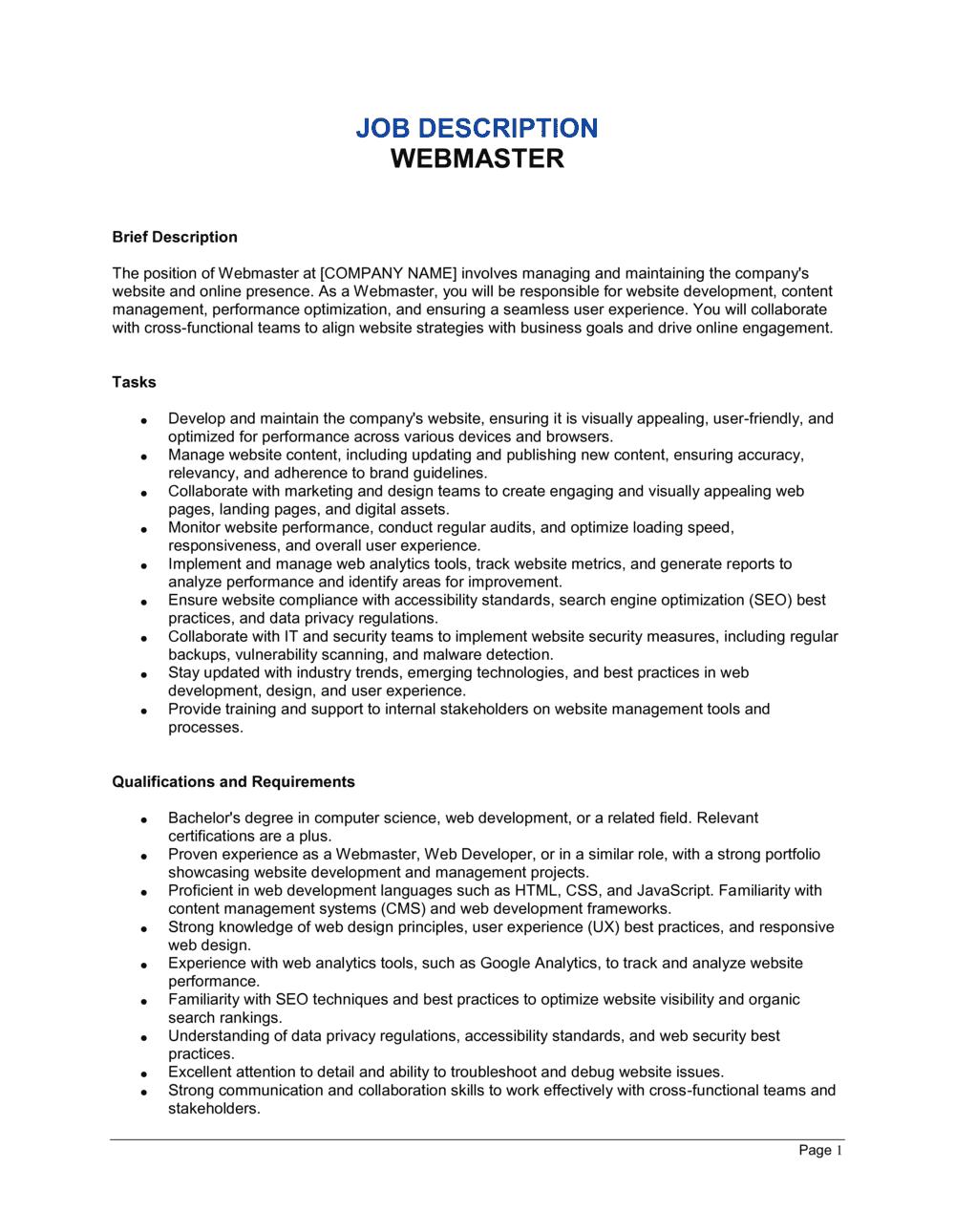
A Webmaster Job Description is a formal employment document that defines the role, responsibilities, required qualifications, reporting structure, and terms of engagement for a webmaster or website manager position. This free Word download lets you edit the template online and export it as PDF for use in job postings, offer letters, or employee onboarding packages.
When you need it
Use it when hiring a webmaster as an employee or engaging one on a fixed-term basis β€” before posting the role, extending an offer, or formalizing an existing informal arrangement that has grown beyond its original scope.
What's inside
Job title and reporting line, role summary, detailed duties and responsibilities, required and preferred qualifications, technical skills, compensation and benefits references, performance expectations, and confidentiality and IP obligations specific to web and digital assets.

What is a Webmaster Job Description?

A Webmaster Job Description is a formal employment document that defines the full scope of a webmaster's role β€” including duties, qualifications, performance standards, reporting structure, IP ownership, data handling obligations, and termination terms. It functions as both a hiring tool and a legally referenced baseline for performance management and, where necessary, termination-for-cause decisions. Unlike an informal job posting, a signed webmaster job description creates documented mutual understanding of what the role requires and what the employee is accountable for delivering.

Why You Need This Document

Without a formal webmaster job description, two risks compound quickly. First, a departing webmaster may retain admin credentials to hosting accounts, DNS records, and CMS platforms β€” leaving the company unable to manage, update, or even access its own website. Second, without documented performance standards and an IP assignment clause, the employer has no enforceable basis to claim ownership of custom templates, SEO configurations, or site architecture built during the employment relationship. Ambiguity over whether the role includes e-commerce management, analytics reporting, or third-party vendor coordination routinely escalates into disputes that stall operations and complicate termination proceedings. A signed, specific job description closes these gaps before the hire starts β€” and this template gives you the structure to do it in under an hour.

Which variant fits your situation?

If your situation is…Use this template
Hiring a full-time permanent webmaster on salaryWebmaster Job Description (Full-Time Employee)
Engaging a webmaster on a project or freelance basisIndependent Contractor Agreement
Defining the webmaster role within a broader IT teamIT Manager Job Description
Hiring a digital marketing specialist who also manages the websiteDigital Marketing Manager Job Description
Adding a web developer with broader coding responsibilitiesWeb Developer Job Description
Onboarding the hire after the description is acceptedEmployment Contract
Protecting proprietary web assets and login credentials post-hireNon-Disclosure Agreement

Common mistakes to avoid

❌ No credential-return clause

Why it matters: A departing webmaster who retains admin credentials to hosting, DNS, and CMS accounts can lock the company out of its own website, modify content, or delete assets β€” intentionally or accidentally.

Fix: Include an explicit clause requiring return of all credentials, API keys, and access tokens to a named contact within a defined number of business days after the last day of employment.

❌ Omitting the FLSA exemption classification

Why it matters: Failing to classify the role as exempt or non-exempt exposes the employer to back-pay claims for unpaid overtime if the webmaster works more than 40 hours per week and is later found to be non-exempt.

Fix: Apply the FLSA duties test for the computer employee exemption and document the classification decision in the job description. When in doubt, classify as non-exempt.

❌ Listing preferred qualifications as mandatory requirements

Why it matters: Treating certifications or advanced skills as hard requirements can screen out qualified candidates, prolong vacancies, and in some jurisdictions create grounds for a disparate-impact discrimination claim.

Fix: Separate required from preferred qualifications into two distinct sections with clear headings, and confirm each required item is genuinely necessary to perform the core duties from day one.

❌ Generic confidentiality language that excludes digital assets

Why it matters: Standard NDA language typically protects trade secrets and financial data but may not explicitly cover website analytics, customer behavioral data, CMS configurations, or proprietary SEO strategy β€” all of which a webmaster accesses daily.

Fix: Amend the confidentiality clause to list specific digital asset categories β€” site architecture, analytics data, customer behavioral data, and credential inventories β€” as covered Confidential Information.

The 10 key clauses, explained

Job title, department, and reporting line

In plain language: Formally identifies the position title, which department it sits within, and who the webmaster reports to directly.

Sample language
Job Title: Webmaster | Department: [MARKETING / IT / COMMUNICATIONS] | Reports To: [TITLE OF DIRECT SUPERVISOR] | Location: [CITY, STATE / REMOTE]

Common mistake: Listing a vague reporting line such as 'management' β€” without naming a specific role, the webmaster has no clear escalation path and accountability gaps emerge immediately.

Role summary and purpose

In plain language: A 3–5 sentence paragraph explaining why the role exists, what it owns, and how it contributes to organizational goals.

Sample language
The Webmaster is responsible for the day-to-day operation, maintenance, and continuous improvement of [COMPANY NAME]'s web presence at [DOMAIN(S)]. The role ensures uptime, content accuracy, security compliance, and performance optimization across all company-owned digital properties.

Common mistake: Writing a role summary so broad it could apply to any digital role β€” specificity about the domain(s) and scope prevents later disputes over what is and isn't in-scope.

Core duties and responsibilities

In plain language: A structured list of the webmaster's primary ongoing tasks β€” content updates, performance monitoring, security patches, SEO, analytics, and vendor management.

Sample language
Responsibilities include: (a) publishing and editing website content within [X] hours of approval; (b) monitoring site uptime and resolving outages within [SLA TIMEFRAME]; (c) applying CMS and plugin security patches within [X] business days of release; (d) generating monthly analytics reports covering [METRICS].

Common mistake: Omitting response-time expectations from the duties list β€” without SLA references, there is no measurable standard for performance reviews or termination-for-cause decisions.

Required qualifications and experience

In plain language: The minimum education, certifications, and years of experience a candidate must have to be considered for the role.

Sample language
Required: [X] years of hands-on experience managing a [CMS NAME] site with [X]+ pages. Proficiency in HTML, CSS, and [JAVASCRIPT FRAMEWORK]. Demonstrated experience with Google Search Console and [ANALYTICS PLATFORM].

Common mistake: Setting qualification bars that screen out qualified candidates β€” requiring a four-year computer science degree for a role that primarily requires CMS and SEO skills leads to costly mis-hires or prolonged vacancies.

Preferred qualifications and technical skills

In plain language: Desirable but non-mandatory skills β€” typically advanced tools, certifications, or domain knowledge β€” that differentiate stronger candidates.

Sample language
Preferred: Google Analytics 4 certification; experience with [HOSTING PLATFORM]; familiarity with WCAG 2.1 accessibility standards; basic knowledge of PHP or Python for templating tasks.

Common mistake: Listing preferred qualifications as if they were required β€” this either narrows the candidate pool unnecessarily or creates grounds for a discrimination claim if a non-preferred candidate is rejected.

Performance standards and KPIs

In plain language: Quantified expectations β€” uptime percentage, page load speed, error response time, content publishing turnaround β€” against which the webmaster's work will be evaluated.

Sample language
Performance will be evaluated against the following standards: (a) site uptime of [99.X]% per calendar month; (b) average page load time under [X] seconds; (c) content requests completed within [X] business days of receipt; (d) monthly analytics report submitted by the [Xth] of each month.

Common mistake: Including aspirational KPIs with no measurement method β€” if the company has no uptime monitoring tool, a 99.9% uptime target cannot be verified and is meaningless for performance management.

Intellectual property and digital asset ownership

In plain language: Assigns to the employer all code, designs, content, and configurations created or modified by the webmaster during employment, and requires return of all credentials and assets upon separation.

Sample language
All websites, code, templates, configurations, and digital assets created or modified by Employee in the course of employment are the sole property of [COMPANY NAME] and are hereby irrevocably assigned to the Company. Upon separation, Employee shall return all credentials, source files, and access tokens within [X] business days.

Common mistake: No credential-return clause β€” without it, a departing webmaster may retain admin access to hosting, DNS, and CMS accounts, creating serious security and operational exposure.

Confidentiality and data handling

In plain language: Prohibits the webmaster from disclosing website architecture, traffic data, customer data, or proprietary technology outside the company, and requires compliance with applicable data privacy laws.

Sample language
Employee shall not disclose website architecture, analytics data, customer information, or any Confidential Information of the Company. Employee shall handle personal data in accordance with applicable law, including [GDPR / CCPA / PIPEDA] as applicable to the Company's operations.

Common mistake: Generic confidentiality language that doesn't reference digital-specific assets β€” webmasters have access to customer data, behavioral analytics, and system architecture that standard NDA language often doesn't explicitly cover.

Compensation, benefits, and working hours

In plain language: States the salary or hourly rate, payment frequency, eligibility for benefits, and whether the role is classified as exempt or non-exempt for overtime purposes.

Sample language
Employee shall receive a base salary of $[AMOUNT] per year, payable [bi-weekly / semi-monthly]. Employee is classified as [EXEMPT / NON-EXEMPT] under the FLSA. Employee is eligible for the Company's standard benefits program as in effect from time to time.

Common mistake: Failing to state the FLSA exemption classification β€” misclassifying a non-exempt webmaster as exempt and not paying overtime creates wage-and-hour liability.

Termination, notice, and transition obligations

In plain language: Sets the notice period for voluntary or employer-initiated termination, and specifies the webmaster's transition obligations β€” documentation, access revocation, and knowledge transfer β€” before their last day.

Sample language
Either party may terminate this arrangement with [X weeks'] written notice. Upon separation, Employee shall complete a transition checklist including: (a) documentation of all active vendor accounts; (b) transfer of all credentials to [DESIGNATED CONTACT]; (c) removal of personal accounts from company platforms.

Common mistake: No transition checklist requirement β€” webmasters hold privileged access to critical infrastructure, and an undocumented departure can leave the company unable to manage its own website for weeks.

How to fill it out

  1. 1

    Enter the company and position details

    Fill in the company's legal name, the job title (Webmaster, Web Administrator, or Web Manager β€” choose one and use it consistently), department, location, and the name or title of the direct supervisor.

    πŸ’‘ Consistency in job title matters β€” the title used in the job description should match the offer letter, employment contract, and payroll records exactly.

  2. 2

    Write a specific role summary

    Name the specific domain(s) the webmaster will own, the primary CMS platform, and the organizational goal the role serves β€” traffic growth, lead generation, or customer self-service.

    πŸ’‘ A role summary that names the actual domain and platform takes two minutes to write and saves hours of scope disputes later.

  3. 3

    List duties with measurable response times

    For each core duty, include a time standard β€” 'within 2 business days' for content updates, 'within 4 hours' for critical outages. Reference any existing SLA the role is expected to meet.

    πŸ’‘ Duties without time standards become unenforceable during performance reviews. If you don't have an SLA yet, set reasonable defaults now and refine them after 90 days.

  4. 4

    Set required versus preferred qualifications

    Separate must-have qualifications (years of CMS experience, specific tools) from preferred ones (certifications, secondary languages). Review both lists to confirm they are directly relevant to the actual duties.

    πŸ’‘ Before publishing, test each required qualification against your last three hires in similar roles β€” if none of them would have met the bar, it's too high.

  5. 5

    Define performance KPIs with measurement methods

    Enter specific uptime targets, page speed benchmarks, publishing turnaround times, and reporting deadlines. For each KPI, confirm you have or will acquire the tool needed to measure it.

    πŸ’‘ Add a footnote stating which tool will be used to track each KPI β€” this prevents disputes about measurement methodology at review time.

  6. 6

    Complete the IP assignment and credential-return clauses

    Enter the number of business days for credential return after separation, name the designated recipient of credentials, and confirm the confidentiality clause references any data privacy regulations applicable to your business.

    πŸ’‘ If your business handles EU resident data, add an explicit GDPR reference in the data handling clause even if your company is based in the US.

  7. 7

    Fill in compensation and FLSA classification

    Enter the salary or hourly rate, payment frequency, and explicitly state whether the role is exempt or non-exempt. Cross-reference the duties list against the FLSA duties test before selecting exempt status.

    πŸ’‘ Webmasters who primarily perform technical and creative work may qualify for the computer employee exemption under the FLSA β€” confirm with an HR professional before classifying.

  8. 8

    Execute before the hire's first day and store securely

    Obtain signatures from the hiring manager and the employee before day one. File the signed document in the employee's personnel record and provide a copy to the employee.

    πŸ’‘ Use a timestamped eSign solution so the execution date is auditable β€” a signed job description with no verifiable date provides weak evidentiary support in a dispute.

Frequently asked questions

What is a webmaster job description?

A webmaster job description is a formal document that defines the responsibilities, qualifications, reporting structure, performance standards, and terms of engagement for a webmaster or website manager role. It serves as the legal foundation for the employment relationship and is referenced in offer letters, performance reviews, and termination decisions. A well-drafted description protects both the employer and the employee by setting clear expectations before the hire begins.

What does a webmaster do?

A webmaster manages the day-to-day operation of one or more websites β€” publishing and editing content, monitoring uptime, applying security patches, managing CMS plugins, analyzing traffic data, coordinating with developers and designers, and ensuring the site meets accessibility and performance standards. In smaller organizations, the webmaster often also manages hosting, domain renewals, DNS records, and third-party integrations. The exact scope varies significantly by company size and tech stack.

Is a webmaster job description a legally binding document?

A job description signed by both employer and employee is generally treated as part of the employment relationship and can be referenced in disputes over scope of duties, performance standards, and termination for cause. In most jurisdictions, it does not stand alone as a full employment contract β€” it should be used alongside a signed employment agreement that covers compensation, IP assignment, and termination in full legal detail. Consider having both documents reviewed by an employment lawyer for senior or technically sensitive roles.

Should a webmaster be classified as exempt or non-exempt?

Under the US FLSA, a webmaster may qualify for the computer employee exemption if they are paid at least $27.63 per hour (or $684 per week on a salary basis) and primarily perform systems analysis, programming, or software engineering work. Webmasters who primarily perform content updates, SEO, and analytics reporting may not qualify and should be classified as non-exempt β€” making them eligible for overtime pay. Misclassification creates back-pay liability, so confirm the classification with an HR professional before finalizing the document.

What qualifications should a webmaster have?

Core qualifications typically include 2–5 years of hands-on CMS management experience (WordPress, Drupal, or a comparable platform), proficiency in HTML and CSS, familiarity with web analytics tools such as Google Analytics 4, and basic knowledge of SEO best practices. Preferred qualifications often include experience with hosting control panels, DNS management, accessibility standards (WCAG 2.1), and a working knowledge of JavaScript or PHP. The appropriate bar depends on the complexity of the organization's web infrastructure.

What is the difference between a webmaster and a web developer?

A webmaster primarily manages, maintains, and optimizes an existing website β€” publishing content, monitoring performance, applying updates, and coordinating with vendors. A web developer builds and engineers new functionality β€” writing application code, architecting systems, and deploying software. Many smaller organizations combine both functions in one role; for larger organizations, they are distinct positions with different hiring profiles, compensation bands, and reporting structures.

Does the webmaster job description need to cover data privacy?

Yes β€” webmasters routinely access user behavioral data, contact form submissions, analytics profiles, and in some cases payment or health-related data. The job description's confidentiality clause should explicitly reference applicable data privacy regulations β€” GDPR for EU resident data, CCPA for California residents, PIPEDA for Canadian operations β€” and require the webmaster to handle personal data only in accordance with company policy and applicable law.

How often should a webmaster job description be updated?

Review and update the job description annually or whenever the webmaster's responsibilities materially change β€” a platform migration, the addition of new domains, or a shift from content-focused to e-commerce operations all warrant an update. An outdated job description that no longer reflects actual duties creates ambiguity in performance reviews and weakens the employer's position in any termination-for-cause dispute.

Can I use this template for a freelance webmaster?

This template is drafted for an employment relationship β€” it references salary, benefits, FLSA classification, and at-will or notice-based termination. For a freelance or independent contractor engagement, use an Independent Contractor Agreement instead, which covers project scope, deliverables, payment terms, IP assignment, and the independent contractor relationship. Misclassifying a freelancer as an employee (or vice versa) carries tax and benefits liability in most jurisdictions.

How this compares to alternatives

vs Employment Contract

An employment contract is the binding legal agreement covering compensation, IP assignment, non-compete, confidentiality, and termination in full detail. A job description defines the role's scope, duties, and qualifications. The two documents work together β€” the job description establishes what the employee is expected to do; the employment contract establishes the legal terms under which they do it. Use both for any salaried webmaster hire.

vs Independent Contractor Agreement

An independent contractor agreement governs a freelance or project-based webmaster engagement without creating an employment relationship. It covers deliverables, payment, IP ownership, and termination but does not include benefits, FLSA classification, or at-will language. If the webmaster works set hours, uses company equipment, and takes direction on how to perform tasks, the engagement likely meets the legal test for employment β€” not contracting.

vs Non-Disclosure Agreement

An NDA is a standalone confidentiality agreement that can be executed independently of any employment or contractor relationship. A job description with an embedded confidentiality clause covers the same ground but only within the employment context. For webmasters who access sensitive systems before a formal offer is signed β€” during a working interview or trial period β€” a standalone NDA provides earlier legal protection.

vs IT Manager Job Description

An IT manager job description covers infrastructure, network administration, help desk oversight, hardware procurement, and IT team management β€” responsibilities that extend well beyond web operations. A webmaster job description is scoped specifically to website ownership and digital presence. In organizations where the webmaster also manages internal IT, a hybrid description or separate documents for each role set is the cleaner approach.

Industry-specific considerations

E-commerce and retail

Webmaster duties extend to product catalog management, checkout performance monitoring, payment gateway integrations, and PCI-DSS compliance obligations.

Media and publishing

High-volume content publishing workflows, CMS performance under traffic spikes, paywall and subscription management, and ad tag implementation are defining responsibilities.

Healthcare

HIPAA-compliant handling of any patient-accessible portal content, ADA accessibility requirements under Section 508, and strict credential management for patient data systems.

Professional services

Lead-generation performance, contact form security, CRM integration, and attorney or financial services regulatory disclaimers all fall within webmaster scope.

Nonprofit organizations

Donation platform integration, grant funder reporting on web reach, volunteer portal management, and board-level transparency requirements distinguish nonprofit webmaster roles.

Government and public sector

Strict WCAG 2.1 AA accessibility mandates, Freedom of Information Act publication requirements, and multiple-stakeholder content approval chains define the role's compliance burden.

Jurisdictional notes

United States

At-will employment is the default in 49 states. The FLSA computer employee exemption may apply to webmasters who perform systems analysis or programming work and meet the salary threshold of $684 per week. CCPA imposes data handling obligations for webmasters at California-based companies or those processing data of California residents. Non-compete enforceability varies by state β€” California, Minnesota, and Oklahoma ban most post-employment restrictions.

Canada

At-will employment does not exist in Canada. Provincial Employment Standards Acts set minimum notice periods β€” typically 1 week per year of service β€” that a job description's termination clause cannot undercut. PIPEDA (and Quebec's Law 25) governs personal data handling by webmasters and requires explicit data handling obligations in the employment documents. Quebec employers must ensure the job description is available in French for provincially regulated workplaces.

United Kingdom

Employers must provide a written statement of employment particulars on or before the first day. Webmaster roles handling personal data must comply with UK GDPR and the Data Protection Act 2018 β€” the job description should reference data handling obligations explicitly. Restrictive covenants (non-compete, non-solicitation) are enforceable only if reasonable in scope and duration relative to the legitimate business interest being protected.

European Union

The EU Transparent and Predictable Working Conditions Directive requires written employment terms within 7 days of hire. GDPR imposes binding obligations on webmasters who access, process, or store personal data of EU residents β€” including analytics data, contact form submissions, and e-commerce records. The job description should reference the employee's obligation to comply with the company's data processing policies and applicable GDPR provisions. Post-employment non-competes typically require financial compensation to the employee to be enforceable.

Template vs lawyer β€” what fits your deal?

PathBest forCostTime
Use the templateSMBs hiring a standard webmaster in a single US state or Canadian province with no complex IP or data privacy requirementsFree30–45 minutes
Template + legal reviewRoles handling customer data, EU resident data, or sensitive proprietary web infrastructure where GDPR, CCPA, or HIPAA compliance is relevant$200–$5001–2 days
Custom draftedSenior web operations roles, multi-domain enterprise environments, regulated industries, or international hires where jurisdiction-specific employment law applies$800–$2,500+3–7 days

Glossary

Webmaster
A person responsible for the design, maintenance, technical operation, and content management of one or more websites.
CMS (Content Management System)
Software β€” such as WordPress, Drupal, or Sitecore β€” used to create, edit, and publish website content without writing code directly.
Uptime
The percentage of time a website is accessible and functioning correctly, typically expressed as a monthly or annual average (e.g., 99.9%).
IP Assignment
A contractual clause transferring ownership of any work product, code, or digital assets created by the employee to the employer.
SLA (Service Level Agreement)
A defined standard for response time, uptime, or issue resolution that the webmaster is expected to meet.
DNS (Domain Name System)
The system that translates human-readable domain names (e.g., example.com) into IP addresses, managed as part of webmaster responsibilities.
SEO (Search Engine Optimization)
Techniques used to improve a website's visibility in organic search engine results, often a core performance metric for webmaster roles.
Web Analytics
The collection and analysis of website traffic data β€” typically via tools like Google Analytics β€” to inform content and performance decisions.
Responsive Design
A web design approach that ensures a site displays correctly across devices of varying screen sizes, including mobile phones and tablets.
Credential Management
The process of securely storing, rotating, and revoking login credentials for hosting platforms, CMS accounts, and third-party integrations.
At-Will Employment
Employment that either party may end at any time for any lawful reason β€” the default employment relationship in most US states.

Part of your Business Operating System

This document is one of 3,000+ business & legal templates included in Business in a Box.

  • Fill-in-the-blanks β€” ready in minutes
  • 100% customizable Word document
  • Compatible with all office suites
  • Export to PDF and share electronically

Create your document in 3 simple steps.

From template to signed document β€” all inside one Business Operating System.
1
Download or open template

Access over 3,000+ business and legal templates for any business task, project or initiative.

2
Edit and fill in the blanks with AI

Customize your ready-made business document template and save it in the cloud.

3
Save, Share, Send, Sign

Share your files and folders with your team. Create a space of seamless collaboration.

Save time, save money, and create top-quality documents.

β˜…β˜…β˜…β˜…β˜…

"Fantastic value! I'm not sure how I'd do without it. It's worth its weight in gold and paid back for itself many times."

Managing Director Β· Mall Farm
Robert Whalley
Managing Director, Mall Farm Proprietary Limited
β˜…β˜…β˜…β˜…β˜…

"I have been using Business in a Box for years. It has been the most useful source of templates I have encountered. I recommend it to anyone."

Business Owner Β· 4+ years
Dr Michael John Freestone
Business Owner
β˜…β˜…β˜…β˜…β˜…

"It has been a life saver so many times I have lost count. Business in a Box has saved me so much time and as you know, time is money."

Owner Β· Upstate Web
David G. Moore Jr.
Owner, Upstate Web

Run your business with a system β€” not scattered tools

Stop downloading documents. Start operating with clarity. Business in a Box gives you the Business Operating System used by over 250,000 companies worldwide to structure, run, and grow their business.

Start freeΒ Β·Β No credit card required