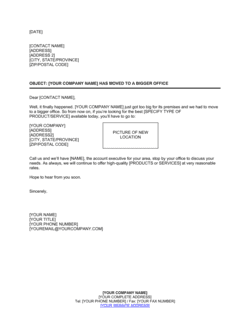
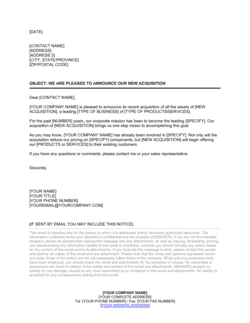
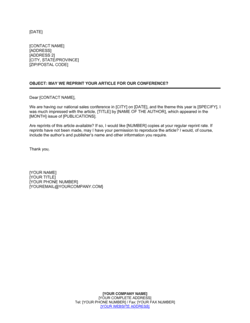
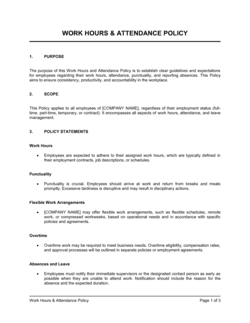
We Have Extended our Business Hours Template

Free Word download β€’ Edit online β€’ Save & share with Drive β€’ Export to PDF

1 pageβ€’20–30 min to fillβ€’Difficulty: Standardβ€’Signature requiredβ€’Legal review recommended
Learn more ↓
FreeWe Have Extended our Business Hours Template

At a glance

What it is
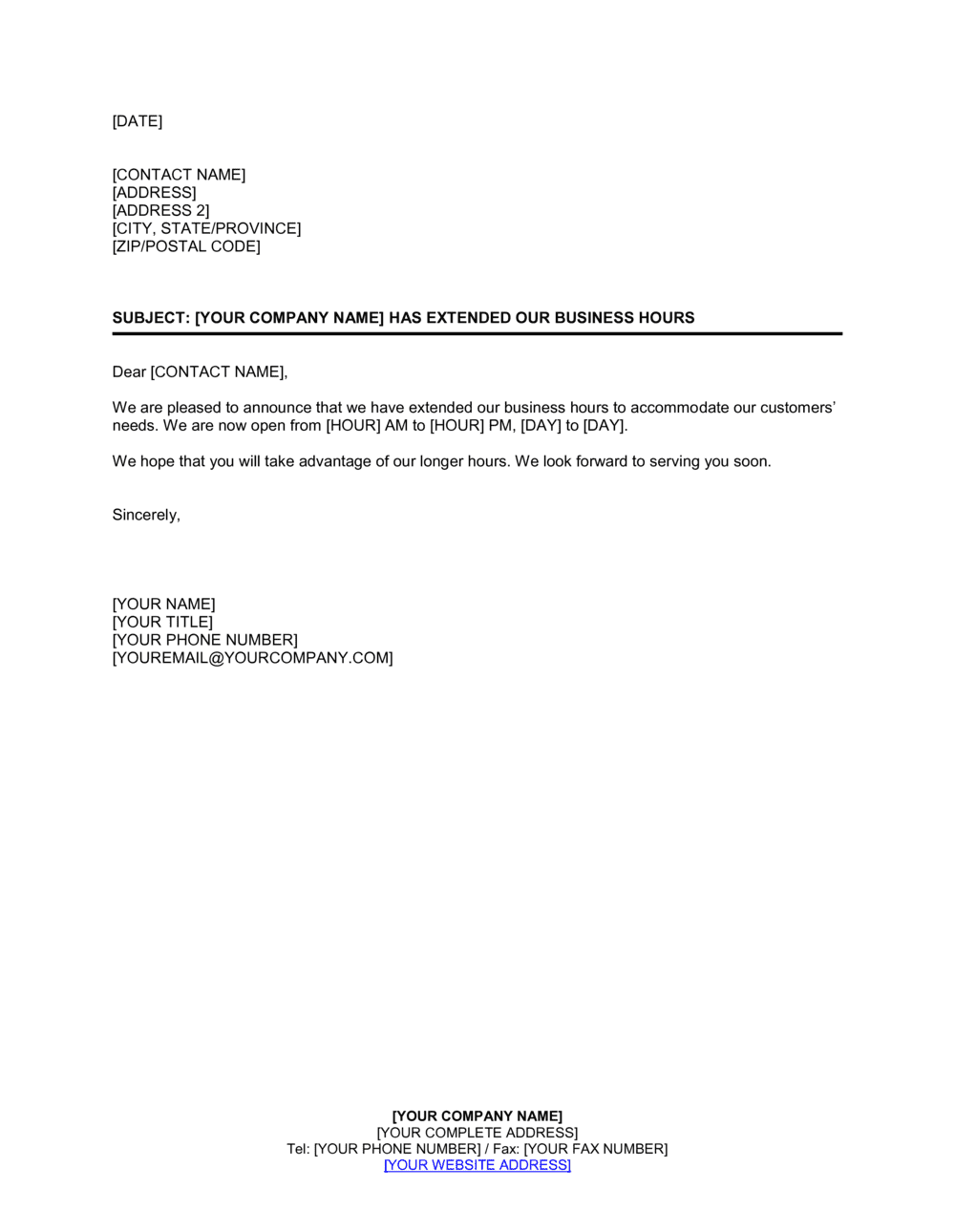
A "We Have Extended Our Business Hours" notice is a formal written communication a business issues to customers, clients, vendors, or partners to announce a permanent or temporary change in its operating schedule. This free Word download gives you a structured, professionally worded template you can edit online and export as PDF or print for immediate distribution.
When you need it
Use it when your business permanently extends its operating hours, adds weekend or evening service, or temporarily expands availability for a seasonal period, promotional event, or operational change. Formal written notice protects you against misunderstanding and creates a dated record of the announced change.
What's inside
Sender and recipient identification, effective date of the new hours, a clear statement of the previous and updated schedule, the reason for the change, applicable locations or departments, contact details for inquiries, and an authorized signature block.

What is a "We Have Extended Our Business Hours" Notice?

A "We Have Extended Our Business Hours" notice is a formal written communication a business issues to customers, clients, vendors, and other stakeholders to announce that its operating schedule has been permanently or temporarily expanded. It documents the previous hours, the new schedule in precise day-by-day and time-specific terms, the effective date, and the locations affected β€” creating a dated, authoritative record of the change. Unlike a casual social media post or website update, a formal written notice establishes proof that stakeholders were properly informed and provides the paper trail required to satisfy contractual notification clauses in service agreements, vendor contracts, and commercial leases.

Why You Need This Document

Failing to issue a proper written notice when extending your business hours creates several concrete risks. Customers and clients who rely on a service agreement that references your availability may dispute new charges or service expectations if they were never formally informed. Vendors with scheduled delivery windows may miss appointments or invoice penalties if their access schedules are not updated in writing. Commercial landlords who have granted access rights only during specific hours may treat an unauthorized extension as a lease violation. In regulated industries β€” healthcare, licensed retail, hospitality β€” operating outside of documented and approved hours can trigger compliance penalties. This template gives you a professionally formatted, legally sound notification you can complete in minutes and distribute with confidence, with a signature block and effective-date clause that satisfies the written notice requirements found in most standard commercial agreements.

Which variant fits your situation?

If your situation is…Use this template
Permanent extension of daily operating hoursExtended Business Hours Notice (Permanent)
Seasonal or holiday hour expansion for a limited periodTemporary Extended Hours Notice
Adding new weekend or Sunday operating hoursWeekend Hours Announcement Letter
Notifying customers of reduced or changed hoursChange of Business Hours Notice
Informing clients of an entirely new location and its hoursNew Business Location Announcement
Formal notice to a landlord or property manager of changed access hoursTenant Operating Hours Change Notice
Internal memo notifying staff of new shift schedulesEmployee Schedule Change Memo

Common mistakes to avoid

❌ Omitting exact open and close times

Why it matters: Vague language like 'extended evening hours' gives customers no actionable information and exposes the business to complaints when expectations are not met.

Fix: List the precise start and end time for every day of the week in the new schedule, using a consistent AM/PM or 24-hour format throughout.

❌ Not specifying which locations are affected

Why it matters: Customers at unaffected branches arrive expecting the extended hours, creating service failures and reputational damage.

Fix: Name every location the notice applies to and add a line confirming that other locations are unaffected.

❌ Failing to distribute the notice with adequate lead time

Why it matters: A notice sent the day before the change leaves customers, vendors, and SLA counterparties unable to adjust plans β€” and may not satisfy contractual notification requirements.

Fix: Issue the notice at least 7 days in advance for informal customer communications and 14–30 days in advance when vendor contracts or service agreements reference operating hours.

❌ Issuing the notice without an authorized signature

Why it matters: An unsigned notice may not constitute valid contractual or regulatory notification, leaving the business exposed if a counterparty challenges whether they were properly informed.

Fix: Have an owner, officer, or authorized manager sign every issued copy before distribution, and retain a signed original in your records.

❌ Not retaining proof of delivery

Why it matters: Without delivery records, a vendor or client who claims they never received the notice can challenge the change's validity under their service agreement β€” potentially requiring the original hours to be honored.

Fix: Use tracked email, certified mail, or a documented delivery confirmation for any recipient bound by a written contract that references your operating hours.

❌ Using the notice as a standalone contract amendment

Why it matters: If your operating hours are referenced in a customer service agreement or vendor contract, a unilateral notice may not legally amend those terms without the counterparty's written consent.

Fix: Review any active contracts that reference your operating hours and obtain a signed amendment or written acknowledgment from counterparties before or alongside distributing the notice.

The 9 key clauses, explained

Sender and business identification

In plain language: Identifies the business issuing the notice by its full legal or trading name, address, and contact information.

Sample language
[BUSINESS LEGAL NAME], located at [STREET ADDRESS, CITY, STATE/PROVINCE, POSTAL CODE], is pleased to announce changes to its operating schedule effective [DATE].

Common mistake: Using a brand name or DBA without the registered legal entity name β€” contracts, SLAs, and regulatory obligations reference the legal name, and a mismatch creates confusion.

Recipient or audience identification

In plain language: States who the notice is addressed to β€” valued customers, specific account holders, vendors, or the general public.

Sample language
Dear Valued Customer / To All Account Holders of [BUSINESS NAME] / To Whom It May Concern:

Common mistake: Addressing the notice generically to 'all parties' without specifying whether it applies to retail customers, wholesale accounts, or a specific location β€” leading recipients to question whether the notice applies to them.

Statement of previous business hours

In plain language: Clearly records the existing operating schedule before the change, establishing a documented baseline for comparison.

Sample language
Our previous operating hours were: Monday–Friday [START TIME] to [END TIME]; Saturday [START TIME] to [END TIME]; Sunday: Closed.

Common mistake: Omitting the old hours entirely. Without a stated baseline, recipients cannot determine what has changed and may assume the extension is smaller or larger than it actually is.

Statement of new extended hours

In plain language: States the updated operating schedule in plain, unambiguous terms, including every day of the week and the exact open and close times.

Sample language
Effective [DATE], our new operating hours will be: Monday–Friday [NEW START TIME] to [NEW END TIME]; Saturday [NEW START TIME] to [NEW END TIME]; Sunday [NEW START TIME] to [NEW END TIME].

Common mistake: Using vague language like 'extended evening hours' without specifying exact times β€” this generates customer service inquiries and can create liability if a customer arrives at an unconfirmed time.

Effective date and duration

In plain language: Specifies the exact calendar date the new hours begin and whether the change is permanent or temporary, including an end date if applicable.

Sample language
These new hours take effect on [DATE] and will remain in place [permanently / through [END DATE]].

Common mistake: Failing to distinguish between a permanent and temporary change. Customers and vendors who rely on the new hours for planning purposes need to know whether the change will last.

Applicable locations or departments

In plain language: Specifies which physical locations, branches, departments, or service lines the extended hours apply to, particularly for multi-location businesses.

Sample language
These hours apply to our [LOCATION NAME / ADDRESS] branch only. Our [OTHER LOCATION NAME] branch continues to operate under its existing schedule.

Common mistake: Issuing a single notice for a multi-location business without specifying which locations are affected β€” customers at unaffected locations arrive expecting extended service and are turned away.

Reason for the change

In plain language: Provides a brief, professional explanation for the extension β€” customer demand, seasonal needs, expanded service commitment β€” which reinforces credibility and goodwill.

Sample language
In response to growing customer demand and to better serve our community, we are pleased to offer extended availability beginning [DATE].

Common mistake: Leaving this clause blank on the assumption customers do not need a reason. A brief explanation increases trust, reduces skepticism, and positions the change as customer-focused rather than purely operational.

Contact information for inquiries

In plain language: Provides a direct phone number, email address, or in-person contact method for recipients who have questions about the new hours.

Sample language
If you have any questions regarding these changes, please contact us at [PHONE NUMBER] or [EMAIL ADDRESS], or visit us in person at [ADDRESS].

Common mistake: Providing only a generic website URL with no direct contact. Customers who cannot quickly confirm details are more likely to assume the notice does not apply to them or that the information is unreliable.

Authorized signature and title

In plain language: Closes the notice with the name, title, and signature of the individual authorized to issue official communications on behalf of the business.

Sample language
Sincerely, [AUTHORIZED SIGNATORY FULL NAME] | [TITLE] | [BUSINESS NAME] | [DATE]

Common mistake: Using a printed name without a handwritten or electronic signature. An unsigned notice carries less authority and may not satisfy contractual or regulatory notification requirements.

How to fill it out

  1. 1

    Enter your business's legal name and address

    In the sender block, use your full registered legal or trading name as it appears on business licenses or contracts. Include your complete street address, city, state or province, and postal code.

    πŸ’‘ If you operate under a DBA, include both the legal entity name and the DBA: '[LEGAL ENTITY NAME] operating as [DBA NAME]'.

  2. 2

    Identify the correct recipient audience

    Decide whether the notice is addressed to all customers, a specific account segment, vendors, or a regulated body. Tailor the salutation and language to that audience to avoid confusion.

    πŸ’‘ For SLA-bound clients, issue a separate, individually addressed version that references the specific service agreement by number.

  3. 3

    Record the current hours clearly before stating the new ones

    Write out the existing schedule in full, day by day. This creates an unambiguous before-and-after record that prevents disputes about what the previous arrangement was.

    πŸ’‘ Use 12-hour AM/PM format for customer-facing notices and 24-hour format for internal or regulatory filings β€” pick one and apply it consistently throughout the document.

  4. 4

    State the new hours with full day-by-day precision

    List every day of the week and its exact open and close times under the new schedule. Do not use ranges like 'Monday through Friday' without also specifying Saturday and Sunday, even if they remain unchanged.

    πŸ’‘ If holiday hours differ, note that explicitly β€” 'Hours may vary on public holidays; see our website for updates' β€” to avoid holding yourself to extended hours on days you will be closed.

  5. 5

    Set the effective date and confirm permanence or duration

    Enter the specific calendar date the change takes effect. If the extension is seasonal or promotional, add an end date. If it is permanent, state that explicitly.

    πŸ’‘ Issue the notice at least 7–14 days before the effective date to give customers, vendors, and any affected contract counterparties adequate time to plan.

  6. 6

    Specify which locations are affected

    For businesses with more than one location, clearly name or address each location covered by the notice. Add a sentence confirming that all other locations maintain their existing schedules.

    πŸ’‘ Include each location's direct phone number alongside its address to make it easy for customers to confirm before travelling.

  7. 7

    Sign and date the document before distribution

    An authorized officer or owner should sign the notice before it is printed, emailed, or posted. The signature, printed name, and title should all appear in the closing block.

    πŸ’‘ For digital distribution, use Business in a Box eSign to timestamp the execution and maintain a signed copy in your records.

  8. 8

    Document your distribution and retain proof of notice

    Keep a record of how and when the notice was distributed β€” email delivery confirmations, postal receipts, or dated social media posts β€” in case a vendor or contract counterparty later claims they were not informed.

    πŸ’‘ For customers bound by service agreements that reference operating hours, send the notice by certified mail or tracked email and retain the confirmation.

Frequently asked questions

What is an extended business hours notice?

An extended business hours notice is a formal written communication a business issues to inform customers, clients, vendors, or partners that its operating schedule has been expanded. It records the previous hours, the new hours, the effective date, and the applicable locations in a single dated document. Beyond courtesy, it creates a documented record that can satisfy contractual notification requirements and protect the business in the event of a dispute.

Is a formal written notice required when changing business hours?

In most jurisdictions, there is no statutory requirement to issue a formal written notice when extending operating hours. However, if your business hours are referenced in customer service agreements, vendor contracts, or commercial leases, a unilateral change without proper written notice may constitute a breach of those agreements. Regulated industries β€” healthcare, financial services, and licensed childcare, for example β€” may also face sector-specific notification requirements.

How much notice should I give before extending business hours?

For general customer communications, 7–14 days is typically sufficient. Where operating hours are referenced in a service agreement or vendor contract, check the notice provisions in that agreement β€” 30 days is a common contractual minimum. For regulated businesses, consult the applicable licensing authority for any mandatory notification periods before implementing the change.

Can a business hours notice serve as an amendment to an existing contract?

Generally, no. A unilateral notice changes what customers and vendors are informed of, but it does not automatically amend a binding contract that specifies your operating hours as a service commitment. To formally amend a contract, you typically need a signed written amendment or a written acknowledgment from the other party. Consider consulting a lawyer if your hours change could affect SLA compliance or service delivery obligations.

Does extending business hours affect my commercial lease?

It may. Many commercial leases specify permitted hours of operation, require landlord consent for extended access, or restrict after-hours use of shared facilities such as parking, HVAC, and building security. Review your lease before implementing any change, and notify your landlord in writing if required. Failure to do so can result in lease violations, additional utility charges, or access restrictions.

Do I need to notify employees separately from customers?

Yes. A customer-facing notice is not a substitute for formal employee communication about schedule changes. New operating hours may affect shift patterns, overtime eligibility, and employment contract terms. Use a separate internal memo or schedule change notice to inform staff, and ensure any changes comply with applicable employment standards legislation regarding notice of schedule changes.

What should I do if a key vendor's contract references my business hours?

Review the contract to identify exactly how your hours are referenced β€” as a delivery window, a service availability commitment, or an access schedule. If the extension changes your obligations or the vendor's obligations under the contract, issue the notice well in advance and request a written acknowledgment. For material changes, consider a formal contract amendment to confirm both parties' updated expectations.

Is an electronic or emailed notice legally valid?

In most jurisdictions, electronic notices are valid provided the recipient has consented to electronic communication and the notice method complies with any specific requirements in the governing contract. Retain delivery confirmation records β€” read receipts, tracked email logs, or platform delivery timestamps β€” as proof of delivery. Where the contract requires written notice by post, an email alone may not suffice without a simultaneous physical copy.

Should I post the new hours publicly in addition to sending formal notices?

Yes. Public posting β€” on your storefront, website, Google Business Profile, and social media channels β€” ensures the broadest possible awareness and reduces customer confusion. Public posting does not replace formal written notice to contractual counterparties but complements it. Keeping all public listings synchronized with the formal notice date prevents conflicting information from reaching customers through different channels.

How this compares to alternatives

vs Change of business hours notice

A general change of hours notice covers any modification β€” extension, reduction, or a complete reschedule. An extended hours notice specifically announces an expansion of availability, which carries a different tone and customer-facing message. Use the extended hours version when the change is entirely additive and you want to emphasize the benefit to customers.

vs Business closure notice

A closure notice informs customers and partners that the business will be unavailable during a specific period. An extended hours notice does the opposite β€” it expands availability. If you need to communicate both a temporary closure and subsequent extended hours upon reopening, issue them as two separate documents with distinct effective dates.

vs Service level agreement amendment

An SLA amendment is a binding contractual modification requiring signatures from both parties. A business hours notice is a unilateral communication that informs but does not bind. If your extended hours create new service commitments β€” faster response times, additional coverage windows β€” formalize them in a signed SLA amendment rather than relying on the notice alone.

vs New business location announcement

A new location announcement introduces customers and vendors to a different physical address and its operating hours. An extended hours notice applies to an existing, already-known location. Both documents share similar structural elements, but the context and audience message are distinct β€” use the correct version to avoid confusing recipients about whether the change involves a move.

Industry-specific considerations

Retail

Extended evening and weekend hours driven by seasonal demand require formal notices to loyalty program members, suppliers with delivery windows, and landlords with access hour restrictions.

Healthcare and medical practices

Expanded clinic hours must be communicated to patients, insurance networks, and licensing authorities, and may require updated operating licenses or facility access approvals.

Professional services

Law firms, accounting practices, and consultancies extending hours for peak seasons must notify clients in writing to update SLA commitments and ensure staff scheduling is documented.

Food and beverage

Restaurants and cafes extending to late-night or early-morning service may need to notify local authorities, update liquor license conditions, and formally advise suppliers of new delivery schedules.

Jurisdictional notes

United States

No federal statute mandates advance notice of extended operating hours to customers. However, commercial leases commonly restrict hours of operation and require landlord consent for changes. State consumer protection laws in some jurisdictions require that publicly posted hours be accurate and current. Regulated industries such as pharmacy, childcare, and financial services may face state-level notification requirements.

Canada

Retail operating hours in several provinces, including Ontario, Nova Scotia, and Prince Edward Island, have historically been regulated under retail business hours legislation, though most restrictions have been relaxed. Commercial leases in Canada routinely specify permitted hours and require landlord approval for extensions. French-language notice requirements apply to businesses operating in Quebec under the Charter of the French Language.

United Kingdom

UK businesses operating under a premises licence β€” including those selling alcohol or providing late-night refreshment β€” must notify the local licensing authority of any change to operating hours before implementing it. Commercial tenants should review their lease for permitted hours clauses. Under the Consumer Rights Act 2015, published service hours form part of the implied terms of service contracts with consumers.

European Union

EU member states vary significantly in their regulation of commercial operating hours β€” Germany and Austria impose strict Sunday trading restrictions, while the Netherlands and Sweden are largely deregulated. Businesses providing consumer services must ensure that publicly communicated operating hours are accurate under the EU Consumer Rights Directive. GDPR considerations arise if the notice is distributed via a customer email list, requiring a lawful basis for processing.

Template vs lawyer β€” what fits your deal?

PathBest forCostTime
Use the templateSmall businesses extending customer-facing hours with no active contracts that reference operating timesFree15 minutes
Template + legal reviewBusinesses with vendor contracts, customer service agreements, or commercial leases that reference operating hours$150–$400 for a lawyer or contracts specialist to review1–2 days
Custom draftedRegulated industries, multi-location franchise networks, or businesses where hour changes trigger SLA renegotiation or licensing amendments$500–$1,500+3–7 days

Glossary

Effective Date
The specific calendar date on which the new operating hours come into force.
Operating Hours
The days of the week and times of day during which a business is open and available to serve customers or clients.
Notice Period
The minimum number of days between issuing the announcement and the change taking effect, giving recipients time to adjust.
Authorized Signatory
The individual with authority to sign and issue official communications on behalf of the business β€” typically an owner, manager, or officer.
Service Level Agreement (SLA)
A contractual commitment between a business and its customers defining the scope, availability, and response times of services provided.
Permanent Change
A modification to business hours with no defined end date, intended to reflect the ongoing standard operating schedule.
Temporary Change
A time-limited modification to operating hours with a defined start and end date, after which the original schedule resumes.
Distribution List
The complete set of recipients β€” customers, clients, vendors, partners, or regulatory bodies β€” to whom the notice is formally sent.
Proof of Notice
Documentation confirming that a notice was delivered β€” such as a delivery receipt, read receipt, or certified mail confirmation β€” used to establish that recipients were properly informed.
Branch or Location Identifier
A unique name, code, or address that distinguishes one physical business location from others within the same organization.

Part of your Business Operating System

This document is one of 3,000+ business & legal templates included in Business in a Box.

  • Fill-in-the-blanks β€” ready in minutes
  • 100% customizable Word document
  • Compatible with all office suites
  • Export to PDF and share electronically

Create your document in 3 simple steps.

From template to signed document β€” all inside one Business Operating System.
1
Download or open template

Access over 3,000+ business and legal templates for any business task, project or initiative.

2
Edit and fill in the blanks with AI

Customize your ready-made business document template and save it in the cloud.

3
Save, Share, Send, Sign

Share your files and folders with your team. Create a space of seamless collaboration.

Save time, save money, and create top-quality documents.

β˜…β˜…β˜…β˜…β˜…

"Fantastic value! I'm not sure how I'd do without it. It's worth its weight in gold and paid back for itself many times."

Managing Director Β· Mall Farm
Robert Whalley
Managing Director, Mall Farm Proprietary Limited
β˜…β˜…β˜…β˜…β˜…

"I have been using Business in a Box for years. It has been the most useful source of templates I have encountered. I recommend it to anyone."

Business Owner Β· 4+ years
Dr Michael John Freestone
Business Owner
β˜…β˜…β˜…β˜…β˜…

"It has been a life saver so many times I have lost count. Business in a Box has saved me so much time and as you know, time is money."

Owner Β· Upstate Web
David G. Moore Jr.
Owner, Upstate Web

Run your business with a system β€” not scattered tools

Stop downloading documents. Start operating with clarity. Business in a Box gives you the Business Operating System used by over 250,000 companies worldwide to structure, run, and grow their business.

Start freeΒ Β·Β No credit card required