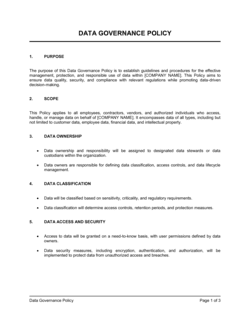
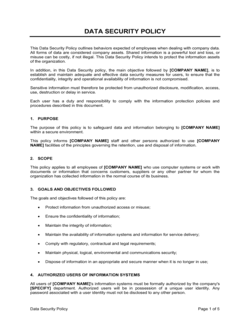
How to Have Control of Your Documents and Data

Free Word download β€’ Edit online β€’ Save & share with Drive β€’ Export to PDF

2 pagesβ€’20–25 min to fillβ€’Difficulty: Standard
Learn more ↓
FreeHow to Have Control of Your Documents and Data Template

At a glance

What it is
A Document and Data Control Policy is an operational guide that defines how a business creates, names, versions, stores, accesses, retains, and disposes of its documents and data. This free Word download gives you a structured, editable template you can tailor to your systems and team size, then export as PDF for distribution or audit submission.
When you need it
Use it when onboarding staff who need to know where files live and who can change them, when preparing for an ISO 9001 or SOC 2 audit that requires documented control procedures, or when a version-control breakdown β€” overwritten files, outdated contracts circulating, or a data breach β€” signals the business needs formal rules.
What's inside
Scope and objectives, document classification framework, naming and versioning conventions, access rights and permissions matrix, storage and backup requirements, retention and disposal schedules, roles and responsibilities, and a review and audit cycle.

What is a Document and Data Control Policy?

A Document and Data Control Policy is an operational guide that defines the rules governing how a business creates, names, versions, stores, accesses, retains, and disposes of its documents and data. It assigns ownership and accountability across those activities, specifies the approved systems and folder structures employees must use, and establishes the review and audit cycle that keeps the policy current. Rather than leaving document practices to individual habit, a control policy converts them into a repeatable, auditable process that works consistently regardless of team size or staff turnover.

Why You Need This Document

Without a document control policy, version conflicts quietly erode trust in your own files β€” teams reference outdated contracts, submit superseded forms, or overwrite each other's work with no way to reconstruct what changed. When a client audit, regulatory inspection, or legal discovery request arrives, the absence of documented control procedures is itself a finding. ISO 9001 Clause 7.5, SOC 2 availability criteria, HIPAA's record-keeping requirements, and most government procurement standards all require written evidence that your organization manages documents systematically. Beyond compliance, a clear policy shortens onboarding time for new hires, reduces the IT burden of managing uncontrolled file sprawl, and gives leadership confidence that the decisions and agreements captured in documents are the right, current versions. This template gives you a ready-to-customize framework that covers every stage of the document lifecycle in a single Word file you can adapt, distribute, and update as your systems evolve.

Which variant fits your situation?

If your situation is…Use this template
Documenting control procedures for an ISO 9001 quality auditISO 9001 Document Control Procedure
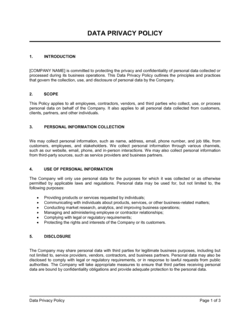
Governing data handling practices for GDPR or privacy complianceData Privacy Policy
Setting rules for how employees use company IT systems and dataIT Acceptable Use Policy
Managing the full lifecycle of physical and digital recordsRecords Retention Policy
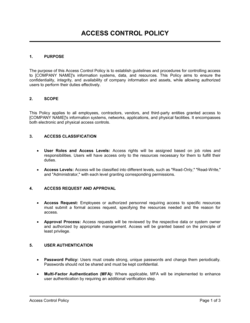
Controlling access and permissions across a software or cloud environmentInformation Security Policy
Standardizing how project files and deliverables are named and storedProject Document Management Plan
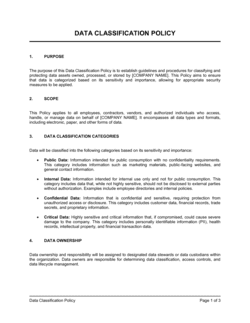
Guiding staff on classifying and labeling sensitive business informationData Classification Policy

Common mistakes to avoid

❌ Scoping the policy to only one department

Why it matters: Uncontrolled documents in other departments create compliance gaps that auditors will find, and the policy fails its primary purpose of giving the business unified control.

Fix: Map every team's storage systems and document types before finalizing scope β€” even if rollout is phased, the policy should acknowledge all areas from day one.

❌ No built-in revision log in controlled documents

Why it matters: When the revision history lives in a separate spreadsheet, it gets separated from the document and no one can reconstruct who changed what or when β€” making audits and disputes much harder to resolve.

Fix: Add a revision log table to the document template itself, capturing version number, change description, author, and approval date on each update.

❌ Backup schedules that have never been tested

Why it matters: An untested backup is an assumption, not a safeguard. Organizations discover failed backups only at the moment of data loss, when recovery is most urgent.

Fix: Schedule a recovery drill at least once per year: restore a sample of files from backup and confirm integrity before logging the test as passed.

❌ Assigning all policy ownership to one person with no named backup

Why it matters: When the sole document controller is on leave, sick, or has left the company, the entire control process stalls β€” reviews are missed, approvals are blocked, and audits reveal lapsed compliance.

Fix: Name a primary Document Controller and a secondary owner in the roles section, and cross-train both in all day-to-day control tasks.

The 10 key sections, explained

Scope and objectives

Document classification framework

Naming and versioning conventions

Storage locations and folder structure

Access rights and permissions matrix

Review, approval, and change control

Retention and disposal schedule

Roles and responsibilities

Backup, recovery, and business continuity

Audit cycle and policy review

How to fill it out

  1. 1

    Define your scope and list your systems

    Identify every department, file type, and storage system the policy will cover. Include cloud drives, email servers, physical filing systems, and any industry-specific platforms.

    πŸ’‘ Start by surveying department heads on where their teams actually store files β€” the answer is rarely only the approved system.

  2. 2

    Choose your classification tiers

    Select three or four sensitivity levels appropriate to your business. Define a concrete trigger for each β€” what type of content or what regulatory requirement puts a document in that tier.

    πŸ’‘ Four tiers (Public, Internal, Confidential, Restricted) cover the vast majority of business needs without overwhelming staff.

  3. 3

    Set your naming and versioning convention

    Write the exact format you will require β€” department code, document type, date (YYYYMMDD), and version number. Create two or three worked examples for each document type.

    πŸ’‘ Publish a one-page naming cheat sheet alongside the policy. Staff refer to the cheat sheet daily; they read the full policy once.

  4. 4

    Build the access permissions matrix

    Map each classification tier to specific roles with view, edit, approve, and delete permissions. Include the process for requesting elevated access and the maximum response time.

    πŸ’‘ Default to least-privilege access β€” grant only what is needed for a role to function, and require a documented request for anything more.

  5. 5

    Document the review and approval workflow

    Write out the step-by-step process for creating a new document and for revising an existing one. Name the roles at each stage β€” drafter, reviewer, approver, and distributor.

    πŸ’‘ Add a revision log table directly inside the template so version history always travels with the document.

  6. 6

    Complete the retention and disposal schedule

    List each document category, its minimum retention period, and the approved disposal method. Cross-reference applicable regulations (tax law, employment law, industry standards) to confirm minimums.

    πŸ’‘ When in doubt about a retention period, consult your accountant or legal advisor β€” retaining too long creates data liability; disposing too soon creates legal exposure.

  7. 7

    Assign roles and communicate responsibilities

    Name a Document Controller and assign document ownership for each major category. Distribute the final policy to all staff with a brief orientation on the key rules.

    πŸ’‘ Require staff to sign an acknowledgment form confirming they have read and understood the policy β€” this creates an audit trail for compliance purposes.

  8. 8

    Set the audit and review calendar

    Schedule the first internal audit and the 12-month policy review on the company calendar before you publish the policy. Assign both to a named individual.

    πŸ’‘ Tie the annual review to your fiscal year-end so it runs alongside other compliance activities rather than as a standalone task that gets deprioritized.

Frequently asked questions

What is a document and data control policy?

A document and data control policy is an operational document that defines how a business creates, names, versions, stores, accesses, retains, and disposes of its documents and data. It sets the rules that prevent version conflicts, unauthorized access, premature deletion, and compliance failures β€” and assigns specific responsibilities to roles across the organization.

Why do businesses need a document control policy?

Without one, employees store files wherever is convenient, version conflicts overwrite critical work, and sensitive data ends up in unprotected locations. Regulatory frameworks including ISO 9001, SOC 2, HIPAA, and GDPR require documented control procedures as a condition of certification or compliance. A formal policy also protects the business during due diligence, litigation discovery, and insurance claims by demonstrating that records are managed systematically.

What is the difference between document control and records management?

Document control focuses on active documents β€” ensuring the right people use the right version of a live document. Records management focuses on completed or finalized documents that must be retained for regulatory, legal, or historical purposes. A comprehensive data control policy typically covers both: active document lifecycle rules and retention or disposal schedules for records.

What document classification levels should a business use?

Three to four tiers work for most organizations: Public (unrestricted), Internal (employees only), Confidential (specific roles only), and Restricted (named individuals, encrypted). More than four tiers create confusion and are rarely applied consistently. The right number depends on the sensitivity of your data and any regulatory requirements β€” a healthcare organization handling PHI may need a dedicated tier for patient data.

How does version control work in a document control policy?

Version control assigns a sequential identifier β€” typically v1.0, v1.1, v2.0 β€” to each revision of a controlled document. Major revisions (substantive content changes) increment the whole number; minor edits (formatting, typo corrections) increment the decimal. The policy should specify where the version number appears on the document, who approves a version change, and how outdated versions are archived or removed from circulation.

What retention periods apply to business documents?

Retention periods vary by document type and jurisdiction. Common US benchmarks: financial and tax records 7 years, employment records 3–7 years after separation, contracts 6–10 years after expiration, corporate governance records (minutes, resolutions) permanently. Industry regulations β€” HIPAA, FINRA, FDA β€” impose additional minimums. Consult your accountant or legal advisor to confirm the applicable periods for your document categories before finalizing the schedule.

Does a document control policy need to be reviewed regularly?

Yes. At minimum, review the policy every 12 months and immediately after any material change to your storage systems, regulatory environment, or organizational structure. A policy last updated three years ago likely references systems or roles that no longer exist, and will fail an external audit on that basis alone. Assign a named owner responsible for triggering each review.

Can a small business use this document control template?

Yes β€” the template is designed to scale. A five-person business can apply a simplified version covering three classification tiers, one storage system, and a quarterly self-review. The same structure expands to cover multiple departments, systems, and regulatory requirements as the business grows. Start with the sections most relevant to your current risk exposure and add complexity as needed.

How does a document control policy support ISO 9001 certification?

ISO 9001 Clause 7.5 requires organizations to maintain documented information β€” including controls over creation, update, distribution, access, storage, and retention. A formal document control policy directly satisfies this clause and provides auditors with the written evidence they need. Without it, organizations typically fail Clause 7.5 as a nonconformity during their Stage 2 certification audit.

How this compares to alternatives

vs Information Security Policy

An information security policy governs the technical controls protecting systems and data from unauthorized access or breach β€” firewalls, encryption, incident response, and acceptable use. A document control policy governs the business process of managing documents and data across their lifecycle β€” naming, versioning, storage, retention, and disposal. Both are needed; neither replaces the other.

vs Data Privacy Policy

A data privacy policy is an external-facing statement explaining to customers and users how their personal data is collected, used, and protected β€” typically required by GDPR, CCPA, and similar regulations. A document control policy is an internal operational guide for employees. Privacy compliance depends in part on having sound document control, but the two documents serve different audiences and purposes.

vs Records Retention Policy

A records retention policy focuses exclusively on how long specific document categories must be kept and how they must be disposed of. A document control policy covers the full document lifecycle from creation through disposal β€” including naming, versioning, access, storage, and review workflows. For most businesses, a retention schedule is one section of a broader document control policy.

vs Standard Operating Procedure (SOP)

An SOP describes how to perform a specific task or process β€” it is itself a controlled document. A document control policy sets the rules by which all SOPs (and every other controlled document) are created, approved, stored, and updated. The policy governs the SOPs; the SOPs document the work.

Industry-specific considerations

Healthcare

HIPAA requires strict access controls and audit trails for patient records, and imposes specific retention minimums β€” medical records must typically be kept for 6 years from creation or last use.

Professional Services

Law firms, accounting firms, and consultancies manage high volumes of client-confidential documents and face professional licensing rules requiring documented retention and destruction procedures.

Manufacturing

ISO 9001 certification mandates documented control over quality records, work instructions, and inspection reports β€” version conflicts on production documents can cause costly defects or audit failures.

Technology / SaaS

SOC 2 Type II audits require evidence of controlled access to system documentation and data, making a formal policy a prerequisite for enterprise sales that require vendor security reviews.

Template vs pro β€” what fits your needs?

PathBest forCostTime
Use the templateSmall and mid-size businesses establishing document control for the first time or preparing for an initial ISO or SOC auditFree2–4 hours to complete and distribute
Template + professional reviewOrganizations in regulated industries (healthcare, finance, government contracting) or those undergoing a formal certification audit$300–$1,000 for a compliance consultant or quality manager review3–5 business days
Custom draftedEnterprises with complex multi-system environments, cross-border data handling requirements, or mandatory regulatory certification$2,000–$8,000 for a full document management system design and policy suite2–6 weeks

Glossary

Document Control
The process of managing the creation, approval, distribution, modification, and disposal of documents to ensure only current, authorized versions are in use.
Version Control
A system that tracks changes to a document over time, assigning sequential version numbers so users can identify the current revision and access prior ones.
Retention Schedule
A policy that specifies how long each category of document or data must be kept before it can be archived or permanently deleted.
Data Classification
The practice of categorizing data by sensitivity level β€” such as public, internal, confidential, or restricted β€” to determine appropriate handling and access controls.
Access Control
Rules and technical mechanisms that limit who can view, edit, share, or delete specific documents or data sets.
Audit Trail
A chronological log of who accessed, created, modified, or deleted a document or data record, used to verify compliance and investigate incidents.
Master Document
The single authoritative version of a document, held in a designated location, from which all controlled copies are distributed.
Disposition
The final action taken on a document at the end of its retention period β€” either permanent deletion, archiving, or transfer to another custodian.
Metadata
Descriptive information attached to a document β€” such as author, creation date, version number, and classification β€” that supports searching, sorting, and audit.
Change Control
A formal process requiring documented approval before a controlled document can be modified, ensuring unauthorized edits do not enter circulation.

Part of your Business Operating System

This document is one of 3,000+ business & legal templates included in Business in a Box.

  • Fill-in-the-blanks β€” ready in minutes
  • 100% customizable Word document
  • Compatible with all office suites
  • Export to PDF and share electronically

Create your document in 3 simple steps.

From template to signed document β€” all inside one Business Operating System.
1
Download or open template

Access over 3,000+ business and legal templates for any business task, project or initiative.

2
Edit and fill in the blanks with AI

Customize your ready-made business document template and save it in the cloud.

3
Save, Share, Send, Sign

Share your files and folders with your team. Create a space of seamless collaboration.

Save time, save money, and create top-quality documents.

β˜…β˜…β˜…β˜…β˜…

"Fantastic value! I'm not sure how I'd do without it. It's worth its weight in gold and paid back for itself many times."

Managing Director Β· Mall Farm
Robert Whalley
Managing Director, Mall Farm Proprietary Limited
β˜…β˜…β˜…β˜…β˜…

"I have been using Business in a Box for years. It has been the most useful source of templates I have encountered. I recommend it to anyone."

Business Owner Β· 4+ years
Dr Michael John Freestone
Business Owner
β˜…β˜…β˜…β˜…β˜…

"It has been a life saver so many times I have lost count. Business in a Box has saved me so much time and as you know, time is money."

Owner Β· Upstate Web
David G. Moore Jr.
Owner, Upstate Web

Run your business with a system β€” not scattered tools

Stop downloading documents. Start operating with clarity. Business in a Box gives you the Business Operating System used by over 250,000 companies worldwide to structure, run, and grow their business.

Free Forever PlanΒ Β·Β No credit card required