Visit our New Website! Template

Free Word download β€’ Edit online β€’ Save & share with Drive β€’ Export to PDF

2 pagesβ€’20–30 min to fillβ€’Difficulty: Standardβ€’Signature requiredβ€’Legal review recommended
Learn more ↓
FreeVisit our New Website! Template

At a glance

What it is
A Visit Our New Website letter is a formal business communication sent to clients, partners, vendors, and stakeholders to announce the launch or relaunch of a company's website, including any changes to the URL, branding, or online services. This free Word download gives you a professionally structured template you can edit online and export as PDF, covering the announcement, the new address, key changes, and a clear call to action.
When you need it
Use it when your business launches a new website, migrates to a new domain, undergoes a rebrand, or significantly overhauls its online presence and needs to formally notify contacts of the change. It is particularly important when the old URL is being retired and clients or partners need to update their bookmarks, links, or records.
What's inside
Sender and recipient details, announcement of the new website and URL, a summary of key changes or new features, instructions for updating records or bookmarks, transition timeline for the old URL, contact information for questions, and an authorized signatory block.

What is a Visit Our New Website Letter?

A Visit Our New Website letter is a formal business communication sent to clients, partners, vendors, and other stakeholders to announce the launch, relaunch, or migration of a company's website β€” including any changes to the primary URL, branding, online portals, or digital service access points. It documents that the notification was made, provides clear instructions for updating records and bookmarks, and addresses any continuity concerns around account data, login credentials, or privacy practices. Unlike a casual email blast, a properly drafted letter creates a written record of the communication and ensures that recipients with contractual or operational dependencies on the old URL have sufficient notice to act before the transition is complete.

Why You Need This Document

Without a formal written notification, clients who have saved your old portal URL miss access to their accounts, vendors who rely on your ordering page cannot place orders, and partners who have embedded your old domain in their systems face broken links β€” all of which generate support costs and erode trust at exactly the moment you are trying to make a positive impression with your new site. For businesses subject to GDPR, CCPA, or Canada's Law 25, a new website frequently triggers data handling changes that require documented notification to users β€” an undocumented launch creates regulatory exposure. A signed, dated letter also provides evidence that you met any written notice obligations in existing service contracts that reference your online infrastructure. This template gives you a professionally structured, jurisdiction-aware starting point that takes 15 minutes to complete and protects both the relationship and the compliance record.

Which variant fits your situation?

If your situation is…Use this template
Announcing a brand-new website for a newly launched businessNew Business Website Announcement Letter
Notifying clients of a full rebrand including new domain nameRebranding Announcement Letter
Informing vendors of a new supplier or procurement portal URLVendor Portal Update Notification
Alerting customers to a new e-commerce storefront after platform migrationE-Commerce Migration Announcement
Communicating a client portal launch to existing service clientsClient Portal Launch Letter
Announcing a website update as part of a broader press releasePress Release β€” Website Launch
Sending a mass email notification rather than a formal letterWebsite Launch Email Announcement

Common mistakes to avoid

❌ Burying the new URL below the fold

Why it matters: Recipients who read only the first paragraph will miss the single most important piece of information in the letter, defeating the purpose of the announcement.

Fix: State the full new URL in the first sentence of the letter and repeat it once more in the call-to-action paragraph near the close.

❌ No retirement date for the old URL

Why it matters: Without a stated end date, recipients assume the old address is permanent and never update their records β€” leading to broken links, missed portal access, and lost orders after the redirect is implemented.

Fix: Set a specific retirement date at least 30–60 days out and state it clearly in the transition-timeline clause.

❌ Omitting a privacy policy update notice

Why it matters: A new website frequently involves a new platform, new analytics tools, or new cookie configurations β€” all of which require a corresponding privacy policy update under GDPR, CCPA, and PIPEDA.

Fix: Review your new site's data collection practices before launch, update the privacy policy to reflect them, and include the updated policy URL and effective date in the letter.

❌ Using a generic team sign-off instead of a named signatory

Why it matters: Formal business letters referencing policy changes, portal migrations, or account data require a named authorized representative β€” a generic 'The Team' closing reduces credibility and provides no accountability.

Fix: Identify the appropriate authorized signatory β€” the CEO, account manager, or marketing director β€” and include their full name, title, and direct contact details in the closing.

❌ Sending one generic version to all recipient types

Why it matters: Clients care about portal access and account data; vendors care about order form and invoicing URLs; press contacts care about the media kit. A single generic version buries relevant information for each segment.

Fix: Create two or three targeted versions of the letter with the summary-of-changes clause tailored to each recipient type β€” client, vendor, and general stakeholder.

❌ Announcing the new website before it is live and tested

Why it matters: Recipients who click the new URL on announcement day and find a broken site, 404 errors, or missing content form a negative first impression that is hard to reverse.

Fix: Send the announcement letter no earlier than the day the new site is fully live, tested across browsers and devices, and confirmed to be resolving all key URLs correctly.

The 9 key clauses, explained

Sender and recipient identification

In plain language: Identifies the sending business by its full legal name and contact details, and addresses the recipient β€” whether an individual client, a company, or a general distribution list.

Sample language
[COMPANY LEGAL NAME] | [STREET ADDRESS, CITY, STATE/PROVINCE, ZIP] | [PHONE] | [EMAIL] β€” To: [RECIPIENT NAME / 'Valued Clients and Partners'] | [RECIPIENT ADDRESS]

Common mistake: Using a trade name instead of the registered legal entity name in the letterhead β€” if the letter references binding service terms or portal access agreements, the legal name must match the contracting party.

Announcement statement

In plain language: The opening clause that formally announces the new website, states the purpose of the communication, and gives the new URL clearly and prominently.

Sample language
We are pleased to announce that [COMPANY NAME] has launched its new website, now live at [NEW URL]. Effective [EFFECTIVE DATE], [NEW URL] is the primary online address for all [COMPANY NAME] information, services, and resources.

Common mistake: Burying the new URL in the body of the letter rather than stating it in the first paragraph β€” recipients who skim the letter miss the single most important piece of information.

Summary of changes and new features

In plain language: Describes what is new or improved on the website β€” new functionality, updated service pages, a client portal, an online store, or refreshed contact information.

Sample language
The new site features [KEY FEATURE 1], [KEY FEATURE 2], and a dedicated client portal at [PORTAL URL] where you can [ACCESS / MANAGE / SUBMIT] your [DOCUMENTS / ORDERS / REQUESTS] at any time.

Common mistake: Listing every minor design update rather than focusing on changes that directly affect how the recipient interacts with the business β€” this dilutes the message and buries the actionable information.

Old URL retirement and transition timeline

In plain language: States whether the old website or URL will remain active, and for how long, before it is retired or redirected β€” giving recipients a clear window to update their records.

Sample language
Our previous website at [OLD URL] will remain accessible until [RETIREMENT DATE], after which all traffic will be automatically redirected to [NEW URL]. We encourage you to update your bookmarks and any saved links before [RETIREMENT DATE].

Common mistake: Failing to specify the retirement date for the old URL β€” recipients assume the old address is permanent and do not update their records, leading to broken links and missed communications after the redirect goes live.

Instructions for updating records

In plain language: Directs the recipient to take specific actions β€” updating bookmarks, saved links, vendor records, or contact databases β€” to reflect the new URL.

Sample language
Please update your records to reflect our new web address: [NEW URL]. If you have saved links to specific pages on our previous site, please visit [NEW URL/SITEMAP] to locate the equivalent updated pages.

Common mistake: Giving a generic instruction to 'update your records' without specifying which records β€” vendors, clients, and partners need to know whether to update a payment portal URL, a contact page, an order form, or a client login.

Data and account continuity assurance

In plain language: Reassures the recipient that existing account information, order history, login credentials, or stored data has been preserved through the website migration.

Sample language
All existing account information, order history, and login credentials have been securely migrated to the new platform. You may log in at [PORTAL URL] using your existing email address and password. If you experience any access issues, please contact [SUPPORT EMAIL/PHONE].

Common mistake: Omitting this clause when a client portal or account system is involved β€” clients who are not told their data has been migrated will assume they need to re-register, creating unnecessary support load and eroding trust.

Contact information for questions

In plain language: Provides a direct point of contact β€” name, email, and phone β€” for recipients who have questions about the new website, need assistance accessing new features, or want to confirm updated details.

Sample language
If you have any questions about our new website or need assistance, please contact [CONTACT NAME] at [EMAIL] or [PHONE NUMBER]. Our team is available [HOURS] to assist you.

Common mistake: Listing only a general info@ email address without a named contact or direct line β€” recipients with urgent questions cannot reach a real person, and response times on general inboxes are often slower during a launch period.

Privacy and data handling reference

In plain language: Acknowledges any updates to the company's privacy policy or cookie practices resulting from the new website and directs recipients to review the updated policy.

Sample language
In connection with the launch of our new website, we have updated our Privacy Policy, effective [DATE]. The updated policy is available at [PRIVACY POLICY URL]. By continuing to use our website and services, you acknowledge the updated terms.

Common mistake: Launching a new website with a new platform or analytics tools without updating the privacy policy or notifying users β€” this creates GDPR, CCPA, and PIPEDA compliance exposure depending on the jurisdiction.

Authorized signatory and closing

In plain language: Closes the letter with the sender's name, title, and signature, lending authority to the announcement and providing a named point of accountability.

Sample language
We look forward to your visit at [NEW URL] and value your continued relationship with [COMPANY NAME]. Sincerely, [SIGNATORY NAME] | [TITLE] | [COMPANY NAME] | [DATE]

Common mistake: Sending the letter without a named signatory or with a generic 'The [Company] Team' closing β€” formal business communications referencing policy changes or account migrations require a named authorized representative.

How to fill it out

  1. 1

    Enter your company's legal name and contact details

    Complete the letterhead with your full registered business name, physical address, phone number, and official email address. This must match the legal entity name used in any related service agreements or privacy policy.

    πŸ’‘ If your website migration coincides with a rebrand or name change, use the new legal name in the letterhead and reference the former name in the announcement clause for clarity.

  2. 2

    State the new URL prominently in the opening paragraph

    Write the new website address in full β€” including https:// β€” in the first paragraph of the letter. Do not abbreviate or hyperlink only; spell out the complete URL so it is readable in printed and plain-text formats.

    πŸ’‘ Repeat the new URL at least twice in the letter β€” once in the opening announcement and once in the instructions-to-update-records clause β€” so recipients who skim do not miss it.

  3. 3

    Set and state the effective date

    Enter the specific calendar date on which the new website becomes the primary address. If you are running a transition period, also enter the date the old URL will be retired or redirected.

    πŸ’‘ Give at least 30 days' notice before retiring the old URL β€” 60 days is standard for B2B clients who may have internal systems or documents referencing the old address.

  4. 4

    Summarize only the changes relevant to the recipient

    In the summary of changes clause, list the two or three updates that directly affect how the recipient uses your website β€” a new client portal, a new order form URL, or a new contact page. Omit internal or cosmetic changes.

    πŸ’‘ Tailor this section by recipient segment if you are sending different versions to clients, vendors, and press contacts β€” each group cares about different features.

  5. 5

    Address data and account continuity explicitly

    If your website includes a client portal, login area, or e-commerce account system, add a clear statement confirming that existing credentials and data have been migrated. Include the support contact for login issues.

    πŸ’‘ Even if migration was seamless on the back end, clients expect an explicit confirmation β€” omitting this clause generates preventable support inquiries.

  6. 6

    Reference your updated privacy policy

    If the new website uses a different CMS, analytics platform, or cookie management tool, your privacy policy must be updated. Add the privacy policy URL and effective date to the letter, especially for contacts in the EU, UK, or Canada.

    πŸ’‘ Check whether your new platform's cookies or tracking pixels require a new cookie consent banner under GDPR or CCPA β€” the letter is not a substitute for on-site consent mechanisms.

  7. 7

    Add a named contact and sign the letter

    Include a specific person's name, title, direct email, and phone number as the contact for questions. Sign the letter with the name and title of the authorized signatory β€” typically the CEO, marketing director, or account manager.

    πŸ’‘ For high-value client relationships, consider having the account manager or relationship lead sign the letter personally rather than using a single company-wide signatory.

  8. 8

    Proofread the new URL before sending

    Test every URL mentioned in the letter β€” the new homepage, any portal links, and the privacy policy page β€” in a browser before distribution. A broken or misspelled URL in a formal announcement letter is a credibility risk.

    πŸ’‘ Send a test version to an internal email address and click every link in both the Word and PDF versions to confirm they resolve correctly.

Frequently asked questions

What is a Visit Our New Website letter?

A Visit Our New Website letter is a formal business communication sent to clients, partners, vendors, and other stakeholders to announce the launch or relaunch of a company's website. It provides the new URL, summarizes key changes, states the transition timeline for any old address, and directs recipients to update their records. It serves both as a practical notification and as a documented record that the communication was made.

When should I send a website launch announcement letter?

Send it on or after the day the new website is fully live and tested β€” never before, to avoid directing contacts to a site that is not yet functional. For clients or partners who have saved portal links or vendor payment URLs, consider sending a preview notification 1–2 weeks before launch with the expected go-live date, followed by a confirmation letter on launch day.

Do I need to send a formal letter, or is an email announcement enough?

For most small business marketing purposes, an email is sufficient. A formal written letter is recommended when the website change affects contractual relationships β€” such as a client portal URL referenced in a service agreement, a vendor ordering system, or a payment portal β€” because the letter creates a documented record that the change was communicated. It is also appropriate for regulated industries where client communication standards require written notice.

What should a website launch letter include?

At minimum: your company's legal name and contact details, the new URL stated prominently, a summary of key changes relevant to the recipient, the effective date, the retirement date for the old URL, instructions for updating records, a reference to any privacy policy changes, a support contact for questions, and a named authorized signatory. Missing the effective date or old URL retirement date are the most common omissions and the most likely to cause recipient confusion.

Does a website announcement letter need to be signed?

A signature is not legally required for a general marketing announcement. However, for letters that reference changes to data handling, client portal access, or terms of service β€” which may have contractual or regulatory implications β€” a named authorized signatory provides accountability and is considered best practice in most business contexts.

What privacy law obligations apply when launching a new website?

If your new website uses different analytics tools, advertising pixels, or cookie configurations than the previous site, you are likely required to update your privacy policy under GDPR (EU/UK), CCPA (California), PIPEDA (Canada), and similar frameworks. The updated policy must be accessible on the new site, and for EU and UK visitors, a renewed cookie consent mechanism may be required. The announcement letter should reference the updated policy and its effective date.

How long should I keep the old website URL active after the launch?

A minimum of 30 days is standard for most businesses; 60 days is recommended for B2B companies where clients or vendors may have the old URL embedded in internal systems, saved bookmarks, or printed materials. After the transition period, implement a permanent 301 redirect from the old domain to the new one rather than simply taking the old site down β€” this preserves search engine rankings and prevents broken links for contacts who did not update their records.

Can I use this template for a company rebrand that includes a new domain?

Yes, with additions. For a rebrand involving a new company name and domain, supplement this template with a Company Name Change letter that addresses the legal and contractual implications of the name change separately. The Visit Our New Website letter handles the URL and online presence notification; the name change letter handles updated invoicing details, contract references, and banking information.

Should I send different versions to clients and vendors?

Yes. Clients care about whether their account data has been migrated, how to access the client portal, and whether their login credentials still work. Vendors care about whether the supplier portal or order form URL has changed. Creating two targeted versions β€” one for clients, one for vendors β€” and tailoring the summary-of-changes and instructions clauses to each group reduces confusion and inbound support requests significantly.

How this compares to alternatives

vs Company Name Change Letter

A Company Name Change letter addresses the legal and contractual implications of a business rebranding β€” updated entity name, new banking details, revised contract references, and tax identification. A Visit Our New Website letter addresses only the online presence change. When a rebrand involves both a new name and a new domain, you need both documents sent together.

vs Press Release β€” Website Launch

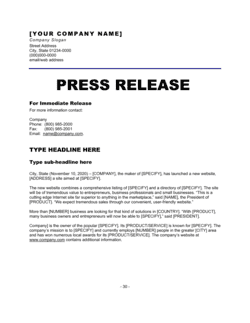
A press release is a public-facing media document designed to generate editorial coverage of the website launch. A Visit Our New Website letter is a direct, formal communication to existing clients, vendors, and partners. Use the press release for public relations outreach and the letter for direct stakeholder notification β€” they serve different audiences and channels.

vs Change of Address Letter

A Change of Address letter notifies contacts of a new physical business location and updates mailing address records. A Visit Our New Website letter notifies contacts of a new digital address and updates online access details. Both are stakeholder notifications for a change of primary contact point, but one is physical and one is digital β€” both may be needed simultaneously during a business relocation or rebrand.

vs Business Announcement Letter

A general Business Announcement letter covers a broad range of company news β€” new services, leadership changes, partnerships, or expansions. A Visit Our New Website letter is a focused, specific notification limited to online presence changes. Use the general announcement letter when the website launch is one item in a broader news update; use this template when the website change is the sole or primary subject.

Industry-specific considerations

Professional Services

Law firms, accounting practices, and consultancies use this letter to notify clients of new client portals, updated case or file access URLs, and changes to online billing systems β€” where the URL change may affect contractual communication obligations.

E-commerce and Retail

Online retailers use it to redirect existing customers to a new storefront URL after a platform migration, ensuring account data continuity notices and updated checkout URLs are formally communicated to reduce cart abandonment and support inquiries.

Healthcare and Medical Practices

Healthcare providers use it to notify patients of new patient portal URLs, updated appointment booking systems, and changes to telehealth access links β€” with added sensitivity to HIPAA-compliant data migration assurances.

Financial Services

Banks, credit unions, and financial advisors use it to communicate new online banking portal URLs or client account access changes, where written documentation of the notification may be required by financial regulators.

Jurisdictional notes

United States

US businesses launching a new website that collects personal data from California residents must update their privacy policy to comply with the CCPA and, if applicable, the CPRA. If the website change affects a client portal or account system covered by an existing service agreement, check whether the agreement requires written notice of material changes to service delivery infrastructure. No federal law mandates a written website change notification, but some state consumer protection statutes require clear communication of changes to data handling practices.

Canada

PIPEDA and provincial privacy laws (notably Quebec's Law 25, which took effect in phases through 2023) require organizations to have a current, accessible privacy policy and to notify affected individuals of material changes to data handling practices. A new website involving a new platform or analytics provider likely constitutes such a material change. Quebec's Law 25 also requires privacy impact assessments for certain technology migrations involving personal information.

United Kingdom

Under UK GDPR (retained post-Brexit), launching a new website that changes how personal data is collected, processed, or stored requires an updated privacy notice accessible to all users. If the new site uses cookies beyond strictly necessary ones, a renewed cookie consent mechanism is required under the Privacy and Electronic Communications Regulations (PECR). The ICO recommends proactive communication to existing users when data handling practices change materially.

European Union

GDPR Article 13 requires that users be provided with updated privacy information when data collection practices change, which typically occurs with a platform migration or new website launch. If the new site involves new third-party processors, data transfer mechanisms to non-EEA countries, or new cookie categories, consent must be re-obtained where required. Member states may have additional e-commerce or consumer notification requirements β€” German and French law, in particular, impose specific disclosure obligations for online service providers.

Template vs lawyer β€” what fits your deal?

PathBest forCostTime
Use the templateSmall businesses and startups sending a general website launch notification to clients and contactsFree15–20 minutes
Template + legal reviewBusinesses whose website change affects a client portal, data handling practices, or URLs referenced in active service contracts$150–$400 for a lawyer or privacy counsel review1–2 business days
Custom draftedRegulated industries (healthcare, financial services) or companies subject to GDPR, CCPA, or PIPEDA where the website change triggers data processing or consent obligations$500–$1,500+3–7 business days

Glossary

URL (Uniform Resource Locator)
The unique web address that identifies the location of a website or specific page on the internet.
Domain Migration
The process of moving a website from one domain name or hosting environment to another, often resulting in a new primary URL.
301 Redirect
A server-side instruction that permanently forwards visitors and search engines from an old URL to a new one, preserving traffic and search ranking.
Rebrand
A strategic change to a company's name, logo, visual identity, or domain that requires communicating new identifying details to existing contacts.
Stakeholder Notification
The formal process of informing all parties with an interest in or relationship with a business about a material change in operations or identity.
Client Portal
A secure, password-protected section of a website where clients can access documents, invoices, project updates, or case files specific to their account.
Transition Period
The defined window during which both the old and new website or URL remain active, allowing contacts to update their records before the old address is retired.
Call to Action (CTA)
A specific instruction in a communication directing the reader to take a defined next step, such as visiting a URL, updating a bookmark, or registering for a portal.
Authorized Signatory
The individual with legal authority to sign official communications on behalf of a business entity.
Effective Date
The specific date on which the new website, URL, or online service becomes the primary or sole active address for the business.

Part of your Business Operating System

This document is one of 3,000+ business & legal templates included in Business in a Box.

  • Fill-in-the-blanks β€” ready in minutes
  • 100% customizable Word document
  • Compatible with all office suites
  • Export to PDF and share electronically

Create your document in 3 simple steps.

From template to signed document β€” all inside one Business Operating System.
1
Download or open template

Access over 3,000+ business and legal templates for any business task, project or initiative.

2
Edit and fill in the blanks with AI

Customize your ready-made business document template and save it in the cloud.

3
Save, Share, Send, Sign

Share your files and folders with your team. Create a space of seamless collaboration.

Save time, save money, and create top-quality documents.

β˜…β˜…β˜…β˜…β˜…

"Fantastic value! I'm not sure how I'd do without it. It's worth its weight in gold and paid back for itself many times."

Managing Director Β· Mall Farm
Robert Whalley
Managing Director, Mall Farm Proprietary Limited
β˜…β˜…β˜…β˜…β˜…

"I have been using Business in a Box for years. It has been the most useful source of templates I have encountered. I recommend it to anyone."

Business Owner Β· 4+ years
Dr Michael John Freestone
Business Owner
β˜…β˜…β˜…β˜…β˜…

"It has been a life saver so many times I have lost count. Business in a Box has saved me so much time and as you know, time is money."

Owner Β· Upstate Web
David G. Moore Jr.
Owner, Upstate Web

Run your business with a system β€” not scattered tools

Stop downloading documents. Start operating with clarity. Business in a Box gives you the Business Operating System used by over 250,000 companies worldwide to structure, run, and grow their business.

Start freeΒ Β·Β No credit card required