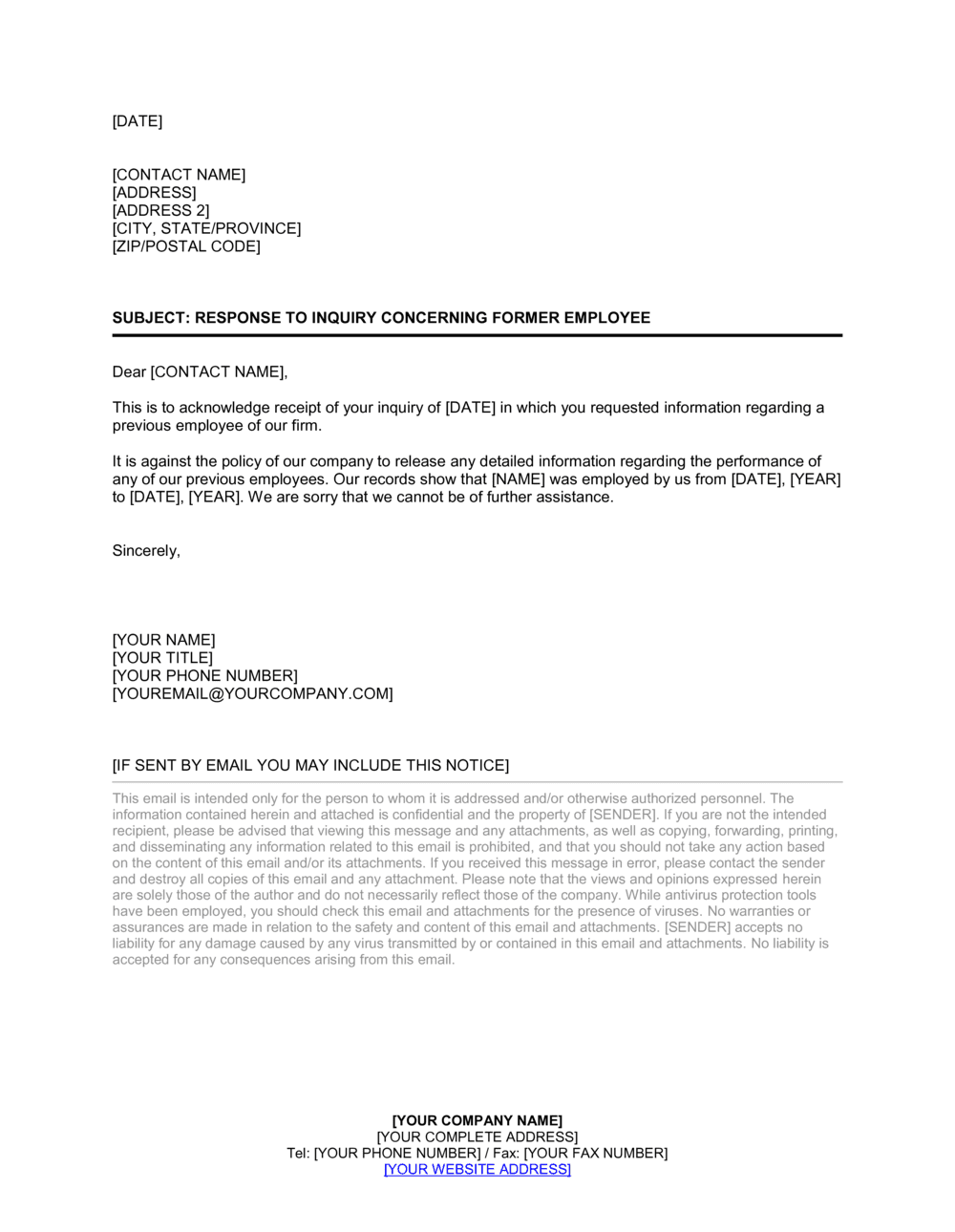
Response to Inquiry Concerning Former Employee Template

Free Word download • Edit online • Save & share with Drive • Export to PDF

1 page20–30 min to fillDifficulty: StandardSignature requiredLegal review recommended
Learn more ↓
FreeResponse to Inquiry Concerning Former Employee Template

At a glance

What it is
A Response to Inquiry Concerning Former Employee is a formal written reply an employer issues when a prospective employer or authorized third party requests information about a former staff member. This free Word download gives you a legally defensible template you can edit online and export as PDF — limiting disclosed information to verified facts while protecting your organization from defamation and negligent-referral liability.
When you need it
Use it whenever HR or management receives a written or verbal reference request about a former employee — whether the inquiry comes from a prospective employer, a background-check company, a licensing body, or a government agency. It is particularly important when the separation was contested, the employee was terminated for cause, or company policy restricts the scope of permissible disclosures.
What's inside
The template covers identification of the responding party, the scope of authorized disclosure, verified employment facts (dates, title, salary confirmation), a liability limitation clause, a release-of-information acknowledgment reference, and a signature block for the authorized HR representative or manager.

What is a Response to Inquiry Concerning Former Employee?

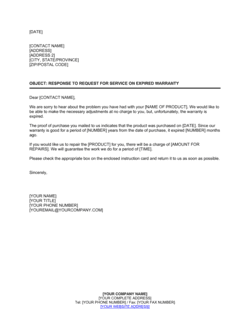
A Response to Inquiry Concerning Former Employee is a formal written letter an employer issues when a prospective employer, background-check company, licensing body, or other authorized party requests information about a former staff member. Rather than leaving reference responses to individual managers who may go off-script, the document provides a structured, policy-consistent reply that confirms only verified employment facts — dates, title, and rehire eligibility — while explicitly declining to comment on performance or conduct. It asserts qualified privilege, references any signed release on file, and limits the recipient's permitted use of the information, creating a defensible paper trail for every reference disclosure the company makes.

Why You Need This Document

Without a standardized written response, reference requests become a significant liability exposure point. A manager who casually mentions "we had performance issues with that person" or "they were let go for cause" — even in a phone call — can trigger a defamation claim if the characterization is contested, or a breach-of-contract claim if a separation agreement included non-disparagement terms. On the other side of the risk ledger, an employer who gives a glowing reference for a former employee with a documented history of fraud or workplace violence can face negligent-referral liability if the new employer suffers harm. A properly executed response letter navigates both risks by limiting disclosure to facts the employer can prove, documenting the good-faith basis for the communication, and creating a contemporaneous record that is far more defensible in litigation than a recalled verbal conversation. This template gives HR teams and small business owners a consistent, legally grounded starting point for every reference request they receive.

Which variant fits your situation?

If your situation is…Use this template
Responding to a standard employment-dates-and-title verificationResponse to Inquiry Concerning Former Employee (Verification Only)
Providing a positive character or performance referenceLetter of Recommendation for Employee
Responding to a government or regulatory agency inquiryResponse to Government Agency Employment Inquiry
Declining to provide any information beyond confirming employmentNo-Comment Reference Response Letter
Documenting a termination for cause before reference requests arriveEmployee Termination Letter
Authorizing a former employee to share their own employment recordsEmployee Records Release Authorization
Providing a reference for an independent contractor or freelancerLetter of Recommendation for Contractor

Common mistakes to avoid

❌ Responding without a signed release on file

Why it matters: Disclosing employment information without written authorization exposes the employer to privacy claims under GDPR, PIPEDA, and various US state privacy statutes, even if the information is accurate.

Fix: Establish a policy requiring the requestor to provide a copy of the former employee's signed release before any information is released. Decline all requests that cannot produce one.

❌ Allowing direct managers to respond instead of HR

Why it matters: Managers frequently go off-script, sharing performance opinions or termination details that exceed company policy and create defamation or discrimination liability.

Fix: Route all reference inquiries through a designated HR contact and train managers to redirect any reference calls they receive to that contact immediately.

❌ Elaborating on the reason for ineligibility for rehire

Why it matters: Stating 'terminated for cause' or 'performance issues' without precise legal vetting can be construed as defamatory if the characterization is contested, and may violate a separation agreement's non-disparagement clause.

Fix: Limit the rehire statement to 'eligible' or 'not eligible' with no further explanation. If the requestor presses for detail, refer them to your policy and decline to elaborate.

❌ Omitting the qualified privilege assertion

Why it matters: Without documenting the good-faith basis for the disclosure, the employer cannot invoke qualified privilege as a defense if the former employee sues for defamation — even if every statement is factually accurate.

Fix: Include the liability limitation clause verbatim in every response and ensure the responding representative is aware they are signing under that assertion.

❌ Disclosing salary history in salary-ban jurisdictions

Why it matters: Over 20 US states and municipalities, plus several Canadian provinces, restrict employers from disclosing prior salary data without explicit employee consent, with fines ranging from $1,000 to $10,000 per violation.

Fix: Default to omitting compensation data in all responses unless the former employee's signed release specifically authorizes salary disclosure and your legal counsel has confirmed it is permissible in the applicable jurisdiction.

❌ Sending the response to an unverified requestor

Why it matters: Reference fishing — impersonating a prospective employer to obtain information about an individual — is a documented tactic. Disclosing to an unverified party can violate privacy law and expose the former employee's data to misuse.

Fix: Verify the requestor's identity and legitimate business purpose before responding. For third-party background-check companies, confirm they are an FCRA-compliant CRA before releasing any information.

The 10 key clauses, explained

Responding party identification

In plain language: Identifies the company, the specific HR contact or authorized representative responding, and the date of the response.

Sample language
This response is issued by [COMPANY LEGAL NAME] ('Employer'), by its authorized representative [NAME], [TITLE], Human Resources, on [DATE].

Common mistake: Having an unauthorized employee — a direct supervisor or co-worker — respond instead of HR. Statements made by non-authorized staff can bind the company to disclosures that exceed policy and create additional liability.

Identification of former employee

In plain language: Names the former employee and confirms their last known position title and department so the requestor can verify the correct individual.

Sample language
This response pertains to [FORMER EMPLOYEE FULL NAME], who held the position of [JOB TITLE] in the [DEPARTMENT] department.

Common mistake: Omitting the former employee's name entirely in a misguided privacy effort. Without identification, the document cannot be matched to the correct personnel file and provides no evidentiary value if disputed.

Authorization and release acknowledgment

In plain language: States that the employer is responding in reliance on a written release signed by the former employee or pursuant to a lawful request, limiting the scope of permissible disclosure.

Sample language
This response is provided in reliance on the written Release of Information executed by [FORMER EMPLOYEE NAME] on [DATE] (copy attached) / pursuant to applicable law authorizing employment verification.

Common mistake: Responding without confirming a signed release exists. If no release is on file and the former employee later disputes the disclosure, the employer loses the consent-based defense.

Dates of employment

In plain language: States the exact start and end dates of employment as recorded in the company's official HR system.

Sample language
[FORMER EMPLOYEE NAME] was employed by [COMPANY NAME] from [START DATE] to [END DATE], a period of [X years / X months].

Common mistake: Providing approximate or rounded dates from memory rather than pulling the precise dates from the HR system. Inaccurate dates can create discrepancies on background checks and expose the company to claims of misrepresentation.

Position and compensation confirmation

In plain language: Confirms the employee's last job title and, where authorized, their final salary or compensation range.

Sample language
[FORMER EMPLOYEE NAME]'s final position was [JOB TITLE]. [Their final annual base salary was $[AMOUNT] / Salary information is not disclosed per company policy.]

Common mistake: Voluntarily disclosing salary data when it is not requested and no release covers it. In jurisdictions with salary history ban laws, unsolicited disclosure of compensation can expose the employer to regulatory penalties.

Performance and conduct limitation clause

In plain language: Explicitly limits the response to factual employment data and declines to comment on performance, conduct, or the reason for separation — protecting the employer from defamation exposure.

Sample language
Consistent with [COMPANY NAME]'s reference policy, this response is limited to the above employment verification data. [COMPANY NAME] does not provide assessments of former employees' performance, conduct, or suitability for employment.

Common mistake: Including an off-the-cuff positive performance comment to be helpful. Even favorable statements can contradict a documented performance-improvement plan on file and create inconsistency the former employee could exploit in a wrongful termination claim.

Eligibility for rehire statement

In plain language: States only whether the former employee is or is not eligible for rehire, without elaboration — the most the employer should typically confirm beyond dates and title.

Sample language
[FORMER EMPLOYEE NAME] [is / is not] eligible for rehire at [COMPANY NAME]. No further elaboration is provided.

Common mistake: Explaining why someone is ineligible for rehire. Stating 'ineligible due to misconduct' or 'terminated for cause' without careful legal vetting can constitute defamation if the underlying facts are contested or the characterization is not precisely accurate.

Liability limitation and qualified privilege assertion

In plain language: Asserts the employer's good-faith intent and reliance on qualified privilege, limiting liability for accurate, non-malicious disclosures.

Sample language
The information provided herein is disclosed in good faith, based on [COMPANY NAME]'s official employment records, and is intended to be protected by qualified privilege under applicable law. [COMPANY NAME] makes no warranty regarding the completeness of this information for any purpose.

Common mistake: Omitting this clause entirely. Without a privilege assertion, even accurate statements can attract litigation from a former employee who disagrees with the characterization, because the employer cannot invoke a documented good-faith basis.

Confidentiality request

In plain language: Requests that the recipient treat the response as confidential and not distribute it beyond the immediate hiring decision.

Sample language
This response is confidential and intended solely for use by [REQUESTING COMPANY / RECIPIENT NAME] in connection with its evaluation of [FORMER EMPLOYEE NAME] for employment. Redistribution is not authorized without the written consent of [COMPANY NAME].

Common mistake: Sending the response to a general HR inbox at the requesting company with no confidentiality instruction. Reference letters forwarded internally or shared with the candidate directly have triggered defamation actions in multiple jurisdictions.

Authorized signature block

In plain language: Provides the signature, printed name, title, and contact information of the HR representative or company officer authorizing the response.

Sample language
Authorized by: [SIGNATURE] | [PRINTED NAME] | [TITLE] | [COMPANY NAME] | [DATE] | [PHONE / EMAIL]

Common mistake: Leaving the letter unsigned or signed by an assistant rather than an authorized HR representative. Unsigned reference responses are frequently rejected by background-check companies and carry no evidentiary weight if challenged.

How to fill it out

  1. 1

    Verify a signed release is on file before responding

    Confirm that the former employee signed a Release of Information form authorizing the disclosure, or that the request qualifies under a statutory exception. Attach a copy reference or note the date of the release in the authorization clause.

    💡 Keep a release log in the personnel file so any HR team member can verify authorization status in under two minutes — do not rely on the requesting party's claim that a release was obtained.

  2. 2

    Identify the authorized respondent

    Complete the responding party block with the full legal company name, the HR representative's name and title, and today's date. Route all reference requests through a designated HR contact rather than allowing managers or supervisors to respond independently.

    💡 Designating a single reference-response email address (e.g., references@yourcompany.com) prevents unauthorized disclosures and creates a documented response trail.

  3. 3

    Pull employment dates from the official HR system

    Retrieve the exact start and end dates from your HRIS or payroll system — not from memory or a manager's estimate. Enter the dates precisely as they appear in the official record.

    💡 Cross-reference the dates against the last paycheck date and the termination paperwork to catch any discrepancies before sending.

  4. 4

    Confirm title and compensation scope

    Enter the former employee's last official job title. Decide whether to confirm salary based on company policy, applicable law, and whether the signed release explicitly covers compensation data.

    💡 If your jurisdiction has enacted a salary history ban (e.g., California, New York, Massachusetts), default to omitting salary data unless the former employee explicitly authorized its release in writing.

  5. 5

    Apply the performance and conduct limitation

    Review the performance and conduct limitation clause. Unless your legal counsel has approved a specific expanded disclosure for this individual, do not deviate from the policy-limited response. Delete any language that goes beyond dates, title, and rehire status.

    💡 If a manager has already made verbal statements beyond your policy in response to this request, flag it for legal review before issuing the written response.

  6. 6

    State eligibility for rehire without elaboration

    Check the former employee's personnel file for the rehire designation and enter 'is' or 'is not eligible for rehire' in the eligibility clause. Do not add any qualifying language about the reason.

    💡 If the rehire status has not been formally documented in the personnel file, consult with HR leadership before disclosing — an undocumented 'not eligible' statement is harder to defend.

  7. 7

    Review the liability limitation and confidentiality clauses

    Confirm both clauses are present and unaltered. Address the confidentiality clause to the specific recipient by name or company, not to 'whom it may concern.'

    💡 Sending a named confidentiality request makes it significantly harder for the recipient to argue they were unaware of the restricted-use intent.

  8. 8

    Obtain authorized signature and send securely

    Have the designated HR representative sign the completed letter. Send via email with the PDF attached, or by certified mail, keeping a timestamped copy in the former employee's personnel file.

    💡 BCC your HR reference email archive on every outgoing response so the company retains a complete audit trail without relying on individual inboxes.

Frequently asked questions

What is a response to inquiry concerning a former employee?

It is a formal written letter an employer issues in reply to a reference or employment-verification request about a former staff member. The document confirms limited, verified facts — typically dates of employment, job title, and rehire eligibility — while explicitly declining to comment on performance or conduct, protecting the employer from defamation and negligent-referral liability. It replaces informal verbal references with a legally defensible written record.

What information can an employer legally share about a former employee?

In most jurisdictions, employers may safely confirm dates of employment, job title or position held, and whether the individual is eligible for rehire. Sharing performance evaluations, disciplinary history, or reasons for termination carries significantly higher legal risk and should only be done after legal review and with a signed release from the former employee. Salary data is restricted in many US states, Canadian provinces, and EU member states without explicit written consent.

Do I need the former employee's permission before responding?

Generally, yes. A signed Release of Information from the former employee provides the clearest legal basis for any disclosure beyond publicly confirmable facts. Some jurisdictions permit employment-verification disclosures without a release if the requestor is a prospective employer acting with the job applicant's knowledge, but the safest practice is always to require written authorization before responding. Government agency and court-ordered inquiries may be exempt from this requirement.

Can an employer refuse to provide any reference at all?

Yes, in most jurisdictions an employer has no legal obligation to provide a reference beyond confirming that employment occurred. Many companies adopt a strict 'dates and title only' policy for all former employees to eliminate liability exposure entirely. The only common exception is for regulated industries — such as financial services or healthcare — where regulatory bodies may require disclosure of specific termination reasons.

What is qualified privilege and how does it protect employers?

Qualified privilege is a legal doctrine that shields an employer from defamation liability for reference statements made honestly, in good faith, without malice, and to a party with a legitimate need to know. To invoke it, the disclosure must be limited to accurate information, communicated only to the appropriate recipient, and not motivated by personal animosity toward the former employee. Including a qualified privilege assertion in the written response documents the employer's good-faith basis and is important evidence if the disclosure is later challenged.

What is negligent referral liability?

Negligent referral — sometimes called negligent misrepresentation — occurs when an employer provides an inaccurate or deliberately incomplete reference that allows a foreseeably dangerous former employee to obtain a position where they harm others. Courts in several US states have held employers liable for failing to disclose known violent conduct or fraud when the omission enabled foreseeable harm. This risk must be balanced against defamation exposure, which is why legal review is recommended for any non-standard reference.

Can a non-disparagement clause in a separation agreement restrict what I say?

Yes. Many separation agreements include mutual non-disparagement clauses that restrict both parties from making negative statements about each other. Before responding to any reference inquiry involving a former employee who signed a separation agreement, review the agreement's non-disparagement language. A reference response that technically violates the clause — even if factually accurate — can expose the employer to breach-of-contract claims or claims for liquidated damages if the agreement specifies them.

What should I do if the former employee was terminated for cause?

The safest approach for cause-termination cases is to limit the response to verified facts — dates, title, and 'not eligible for rehire' — without stating the reason. If the job in question involves safety-sensitive responsibilities where disclosure of the cause is arguably legally required to prevent foreseeable harm, consult employment counsel before responding. Never include the termination reason in a written reference response without legal review of the specific facts and applicable jurisdiction.

Is this document enforceable in all jurisdictions?

The template provides a legally defensible framework that is generally consistent with best practices in the US, Canada, the UK, and the EU. However, employment reference law varies significantly by jurisdiction — particularly regarding salary-history disclosure bans, mandatory disclosure requirements in regulated industries, and data-protection obligations under GDPR or PIPEDA. Review the jurisdictional notes in this template and consider consulting local employment counsel for cross-border or regulated-industry situations.

How this compares to alternatives

vs Letter of recommendation for employee

A letter of recommendation is a proactive, affirmative endorsement of a former employee's skills and character — typically solicited by the employee themselves. A response to inquiry is a reactive, liability-limited document issued in reply to a third-party request. Recommendation letters carry higher defamation risk because they go beyond verified facts into opinion and characterization, and should only be written when the employer is confident the content is accurate and defensible.

vs Employee termination letter

A termination letter documents the end of the employment relationship and the reasons for it — it is an internal record issued to the employee. A response to inquiry is an outbound communication to a third party after separation. The termination letter is a key source document that the reference response must remain consistent with; any discrepancy between the two can create legal exposure.

vs Separation agreement

A separation agreement is a binding contract executed at the time of departure that may include non-disparagement, reference-scope, and severance terms. A response to inquiry must be reviewed against any existing separation agreement before it is sent — the agreement may expressly limit or expand what the employer is permitted to disclose. The reference response implements the separation agreement's terms rather than replacing them.

vs Employment verification letter

An employment verification letter is a simple, proactively issued document confirming that an individual works or worked at the company — often prepared at the employee's own request for a loan or lease application. A response to inquiry is a structured reply to a third-party reference request, includes liability-limitation language, and is triggered by the prospective employer rather than the former employee. The verification letter is narrower in scope and carries lower legal complexity.

Industry-specific considerations

Financial services

FINRA and FCA rules may require disclosure of specific termination reasons for registered representatives — a 'dates only' policy is insufficient for U5 or RDR-regulated departures.

Healthcare

Credentialing bodies and state licensing boards may require disclosure of disciplinary history, making legal review essential before responding to any non-standard inquiry for clinical staff.

Technology / SaaS

IP theft and confidentiality concerns mean responses must avoid any language that could be construed as confirming or denying pending legal action involving the former employee.

Professional services

Client non-solicitation and confidentiality are paramount — reference responses must not inadvertently confirm which clients the former employee worked with or what engagements they led.

Jurisdictional notes

United States

Most US states recognize qualified privilege for good-faith employment references, but the scope varies. Over 20 states and municipalities have enacted salary history ban laws restricting disclosure of prior compensation without explicit consent. Some states — including California, Colorado, and Illinois — have additional statutes governing what may be disclosed in reference checks. Employers in safety-sensitive industries (transportation, healthcare, childcare) may have affirmative disclosure obligations under federal or state law.

Canada

Personal information in employment records is regulated by PIPEDA federally and by provincial privacy legislation in Alberta, British Columbia, and Quebec. Employers must have a lawful basis — typically the former employee's written consent — to disclose personal employment information to a third party. Quebec's Law 25 (effective 2023) imposes strict data-handling obligations including purpose limitation. Non-disparagement provisions in separation agreements are common and enforceable.

United Kingdom

UK employers have no general legal obligation to provide a reference but are liable for defamatory or negligently inaccurate statements under common law. References must be fair, accurate, and not misleading. UK GDPR and the Data Protection Act 2018 regulate the processing of personal data in references — the former employee has the right to request a copy of any reference provided about them in most circumstances. Financial services firms are subject to FCA-specific reference requirements under the SMCR regime.

European Union

GDPR applies to any personal data about former employees shared with third parties. Processing must have a lawful basis — typically legitimate interest or the data subject's consent — and must be limited to what is necessary for the stated purpose. Several member states, including Germany and France, have additional labor code provisions governing employer references. German law, for example, requires that a formal work reference (Arbeitszeugnis) be 'benevolent' in tone, creating tension with full candor.

Template vs lawyer — what fits your deal?

PathBest forCostTime
Use the templateStandard employment-verification responses for non-managerial former employees with a signed release on file and no contested separationFree10–15 minutes per response
Template + legal reviewResponses involving cause terminations, separation agreements with non-disparagement clauses, or requests from regulated industries$150–$400 for a single-response legal review1–2 business days
Custom draftedRegulated industries (financial services, healthcare), executive separations with litigation risk, or cross-border reference requests$500–$2,000+ depending on complexity2–5 business days

Glossary

Qualified Privilege
A legal protection that shields an employer from defamation liability for reference statements made honestly, in good faith, and without malice.
Negligent Referral
Liability arising when an employer provides a positive or incomplete reference for a former employee known to pose a foreseeable risk to others.
Defamation
A false statement of fact, communicated to a third party, that damages a person's reputation — can be written (libel) or spoken (slander).
Authorized Disclosure
Information an employer is permitted to release based on a signed release form from the former employee or applicable statutory authority.
Employment Verification
Confirmation of objective, documented facts about a person's work history — typically dates of employment, job title, and sometimes salary.
Release of Information
A signed authorization from the former employee allowing the employer to share specified information with named or categorically defined third parties.
Separation Agreement
A contract between employer and departing employee that often restricts what each party may say about the other after separation.
Blacklisting
The illegal practice of providing a negative reference specifically to prevent a former employee from obtaining future employment, prohibited in most jurisdictions.
Safe Harbor Reference
A practice of limiting reference disclosures to only verifiable facts — dates, title, eligibility for rehire — to minimize legal exposure.
Background Check Authorization
Written consent from a job applicant allowing a prospective employer or CRA to contact prior employers and review employment records.

Part of your Business Operating System

This document is one of 3,000+ business & legal templates included in Business in a Box.

  • Fill-in-the-blanks — ready in minutes
  • 100% customizable Word document
  • Compatible with all office suites
  • Export to PDF and share electronically

Create your document in 3 simple steps.

From template to signed document — all inside one Business Operating System.
1
Download or open template

Access over 3,000+ business and legal templates for any business task, project or initiative.

2
Edit and fill in the blanks with AI

Customize your ready-made business document template and save it in the cloud.

3
Save, Share, Send, Sign

Share your files and folders with your team. Create a space of seamless collaboration.

Save time, save money, and create top-quality documents.

★★★★★

"Fantastic value! I'm not sure how I'd do without it. It's worth its weight in gold and paid back for itself many times."

Managing Director · Mall Farm
Robert Whalley
Managing Director, Mall Farm Proprietary Limited
★★★★★

"I have been using Business in a Box for years. It has been the most useful source of templates I have encountered. I recommend it to anyone."

Business Owner · 4+ years
Dr Michael John Freestone
Business Owner
★★★★★

"It has been a life saver so many times I have lost count. Business in a Box has saved me so much time and as you know, time is money."

Owner · Upstate Web
David G. Moore Jr.
Owner, Upstate Web

Run your business with a system — not scattered tools

Stop downloading documents. Start operating with clarity. Business in a Box gives you the Business Operating System used by over 250,000 companies worldwide to structure, run, and grow their business.

Start free · No credit card required