1
Define the project scope and risk management approach
Complete the introduction with the project name, dates, and objectives. Choose your risk framework (PMI, PRINCE2, or internal standard) and document the probability-impact scoring scale you will use consistently throughout.
💡 Align the scoring scale with your organization's enterprise risk framework if one exists — a 1–5 scale is most common, but using a different scale than your PMO creates confusion when escalating.
2
Assign risk roles and document risk appetite
Name the project manager, each risk owner, and the sponsor. Get explicit sign-off from the sponsor on the risk appetite statement — the tolerance level that defines what counts as acceptable exposure for this project.
💡 Risk appetite conversations are uncomfortable but essential. A sponsor who won't define tolerance will overreact to every yellow flag during execution.
3
Run a structured risk identification workshop
Gather the core team, key subject matter experts, and any relevant stakeholders for a 60–90 minute session. Work through risk categories systematically: scope, schedule, budget, resources, technology, external, regulatory, and stakeholder.
💡 Use a pre-built risk checklist for your industry as a starting prompt — blank-slate brainstorming misses the predictable risks that have burned similar projects before.
4
Score each risk on the probability and impact matrix
For every identified risk, assign a probability score (1–5) and an impact score (1–5) separately. Multiply them to get the overall risk rating. Assign a priority tier: Low, Medium, High, or Critical.
💡 Score impact across all four dimensions — schedule, budget, scope, and quality — and use the highest single-dimension score as the impact rating, not an average.
5
Define a response strategy for every High and Critical risk
For each High and Critical risk, document whether you will avoid, transfer, mitigate, or accept it — along with the specific action, named owner, target date, and contingency if the risk materializes.
💡 Transfer strategies (insurance, contract clauses, vendor SLAs) are often overlooked. They are particularly effective for budget and schedule risks tied to third-party dependencies.
6
Populate the risk register
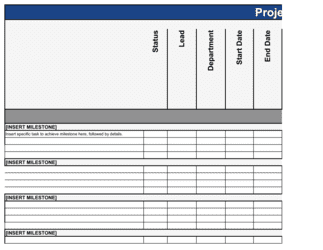
Enter every identified risk into the register table with its ID, description, category, scores, response, owner, and status. Set the initial status of all open risks to 'Open — Monitoring.'
💡 Give each risk a unique ID in a consistent format (e.g., R-001, R-002) from day one — retrofitting IDs after the register grows is time-consuming and creates version confusion.
7
Set the monitoring cadence and escalation thresholds
Document exactly when the register is reviewed (every status meeting, every two weeks), what event triggers an escalation report, and who receives it. Build the risk summary into your standard status report template.
💡 Calendar the risk review meetings at project kickoff — ad hoc scheduling means they are the first thing dropped when execution gets busy.
8
Get sponsor sign-off and distribute to the team
Share the completed plan with the project sponsor for approval. Distribute the approved version to all team members and any client stakeholders named in the reporting section.
💡 Store the signed plan in the project's shared document repository and link it directly from the project charter — it should be a living document, not a one-time submission.