Physical Security Policy Template

Free Word download β€’ Edit online β€’ Save & share with Drive β€’ Export to PDF

4 pagesβ€’20–25 min to fillβ€’Difficulty: Standard
Learn more ↓
FreePhysical Security Policy Template

At a glance

What it is
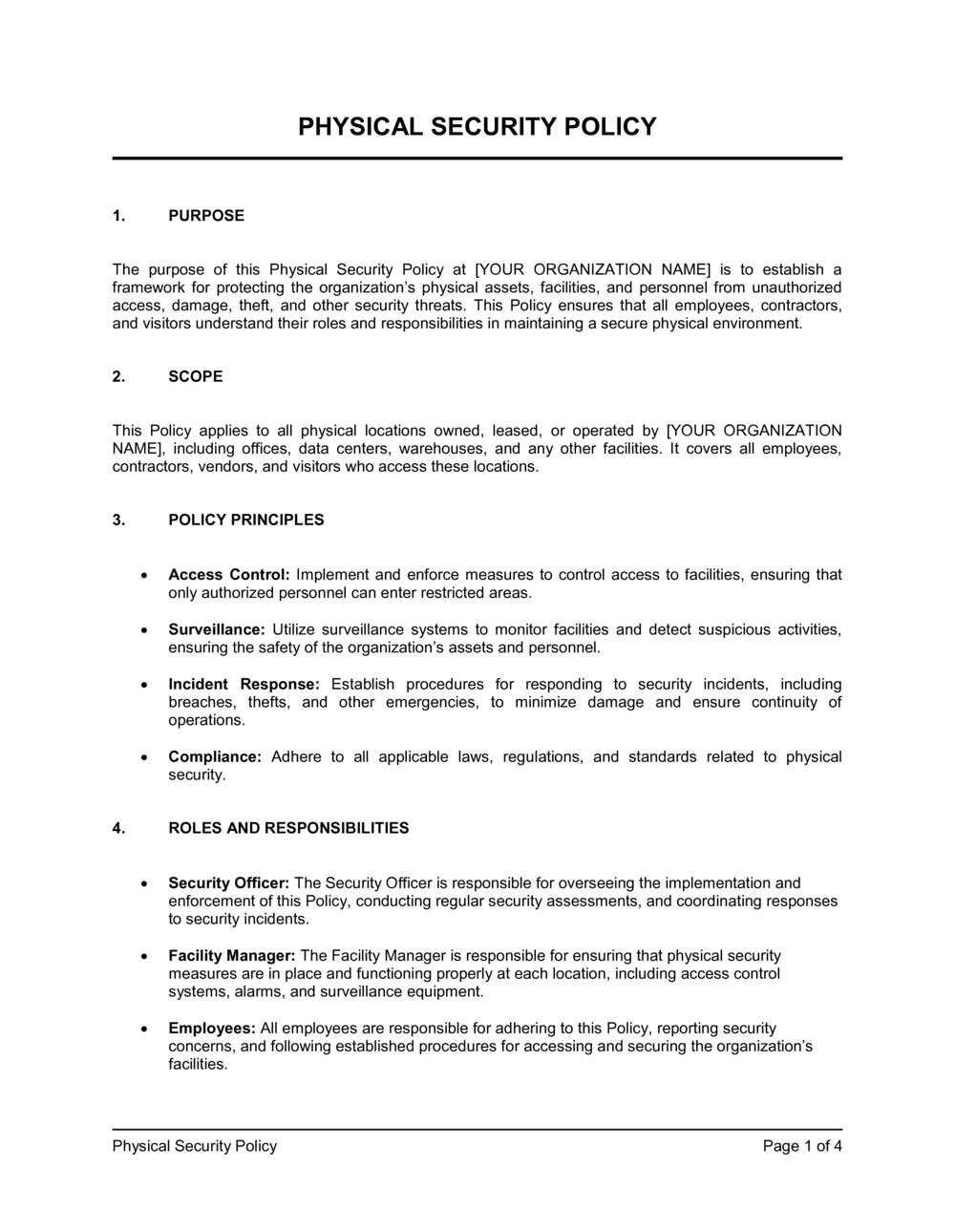
A Physical Security Policy is a formal operational document that defines how an organization controls physical access to its facilities, assets, and personnel. This free Word download covers access controls, visitor management, surveillance, asset protection, and incident response in a single structured template you can edit online and export as PDF for distribution to employees and auditors.
When you need it
Use it when opening a new office or facility, preparing for a compliance audit (SOC 2, ISO 27001, or HIPAA), or responding to a physical security incident that exposed gaps in existing procedures.
What's inside
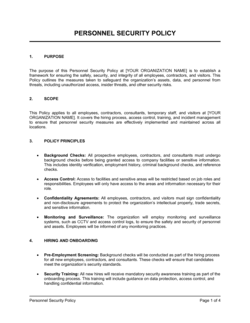
Policy scope and objectives, access control procedures, visitor and contractor management rules, CCTV and surveillance guidelines, asset and equipment protection, key and credential management, incident reporting procedures, and employee security responsibilities.

What is a Physical Security Policy?

A Physical Security Policy is a formal operational document that defines how an organization controls physical access to its facilities, protects its assets and personnel, and responds to security incidents on its premises. It establishes the rules governing who may enter which areas, how visitors and contractors are managed, how surveillance systems are operated, and what employees must do when credentials are lost or a breach occurs. Unlike a digital security policy, which governs network and system access, a physical security policy governs the building itself β€” locks, badges, cameras, keys, and the people moving through them.

Why You Need This Document

Operating a facility without a written physical security policy creates four concrete risks. First, there is no enforceable standard for revoking access when an employee is terminated β€” a gap that leaves former staff able to re-enter the premises for days or longer. Second, without documented visitor procedures, your organization cannot account for who was on-site during a theft or safety incident. Third, compliance frameworks including SOC 2 Type II, ISO 27001, HIPAA, and PCI DSS all require written physical security controls as auditable evidence β€” the absence of a policy is a finding, not a gap to be explained away. Fourth, insurers and enterprise customers increasingly request a physical security policy as part of vendor due diligence. This template gives you a complete, audit-ready starting point in hours rather than weeks.

Which variant fits your situation?

If your situation is…Use this template
Covering a single small office with basic lock-and-key securityPhysical Security Policy (Small Business)
Managing access across multiple facilities or campusesMulti-Site Physical Security Policy
Satisfying SOC 2 Type II physical security controlsSOC 2 Physical Security Policy
Protecting data center or server room access specificallyData Center Physical Security Policy
Addressing physical security as part of a broader IT security frameworkInformation Security Policy
Documenting incident response for physical security breachesSecurity Incident Response Plan
Governing visitor and contractor access in a regulated environmentVisitor Management Policy

Common mistakes to avoid

❌ Vague or missing revocation timelines

Why it matters: A policy that says credentials should be revoked 'promptly' after termination gives no enforceable standard. A disgruntled former employee with active badge access for 48–72 hours is a concrete risk to personnel and data.

Fix: State a specific hour-based deadline β€” 4 hours is the standard in SOC 2 and ISO 27001 frameworks β€” and tie it to your offboarding checklist so IT and Facilities act simultaneously.

❌ No visitor sign-out requirement

Why it matters: Without sign-outs, the visitor log cannot account for everyone on-site during an emergency evacuation or a theft investigation. Auditors treat an incomplete log as a control failure.

Fix: Require reception to collect visitor badges at sign-out and log the departure time. For high-security areas, require the escort to confirm departure in writing.

❌ Assigning security responsibilities to 'management' generically

Why it matters: When an incident occurs and 'management' is the listed owner of a control, accountability falls through the cracks β€” every manager assumes another is handling it.

Fix: Name a specific job title as the owner of each control and document a backup. Update the policy when those roles change.

❌ No defined exception approval process

Why it matters: Without a formal process, exceptions are granted informally and never documented β€” creating a growing set of undocumented deviations that auditors discover during fieldwork.

Fix: Require all exceptions to be submitted in writing to a named executive, approved with a stated rationale and expiry date, and logged in a central exception register.

The 9 key sections, explained

Policy scope and objectives

Roles and responsibilities

Access control procedures

Visitor and contractor management

Key, badge, and credential management

Surveillance and monitoring

Asset and equipment protection

Incident reporting and response

Policy compliance and enforcement

How to fill it out

  1. 1

    Define the scope and list all covered facilities

    Name every physical location β€” offices, warehouses, data centers, retail sites β€” covered by the policy. If future sites will be added, include a clause stating the policy applies to all current and future company premises.

    πŸ’‘ Use the legal address of each site rather than a nickname (e.g., '123 Main St, Suite 400' not 'HQ') to avoid ambiguity in audits.

  2. 2

    Assign named roles to all security responsibilities

    Replace generic terms like 'management' with specific job titles β€” Security Manager, Facilities Director, HR Business Partner. For each responsibility, note the backup role in case the primary is unavailable.

    πŸ’‘ If your company is too small to have dedicated security staff, assign responsibilities to an existing role by title and document it in a separate RACI matrix.

  3. 3

    Map access zones and required credential levels

    List each area of your facility and the credential type required to enter β€” badge-only, badge + PIN, biometric, or escort-only. Document which roles have access to each zone.

    πŸ’‘ Apply the principle of least privilege β€” start with minimum access for every new employee and require a formal request with manager approval to expand it.

  4. 4

    Document visitor and contractor registration steps

    Write out the exact steps reception follows when a visitor arrives β€” ID check, sign-in log, badge issuance, escort assignment, and sign-out. Include what happens when a visitor arrives unannounced.

    πŸ’‘ Pre-register expected visitors the day before their visit so reception can confirm identity in under two minutes rather than searching for a contact.

  5. 5

    Set credential revocation timelines

    Specify the exact timeframe within which access must be revoked for terminated employees, contractors, and lost or stolen credentials. Tie the timeline to your offboarding or HR workflow.

    πŸ’‘ Four hours or less is the standard for terminated employees in most compliance frameworks β€” anything longer creates a documented gap that auditors flag.

  6. 6

    Configure surveillance and retention parameters

    List every camera location, state the footage retention period (typically 30–90 days), and name the roles authorized to review recordings. Note any areas β€” bathrooms, prayer rooms β€” where monitoring is prohibited.

    πŸ’‘ Check local privacy laws before deploying cameras in break rooms or open-plan work areas β€” several jurisdictions restrict workplace surveillance without employee notice.

  7. 7

    Define the incident reporting channel and escalation path

    Choose a single, always-available reporting channel β€” a dedicated email address, a security hotline, or a ticketing system β€” and document the escalation path from first report to executive notification.

    πŸ’‘ Test the reporting channel quarterly with a simulated incident report to confirm it routes correctly and receives a response within the promised timeframe.

  8. 8

    Set the annual review date and exception approval process

    Add a specific review date (e.g., every January 15) and name the role responsible for leading it. Document the process for requesting and approving exceptions to any control in the policy.

    πŸ’‘ Log every exception in a centralized register with an expiry date β€” open-ended exceptions accumulate and undermine the policy over time.

Frequently asked questions

What is a physical security policy?

A physical security policy is a formal document that defines how an organization controls physical access to its facilities, protects its assets and personnel, and responds to security incidents. It covers access control procedures, visitor management, surveillance, key and badge management, and employee responsibilities. Organizations use it to establish consistent security practices and satisfy compliance requirements in frameworks like SOC 2, ISO 27001, HIPAA, and PCI DSS.

Who needs a physical security policy?

Any organization that operates a physical facility β€” office, warehouse, clinic, retail location, or data center β€” benefits from a written physical security policy. It becomes mandatory when pursuing SOC 2 Type II certification, ISO 27001 accreditation, HIPAA compliance, or any government contract requiring NIST or FedRAMP controls. Even small businesses with a single office reduce their theft and liability exposure by documenting basic access and visitor procedures.

What is the difference between a physical security policy and an information security policy?

An information security policy governs how digital data is protected β€” encryption, passwords, network access, and data classification. A physical security policy governs how people and assets in a building are protected β€” locks, badges, cameras, and visitor logs. The two documents complement each other: most compliance frameworks require both, since a data breach can result from physical access to an unattended laptop as easily as from a network intrusion.

Does a physical security policy satisfy SOC 2 requirements?

A written physical security policy is a required artifact for SOC 2 Type II audits under the Availability and Confidentiality Trust Services Criteria. Auditors will review the policy itself and test whether controls β€” like access revocation timelines and visitor logs β€” are operating effectively over the audit period. A policy document alone is not sufficient; you also need to demonstrate consistent execution through logs, training records, and exception documentation.

How often should a physical security policy be reviewed?

Annual review is the standard for most compliance frameworks, including SOC 2 and ISO 27001. The policy should also be reviewed immediately after any material physical security incident β€” a break-in, theft, or unauthorized access event β€” and whenever the organization opens a new facility, undergoes significant renovation, or changes its security technology stack.

What should a physical security policy say about CCTV?

The policy should specify where cameras are deployed, who is authorized to access footage, how long recordings are retained (typically 30–90 days), under what circumstances footage may be reviewed, and how footage is used in incident investigations. It should also note any areas where monitoring is prohibited, such as restrooms or designated prayer rooms, and confirm that employees have been notified of surveillance in jurisdictions where notice is legally required.

How do I handle physical security for remote or hybrid employees?

For employees who work from home or non-company locations, the policy should address clean desk practices for home offices, rules for removing company equipment from company premises, secure disposal of physical documents containing sensitive information, and the process for reporting a lost or stolen device. A separate remote work policy or addendum can cover these scenarios in more detail if your workforce is primarily remote.

What happens if an employee violates the physical security policy?

The policy should reference the company's standard disciplinary procedures and state that violations may result in consequences ranging from a formal warning to termination, depending on severity. Common violations include tailgating, sharing access credentials, leaving a secured door propped open, or failing to report a lost badge. Documenting the disciplinary framework inside the policy creates a clear record that employees were informed of the consequences at the time they acknowledged the policy.

Can I use this template for multiple locations?

Yes. The scope section of the template is designed to list all covered facilities. For organizations with materially different security setups across locations β€” for example, a head office with biometric access and a warehouse with key-lock entry β€” you can add location-specific appendices that override specific controls for each site while keeping the core policy consistent.

How this compares to alternatives

vs Information Security Policy

An information security policy governs digital assets β€” passwords, encryption, network access, and data classification. A physical security policy governs the building itself β€” locks, badges, cameras, and visitor controls. Both are required for SOC 2 and ISO 27001 compliance, and they should cross-reference each other since unauthorized physical access is one of the most direct paths to a data breach.

vs Workplace Health and Safety Policy

A health and safety policy focuses on preventing employee injury and illness β€” ergonomics, fire safety, chemical handling, and emergency evacuation. A physical security policy focuses on preventing unauthorized access, theft, and intentional harm. The two documents share emergency response overlap but serve different regulatory and operational purposes.

vs IT Security Policy

An IT security policy governs how employees use technology systems β€” acceptable use, password management, device encryption, and remote access. A physical security policy governs who can enter which parts of a building and under what conditions. Secure facilities and secure systems are both required; neither document substitutes for the other.

vs Business Continuity Plan

A business continuity plan describes how the organization maintains operations during and after a disruptive event β€” natural disaster, cyberattack, or facility loss. A physical security policy is a preventive document that reduces the likelihood of those events by controlling access and monitoring threats. A security incident covered poorly by the physical security policy can trigger the business continuity plan.

Industry-specific considerations

Technology / SaaS

Server room and data center access controls, hardware asset tracking, and SOC 2 Type II physical security control documentation.

Healthcare

HIPAA-required physical safeguards for areas containing protected health information, workstation access controls, and visitor escorting in clinical zones.

Financial Services

PCI DSS physical security requirements for cardholder data environments, dual-control vault access, and tamper-evident seal procedures.

Manufacturing

Perimeter security for production floors, restricted access to chemical or hazardous material storage, and contractor badge management during scheduled maintenance.

Template vs pro β€” what fits your needs?

PathBest forCostTime
Use the templateSmall to mid-sized organizations establishing a baseline physical security policy for internal use or a first compliance auditFree2–4 hours
Template + professional reviewOrganizations pursuing SOC 2 Type II, ISO 27001, or HIPAA certification where controls must be validated by a qualified reviewer$500–$2,000 for a security consultant review1–2 weeks
Custom draftedLarge enterprises, government contractors, or regulated financial institutions with multi-site, multi-jurisdiction physical security requirements$3,000–$10,000+ for a full security assessment and custom policy suite4–8 weeks

Glossary

Access Control
A set of procedures and technologies that restrict entry to physical spaces to authorized individuals only.
Badge Policy
Rules governing the issuance, use, and return of employee identification and access badges.
Clean Desk Policy
A requirement that employees clear desks of sensitive documents, credentials, and portable devices when not in active use.
CCTV
Closed-circuit television β€” a video surveillance system used to monitor and record activity in and around a facility.
Tailgating
An unauthorized entry method where a person follows an authorized individual through a secured door without using their own credentials.
Mantrap
A physical security vestibule with two interlocking doors that allows only one person to pass at a time, preventing tailgating.
Perimeter Security
Physical barriers and controls β€” fencing, bollards, exterior lighting, and locks β€” that define and defend the outer boundary of a facility.
Chain of Custody
A documented record tracking who possessed or had access to an asset or physical item at every point in time.
Security Audit
A formal review of physical security controls against a policy or compliance standard to identify gaps and verify adherence.
Principle of Least Privilege (Physical)
Granting employees access only to the specific areas they need to perform their job β€” no broader access than necessary.

Part of your Business Operating System

This document is one of 3,000+ business & legal templates included in Business in a Box.

  • Fill-in-the-blanks β€” ready in minutes
  • 100% customizable Word document
  • Compatible with all office suites
  • Export to PDF and share electronically

Create your document in 3 simple steps.

From template to signed document β€” all inside one Business Operating System.
1
Download or open template

Access over 3,000+ business and legal templates for any business task, project or initiative.

2
Edit and fill in the blanks with AI

Customize your ready-made business document template and save it in the cloud.

3
Save, Share, Send, Sign

Share your files and folders with your team. Create a space of seamless collaboration.

Save time, save money, and create top-quality documents.

β˜…β˜…β˜…β˜…β˜…

"Fantastic value! I'm not sure how I'd do without it. It's worth its weight in gold and paid back for itself many times."

Managing Director Β· Mall Farm
Robert Whalley
Managing Director, Mall Farm Proprietary Limited
β˜…β˜…β˜…β˜…β˜…

"I have been using Business in a Box for years. It has been the most useful source of templates I have encountered. I recommend it to anyone."

Business Owner Β· 4+ years
Dr Michael John Freestone
Business Owner
β˜…β˜…β˜…β˜…β˜…

"It has been a life saver so many times I have lost count. Business in a Box has saved me so much time and as you know, time is money."

Owner Β· Upstate Web
David G. Moore Jr.
Owner, Upstate Web

Run your business with a system β€” not scattered tools

Stop downloading documents. Start operating with clarity. Business in a Box gives you the Business Operating System used by over 250,000 companies worldwide to structure, run, and grow their business.

Start freeΒ Β·Β No credit card required