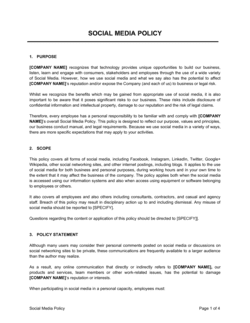
Phone Policy Template

Free Word download β€’ Edit online β€’ Save & share with Drive β€’ Export to PDF

3 pagesβ€’20–30 min to fillβ€’Difficulty: Standard
Learn more ↓
FreePhone Policy Template

At a glance

What it is
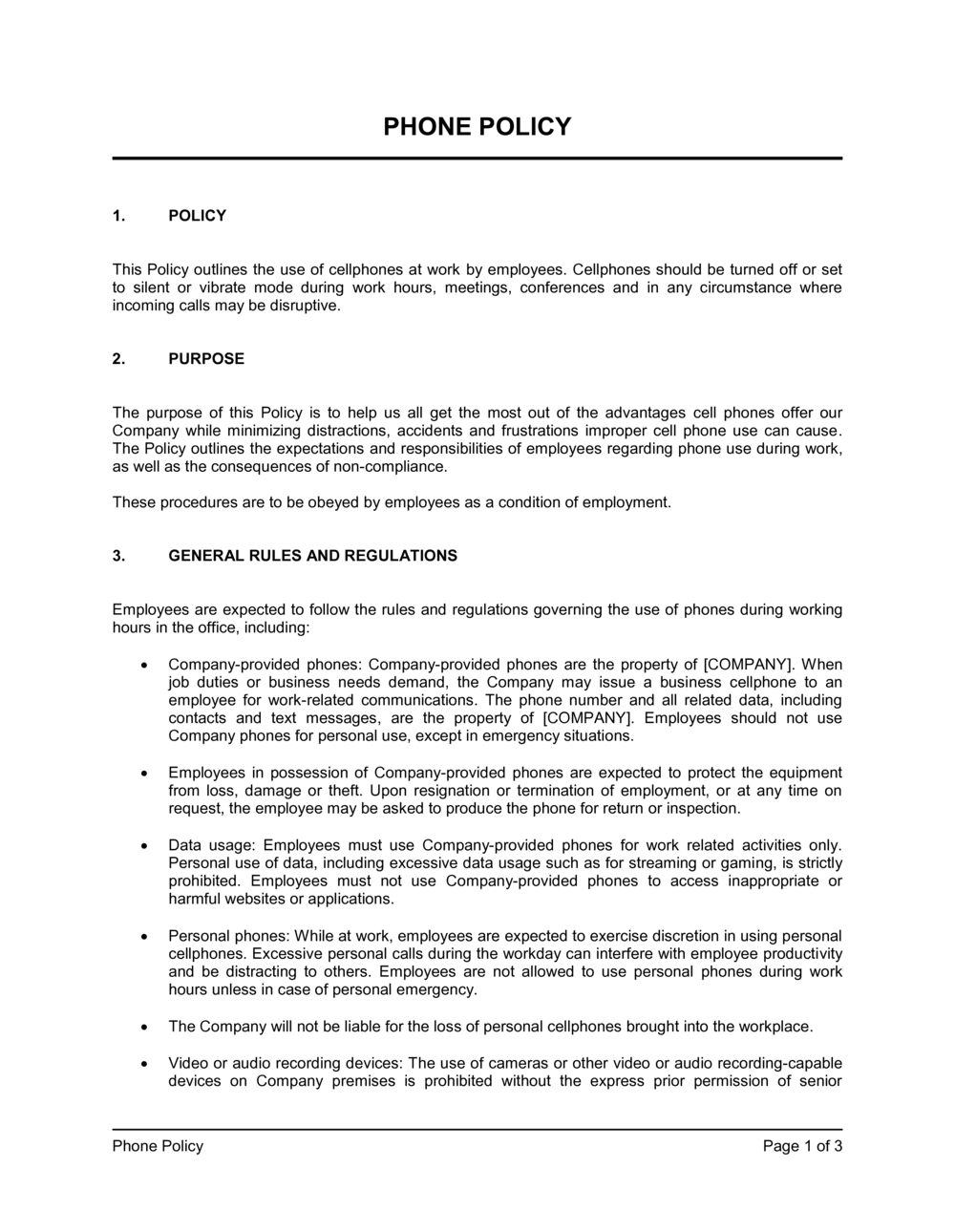
A Phone Policy is a written workplace document that defines the rules governing employees' use of personal and company-issued mobile phones during work hours and on company premises. This free Word download gives you a ready-to-edit template covering acceptable use, data security, distracted driving, and disciplinary consequences β€” export as PDF and distribute to staff in minutes.
When you need it
Use it when onboarding new employees, after a phone-related incident disrupts operations or safety, or when rolling out company-issued devices or a BYOD program. Any business with more than five employees benefits from having expectations in writing before problems arise.
What's inside
Purpose and scope, personal device rules during work hours, company-issued device guidelines, data security and confidentiality obligations, distracted driving restrictions, social media conduct, monitoring disclosures, and disciplinary procedures for violations.

What is a Phone Policy?

A Phone Policy is a written workplace document that establishes the rules governing how employees may use personal and company-issued mobile phones during work hours, on company premises, and in the course of work-related activities such as driving or client meetings. It defines which behaviors are permitted and prohibited, what security requirements apply to devices that access company data, and what disciplinary consequences follow a violation. Rather than leaving phone use to individual judgment β€” which produces inconsistent behavior and enforcement disputes β€” a documented policy gives every manager and employee a shared, enforceable standard.

Why You Need This Document

Without a written phone policy, managers have no consistent basis for disciplining an employee caught texting on the warehouse floor or photographing a client file β€” and employees have no clear understanding of what is expected. The risks are concrete: an employee who causes a vehicle accident while on a work call can expose the company to vicarious liability claims that run into six or seven figures; an unsecured personal phone used for work email can be the entry point for a data breach affecting customer records; and overly broad verbal instructions to "put phones away" carry no weight in an employment dispute. A signed, distributed phone policy closes these gaps before an incident forces the conversation, and gives HR the paper trail needed to act decisively when violations do occur.

Which variant fits your situation?

If your situation is…Use this template
Allowing employees to use personal phones for work tasksBYOD Policy
Issuing company-owned smartphones or tablets to staffCompany Device Acceptable Use Policy
Covering all digital conduct including email and social mediaTechnology Acceptable Use Policy
Restricting phone use for employees who drive for workDistracted Driving Policy
Rolling phone rules into a broader employee conduct documentEmployee Code of Conduct
Addressing social media use separately from device rulesSocial Media Policy
Outlining all technology, device, and internet rules in one placeIT and Technology Policy

Common mistakes to avoid

❌ No emergency exception for personal phones

Why it matters: A blanket ban with no emergency carve-out creates employee relations problems and may conflict with ADA accommodation obligations for employees managing medical conditions.

Fix: Add a sentence allowing phone use during breaks and for documented medical or family emergency situations, with a procedure for requesting an accommodation through HR.

❌ Missing the monitoring disclosure

Why it matters: Monitoring employee devices β€” even company-owned ones β€” without prior written notice creates liability under electronic communications privacy laws in multiple jurisdictions.

Fix: Include an explicit monitoring disclosure in the policy and in the acknowledgment form, stating which devices and data types may be reviewed and for what purposes.

❌ Overly broad social media language

Why it matters: Clauses that prohibit employees from discussing work conditions online can constitute an unfair labor practice under the NLRA, exposing the company to regulatory complaints and reinstatement orders.

Fix: Narrow the social media clause to prohibit only confidential information disclosure and content that is false, threatening, or harassing β€” not all work-related discussion.

❌ No signed acknowledgment collected

Why it matters: Without a dated, signed acknowledgment on file, an employee who violates the policy can credibly claim they were unaware of it, significantly weakening any disciplinary action or termination.

Fix: Require every employee to sign β€” physically or electronically β€” within five business days of receiving the policy, and file the acknowledgment in their personnel record.

❌ Applying one phone rule to every role equally

Why it matters: A policy that treats a warehouse picker and a customer-facing account manager identically will be seen as unreasonable by one group and create resentment or non-compliance.

Fix: Create role-based tiers or addenda β€” for example, stricter storage rules on the production floor, and permitted desktop use for office roles that require client contact.

❌ Setting a vague lost-device reporting window

Why it matters: Language like 'report promptly' or 'as soon as possible' allows hours or days to pass before IT is notified, eliminating the chance of a timely remote wipe.

Fix: Specify a maximum reporting window in hours β€” two hours is the standard β€” and name the exact contact (IT helpdesk, manager, or HR) who must be notified.

The 10 key sections, explained

Purpose and scope

Personal device use during work hours

Company-issued device guidelines

Data security and confidentiality

Distracted driving restrictions

Photography and recording restrictions

Social media and public communications

Monitoring and privacy disclosure

Violations and disciplinary consequences

Policy acknowledgment and review schedule

How to fill it out

  1. 1

    Define the scope and effective date

    Fill in your company's legal name, the effective date, and specify exactly who the policy covers β€” all employees, contractors, part-time staff, or specific roles and locations.

    πŸ’‘ If your workforce spans multiple sites, list each location by name rather than writing 'all locations' β€” this prevents ambiguity when a new site opens.

  2. 2

    Set personal phone rules for your work environment

    Decide whether personal phones must be stored away entirely, silenced and pocketed, or are permitted on the desk. Match the restriction level to the role β€” a warehouse floor and an open-plan office warrant different rules.

    πŸ’‘ Include a specific exception for medical necessity or family emergency contact, documented through HR, to avoid ADA or accommodation issues.

  3. 3

    Complete the company-device section if applicable

    If you issue company phones, list the permitted uses, prohibited apps or behaviors, required security settings, and the return procedure on separation.

    πŸ’‘ Cross-reference your IT acceptable-use policy here rather than duplicating rules β€” conflicting language in two documents creates enforcement problems.

  4. 4

    Fill in the data security requirements

    Specify the minimum PIN length, whether encryption is required, the VPN requirement for off-network access, and the exact reporting window for a lost or stolen device.

    πŸ’‘ A 2-hour reporting window for lost devices is the MDM industry standard β€” longer windows meaningfully reduce the chance of a successful remote wipe before data is accessed.

  5. 5

    Confirm the distracted driving restriction language

    Verify that your jurisdiction's hands-free laws are reflected accurately, then apply the stricter company standard β€” no phone use while driving β€” regardless of what the law technically permits.

    πŸ’‘ Add a clause requiring employees to pull over and stop before making or accepting any work call, even in states where hands-free is legal, to reduce liability exposure.

  6. 6

    Review and narrow the social media clause

    Ensure the social media restriction targets confidential information and disparagement specifically β€” not all work-related discussion. Language that is too broad risks being found unlawful under NLRA Section 7 in the US.

    πŸ’‘ Have HR or employment counsel read the social media clause before distribution β€” this is the section most frequently challenged by labor regulators.

  7. 7

    Insert the disciplinary scale and save the acknowledgment form

    Add the graduated disciplinary steps (verbal warning, written warning, suspension, termination) and ensure the acknowledgment form at the end asks for the employee's name, date, and signature.

    πŸ’‘ Store signed acknowledgments in each employee's personnel file β€” digital signatures via an HR platform are equally valid and easier to retrieve during disputes.

  8. 8

    Set a review date and publish

    Enter the annual review date (typically your HR policy review cycle) and distribute the policy to all in-scope staff. Log the distribution date and method.

    πŸ’‘ Redistribute the policy β€” and collect fresh acknowledgments β€” any time a material change is made, not just at annual review.

Frequently asked questions

What is a phone policy?

A phone policy is a written workplace document that defines the rules for how employees may use personal and company-issued mobile phones during work hours, on company premises, and during work-related travel. It typically covers acceptable use, data security requirements, distracted driving restrictions, and the disciplinary consequences for violations. Having one in writing removes ambiguity and gives managers a consistent basis for enforcement.

Can an employer ban cell phones in the workplace?

Yes, employers can generally restrict or prohibit personal phone use during work hours, particularly in environments where phones pose a safety, productivity, or confidentiality risk β€” such as warehouses, customer service floors, or healthcare settings. The restriction must not prevent employees from accessing emergency services or making calls protected under applicable labor law. Including a reasonable emergency exception reduces both legal risk and employee relations issues.

Does a phone policy need to be signed by employees?

Collecting a signed acknowledgment is not always a legal requirement, but it is strongly recommended. A signed acknowledgment on file makes it significantly harder for an employee to claim they were unaware of the policy during a disciplinary proceeding or termination. Collect acknowledgments at hire, at each annual policy review, and any time a material change is made to the document.

What should a BYOD phone policy include?

A BYOD policy should specify which device types are permitted, the minimum security settings required (PIN length, encryption, MDM enrollment), which company data and apps employees may access, the employer's right to remotely wipe the device if it is lost or the employee separates, and what happens to personal data stored on the device if a wipe is required. A clear scope and a data-handling disclosure are the two most commonly missing elements.

Can employers monitor employee cell phones?

Employers can typically monitor company-issued devices and personal devices enrolled in the company's MDM system, provided employees have been given prior written notice β€” which is why the monitoring disclosure section of a phone policy matters. Monitoring personal devices that are not enrolled in an MDM system is generally not permissible. Privacy laws vary by jurisdiction, so consider reviewing the monitoring clause with employment counsel before implementing for the first time.

How does a phone policy reduce employer liability for distracted driving?

When an employee causes an accident while on a work call, the employer can face vicarious liability β€” meaning the company is sued alongside the driver. A written distracted driving policy that prohibits all phone use while driving, paired with documented training and acknowledgment, demonstrates that the company took reasonable steps to prevent the behavior. Without a policy, courts often infer that the employer tacitly condoned the conduct.

What is the difference between a phone policy and an acceptable use policy?

A phone policy focuses specifically on mobile device conduct β€” personal phone rules, company-issued device guidelines, distracted driving, and photography restrictions. An acceptable use policy (AUP) is broader and typically covers all company technology: computers, networks, internet access, email, and software, in addition to phones. For small businesses, a single AUP may be sufficient; larger organizations often maintain both documents to allow more targeted enforcement.

How often should a phone policy be updated?

Review the policy at least once a year, and update it whenever a relevant law changes (such as a new hands-free driving law in your state or province), when the company rolls out new technology like MDM software or a BYOD program, or after a phone-related incident reveals a gap in the current rules. Each update should be redistributed to all staff with a fresh acknowledgment collected.

Does a phone policy need to address social media?

Including a social media section is good practice, particularly to address the risk of employees posting confidential information, client data, or disparaging content from work phones. Keep the language narrowly targeted at genuine business risks β€” prohibiting only confidential disclosures, false statements, and harassment β€” rather than all work-related online discussion, which can conflict with employees' rights to discuss wages and working conditions under labor law.

How this compares to alternatives

vs Employee Code of Conduct

A code of conduct sets broad behavioral standards across all aspects of employment β€” professionalism, ethics, conflicts of interest, and workplace conduct. A phone policy is narrower, focused specifically on device use rules, data security, and distracted driving. Many organizations include a brief phone-use section in the code of conduct and a separate, more detailed standalone phone policy.

vs Social Media Policy

A social media policy governs how employees represent the company and interact on social platforms β€” what they can post, how to handle customer complaints online, and brand voice guidelines. A phone policy addresses the device itself: when and where it may be used, security requirements, and monitoring. The two documents overlap on the question of posting from work phones, and cross-referencing both reduces duplication.

vs IT Acceptable Use Policy

An IT acceptable use policy covers the full range of company technology β€” computers, networks, email systems, internet access, and mobile devices. A phone policy is a targeted subset document focused on mobile-specific rules such as distracted driving, photography restrictions, and BYOD security. Organizations often use an AUP as the umbrella document and the phone policy for device-level detail.

vs Remote Work Policy

A remote work policy defines the conditions under which employees may work from home or off-site β€” equipment provision, availability expectations, and home office standards. A phone policy addresses device security and acceptable use regardless of location. Remote work policies increasingly cross-reference phone policies to address BYOD and secure communication requirements for distributed teams.

Industry-specific considerations

Retail and hospitality

Strict floor-level restrictions are standard to maintain customer experience and prevent staff from being seen on phones during service hours.

Healthcare

HIPAA-driven restrictions on photographing patients or accessing patient records on personal devices, with MDM enrollment typically required for any clinical staff using phones for work.

Manufacturing and logistics

Safety-driven phone bans in machine-operating and forklift areas, with posted signage reinforcing the policy at entry points to restricted zones.

Professional services

Client confidentiality clauses that extend to phone calls in public spaces, and recording restrictions when handling legally privileged or sensitive client communications.

Technology / SaaS

BYOD programs are common, requiring MDM enrollment, remote-wipe authorization, and VPN use for any access to production systems or customer data from personal devices.

Education

Staff phone policies must address photography and recording restrictions around minors, and often align with the school's student device policy for consistency.

Template vs pro β€” what fits your needs?

PathBest forCostTime
Use the templateSmall to mid-size businesses establishing phone rules for the first time or updating an outdated policyFree30–60 minutes
Template + professional reviewCompanies implementing BYOD programs, MDM monitoring, or operating in jurisdictions with strict privacy or labor laws$200–$500 for an employment counsel or HR consultant review1–3 days
Custom draftedEnterprises with complex device fleets, regulated industries (healthcare, finance), or multi-jurisdiction workforces with varying phone and privacy laws$800–$2,500 for a fully custom policy drafted by employment counsel1–2 weeks

Glossary

BYOD (Bring Your Own Device)
A workplace arrangement where employees use personal phones or tablets for work tasks, subject to employer security requirements.
Acceptable Use
The permitted purposes and behaviors for which an employee may use a company or personal device during work hours.
MDM (Mobile Device Management)
Software that allows an employer to remotely configure, monitor, and wipe data from enrolled devices β€” personal or company-issued.
Company-Issued Device
A phone, tablet, or other mobile device purchased and owned by the employer and provided to an employee for work use.
Distracted Driving
Operating a vehicle while engaged with a phone β€” texting, calling, or using apps β€” increasing crash risk and creating employer liability.
Monitoring Disclosure
A written notice informing employees that calls, texts, or data on company devices or networks may be monitored by the employer.
Disciplinary Action
Formal consequences β€” verbal warning, written warning, suspension, or termination β€” applied when an employee violates a workplace policy.
Data Breach
An incident where confidential business, customer, or employee data is accessed, transmitted, or exposed without authorization β€” often through unsecured personal devices.
Personal Use
Non-work-related phone activity β€” calls, texts, or app use β€” that takes place during work hours or on company premises.
Scope
The defined group of people, locations, and situations to which a policy applies β€” for example, all employees at all company locations during scheduled shifts.

Part of your Business Operating System

This document is one of 3,000+ business & legal templates included in Business in a Box.

  • Fill-in-the-blanks β€” ready in minutes
  • 100% customizable Word document
  • Compatible with all office suites
  • Export to PDF and share electronically

Create your document in 3 simple steps.

From template to signed document β€” all inside one Business Operating System.
1
Download or open template

Access over 3,000+ business and legal templates for any business task, project or initiative.

2
Edit and fill in the blanks with AI

Customize your ready-made business document template and save it in the cloud.

3
Save, Share, Send, Sign

Share your files and folders with your team. Create a space of seamless collaboration.

Save time, save money, and create top-quality documents.

β˜…β˜…β˜…β˜…β˜…

"Fantastic value! I'm not sure how I'd do without it. It's worth its weight in gold and paid back for itself many times."

Managing Director Β· Mall Farm
Robert Whalley
Managing Director, Mall Farm Proprietary Limited
β˜…β˜…β˜…β˜…β˜…

"I have been using Business in a Box for years. It has been the most useful source of templates I have encountered. I recommend it to anyone."

Business Owner Β· 4+ years
Dr Michael John Freestone
Business Owner
β˜…β˜…β˜…β˜…β˜…

"It has been a life saver so many times I have lost count. Business in a Box has saved me so much time and as you know, time is money."

Owner Β· Upstate Web
David G. Moore Jr.
Owner, Upstate Web

Run your business with a system β€” not scattered tools

Stop downloading documents. Start operating with clarity. Business in a Box gives you the Business Operating System used by over 250,000 companies worldwide to structure, run, and grow their business.

Free Forever PlanΒ Β·Β No credit card required