Part Arrival Notice With Request to Schedule Service Template

Free Word download β€’ Edit online β€’ Save & share with Drive β€’ Export to PDF

1 pageβ€’15–20 min to fillβ€’Difficulty: Standard
Learn more ↓
FreePart Arrival Notice With Request to Schedule Service Template

At a glance

What it is
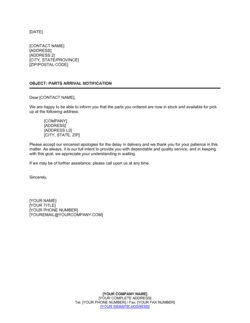
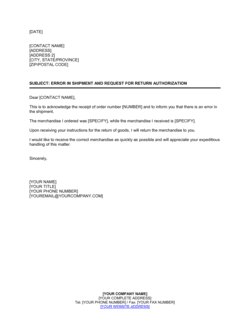
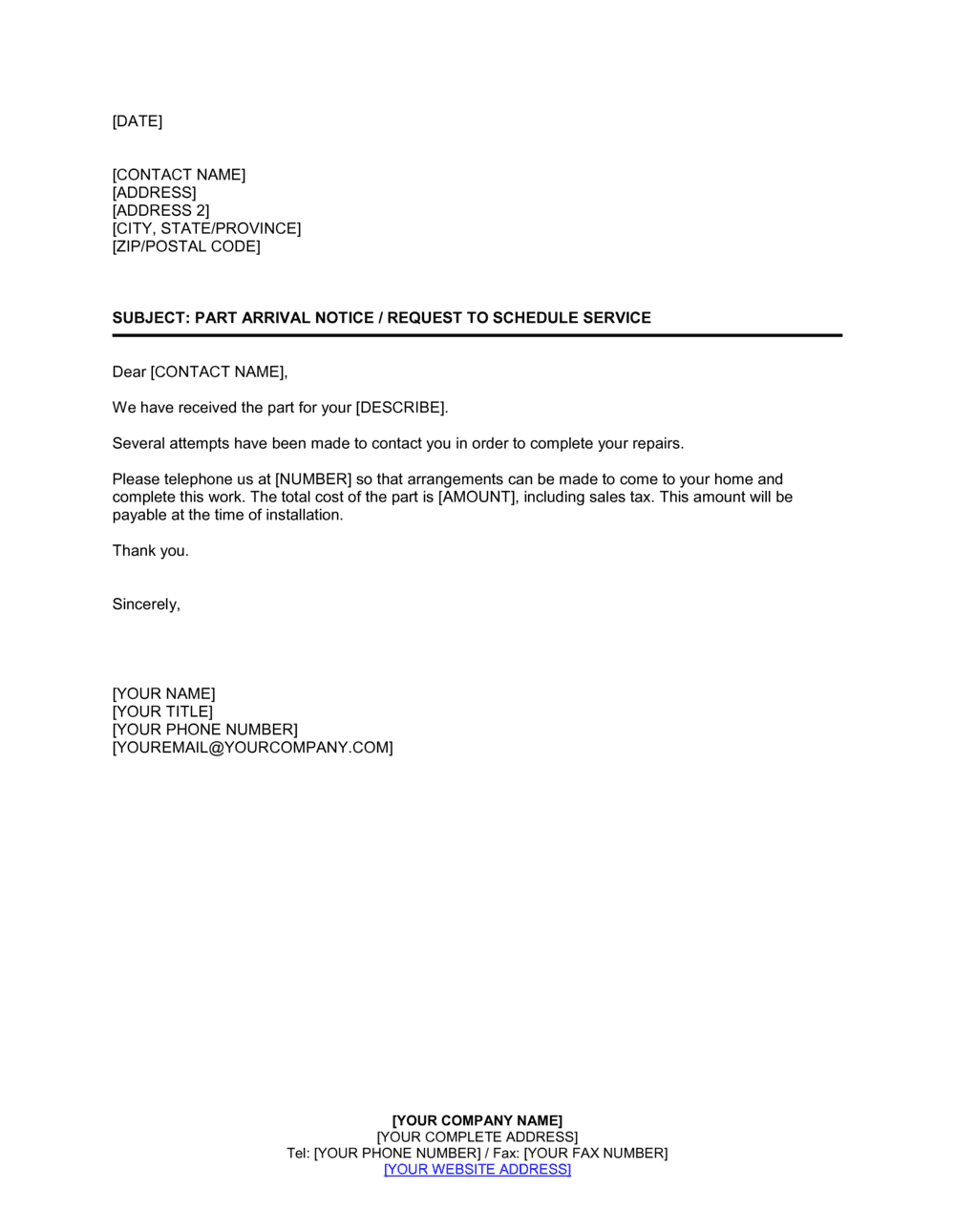
A Part Arrival Notice With Request To Schedule Service is a formal business letter sent by a service provider or dealership to notify a customer that a previously ordered or backordered part has arrived and is ready for installation. This free Word download gives you a ready-to-edit template you can personalize with customer details, part information, and scheduling options, then export as PDF or send directly.
When you need it
Use it as soon as an ordered part clears receiving and is confirmed ready for a service appointment. It is especially important when the customer has been waiting on a backorder or a special-order component and needs a clear prompt to book their service visit before inventory is reallocated.
What's inside
Sender and recipient contact blocks, a clear statement that the part has arrived, the specific part name and reference number, a direct request to schedule a service appointment, available contact methods or scheduling instructions, and a professional closing with the service advisor's name and contact details.

What is a Part Arrival Notice With Request To Schedule Service?

A Part Arrival Notice With Request To Schedule Service is a formal business letter sent by a service provider β€” typically an automotive dealership, repair shop, or equipment service company β€” to inform a customer that a previously ordered or backordered part has been received and is ready for installation. The letter confirms the specific part and order details, requests that the customer contact the service department to book their appointment, and states how long the part will be held before it is returned to inventory. It functions as both a customer notification and a scheduling prompt, bridging the gap between parts receiving and the service bay.

Why You Need This Document

Without a formal part arrival notice, customers who have been waiting on a backorder are left to follow up on their own β€” and many simply do not, leading to parts that sit in storage, tie up capital, and block appointment slots. A written notice with a named contact, a specific part reference, and a hold deadline creates the urgency and clarity that verbal or ad hoc notifications cannot. It also gives your service team a documented record that the customer was contacted, which matters when resolving disputes about unclaimed parts or no-show appointments. This template lets any service advisor produce a professional, complete notice in under five minutes β€” consistent across every advisor on your team, every time a part arrives.

Which variant fits your situation?

If your situation is…Use this template
Part arrived and appointment should be booked within a strict deadlinePart Arrival Notice With Request To Schedule Service (Urgent)
Notifying a customer that a warranty part is ready for installationWarranty Service Scheduling Letter
Informing a fleet operator that multiple parts are ready for a maintenance visitFleet Maintenance Scheduling Notice
Following up after no response to an initial part arrival noticeService Appointment Follow-Up Letter
Confirming a service appointment already booked by the customerService Appointment Confirmation Letter
Notifying a customer that an ordered part is delayedParts Delay Notification Letter

Common mistakes to avoid

❌ No hold deadline stated

Why it matters: Without a date, customers feel no urgency to schedule, and the part sits in storage indefinitely β€” tying up inventory value and storage space.

Fix: Always state a specific calendar expiry date and briefly explain the consequence (return to stock or supplier) if the deadline passes.
❌ Generic salutation instead of customer's name

Why it matters: 'Dear Valued Customer' signals a form letter, which reduces engagement and response rates compared to a personalized greeting.

Fix: Pull the customer's preferred name from your service record and use it in both the salutation and the body of the letter.

❌ Missing part number or order reference in the subject line

Why it matters: Customers with multiple open orders or vehicles cannot identify which service the letter relates to, leading to confusion and delayed scheduling.

Fix: Include the manufacturer part number and repair order number in the subject line on every notice, without exception.

❌ No named contact in the closing

Why it matters: A letter that closes with only a general company phone number forces the customer to re-explain their situation to whoever answers, creating friction that delays or prevents scheduling.

Fix: Assign and name one service advisor in the closing with their direct number and email so the customer has an immediate point of contact.

The 8 key clauses, explained

Sender and recipient header

In plain language: Identifies the service business sending the letter and the customer receiving it, including full contact details for both parties.

Sample language
[DEALERSHIP / COMPANY NAME] | [ADDRESS] | [PHONE] | [EMAIL] | Date: [DATE] | To: [CUSTOMER FULL NAME] | [CUSTOMER ADDRESS]

Common mistake: Using only a first name or customer number instead of the full legal or account name β€” this creates confusion if the customer has multiple vehicles or open orders.

Subject line

In plain language: A single line identifying the letter's purpose and referencing the specific part or order number so the customer can immediately connect it to their service record.

Sample language
Re: Part Arrival Notification β€” [PART NAME], Part No. [PART NUMBER] | Work Order / RO No. [ORDER NUMBER]

Common mistake: Omitting the part number or order reference. Without it, customers who have multiple outstanding orders cannot tell which service this notice relates to.

Opening salutation and purpose statement

In plain language: Greets the customer by name and states in plain terms that the awaited part has arrived and is ready for service.

Sample language
Dear [CUSTOMER NAME], We are pleased to inform you that the [PART NAME] you ordered for your [YEAR/MAKE/MODEL or EQUIPMENT DESCRIPTION] has arrived at our facility and is ready for installation.

Common mistake: Using a generic 'Dear Valued Customer' salutation. Personalized greetings have higher response rates and convey that the business tracks individual customer records.

Part details block

In plain language: Specifies the part name, manufacturer part number, and if relevant, the vehicle or equipment it applies to β€” confirming to the customer that the correct component is in hand.

Sample language
Part Description: [PART NAME] | Manufacturer Part No.: [PART NUMBER] | Applicable to: [YEAR] [MAKE] [MODEL], VIN/Serial No. [NUMBER]

Common mistake: Skipping the VIN or serial number for customers who own multiple units. Without it, the customer may arrive with the wrong vehicle and the appointment cannot proceed.

Scheduling request

In plain language: Directly asks the customer to contact the service department or use a provided method to book their installation appointment.

Sample language
Please contact our service department at [PHONE NUMBER] or reply to [EMAIL ADDRESS] to schedule your service appointment at your earliest convenience. Our available hours are [DAYS AND HOURS].

Common mistake: Asking the customer to 'call us when convenient' without providing hours of operation, making it impossible to know when contact is appropriate.

Parts hold notice

In plain language: Informs the customer how long the part will be held in their name before it is returned to general inventory or the supplier.

Sample language
Please note that we will hold this part for you until [DATE β€” typically 30 days from arrival]. If we have not heard from you by this date, we may need to return the part to inventory.

Common mistake: Not stating a hold deadline at all. Without a date, customers have no urgency to schedule, and the part occupies storage or risks reallocation indefinitely.

Estimated service time or cost note (optional)

In plain language: Provides a brief indication of the expected labor time or any previously quoted cost, reducing appointment friction by setting expectations in advance.

Sample language
The estimated installation time for this service is approximately [X hours]. Your previously approved estimate of $[AMOUNT] remains valid through [DATE].

Common mistake: Quoting a new price in the letter that differs from the previously approved estimate without explanation β€” this creates distrust and may prevent the customer from scheduling.

Contact and closing

In plain language: Provides the name, direct phone number, and email of the service advisor responsible for this order so the customer has a single point of contact.

Sample language
If you have any questions, please contact [SERVICE ADVISOR NAME] directly at [DIRECT PHONE] or [EMAIL]. We look forward to serving you. Sincerely, [SERVICE ADVISOR NAME] | [TITLE] | [COMPANY NAME]

Common mistake: Closing with only the company phone number and no named contact. Customers who reach a general queue and have to re-explain their situation often abandon the scheduling process.

How to fill it out

  1. 1

    Enter sender and recipient contact details

    Fill in your dealership or shop name, full address, and contact information at the top of the letter. Then add the customer's full name and billing address exactly as it appears in your service management system.

    πŸ’‘ Pull the customer record directly from your DMS or CRM to avoid name or address mismatches that delay delivery.

  2. 2

    Add the subject line with part and order references

    Insert the part name, manufacturer part number, and the work order or repair order number in the subject line so the customer can immediately match the letter to their open service record.

    πŸ’‘ If the customer has multiple open orders, include the vehicle VIN or equipment serial number in the subject line as well.

  3. 3

    Write the opening statement

    Address the customer by their preferred name and confirm in the first sentence that the specific part has arrived and is ready for installation.

    πŸ’‘ State the vehicle year, make, and model β€” or the equipment description β€” directly in the opening sentence to remove any ambiguity.

  4. 4

    Complete the part details block

    Enter the full part description, the manufacturer part number, and the vehicle or equipment it applies to, including VIN or serial number where available.

    πŸ’‘ Double-check the part number against the received purchase order before sending β€” a transposed digit in the letter erodes customer confidence.

  5. 5

    Insert the scheduling call to action

    Provide the direct phone number and email address of the service department or scheduling team, along with specific days and hours of availability.

    πŸ’‘ If your shop uses an online scheduling portal, include the direct URL β€” customers who can book in two clicks respond faster than those who need to call.

  6. 6

    State the parts hold deadline

    Calculate a specific calendar date β€” typically 30 days from the arrival date β€” and insert it as the hold expiry date. Briefly explain what happens to the part if the customer does not schedule by then.

    πŸ’‘ A 30-day hold is standard for most service environments, but reduce it to 14 days for high-demand or time-sensitive components.

  7. 7

    Add the service advisor's direct contact and sign off

    Close the letter with the assigned service advisor's full name, direct phone extension, and email address. Use 'Sincerely' or 'Best regards' followed by name and title.

    πŸ’‘ Assign one named advisor to the letter so the customer has a direct relationship β€” this measurably reduces no-shows and call-back friction.

Frequently asked questions

What is a part arrival notice?

A part arrival notice is a formal letter or message sent by a service provider to a customer confirming that a previously ordered or backordered part has been received and is ready for installation. It serves as both a customer communication and a prompt to schedule the service appointment needed to complete the repair or maintenance job.

When should I send a part arrival notice?

Send it as soon as the part has been checked in against the purchase order, confirmed correct, and placed on a customer hold in your inventory system. Same-day notification is best practice β€” customers who have been waiting on a backorder respond fastest when contacted promptly after arrival, and early notice reduces the risk of the part being inadvertently used for another job.

What information must a part arrival notice include?

At minimum: the customer's name, the specific part name and part number, the vehicle or equipment it applies to, a direct request to schedule an appointment, the service department's contact details and hours, and a hold expiry date. Including the original work order or repair order number helps the customer and your team match the letter to the correct service record without back-and-forth.

How long should I hold a part for a customer after sending the notice?

Thirty days is the standard hold period for most automotive and equipment service environments. For special-order or high-cost parts that are difficult to return, some shops extend this to 45 days. For high-demand or perishable components, a 14-day hold is more appropriate. Whatever period you choose, state the specific expiry date in the letter and follow up with a reminder if the customer has not responded within half that time.

Should the notice be sent by email, physical mail, or both?

Email is the fastest and most common channel for part arrival notices and typically generates the quickest scheduling response. A printed letter sent by first-class mail is appropriate for commercial or fleet accounts that require formal written documentation, or for customers who have previously indicated a preference for mail. Sending both channels for high-priority or long-backorder situations is also a sound practice.

What happens if the customer does not respond to the notice?

Send a follow-up reminder by phone or email roughly halfway through the hold period. If the customer remains unresponsive by the expiry date, notify them in writing that the part is being returned to stock or to the supplier and that they will need to reorder. Keep a copy of both notices in the customer's service record to document the attempts made.

Can I include a price quote in the part arrival notice?

Yes, if a repair estimate was previously approved by the customer, referencing it in the notice reduces scheduling hesitation by confirming the cost has not changed. Avoid introducing a new or revised price in the arrival notice without a prior conversation β€” an unexpected cost change in a notice letter is one of the most common reasons customers delay or cancel scheduling.

Is a part arrival notice the same as a service appointment confirmation?

No. A part arrival notice informs the customer that the part is ready and requests that they book an appointment. A service appointment confirmation is sent after the customer has already scheduled β€” it confirms the date, time, location, and services to be performed. Both letters are part of the same service workflow but serve different purposes at different stages.

How this compares to alternatives

vs Service Appointment Confirmation Letter

A service appointment confirmation is sent after the customer has already scheduled their visit β€” it confirms the date, time, and scope of work. A part arrival notice comes before scheduling and is the trigger that prompts the customer to book. Both belong in a complete service communication workflow, but they serve opposite moments in the process.

vs Parts Delay Notification Letter

A parts delay notification informs the customer that an ordered part is not yet available and provides an updated estimated arrival date. A part arrival notice is the positive counterpart β€” sent once the part is confirmed in stock. The delay letter manages expectations during the wait; the arrival notice closes the loop and initiates scheduling.

vs General Service Reminder Letter

A service reminder letter prompts a customer to schedule routine or preventive maintenance based on mileage, time, or a service interval β€” there is no specific part tied to the visit. A part arrival notice is triggered by a concrete inventory event and references a named part and order number, making it more specific and actionable than a general reminder.

vs Customer Follow-Up Letter

A follow-up letter is sent after a prior interaction β€” a meeting, proposal, or unanswered inquiry β€” to re-engage the customer. A part arrival notice is an event-triggered operational document tied to a specific inventory milestone. The follow-up letter is relationship-driven; the arrival notice is transaction-driven and carries a clear scheduling call to action.

Industry-specific considerations

Automotive dealerships and repair shops

High volume of special-order and backordered parts makes a standardized arrival notice critical for managing customer expectations and workshop scheduling efficiency.

HVAC and appliance service

Warranty and insurance-covered repair parts often require documented customer notification and a scheduled installation window to satisfy service-level agreements with manufacturers.

Medical and laboratory equipment service

Clinical equipment downtime is costly and regulated, making prompt part arrival notification and rapid scheduling coordination essential to facility compliance and patient care continuity.

Fleet and heavy equipment maintenance

Fleet operators need formal written notice to plan vehicle downtime and reassign duties, making a structured part arrival letter with a specific scheduling deadline operationally necessary.

Template vs pro β€” what fits your needs?

PathBest forCostTime
Use the templateService advisors, shop managers, and small repair businesses sending individual or batch noticesFree5 minutes per letter
Template + professional reviewMulti-location dealerships or fleets standardizing communication across service teams$50–$150 for an internal review or copyediting pass1–2 hours
Custom draftedEnterprise service networks integrating notices into a DMS or CRM automated workflow$300–$1,000+ for system integration and template customization1–5 days

Glossary

Part Number
A unique alphanumeric code assigned by the manufacturer to identify a specific component, used to verify the correct part was ordered and received.
Backorder
A status indicating a requested part was temporarily unavailable from the supplier and has now been fulfilled.
Service Appointment
A scheduled time slot during which a technician installs the arrived part and performs any related service work on the customer's equipment or vehicle.
Work Order
An internal document authorizing and tracking the service work to be performed, linked to the specific part and customer record.
Parts Hold
A reservation placed on received inventory to ensure a specific part is not sold or reallocated before the customer's service appointment.
RO (Repair Order)
The dealership or shop document that records all labor operations, parts used, and costs associated with a single service visit.
Special Order Part
A component not stocked in standard inventory that was sourced specifically for a named customer's repair or maintenance job.
Service Advisor
The customer-facing staff member who coordinates repair orders, communicates part status, and schedules service appointments on behalf of the shop or dealership.

Part of your Business Operating System

This document is one of 3,000+ business & legal templates included in Business in a Box.

  • Fill-in-the-blanks β€” ready in minutes
  • 100% customizable Word document
  • Compatible with all office suites
  • Export to PDF and share electronically

Create your document in 3 simple steps.

From template to signed document β€” all inside one Business Operating System.
1
Download or open template

Access over 3,000+ business and legal templates for any business task, project or initiative.

2
Edit and fill in the blanks with AI

Customize your ready-made business document template and save it in the cloud.

3
Save, Share, Send, Sign

Share your files and folders with your team. Create a space of seamless collaboration.

Save time, save money, and create top-quality documents.

β˜…β˜…β˜…β˜…β˜…

"Fantastic value! I'm not sure how I'd do without it. It's worth its weight in gold and paid back for itself many times."

Managing Director Β· Mall Farm
Robert Whalley
Managing Director, Mall Farm Proprietary Limited
β˜…β˜…β˜…β˜…β˜…

"I have been using Business in a Box for years. It has been the most useful source of templates I have encountered. I recommend it to anyone."

Business Owner Β· 4+ years
Dr Michael John Freestone
Business Owner
β˜…β˜…β˜…β˜…β˜…

"It has been a life saver so many times I have lost count. Business in a Box has saved me so much time and as you know, time is money."

Owner Β· Upstate Web
David G. Moore Jr.
Owner, Upstate Web

Run your business with a system β€” not scattered tools

Stop downloading documents. Start operating with clarity. Business in a Box gives you the Business Operating System used by over 250,000 companies worldwide to structure, run, and grow their business.

Free Forever PlanΒ Β·Β No credit card required