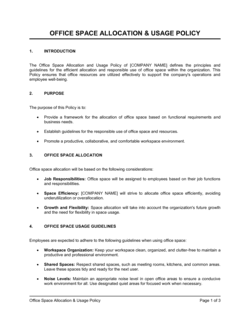
Office Space Policy Template

Free Word download β€’ Edit online β€’ Save & share with Drive β€’ Export to PDF

3 pagesβ€’20–25 min to fillβ€’Difficulty: Standard
Learn more ↓
FreeOffice Space Policy Template

At a glance

What it is
An Office Space Policy is an internal operational document that defines how a company's physical workspace is allocated, reserved, and used by employees. This free Word download lets you customize workspace categories, desk-booking rules, conference room protocols, and visitor access procedures, then publish it to staff as a PDF or intranet page.
When you need it
Use it when opening a new office, transitioning to a hybrid or hot-desking model, experiencing recurring conflicts over space, or standardizing facilities management across multiple locations.
What's inside
Purpose and scope, workspace categories and allocation criteria, desk reservation and hot-desking rules, conference room booking procedures, shared-area conduct standards, visitor and contractor access, storage and personal property guidelines, and policy compliance and enforcement.

What is an Office Space Policy?

An Office Space Policy is an internal operational document that defines how a company's physical workspace is allocated, reserved, and used by employees, contractors, and visitors. It establishes the rules governing assigned desks, hot-desk reservations, conference room bookings, shared-area conduct, personal storage, and visitor access β€” replacing informal norms with a written standard that applies consistently across the organization. Well-structured office space policies are especially important in hybrid work environments, where the ratio of available desks to total headcount is intentionally less than 1:1 and clear booking rules are essential to prevent conflicts.

Why You Need This Document

Without a written office space policy, space conflicts are resolved through informal hierarchy or whoever complains most persistently β€” and the resulting resentment affects team morale and productivity in ways that are hard to reverse. Conference rooms get locked by recurring meetings no one cancels. Desks assigned to employees who work remotely four days a week sit empty while on-site staff have nowhere to sit. Common areas deteriorate because no one is responsible for maintaining them. A formal policy eliminates these failure modes by giving every employee the same transparent rules, giving facilities managers a documented standard to enforce, and giving leadership the utilization data they need to make informed real estate decisions. This template gives you a ready-to-customize framework that covers every major space-use scenario, so you can publish a complete, professional policy in hours rather than weeks.

Which variant fits your situation?

If your situation is…Use this template
Managing a fully assigned-desk office with fixed seatingOffice Space Policy (Assigned Seating)
Transitioning to hot-desking or activity-based workingHot Desking Policy
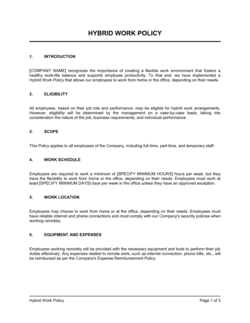
Defining rules for a hybrid workforce splitting office and remote daysHybrid Work Policy
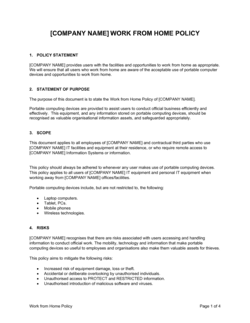
Setting expectations for employees who work fully from homeWork From Home Policy
Establishing conduct and safety standards inside the physical workplaceWorkplace Health and Safety Policy
Documenting visitor and contractor access controls for a secure facilityVisitor Management Policy
Governing meeting room reservations as a standalone procedureMeeting Room Booking Policy

Common mistakes to avoid

❌ Allocating assigned desks by seniority rather than on-site frequency

Why it matters: Senior employees who work remotely 4 days a week occupy desks that junior staff who are in daily cannot use β€” this wastes space and creates visible inequity.

Fix: Base desk-type eligibility on a defined on-site frequency threshold (e.g., 4+ days per week) and audit utilization data every quarter to rebalance allocations.

❌ No automatic release rule for unstarted room bookings

Why it matters: Without a no-show release window, a single recurring meeting can lock a conference room for weeks even when the meeting is cancelled informally but not in the calendar.

Fix: Set an automatic 15-minute release rule in your booking system and document it in the policy so employees know unclaimed rooms are fair game.

❌ Publishing the policy without naming a specific owner

Why it matters: When no one owns the policy, complaints go unresolved, violations accumulate, and the document is treated as optional rather than authoritative.

Fix: Name a specific role (e.g., Facilities Manager or Office Manager) as policy owner in the compliance section, with a contact email and an annual review commitment.

❌ Omitting contractors and freelancers from the scope

Why it matters: Regular on-site contractors who are not covered by the policy operate without any desk-booking or conduct framework, which creates conflicts with employees who are bound by it.

Fix: Explicitly include all individuals who regularly use the office β€” contractors, freelancers, and agency staff β€” in the policy scope section.

❌ Writing common-area rules as vague general expectations

Why it matters: A rule that says 'keep shared areas clean' is unenforceable β€” employees disagree on what clean means, so the rule produces no consistent behavior change.

Fix: Write specific, observable rules: 'remove all food from the shared refrigerator by Friday at 5 pm' rather than 'keep the kitchen tidy.'

❌ Setting no locker-to-hot-desk ratio

Why it matters: If your policy requires hot-desk users to clear their belongings at day-end but you have fewer lockers than hot-desk users, employees cannot comply and the policy breaks down.

Fix: Confirm the number of lockers before publishing, and if there is a shortfall, either procure more or adjust the personal-property requirements to match available storage.

The 9 key sections, explained

Purpose and scope

Workspace categories and allocation

Desk reservation and hot-desking rules

Conference room and meeting space booking

Shared-area and common-space conduct

Personal property and storage

Visitor and contractor access

Cleanliness and workspace standards

Policy compliance and enforcement

How to fill it out

  1. 1

    Define the scope and locations

    Enter your company name, all office addresses covered by the policy, the effective date, and which employee categories (full-time, part-time, contractor, visitor) the policy governs.

    πŸ’‘ If you have offices in different cities with different space setups, consider a single policy with location-specific appendices rather than separate standalone documents.

  2. 2

    Categorize your workspace types

    List every workspace type you have or plan to introduce β€” assigned desks, hot desks, focus booths, collaboration zones, phone booths, and meeting rooms. For each, note how many units exist and who is eligible to use them.

    πŸ’‘ Photograph or diagram the floor plan and attach it as an appendix β€” visual references reduce confusion and cut onboarding questions significantly.

  3. 3

    Set your desk allocation criteria

    Define which roles or work patterns qualify for an assigned desk versus a hot desk. Base criteria on on-site frequency (e.g., 4+ days per week = assigned), not seniority or title.

    πŸ’‘ Run a 30-day utilization count before finalizing allocations β€” many offices discover that 30–40% of assigned desks are empty most days.

  4. 4

    Configure desk and room booking rules

    Set the advance booking window, session length limits, no-show release time, and the booking tool employees will use. Enter these specifics into the reservation and conference room sections.

    πŸ’‘ A 2-business-day advance booking window for hot desks balances planning needs with flexibility and keeps no-show rates low.

  5. 5

    Write the common-area and conduct standards

    Walk the office physically and note every shared area that generates friction β€” the kitchen, the quiet zone, shared printers. Write a specific rule for each one rather than a generic 'keep it tidy' clause.

    πŸ’‘ Post a one-page summary of common-area rules near each area β€” employees comply more consistently when the rule is visible at the point of use.

  6. 6

    Assign ownership and set the review cycle

    Name the specific role (not person) responsible for this policy, the process for reporting violations, and the annual review date. Add these details to the compliance and enforcement section.

    πŸ’‘ Tie the annual review date to your lease renewal cycle β€” space policies often need updating when floorplates change.

  7. 7

    Publish and communicate the policy

    Export as PDF and publish to your intranet or HR system. Send a brief all-hands email summarizing the three or four rules employees are most likely to encounter day-to-day.

    πŸ’‘ A 5-bullet summary email gets read; a full policy attachment does not. Link to the full document for those who want detail.

Frequently asked questions

What is an office space policy?

An office space policy is an internal document that defines how a company's physical workspace is allocated, reserved, and used. It covers assigned and shared desk arrangements, conference room booking rules, common-area conduct standards, visitor access, and personal storage β€” giving employees a clear framework so space is used fairly and efficiently across the organization.

Why does a company need a formal office space policy?

Without a written policy, space conflicts are resolved ad hoc β€” typically in favor of whoever complains loudest or holds the most seniority. A formal policy establishes consistent, transparent rules that reduce daily friction, support facilities planning decisions, and provide a documented basis for addressing violations. It also helps justify real estate decisions like reducing square footage in a hybrid model.

What is the difference between a hot-desking policy and an office space policy?

A hot-desking policy is a focused document that governs flexible desk reservations specifically. An office space policy is broader, covering all workspace types β€” assigned desks, meeting rooms, quiet zones, common areas, visitor access, and storage β€” as well as the overarching principles that govern the entire physical environment. Many companies use an office space policy as the parent document and reference a hot-desking procedure within it.

How do I determine whether employees should have assigned desks or hot desks?

Base the decision on on-site frequency, not role seniority. Employees who work on-site four or more days per week typically benefit from an assigned desk for productivity and personal setup reasons. Those on-site two days or fewer are well-served by hot desks. Run a 30-day utilization count before finalizing allocations β€” most offices find that 30–40% of assigned desks are empty on any given day, which is a strong signal to convert some to shared inventory.

Should contractors and freelancers be covered by the office space policy?

Yes. Any individual who regularly uses the office should be subject to the same space-use and conduct rules as employees. Excluding contractors creates a two-tier system where one group is bound by booking rules and another is not, which generates resentment and undermines the policy's effectiveness. Include contractors and freelancers explicitly in the scope section.

How often should an office space policy be updated?

Review it annually at minimum. Trigger an earlier review when the company moves or expands to a new location, changes its hybrid work model, redesigns the floor plan, or experiences a significant increase or decrease in headcount. Tie the review to your lease renewal cycle if possible, since space policies and real estate decisions are closely linked.

What should the conference room booking rules include?

At minimum: the advance booking window (typically 1–5 business days), the maximum single-booking duration, the no-show release window (15 minutes is standard), a cancellation notice requirement, and rules for recurring meetings that block high-demand rooms. For large organizations, also include priority rules that give all-hands or client-facing meetings precedence over internal standups when the same room is double-requested.

Can an office space policy help reduce real estate costs?

Yes, indirectly. A well-enforced policy that tracks desk utilization and enforces booking discipline produces reliable data on how much space is actually needed. Organizations that implement activity-based working with a formal space policy typically achieve desk-to-employee ratios of 0.6–0.8 rather than 1:1, which can reduce lease footprint β€” and therefore cost β€” by 20–40% in hybrid environments.

Does an office space policy need to be signed by employees?

A signature is not required for the policy to be enforceable as a workplace rule, but having employees acknowledge it during onboarding β€” via an intranet confirmation or handbook sign-off β€” creates a documented record that the rules were communicated. Include the office space policy in your onboarding checklist and annual policy-review acknowledgment cycle.

How this compares to alternatives

vs Hybrid Work Policy

A hybrid work policy governs when and how often employees are expected to be in the office versus working remotely β€” it defines schedules, anchor days, and remote-work eligibility. An office space policy governs what happens inside the physical office: who sits where, how rooms are booked, and how shared areas are used. Both are needed in a hybrid organization; the hybrid policy drives attendance patterns, and the office space policy manages the space those patterns create.

vs Work From Home Policy

A work from home policy sets expectations for employees working remotely β€” eligibility, equipment, connectivity, and home-office standards. An office space policy addresses the physical workplace exclusively. The two documents complement each other: the work from home policy covers behavior outside the office; the office space policy covers behavior inside it.

vs Workplace Health and Safety Policy

A workplace health and safety policy covers hazard identification, emergency procedures, and regulatory compliance obligations. An office space policy focuses on space allocation, booking, and conduct standards. Safety policies are typically mandatory under occupational health and safety legislation; space policies are operational documents. Cross-reference both so that safety requirements (e.g., maximum room occupancy) are embedded in the space policy's meeting room rules.

vs Employee Handbook

An employee handbook is a comprehensive reference document covering all workplace policies β€” conduct, compensation, leave, and more. An office space policy is a standalone operational document with more detail on space-specific procedures than a handbook can accommodate. Most organizations reference the office space policy in the handbook and link to it rather than embedding the full text.

Industry-specific considerations

Technology / SaaS

Hot-desking and activity-based working are common given hybrid schedules; desk booking software integrates with Slack or HRIS to automate reservations and track utilization.

Financial Services

Secure zone access rules and clean-desk requirements are critical for client confidentiality compliance; visitor badging must align with regulatory access-control requirements.

Professional Services

Client visit protocols, hoteling for traveling staff between offices, and meeting room availability during peak client-engagement periods require explicit policy coverage.

Healthcare

Clinical and administrative spaces have distinct access rules; the policy must separate patient-facing areas from back-office workspace and address infection-control standards for shared desks.

Template vs pro β€” what fits your needs?

PathBest forCostTime
Use the templateSingle-location SMBs and startups establishing space rules for the first timeFree2–4 hours
Template + professional reviewMulti-location organizations or companies transitioning to hybrid or hot-desking models$200–$800 for an HR consultant or workplace strategist review1–3 days
Custom draftedEnterprise organizations with complex security zones, union agreements, or regulated industry access controls$1,500–$5,000 for a facilities management consultant or HR law firm2–4 weeks

Glossary

Hot Desking
A workspace arrangement where employees have no permanently assigned desk and instead reserve available workstations on a first-come or booking basis.
Activity-Based Working (ABW)
An office model that provides a variety of workspace types β€” focus booths, collaboration areas, standing desks β€” and lets employees choose the setting that suits their current task.
Space Utilization Rate
The percentage of available workstations or meeting rooms that are occupied during standard working hours, used to guide real estate decisions.
Desk Booking System
Software or a manual reservation process that allows employees to claim a workspace in advance for a specific date and time.
Assigned Seating
A workspace arrangement where each employee has a dedicated, permanent desk that only they routinely use.
Neighborhood Seating
A hybrid arrangement where teams or departments share a defined zone of desks rather than having individual assigned seats or fully open hot desks.
Quiet Zone
A designated area of the office reserved for focused, individual work where conversation and calls are restricted.
Facilities Management
The function responsible for maintaining a safe, functional, and efficient physical work environment, including space planning, maintenance, and vendor coordination.
Churn Rate (office)
In workplace planning, the frequency with which desk assignments or seating arrangements change β€” high churn often signals a need for a formal space policy.
Anchor Day
A scheduled day of the week when a team or the entire company is expected to be in the office simultaneously, used to coordinate collaboration in hybrid models.

Part of your Business Operating System

This document is one of 3,000+ business & legal templates included in Business in a Box.

  • Fill-in-the-blanks β€” ready in minutes
  • 100% customizable Word document
  • Compatible with all office suites
  • Export to PDF and share electronically

Create your document in 3 simple steps.

From template to signed document β€” all inside one Business Operating System.
1
Download or open template

Access over 3,000+ business and legal templates for any business task, project or initiative.

2
Edit and fill in the blanks with AI

Customize your ready-made business document template and save it in the cloud.

3
Save, Share, Send, Sign

Share your files and folders with your team. Create a space of seamless collaboration.

Save time, save money, and create top-quality documents.

β˜…β˜…β˜…β˜…β˜…

"Fantastic value! I'm not sure how I'd do without it. It's worth its weight in gold and paid back for itself many times."

Managing Director Β· Mall Farm
Robert Whalley
Managing Director, Mall Farm Proprietary Limited
β˜…β˜…β˜…β˜…β˜…

"I have been using Business in a Box for years. It has been the most useful source of templates I have encountered. I recommend it to anyone."

Business Owner Β· 4+ years
Dr Michael John Freestone
Business Owner
β˜…β˜…β˜…β˜…β˜…

"It has been a life saver so many times I have lost count. Business in a Box has saved me so much time and as you know, time is money."

Owner Β· Upstate Web
David G. Moore Jr.
Owner, Upstate Web

Run your business with a system β€” not scattered tools

Stop downloading documents. Start operating with clarity. Business in a Box gives you the Business Operating System used by over 250,000 companies worldwide to structure, run, and grow their business.

Free Forever PlanΒ Β·Β No credit card required