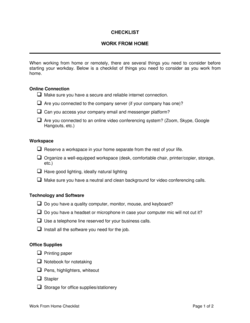
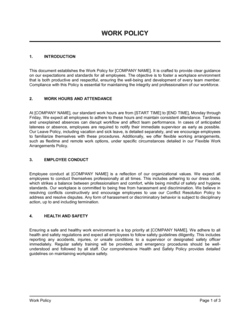
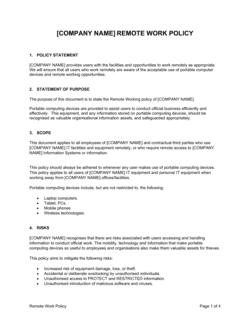
Work From Home Policy Template

Free Word download β€’ Edit online β€’ Save & share with Drive β€’ Export to PDF

4 pagesβ€’20–25 min to fillβ€’Difficulty: Standard
Learn more ↓
FreeWork From Home Policy Template

At a glance

What it is
A Work From Home Policy is an internal operational document that defines the rules, expectations, and procedures governing remote and hybrid work arrangements across an organization. This free Word download gives you a structured, editable starting point you can tailor to your workforce and export as PDF for distribution to employees.
When you need it
Use it when formalizing a remote or hybrid work program for the first time, when updating an informal arrangement that has grown without written rules, or when onboarding new hires who will work fully or partially off-site.
What's inside
Eligibility criteria, approved work locations, equipment and expense responsibilities, data security requirements, communication and availability standards, performance expectations, and the process for requesting or revoking remote work arrangements.

What is a Work From Home Policy?

A Work From Home Policy is an internal operational document that establishes the rules, eligibility criteria, and expectations governing remote and hybrid work arrangements across an organization. It defines which roles qualify for remote work, where employees may work, what equipment the company provides, how data must be protected off-site, and the availability and performance standards employees must meet. Unlike an informal arrangement made between a manager and an employee, a written policy applies consistently across the organization and gives HR and leadership a defensible, documented basis for approving, adjusting, or revoking remote work privileges.

Why You Need This Document

Without a written work from home policy, informal remote arrangements accumulate over time β€” each negotiated differently, with different equipment expectations, different availability assumptions, and no consistent standard for what good remote performance looks like. The consequences are predictable: eligibility disputes when one employee is approved and another in the same role is not, data security incidents caused by employees using unsecured home networks with no written guidance to the contrary, and revocation conflicts when a manager tries to call a remote employee back to the office and the employee argues the arrangement is permanent. A policy also addresses two legal exposures that informal arrangements leave wide open β€” workers' compensation coverage for home-based injuries and the tax obligations triggered when employees work from a different state or country. This template gives you a structured, editable foundation that covers all of these areas in a single document you can distribute and have employees acknowledge in under a day.

Which variant fits your situation?

If your situation is…Use this template
Fully remote team with no required in-office daysRemote Work Policy
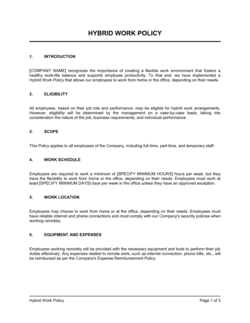
Hybrid schedule with designated in-office days per weekHybrid Work Policy
Temporary remote arrangement during a medical or personal leaveTemporary Remote Work Agreement
Individual employee requesting a formal remote work arrangementWork From Home Request Form
Employee working across international borders or time zonesInternational Remote Work Agreement
Policy governing use of personal devices for company workBYOD (Bring Your Own Device) Policy
Broader documentation of expected employee conduct and standardsEmployee Handbook

Common mistakes to avoid

❌ Treating remote work as a contractual right in policy language

Why it matters: If the policy language implies a permanent entitlement, revoking remote work β€” even for performance reasons β€” can be contested as a unilateral change to employment terms.

Fix: Include explicit language stating that remote work is a revocable privilege and that the company may require on-site attendance with reasonable notice.

❌ Omitting rules on working from outside the country

Why it matters: An employee working abroad for even a few weeks can inadvertently create a taxable presence or trigger local employment law obligations for the company.

Fix: Require written approval for any remote work outside the employee's home country and state the maximum number of days permitted without a formal international work arrangement.

❌ Copying security requirements from IT policy without confirming they are operational

Why it matters: Listing requirements like mandatory VPN or company-issued encrypted laptops when those tools are not yet deployed makes the policy unenforceable and erodes employee confidence.

Fix: Audit your actual IT controls before drafting the security section and include only requirements that are currently in force or will be implemented by the policy's effective date.

❌ Setting no core-hours expectation at all

Why it matters: Without defined availability windows, managers and teammates cannot schedule meetings predictably, and disputes over responsiveness have no policy basis for resolution.

Fix: Establish a minimum daily overlap window β€” typically 3–5 hours β€” during which all remote employees must be reachable, and name the communication platform where availability must be signaled.

The 9 key sections, explained

Purpose and scope

Eligibility criteria

Approved work locations

Equipment and expense policy

Data security and confidentiality

Availability and communication standards

Performance expectations and output standards

Health, safety, and workspace requirements

Modification and revocation

How to fill it out

  1. 1

    Identify which roles qualify as remote-eligible

    Work with department heads to classify each role as fully remote, hybrid, or on-site only. Document the classification criteria so decisions are defensible and consistent.

    πŸ’‘ Classify by role type and task requirements β€” not by individual preference β€” to avoid discrimination exposure when one employee is approved and another in the same role is not.

  2. 2

    Set your eligibility thresholds

    Define the minimum tenure, performance standing, and any role-specific prerequisites. Enter these as concrete values β€” for example, '90 days of employment' and 'no active performance improvement plan.'

    πŸ’‘ Tie the eligibility review to an existing process such as the 90-day onboarding review to avoid creating a new administrative step.

  3. 3

    Define approved work locations and any geographic restrictions

    Specify whether employees may work from locations other than their registered home address, and set clear rules on working from outside the country.

    πŸ’‘ Consult your payroll or tax advisor before allowing work from a different state or country β€” even temporarily β€” as this can create nexus or permanent establishment obligations.

  4. 4

    Complete the equipment and stipend section

    List what the company provides, what the employee must supply, and the stipend amount or reimbursement process. Reference a separate equipment schedule rather than listing specific models.

    πŸ’‘ Keep dollar amounts in a referenced schedule rather than the policy body β€” this lets you update stipend values without re-issuing the full policy.

  5. 5

    Define core hours and communication tools

    Choose a core-hours window that works across your time zones, specify the primary communication platform, and set response-time expectations that are practical, not aspirational.

    πŸ’‘ A core-hours window of 4–5 hours gives distributed teams enough overlap without requiring everyone to work identical schedules.

  6. 6

    Add data security requirements aligned to your IT policy

    List the specific security controls in force β€” VPN, endpoint software, encrypted drives β€” and cross-reference the company's IT Acceptable Use Policy rather than duplicating every rule.

    πŸ’‘ If a security requirement isn't yet operationally in place, don't put it in the policy β€” unenforceable rules erode trust in the whole document.

  7. 7

    Include the modification and revocation clause

    State explicitly that remote work is a privilege, not a contractual right, and that the company may revoke the arrangement with reasonable notice.

    πŸ’‘ Have employees sign or acknowledge the policy in writing β€” this acknowledgment is your evidence that they understood the non-contractual nature of the arrangement.

  8. 8

    Get manager and HR sign-off before publishing

    Route the draft through HR, Legal (if available), and at least two department heads before distributing. Collect feedback on sections that conflict with existing practices.

    πŸ’‘ Pilot the policy with one team for 30 days before company-wide rollout β€” real-world gaps surface faster in a controlled test than in a review meeting.

Frequently asked questions

What is a work from home policy?

A work from home policy is an internal document that defines the rules, eligibility criteria, and expectations governing remote work arrangements at a company. It covers who can work remotely, from where, during which hours, using what equipment, and under what security and performance standards. It protects both the employer and the employee by making the terms of remote work explicit and consistently applied.

What should a work from home policy include?

At minimum, it should cover eligibility criteria, approved work locations, equipment and expense responsibilities, data security requirements, availability and communication standards, performance expectations, and the company's right to modify or revoke the arrangement. Policies that omit any of these sections tend to generate the most disputes and inconsistencies in practice.

Does a work from home policy need to be signed by employees?

A formal signature is not legally required for a policy to be binding in most jurisdictions, but written acknowledgment β€” even an email confirming receipt β€” is strongly recommended. Acknowledgment serves as evidence that the employee was aware of the policy's terms, including the clause stating that remote work is a revocable privilege. Many companies require employees to sign or e-sign a policy acknowledgment form when the policy is first issued or updated.

Can an employer revoke a work from home arrangement?

Yes, in most cases β€” provided the policy clearly states that remote work is a privilege rather than a contractual entitlement. If remote work was promised in the employment contract or offer letter, revocation may constitute a unilateral change to employment terms and could give rise to a constructive dismissal claim. The safest approach is to specify in both the offer letter and the policy that remote arrangements are subject to change with reasonable notice.

What is the difference between a remote work policy and a hybrid work policy?

A remote work policy covers employees who work fully off-site with no regular in-office requirement. A hybrid work policy governs a blended arrangement β€” typically a set number of in-office days per week or month. The core sections of both documents overlap significantly, but a hybrid policy adds scheduling rules for in-office days, desk-booking procedures, and expectations around team-wide anchor days.

Does a work from home policy protect the company legally?

A well-drafted policy reduces legal exposure in several areas: it establishes consistent eligibility criteria that reduce discrimination claims, it clarifies workers' compensation obligations for home-based injuries, it sets data security standards that support compliance with privacy laws, and it prevents remote work from becoming an implied contractual right. It does not replace legal advice for complex cross-border or regulated-industry scenarios.

How often should a work from home policy be updated?

Review the policy at least annually β€” or whenever there is a material change in the workforce model, a shift in employment law relevant to remote work, or a significant update to security requirements. Policies that are more than two years old without a review often contain equipment references, stipend amounts, or tool names that no longer reflect actual practice.

Should a work from home policy address mental health and ergonomics?

Including a brief section on workspace safety β€” ergonomic setup, adequate lighting, and a distraction-managed environment β€” signals duty-of-care awareness and may reduce workers' compensation exposure. Many updated policies also reference the company's Employee Assistance Program (EAP) or mental health resources, recognizing that isolation and boundary management are real risks for remote workers.

How this compares to alternatives

vs Employee Handbook

An employee handbook is a comprehensive reference covering all workplace policies β€” conduct, benefits, leave, and more. A work from home policy is a standalone document focused entirely on remote work terms. For small teams, the WFH policy can be embedded as a chapter in the handbook; larger organizations often maintain it separately so it can be updated without re-issuing the entire handbook.

vs Remote Work Agreement

A work from home policy sets company-wide rules that apply to all eligible employees. A remote work agreement is a bilateral document signed between the employer and one specific employee, formalizing the individual's approved arrangement under the broader policy. The policy governs the program; the agreement governs a specific person's participation in it.

vs Independent Contractor Agreement

A work from home policy covers employees β€” people with employment entitlements, tax withholding, and HR obligations. An independent contractor agreement governs a self-employed individual who has no entitlement to remote work accommodations, benefits, or equipment from the engaging company. Applying a WFH policy to contractors can inadvertently support a misclassification claim.

vs IT Acceptable Use Policy

An IT acceptable use policy defines the rules for using company technology assets β€” devices, networks, software, and data β€” in any context. A work from home policy references those rules and adds location-specific requirements: VPN mandates for off-site connections, home network security standards, and restrictions on using personal devices. The two documents complement each other and should cross-reference rather than duplicate.

Industry-specific considerations

Technology / SaaS

Remote-first teams often need asynchronous communication standards, multi-timezone core hours, and strict device security requirements covering access to production systems.

Financial services

Regulatory requirements around data handling β€” MiFID II, SEC recordkeeping, or SOX compliance β€” add mandatory restrictions on home printing, screen sharing, and unsecured networks.

Healthcare

HIPAA obligations require explicit rules on accessing patient data remotely, prohibiting work on shared household devices, and securing physical workspaces against unauthorized viewing.

Professional services

Client confidentiality requirements and billable-hour accountability mean the policy must address home-office standards for virtual client meetings and time-tracking tool usage.

Retail / E-commerce

Back-office and support roles are typically remote-eligible while warehouse and fulfillment staff are not β€” the policy must define role classifications clearly to avoid eligibility disputes.

Education

Administrative and instructional design roles often qualify for remote work, but student data privacy laws such as FERPA require specific rules on accessing records from home networks.

Template vs pro β€” what fits your needs?

PathBest forCostTime
Use the templateSmall to mid-sized businesses formalizing an existing remote or hybrid arrangementFree2–4 hours to customize and distribute
Template + professional reviewCompanies with cross-state or international remote workers, or in regulated industries$300–$800 for an HR consultant or employment lawyer review3–5 business days
Custom draftedEnterprises with multi-jurisdiction workforces, union considerations, or complex data-compliance requirements$1,000–$4,000+2–4 weeks

Glossary

Remote Work
A work arrangement in which an employee performs their duties from a location other than the employer's physical office, typically from home.
Hybrid Work
A work model that splits an employee's time between a central office and a remote location, usually on a fixed or flexible schedule.
Telecommuting
An older term for remote work, often used in legal and HR contexts to describe working from home using telecommunications technology.
Eligible Role
A position whose tasks, responsibilities, and output can be performed effectively without a physical presence in the office.
Home Workspace
The specific location within an employee's residence designated for performing work duties, expected to meet the employer's safety and ergonomic standards.
Core Hours
The defined window of time β€” for example, 10 a.m. to 3 p.m. β€” during which all employees, regardless of location, are expected to be available for meetings and collaboration.
BYOD (Bring Your Own Device)
A policy allowing employees to use personal computers, phones, or tablets for work purposes, typically subject to security controls imposed by the employer.
VPN (Virtual Private Network)
An encrypted connection that routes an employee's internet traffic through the company's network, protecting data transmitted from a remote location.
Stipend
A fixed periodic payment from the employer to an employee to offset the cost of home office equipment, internet, or utilities.
Performance Metrics
Quantifiable measures β€” such as tasks completed, response time, or project milestones β€” used to evaluate whether a remote employee is meeting expectations.

Part of your Business Operating System

This document is one of 3,000+ business & legal templates included in Business in a Box.

  • Fill-in-the-blanks β€” ready in minutes
  • 100% customizable Word document
  • Compatible with all office suites
  • Export to PDF and share electronically

Create your document in 3 simple steps.

From template to signed document β€” all inside one Business Operating System.
1
Download or open template

Access over 3,000+ business and legal templates for any business task, project or initiative.

2
Edit and fill in the blanks with AI

Customize your ready-made business document template and save it in the cloud.

3
Save, Share, Send, Sign

Share your files and folders with your team. Create a space of seamless collaboration.

Save time, save money, and create top-quality documents.

β˜…β˜…β˜…β˜…β˜…

"Fantastic value! I'm not sure how I'd do without it. It's worth its weight in gold and paid back for itself many times."

Managing Director Β· Mall Farm
Robert Whalley
Managing Director, Mall Farm Proprietary Limited
β˜…β˜…β˜…β˜…β˜…

"I have been using Business in a Box for years. It has been the most useful source of templates I have encountered. I recommend it to anyone."

Business Owner Β· 4+ years
Dr Michael John Freestone
Business Owner
β˜…β˜…β˜…β˜…β˜…

"It has been a life saver so many times I have lost count. Business in a Box has saved me so much time and as you know, time is money."

Owner Β· Upstate Web
David G. Moore Jr.
Owner, Upstate Web

Run your business with a system β€” not scattered tools

Stop downloading documents. Start operating with clarity. Business in a Box gives you the Business Operating System used by over 250,000 companies worldwide to structure, run, and grow their business.

Free Forever PlanΒ Β·Β No credit card required