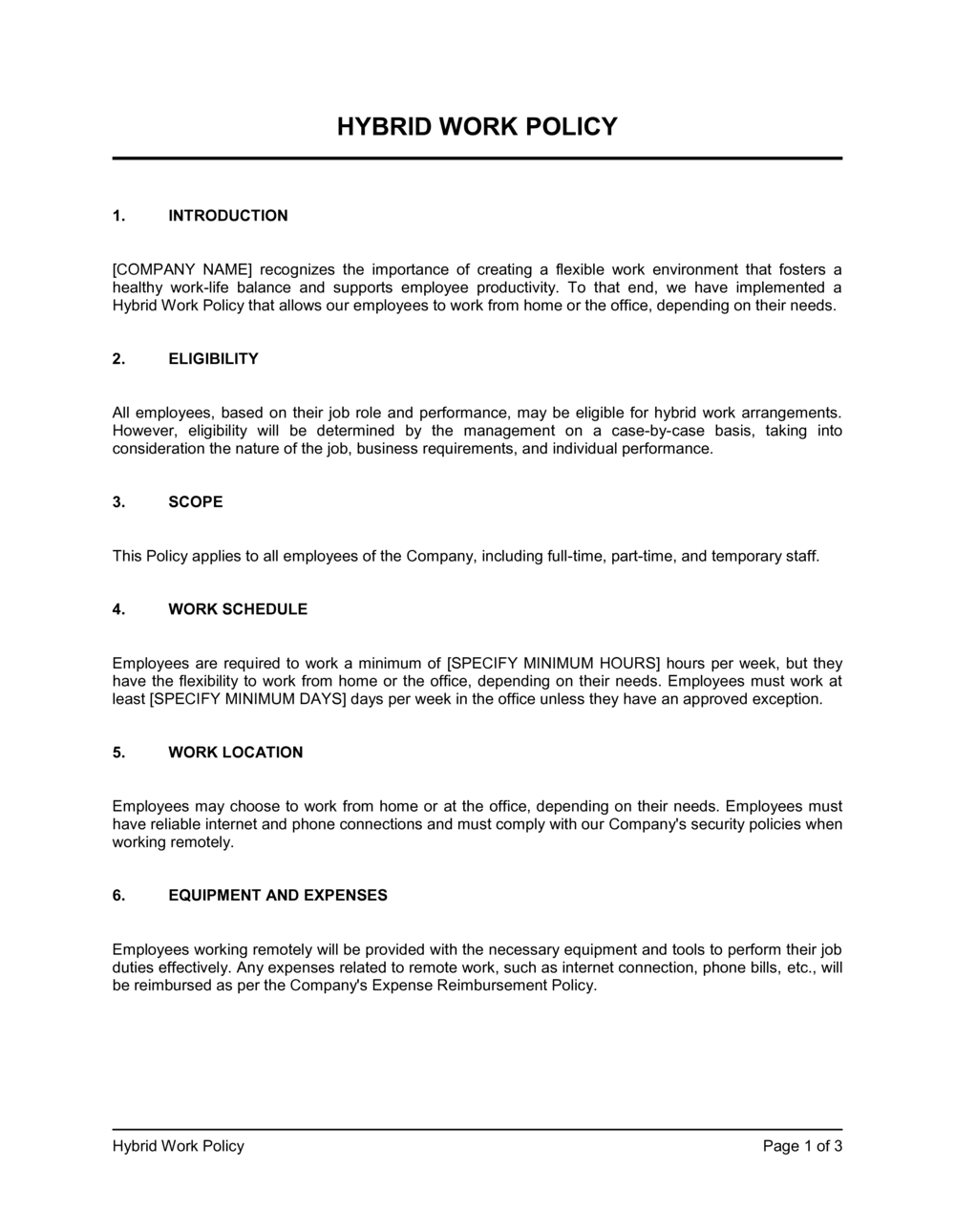
Hybrid Work Policy Template

Free Word download β€’ Edit online β€’ Save & share with Drive β€’ Export to PDF

3 pagesβ€’20–30 min to fillβ€’Difficulty: Standard
Learn more ↓
FreeHybrid Work Policy Template

At a glance

What it is
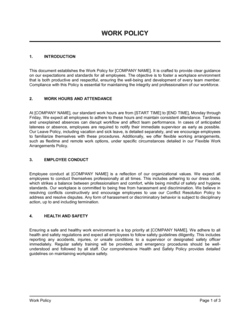
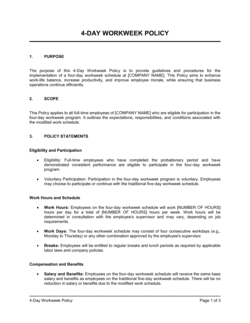
A Hybrid Work Policy is a formal operational document that defines how an organization manages a workforce split between in-office and remote work. This free Word download gives you a structured, editable template covering eligibility criteria, required office days, scheduling protocols, equipment provision, data security, and performance expectations β€” ready to adapt to your headcount and culture.
When you need it
Use it when formalizing a flexible work arrangement after ad hoc remote work, when onboarding new hires who will split time between home and office, or when leadership needs a consistent company-wide standard to replace department-by-department improvisation.
What's inside
Purpose and scope, eligibility criteria, in-office requirements and scheduling rules, remote work environment standards, equipment and expense policy, data security and confidentiality obligations, performance and availability expectations, and a manager guidelines section covering approvals and compliance.

What is a Hybrid Work Policy?

A Hybrid Work Policy is a formal operational document that defines how a company manages employees who split their working time between a physical office and a remote location. It establishes who qualifies for a hybrid arrangement, how many days per week must be spent in the office, what a compliant remote workspace looks like, what equipment the company supplies, and how performance expectations apply equally regardless of where work is done. Rather than leaving these questions to individual managers, a written policy creates a single enforceable standard that applies consistently across every team and department.

Why You Need This Document

Without a written hybrid work policy, informal arrangements proliferate and diverge: one manager requires three office days while another never asks, one team shares desk-booking norms while another double-books every Tuesday, and one employee assumes their remote arrangement is permanent while their manager considers it temporary. The resulting inconsistency creates friction, erodes trust, and β€” in jurisdictions with strong employment protections β€” can give rise to constructive-dismissal claims when the company tries to enforce standards it never formally documented. A clear policy also protects the company's data by setting specific security obligations for home environments, not just pointing to a generic IT handbook that employees ignore. This template gives you a complete, customizable starting point that covers every material element of a hybrid arrangement β€” from eligibility criteria and anchor days to VPN requirements and acknowledgment records β€” so you can go from informal flexibility to a documented workplace standard in a single afternoon.

Which variant fits your situation?

If your situation is…Use this template
Employees who work fully remote with no required office daysRemote Work Policy
Individual employee agreement for a specific flexible arrangementRemote Work Agreement
Temporary work-from-home provision during an emergency or eventTemporary Remote Work Policy
Policy covering travel and per diem for employees commuting to officeEmployee Travel and Expense Policy
Covering all employee conduct, benefits, and general expectations in one documentEmployee Handbook
Documenting the specific technology and equipment provided to remote staffIT Equipment Policy
Formalizing flexible scheduling arrangements beyond locationFlexible Work Arrangement Policy

Common mistakes to avoid

❌ Setting presence requirements with no tracking mechanism

Why it matters: Employees who do not comply face no consequence, while compliant employees grow resentful. Untracked requirements erode the policy's credibility within months.

Fix: Implement badge-swipe data, desk-booking records, or a simple weekly check-in system that gives managers visibility into actual office attendance.

❌ Giving managers unconstrained discretion on approvals

Why it matters: Inconsistent approvals across departments create perceptions of favoritism and expose the company to discrimination claims when similarly situated employees receive different treatment.

Fix: Define objective eligibility criteria and require managers to document approvals and denials using a standard form with stated reasons.

❌ Omitting a data security section specific to home environments

Why it matters: A generic 'follow the IT policy' instruction does not tell employees what to do differently at home β€” unattended screens, shared printers, and household members on calls are real risks.

Fix: Write three to five scenario-specific rules for remote work β€” VPN always on, no printing confidential documents at home, screen locked when stepping away.

❌ Never reviewing or updating the policy after publication

Why it matters: Business needs, team sizes, and office capacity change. A policy frozen at the 2022 return-to-office moment misses the realities of today's workforce and creates compliance gaps.

Fix: Schedule an annual policy review in your HR calendar and collect updated acknowledgments from employees whenever a material change is published.

❌ Applying the same presence requirement to all roles regardless of function

Why it matters: A two-days-per-week rule is meaningless for a warehouse manager and unnecessarily restrictive for a software engineer whose entire workflow is digital.

Fix: Segment presence requirements by role family or department β€” specify different minimums for client-facing, collaborative, and independent-contributor roles.

❌ Distributing the policy without collecting signed acknowledgments

Why it matters: Without documented confirmation, employees can credibly claim they were unaware of the requirement, making policy-based disciplinary action difficult to defend.

Fix: Use an HRIS or e-signature platform to distribute the policy and log acknowledgments with a timestamp. Set a five-business-day completion deadline.

The 10 key sections, explained

Purpose and scope

Eligibility criteria

In-office presence requirements

Scheduling and coordination

Remote work environment standards

Equipment and expense reimbursement

Data security and confidentiality

Performance and availability expectations

Manager responsibilities and approval process

Policy review, acknowledgment, and amendments

How to fill it out

  1. 1

    Define eligible roles in Schedule A

    List every job title or role family that is eligible for hybrid work. Mark roles that are office-only due to equipment, customer contact, or security requirements as excluded.

    πŸ’‘ Cross-reference your org chart and flag roles where hybrid eligibility might change as the business grows β€” this saves a policy revision within 12 months.

  2. 2

    Set the presence requirement and anchor day

    Decide on the minimum number of in-office days per week β€” typically two or three β€” and designate at least one anchor day for team-wide in-person collaboration.

    πŸ’‘ Tuesday, Wednesday, and Thursday are the most commonly chosen anchor days because they avoid the Monday and Friday low-attendance effect.

  3. 3

    Specify the eligibility conditions

    Enter the tenure threshold, eligible roles, and minimum performance rating. Make criteria objective and measurable so managers apply them consistently.

    πŸ’‘ Pilot the eligibility criteria against your current workforce before publishing β€” if 90% of employees qualify immediately, the criteria may be too permissive to manage office capacity.

  4. 4

    Define home-office standards and internet minimums

    State the minimum internet speed, workspace setup requirements, and noise standards. Include the VPN and screen-privacy rules in the data security section.

    πŸ’‘ A minimum of 25 Mbps download and 10 Mbps upload covers most video-conferencing and collaboration tools without over-specifying.

  5. 5

    Complete the equipment and reimbursement section

    List company-provided hardware, specify the dollar cap and reimbursement process for home-office expenses, and add a return-of-equipment clause triggered by separation.

    πŸ’‘ State the make and model of standard-issue equipment in an appendix rather than the policy body β€” this way, a hardware refresh doesn't require a policy amendment.

  6. 6

    Set core hours and availability standards

    Enter the time window during which all employees must be reachable, the expected response time for each channel, and the process for scheduling focus time outside core hours.

    πŸ’‘ Align core hours across all time zones your team spans β€” a 10 a.m.–3 p.m. ET window covers the US Pacific coast starting at 7 a.m., which is workable for most roles.

  7. 7

    Document the approval and review process

    Enter the form or system managers use to approve hybrid arrangements, the frequency of review, and the process for revoking an arrangement when performance or role requirements change.

    πŸ’‘ Tie the hybrid arrangement review to the annual performance cycle so it happens automatically rather than requiring a separate trigger.

  8. 8

    Collect signed acknowledgments before the policy goes live

    Distribute the policy through your HRIS or a document-signing platform and set a deadline for employee acknowledgment β€” typically within five business days of distribution.

    πŸ’‘ Keep acknowledgment records for at least three years after an employee's separation β€” the same retention standard applied to employment contracts in most jurisdictions.

Frequently asked questions

What is a hybrid work policy?

A hybrid work policy is a formal company document that sets the rules for employees who split their working time between a company office and a remote location. It defines who is eligible, how many days per week must be spent in the office, what the remote workspace must look like, what equipment the company provides, and how performance is measured regardless of location. It replaces informal manager-by-manager arrangements with a single enforceable standard.

What should a hybrid work policy include?

At minimum: purpose and scope, eligibility criteria (role types and performance conditions), in-office presence requirements, scheduling and advance-notice rules, remote workspace standards, equipment and expense reimbursement terms, data security obligations, performance and availability expectations, and a manager approval process. A policy missing any of these sections creates gaps that managers and employees fill inconsistently.

How many days in the office should a hybrid policy require?

Two to three days per week is the most common standard among companies with formal hybrid policies. The right number depends on the nature of the work β€” roles requiring daily collaboration or client interaction typically need three or more days, while independent-contributor roles can function well with two. Designating at least one anchor day β€” a fixed day when everyone is in β€” delivers most of the collaboration value regardless of the total number.

How is a hybrid work policy different from a remote work policy?

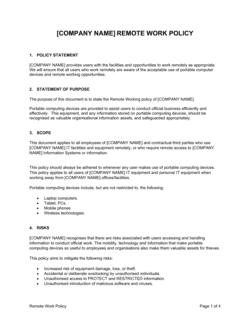
A remote work policy governs employees who work entirely off-site with no regular office obligation. A hybrid work policy governs employees who split time between the office and a remote location on a defined schedule. The two documents overlap on data security, equipment, and performance standards but differ on presence requirements, desk-booking logistics, and the role of the physical office in the working arrangement.

Does a hybrid work policy need to be signed by employees?

While a physical signature is not legally required in most jurisdictions, collecting a documented acknowledgment β€” via HRIS, e-signature platform, or email confirmation β€” is strongly recommended. An acknowledgment creates a record that the employee received, read, and agreed to comply with the policy. Without it, enforcing the policy through the performance-management process becomes harder to defend if challenged.

Can a company revoke hybrid work privileges?

Yes, in most employment frameworks a company can amend or revoke a hybrid work policy with reasonable notice β€” typically 30 days is considered fair practice, though some jurisdictions with strong employment protections may treat a significant change to working conditions as a constructive dismissal if notice is inadequate. Including an explicit amendment and revocation clause in the policy, and collecting acknowledgment of that clause at onboarding, provides the clearest legal footing.

How often should a hybrid work policy be updated?

An annual review aligned to the fiscal or HR calendar is standard. Trigger an out-of-cycle review when office capacity changes significantly, when a new collective agreement takes effect, when the company expands into new jurisdictions, or when repeated manager or employee complaints indicate that a section of the policy is not working in practice. Each material update should be distributed with a fresh acknowledgment requirement.

What is an anchor day and should every company use one?

An anchor day is a designated day β€” usually mid-week β€” when all employees or an entire team are required to be in the office simultaneously. It solves the coordination problem that arises when employees self-select their office days and end up coming in on different days, resulting in a quiet office and no actual in-person collaboration. Most organizations that report satisfaction with their hybrid model use at least one anchor day per week.

What are the data security risks in a hybrid work policy?

The primary risks are unsecured home Wi-Fi networks, confidential information visible to household members on calls, documents printed on home printers without secure disposal, and employees skipping VPN when working from coffee shops or shared spaces. A hybrid policy should address each of these specifically β€” not by reference to a generic IT security policy β€” so employees understand the expected behavior in non-office environments.

How this compares to alternatives

vs Remote Work Policy

A remote work policy applies to employees with no regular office obligation who work entirely off-site. A hybrid work policy governs employees who split time between office and home on a defined schedule. The hybrid policy adds presence requirements, anchor days, and desk-booking rules that a fully remote policy does not need. Use a remote work policy for fully distributed roles and this template for mixed in-office and at-home arrangements.

vs Employee Handbook

An employee handbook covers the full scope of employment conditions β€” benefits, conduct, PTO, and all HR policies in one document. A hybrid work policy is a standalone document focused specifically on work-location rules. Many organizations embed the hybrid policy inside the handbook as an appendix, but a standalone policy is easier to update without re-issuing the entire handbook.

vs Remote Work Agreement

A remote work agreement is an individual document signed between one employee and their manager that records the specific terms of that person's arrangement. A hybrid work policy is a company-wide document that sets the rules everyone operates under. The agreement is how an individual opts into the policy; the policy is the framework the agreement references.

vs Flexible Work Arrangement Policy

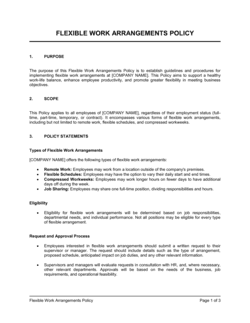
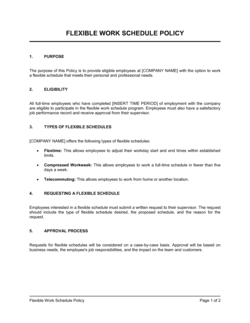
A flexible work arrangement policy covers a broader set of schedule variations β€” compressed workweeks, flex start and end times, job sharing β€” beyond location. A hybrid work policy is specifically about where work happens. Companies that want to address both location and schedule flexibility typically need both documents, or a flexible work policy broad enough to incorporate hybrid location rules.

Industry-specific considerations

Technology / SaaS

Engineering and product teams run asynchronously across time zones; policies typically define core collaboration windows and async-first communication norms rather than fixed daily schedules.

Financial Services

Regulatory and data-handling requirements mean stricter home-office security standards, prohibitions on remote access to certain client systems, and often a higher minimum presence requirement than other sectors.

Professional Services

Client-site obligations frequently override the internal hybrid schedule; policies need a client-engagement carve-out that counts client office days toward presence requirements.

Healthcare

Clinical and patient-facing roles are excluded from hybrid eligibility; administrative and back-office staff benefit from clear HIPAA-aligned remote-access rules embedded in the policy.

Retail / E-commerce

Corporate and head-office functions are hybrid-eligible while store and warehouse staff are not; the policy must explicitly exclude hourly and operational roles to avoid entitlement claims.

Manufacturing

Production floor and quality-control roles are ineligible; the policy focuses on engineering, procurement, finance, and HR functions where digital workflows make remote days viable.

Template vs pro β€” what fits your needs?

PathBest forCostTime
Use the templateSMBs and startups formalizing hybrid work for the first time without a dedicated HR teamFree2–4 hours to customize and distribute
Template + professional reviewCompanies with 50+ employees, unionized workforces, or operations in multiple provinces or states$300–$800 for an HR consultant or employment lawyer review3–5 business days
Custom draftedEnterprises with complex multi-jurisdiction workforces, collective agreements, or sector-specific regulatory requirements$1,500–$4,000+2–4 weeks

Glossary

Hybrid Work Arrangement
A work model in which an employee splits working time between an employer's physical office and a remote location, typically on a defined schedule.
Core Hours
A set window of time β€” for example, 10 a.m. to 3 p.m. β€” during which all employees, regardless of location, are expected to be reachable and available for collaboration.
Anchor Day
A designated day of the week when all team members or the entire company are required to be in the office at the same time.
Desk Booking
A reservation system for unassigned workstations in an office that operates below full occupancy due to hybrid schedules.
Eligibility Criteria
The role-based or performance-based conditions an employee must meet before being approved for a hybrid or remote arrangement.
Home Office Standards
Minimum requirements for a remote workspace β€” including internet speed, ergonomic setup, and freedom from disruptive distractions β€” that the employer defines for off-site work.
Equipment Provision Policy
The company's rules governing which hardware and software it supplies to hybrid employees, who bears the cost of consumables, and what happens to equipment at separation.
Presence Requirement
The minimum number of days per week or month an employee must physically work from the office under the hybrid policy.
Availability Expectation
The standard response-time and reachability norms employees must maintain during working hours, regardless of whether they are in the office or remote.
Policy Acknowledgment
A signed or electronically confirmed statement from the employee confirming they have read, understood, and agreed to comply with the hybrid work policy.

Part of your Business Operating System

This document is one of 3,000+ business & legal templates included in Business in a Box.

  • Fill-in-the-blanks β€” ready in minutes
  • 100% customizable Word document
  • Compatible with all office suites
  • Export to PDF and share electronically

Create your document in 3 simple steps.

From template to signed document β€” all inside one Business Operating System.
1
Download or open template

Access over 3,000+ business and legal templates for any business task, project or initiative.

2
Edit and fill in the blanks with AI

Customize your ready-made business document template and save it in the cloud.

3
Save, Share, Send, Sign

Share your files and folders with your team. Create a space of seamless collaboration.

Save time, save money, and create top-quality documents.

β˜…β˜…β˜…β˜…β˜…

"Fantastic value! I'm not sure how I'd do without it. It's worth its weight in gold and paid back for itself many times."

Managing Director Β· Mall Farm
Robert Whalley
Managing Director, Mall Farm Proprietary Limited
β˜…β˜…β˜…β˜…β˜…

"I have been using Business in a Box for years. It has been the most useful source of templates I have encountered. I recommend it to anyone."

Business Owner Β· 4+ years
Dr Michael John Freestone
Business Owner
β˜…β˜…β˜…β˜…β˜…

"It has been a life saver so many times I have lost count. Business in a Box has saved me so much time and as you know, time is money."

Owner Β· Upstate Web
David G. Moore Jr.
Owner, Upstate Web

Run your business with a system β€” not scattered tools

Stop downloading documents. Start operating with clarity. Business in a Box gives you the Business Operating System used by over 250,000 companies worldwide to structure, run, and grow their business.

Start freeΒ Β·Β No credit card required