Checklist To Rent an Office Space

Free download β€’ Use as a template β€’ Print or share

3 pagesβ€’20–25 min to useβ€’Difficulty: Standard
Learn more ↓
FreeChecklist To Rent an Office Space Template

At a glance

What it is
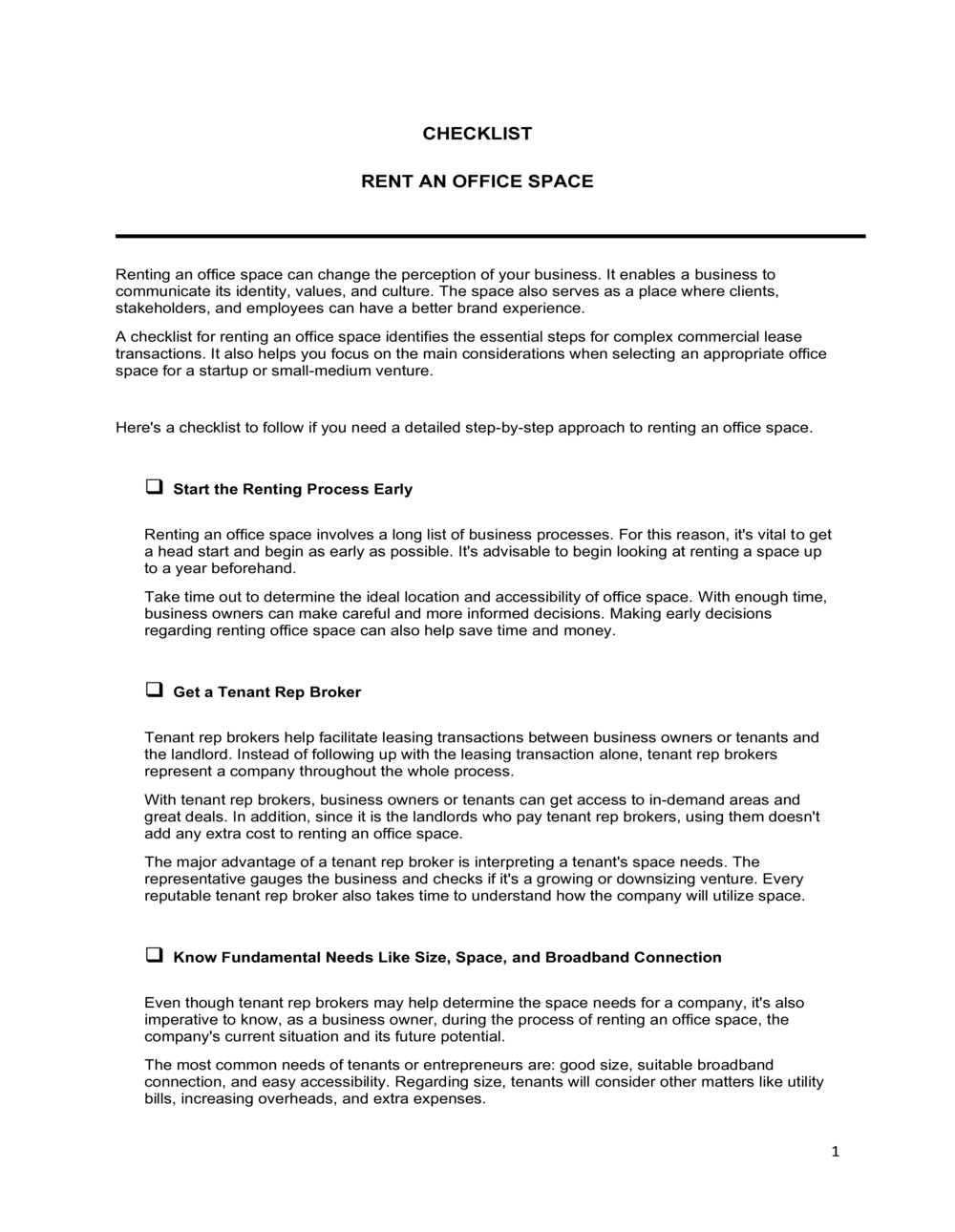
A Checklist To Rent An Office Space is a structured form that guides businesses through every critical evaluation point before signing a commercial lease. This free Word download lets you assess and compare multiple properties β€” covering location, costs, lease terms, infrastructure, and compliance β€” then export as PDF to share with your team or broker.
When you need it
Use it when touring prospective office spaces, comparing shortlisted properties side by side, or preparing to negotiate lease terms with a landlord. It is equally useful for a first-time office lease and for businesses relocating or expanding into additional space.
What's inside
Location and accessibility criteria, cost and budget fields, lease term details, physical space requirements, infrastructure and utilities checks, building amenities and services, compliance and safety items, and move-in condition notes.

What is a Checklist To Rent An Office Space?

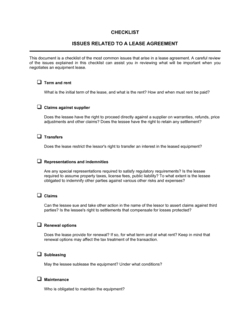
A Checklist To Rent An Office Space is a structured evaluation form that guides businesses through every critical factor to assess before committing to a commercial lease. It organizes the site-visit and decision-making process into consistent, comparable categories β€” location, total cost, lease terms, space configuration, infrastructure, building amenities, compliance, and move-in conditions β€” so nothing material is overlooked. The template is a free Word download you can complete on site during property tours, then share with partners, brokers, or leadership as a clear summary of findings.

Why You Need This Document

Signing a commercial lease without a structured evaluation process is one of the most common and costly mistakes growing businesses make. A multi-year lease obligation entered without verifying CAM charges, after-hours HVAC terms, or internet infrastructure can lock a company into a space that fails its team daily and costs significantly more than the quoted base rent suggested. Without written records from site visits, verbal landlord promises about improvements go unfulfilled with no recourse. This checklist ensures every property is assessed against the same criteria, protects you in deposit and condition disputes, and gives you the documented evidence needed to negotiate confidently β€” before a single lease clause is drafted.

Which variant fits your situation?

If your situation is…Use this template
Comparing multiple properties during an office searchChecklist To Rent An Office Space
Formalizing the lease agreement once a space is selectedCommercial Lease Agreement
Requesting a formal cost and services proposal from a landlordOffice Space Proposal
Subleasing an existing office to another tenantSublease Agreement
Renting a virtual office address with no physical spaceVirtual Office Agreement
Evaluating a coworking or shared-office membershipCoworking Space Agreement

Common mistakes to avoid

❌ Comparing base rent without total occupancy cost

Why it matters: CAM charges, parking, and escalation clauses can add 20–40% to the quoted base rent. A cheaper headline figure can become the most expensive option once all costs are totalled.

Fix: Complete the full cost fields for every property and calculate a total estimated monthly cost before making any comparison or decision.
❌ Not verifying after-hours access and HVAC

Why it matters: Many commercial buildings cut HVAC outside standard hours. Teams working evenings or weekends face uncomfortable conditions β€” or unexpected overtime HVAC fees.

Fix: Ask the landlord directly whether HVAC runs after hours, what the surcharge is, and whether tenants can control it independently.

❌ Accepting verbal landlord improvement promises

Why it matters: Promised repairs or buildouts that are not written into the lease rarely get completed, leaving the tenant with a substandard space and no legal remedy.

Fix: Record every promised improvement in the checklist, then require those commitments to appear in the lease or a signed landlord letter before execution.

❌ Skipping the compliance and safety section

Why it matters: Occupying a space with lapsed fire certifications or ADA deficiencies exposes the tenant to liability β€” even though the landlord typically bears primary responsibility for building compliance.

Fix: Request the most recent fire safety certificate and building inspection report during the tour, and note any accessibility concerns that affect clients or employees.

The 9 key fields, explained

Property Information

Location and Accessibility

Space Size and Configuration

Lease Terms and Renewal Options

Costs and Additional Charges

Infrastructure and Technology

Building Amenities and Services

Compliance and Safety

Tenant Improvement and Move-In Conditions

How to fill it out

  1. 1

    Prepare one copy of the checklist per property

    Print or duplicate the template for each space you plan to visit. Fill in the property name and address at the top before the tour so notes stay organized.

    πŸ’‘ Number each checklist and keep them in the same order as your property tour schedule to make side-by-side comparison easier afterward.

  2. 2

    Complete the location and accessibility section before touring

    Research transit routes, parking options, and nearby amenities using Google Maps before the visit. Pre-filling these fields lets you focus on the physical space during the tour.

    πŸ’‘ Test the commute yourself during rush hour β€” actual travel time often differs from map estimates by 20% or more.

  3. 3

    Measure and record the space configuration on site

    Walk every room and confirm the number of private offices, workstations, and meeting rooms. Ask the property manager for the floor plan if available.

    πŸ’‘ Bring a tape measure to verify stated square footage in key rooms β€” listed dimensions are sometimes rounded or include areas that aren't usable.

  4. 4

    Request a full cost breakdown from the landlord

    Ask for base rent, lease type, CAM charges, parking costs, and the last two years of actual operating expense statements before completing the cost fields.

    πŸ’‘ Request the operating expense reconciliation from the prior tenant if possible β€” it reveals whether actual CAM charges matched the landlord's estimates.

  5. 5

    Test infrastructure and connectivity on site

    Run a speed test on the building's demo WiFi, check cell signal in the main work areas, and confirm HVAC controls are accessible to tenants.

    πŸ’‘ Ask which internet service providers currently serve the building β€” switching to a preferred provider may require a 4–8 week installation lead time.

  6. 6

    Document current condition with photographs

    Photograph any existing damage, unfinished areas, or items the landlord has promised to repair. Attach or reference the photos alongside the checklist.

    πŸ’‘ Date-stamp your photos and store them with the completed checklist β€” they are your baseline if a deposit dispute arises at the end of the lease.

  7. 7

    Score and compare completed checklists

    After all site visits, review the completed checklists side by side. Assign a simple 1–3 score to each section for each property to surface the strongest option quickly.

    πŸ’‘ Weight the scoring by what matters most to your team β€” a tech company may prioritize infrastructure over amenities, while a client-facing firm may do the reverse.

Frequently asked questions

What is a checklist to rent an office space?

A checklist to rent an office space is a structured evaluation form that guides businesses through every important consideration before committing to a commercial lease. It covers location, cost, lease terms, physical space requirements, infrastructure, building amenities, safety compliance, and move-in conditions. Using one ensures consistent assessment across multiple properties and reduces the risk of overlooking a deal-breaking issue.

What should I look for when renting office space?

At minimum, evaluate total monthly cost (base rent plus CAM charges and parking), lease term flexibility and renewal options, usable square footage per employee, internet and infrastructure readiness, after-hours access and HVAC availability, ADA compliance, and the current physical condition of the space. A structured checklist ensures none of these are missed during a site tour.

What is the difference between usable and rentable square footage?

Usable square footage is the space your team exclusively occupies. Rentable square footage adds your proportionate share of common areas β€” lobbies, hallways, shared restrooms β€” and is typically 10–25% larger than the usable figure. Landlords price leases on rentable square footage, so understanding the difference helps you accurately calculate your cost per employee and compare properties on equal terms.

How much office space does a business need per employee?

Traditional office layouts average 150–250 square feet of usable space per employee. Modern open-plan and hybrid environments target 75–125 square feet per person. The right number depends on your work model β€” full-time in-office teams need more than hybrid teams where not everyone is in simultaneously. Use the usable square footage figure, not the rentable number, when making this calculation.

What is a tenant improvement allowance and how does it work?

A tenant improvement allowance (TIA) is a landlord contribution β€” typically stated as a dollar amount per square foot β€” toward the cost of customizing or building out the office space. The tenant manages the buildout and the landlord reimburses approved costs up to the allowance cap. TIA amounts vary widely by market and building quality; in competitive markets, a strong TIA can offset significant upfront fit-out costs.

What is included in CAM charges?

CAM (Common Area Maintenance) charges cover the tenant's proportionate share of operating costs for shared building areas β€” cleaning, landscaping, parking lot maintenance, lobby upkeep, elevator servicing, and sometimes property management fees. In a triple net (NNN) lease, property taxes and building insurance are also passed through. Always request a full CAM breakdown and the prior year's actual reconciliation before signing.

How long should an office lease term be?

For established businesses with predictable headcount, 3–5 year terms are standard and typically yield better rental rates and TIA from landlords. Early-stage startups and fast-growing teams benefit from shorter terms of 12–24 months, even at a premium, to preserve flexibility. Regardless of term length, negotiate renewal options and an early-termination clause as a backstop.

Do I need a commercial real estate broker to rent office space?

A tenant-representation broker is generally free to the tenant β€” the landlord pays the commission β€” and provides market data, comparable lease analysis, and negotiating leverage. For most businesses renting more than 1,000 square feet, using a broker is worth the time saved. For very small spaces or short-term sublease arrangements, a broker may be unnecessary.

What should I photograph during an office space tour?

Document the current condition of floors, walls, and ceilings; any visible water damage or staining; the state of restrooms and kitchen areas; existing electrical panels and server rooms; HVAC unit condition; and any areas the landlord has promised to repair or improve. Date-stamped photos stored with your completed checklist become your reference point for both lease negotiations and end-of-lease deposit disputes.

How this compares to alternatives

vs Commercial Lease Agreement

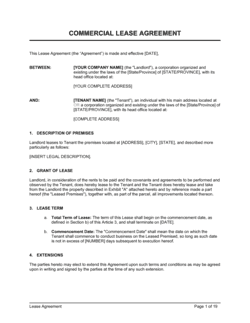
A commercial lease agreement is the binding legal contract that governs the tenancy once a space is selected. This checklist is the pre-decision evaluation tool used during the search and tour phase. Complete the checklist to choose the right space, then execute the lease to formalize the arrangement.

vs Office Space Proposal

An office space proposal is a document the landlord or broker provides outlining the space, terms, and pricing for a specific property. The checklist is a tenant-side evaluation tool that captures and compares information across multiple proposals on consistent criteria. Use both in parallel during the selection process.

vs Move-In / Move-Out Checklist

A move-in/move-out checklist documents the physical condition of a space at the start and end of a tenancy, primarily to protect the security deposit. This rental checklist covers the full decision-making process β€” costs, lease terms, infrastructure, and compliance β€” before the lease is signed. They serve different stages of the same process.

vs Lease Renewal Checklist

A lease renewal checklist helps existing tenants evaluate whether to renew, renegotiate, or relocate as the lease end approaches. This rental checklist is designed for evaluating new spaces during a search. Businesses approaching a renewal decision benefit from using both β€” the renewal checklist for negotiation leverage and this checklist if relocation is on the table.

Industry-specific considerations

Professional Services

Client-facing reception areas, ADA compliance, and proximity to courthouses or financial districts are high-priority checklist items for law firms, accounting practices, and consultancies.

Technology / SaaS

Fiber availability, redundant connectivity options, server room or IT closet space, and after-hours access for engineering teams are the most critical infrastructure fields to complete.

Healthcare

ADA accessibility, HIPAA-compliant layout considerations, medical waste disposal provisions, and proximity to patient populations require additional checklist attention.

Retail / E-commerce

Loading dock access, storage capacity, signage rights, foot traffic data, and parking for delivery vehicles are space-configuration and amenities fields that carry extra weight for product-based businesses.

Template vs pro β€” what fits your needs?

PathBest forCostTime
Use the templateAny business searching for office space who wants a structured, consistent evaluation across multiple propertiesFree15–30 minutes per property toured
Template + professional reviewBusinesses negotiating a lease above $5,000/month or committing to a term longer than 3 years$200–$500 for a commercial real estate attorney review of findings1–2 days
Custom draftedEnterprise relocations, multi-site expansions, or specialized spaces with complex compliance requirements$1,000–$3,000 for a tenant-rep broker plus attorney2–6 weeks

Glossary

Base Rent
The fixed monthly amount owed to the landlord before any additional costs such as operating expenses, taxes, or utilities are added.
Triple Net Lease (NNN)
A lease structure in which the tenant pays base rent plus property taxes, building insurance, and maintenance costs on top.
Gross Lease
A lease where the tenant pays a single flat rent and the landlord covers most operating expenses and utilities.
CAM Charges
Common Area Maintenance charges β€” fees the tenant pays toward upkeep of shared spaces such as lobbies, elevators, and parking areas.
Usable Square Footage
The floor space exclusively occupied by the tenant, excluding shared areas like hallways, bathrooms, and lobbies.
Rentable Square Footage
Usable square footage plus the tenant's proportionate share of common areas β€” the number typically quoted in listings and used to calculate rent.
Lease Term
The total duration of the rental agreement, stated in months or years, including any renewal option periods.
Security Deposit
A refundable amount paid upfront β€” typically one to three months' rent β€” held by the landlord against damage or unpaid rent.
Tenant Improvement Allowance (TIA)
A landlord contribution toward the cost of customizing or building out the office space to the tenant's specifications.
Zoning
Local government regulations that determine which types of businesses may legally operate in a given building or area.

Part of your Business Operating System

This document is one of 3,000+ business & legal templates included in Business in a Box.

  • Fill-in-the-blanks β€” ready in minutes
  • 100% customizable Word document
  • Compatible with all office suites
  • Export to PDF and share electronically

Create your document in 3 simple steps.

From template to signed document β€” all inside one Business Operating System.
1
Download or open template

Access over 3,000+ business and legal templates for any business task, project or initiative.

2
Edit and fill in the blanks with AI

Customize your ready-made business document template and save it in the cloud.

3
Save, Share, Send, Sign

Share your files and folders with your team. Create a space of seamless collaboration.

Save time, save money, and create top-quality documents.

β˜…β˜…β˜…β˜…β˜…

"Fantastic value! I'm not sure how I'd do without it. It's worth its weight in gold and paid back for itself many times."

Managing Director Β· Mall Farm
Robert Whalley
Managing Director, Mall Farm Proprietary Limited
β˜…β˜…β˜…β˜…β˜…

"I have been using Business in a Box for years. It has been the most useful source of templates I have encountered. I recommend it to anyone."

Business Owner Β· 4+ years
Dr Michael John Freestone
Business Owner
β˜…β˜…β˜…β˜…β˜…

"It has been a life saver so many times I have lost count. Business in a Box has saved me so much time and as you know, time is money."

Owner Β· Upstate Web
David G. Moore Jr.
Owner, Upstate Web

Run your business with a system β€” not scattered tools

Stop downloading documents. Start operating with clarity. Business in a Box gives you the Business Operating System used by over 250,000 companies worldwide to structure, run, and grow their business.

Start freeΒ Β·Β No credit card required