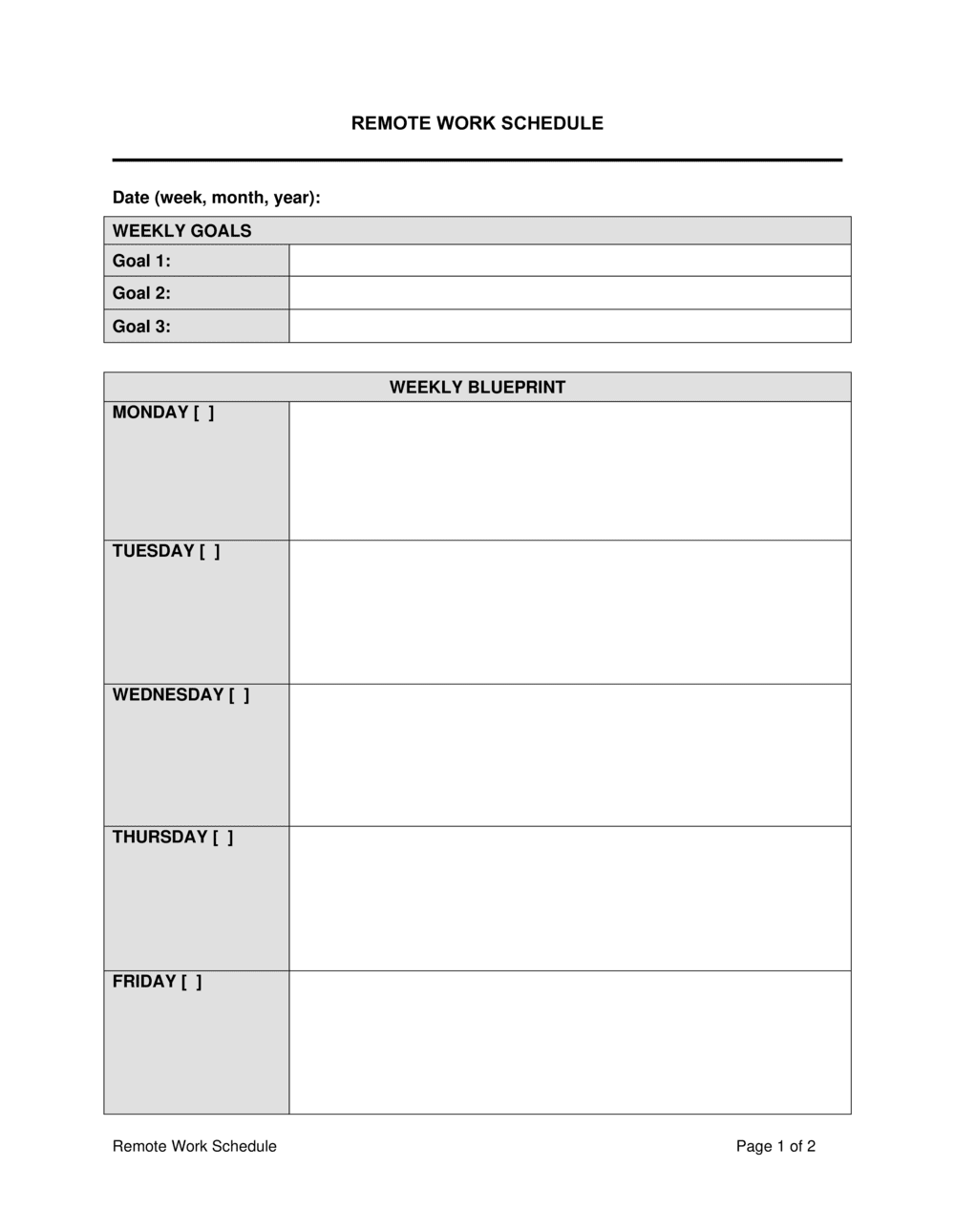
Remote Work Schedule Template

Free Word download • Edit online • Save & share with Drive • Export to PDF

2 pages20–30 min to fillDifficulty: StandardSignature requiredLegal review recommended
Learn more ↓
FreeRemote Work Schedule Template

At a glance

What it is
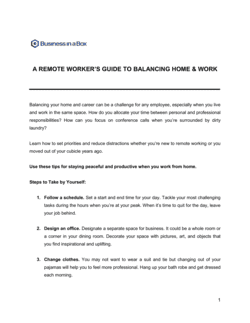
A Remote Work Schedule is a binding agreement between an employer and an employee that formally documents the terms under which the employee performs work duties from a location other than the primary workplace. This free Word download covers approved remote days, core hours, availability expectations, equipment responsibilities, data security, and the conditions under which remote privileges may be modified or revoked — all in a single signable document.
When you need it
Use it whenever a full-time, part-time, or hybrid employee will work remotely on a recurring or permanent basis. It is equally appropriate for formalizing an informal arrangement already in practice and for onboarding new hires into a remote or hybrid role from day one.
What's inside
Approved work location and remote days, designated core hours and availability windows, equipment and expense responsibilities, data security and confidentiality obligations, performance expectations, health and safety acknowledgments, and modification or revocation terms.

What is a Remote Work Schedule?

A Remote Work Schedule is a binding supplemental agreement between an employer and an employee that formally establishes the terms under which the employee performs work duties from a location outside the employer's primary premises. It documents the approved remote location, the days and hours the employee may work remotely, core availability windows, equipment and expense responsibilities, data security obligations, performance expectations, and the conditions under which the arrangement may be modified or revoked. Unlike an informal work-from-home policy or a casual email exchange, a signed remote work schedule creates enforceable mutual obligations and protects both parties if the arrangement is later disputed, adjusted, or ended.

Why You Need This Document

Without a written remote work schedule, what begins as a flexible accommodation quickly becomes a legal liability. In Canada and the UK, an undocumented remote arrangement that persists for months or years may become an implied contractual term — meaning the employer cannot require the employee to return to the office without giving sufficient notice or risking a constructive dismissal claim. In the US, employees working from home in states where the employer has no registered presence can inadvertently create payroll tax and corporate tax nexus. Data security incidents involving remote workers are harder to address when there was no documented obligation to use a VPN or secure storage platform. Workers' compensation disputes over home-office injuries are more difficult to resolve when there is no ergonomic checklist or injury-reporting protocol on file. A properly executed Remote Work Schedule closes all of these gaps — it takes 20 minutes to complete and provides a concrete written record that governs the arrangement from the first remote day forward.

Which variant fits your situation?

If your situation is…Use this template
Employee works fully remotely with no required office daysRemote Work Schedule (Permanent)
Employee splits time between office and home on a fixed patternHybrid Work Schedule Agreement
Employee works remotely on a temporary or trial basisTemporary Remote Work Agreement
Contractor working remotely under a service engagementIndependent Contractor Agreement
Employee relocating to another state or country while employedRemote Work Employment Agreement
Company establishing a company-wide remote work policyRemote Work Policy
Employee requesting flexible hours alongside remote workFlexible Work Arrangement Agreement

Common mistakes to avoid

❌ No approved location specified

Why it matters: An undefined remote location creates workers' compensation liability gaps, potential tax nexus in unanticipated states or countries, and makes it impossible to enforce data security obligations tied to the work environment.

Fix: Record the full street address of every approved remote location. Require written approval for any departure from the listed addresses, including travel-work scenarios.

❌ Treating the remote schedule as an informal perk with no written terms

Why it matters: An undocumented remote arrangement becomes a term of employment through custom and practice in many common-law jurisdictions — making it extremely difficult to require the employee to return to the office without triggering constructive dismissal claims.

Fix: Execute a signed Remote Work Schedule Agreement before the arrangement begins, and include a clear modification and revocation clause that preserves the employer's right to adjust terms with notice.

❌ Omitting the time zone from core-hours definitions

Why it matters: For distributed teams, a core-hours clause without a specified time zone is unenforceable in practice — employees in different zones will interpret 'available 9–5' against their own local time, eliminating the overlap the clause was designed to create.

Fix: State the governing time zone explicitly — for example, 'Eastern Time (ET), adjusted for daylight saving' — and consider a secondary time zone if the team spans more than two geographic regions.

❌ No revocation clause or one without a notice period

Why it matters: Without a documented right to revert — and a defined notice period — abruptly ending a long-standing remote arrangement exposes the employer to constructive dismissal claims, particularly in Canada, the UK, and EU member states.

Fix: Include a revocation clause with a minimum notice period of 5–10 business days for schedule changes and 30 days for permanent revocation of remote privileges. Document the process in the agreement itself.

❌ Failing to link the remote work schedule to the underlying employment contract

Why it matters: A standalone remote work document with no reference to the main employment contract creates ambiguity about which IP assignment, confidentiality, and termination terms apply during remote periods — courts may treat each document as a separate arrangement.

Fix: Include an integration clause confirming the remote work schedule supplements the employment contract and that the employment contract prevails in any conflict.

❌ Ignoring tax nexus implications when the employee works from another state or country

Why it matters: An employee working remotely from a state or country where the employer has no registered presence may create payroll tax obligations, corporate tax nexus, and employment law compliance requirements in that jurisdiction — sometimes retroactively.

Fix: Before approving a remote location in a different state or country, consult a payroll or tax advisor. Document the approved location specifically and add a clause requiring the employee to notify HR before working from any unapproved jurisdiction.

The 10 key clauses, explained

Parties, Role, and Effective Date

In plain language: Identifies the employer and employee by legal name, states the employee's job title and department, and sets the date from which the remote schedule takes effect.

Sample language
This Remote Work Schedule Agreement ('Agreement') is entered into as of [DATE] between [EMPLOYER LEGAL NAME], a [STATE/PROVINCE] [ENTITY TYPE] ('Employer'), and [EMPLOYEE FULL NAME] ('Employee'), currently employed as [JOB TITLE] in the [DEPARTMENT] department.

Common mistake: Using a trade name instead of the registered legal entity. If the employer name on this agreement differs from payroll records, enforcing modification or revocation terms against the correct entity becomes ambiguous.

Approved Remote Work Location

In plain language: Specifies the exact address or addresses where the employee is permitted to work remotely, and whether prior approval is required to work from a different location.

Sample language
Employee is authorized to perform work duties remotely from [ADDRESS] ('Approved Location'). Employee must obtain written approval from [MANAGER TITLE] before working from any other location, including co-working spaces or locations in a different state or country.

Common mistake: Omitting the approved address entirely and relying on 'any location the employee chooses.' An undefined work location creates tax nexus uncertainty, workers' compensation liability gaps, and data security exposure.

Remote Work Days and Schedule

In plain language: States which days of the week the employee may work remotely, which days require in-office attendance, and whether the schedule is fixed or subject to manager discretion.

Sample language
Employee is approved to work remotely on [DAYS, e.g., Monday, Wednesday, Friday] and is required to be present at [OFFICE ADDRESS] on [DAYS, e.g., Tuesday and Thursday]. Schedule adjustments require [X] business days' written notice from Employer.

Common mistake: Setting a schedule verbally and referencing it only informally in email. An undocumented schedule becomes a source of dispute when business needs change and the employer requires additional office days.

Core Hours and Availability

In plain language: Defines the hours during which the employee must be reachable and responsive, clarifies the time zone that governs core hours, and sets expectations for response times outside core hours.

Sample language
Employee shall be available and responsive during core hours of [START TIME] to [END TIME] [TIME ZONE] on all scheduled work days. Outside core hours, Employee shall respond to urgent communications within [X] hours. Availability during core hours includes attendance at scheduled video calls and meetings.

Common mistake: Not specifying the governing time zone. For distributed teams spanning multiple zones, omitting this detail leads to recurring scheduling conflicts and ambiguity about when the employee is contractually required to be available.

Equipment, Technology, and Expense Responsibilities

In plain language: Allocates responsibility for providing, maintaining, and insuring hardware, software, and internet connectivity, and states the reimbursement policy for approved home-office expenses.

Sample language
Employer shall provide [LIST OF EQUIPMENT, e.g., laptop, headset, VPN access]. Employee is responsible for maintaining a reliable internet connection with minimum download speed of [X] Mbps at their own expense [OR: Employer shall reimburse up to $[X]/month for internet costs upon submission of receipts]. All Employer-issued equipment remains Employer property and must be returned upon termination.

Common mistake: Omitting who owns and insures employer-provided equipment in the employee's home. If the laptop is damaged or stolen outside the office, an unclear equipment clause leaves both parties exposed.

Data Security and Confidentiality

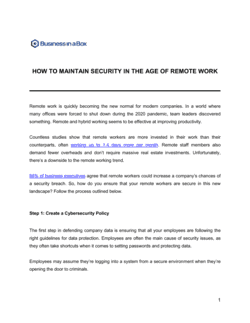
In plain language: Requires the employee to use approved security tools — VPN, encrypted storage, secure Wi-Fi — and prohibits conducting work on personal devices or unsecured networks without prior written authorization.

Sample language
Employee shall access company systems exclusively via the Employer-approved VPN. Employee shall not use public or shared Wi-Fi networks without VPN activation. Employee shall store work files exclusively on [APPROVED STORAGE PLATFORM]. Any breach or suspected breach of data security must be reported to [SECURITY CONTACT / IT DEPARTMENT] within [X] hours of discovery.

Common mistake: Referencing a general confidentiality clause from the employment contract without restating the specific remote security obligations. Remote work creates distinct attack surfaces — generic confidentiality language does not cover the behaviors required to protect data outside the office perimeter.

Performance Standards and Deliverables

In plain language: Confirms that the employee's performance standards, KPIs, and output expectations are unchanged by the remote arrangement, and sets the cadence for check-ins and progress reporting.

Sample language
Employee's performance expectations, as set out in the current performance plan dated [DATE], remain fully applicable during remote work periods. Employee shall participate in a [weekly / bi-weekly] check-in with [MANAGER NAME/TITLE] and submit [REPORT/UPDATE] by [DAY/TIME] each [PERIOD].

Common mistake: Omitting performance expectations from the agreement entirely and relying on a separate performance plan that is never referenced. When a remote employee's performance declines, the absence of a documented standard in the remote work agreement complicates disciplinary action.

Health, Safety, and Ergonomics

In plain language: Requires the employee to maintain a safe, ergonomically suitable workspace, complete a self-assessment checklist, and report any work-related injury occurring at the remote location promptly.

Sample language
Employee confirms their Approved Location meets the health and safety standards set out in Schedule A (Ergonomic Self-Assessment Checklist). Employee shall report any injury sustained while performing work duties at the Approved Location to [HR CONTACT] within [X] hours. Employer's workers' compensation coverage extends to injuries arising from work duties at the Approved Location as required by applicable law.

Common mistake: Ignoring occupational health obligations for remote workers. In most jurisdictions, workers' compensation covers remote work injuries — but only if the injury occurred while performing work duties. Documenting a safe workspace and a clear injury-reporting protocol reduces both the risk and the evidentiary burden.

Modification and Revocation

In plain language: Reserves the employer's right to change the remote schedule or revoke remote privileges with stated notice, and sets the process for the employee to request a modification.

Sample language
Employer may modify or revoke this remote work arrangement with [X] business days' written notice to Employee. Employee may request a modification to the schedule in writing to [MANAGER TITLE]; Employer shall respond within [X] business days. This Agreement does not create a permanent entitlement to remote work or alter the terms of the underlying employment contract.

Common mistake: No revocation clause at all, or one with no notice requirement. Without documented notice terms, abruptly ending an established remote arrangement — especially one of long standing — may constitute a constructive change of employment conditions in common-law jurisdictions.

Governing Law and Integration

In plain language: Specifies which jurisdiction's employment law governs the agreement, confirms the agreement supplements rather than replaces the main employment contract, and includes a standard entire-agreement clause for the remote work terms.

Sample language
This Agreement is governed by the laws of [STATE / PROVINCE / COUNTRY] and shall be read in conjunction with Employee's Employment Agreement dated [DATE], which continues in full force. In the event of a conflict between the terms of this Agreement and the Employment Agreement, the Employment Agreement shall prevail. This Agreement constitutes the entire understanding between the parties regarding the remote work arrangement described herein.

Common mistake: Omitting the integration clause linking this document to the main employment contract. A standalone remote work schedule with no reference to the underlying employment contract creates ambiguity about which document governs termination, IP, or confidentiality obligations during remote periods.

How to fill it out

  1. 1

    Enter the employer and employee legal details

    Use the employer's full registered legal name — not a brand or trade name — and the employee's name as it appears on payroll records. Record the job title, department, and the effective date of the remote arrangement.

    💡 The effective date should match or precede the first scheduled remote work day. A gap between the effective date and the signature date creates an unenforced period.

  2. 2

    Specify the approved remote location by address

    Enter the full street address of the employee's approved home office or remote location. If multiple locations are permitted, list each one. Note any locations that require separate prior written approval, such as co-working spaces or locations in other states or countries.

    💡 If the employee may work from a country other than the employer's registered jurisdiction, flag this immediately for a tax nexus and employment law review before signing.

  3. 3

    Set the remote days and in-office requirements

    List the specific days the employee is approved to work remotely and which days require in-office attendance. State the notice period the employer must give to adjust the schedule temporarily or permanently.

    💡 Express in-office requirements as a fixed day pattern — e.g., 'Tuesday and Thursday' — rather than a percentage. 'Two days per week' is ambiguous and leads to recurring scheduling disputes.

  4. 4

    Define core hours and the governing time zone

    State the start and end times of core availability, specify the time zone explicitly, and set a maximum response time for urgent communications outside core hours. For global teams, consider two overlapping core-hour windows.

    💡 Match core hours to the team's primary collaboration window rather than the employee's preferred schedule. A core-hours block that doesn't overlap with the team's working day defeats the purpose of the clause.

  5. 5

    Allocate equipment and expense responsibilities

    List all equipment the employer will provide, confirm that employer-issued devices remain employer property, and state the reimbursement policy for internet costs and home-office expenses with dollar caps and submission deadlines.

    💡 If you are providing a monthly stipend rather than direct reimbursement, specify whether unused amounts roll over or expire each month — ambiguity here generates payroll questions.

  6. 6

    Complete the data security requirements

    Name the approved VPN, storage platform, and any other security tools the employee must use. State the reporting window for security incidents and the consequences of non-compliance.

    💡 Reference your IT security policy by name and date so any future policy updates automatically apply without requiring a contract amendment.

  7. 7

    Attach the ergonomic self-assessment checklist

    Include a Schedule A with a short ergonomic checklist — monitor height, seating, lighting, and fire safety basics — and have the employee sign it separately at execution.

    💡 A signed ergonomic checklist strengthens the employer's position in a workers' compensation dispute by documenting the employee's acknowledgment that the workspace was safe at the time of the agreement.

  8. 8

    Execute before the first remote work day

    Both parties should sign and date the agreement before the employee begins working under the new schedule. File the executed copy in the employee's HR record alongside their employment contract.

    💡 Use a digital signature tool to timestamp execution precisely. In jurisdictions where constructive dismissal claims turn on when a change took effect, a timestamped signature is stronger evidence than a scanned paper copy.

Frequently asked questions

What is a remote work schedule agreement?

A remote work schedule agreement is a binding document between an employer and employee that formally establishes the terms of a remote or hybrid work arrangement — including approved locations, working days, core availability hours, equipment responsibilities, data security obligations, and the conditions under which the arrangement may be modified or ended. It transforms an informal work-from-home arrangement into an enforceable set of mutual obligations.

Is a remote work schedule agreement legally required?

In the US, no federal law mandates a written remote work agreement, though several states are moving toward disclosure requirements for telework policies. In the EU, the Transparent and Predictable Working Conditions Directive requires that employees be informed of any remote working arrangements in writing. In the UK and Canada, while not universally mandated, a written agreement is strongly recommended because a long-standing undocumented remote arrangement can become an implied contractual term — meaning the employer cannot unilaterally end it without risk of constructive dismissal.

Does a remote work agreement override the employment contract?

No — a properly drafted remote work schedule agreement supplements the employment contract and does not replace it. The employment contract continues to govern compensation, IP assignment, confidentiality, and termination. The remote work agreement addresses only the logistics and conditions of the remote arrangement. An integration clause in the remote work document should confirm that the employment contract prevails in any conflict between the two.

Can an employer revoke remote work privileges?

Generally yes, provided the right to revoke is clearly reserved in a signed agreement and the employer gives reasonable notice. Without a documented revocation clause, courts in common-law jurisdictions — particularly Canada and the UK — may treat a long-standing remote arrangement as an implied term of employment that cannot be unilaterally removed. A revocation clause with a 30-day notice period and clear triggering conditions significantly reduces this risk.

Who is responsible for equipment and internet costs for remote workers?

Responsibility depends on the agreement's terms and the applicable jurisdiction. In the US, some states — including California — require employers to reimburse employees for business expenses, including a portion of home internet costs. In the EU, several member states require employers to provide or fund the equipment and connectivity needed for remote work. Best practice is to document the allocation explicitly: list what the employer provides, set a monthly internet stipend cap, and require receipts for reimbursement.

Does workers' compensation cover injuries that happen while working from home?

In most jurisdictions, workers' compensation covers injuries that occur while performing work duties at a remote location — but coverage typically does not extend to injuries during personal activities that happen to take place at home. The distinction turns on whether the employee was engaged in a work activity at the time. A signed ergonomic checklist and a clear injury-reporting protocol in the remote work agreement help establish the evidentiary record needed to resolve these claims accurately.

What tax issues arise when an employee works remotely from another state or country?

When an employee works from a state or country where the employer has no registered presence, it can create payroll withholding obligations, potential corporate income tax nexus, and compliance requirements under the employment law of the employee's work location. This is sometimes called a "permanent establishment" risk internationally. Employers should assess tax nexus implications before approving a remote location in a different jurisdiction and document the approved location in the agreement to limit retroactive exposure.

How should core hours be defined for teams across multiple time zones?

State the governing time zone explicitly in the agreement — for example, "9:00 a.m. to 3:00 p.m. Eastern Time (ET), adjusted for daylight saving." For teams spanning more than two major time zones, consider defining a two-hour overlap window that all team members are required to share rather than a single full block. Avoid defining core hours as a percentage of the workday without a time-zone anchor — this creates unenforceable ambiguity.

Can a remote work schedule agreement be used for contractors?

A remote work schedule agreement is designed for employees. Applying it to independent contractors raises worker misclassification risk — the more control an employer exercises over a contractor's schedule, location, and availability, the stronger the argument that the contractor is actually an employee. For contractors, use an Independent Contractor Agreement that addresses deliverables and deadlines without prescribing hours or location in detail.

How this compares to alternatives

vs Remote Work Employment Agreement

A Remote Work Employment Agreement is a comprehensive standalone employment contract for employees hired into a fully remote role from day one — covering all employment terms alongside remote logistics. A Remote Work Schedule is a supplemental agreement that sits alongside an existing employment contract, adding or formalizing remote work terms without replacing the underlying contract. Use the schedule when the employee is already employed; use the full agreement for new remote hires.

vs Employment Contract

An employment contract defines the entire employment relationship — compensation, benefits, IP, non-compete, and termination. A remote work schedule addresses only the logistics and conditions of working away from the employer's premises. The two documents work together: the employment contract governs the relationship; the remote work schedule governs where and when work is performed. Embedding remote work terms in the employment contract works for new hires; a standalone schedule is more practical for existing employees transitioning to remote or hybrid work.

vs Remote Work Policy

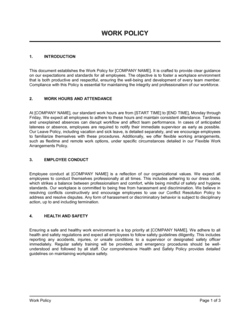
A Remote Work Policy is a company-wide document setting general standards for all employees eligible for remote work — eligibility criteria, application process, expense guidelines, and security requirements. A Remote Work Schedule is an individual, signed agreement between the employer and a specific employee establishing that employee's particular remote terms. The policy sets the framework; the schedule implements it for each individual. Both are generally needed: the policy for governance, the schedule for enforceability.

vs Flexible Work Arrangement Agreement

A Flexible Work Arrangement Agreement addresses variations in schedule or hours — compressed workweeks, flexible start and end times, or job sharing — which may or may not involve remote work. A Remote Work Schedule is specifically about location: where the employee works, not just when. An employee on a flexible schedule still working in the office needs the arrangement agreement; an employee working from home on standard hours needs the remote work schedule. Employees combining both need both documents.

Industry-specific considerations

Technology / SaaS

Distributed engineering and product teams require precise data security clauses covering VPN use, approved code repositories, and incident reporting windows for breaches involving source code or customer data.

Professional Services

Client confidentiality obligations, billable-hour tracking requirements, and the need to align core hours with client time zones make documented availability windows and performance check-in cadences essential.

Financial Services

Regulatory requirements — including SEC, FINRA, and FCA rules on supervision of remote staff — mean data security clauses must reference specific approved platforms and firms must document that remote workers operate in a supervised environment.

Healthcare

HIPAA requires that any remote work involving patient data include explicit data security obligations — approved VPN, encrypted storage, prohibition on family members accessing work devices — documented in the agreement.

Education

Remote educators and administrators handling student records face FERPA obligations requiring the same documented data security standards as HIPAA-covered industries, alongside core-hours clauses tied to class schedules.

Retail / E-commerce

Customer service and operations staff working remotely need clear core-hours windows tied to peak customer contact periods, equipment provisions for headsets and secure payment processing tools, and defined escalation contacts.

Jurisdictional notes

United States

No federal statute mandates a written remote work agreement, but several states impose specific obligations. California requires reimbursement of necessary business expenses, including a proportionate share of home internet costs. States like New York and New Jersey may require payroll tax registration when a remote employee's work location creates a taxable presence. At-will employment applies in most states, but a signed remote work schedule with a revocation clause is still recommended to manage constructive dismissal risk.

Canada

Remote work terms, once established in practice, can become implied terms of employment under common law — meaning an employer who wants to revert to in-office work must give reasonable notice or face constructive dismissal claims. Ontario's Employment Standards Act and equivalent provincial statutes set floors for notice of significant schedule changes. Quebec requires French-language contracts for provincially regulated employers. Employers should document remote work terms from the outset and include a clear modification clause.

United Kingdom

UK employers must include details of the employee's normal place of work in the written statement of employment particulars, which must be issued on or before the first day of employment. Employees have a statutory right to request flexible working after 26 weeks of service (with reforms under the Employment Relations (Flexible Working) Act 2023 reducing the qualifying period to day one for new requests). Unilaterally ending a long-standing remote arrangement without contractual authority or sufficient notice may constitute a fundamental breach. Data security clauses must align with UK GDPR obligations.

European Union

The EU's Transparent and Predictable Working Conditions Directive (2019/1152) requires employers to inform employees of any remote working arrangements in writing on or before the first day. The EU Framework Agreement on Telework and its national implementations in member states (including Germany's Mobile Working Act discussions and France's télétravail rules under the Labour Code) set additional requirements around voluntary participation, equipment provision, cost reimbursement, and the right to disconnect. GDPR applies to any processing of personal data that occurs at the remote location, and employers should ensure data security clauses reference specific approved tools.

Template vs lawyer — what fits your deal?

PathBest forCostTime
Use the templateDomestic employees in a single jurisdiction working remotely on a standard schedule with no cross-border complicationsFree20–30 minutes
Template + legal reviewEmployees working across state lines, in regulated industries (finance, healthcare), or where data security obligations are material$200–$5001–3 days
Custom draftedInternational remote workers, executives, regulated-industry staff, or jurisdictions with mandatory remote work statutes$800–$2,500+1–2 weeks

Glossary

Approved Remote Location
The specific address or addresses where the employee is authorized to perform work duties outside the primary office.
Core Hours
A defined daily window — for example, 10 a.m. to 3 p.m. in the employee's local time zone — during which the employee must be reachable and available for meetings or collaboration.
Hybrid Work Arrangement
A schedule in which the employee splits work time between the employer's premises and a remote location on a recurring, agreed pattern.
Synchronous Availability
The requirement that the employee be reachable and responsive in real time during specified hours, regardless of physical work location.
Equipment Policy
The clause specifying whether the employer or employee is responsible for providing, maintaining, and insuring devices and connectivity used for remote work.
Data Security Obligation
The employee's contractual duty to protect company data — using approved VPNs, encrypted storage, and secure networks — when working outside the employer's physical premises.
Right to Revert
The employer's reserved right to modify or revoke remote work privileges and require the employee to return to the office, typically with a defined notice period.
Home Office Stipend
A fixed periodic payment from the employer to the employee to offset the cost of internet, furniture, or equipment used for remote work.
Constructive Change of Terms
A unilateral employer action — such as suddenly ending an established remote arrangement — that may constitute a fundamental change to employment conditions and trigger constructive dismissal claims in some jurisdictions.
Tax Nexus
The legal connection created when an employee works in a state or country different from the employer's registered location, potentially triggering payroll tax, corporate tax, and employment law obligations in that jurisdiction.
Ergonomic Self-Assessment
A documented checklist the employee completes to confirm their home workspace meets basic occupational health and safety standards before beginning remote work.

Part of your Business Operating System

This document is one of 3,000+ business & legal templates included in Business in a Box.

  • Fill-in-the-blanks — ready in minutes
  • 100% customizable Word document
  • Compatible with all office suites
  • Export to PDF and share electronically

Create your document in 3 simple steps.

From template to signed document — all inside one Business Operating System.
1
Download or open template

Access over 3,000+ business and legal templates for any business task, project or initiative.

2
Edit and fill in the blanks with AI

Customize your ready-made business document template and save it in the cloud.

3
Save, Share, Send, Sign

Share your files and folders with your team. Create a space of seamless collaboration.

Save time, save money, and create top-quality documents.

★★★★★

"Fantastic value! I'm not sure how I'd do without it. It's worth its weight in gold and paid back for itself many times."

Managing Director · Mall Farm
Robert Whalley
Managing Director, Mall Farm Proprietary Limited
★★★★★

"I have been using Business in a Box for years. It has been the most useful source of templates I have encountered. I recommend it to anyone."

Business Owner · 4+ years
Dr Michael John Freestone
Business Owner
★★★★★

"It has been a life saver so many times I have lost count. Business in a Box has saved me so much time and as you know, time is money."

Owner · Upstate Web
David G. Moore Jr.
Owner, Upstate Web

Run your business with a system — not scattered tools

Stop downloading documents. Start operating with clarity. Business in a Box gives you the Business Operating System used by over 250,000 companies worldwide to structure, run, and grow their business.

Start free · No credit card required