1
Pull system records before counting
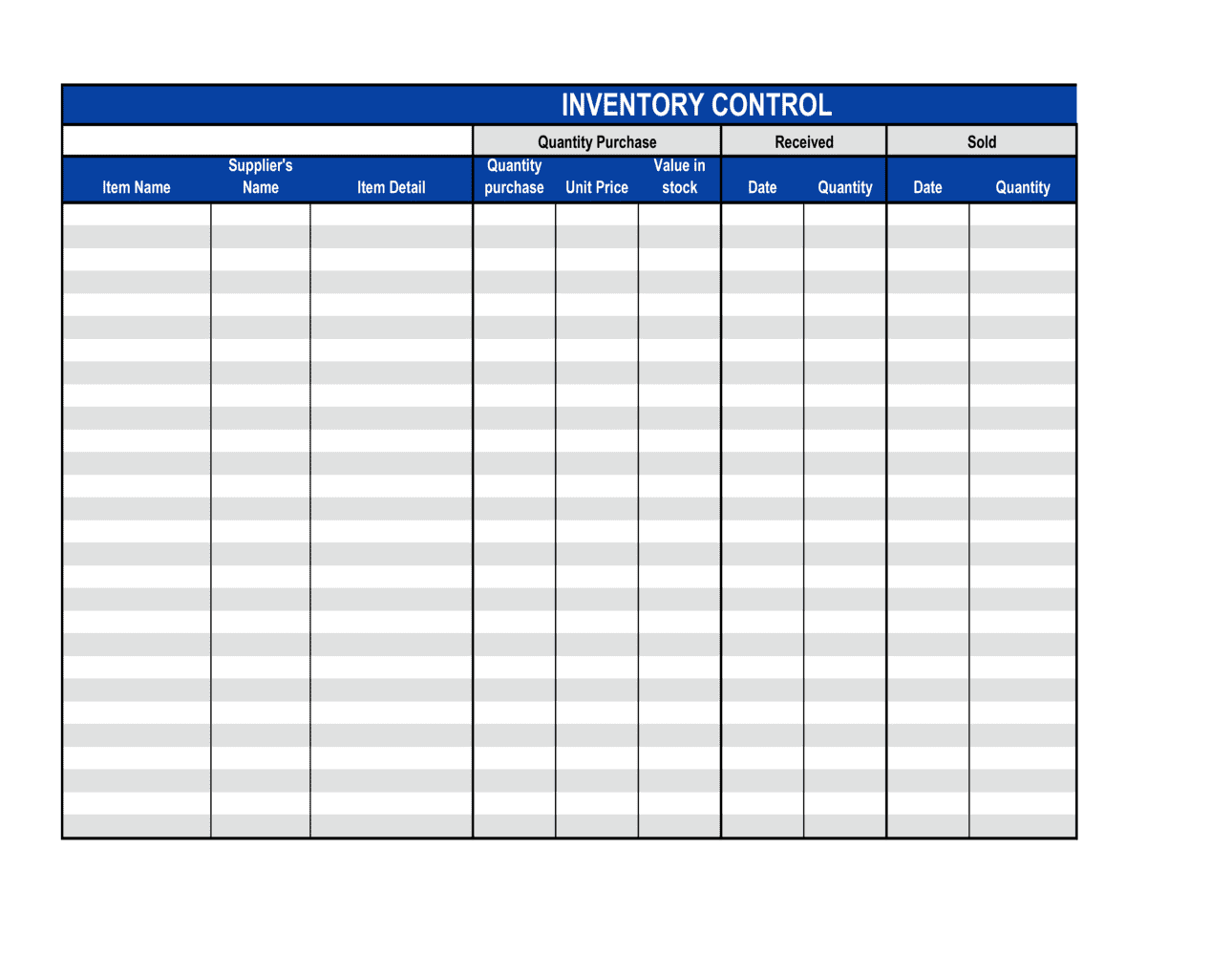
Export current on-hand quantities by SKU and location from your inventory system or accounting software. Enter these as the opening stock figures before anyone touches the physical goods.
💡 Print or lock the opening quantities before the count begins so counters cannot unconsciously adjust their tally to match the system.
2
Enter item descriptions, SKUs, and locations
Complete the item description, SKU, and storage location columns for every line. One row per SKU per location — if the same SKU is stored in two bins, use two rows.
💡 Pre-populate these fields from your item master list to eliminate transcription errors and ensure every SKU is counted, not just the ones the counter remembers.
3
Record all receipts during the count period
For each goods-received entry, enter the quantity and reference the corresponding purchase order or goods-received note number. Do not count stock in transit as received until it is physically on the shelf.
💡 If a delivery arrives mid-count, set it aside and process it as a receipt at the start of the next period to avoid double-counting.
4
Log all issues and transfers
Enter every outbound movement — sales picks, production draws, and location transfers — with the reference document number. Confirm each figure against the corresponding pick list or transfer order.
💡 Post issues in real time rather than reconstructing them at period end. Memory-based entries are the single largest source of unexplained variances.
5
Perform the physical count and record it
Count the physical quantity on the shelf and record it in the physical count column. Compute the variance against closing stock. Investigate any variance before signing off.
💡 Use a blind-count approach: give counters a sheet with SKUs and locations but no quantities, so they cannot bias their count toward the expected number.
6
Enter adjustments with reason codes
For any quantity that requires correction — damaged goods, write-offs, or count errors confirmed by a recount — enter the adjustment amount and select the appropriate reason code.
💡 Require supervisor approval for any single-line adjustment exceeding [THRESHOLD UNITS OR VALUE] before it is posted, to prevent unauthorized write-offs.
7
Obtain counter and supervisor sign-off
The counter signs and dates the completed sheet. A supervisor independently reviews the variances, spot-checks high-variance lines, and countersigns to confirm the count is approved.
💡 File the signed sheet with any supporting documents — delivery notes, pick lists, adjustment approvals — as a single audit package for each count period.