1
Fill in the production header
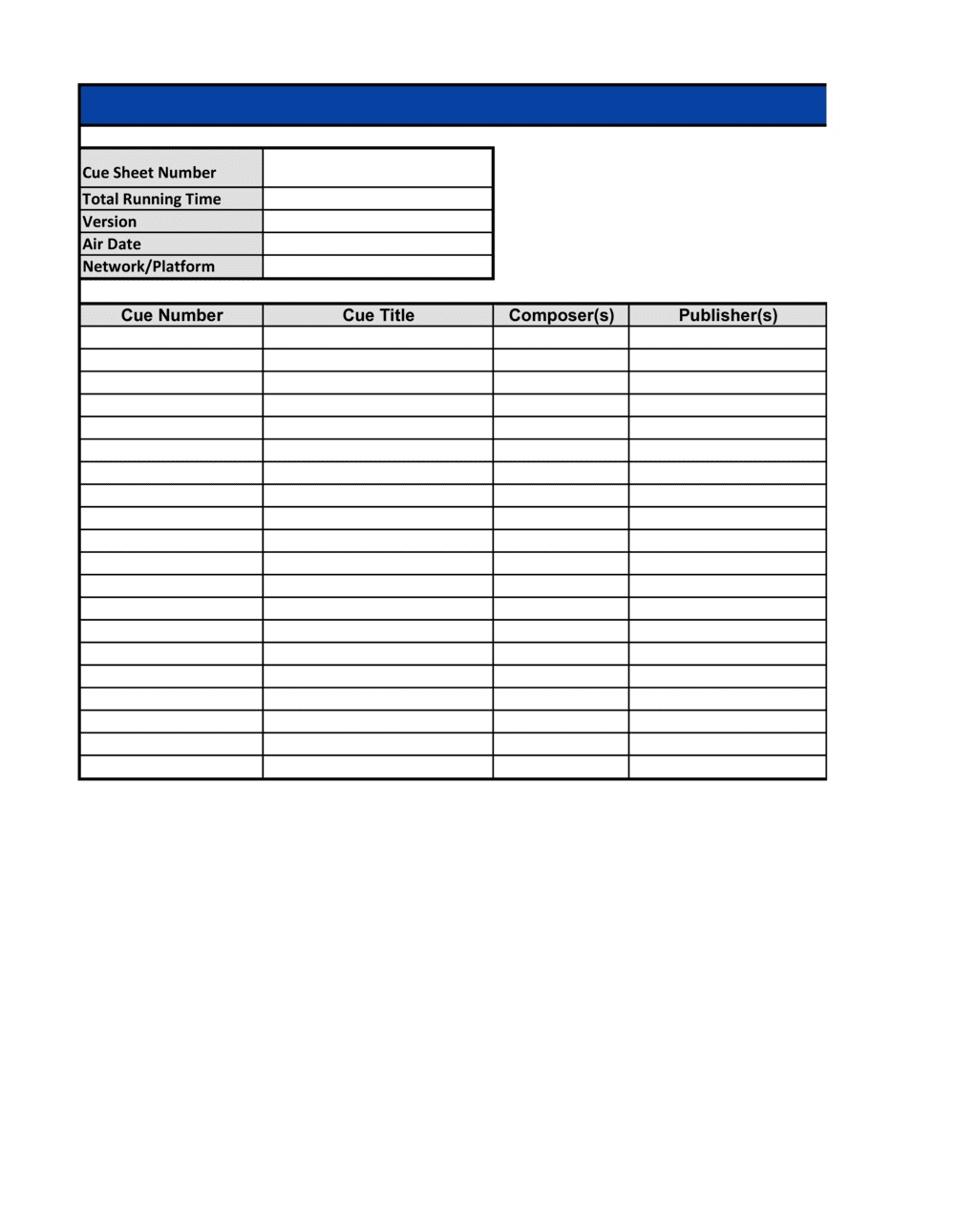
Enter the official production title, episode or project number, broadcaster or platform name, air or release date, and the territory of distribution at the top of the form.
💡 Use the exact title registered with the broadcaster or distributor — not the internal working title used during production.
2
Number every cue sequentially
Assign cue numbers in a single continuous sequence from the first music entry to the last in the locked edit. Do not restart numbering at scene breaks or act changes.
💡 Export a music-only version of your timeline from your DAW or editing software to generate the cue list automatically before filling in rights details.
3
Enter music titles exactly as registered
Look up each track on the relevant PRO database (ASCAP ACE, BMI Repertoire, or SOCAN eMUSIC) and copy the registered title verbatim, including any version suffix.
💡 For library music, the library's website usually lists the registered title and ISRC on each track's detail page — use that, not the display name shown in your editing software.
4
Record all composers, lyricists, and publishers
List every credited writer with their full legal name and PRO affiliation. Then add the publishing administrator and their PRO membership. For co-written tracks, include all parties.
💡 If a track has three or more co-writers on different PROs, list each on a separate sub-row under the same cue number rather than cramming all names into one cell.
5
Classify the usage type accurately
For each cue, select the correct usage category — background, featured, theme, visual vocal, or source. Review the picture alongside the audio to confirm the classification.
💡 When in doubt between background and featured, ask whether the music is the focus of a scene or incidental to the action. A character reacting to a song playing makes it featured.
6
Record frame-accurate start and end timecodes
Pull start and end timecodes from the locked edit in your editing software. Calculate duration by subtracting start from end and enter it in MM:SS format.
💡 Always work from the picture-locked file. Timecodes taken from a pre-lock cut will not match the broadcast version and will fail PRO validation.
7
Add ISRC and ISWC codes
Look up the ISRC for the specific recording and the ISWC for the underlying composition. Enter both in their standard formatted fields. If only one is available, enter what you have and note the source.
💡 ISWC codes are searchable free on CISAC's public portal. Spending 10 minutes on lookup prevents weeks of delayed royalty matching.
8
Verify totals and submit
Sum the duration column and confirm the total music time is plausible relative to the production length. Then save as PDF and submit to your PRO and broadcaster according to their stated deadlines.
💡 Most PROs require cue sheet submission within 30 days of broadcast. Set a calendar reminder at picture lock so the form is completed before the deadline, not after.