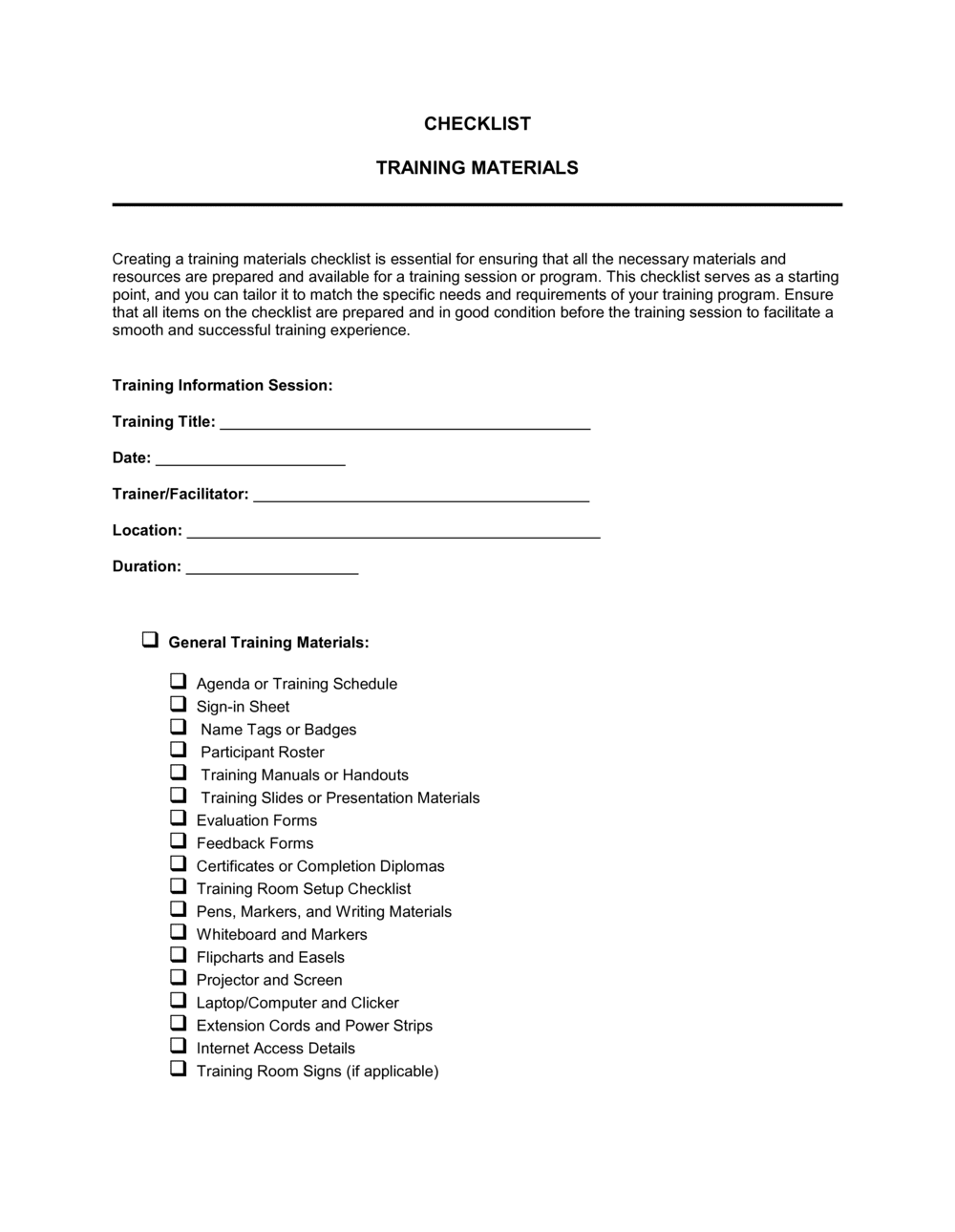
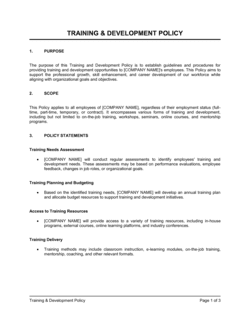
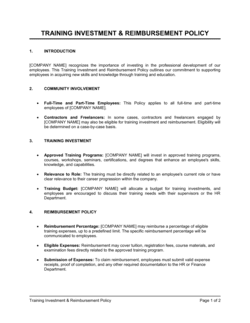
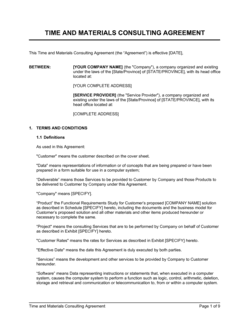
Checklist Training Materials

Free download β€’ Use as a template β€’ Print or share

2 pagesβ€’20–25 min to useβ€’Difficulty: Standard
Learn more ↓
FreeChecklist Training Materials Template

At a glance

What it is
A Checklist Training Materials template is a structured form that lists every training module, resource, and task a new or existing employee must complete during a defined period. This free Word download lets you customize topics, assign owners, set due dates, and track completion status β€” then export as PDF or share digitally with trainers and trainees.
When you need it
Use it when onboarding a new hire, rolling out a compliance training program, cross-training existing staff on new processes, or auditing whether a team has completed required certifications.
What's inside
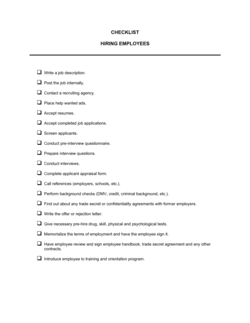
Employee and trainer details, a numbered list of training topics and materials, completion checkboxes with due dates, sign-off fields for both trainee and supervisor, and a notes column for exceptions or follow-up actions.

What is a Checklist Training Materials Template?

A Checklist Training Materials template is a structured form that lists every training module, resource, and task an employee must complete during a defined training period β€” with fields for due dates, delivery methods, completion status, and sign-offs from both the trainee and their supervisor. It turns an informal "show them around" approach into a documented, auditable record of exactly what each person was trained on, when, and by whom. Businesses use it for new-hire onboarding, annual compliance training, cross-training programs, and role-change transitions.

Why You Need This Document

Without a documented training record, organizations face three compounding problems. First, training gaps become invisible β€” if nobody tracks what was covered, critical safety, compliance, or system training is quietly skipped and only discovered when something goes wrong. Second, you lose legal protection: in a workplace incident, a discrimination claim, or a regulatory audit, a signed training checklist is evidence that the organization met its duty of care; an undocumented verbal walkthrough is not. Third, inconsistency creeps in β€” without a standard checklist, every manager trains new hires differently, creating uneven competency levels and unpredictable performance across teams. This free Word template gives you a consistent, role-specific starting point you can customize in under 20 minutes and use immediately to close all three gaps.

Which variant fits your situation?

If your situation is…Use this template
Tracking new-hire onboarding tasks from day one through 90 daysNew Employee Onboarding Checklist
Recording completion of mandatory compliance or safety trainingEmployee Training Record
Documenting software or systems training for a specific toolSoftware Training Checklist
Tracking training across multiple employees in a single viewTraining Matrix
Certifying that a trainee can perform a skill independentlySkills Assessment Form
Scheduling and confirming attendance at group training sessionsTraining Sign-In Sheet
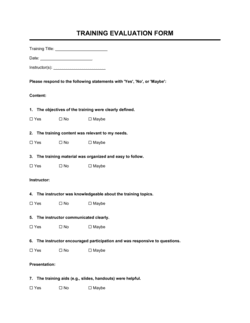
Measuring how well employees retained training contentTraining Evaluation Form

Common mistakes to avoid

❌ Vague module descriptions

Why it matters: Labels like 'Product Training' cannot be audited, referenced in a performance review, or used as evidence in a compliance inspection. They tell you nothing about what was actually covered.

Fix: Write each module name to describe the specific skill or process covered β€” 'Returns Processing in POS System v4.1' instead of 'Systems Training'.

❌ No due dates assigned

Why it matters: Without deadlines, training drifts indefinitely and urgent compliance items go uncompleted until an incident forces the issue.

Fix: Assign a specific due date to every line item and review overdue items at each weekly supervisor check-in during the training period.

❌ Single end-of-checklist signature

Why it matters: One signature at the bottom does not prove each individual module was reviewed β€” in a compliance audit or litigation, the record may be rejected as insufficient.

Fix: Use per-module initials from both the trainee and the supervisor so each item has documented sign-off.

❌ Filing the checklist without the supporting materials

Why it matters: A signed checklist alone does not prove training quality β€” if the materials referenced never existed or have been updated, the record is incomplete.

Fix: Archive a copy of each training document or link alongside the completed checklist so the full training package can be reconstructed during an audit.

The 9 key fields, explained

Employee and trainer information

Training topic / module name

Training materials and resources

Delivery method

Due date

Completion checkbox and date

Trainee sign-off

Supervisor sign-off

Notes and follow-up actions

How to fill it out

  1. 1

    Enter employee and trainer details at the top

    Fill in the employee's full name, job title, department, and the assigned trainer before distributing the checklist. Add the training start date and expected completion date.

    πŸ’‘ Save a master template with your company name and logo pre-filled so you only need to update employee-specific fields for each new hire.

  2. 2

    List every training module in logical sequence

    Add one row per training topic, ordered from foundational to role-specific. Group related items under section headers β€” for example, 'Safety', 'Systems', and 'Role-Specific Skills'.

    πŸ’‘ Keep each module label specific enough to be searchable β€” 'Fire Evacuation Procedure β€” Building A' is more useful in an audit than 'Safety Training'.

  3. 3

    Specify materials and delivery method for each item

    For every module, name the exact document, video, or system the trainee must use, and select the delivery method β€” in-person, e-learning, OJT, or self-study.

    πŸ’‘ Hyperlink digital resources directly in the Word file so trainees can access them without asking a supervisor.

  4. 4

    Set staggered due dates

    Assign realistic due dates that spread training across the full onboarding period β€” Day 1 for safety essentials, Week 1 for systems access, Week 2–4 for role-specific skills.

    πŸ’‘ Align due dates with natural milestones such as the end of probation or the first performance review so completion has a clear purpose.

  5. 5

    Mark completion status and dates as each item is finished

    Update the status field and record the actual completion date as soon as each module is done. Do not batch-update at the end of the training period.

    πŸ’‘ Real-time updates make it easy to spot overdue items during weekly check-ins rather than discovering them at the 90-day review.

  6. 6

    Collect signatures and file the completed checklist

    Obtain trainee initials per module and a supervisor sign-off for each section. Export as PDF and store a copy in the employee's HR file.

    πŸ’‘ Keep a signed PDF copy for a minimum of three years β€” or longer for regulated industries β€” to satisfy audit and compliance requirements.

Frequently asked questions

What is a checklist training materials template?

A checklist training materials template is a structured form that lists every training topic, resource, and task an employee must complete during a defined training period. It tracks completion status, due dates, and sign-offs from both the trainee and their supervisor. Organizations use it to standardize onboarding, document compliance training, and create an auditable training record for each employee.

When should I use a training checklist instead of a full training plan?

A training checklist is the right tool when you need a simple, trackable record of what an individual employee has completed. A training plan is a broader document that outlines learning objectives, timelines, and methods at a program level. Use the checklist for per-employee tracking and sign-off; use a training plan to design the program itself.

How long should a training checklist cover?

Most onboarding checklists cover the first 30, 60, or 90 days of employment, aligned with the probationary period. Compliance-specific checklists may cover a calendar year and reset annually. The duration should match the complexity of the role β€” a warehouse associate may need a 2-week checklist, while a customer-facing manager may need a 90-day structured program.

Does a training checklist need to be signed?

A signature is not legally required in most jurisdictions for general training checklists, but it is strongly advisable. Signed training records are used as evidence in employment disputes, workers' compensation claims, regulatory audits, and performance management proceedings. A checklist without signatures carries significantly less evidentiary weight.

How is a training checklist different from a training sign-in sheet?

A training sign-in sheet records who attended a group training session on a specific date β€” it does not track what each individual has learned or completed over time. A training checklist tracks every module and resource an individual employee must complete across their full training period, with per-item completion dates and sign-offs.

Can I use one checklist for all employees in the same role?

Yes β€” a role-specific master template is the most efficient approach. Create one checklist per job title covering all required training, then duplicate and personalize it for each new hire by adding their name, trainer, and start date. This ensures consistency across the team while keeping individual records separate.

How long should I keep completed training checklists?

Retain completed checklists for a minimum of three years for general employment purposes. For safety-critical roles, OSHA and equivalent regulators in other jurisdictions typically require training records for the duration of employment plus three years. Regulated industries such as healthcare, food service, and financial services may have longer retention requirements β€” confirm with your compliance officer.

What should I do if a trainee fails to complete a module by the due date?

Document the missed deadline in the notes field with the reason, set a new due date, and escalate to the trainee's manager if the item is compliance-critical. Do not mark the item complete until it is finished. For mandatory compliance training, consider whether the employee should continue performing the related tasks until the training is verified complete.

How this compares to alternatives

vs New Employee Onboarding Checklist

An onboarding checklist covers all first-day and first-week administrative tasks β€” equipment setup, system access, introductions, and paperwork. A training materials checklist focuses specifically on learning modules and skill development across a longer training window. Both are needed for a complete onboarding program, but they serve different purposes.

vs Training Sign-In Sheet

A sign-in sheet captures attendance at a single group training event. A training materials checklist tracks an individual's completion of multiple modules over days or weeks. The sign-in sheet is an event record; the checklist is an ongoing development record per employee.

vs Employee Performance Review

A performance review evaluates an employee's output, behavior, and competency against role expectations at a point in time. A training checklist documents the inputs β€” what the employee was taught and when. The checklist feeds the performance review by showing whether training gaps explain performance issues.

vs Training Evaluation Form

A training evaluation form captures trainee feedback on the quality and relevance of training content after a session ends. A training materials checklist tracks whether training was completed at all. Use the checklist to confirm completion; use the evaluation form to measure effectiveness and improve the program.

Industry-specific considerations

Manufacturing and warehousing

Safety induction, equipment operation certification, and OSHA-required training records with per-task supervisor sign-off.

Retail and hospitality

Brand standards training, POS system walkthroughs, and food-handler certification tracking across high-turnover staff.

Healthcare

HIPAA compliance training, infection-control procedures, and mandatory annual recertification records for clinical and administrative staff.

Professional services

Software and CRM onboarding, client confidentiality protocols, and billable-hour tracking system training for new hires.

Template vs pro β€” what fits your needs?

PathBest forCostTime
Use the templateAny business that needs a simple, editable training record without a dedicated LMSFree10–20 minutes to customize per role
Template + professional reviewRegulated industries or businesses building a formal training program with compliance obligations$100–$300 for an HR consultant review1–2 days
Custom draftedLarge organizations requiring LMS integration, automated tracking, or multi-site standardization$500–$3,000+ for HR system configuration or custom development2–6 weeks

Glossary

Training Module
A discrete unit of training covering a single topic, skill, or process β€” the building block of a training program.
Completion Status
A field or checkbox indicating whether a trainee has finished a specific training item, typically marked as Not Started, In Progress, or Complete.
Sign-Off
A supervisor or trainer's signature or initials confirming they witnessed or verified that a trainee completed a task or module.
Due Date
The deadline by which a specific training item must be completed, used to prioritize tasks and flag overdue items.
On-the-Job Training (OJT)
Training that occurs in the actual work environment while the employee performs real tasks, as opposed to classroom or e-learning instruction.
Compliance Training
Mandatory training required by law, regulation, or company policy β€” such as workplace safety, harassment prevention, or data privacy.
Training Record
Documentation proving that an employee received and completed specific training, used in audits, performance reviews, and legal proceedings.
Probationary Period
A defined initial period β€” typically 30 to 90 days β€” during which a new hire completes foundational training before being confirmed in role.
Competency
A specific, observable skill or behavior that an employee must demonstrate to be considered proficient in a task or role.
Learning Management System (LMS)
Software that hosts, delivers, and tracks online training courses β€” a digital alternative to paper-based training checklists for larger organizations.

Part of your Business Operating System

This document is one of 3,000+ business & legal templates included in Business in a Box.

  • Fill-in-the-blanks β€” ready in minutes
  • 100% customizable Word document
  • Compatible with all office suites
  • Export to PDF and share electronically

Create your document in 3 simple steps.

From template to signed document β€” all inside one Business Operating System.
1
Download or open template

Access over 3,000+ business and legal templates for any business task, project or initiative.

2
Edit and fill in the blanks with AI

Customize your ready-made business document template and save it in the cloud.

3
Save, Share, Send, Sign

Share your files and folders with your team. Create a space of seamless collaboration.

Save time, save money, and create top-quality documents.

β˜…β˜…β˜…β˜…β˜…

"Fantastic value! I'm not sure how I'd do without it. It's worth its weight in gold and paid back for itself many times."

Managing Director Β· Mall Farm
Robert Whalley
Managing Director, Mall Farm Proprietary Limited
β˜…β˜…β˜…β˜…β˜…

"I have been using Business in a Box for years. It has been the most useful source of templates I have encountered. I recommend it to anyone."

Business Owner Β· 4+ years
Dr Michael John Freestone
Business Owner
β˜…β˜…β˜…β˜…β˜…

"It has been a life saver so many times I have lost count. Business in a Box has saved me so much time and as you know, time is money."

Owner Β· Upstate Web
David G. Moore Jr.
Owner, Upstate Web

Run your business with a system β€” not scattered tools

Stop downloading documents. Start operating with clarity. Business in a Box gives you the Business Operating System used by over 250,000 companies worldwide to structure, run, and grow their business.

Start freeΒ Β·Β No credit card required