Information Protection Policy Template

Free Word download β€’ Edit online β€’ Save & share with Drive β€’ Export to PDF

3 pagesβ€’20–30 min to fillβ€’Difficulty: Standard
Learn more ↓
FreeInformation Protection Policy Template

At a glance

What it is
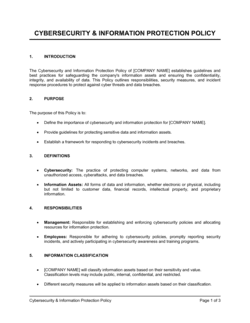
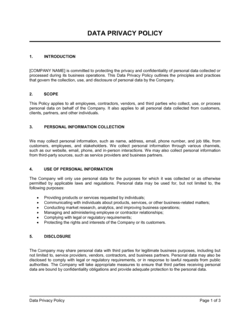
An Information Protection Policy is an internal governance document that defines how an organization classifies, stores, shares, and safeguards its sensitive data β€” including employee records, financial data, customer information, and proprietary business assets. This free Word download gives you a structured, editable template you can tailor to your operations and distribute to staff as a formal policy document.
When you need it
Use it when onboarding new employees, responding to a client security questionnaire, preparing for a compliance audit, or establishing baseline data-handling standards before a breach or regulatory action forces your hand.
What's inside
Data classification tiers, access control rules, acceptable use standards, employee obligations, incident response procedures, third-party data-sharing controls, and policy enforcement and review provisions.

What is an Information Protection Policy?

An Information Protection Policy is an internal governance document that defines how an organization classifies its data, controls who can access it, specifies how it must be stored and transmitted, and establishes what happens when something goes wrong. It sets binding standards for every person who touches company information β€” employees, contractors, and third-party vendors β€” and assigns clear accountability for enforcement and ongoing review. Unlike a public-facing privacy policy, it is an operational document designed to drive consistent, auditable behavior across the organization rather than satisfy an external legal disclosure requirement.

Why You Need This Document

Operating without a written information protection policy leaves your business exposed in three compounding ways. First, employees make inconsistent decisions about data handling β€” one team encrypts sensitive files, another emails them unprotected β€” because there are no documented standards to follow. Second, when a breach or audit occurs, you have no evidence of the controls you claimed to have in place, which regulators and insurers treat as evidence that those controls did not exist. Third, enterprise clients and cyber liability insurers now routinely request a current information protection policy as a condition of doing business or issuing coverage β€” the absence of one costs deals and raises premiums. This template gives you a complete, structured starting point that covers classification, access controls, retention, vendor requirements, and incident response in a single document you can distribute, acknowledge, and enforce from day one.

Which variant fits your situation?

If your situation is…Use this template
Setting broad data governance rules for the entire organizationInformation Protection Policy
Documenting how employee personal data is collected and processedEmployee Privacy Policy
Defining acceptable use of company devices and networksAcceptable Use Policy
Outlining how a data breach will be detected and reportedData Breach Response Plan
Managing how third-party vendors handle your dataVendor Data Processing Agreement
Communicating customer-facing data practices publiclyPrivacy Policy
Specifying controls for remote work and BYOD device usageRemote Work Security Policy

Common mistakes to avoid

❌ Scoping the policy only to digital data

Why it matters: Paper printouts, verbal disclosures in meetings, and data exported to USB drives are equally exposed to breach. A digital-only policy leaves your physical environment entirely unaddressed.

Fix: Add an explicit statement that the policy applies to all formats β€” digital, paper, and verbal β€” and include physical document handling rules in the acceptable use section.

❌ No named policy owner or review date

Why it matters: Policies without an accountable owner become stale within 12–18 months. Auditors and insurers specifically check whether policies have been updated to reflect current practices and regulations.

Fix: Assign a specific role as policy owner, add the review date to the document header, and schedule annual review in the owner's calendar at the time of publication.

❌ Setting a single retention period for all data types

Why it matters: Payroll records, contracts, medical data, and customer PII each carry different legally mandated retention minimums. A blanket seven-year rule over-retains some data (creating breach exposure) and under-retains other data (creating legal liability).

Fix: Build a retention schedule table by data category, verify each period against applicable regulations, and update it annually.

❌ Publishing the policy without a mandatory acknowledgment step

Why it matters: Without documented evidence that employees received and understood the policy, you cannot enforce it in a disciplinary proceeding or demonstrate compliance during a regulatory audit.

Fix: Require a dated electronic acknowledgment from every employee, track completion centrally, and include the policy in new-hire onboarding with its own acknowledgment step.

❌ Listing prohibited tools without naming approved alternatives

Why it matters: Employees who need to share a file will find a way to do it. Banning consumer cloud storage without offering an approved alternative drives shadow IT underground rather than eliminating it.

Fix: For every prohibited tool or behavior, specify the approved alternative by name β€” a tool ban without a replacement is an invitation to workarounds.

❌ Applying vendor security requirements only to new contracts

Why it matters: Long-standing vendors are statistically the highest-risk category β€” they often hold broad access granted years ago under different security standards and have never been formally reviewed.

Fix: Conduct a retroactive vendor audit within 90 days of publishing the policy. Require all vendors with data access to sign a current Data Processing Agreement, regardless of contract age.

The 10 key sections, explained

Purpose and scope

Data classification framework

Access control and authorization

Acceptable use of information assets

Data storage and retention

Data transmission and sharing controls

Incident detection and response

Employee obligations and training

Third-party and vendor management

Policy review and enforcement

How to fill it out

  1. 1

    Identify your information assets and data types

    Before completing the template, list every category of sensitive data your organization holds β€” customer PII, employee records, financial data, intellectual property, and third-party data. This inventory drives every section that follows.

    πŸ’‘ Conduct a 30-minute workshop with department heads to surface data types that IT may not know exist β€” finance spreadsheets emailed as attachments are a common blind spot.

  2. 2

    Define your classification tiers

    Assign each data type to one of your classification levels (Public, Internal, Confidential, Restricted). Stick to four or fewer tiers. Enter a concrete example of each level in the classification section so employees can self-classify without asking IT.

    πŸ’‘ Use examples your employees will actually recognize β€” 'the Q3 board pack' is more memorable than 'financial projections.'

  3. 3

    Map access controls to classification levels

    For each classification tier, define who can access it (by role or team), how access is requested, who approves it, and how quickly it is revoked when someone leaves or changes roles.

    πŸ’‘ Cross-reference your HR offboarding checklist against the access revocation timeline in this section β€” mismatches are the most common audit finding.

  4. 4

    Specify approved tools and prohibited behaviors

    List the approved storage platforms, file-sharing tools, and email systems for each data tier. Then explicitly name the prohibited alternatives β€” specific tool names (e.g., personal Gmail, consumer Dropbox) are clearer than generic descriptions.

    πŸ’‘ Check what tools employees are actually using before writing this section β€” shadow IT is always more widespread than IT teams expect.

  5. 5

    Set retention periods by data category

    Enter the minimum and maximum retention period for each major data type. Check applicable legal or regulatory minimums for your jurisdiction and industry before entering these figures.

    πŸ’‘ Build the retention schedule as a table in an appendix so it can be updated annually without amending the body of the policy.

  6. 6

    Complete the incident response summary

    Enter the reporting contact, the reporting deadline (typically within 2 hours of discovery), the response lead, and the external notification timeline. If you have a standalone Incident Response Plan, reference it here by name.

    πŸ’‘ Post the incident reporting contact information separately on your intranet and in onboarding materials β€” employees forget policy details under stress.

  7. 7

    Assign the policy owner and set the review date

    Name a specific role (not a person's name, which changes with turnover) as the policy owner. Set an annual review date and a trigger for out-of-cycle review following any material incident or regulatory change.

    πŸ’‘ Add the review date to the policy owner's calendar immediately after publishing. Undated review commitments slip by 12–18 months on average.

  8. 8

    Distribute, train, and document acknowledgment

    Send the policy to all employees with a required read-and-acknowledge step. Track completion in your HR or LMS system. Include the policy in new-hire onboarding for all future employees.

    πŸ’‘ Require a dated electronic signature or checkbox acknowledgment β€” verbal briefings are insufficient evidence of notice during regulatory investigations.

Frequently asked questions

What is an information protection policy?

An information protection policy is an internal governance document that defines how an organization classifies, stores, accesses, transmits, and disposes of its sensitive data. It sets binding rules for employees, contractors, and vendors, and establishes the accountability structure for enforcing those rules. It is distinct from a public-facing privacy policy, which describes how customer data is handled externally.

Who needs an information protection policy?

Any organization that handles sensitive data β€” customer records, employee PII, financial information, or proprietary business data β€” needs one. Small businesses that collect payment information, healthcare providers, professional services firms, and SaaS companies all face real exposure without documented data-handling standards. Enterprise clients and cyber insurers commonly require a current policy before approving a vendor or issuing coverage.

What is the difference between an information protection policy and a privacy policy?

An information protection policy is an internal document governing how employees and systems handle all categories of sensitive data. A privacy policy is an external, legally required document published to customers explaining what personal data you collect, why, and how they can exercise their rights. Both are needed, but they serve different audiences and different legal purposes.

How often should an information protection policy be reviewed?

At minimum, annually. An out-of-cycle review should be triggered by any material data incident, a significant change in technology or data practices, a new regulatory requirement, or a major organizational restructuring. Policies that have not been updated within 18 months are typically flagged as non-compliant during ISO 27001 and SOC 2 audits.

Does an information protection policy need to be legally reviewed?

For most small and mid-sized businesses, a well-drafted template is sufficient for internal use. Legal review is advisable when your industry is subject to specific data regulations β€” HIPAA for healthcare, PCI DSS for payment processing, FERPA for education, or GDPR for organizations with EU data subjects. A 1–2 hour review by a privacy lawyer typically costs $300–$700 and is worthwhile when regulatory penalties are material.

What data classification tiers should the policy use?

Four tiers work for most organizations: Public (approved for external release), Internal (for employees only), Confidential (limited distribution within specific teams), and Restricted (strictly controlled, such as PII, payment data, or trade secrets). Using more than four tiers increases complexity without meaningfully improving security β€” employees default to the lowest tier when classification rules are unclear.

How should employees be informed about the policy?

Distribute the policy to all employees with a mandatory read-and-acknowledge step, tracked centrally in your HR system or LMS. Include it in new-hire onboarding with its own acknowledgment step. Deliver a 30-minute awareness session when the policy is first published and annually thereafter. A policy that employees have not explicitly acknowledged cannot be enforced in a disciplinary proceeding.

Can this policy satisfy SOC 2 or ISO 27001 requirements?

A completed information protection policy addresses several controls required by both frameworks β€” data classification, access management, incident response, and vendor oversight. However, neither certification is satisfied by a single document. SOC 2 and ISO 27001 require evidence that controls are operationally implemented and consistently followed, not merely documented. The policy is a necessary starting point, not a complete compliance solution.

What happens if an employee violates the policy?

The policy should specify a graduated consequence structure: informal warning for minor first-time violations, formal disciplinary action for repeated or negligent violations, and termination for intentional or material breaches. Documenting consequences in the policy itself β€” and training employees on them β€” significantly improves deterrence and gives HR a clear basis for enforcement action.

How this compares to alternatives

vs Privacy Policy

A privacy policy is a public-facing legal document that tells customers what personal data you collect, why, and how they can exercise their rights β€” it is required by GDPR, CCPA, and most other consumer data laws. An information protection policy is an internal document governing how employees and systems handle all sensitive data. Both are required, but they serve entirely different audiences and legal purposes.

vs Acceptable Use Policy

An acceptable use policy focuses narrowly on how employees may use company devices, networks, and software β€” covering personal use, prohibited websites, and device security. An information protection policy is broader, covering data classification, vendor rules, retention schedules, and incident response in addition to employee use restrictions. The two documents are complementary and often cross-reference each other.

vs Data Breach Response Plan

A data breach response plan is a procedural playbook for the hours and days following a security incident β€” who to call, how to contain the breach, and how to notify affected parties. An information protection policy is a standing governance document that defines preventive controls and standards. The policy should reference the response plan, and the response plan should align with the policy's incident reporting timelines.

vs Non-Disclosure Agreement

An NDA is a bilateral legal contract between two parties that restricts disclosure of specific confidential information shared between them β€” typically used with vendors, partners, or candidates. An information protection policy is an internal governance document that sets organization-wide data-handling standards for all staff. NDAs are executed before sensitive conversations; the policy governs ongoing internal operations.

Industry-specific considerations

Technology / SaaS

Enterprise customer security questionnaires routinely require a current information protection policy as a procurement prerequisite, making it table stakes for B2B SaaS sales.

Healthcare

HIPAA's Security Rule requires covered entities to implement written policies governing access to electronic protected health information β€” an information protection policy is the primary vehicle for satisfying this obligation.

Financial Services

PCI DSS compliance, SOC 2 audits, and state-level financial privacy laws each require documented data classification and access control policies that align with the firm's technical controls.

Professional Services

Law firms, accounting firms, and consultancies hold highly confidential client data that is frequently targeted β€” a formal policy supports both client trust and malpractice insurer requirements.

Template vs pro β€” what fits your needs?

PathBest forCostTime
Use the templateSmall and mid-sized businesses establishing baseline data-handling standards for internal use or client security reviewsFree2–4 hours
Template + professional reviewOrganizations subject to HIPAA, PCI DSS, or SOC 2 requirements, or those handling EU personal data under GDPR$300–$700 (privacy lawyer or compliance consultant review)3–5 business days
Custom draftedEnterprises undergoing formal ISO 27001 certification, regulated financial institutions, or organizations with complex multi-jurisdiction data flows$2,000–$8,000 (privacy counsel or specialized compliance firm)2–6 weeks

Glossary

Data Classification
The process of categorizing data by sensitivity level β€” such as public, internal, confidential, or restricted β€” to determine appropriate handling and access rules.
Access Control
A set of rules and mechanisms that restrict who can view, edit, or share specific data based on their role or authorization level.
Personally Identifiable Information (PII)
Any data that can be used to identify a specific individual, including names, email addresses, social security numbers, and financial account details.
Data Custodian
The individual or team responsible for the day-to-day management and protection of a specific dataset, distinct from the data owner who sets policy.
Least Privilege Principle
A security concept requiring that users are granted only the minimum level of data access needed to perform their job functions.
Incident Response
A defined set of steps an organization follows to detect, contain, investigate, and recover from a data security incident or breach.
Data Retention
The policy governing how long different categories of data are kept before being securely deleted or archived.
Encryption
The process of converting data into an unreadable format using a cryptographic key so that only authorized parties can access the original content.
Information Owner
The business unit or senior individual accountable for determining the classification level and approved uses of a specific dataset.
Acceptable Use Policy (AUP)
A companion document that specifies how employees may and may not use company systems, devices, and data in their day-to-day work.
Third-Party Risk
The exposure an organization faces when vendors, contractors, or partners have access to its data and may not apply equivalent security controls.

Part of your Business Operating System

This document is one of 3,000+ business & legal templates included in Business in a Box.

  • Fill-in-the-blanks β€” ready in minutes
  • 100% customizable Word document
  • Compatible with all office suites
  • Export to PDF and share electronically

Create your document in 3 simple steps.

From template to signed document β€” all inside one Business Operating System.
1
Download or open template

Access over 3,000+ business and legal templates for any business task, project or initiative.

2
Edit and fill in the blanks with AI

Customize your ready-made business document template and save it in the cloud.

3
Save, Share, Send, Sign

Share your files and folders with your team. Create a space of seamless collaboration.

Save time, save money, and create top-quality documents.

β˜…β˜…β˜…β˜…β˜…

"Fantastic value! I'm not sure how I'd do without it. It's worth its weight in gold and paid back for itself many times."

Managing Director Β· Mall Farm
Robert Whalley
Managing Director, Mall Farm Proprietary Limited
β˜…β˜…β˜…β˜…β˜…

"I have been using Business in a Box for years. It has been the most useful source of templates I have encountered. I recommend it to anyone."

Business Owner Β· 4+ years
Dr Michael John Freestone
Business Owner
β˜…β˜…β˜…β˜…β˜…

"It has been a life saver so many times I have lost count. Business in a Box has saved me so much time and as you know, time is money."

Owner Β· Upstate Web
David G. Moore Jr.
Owner, Upstate Web

Run your business with a system β€” not scattered tools

Stop downloading documents. Start operating with clarity. Business in a Box gives you the Business Operating System used by over 250,000 companies worldwide to structure, run, and grow their business.

Start freeΒ Β·Β No credit card required