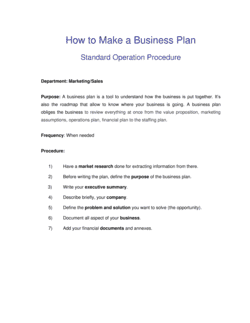
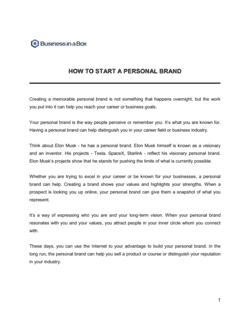
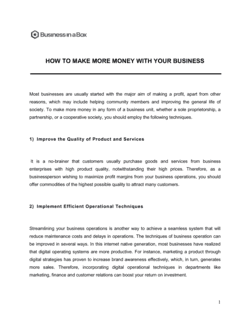
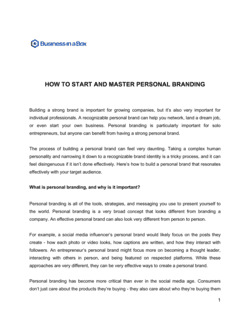
How To Make The Most Of Having A Personal Assistant

Free to read β€’ Save or share with one click

FreeHow To Make The Most Of Having A Personal Assistant Template

At a glance

What it is
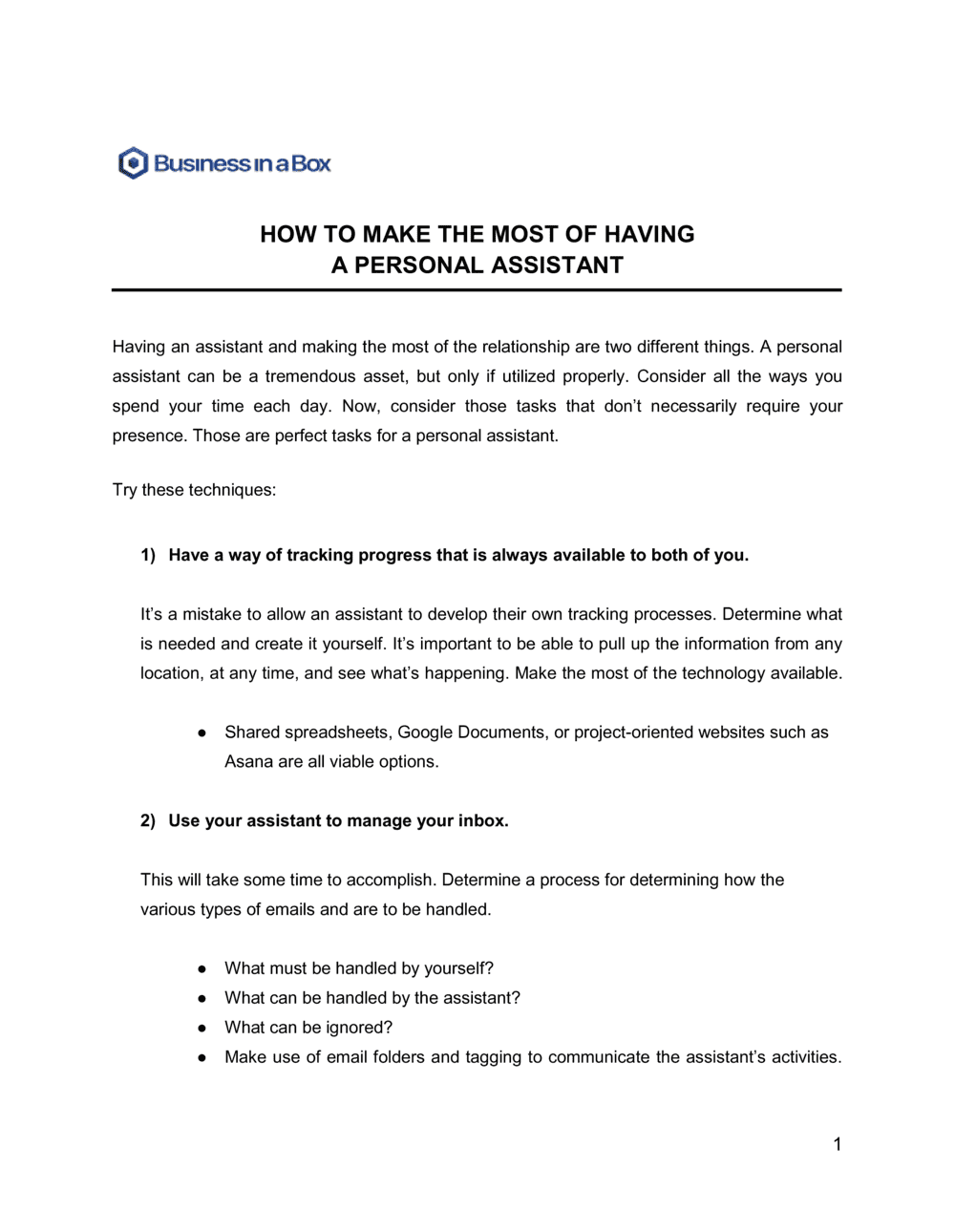
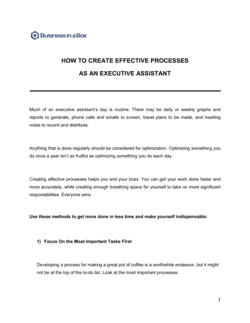
How To Make The Most Of Having A Personal Assistant is a structured operational guide that helps managers, executives, and entrepreneurs build a productive working relationship with their personal assistant (PA). This free Word download gives you a ready-to-edit framework covering communication preferences, delegation protocols, priority-setting, and feedback processes β€” everything needed to get full value from PA support from day one.
When you need it
Use it when you hire a new personal assistant, when an existing PA relationship is underperforming, or when you want to reset expectations and improve how tasks are handed off and tracked. It is equally useful for onboarding a virtual assistant or transitioning from ad-hoc support to structured PA management.
What's inside
The guide covers communication preferences and availability windows, delegation frameworks and task-handoff protocols, priority management systems, confidentiality and access boundaries, feedback and check-in routines, and tools and workflow setup β€” all organized into sections you can adapt to your specific working style and industry context.

What is a How To Make The Most Of Having A Personal Assistant guide?

A How To Make The Most Of Having A Personal Assistant guide is a structured operational document that captures the working preferences, delegation rules, priority systems, and feedback rhythms that define a productive relationship between an executive and their PA. Rather than leaving these norms to develop informally over months, the guide makes them explicit and actionable from the start β€” covering everything from which communication channels to use for urgent matters, to how tasks are handed off with sufficient context, to which calendar time is protected and cannot be touched. It functions as a shared reference that both the executive and the PA return to whenever expectations need to be clarified or reset.

Why You Need This Document

Without a written framework, most PA relationships operate on assumptions β€” the executive assumes the PA knows their preferences, and the PA assumes they will eventually figure out what good looks like. The result is weeks of avoidable friction, repeated questions, missed priorities, and an overloaded calendar. A PA who lacks clear standing instructions defaults to asking before acting, which consumes the executive's time and defeats the purpose of having support. A PA who guesses rather than asks makes mistakes that erode trust. This guide eliminates both failure modes by giving the PA a complete reference on day one and the executive a structured way to communicate preferences they have never had to articulate before. For the cost of two hours of preparation, it accelerates the PA to full productivity in weeks rather than months β€” and provides the foundation for an honest feedback relationship that keeps improving over time.

Which variant fits your situation?

If your situation is…Use this template
Onboarding a brand-new personal assistant before their first dayEmployee Onboarding Checklist
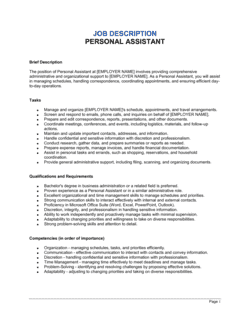
Defining the formal scope and duties of a PA roleJob Description Template
Setting performance expectations and review criteria for a PAEmployee Performance Review
Delegating a specific project to a PA or team memberProject Assignment Template
Documenting recurring processes the PA will own independentlyStandard Operating Procedure (SOP)
Establishing confidentiality expectations with a PANon-Disclosure Agreement
Managing a remote or virtual assistant across time zonesRemote Work Agreement

Common mistakes to avoid

❌ Assigning tasks without context or deadline

Why it matters: A PA who does not understand the purpose of a task or when it is needed cannot prioritize it correctly, and the work either arrives late or misses the mark entirely.

Fix: Every assignment should include a one-sentence description of why the task matters and a specific due date β€” not 'soon' or 'when you get a chance.'

❌ Failing to document standing instructions

Why it matters: Without written preferences for recurring decisions, the PA asks the same questions repeatedly β€” consuming the executive's time and delaying the PA's ability to work independently.

Fix: After the first two weeks, review every question the PA asked and convert each one into a standing instruction in the guide.

❌ Overloading the PA before establishing priorities

Why it matters: Dumping a full task list on a new PA without a priority system forces them to guess the sequence, which usually means they work on what arrived first rather than what matters most.

Fix: Introduce the priority classification system in week one and practice it explicitly on the first batch of assignments.

❌ Giving calendar access without protecting focus time

Why it matters: An unguarded calendar fills up within days, eliminating the deep-work time the PA was hired to protect in the first place.

Fix: Block focus time as recurring events marked 'busy' before granting calendar access, and document those blocks explicitly in the guide.

❌ Reserving feedback for annual reviews

Why it matters: Small friction points β€” miscommunication on tone, task sequencing habits, formatting preferences β€” compound over months into significant productivity loss if not addressed early.

Fix: Schedule a 15-minute weekly check-in in the first 90 days and use it to exchange one piece of specific, actionable feedback in each direction.

❌ Treating the guide as a one-time document

Why it matters: A guide written at hiring that is never updated becomes inaccurate within 60 days as workflows, tools, and priorities evolve β€” leaving the PA working from outdated rules.

Fix: Schedule 30-, 60-, and 90-day reviews in the calendar and add a change log section to the bottom of the document to track updates.

The 9 key sections, explained

Introduction and purpose

Communication preferences and availability

Delegation framework and task handoff protocol

Priority management system

Calendar and scheduling authority

Confidentiality and information access

Standing instructions and recurring tasks

Feedback and check-in routine

Tools, systems, and workflow setup

How to fill it out

  1. 1

    Complete the communication preferences section before sharing

    Fill in your preferred channels, availability windows, and definition of 'urgent' before you hand the guide to your PA. These inputs are unique to you and cannot be inferred.

    πŸ’‘ Block 20 minutes on your calendar immediately after hiring to complete this section β€” the conversation with a new PA about communication norms is ten times easier with something written to react to.

  2. 2

    Define your delegation and task handoff tool

    Choose one task management channel β€” Asana, Todoist, a shared email inbox, or a simple shared spreadsheet β€” and document it here. Commit to it; switching tools mid-relationship creates confusion.

    πŸ’‘ If you already use a task tool personally, default to that β€” the PA should enter your world, not introduce a new system you will not maintain.

  3. 3

    Set your priority classification rules

    Decide on a simple P1/P2/P3 or High/Medium/Low system and write out two to three examples of tasks that fall in each category. Abstract labels mean nothing without concrete examples.

    πŸ’‘ Include one example of a task you would genuinely interrupt a meeting to handle β€” this calibrates the PA's sense of what real urgency means to you.

  4. 4

    Document calendar authority and blocked time

    List the time windows the PA can book freely, the meeting types that always need your approval, and any recurring commitments that cannot be moved. Be specific about days and times.

    πŸ’‘ Naming your deep-work block explicitly (e.g., 'Monday 8–11 AM is reserved for writing, no exceptions') removes all ambiguity and protects it more reliably than a verbal instruction.

  5. 5

    Write out standing instructions for top five recurring decisions

    Think through the decisions your PA will face every week β€” travel preferences, email response tone, meeting acceptance criteria β€” and document the rule for each. Five well-written standing instructions eliminate dozens of interruptions per month.

    πŸ’‘ Draft these by reviewing the last two weeks of requests you made to the PA or to yourself β€” the patterns are already there.

  6. 6

    Schedule the first feedback check-in before the PA's second week

    Put the recurring check-in on the calendar before the PA starts, not after the first month. An early check-in signals that feedback is a normal part of the relationship, not a sign that something went wrong.

    πŸ’‘ Frame the first check-in as 'what do you need from me to do your job better?' β€” this inverts the usual power dynamic and surfaces systemic problems faster.

  7. 7

    Review and update the guide at 30, 60, and 90 days

    Mark three review dates in your calendar to revisit the guide with your PA. Workflows that worked in week one often need adjustment once the PA understands your patterns and the business context better.

    πŸ’‘ Add a one-line change log at the bottom of the document noting what was updated and when β€” this is especially useful when onboarding a replacement PA.

Frequently asked questions

What is a personal assistant guide and why do I need one?

A personal assistant guide is a structured document that captures your communication preferences, delegation protocols, priority rules, and workflow expectations so your PA can work independently and effectively from day one. Without one, both parties spend the first several months learning each other's patterns through trial and error, which delays productivity and creates unnecessary friction. A written guide compresses that learning curve significantly.

How is a personal assistant different from an executive assistant?

The titles are often used interchangeably, but a personal assistant typically focuses on a mix of personal and professional tasks β€” travel, scheduling, correspondence, and household logistics for a single person. An executive assistant is typically embedded in a corporate structure, supporting one or more senior executives with a heavier emphasis on business operations, board coordination, and stakeholder communication. The principles for working effectively with both roles are the same.

What tasks should I delegate to a personal assistant first?

Start with high-frequency, low-judgment tasks: calendar management, travel booking, email triage, expense reporting, and meeting scheduling. These are easy to hand off with clear standing instructions and free up a disproportionate amount of your time immediately. Avoid delegating strategic decisions, sensitive communications, or tasks that require institutional knowledge the PA has not yet acquired.

How long does it take for a new PA to become fully productive?

Most PAs reach basic operational competence within two to four weeks when given clear instructions and early feedback. Full productivity β€” where the PA anticipates needs, manages exceptions independently, and improves workflows proactively β€” typically takes two to three months. A structured guide and consistent weekly check-ins in the first 90 days measurably accelerate both timelines.

Should I have my PA sign a confidentiality agreement?

Yes, in most cases. A PA routinely accesses sensitive information β€” financial data, personal schedules, confidential correspondence, and business strategy. A non-disclosure agreement creates a documented obligation and sets clear expectations about how confidential information must be handled. Reference the signed NDA in the access section of your guide so both parties know it applies.

How do I handle a PA who keeps asking the same questions?

Repeated questions almost always signal an undocumented standing instruction. Instead of answering the question again, ask the PA to write down the rule they now understand and add it to the guide. Within three to four cycles of this approach, most repeat questions disappear because the PA is building a personally authored reference they will actually consult.

Can these principles apply to a virtual or remote assistant?

Yes, and they are even more important in a remote context because you cannot rely on in-person cues to clarify intent. Written communication preferences, task management tools with clear audit trails, explicit escalation protocols, and scheduled video check-ins are all more critical when working asynchronously across time zones. The guide becomes the primary substitute for the ambient context a co-located PA absorbs naturally.

What is the most common reason PA relationships fail?

Unclear expectations on both sides β€” specifically, the executive never articulates what good performance looks like, and the PA never learns how to flag that they are unclear on priorities or boundaries. The result is a PA who defaults to safe, low-initiative behavior and an executive who concludes the PA is not capable. A structured guide addresses this directly by making expectations explicit and creating a feedback channel to surface misalignment early.

How this compares to alternatives

vs Employee Onboarding Checklist

An onboarding checklist covers the administrative steps required to set up a new hire β€” system access, equipment, payroll, and compliance forms. This guide focuses specifically on the working relationship and productivity dynamics between an executive and their PA. Both documents are needed for a new hire; they serve different purposes and should be used together.

vs Standard Operating Procedure (SOP)

An SOP documents a single repeatable process in step-by-step detail β€” how to book travel, how to process expenses, how to prepare a board pack. This guide sets the broader operating framework and preferences that govern how all SOPs are prioritized and executed. Think of the guide as the constitution and SOPs as the legislation.

vs Job Description

A job description defines the formal scope, responsibilities, and qualifications of the PA role for hiring and HR purposes. This guide defines the actual day-to-day working relationship β€” preferences, delegation rules, and feedback rhythms β€” after the hire is made. The job description gets you the right person; this guide gets you the most from that person.

vs Employee Performance Review

A performance review is a structured assessment of the PA's output against defined criteria at a fixed point in time β€” typically quarterly or annually. This guide is a living operational document used daily to manage the working relationship in real time. The guide informs what good performance looks like; the review measures whether it was achieved.

Industry-specific considerations

Financial Services

PA manages regulatory calendar deadlines, board pack distribution, investor correspondence, and sensitive client file access β€” confidentiality and access-level documentation are especially critical.

Professional Services

PA handles client scheduling, billing coordination, and document preparation β€” standing instructions for client communication tone and turnaround times are high-value inputs.

Technology / SaaS

PA often manages cross-time-zone scheduling, investor relations logistics, and product roadmap meeting coordination β€” asynchronous communication preferences and escalation rules are the most-used guide sections.

Healthcare

PA operates under strict confidentiality requirements; access to patient-adjacent information must be explicitly scoped, and HIPAA-aligned handling rules should be referenced in the guide's confidentiality section.

Template vs pro β€” what fits your needs?

PathBest forCostTime
Use the templateExecutives and managers setting up or resetting a PA relationship without an HR teamFree1–2 hours to complete
Template + professional reviewOrganizations standardizing PA management across multiple executives or departments$200–$500 for an HR consultant review2–5 days
Custom draftedEnterprise executive support programs with complex confidentiality, multi-assistant teams, or regulated industries$1,000–$3,000 for a custom framework from an executive productivity consultant1–3 weeks

Glossary

Delegation
The act of assigning specific tasks or decision-making authority to another person while retaining accountability for the outcome.
Task Batching
Grouping similar tasks together and handing them to the PA at a scheduled time rather than issuing requests one at a time throughout the day.
Briefing
A structured handoff conversation or written note that gives the PA everything they need β€” context, deadline, format, and decision boundaries β€” to complete a task independently.
Escalation Protocol
A defined rule specifying which types of decisions or situations the PA should handle autonomously versus interrupt the executive to resolve.
Access Level
The defined scope of systems, accounts, and information the PA is authorized to view or act on β€” email inbox, calendar, financial accounts, or travel booking portals.
Priority Matrix
A simple framework β€” often urgent/important quadrants β€” used to categorize tasks so the PA can correctly sequence work without constant check-ins.
Standing Instructions
Pre-agreed rules for recurring decisions, such as how to respond to meeting requests, which vendors to use, or how to handle post formatting, that the PA can apply without asking each time.
Virtual Assistant (VA)
A remote personal assistant who provides administrative, scheduling, and operational support via digital tools rather than working on-site.
Inbox Zero Protocol
A defined system for how the PA manages the executive's email β€” triaging, labeling, drafting responses, and flagging items that require the executive's personal attention.
Feedback Loop
A scheduled and structured mechanism β€” daily wrap-up, weekly check-in, or end-of-project debrief β€” through which the executive and PA exchange performance notes and adjust working methods.

Part of your Business Operating System

This document is one of 3,000+ business & legal templates included in Business in a Box.

  • Fill-in-the-blanks β€” ready in minutes
  • Compatible with all office suites
  • Export to PDF and share electronically

Create your document in 3 simple steps.

From template to signed document β€” all inside one Business Operating System.
1
Download or open template

Access over 3,000+ business and legal templates for any business task, project or initiative.

2
Edit and fill in the blanks with AI

Customize your ready-made business document template and save it in the cloud.

3
Save, Share, Send, Sign

Share your files and folders with your team. Create a space of seamless collaboration.

Save time, save money, and create top-quality documents.

β˜…β˜…β˜…β˜…β˜…

"Fantastic value! I'm not sure how I'd do without it. It's worth its weight in gold and paid back for itself many times."

Managing Director Β· Mall Farm
Robert Whalley
Managing Director, Mall Farm Proprietary Limited
β˜…β˜…β˜…β˜…β˜…

"I have been using Business in a Box for years. It has been the most useful source of templates I have encountered. I recommend it to anyone."

Business Owner Β· 4+ years
Dr Michael John Freestone
Business Owner
β˜…β˜…β˜…β˜…β˜…

"It has been a life saver so many times I have lost count. Business in a Box has saved me so much time and as you know, time is money."

Owner Β· Upstate Web
David G. Moore Jr.
Owner, Upstate Web

Run your business with a system β€” not scattered tools

Stop downloading documents. Start operating with clarity. Business in a Box gives you the Business Operating System used by over 250,000 companies worldwide to structure, run, and grow their business.

Start freeΒ Β·Β No credit card required