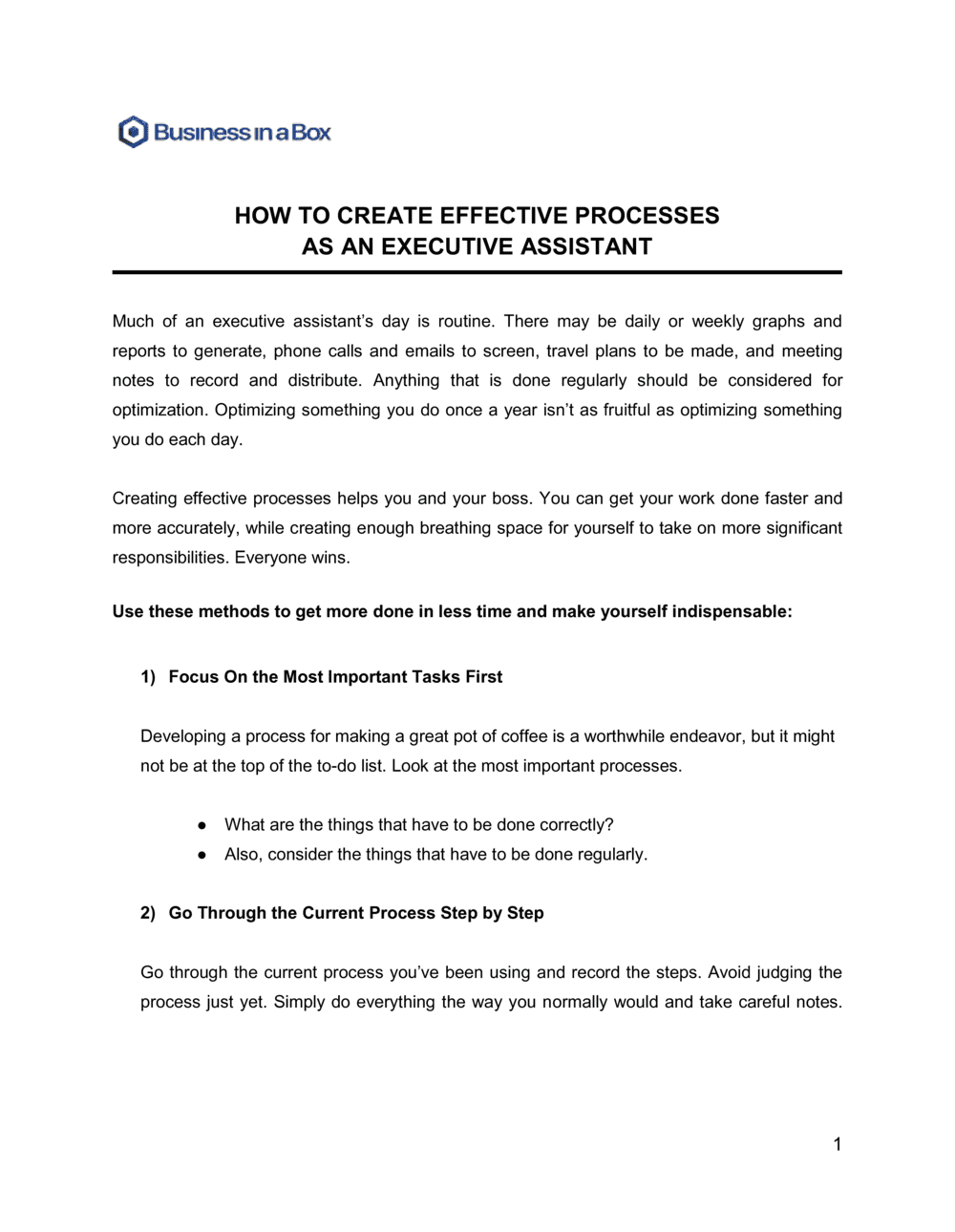
How To Create Effective Processes As An Executive Assistant

Free to read β€’ Save or share with one click

FreeHow To Create Effective Processes As An Executive Assistant Template

At a glance

What it is
A How To Create Effective Processes As An Executive Assistant guide is a structured operational document that walks an EA through building, documenting, and maintaining repeatable workflows for every key function of the role β€” from calendar management to executive communication. This free Word download gives you a ready-to-customize framework you can edit online and export as PDF to share with your executive, team, or successor.
When you need it
Use it when onboarding into a new EA role, when handing off responsibilities to a colleague or backup, or when the volume of ad hoc requests has grown to the point that undocumented processes are causing delays, errors, or missed commitments.
What's inside
Role scope and priorities, calendar and scheduling protocols, communication triage rules, task and project tracking systems, meeting preparation checklists, travel coordination workflows, delegation and follow-up frameworks, and a continuous-improvement review cycle.

What is a How To Create Effective Processes As An Executive Assistant Guide?

A How To Create Effective Processes As An Executive Assistant guide is a structured operational document that captures the workflows, decision rules, and communication standards that define how an EA performs and manages every core function of their role. It transforms implicit knowledge β€” the scheduling preferences, inbox habits, and delegation instincts built up over months β€” into an explicit, shareable system that can be followed by the EA themselves, a substitute, or a successor. The guide covers the full scope of the position: calendar management, email triage, meeting preparation, task tracking, travel coordination, stakeholder communication, and the continuous improvement cycle that keeps everything current.

Why You Need This Document

Without a written process guide, the EA role is a single point of failure. When the primary assistant is absent β€” whether for a day or a month β€” the executive's calendar, inbox, and task queue are either neglected or handled inconsistently by a colleague with no documented guidance. Beyond continuity, undocumented processes create daily inefficiencies: priority conflicts get re-negotiated verbally, communication norms drift, and time that should go to high-value support work goes to re-establishing context after every interruption. A completed process guide closes the continuity gap, shortens onboarding time for successors by weeks, and gives the EA and executive a shared reference point for resolving the priority and delegation questions that would otherwise require a conversation every time they arise. This template gives you the structure to build that guide without starting from a blank page.

Which variant fits your situation?

If your situation is…Use this template
Documenting a full EA onboarding playbook for a new hireEmployee Onboarding Checklist
Creating a single repeatable workflow for one specific taskStandard Operating Procedure (SOP)
Mapping how executive time is prioritized across the weekTime Management Plan
Tracking recurring tasks and deadlines across multiple executivesTask Management Template
Preparing a structured handoff before a leave of absenceKnowledge Transfer Plan
Building a communication protocol between the EA and the executiveCommunication Plan Template
Documenting travel booking and itinerary standardsTravel Itinerary Template

Common mistakes to avoid

❌ Documenting the ideal process instead of the actual one

Why it matters: A guide built on how things should work rather than how they do work will be ignored the first time it conflicts with reality, and colleagues covering the role will be left without useful guidance.

Fix: Log actual tasks for one full week before writing the guide. Use the log as the source of truth for what gets documented.

❌ Keeping the guide in a personal folder only the EA can access

Why it matters: If the EA is suddenly unavailable, nobody else can locate or use the documentation, which defeats its primary continuity purpose.

Fix: Store the guide in a shared drive accessible to the executive, the coverage contact, and HR. Confirm access permissions the day you publish it.

❌ Writing procedures too vaguely to follow without prior context

Why it matters: Instructions like 'handle the executive's calendar' give a substitute no actionable guidance and guarantee inconsistent execution.

Fix: Write every procedure so that a competent professional with no prior knowledge of the role can follow it correctly on their first attempt.

❌ Never updating the guide after the initial version

Why it matters: Tools change, executives change priorities, and team structures evolve β€” a guide that is 12 months out of date actively misleads anyone who relies on it.

Fix: Schedule a 30-minute monthly review with the executive and assign the EA as the sole owner of keeping the document current.

❌ Omitting escalation rules and decision thresholds

Why it matters: Without written guidance on which decisions the EA makes independently and which require executive sign-off, a substitute will either over-escalate (interrupting the executive constantly) or under-escalate (making calls they are not authorized to make).

Fix: Add a one-page decision matrix to the guide that maps common scenarios to the correct response: EA handles, EA drafts for review, or escalate immediately.

❌ Building the guide without executive input or sign-off

Why it matters: An EA-only document that the executive has never reviewed may document preferences the executive has already changed, creating a false source of authority that causes confusion and erodes trust.

Fix: Schedule a review session with the executive before finalizing the guide and get explicit confirmation on priority rankings, communication norms, and protected time blocks.

The 9 key sections, explained

Role scope and priority framework

Calendar management protocol

Email and communication triage system

Meeting preparation workflow

Task and project tracking system

Delegation and follow-up framework

Travel coordination workflow

Stakeholder communication norms

Continuous improvement and review cycle

How to fill it out

  1. 1

    Audit your current workflow before documenting it

    Spend one week logging every task you complete, every interruption you handle, and every decision you make. This raw log reveals the actual scope of the role β€” not the idealized version β€” and ensures the guide reflects reality.

    πŸ’‘ Track time in 15-minute blocks for at least five working days. Patterns you never consciously noticed (like spending 40 minutes a day on email triage alone) become immediately visible.

  2. 2

    Align with your executive on priorities and non-negotiables

    Schedule a 60-minute working session with your executive to confirm which responsibilities are highest priority, which calendar blocks are protected, and which stakeholders require direct executive attention versus EA handling.

    πŸ’‘ Come to this meeting with a draft list of your assumptions β€” it is faster to correct a draft than to build the list from scratch in the room.

  3. 3

    Document the calendar management protocol

    Write down every rule governing how meetings are booked: protected blocks, scheduling horizons, approval requirements, and preferred meeting lengths by meeting type. Be specific β€” 'morning is protected' is not actionable; '8:00–10:00 AM Mon/Wed/Fri is deep work β€” do not book' is.

    πŸ’‘ Color-code the executive's calendar to match the protocol categories so the rules are visible at a glance without needing to consult the document.

  4. 4

    Build the email triage categories and response rules

    Define no more than four inbox categories, the response time standard for each, and which categories the EA can respond to without executive review. Write two or three sample draft responses for the most common message types.

    πŸ’‘ Keep draft response templates in a shared document the executive can update directly β€” this reduces the back-and-forth on tone and phrasing over time.

  5. 5

    Write out the meeting preparation checklist with specific lead times

    List every action required before a meeting and assign it a specific lead time β€” not 'in advance' but '48 hours before.' Include the meeting type in the checklist header so you can create variants for internal check-ins, board meetings, and external client calls.

    πŸ’‘ A recurring calendar reminder set to fire automatically at the right lead time is more reliable than relying on memory to trigger the checklist.

  6. 6

    Define the task tracking system and stick to one tool

    Choose a single task-tracking tool, document the naming conventions and status labels, and migrate all open items into it before distributing the guide. A documented system nobody uses because it is not set up is worse than no system at all.

    πŸ’‘ Do a live walkthrough of the tool with your executive so they understand how to view status without asking you β€” this alone reduces interruptions significantly.

  7. 7

    Schedule the first monthly review before you finalize the guide

    Put the first continuous-improvement review on the calendar before you distribute the completed guide. This signals that the document is a living system, not a one-time project, and makes the follow-up feel expected rather than optional.

    πŸ’‘ Keep the monthly review to 30 minutes with a fixed agenda. Open-ended reviews drift into general catch-ups and lose their operational value.

  8. 8

    Share the guide with your coverage contact and HR

    Send the completed guide to whoever covers your role when you are absent, and file a copy with HR or the operations team. An undistributed process guide protects no one when you are out sick or on leave.

    πŸ’‘ Annotate the coverage copy with a one-paragraph summary of the top three tasks that must not be missed in the first 48 hours of your absence.

Frequently asked questions

What is an executive assistant process guide?

An executive assistant process guide is a structured operational document that records the workflows, rules, and standards governing every key function of the EA role β€” from calendar management and email triage to travel coordination and stakeholder communication. It creates a single source of truth that supports consistent execution, smoother handoffs, and faster onboarding for new or replacement assistants.

Why should an executive assistant document their processes?

Process documentation protects against continuity risk β€” when an EA is absent, sick, or moves on, the executive's support does not have to start from scratch. It also forces clarity on priorities and communication norms that are often left implicit, reducing the daily negotiation of what gets done first. Teams with documented EA workflows report fewer missed deadlines and faster onboarding when roles turn over.

How long should an executive assistant process guide be?

A complete guide typically runs 8–15 pages for a single EA supporting one executive, or up to 25 pages when the EA supports multiple principals or manages a team of assistants. The goal is completeness and usability β€” long enough to be actionable without prior context, short enough that a substitute can read it in under an hour before stepping in.

How often should an executive assistant process guide be updated?

A monthly 30-minute review with the executive is the recommended cadence for active roles. At minimum, update the guide whenever a key tool changes, a priority shifts, or a new recurring task is added. A guide that is more than six months old without a review should be treated as a draft until verified against current practice.

What is the difference between an EA process guide and an SOP?

A standard operating procedure (SOP) documents a single, specific repeatable task in step-by-step detail. An EA process guide is a higher-level document that covers the full scope of the role β€” it may reference individual SOPs for complex tasks but focuses on how all the workflows fit together, what the priorities are, and how decisions are made. Think of SOPs as chapters; the process guide is the book.

Should the executive review and approve the process guide?

Yes. The executive should review and explicitly confirm the priority rankings, protected calendar blocks, communication norms, and decision thresholds before the guide is finalized. A guide the executive has never seen cannot be used as authority when a colleague or substitute questions a decision β€” and undocumented preferences are the most common source of EA-executive friction.

Can this guide be used for onboarding a new executive assistant?

It is one of the most effective onboarding tools available for the role. A completed process guide lets a new EA understand the executive's preferences, systems, and non-negotiables before their first week, cutting the typical 60–90 day informal ramp-up period significantly. Pair it with a shadowing schedule and a 30-day check-in to cover the judgment calls that processes cannot fully document.

What tools work best for storing and sharing an EA process guide?

A shared drive accessible to the executive, a designated backup EA, and the HR or operations team is the minimum requirement. Google Drive, SharePoint, or Notion all work well. The key criteria are: the document is findable by someone who has never seen it before, it is editable by the EA, and it is readable β€” not edit-locked β€” by anyone who might need to use it during an absence.

How this compares to alternatives

vs Standard Operating Procedure (SOP)

An SOP documents a single repeatable task in granular step-by-step detail. An EA process guide covers the full scope of the role β€” priorities, decision rules, communication norms, and how all workflows interrelate. Use SOPs for individual tasks like travel booking and the process guide as the governing document that references them.

vs Employee Onboarding Checklist

An onboarding checklist tracks the administrative steps required to bring a new hire into the organization β€” systems access, paperwork, and introductions. An EA process guide documents how the role is actually performed. Both are used when onboarding a new EA, but the process guide is the ongoing operational reference, not a one-time transition tool.

vs Communication Plan Template

A communication plan documents how a specific project or initiative is communicated to stakeholders β€” audiences, messages, channels, and timing. An EA process guide includes communication norms as one component but also covers calendar management, task tracking, travel, and continuity. Use the communication plan for project-level work; the process guide governs the full role.

vs Knowledge Transfer Plan

A knowledge transfer plan is a time-limited document created during a specific role transition β€” departure, promotion, or leave. An EA process guide is a living document maintained continuously throughout the role's tenure. A completed, up-to-date process guide is the most useful input to a knowledge transfer plan when a transition eventually occurs.

Industry-specific considerations

Technology / SaaS

Fast-moving executive calendars, multi-timezone scheduling for distributed teams, and integration with project management tools like Asana or Notion.

Financial Services

Strict communication protocols for regulatory and client confidentiality, board and investor meeting preparation checklists, and controlled inbox access norms.

Professional Services

Client relationship management support, billing and time-tracking coordination, and managing partner calendars across multiple client engagements simultaneously.

Healthcare

HIPAA-aware communication handling, credentialing and scheduling coordination for clinical executives, and strict confidentiality norms for patient-adjacent correspondence.

Template vs pro β€” what fits your needs?

PathBest forCostTime
Use the templateIndividual executive assistants documenting their own role or onboarding into a new positionFree4–8 hours over 1–2 weeks
Template + professional reviewEAs supporting C-suite principals or managing other assistants who need a structured external review$200–$500 for an operations consultant or EA coach review session1–2 weeks
Custom draftedLarge organizations standardizing EA operations across multiple assistants or building a formal EA function from scratch$1,000–$3,000 for an operations consultant or business analyst engagement2–4 weeks

Glossary

Process documentation
A written record of the steps, inputs, outputs, and decision rules required to complete a repeatable task consistently.
Triage
The practice of sorting incoming requests, emails, or tasks by priority so the most critical items are addressed first.
Delegation protocol
A defined set of rules that determine which tasks the EA handles independently, which require executive input, and which are routed to other team members.
Calendar hygiene
The ongoing practice of reviewing, blocking, and protecting the executive's calendar to ensure time is allocated in line with stated priorities.
SOP (Standard Operating Procedure)
A step-by-step document that describes how a specific routine task should be performed to produce a consistent outcome every time.
Follow-up cadence
A predefined schedule for checking in on outstanding requests, delegated tasks, or unanswered communications to prevent items from falling through the cracks.
Coverage plan
A documented arrangement that identifies who performs key EA functions when the primary assistant is absent due to leave, illness, or travel.
Stakeholder mapping
The process of identifying every person or team the executive interacts with regularly and defining the communication norms for each relationship.
Continuous improvement cycle
A recurring review process β€” typically monthly or quarterly β€” in which the EA and executive assess what is working, what is not, and what processes need to be updated.
Meeting preparation checklist
A standardized list of actions the EA completes before every meeting β€” agenda distribution, attendee confirmation, briefing documents, and room or dial-in setup.

Part of your Business Operating System

This document is one of 3,000+ business & legal templates included in Business in a Box.

  • Fill-in-the-blanks β€” ready in minutes
  • Compatible with all office suites
  • Export to PDF and share electronically

Create your document in 3 simple steps.

From template to signed document β€” all inside one Business Operating System.
1
Download or open template

Access over 3,000+ business and legal templates for any business task, project or initiative.

2
Edit and fill in the blanks with AI

Customize your ready-made business document template and save it in the cloud.

3
Save, Share, Send, Sign

Share your files and folders with your team. Create a space of seamless collaboration.

Save time, save money, and create top-quality documents.

β˜…β˜…β˜…β˜…β˜…

"Fantastic value! I'm not sure how I'd do without it. It's worth its weight in gold and paid back for itself many times."

Managing Director Β· Mall Farm
Robert Whalley
Managing Director, Mall Farm Proprietary Limited
β˜…β˜…β˜…β˜…β˜…

"I have been using Business in a Box for years. It has been the most useful source of templates I have encountered. I recommend it to anyone."

Business Owner Β· 4+ years
Dr Michael John Freestone
Business Owner
β˜…β˜…β˜…β˜…β˜…

"It has been a life saver so many times I have lost count. Business in a Box has saved me so much time and as you know, time is money."

Owner Β· Upstate Web
David G. Moore Jr.
Owner, Upstate Web

Run your business with a system β€” not scattered tools

Stop downloading documents. Start operating with clarity. Business in a Box gives you the Business Operating System used by over 250,000 companies worldwide to structure, run, and grow their business.

Start freeΒ Β·Β No credit card required