1
Gather both source documents
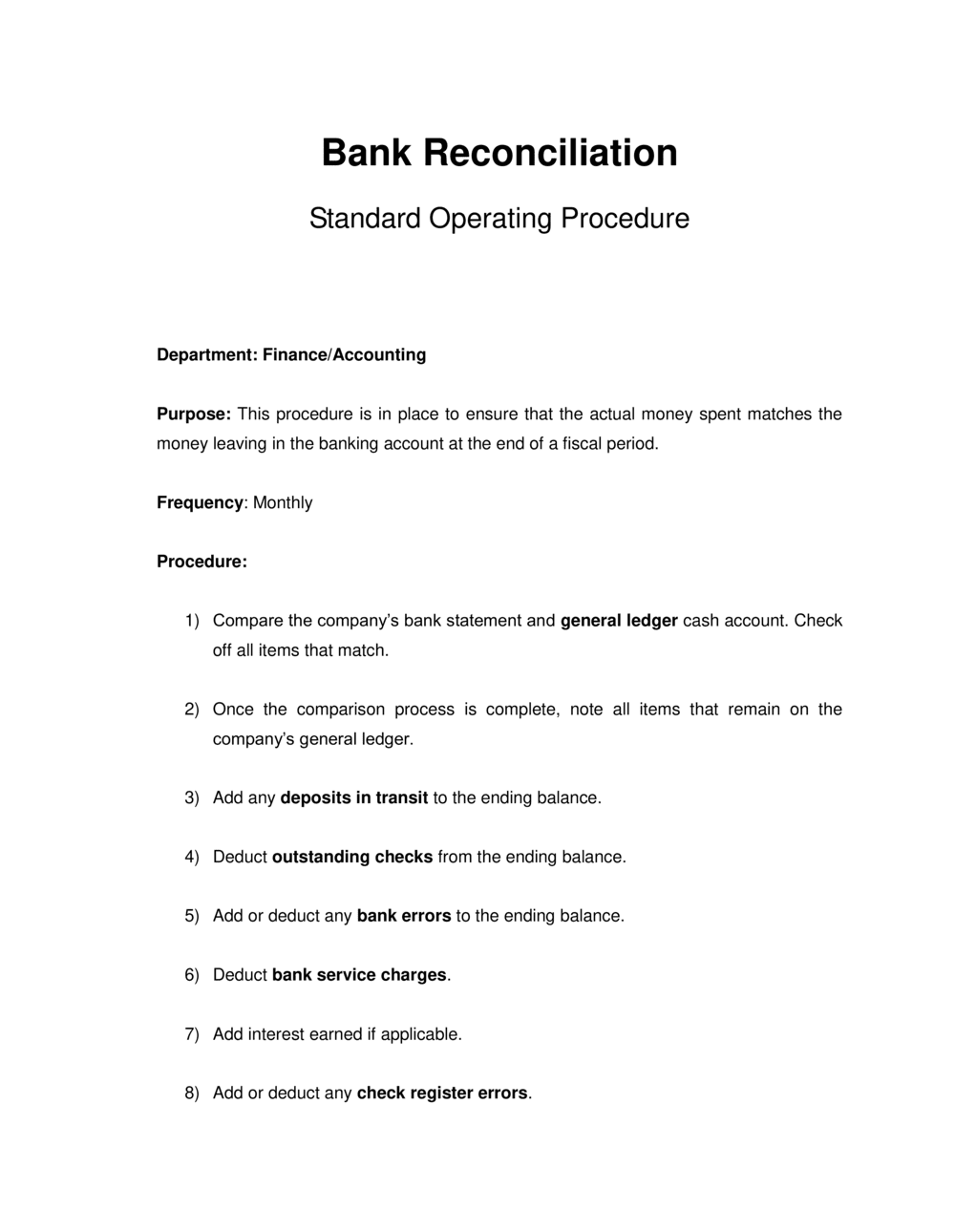
Print or download the bank statement for the period and pull the corresponding cash account ledger report from your accounting software as of the same closing date. Both must cover exactly the same date range.
💡 Export the GL transaction detail — not just the ending balance — so you can cross-reference individual transactions when a discrepancy appears.
2
Enter the header information
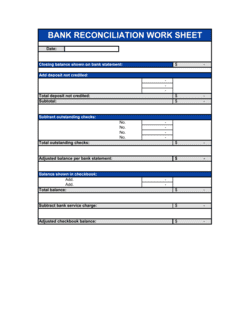
Complete the company name, bank name, account number (last four digits is sufficient for most internal documents), statement period, preparer name, and preparation date.
💡 If you reconcile multiple accounts, include the account nickname (e.g., 'Operating — Chase 4821') so the file is identifiable without opening it.
3
Record the bank statement ending balance
Enter the official closing balance from the bank statement — not the current online balance. This is your starting figure for the bank side of the reconciliation.
💡 Verify the opening balance on this statement matches the closing balance on last month's reconciliation before proceeding.
4
Identify and list deposits in transit
Compare deposits recorded in your books on or before the statement date against deposits shown on the bank statement. List every deposit that appears in the books but not on the statement, with its date and amount.
💡 Any deposit in transit that also appeared on last month's list should be flagged immediately — it should have cleared by now.
5
List all outstanding checks
Pull your check register and mark off every check that appears on the bank statement. List all checks issued on or before the statement date that did not clear, including check number, payee, date, and amount.
💡 Review checks outstanding for more than 90 days. Contact the payee to confirm receipt, or void and reissue. Flag checks over 6 months old as potential stale checks.
6
Calculate the adjusted bank balance
Add deposits in transit to the bank ending balance, subtract outstanding checks, and add or subtract any documented bank errors. Record this subtotal clearly as the adjusted bank balance.
💡 This number represents what the bank balance would be if all timing differences were resolved today — it should be close to your book balance before book-side adjustments.
7
Record and post book-side adjustments
Identify every item on the bank statement that hasn't been recorded in the books yet — service charges, NSF checks, interest, direct debits. Enter each as a book-side adjustment and post the corresponding journal entry in your accounting system before finalizing the reconciliation.
💡 Post journal entries first, then refresh the GL balance in your reconciliation — never adjust the reconciliation to compensate for unposted entries.
8
Confirm the two adjusted balances match and obtain sign-off
Confirm the adjusted bank balance equals the adjusted book balance. Document any remaining variance with a clear explanation and resolution timeline. Have a reviewer — someone other than the preparer — approve and date the completed reconciliation.
💡 Store the signed reconciliation with the supporting bank statement and GL report as a single PDF package. Auditors request all three together.