How to Develop Software

Free to read β€’ Save or share with one click

FreeHow to Develop Software Template

At a glance

What it is
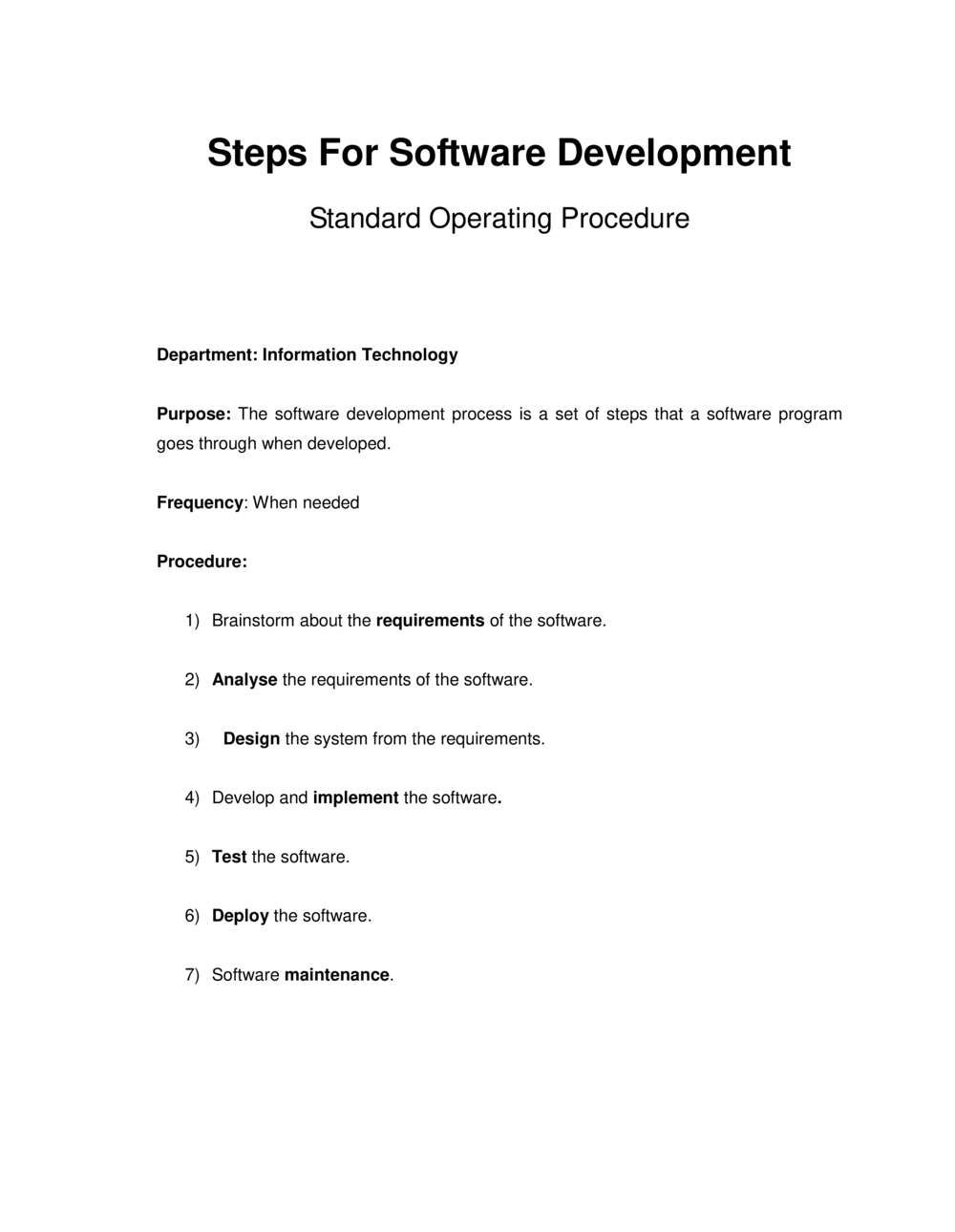
A How To Develop Software document is a structured operational guide that walks a team through every phase of the software development lifecycle β€” from requirements gathering and architecture design through coding, testing, deployment, and maintenance. This free Word download gives product managers, developers, and technical leads a repeatable framework they can edit online and export as PDF to align stakeholders and govern delivery.
When you need it
Use it when kicking off a new software project, standardizing development practices across a team, or onboarding new engineers who need a clear picture of how your organization builds and ships software. It is equally useful when auditors, clients, or enterprise buyers ask for documented development processes as part of a vendor assessment.
What's inside
Project scope and objectives, technology stack and architecture overview, requirements specification, development methodology, coding standards, testing and QA procedures, deployment and release protocol, and post-launch maintenance plan.

What is a How To Develop Software Document?

A How To Develop Software document is a structured operational guide that defines the end-to-end process a team follows to plan, design, build, test, deploy, and maintain a software system. It translates a project's goals into concrete technical decisions β€” methodology, architecture, requirements, coding standards, QA procedures, and deployment protocol β€” and records them in a single reference that every member of the team, from engineer to product owner, can act on. Unlike a generic project plan, it addresses the software-specific questions that determine whether a product ships on time, performs as expected, and can be maintained after launch.

Why You Need This Document

Without a documented development process, even experienced teams default to inconsistent practices: requirements stay in someone's head, the branching strategy lives in Slack, and the rollback procedure gets invented at midnight when a production deployment goes wrong. The consequences accumulate quickly β€” requirements misalignments surface after weeks of work, security vulnerabilities are discovered post-launch when remediation costs are highest, and new engineers spend weeks reconstructing decisions that should have been written down at kickoff. Enterprise and regulated clients increasingly require documented development processes as a condition of vendor approval; without one, deals stall in procurement. This template gives teams a professional, complete starting point that can be completed in a single working session and updated as the project evolves β€” turning an ad hoc workflow into a repeatable, auditable process.

Which variant fits your situation?

If your situation is…Use this template
Managing a multi-team product with sprints and a backlogAgile Software Development Plan
Delivering a fixed-scope project with sequential phasesWaterfall Project Plan
Documenting technical requirements before development beginsSoftware Requirements Specification
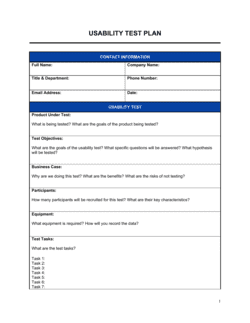
Defining automated and manual QA procedures for a releaseSoftware Testing Plan
Tracking features, bugs, and sprints across a development cycleProduct Roadmap
Onboarding a new development contractor or vendorSoftware Development Agreement
Planning infrastructure, hosting, and DevOps for a launchIT Infrastructure Plan

Common mistakes to avoid

❌ Skipping a written requirements specification

Why it matters: Without documented requirements, developers build to assumptions. Misaligned assumptions between stakeholders and engineers are the leading cause of expensive late-stage rework.

Fix: Write at least a minimal requirements specification β€” functional and non-functional β€” before any code is committed. Even a two-page document eliminates the most costly misunderstandings.

❌ No documented rollback procedure

Why it matters: When a production deployment breaks a critical workflow, teams without a tested rollback plan spend hours debugging under pressure, compounding downtime and user impact.

Fix: Write and test the rollback procedure in staging before the first production release. Define the error-rate threshold that automatically triggers a rollback decision.

❌ Treating security as a post-development checklist

Why it matters: Vulnerabilities discovered after deployment cost 6–100 times more to remediate than those caught during architecture or code review, and data breaches carry regulatory and reputational consequences that no retrospective fix can fully reverse.

Fix: Include security requirements in the requirements specification, run automated dependency scanning in the CI pipeline from day one, and schedule a penetration test before each major release.

❌ Adopting Agile ceremonies without Agile discipline

Why it matters: Running daily standups and calling iterations 'sprints' without maintained backlogs, acceptance criteria, or retrospectives produces the overhead of Agile with none of the predictability or continuous improvement it is designed to deliver.

Fix: If your team lacks the bandwidth for full Scrum discipline, use Kanban with explicit work-in-progress limits instead β€” a simpler methodology followed consistently outperforms a complex one followed inconsistently.

❌ Choosing the technology stack before writing requirements

Why it matters: A stack chosen out of familiarity rather than fit can lock the project into an architecture that cannot meet its actual scale, latency, or integration requirements without costly refactoring.

Fix: Finalize at least the non-functional requirements β€” performance targets, expected concurrent users, integration constraints β€” before committing to a technology stack.

❌ Writing the maintenance plan after launch

Why it matters: Teams that defer the maintenance plan have no agreed incident severity levels, no on-call rotation, and no allocated support budget when the first production issue hits β€” turning a routine incident into a multi-hour crisis.

Fix: Complete the maintenance and support section of this document before the deployment pipeline section. Monitoring, alerting, and on-call schedules must be live on launch day, not configured reactively.

The 9 key sections, explained

Project Scope and Objectives

Technology Stack and Architecture Overview

Requirements Specification

Development Methodology

Coding Standards and Version Control Protocol

Testing and QA Procedures

Deployment and Release Protocol

Security and Compliance Requirements

Maintenance and Support Plan

How to fill it out

  1. 1

    Define the project scope and success criteria

    Start by writing what the software must accomplish for users and the business, and explicitly list what is out of scope. Tie success to at least two measurable outcomes β€” not feature completeness.

    πŸ’‘ Use the 'jobs to be done' framing: 'When [situation], the user needs to [goal], so that [outcome].' This prevents scope from drifting toward nice-to-have features.

  2. 2

    Select and document the technology stack

    Choose languages, frameworks, databases, and hosting based on the functional and non-functional requirements you defined β€” not default preferences. Document the rationale for each major choice.

    πŸ’‘ Include a one-sentence 'why' for each technology decision. Future engineers will inherit these choices and need to understand the context, not just the outcome.

  3. 3

    Write functional and non-functional requirements

    Draft each requirement with a unique identifier, an action verb, a user role, and a measurable acceptance criterion. Non-functional requirements must include specific numbers β€” response time, uptime percentage, data retention period.

    πŸ’‘ If you cannot write an acceptance test for a requirement, the requirement is not specific enough to be implemented.

  4. 4

    Choose and document your development methodology

    Decide whether the project fits Agile, Waterfall, or a hybrid model. Document sprint length, key ceremonies, backlog ownership, and definition of 'done' so all team members operate from the same rules.

    πŸ’‘ For projects with fixed regulatory deadlines or government contracts, Waterfall or a hybrid gives more predictable milestone reporting than pure Agile.

  5. 5

    Establish coding standards and the branching strategy

    Link to or summarize your team's style guide, set the minimum number of pull-request reviewers, and document the exact branching model (Gitflow, trunk-based, etc.) with an example diagram if needed.

    πŸ’‘ Agree on and document the branching strategy at kickoff β€” changing it mid-project while active feature work is in progress causes more merge conflicts than almost any other process failure.

  6. 6

    Define testing requirements and pass criteria

    Specify minimum unit test coverage, which tests run in the CI pipeline, and the exact conditions UAT must satisfy before a release is approved. Assign ownership for each testing phase.

    πŸ’‘ Set the unit test coverage threshold at the start of the project β€” raising it retroactively creates a significant backlog of untested legacy code.

  7. 7

    Document the deployment pipeline and rollback procedure

    Map every environment from development to production, name who holds release authority, and write the exact steps for a rollback. Test the rollback procedure in a staging environment before the first production deployment.

    πŸ’‘ A rollback procedure that has never been tested is not a rollback procedure β€” schedule a fire drill before go-live.

  8. 8

    Complete the maintenance and support plan

    Set up monitoring alerts, document the on-call rotation and response SLAs, and schedule the first post-launch bug triage meeting before the launch date. Confirm the support budget and tooling are in place.

    πŸ’‘ The best time to agree on incident severity definitions is before the first incident β€” not at 2 a.m. when the production database is down.

Frequently asked questions

What is a software development plan?

A software development plan is an operational document that defines how a software project will be designed, built, tested, and deployed. It covers project scope, technology choices, requirements, development methodology, coding standards, QA procedures, deployment protocol, and post-launch maintenance. It serves as the governing reference for the entire development team and a communication tool for non-technical stakeholders.

What phases does a standard software development lifecycle include?

A standard SDLC includes six phases: requirements gathering, system design and architecture, development and coding, testing and QA, deployment, and maintenance. Some methodologies β€” particularly Agile β€” run these phases iteratively in short cycles rather than sequentially, but all phases are present in some form regardless of the methodology chosen.

Should a software development plan use Agile or Waterfall?

The right choice depends on how well-defined requirements are at the start. Waterfall suits projects with fixed, fully-specified requirements and regulatory milestones β€” government contracts and compliance-driven systems are common examples. Agile suits products where requirements will evolve based on user feedback, as in most SaaS and consumer app development. A hybrid model β€” fixed scope and timeline with iterative delivery β€” is common for agency work with defined client deliverables.

What should a requirements specification include?

Each requirement should have a unique identifier, an active-voice description of what the system shall do, a specified user role, and a measurable acceptance criterion. Non-functional requirements β€” performance, uptime, security, and scalability β€” must include specific numbers, not qualitative descriptions like "fast" or "reliable." Requirements without acceptance criteria cannot be tested and are effectively undefined.

How important is version control in software development?

Version control is non-negotiable for any project involving more than one developer, and strongly recommended even for solo projects. A documented branching strategy prevents merge conflicts, supports parallel feature development, and provides a complete audit trail of every change. Teams without a branching strategy spend disproportionate time resolving integration problems that a simple Gitflow or trunk-based model would eliminate.

When should security requirements be addressed in a development plan?

Security requirements should be defined during the requirements specification phase β€” not retrofitted after development. Authentication standards, data classification, encryption requirements, and compliance frameworks must inform architectural decisions made before a line of code is written. Automated dependency scanning and static analysis should run in the CI pipeline from the first sprint, not only before release.

What is the difference between a software development plan and a project plan?

A project plan covers timelines, milestones, resource allocation, and budget across any type of project. A software development plan is domain-specific β€” it addresses the technical methodology, requirements specification, coding standards, testing procedures, and deployment protocol that a generic project plan does not include. For software projects, both documents are typically needed: the project plan governs delivery logistics; the development plan governs how the software is built.

How often should a software development plan be updated?

At a minimum, review and update the plan at the start of each major release cycle. In Agile environments, the methodology and deployment sections should be reviewed each quarter as tooling and team size evolve. The requirements specification section must be updated whenever scope changes are formally approved β€” a plan that no longer reflects actual requirements is a liability, not an asset.

Do small teams or solo developers need a software development plan?

Yes, though a simplified version is appropriate. A solo developer or two-person team needs at minimum a written scope, a requirements list with acceptance criteria, a documented deployment procedure, and a maintenance plan. The absence of a formal plan is one of the most common reasons small projects grow uncontrollably in scope, miss their own deadlines, or become unmaintainable within 12 months of launch.

How this compares to alternatives

vs Software Requirements Specification

A Software Requirements Specification is a single-section deep dive into what the system must do β€” functional and non-functional requirements only. A software development plan is the full governing document for the project, of which the requirements specification is one section. Use the SRS as a standalone when the client or team needs a formal requirements baseline document separate from the broader development plan.

vs Project Plan

A project plan covers timelines, milestones, resource allocation, and budget for any project type. A software development plan covers the technical specifics β€” methodology, coding standards, testing procedures, deployment protocol β€” that a generic project plan omits. Software projects typically need both: the project plan manages delivery logistics; the development plan governs how the software is actually built.

vs Software Testing Plan

A software testing plan is a standalone document that defines test scope, test types, environments, responsibilities, pass/fail criteria, and defect management. A software development plan includes a testing section, but at a higher level of abstraction. Use a dedicated testing plan when QA is managed by a separate team, when the project is in a regulated industry, or when the client requires a formal QA deliverable.

vs Product Roadmap

A product roadmap is a strategic, time-based view of features and capabilities planned across multiple releases β€” designed for executive and stakeholder communication. A software development plan is an operational document for the development team governing how a specific release is built. The roadmap tells you what to build and when; the development plan tells you how to build it.

Industry-specific considerations

SaaS / Technology

CI/CD pipeline documentation, SLA-backed uptime requirements, multi-tenant architecture considerations, and sprint velocity tracking integrated into the development plan.

Financial Services / Fintech

PCI-DSS and SOC 2 compliance requirements embedded in the security section, strict change-management documentation for audit trails, and penetration testing schedules before each release.

Healthcare / MedTech

HIPAA-compliant data handling requirements, FDA software validation requirements for medical device software, and PHI access logging baked into the architecture design section.

Professional Services / Agencies

Client-facing delivery milestones mapped to development phases, technology stack selected to match client infrastructure, and UAT structured as a formal client sign-off gate.

Template vs pro β€” what fits your needs?

PathBest forCostTime
Use the templateSmall teams, startups, and agencies building standard web or mobile applications without regulatory requirementsFree3–6 hours to complete
Template + professional reviewTeams building regulated software (fintech, healthcare, government) or projects with enterprise client QA requirements$500–$2,000 for a technical architect or senior engineer review1–3 days
Custom draftedLarge-scale enterprise systems, FDA-regulated medical device software, or ISO 27001-compliant development environments$3,000–$15,000 for a full technical documentation engagement2–6 weeks

Glossary

SDLC (Software Development Lifecycle)
The end-to-end process a team follows to plan, build, test, deploy, and maintain software β€” from initial concept to retirement.
Requirements Specification
A document that captures what the software must do (functional requirements) and how it must perform (non-functional requirements) before any code is written.
Architecture Design
The high-level blueprint of a software system β€” defining components, data flows, technology choices, and how parts communicate with each other.
Sprint
A fixed time-box β€” typically 1 or 2 weeks β€” during which a development team completes a defined set of tasks in an Agile workflow.
Version Control
A system (most commonly Git) that tracks every change to source code, allowing teams to collaborate, revert mistakes, and manage parallel development branches.
CI/CD (Continuous Integration / Continuous Delivery)
An automated pipeline that builds, tests, and deploys code changes whenever a developer pushes to a shared repository, reducing manual release work and integration risk.
Technical Debt
Shortcuts or suboptimal code decisions that speed up short-term delivery but accumulate maintenance cost and complexity over time.
User Acceptance Testing (UAT)
A testing phase in which actual end users or stakeholders validate that the software meets agreed requirements before it is released to production.
Deployment Pipeline
The automated sequence of steps β€” build, test, stage, and release β€” that moves code from a developer's machine to a live production environment.
Post-Mortem
A structured review conducted after an incident or project completion to identify what went wrong, what worked, and what process changes will prevent recurrence.

Part of your Business Operating System

This document is one of 3,000+ business & legal templates included in Business in a Box.

  • Fill-in-the-blanks β€” ready in minutes
  • Compatible with all office suites
  • Export to PDF and share electronically

Create your document in 3 simple steps.

From template to signed document β€” all inside one Business Operating System.
1
Download or open template

Access over 3,000+ business and legal templates for any business task, project or initiative.

2
Edit and fill in the blanks with AI

Customize your ready-made business document template and save it in the cloud.

3
Save, Share, Send, Sign

Share your files and folders with your team. Create a space of seamless collaboration.

Save time, save money, and create top-quality documents.

β˜…β˜…β˜…β˜…β˜…

"Fantastic value! I'm not sure how I'd do without it. It's worth its weight in gold and paid back for itself many times."

Managing Director Β· Mall Farm
Robert Whalley
Managing Director, Mall Farm Proprietary Limited
β˜…β˜…β˜…β˜…β˜…

"I have been using Business in a Box for years. It has been the most useful source of templates I have encountered. I recommend it to anyone."

Business Owner Β· 4+ years
Dr Michael John Freestone
Business Owner
β˜…β˜…β˜…β˜…β˜…

"It has been a life saver so many times I have lost count. Business in a Box has saved me so much time and as you know, time is money."

Owner Β· Upstate Web
David G. Moore Jr.
Owner, Upstate Web

Run your business with a system β€” not scattered tools

Stop downloading documents. Start operating with clarity. Business in a Box gives you the Business Operating System used by over 250,000 companies worldwide to structure, run, and grow their business.

Start freeΒ Β·Β No credit card required