- Fiscal Year
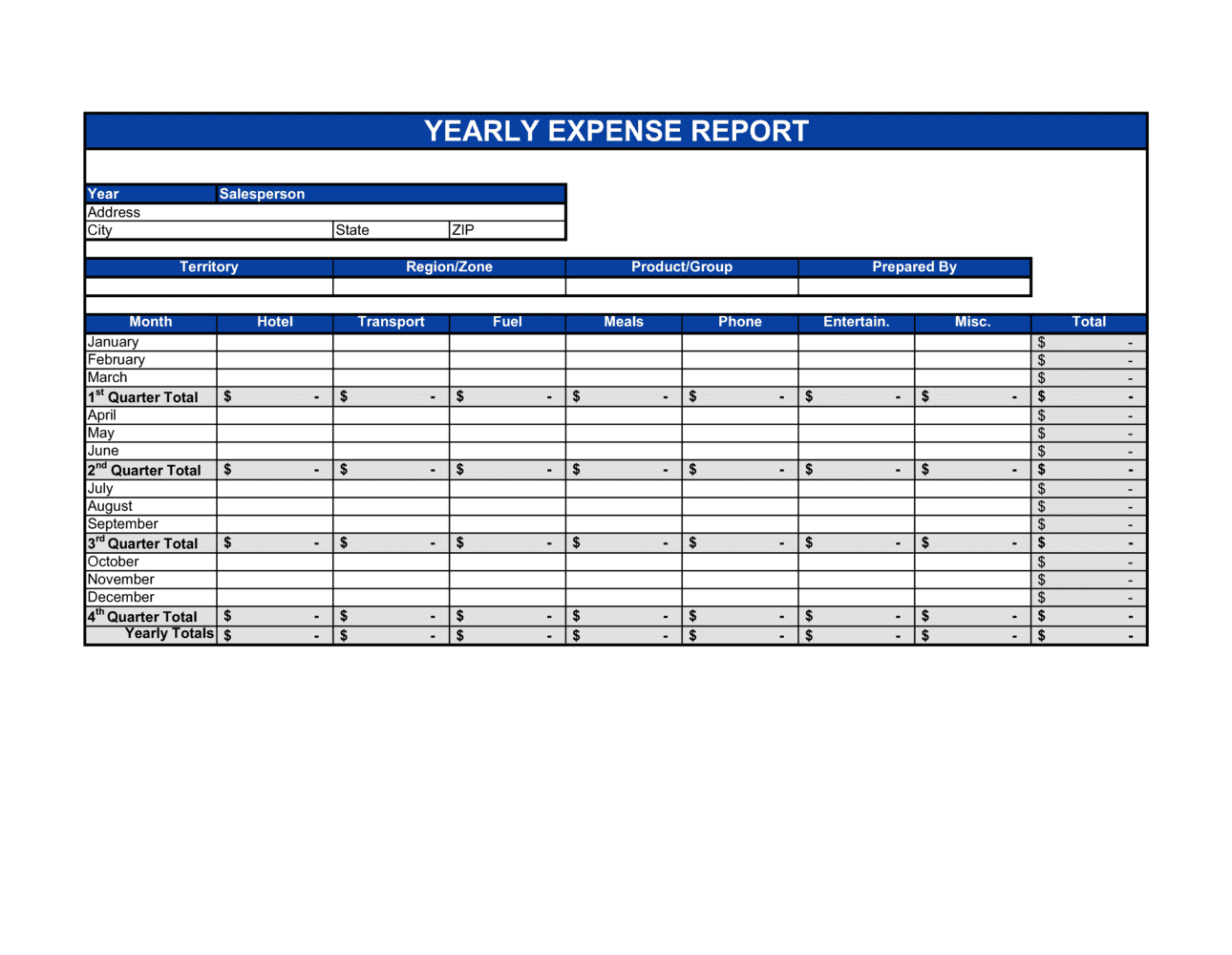
- A 12-month accounting period used by a business for financial reporting, which may or may not align with the calendar year.
- Claimant
- The employee, contractor, or department head who incurred the expenses and is requesting reimbursement or authorization.
- Reimbursable Expense
- A business cost originally paid by an employee that the employer is obligated to repay under company policy or an employment agreement.
- Expense Category
- A standardized bucket used to group similar costs — such as travel, meals, accommodation, or office supplies — for budgeting and tax reporting.
- Substantiation
- The IRS and CRA requirement that each deducted expense be supported by a receipt or document showing the amount, date, vendor, and business purpose.
- Accountable Plan
- An IRS-compliant employer reimbursement arrangement requiring a business connection, adequate substantiation, and return of excess advances — reimbursements under an accountable plan are not taxable income.
- Per Diem
- A fixed daily allowance paid to employees for meals and incidentals while travelling on business, set by the employer or a government rate schedule.
- Cost Center
- An organizational unit — department, project, or location — to which expenses are assigned for internal budgeting and reporting purposes.
- Advance Reconciliation
- The process of matching cash advances paid to an employee against actual documented expenses to determine the net amount owed to or by the employee.
- Audit Trail
- A sequential, documented record of financial transactions and approvals that allows an auditor or tax authority to trace each expense back to its source receipt and authorization.
- Non-Reimbursable Expense
- A cost that does not qualify for employer reimbursement under company policy — typically personal expenses, fines, or expenditures without a valid business purpose.