Email Confidentiality and Disclaimer Notice Template

Free Word download β€’ Edit online β€’ Save & share with Drive β€’ Export to PDF

1 pageβ€’15–20 min to fillβ€’Difficulty: Standard
Learn more ↓
FreeEmail Confidentiality and Disclaimer Notice Template

At a glance

What it is
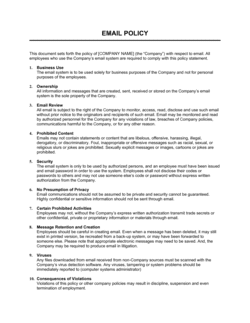
An Email Confidentiality and Disclaimer Notice is a standardized footer statement appended to business email communications to protect sensitive information, limit sender liability, and signal professional compliance standards. This free Word download gives you a ready-to-customize notice you can adapt for your organization and embed into your email client or company email template in minutes.
When you need it
Use it whenever your organization sends emails containing confidential information, legal advice, financial data, or proprietary business content β€” particularly when communicating with external parties such as clients, partners, regulators, or counterparties in negotiations.
What's inside
A confidentiality statement, misdirected-email instructions, liability limitation clause, privilege preservation notice, and optional jurisdiction-specific or industry-specific addenda such as regulatory compliance statements and virus/malware disclaimers.

What is an Email Confidentiality and Disclaimer Notice?

An Email Confidentiality and Disclaimer Notice is a standardized footer statement appended to outbound business emails to protect sensitive communications, limit the sender's liability, and instruct any unintended recipient on what to do if the message was misdirected. It typically combines a confidentiality declaration, a misdirected-email instruction, a liability limitation clause, and β€” where applicable β€” a privilege preservation notice or industry-specific regulatory statement. Rather than a one-time document, it functions as a standing operational safeguard deployed on every relevant email the organization sends.

Why You Need This Document

Without a confidentiality notice, a misdirected email containing sensitive client data, legal advice, or financial information has no documented instruction restricting its use β€” leaving the organization with limited recourse if the unintended recipient shares or acts on the content. Law firms risk inadvertent privilege waiver; healthcare providers risk HIPAA exposure; financial advisors risk liability for informal commentary mistaken for professional advice. A properly configured disclaimer creates a clear record that the organization intended confidentiality, reduces the likelihood that recipients treat informal email exchanges as binding commitments, and signals to clients and counterparties that the business operates to a professional standard. This template gives you a complete, customizable notice ready to deploy across your organization in under thirty minutes.

Which variant fits your situation?

If your situation is…Use this template
Standard confidentiality footer for all outbound business emailEmail Confidentiality and Disclaimer Notice
Legal practice needing privilege preservation languageAttorney-Client Privilege Email Disclaimer
Healthcare organization needing HIPAA-compliant email noticeHIPAA Email Confidentiality Notice
Financial services firm subject to regulatory disclaimersFinancial Services Email Disclaimer
Company communicating with EU-based recipients under GDPRGDPR-Compliant Email Privacy Notice
Internal IT policy enforcing acceptable use of company emailEmail Acceptable Use Policy

Common mistakes to avoid

❌ Using a disclaimer that is longer than the email itself

Why it matters: A disclaimer that runs 400 words on a 20-word reply trains recipients to scroll past it, reducing both its legal and practical effect.

Fix: Keep the core notice under 150 words. Move industry-specific addenda to a secondary block that appears only on relevant correspondence.

❌ Omitting the misdirected-email contact instruction

Why it matters: Without a clear instruction and a working contact address, an unintended recipient has no prompt to notify the sender β€” leaving a potential privilege or confidentiality breach undetected.

Fix: Include a monitored email address or phone number and test it before deploying the disclaimer organization-wide.

❌ Applying the privilege notice to all outbound email regardless of content

Why it matters: Courts and arbitrators have found that indiscriminate use of privilege language on routine, plainly non-privileged emails weakens the claim of privilege on emails where it genuinely applies.

Fix: Reserve privilege language for email accounts used by legal counsel, or configure a separate signature for privileged correspondence.

❌ Never updating the disclaimer after regulatory changes

Why it matters: A disclaimer that references superseded regulations β€” an old HIPAA version, a pre-Brexit EU standard, or an outdated FINRA rule β€” signals poor governance and may provide no protection at all.

Fix: Assign a compliance owner to review the disclaimer annually and after any material regulatory change affecting your industry or markets.

The 8 key clauses, explained

Confidentiality and Intended Recipient Statement

In plain language: Declares that the email and any attachments are confidential and intended solely for the named recipient.

Sample language
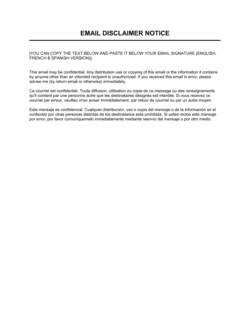
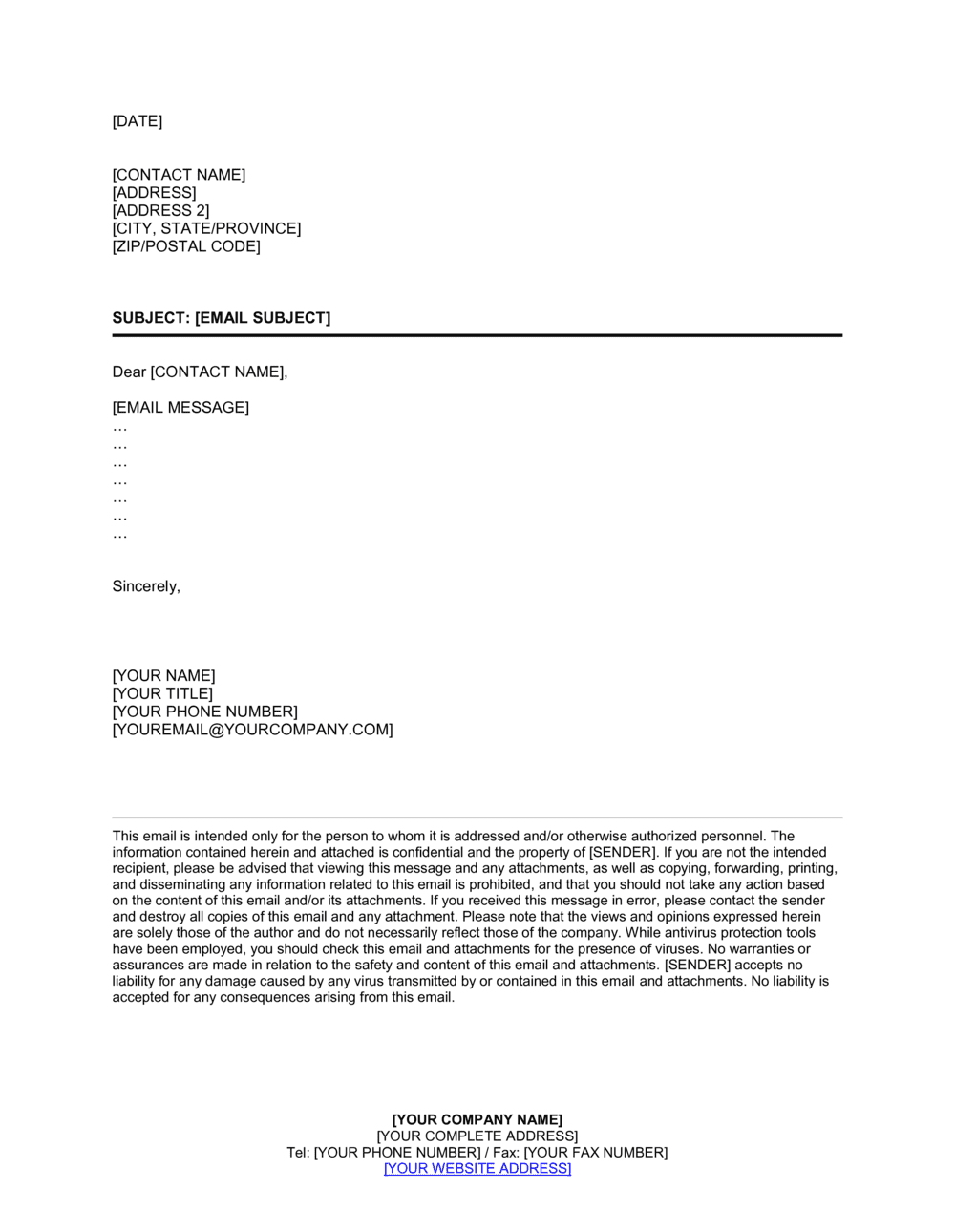
This email and any attachments are confidential and intended solely for the use of [RECIPIENT NAME] or the entity to whom they are addressed. If you have received this email in error, please notify the sender immediately.

Common mistake: Naming a generic 'the recipient' rather than referencing 'the named addressee' β€” courts have found this weakens the argument that disclosure was genuinely inadvertent.

Misdirected Email Instructions

In plain language: Tells an unintended recipient to delete the message, destroy any copies, and notify the sender without retaining or using the content.

Sample language
If you are not the intended recipient, you are hereby notified that any use, disclosure, copying, or distribution of this message is strictly prohibited. Please notify [SENDER NAME] at [EMAIL ADDRESS] immediately and permanently delete this email and all copies.

Common mistake: Omitting the instruction to notify the sender β€” without it, the organization may not learn about the misdirected message in time to take protective action.

Privilege Preservation Notice

In plain language: Signals that the email may contain legally privileged information β€” commonly used by law firms β€” and that privilege is not waived by inadvertent transmission.

Sample language
This communication may contain information that is legally privileged, confidential, or exempt from disclosure. No privilege is waived by any inadvertent transmission of this message.

Common mistake: Including a privilege notice on every email indiscriminately β€” courts may discount the notice as boilerplate if it appears on plainly non-privileged correspondence.

Liability Limitation Clause

In plain language: Limits the sender's liability for errors, omissions, or any harm arising from reliance on the email's contents.

Sample language
[COMPANY NAME] accepts no liability for any loss or damage arising from the use of, or reliance on, any information contained in this email. Any views expressed are those of the individual sender and do not necessarily reflect the views of [COMPANY NAME].

Common mistake: Stating that 'views expressed are solely the author's' without also disclaiming the company's liability β€” this creates ambiguity about whether the company endorses the content.

Virus and Malware Disclaimer

In plain language: Notes that the sender cannot guarantee the email or its attachments are free from viruses or malicious code and recommends the recipient run their own security checks.

Sample language
While [COMPANY NAME] has taken steps to ensure that this email and attachments are free from known viruses, we cannot guarantee this and recommend recipients run their own security scanning.

Common mistake: Omitting this clause for emails with attachments β€” in several jurisdictions, a sender who knew of a malware risk and failed to disclose it may face greater liability.

No Binding Commitment Statement

In plain language: Clarifies that the email does not create a binding contractual obligation unless a formal signed agreement is executed.

Sample language
This email does not constitute a legally binding offer, acceptance, or contract. No binding commitment shall arise from this communication unless confirmed in a duly executed written agreement signed by authorized representatives of [COMPANY NAME].

Common mistake: Relying on this clause alone to prevent contract formation β€” courts in some jurisdictions have found that a clear offer and acceptance over email creates a binding contract regardless of a disclaimer.

Regulatory Compliance Addendum (Optional)

In plain language: Adds sector-specific language required by industry regulators β€” such as HIPAA, GDPR, FINRA, or CAN-SPAM β€” applicable to the sender's industry.

Sample language
This email may contain Protected Health Information (PHI) as defined under the Health Insurance Portability and Accountability Act (HIPAA). If you are not the intended recipient, use or disclosure of this PHI is prohibited under federal law.

Common mistake: Using generic HIPAA or GDPR language copied from the internet without confirming it meets the current regulatory requirements for your specific entity type and jurisdiction.

Governing Jurisdiction Notice (Optional)

In plain language: States that any dispute arising from the email communication will be governed by the laws of a specific jurisdiction.

Sample language
Any dispute arising in connection with this email shall be governed by and construed in accordance with the laws of [STATE / PROVINCE / COUNTRY], without regard to its conflict of law provisions.

Common mistake: Choosing a governing jurisdiction that has no connection to either the sender or the recipient β€” some courts decline to enforce choice-of-law clauses that appear purely opportunistic.

How to fill it out

  1. 1

    Enter your company name and contact details

    Replace all [COMPANY NAME] placeholders with your registered business name. Add the sender's email address in the misdirected-email instructions so unintended recipients know exactly who to contact.

    πŸ’‘ Use your legal entity name rather than a brand name β€” it creates a cleaner record if the disclaimer is ever cited in a dispute.

  2. 2

    Choose which optional clauses to include

    Review the privilege preservation notice, regulatory addendum, and governing jurisdiction clause. Include only those that apply to your industry and recipient base β€” a leaner disclaimer is read more carefully than a wall of generic text.

    πŸ’‘ Law firms should always include the privilege clause; healthcare and financial services firms should always include the relevant regulatory addendum.

  3. 3

    Customize the liability limitation language

    Decide whether views expressed are those of the individual sender, the department, or the company, and update the clause accordingly. This is particularly important for organizations where employees communicate frequently with clients or press.

    πŸ’‘ If your staff regularly provides advice by email β€” legal, financial, or medical β€” tighten the liability clause to explicitly state that the email does not constitute professional advice.

  4. 4

    Confirm the misdirected-email instructions are actionable

    Verify that the contact email or phone number in the misdirected-email clause is monitored daily and routes to a real person. An instruction to call a disconnected number undermines the entire notice.

    πŸ’‘ Use a monitored alias like legal@yourdomain.com rather than an individual's address, so coverage does not lapse when staff change roles.

  5. 5

    Set the footer in your email client or mail server

    Copy the finalized disclaimer text into your email client's signature settings or configure it at the mail-server level so it appends automatically to all outbound messages from your domain.

    πŸ’‘ Server-level configuration ensures the disclaimer appears even when employees send from mobile devices or third-party clients β€” signature settings in individual email accounts are easily forgotten.

  6. 6

    Review and update annually

    Review the disclaimer once a year or whenever your jurisdiction, industry regulations, or email communication practices change. Outdated regulatory references β€” such as a superseded GDPR article number β€” can undermine the notice's credibility.

    πŸ’‘ Set a calendar reminder for the same date each year, linked to the document's reviewed date in Business in a Box, to ensure consistent annual review.

Frequently asked questions

What is an email confidentiality and disclaimer notice?

An email confidentiality and disclaimer notice is a standardized footer statement appended to outbound business emails to protect sensitive content, limit sender liability, preserve legal privilege where applicable, and instruct unintended recipients to delete and report the message. It serves as both a risk-management tool and a professional signal that the organization takes information security seriously.

Is an email disclaimer legally enforceable?

The enforceability of email disclaimers varies by jurisdiction and by the specific clause. Confidentiality notices and misdirected-email instructions are generally recognized as evidence of intent to keep information private, which can support privilege arguments. Liability limitation clauses are enforceable in many jurisdictions but may be disregarded if the underlying communication creates a clear contractual offer and acceptance. No disclaimer is a substitute for properly protecting sensitive information at the source.

Does every business email need a disclaimer?

Not every email legally requires a disclaimer, but most organizations benefit from including one on all external correspondence. Law firms, healthcare providers, and financial services firms typically face regulatory or professional standards that make a disclaimer effectively mandatory. For other businesses, a disclaimer reduces liability exposure and sets professional expectations with minimal effort once configured.

Can an email disclaimer prevent a contract from being formed?

A "no binding commitment" clause reduces the risk of unintended contract formation but does not guarantee it. Courts in several jurisdictions have found binding contracts formed over email even where a disclaimer was present, particularly where both parties clearly intended to reach agreement. The disclaimer is a protective layer, not a replacement for confirming important agreements in a signed written contract.

How long should an email disclaimer be?

An effective disclaimer typically runs 80–150 words for standard business use. Legal, healthcare, and financial services organizations may need an additional 50–100 words for regulatory addenda. Disclaimers longer than 250 words are routinely ignored by recipients and may dilute the impact of the most important clauses. Prioritize clarity and brevity over comprehensive coverage.

Where should the disclaimer appear in the email?

The disclaimer should appear at the bottom of the email body, after the sender's signature block and before any legal or regulatory addenda. Placing it at the very end of a long email thread can bury it β€” consider configuring your mail server to insert it immediately after the signature rather than below the full quoted reply chain.

Do I need a different disclaimer for internal emails?

Most organizations use their standard disclaimer on all outbound email and omit it from internal messages to reduce noise. However, if internal emails regularly contain sensitive HR, legal, or financial information that could be forwarded externally, applying a lighter confidentiality notice to internal messages as well is a reasonable precaution.

How do I add the disclaimer to all outgoing emails automatically?

The most reliable method is server-level configuration through your email platform β€” Microsoft 365, Google Workspace, and most enterprise mail servers support organization-wide footer rules. This ensures the disclaimer appears on every outbound message regardless of which device or client the sender uses. Individual email-client signature settings are a fallback option but are inconsistently maintained across a team.

Should I include a GDPR notice in my email disclaimer?

If your organization processes personal data of EU or UK residents, a brief GDPR or UK GDPR reference in the disclaimer is good practice β€” noting that personal data is processed in accordance with your privacy policy and linking to it. This is distinct from a full privacy notice but signals compliance awareness. For organizations subject to GDPR, consider consulting a data protection advisor to confirm the language meets your obligations under Articles 13 and 14.

How this compares to alternatives

vs Non-Disclosure Agreement

An NDA is a signed, binding contract that legally obligates both parties to keep specified information confidential before any disclosure occurs. An email disclaimer is a unilateral notice appended after the fact and does not create mutual contractual obligations. Use an NDA when entering negotiations or sharing proprietary data with a third party; use the email disclaimer as an ongoing operational safeguard for all correspondence.

vs Confidentiality Agreement

A confidentiality agreement is a formal bilateral document executed at the start of a business relationship to govern all confidential exchanges. An email disclaimer covers individual communications reactively, without the counterparty's signature. Both can coexist: the confidentiality agreement governs the relationship; the disclaimer reinforces expectations on each message.

vs Privacy Policy

A privacy policy is a public-facing statement explaining how an organization collects, uses, and protects personal data β€” typically posted on a website and required by law in most jurisdictions. An email disclaimer is a communication-specific notice protecting a single message. The disclaimer may link to the privacy policy for GDPR compliance, but the two documents serve distinct functions.

vs Email Acceptable Use Policy

An email acceptable use policy is an internal governance document that instructs employees on how to use company email systems, including required footer language. An email disclaimer is the actual footer text those employees append to messages. The policy sets the rule; the disclaimer is the artifact that implements it.

Industry-specific considerations

Legal Services

Attorney-client privilege preservation and inadvertent-disclosure language are standard professional requirements for all external client correspondence.

Financial Services

FINRA, SEC, and FCA-regulated firms append disclaimers confirming that email content does not constitute investment advice and referencing their registered entity status.

Healthcare

HIPAA-covered entities include a PHI confidentiality notice on all external correspondence to document reasonable safeguards for protected health information.

Professional Services

Consulting, accounting, and advisory firms use liability limitation and no-binding-commitment clauses to clarify that email exchanges do not constitute formal engagement or professional opinion.

Template vs pro β€” what fits your needs?

PathBest forCostTime
Use the templateSmall to mid-size businesses needing a standard confidentiality and liability footer for all outbound emailFree15–30 minutes to customize and deploy
Template + professional reviewOrganizations in regulated industries (healthcare, financial services, legal) or those communicating regularly with EU/UK recipients$150–$400 for a one-hour legal or compliance review1–2 days
Custom draftedMultinational enterprises, publicly traded companies, or firms subject to multiple overlapping regulatory frameworks$500–$2,000+ for a full compliance-counsel review and custom drafting1–2 weeks

Glossary

Confidentiality Notice
A statement informing the recipient that the email's contents are intended only for the named addressee and must not be shared without authorization.
Attorney-Client Privilege
A legal protection that keeps communications between a lawyer and their client private and shielded from disclosure in legal proceedings.
Inadvertent Disclosure
The accidental transmission of privileged or confidential information to an unintended recipient, which may or may not waive the underlying privilege depending on jurisdiction and context.
Liability Disclaimer
A clause limiting the sender's legal responsibility for errors, omissions, or harm arising from reliance on the email's contents.
Misdirected Email Notice
Instructions telling an unintended recipient to delete the message and notify the sender, reducing the risk of inadvertent disclosure.
Virus/Malware Disclaimer
A statement noting that the sender cannot guarantee the email is free of viruses and recommending the recipient scan attachments before opening.
Privilege Waiver
The loss of a legally protected communication's privileged status, which can occur when confidential content is shared with parties outside the protected relationship.
Regulatory Compliance Addendum
An industry-specific paragraph added to a disclaimer β€” for example, HIPAA, FINRA, or GDPR language β€” to meet sector-specific disclosure requirements.
Electronic Communications Policy
An internal company policy governing how employees may use corporate email, including required footer language and restrictions on personal use.
Footer Template
A reusable block of text configured in an email client or mail server to append automatically to every outbound message from a user or domain.

Part of your Business Operating System

This document is one of 3,000+ business & legal templates included in Business in a Box.

  • Fill-in-the-blanks β€” ready in minutes
  • 100% customizable Word document
  • Compatible with all office suites
  • Export to PDF and share electronically

Create your document in 3 simple steps.

From template to signed document β€” all inside one Business Operating System.
1
Download or open template

Access over 3,000+ business and legal templates for any business task, project or initiative.

2
Edit and fill in the blanks with AI

Customize your ready-made business document template and save it in the cloud.

3
Save, Share, Send, Sign

Share your files and folders with your team. Create a space of seamless collaboration.

Save time, save money, and create top-quality documents.

β˜…β˜…β˜…β˜…β˜…

"Fantastic value! I'm not sure how I'd do without it. It's worth its weight in gold and paid back for itself many times."

Managing Director Β· Mall Farm
Robert Whalley
Managing Director, Mall Farm Proprietary Limited
β˜…β˜…β˜…β˜…β˜…

"I have been using Business in a Box for years. It has been the most useful source of templates I have encountered. I recommend it to anyone."

Business Owner Β· 4+ years
Dr Michael John Freestone
Business Owner
β˜…β˜…β˜…β˜…β˜…

"It has been a life saver so many times I have lost count. Business in a Box has saved me so much time and as you know, time is money."

Owner Β· Upstate Web
David G. Moore Jr.
Owner, Upstate Web

Run your business with a system β€” not scattered tools

Stop downloading documents. Start operating with clarity. Business in a Box gives you the Business Operating System used by over 250,000 companies worldwide to structure, run, and grow their business.

Free Forever PlanΒ Β·Β No credit card required