1
Insert company name and effective date
Replace all [COMPANY NAME] placeholders throughout the document and set the effective date. Ensure the header and footer both reflect the same version date so distributed copies are identifiable.
💡 Add a version number (e.g., v1.0, v2.1) alongside the date — it makes tracking future revisions and communicating updates to staff significantly easier.
2
Define the scope of covered personnel and systems
Explicitly list all categories of personnel the policy covers — full-time employees, part-time staff, contractors, interns, and third-party vendors — and name the systems and device types in scope.
💡 If you engage contractors through a staffing agency, confirm in your vendor agreement that they are bound by your IT policies — the policy document alone may not be sufficient.
3
Set personal use boundaries
Decide on a specific personal use rule — for example, incidental use is permitted outside core hours — and write it into the acceptable use section. Vague rules invite inconsistent enforcement.
💡 Align the personal use rule with your remote work policy if you have one; contradictions between documents create employee relations problems.
4
Configure the password and 2FA requirements
Enter your minimum password length, complexity rules, rotation frequency, and which specific systems require two-factor authentication. Coordinate with your IT team to confirm the technical controls match what is written.
💡 State the 2FA requirement for email, VPN, and any cloud platform handling customer or financial data — these are the three systems most frequently targeted in small-business breaches.
5
Add the monitoring disclosure prominently
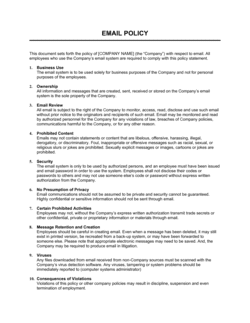
Place the monitoring and privacy section early in the document — not in an appendix — and use plain language. Employees must understand they have no expectation of privacy on company systems before they use them.
💡 In the EU and Canada, the monitoring disclosure may need to be more specific about what is logged and for how long. Flag this section for a brief legal review if you have employees in those jurisdictions.
6
Complete the BYOD and remote access section
If employees use personal devices or work remotely, fill in the MDM enrollment requirement, minimum PIN length, encryption requirement, and the remote-wipe clause. If BYOD is not permitted, state it explicitly.
💡 A blanket 'no personal devices' policy is the simplest approach — but if you can't enforce it in practice, a documented BYOD framework is safer than an ignored prohibition.
7
State violations and consequences clearly
Name the disciplinary steps — verbal warning, written warning, suspension, termination — and specify which violations bypass the progressive ladder and result in immediate termination or law enforcement referral.
💡 Cross-reference your employee handbook's disciplinary procedure so both documents are consistent. Contradiction between the IT policy and the handbook is a common HR dispute trigger.
8
Distribute and collect signed acknowledgments
Send the policy to all in-scope personnel, set a deadline for signed acknowledgment, and store completed acknowledgments in each employee's HR file. Repeat this process whenever the policy is materially updated.
💡 For remote teams, use an e-signature or HR platform acknowledgment flow — chasing PDF signatures from distributed staff results in incomplete records.