Employee Email Policies Long Template

Free Word download β€’ Edit online β€’ Save & share with Drive β€’ Export to PDF

4 pagesβ€’20–30 min to fillβ€’Difficulty: Standard
Learn more ↓
FreeEmployee Email Policies Long Template

At a glance

What it is
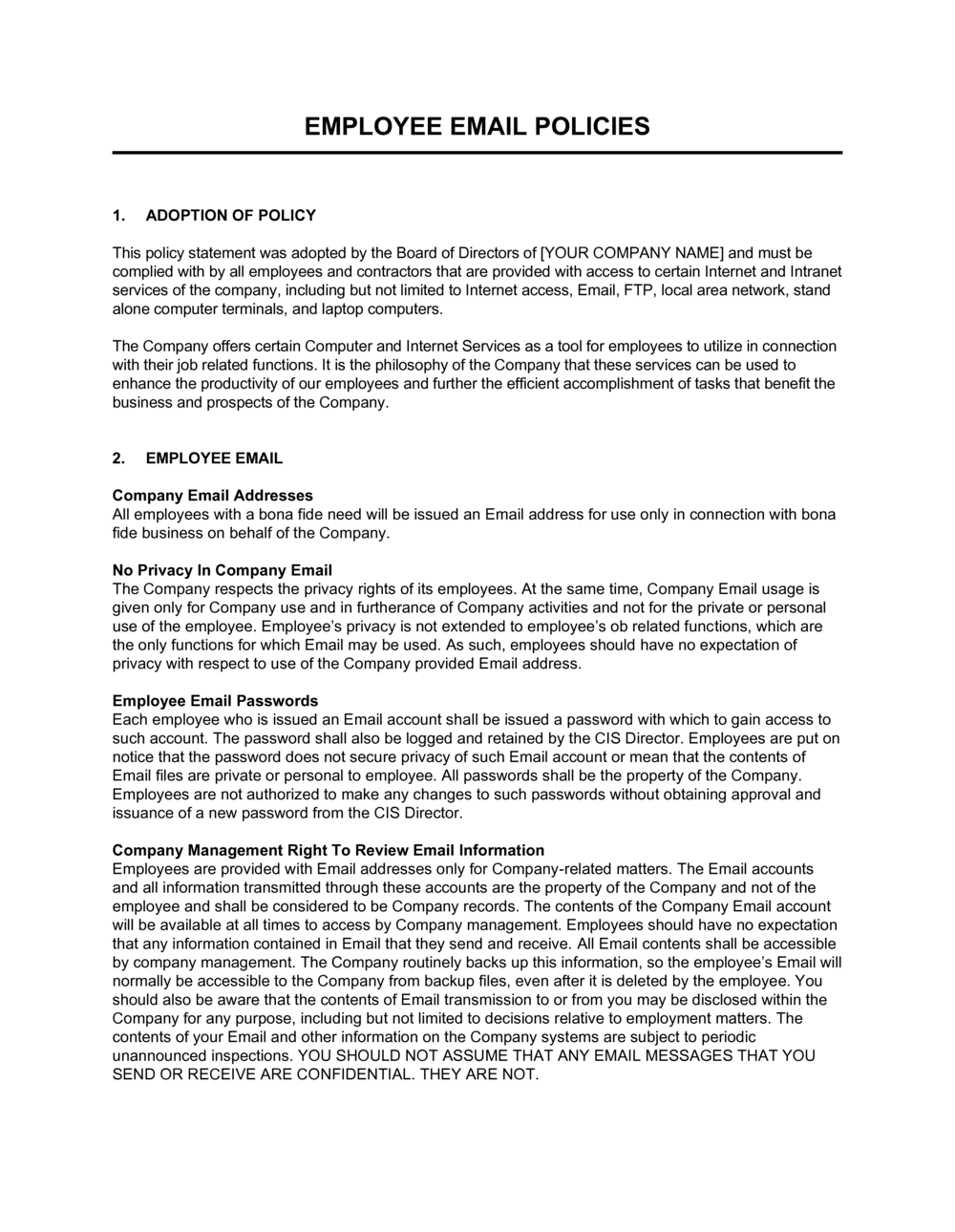
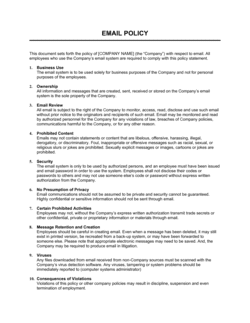
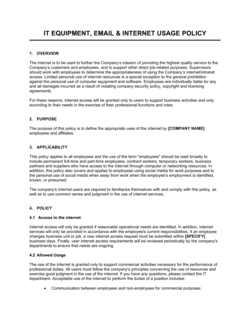
An Employee Email Policy is a formal written document that defines how employees may use company-provided email accounts β€” covering acceptable and prohibited use, confidentiality obligations, retention schedules, monitoring rights, and disciplinary consequences. This free Word download gives you a ready-to-customize policy you can edit online and distribute to staff as a standalone document or incorporate into an employee handbook.
When you need it
Use it when onboarding new hires who will have company email access, when responding to a data breach or misuse incident, or when updating existing IT policies to reflect current privacy regulations and remote-work realities.
What's inside
Purpose and scope, acceptable and prohibited use rules, confidentiality and data protection requirements, email monitoring and privacy disclosures, retention and deletion schedules, security responsibilities, personal use guidelines, and violation consequences including disciplinary steps.

What is an Employee Email Policy?

An Employee Email Policy is a formal operational document that governs how employees may use company-provided email accounts β€” defining permitted and prohibited uses, confidentiality requirements, the employer's right to monitor communications, email retention and deletion schedules, individual security responsibilities, and the disciplinary consequences for policy violations. Unlike informal IT guidelines or a single paragraph in an employee handbook, a standalone email policy provides the specificity needed to enforce standards consistently, respond to security incidents with documented authority, and satisfy the audit requirements of regulators and cyber liability insurers. It applies to everyone who accesses company email, including contractors and temporary workers, on any device.

Why You Need This Document

Every company that issues email accounts without a written policy is managing a liability, not just a technology tool. When an employee forwards confidential pricing data to a personal account, sends harassing messages to a colleague, or falls for a phishing attack, the company's ability to investigate, discipline, and defend itself legally depends almost entirely on whether a documented policy was in place and acknowledged. Without one, employees can plausibly claim they did not know the rules; courts can find that monitoring was unauthorized; and regulators can treat the absence of a written policy as evidence of inadequate data controls. A well-structured email policy closes those gaps in about two hours of customization, establishes enforceable retention schedules that protect the company in e-discovery, and signals to staff that email is a professional tool subject to the same conduct standards as any other workplace behavior. This template gives you a complete, ready-to-distribute starting point that covers every major policy area, from BYOD security to litigation holds.

Which variant fits your situation?

If your situation is…Use this template
Small team needing a brief, straightforward email policyEmployee Email Policy (Short)
Organization requiring a full IT and technology acceptable use policyIT Acceptable Use Policy
Company wanting to govern social media alongside emailSocial Media Policy
Business needing a broader internal communications policyInternal Communications Policy
Organization formalizing all HR policies in one documentEmployee Handbook
Company handling sensitive data needing a dedicated data protection policyData Protection Policy
Remote-first team needing remote work communication guidelinesRemote Work Policy

Common mistakes to avoid

❌ Omitting the monitoring disclosure

Why it matters: In many jurisdictions, monitoring employees without prior written notice exposes the company to privacy claims and invalidates evidence gathered during an investigation.

Fix: Add a clear monitoring disclosure early in the policy and collect signed acknowledgments from all covered employees before monitoring begins.

❌ Applying a single email retention period to all messages

Why it matters: HR, finance, and legal emails are subject to different statutory retention requirements β€” a uniform period either over-retains or under-retains regulated records.

Fix: Define separate retention periods for each major category of business email and cross-reference the applicable regulation for each.

❌ Ignoring personal device (BYOD) access

Why it matters: Employees who access company email on unmanaged personal devices can expose sensitive data and make it impossible to enforce a remote wipe upon departure.

Fix: Add a BYOD section requiring MDM enrollment and remote wipe consent for any personal device used to access company email.

❌ Publishing the policy without a signed employee acknowledgment

Why it matters: Without documented acknowledgment, employees can credibly claim they were unaware of the rules β€” undermining disciplinary action and litigation holds.

Fix: Attach an acknowledgment form to the policy and collect signatures β€” or digital confirmations β€” from all employees before the policy takes effect.

The 10 key sections, explained

Purpose and scope

Acceptable use

Prohibited use

Confidentiality and data protection

Monitoring and privacy

Email retention and deletion

Security responsibilities

Personal devices and external access

Violations and disciplinary consequences

Policy review and updates

How to fill it out

  1. 1

    Define the scope and covered parties

    Identify every category of person who accesses company email β€” full-time employees, part-time staff, contractors, interns, and authorized third parties. Enter the company's legal name throughout the document.

    πŸ’‘ List covered roles explicitly rather than writing 'all staff' β€” ambiguity about whether contractors are covered is a common enforcement gap.

  2. 2

    Set personal use boundaries clearly

    Decide whether to permit limited personal use or prohibit it entirely. If limited personal use is allowed, define 'limited' β€” for example, a maximum of 10 minutes per day for personal email that does not involve confidential data.

    πŸ’‘ A blanket prohibition on personal use is rarely enforceable in practice. A defined limit paired with a clear prohibited-content list is easier to apply consistently.

  3. 3

    Write the prohibited use list with specific categories

    List every category of prohibited content and behavior: harassment, discriminatory language, confidential data sent to personal accounts, auto-forwarding to external addresses, bulk unsolicited email, and unauthorized company communications.

    πŸ’‘ Review your most recent HR incident log β€” the types of email misuse that have actually occurred in your organization should be named explicitly.

  4. 4

    Add data classification and encryption requirements

    Map your existing data classification levels (e.g., confidential, restricted) to specific email handling rules. State which levels require encryption, which may not be sent externally at all, and which approved tools must be used.

    πŸ’‘ If you do not have a formal data classification scheme, this policy is a good forcing function to create one β€” even a three-tier system (public, internal, confidential) is sufficient.

  5. 5

    Insert the monitoring disclosure prominently

    Place the monitoring and privacy section early in the document β€” before the rules sections β€” and use plain language. Specify what is monitored, why, and by whom.

    πŸ’‘ Have employees sign an acknowledgment form that references the monitoring disclosure specifically, not just the policy as a whole.

  6. 6

    Set retention periods by email category

    Enter specific retention durations for each major email category: general business correspondence, HR records, finance communications, and legal matters. Cross-reference applicable regulations for your industry.

    πŸ’‘ For US companies, the IRS requires business records to be kept for at least 3 years; HIPAA requires covered entity records for 6 years; check your industry's governing standard before entering durations.

  7. 7

    Define security responsibilities and reporting timelines

    Assign specific security actions to employees: minimum password length, MFA enrollment deadline, maximum time to report a suspected phishing attempt, and the correct contact for incident reporting.

    πŸ’‘ A 24-hour reporting window for phishing incidents is a reasonable standard β€” shorter windows reduce dwell time but are hard to enforce for employees in different time zones.

  8. 8

    Calibrate disciplinary consequences by severity

    Create at least three tiers of violation severity with corresponding consequences: minor (e.g., excessive personal use β†’ verbal warning), moderate (e.g., sending internal documents to a personal account β†’ written warning and IT audit), and serious (e.g., harassment or deliberate data disclosure β†’ immediate investigation and possible termination).

    πŸ’‘ Reference your existing disciplinary procedure by name in this section rather than repeating its full content β€” this keeps the email policy focused and ensures consistency across all HR policies.

Frequently asked questions

What is an employee email policy?

An employee email policy is a formal document that defines how staff may use company-provided email accounts. It covers acceptable and prohibited use, confidentiality obligations, the employer's monitoring rights, email retention schedules, security responsibilities, and disciplinary consequences for violations. It gives employees clear expectations and gives the employer a documented basis for enforcement.

Why does a company need a formal email policy?

Without a written policy, the company has no documented standard to enforce against misuse, no retention schedule to defend in litigation, and no monitoring disclosure to support investigations. A policy also reduces liability for employee-generated harassment or data disclosure by demonstrating that the company had reasonable controls in place. Most cyber liability insurers and compliance frameworks require one.

Can employers legally monitor employee email?

In most jurisdictions, employers may monitor email sent and received on company systems provided they give employees prior written notice of that monitoring. The monitoring disclosure section of this policy serves that purpose. Laws vary by country and US state β€” notably, some EU member states and Canada impose additional constraints β€” so consider a legal review if your workforce spans multiple jurisdictions.

Should employees be allowed to use company email for personal messages?

A blanket prohibition is rarely enforceable in practice and can create an adversarial culture. Most organizations permit limited personal use β€” typically defined as occasional messages that do not involve confidential data, prohibited content, or significant time away from work duties. The policy should define "limited" concretely so managers can apply the rule consistently.

What email retention periods should a company use?

Retention periods depend on the content and applicable regulations. General business correspondence is commonly retained for 3–7 years. HR and employment records typically require 3–7 years depending on jurisdiction. Finance and tax-related emails commonly require 7 years under IRS guidance. Legal matter emails should be retained until the matter is closed plus a defined buffer period. Always cross-reference the regulations specific to your industry and location.

What is a litigation hold and how does it relate to an email policy?

A litigation hold is a directive to suspend the normal deletion of email and other records when litigation is reasonably anticipated. The email policy should explicitly state that retention schedules are overridden by a litigation hold, and that employees who receive a hold notice must immediately cease deletion of any covered messages. Failure to comply with a litigation hold can result in sanctions, adverse inference instructions, or penalties in court.

Does this policy need to cover emails accessed on personal phones?

Yes. Employees routinely access company email on personal smartphones and tablets. Without a BYOD provision, the company cannot enforce password requirements, encryption standards, or remote wipe capability on those devices. The policy should require MDM enrollment and remote wipe consent for any personal device used to access company email accounts.

How often should an employee email policy be updated?

An annual review is the standard best practice. Trigger an out-of-cycle update whenever the company changes email platforms, adopts a new data classification scheme, experiences an email-related security incident, or must comply with a newly applicable regulation such as GDPR or a state privacy law. A policy that predates cloud email, MFA requirements, or remote work is effectively obsolete regardless of its original quality.

Should the email policy be a standalone document or part of the employee handbook?

Both approaches are common. A standalone policy is easier to update independently, distribute to IT and compliance teams separately, and version-control on its own schedule. Incorporating it into the handbook ensures all staff receive it during onboarding. Many organizations maintain a standalone policy and include a summary reference in the handbook that points employees to the full document.

How this compares to alternatives

vs IT Acceptable Use Policy

An IT Acceptable Use Policy governs all company technology assets β€” computers, internet access, software, and devices β€” of which email is just one component. An employee email policy goes deeper on email-specific rules: retention schedules, monitoring disclosures, encryption requirements, and litigation holds. Organizations with significant IT risk typically need both documents.

vs Social Media Policy

A social media policy governs how employees communicate on public-facing platforms such as LinkedIn, X, and Facebook β€” including whether they may discuss the company, share proprietary content, or post during work hours. An email policy governs private, internal and external business communications. The two documents are complementary and often referenced together in an employee handbook.

vs Employee Handbook

An employee handbook is a comprehensive reference document covering all workplace policies β€” conduct, benefits, leave, and IT rules. An employee email policy is a standalone operational document that provides far greater detail on email-specific obligations than any handbook section can. The handbook typically references the standalone email policy rather than reproducing its full content.

vs Data Protection Policy

A data protection policy governs how the organization collects, stores, processes, and secures personal data across all systems and processes. An employee email policy focuses specifically on email as a channel and addresses use, monitoring, and retention alongside data handling. Regulated organizations typically need both, with the email policy's confidentiality section cross-referencing the data protection policy.

Industry-specific considerations

Healthcare

HIPAA mandates specific safeguards for protected health information transmitted by email, including encryption requirements and breach notification obligations for covered entities and business associates.

Financial Services

FINRA, SEC, and banking regulators require firms to archive and supervise electronic communications, including email, for periods ranging from 3 to 7 years depending on the message type.

Legal and Professional Services

Attorney-client privilege and professional confidentiality rules require strict controls on how client communications are transmitted, stored, and accessed by non-authorized staff via email.

Technology / SaaS

Distributed and remote-first teams increase BYOD and external access exposure, making auto-forwarding controls, MDM enrollment, and phishing response procedures especially critical components of the policy.

Template vs pro β€” what fits your needs?

PathBest forCostTime
Use the templateSmall to mid-size businesses establishing email rules for the first time in a single jurisdictionFree1–2 hours to customize and distribute
Template + professional reviewOrganizations with remote or international staff, BYOD programs, or regulated data handling requirements$200–$600 for an HR consultant or employment lawyer review3–5 business days
Custom draftedEnterprises in regulated industries (healthcare, financial services, legal) or those subject to GDPR, HIPAA, or FINRA email archiving rules$1,000–$3,000+1–3 weeks

Glossary

Acceptable Use Policy (AUP)
A document specifying the permitted and prohibited ways employees may use company IT systems, including email, internet, and devices.
Email Retention Schedule
A defined timeframe for how long email messages must be stored before they can be deleted, typically driven by legal, regulatory, or operational requirements.
Litigation Hold
A directive suspending the normal deletion of email and other records when the organization anticipates or is involved in legal proceedings.
Monitoring Disclosure
A written notice informing employees that their use of company email systems may be reviewed, logged, or audited by the employer.
Phishing
A social-engineering attack delivered via email that tricks recipients into revealing credentials, clicking malicious links, or transferring funds.
Data Classification
A system categorizing information by sensitivity level β€” such as public, internal, confidential, and restricted β€” to determine handling and sharing rules.
E-discovery
The process of identifying, collecting, and producing electronically stored information, including email, in response to litigation or regulatory investigation.
Spoofing
Forging the sender address in an email to make it appear as though it came from a trusted source, commonly used in phishing and fraud attacks.
Auto-Forwarding
A setting that automatically routes incoming emails to an external address β€” a common data-loss risk that most email policies explicitly restrict.
Disciplinary Procedure
The sequential steps β€” verbal warning, written warning, suspension, termination β€” an employer follows when an employee violates a workplace policy.

Part of your Business Operating System

This document is one of 3,000+ business & legal templates included in Business in a Box.

  • Fill-in-the-blanks β€” ready in minutes
  • 100% customizable Word document
  • Compatible with all office suites
  • Export to PDF and share electronically

Create your document in 3 simple steps.

From template to signed document β€” all inside one Business Operating System.
1
Download or open template

Access over 3,000+ business and legal templates for any business task, project or initiative.

2
Edit and fill in the blanks with AI

Customize your ready-made business document template and save it in the cloud.

3
Save, Share, Send, Sign

Share your files and folders with your team. Create a space of seamless collaboration.

Save time, save money, and create top-quality documents.

β˜…β˜…β˜…β˜…β˜…

"Fantastic value! I'm not sure how I'd do without it. It's worth its weight in gold and paid back for itself many times."

Managing Director Β· Mall Farm
Robert Whalley
Managing Director, Mall Farm Proprietary Limited
β˜…β˜…β˜…β˜…β˜…

"I have been using Business in a Box for years. It has been the most useful source of templates I have encountered. I recommend it to anyone."

Business Owner Β· 4+ years
Dr Michael John Freestone
Business Owner
β˜…β˜…β˜…β˜…β˜…

"It has been a life saver so many times I have lost count. Business in a Box has saved me so much time and as you know, time is money."

Owner Β· Upstate Web
David G. Moore Jr.
Owner, Upstate Web

Run your business with a system β€” not scattered tools

Stop downloading documents. Start operating with clarity. Business in a Box gives you the Business Operating System used by over 250,000 companies worldwide to structure, run, and grow their business.

Start freeΒ Β·Β No credit card required